Public Data Transparency Landing Page Template
Civic is a single-column landing page template built for civic tech nonprofits that turn raw government data into readable public tools. It opens with a six-icon stat grid, then moves through punch-then-explain data beats, a case study pull quote, and a three-card tool showcase. Two conversion paths close the page: a dashboard link and an email-gated field guide download.
by Rocket studio
Quick summary
Civic is a structured, single-column landing page template for civic tech organizations that make local government data readable. It leads with an icon grid of six dataset categories, builds credibility through large impact numbers, and closes with two clear conversion paths. The design feels like a well-organized field guide: authoritative, usable, and built for people who need the information quickly.
Who this template is for
This template is built for mission-driven organizations that translate opaque public records into tools anyone can use. It speaks directly to people who arrive with a specific civic need and need the page to earn their trust fast.
- Local journalists investigating zoning decisions, budget allocations, or council votes
- Community organizers preparing for public hearings or policy testimony
- Computer science students and open-source contributors looking for meaningful civic projects to join
What problem this template solves
Government data is technically public but rarely legible. Most residents, journalists, and organizers cannot navigate raw council records, budget spreadsheets, or permit databases without specialist knowledge. This template gives civic tech nonprofits a page that communicates their scale of impact before a visitor reads a single paragraph.
- Visitors often leave before trusting an organization's credibility; the stats-first layout eliminates that hesitation upfront
- Generic nonprofit landing pages bury their tools and outcomes; this template leads with numbers and follows with context
- Conversion paths on civic pages often feel abrupt; here, both the dashboard link and the field guide download are positioned only after credibility is fully established
What you get with this template
The template delivers a complete single-column landing page organized into six purposeful sections. Each section has a defined role in the visitor's journey from awareness to action.
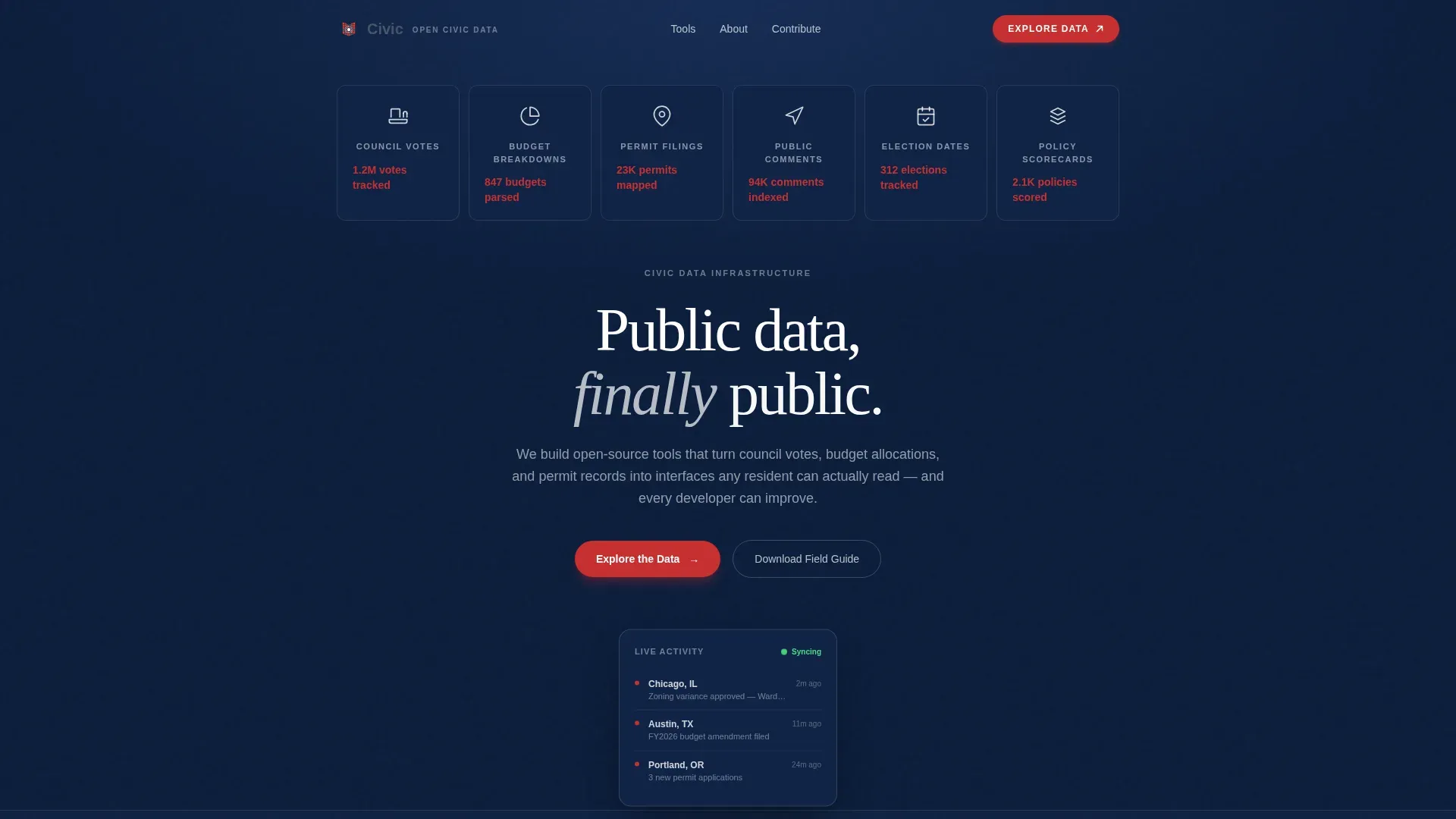
- A hero icon grid with six civic dataset tiles, red-highlighted impact stats, a fading headline, and a floating live-data indicator card
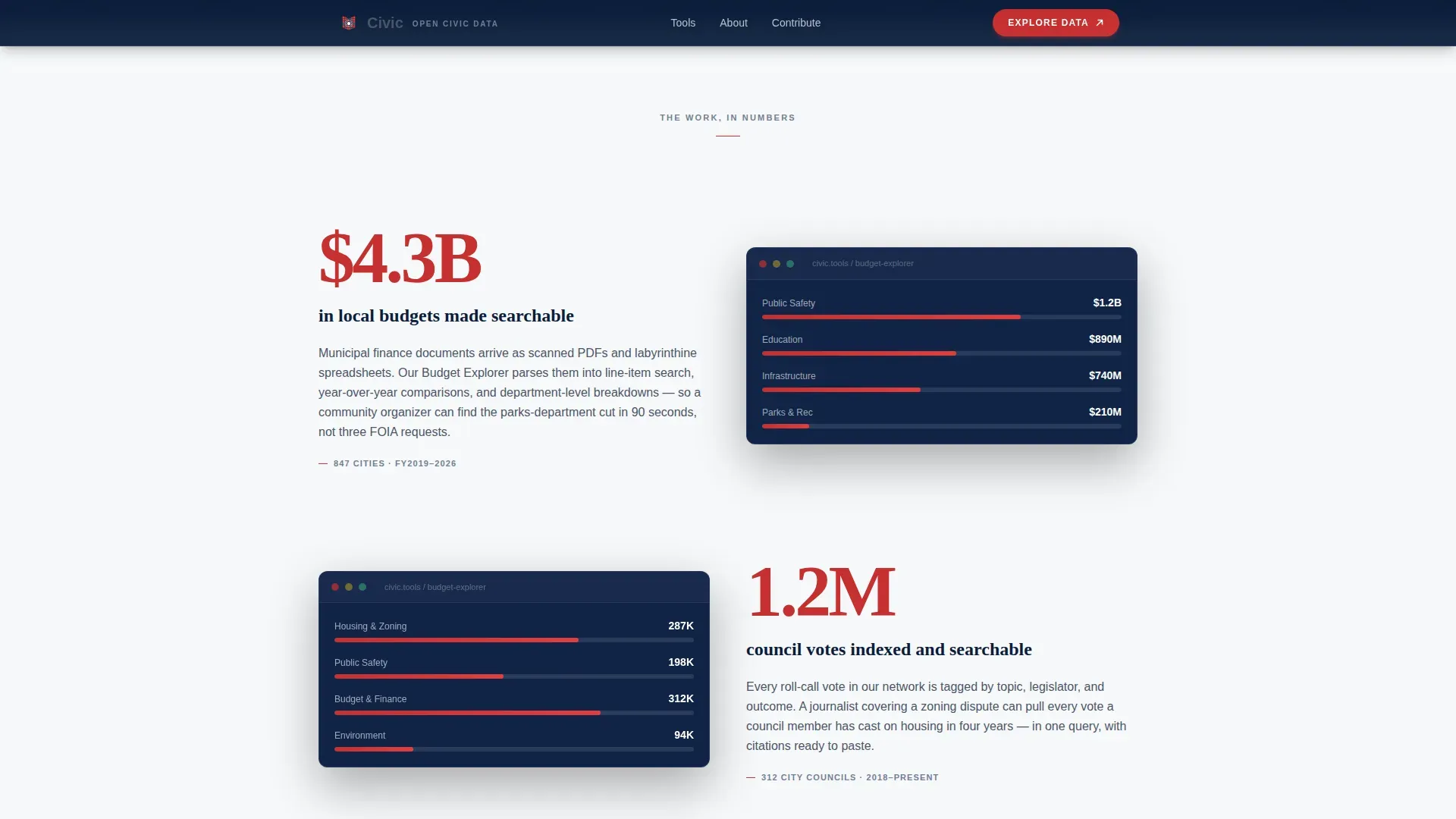
- Three stats-impact beats that lead with a large figure and follow with an explanatory paragraph and tool screenshot
- A tools showcase of three named cards, a case study pull quote, a dual-conversion call-to-action section, and a structured footer
Feature list
This template is built around a set of deliberate design and layout capabilities drawn directly from the source brief.
Stats-First Impact Rhythm
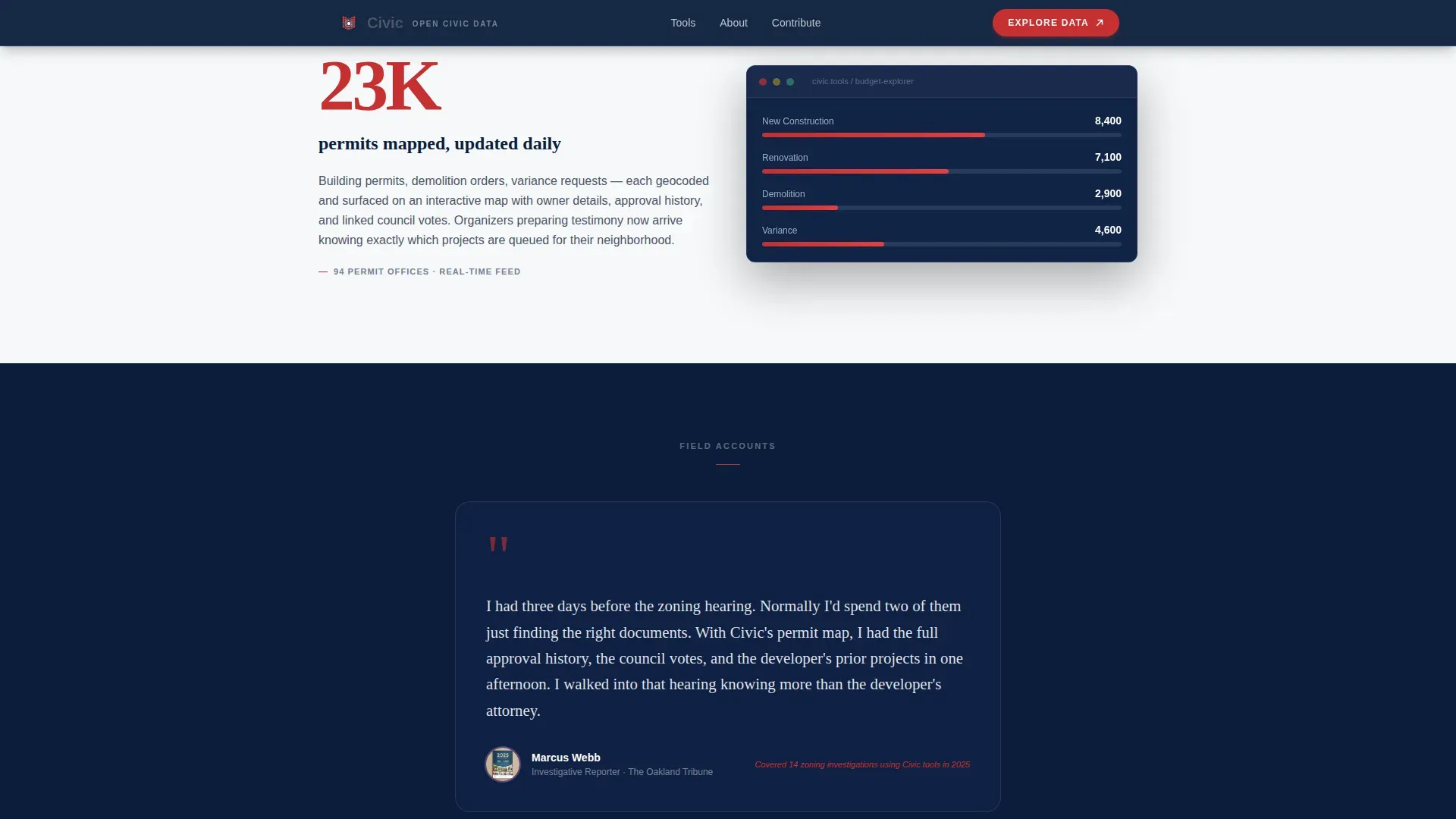
Every scroll transition leads with a large, prominent number before offering explanatory context. The pattern repeats three times, covering local budget totals, council votes tracked, and permit filings indexed. This rhythm builds cumulative evidence of organizational scale before any call to action appears.
Six-Tile Icon Grid Hero
The header presents six monoline icons arranged in two rows of three. Each icon represents a civic dataset category: council votes, budget breakdowns, permit filings, public comment periods, election dates, and policy scorecards. A red impact stat sits beneath each icon tile so visitors absorb the organization's reach immediately.
Case Study Pull Quote Block
Midway through the page, the column narrows to frame a testimony block styled like a pull quote. A journalist or community organizer describes the specific moment the data changed their outcome. This human voice breaks the numerical rhythm and adds personal credibility at the point where trust matters most.
Three-Card Tools Showcase
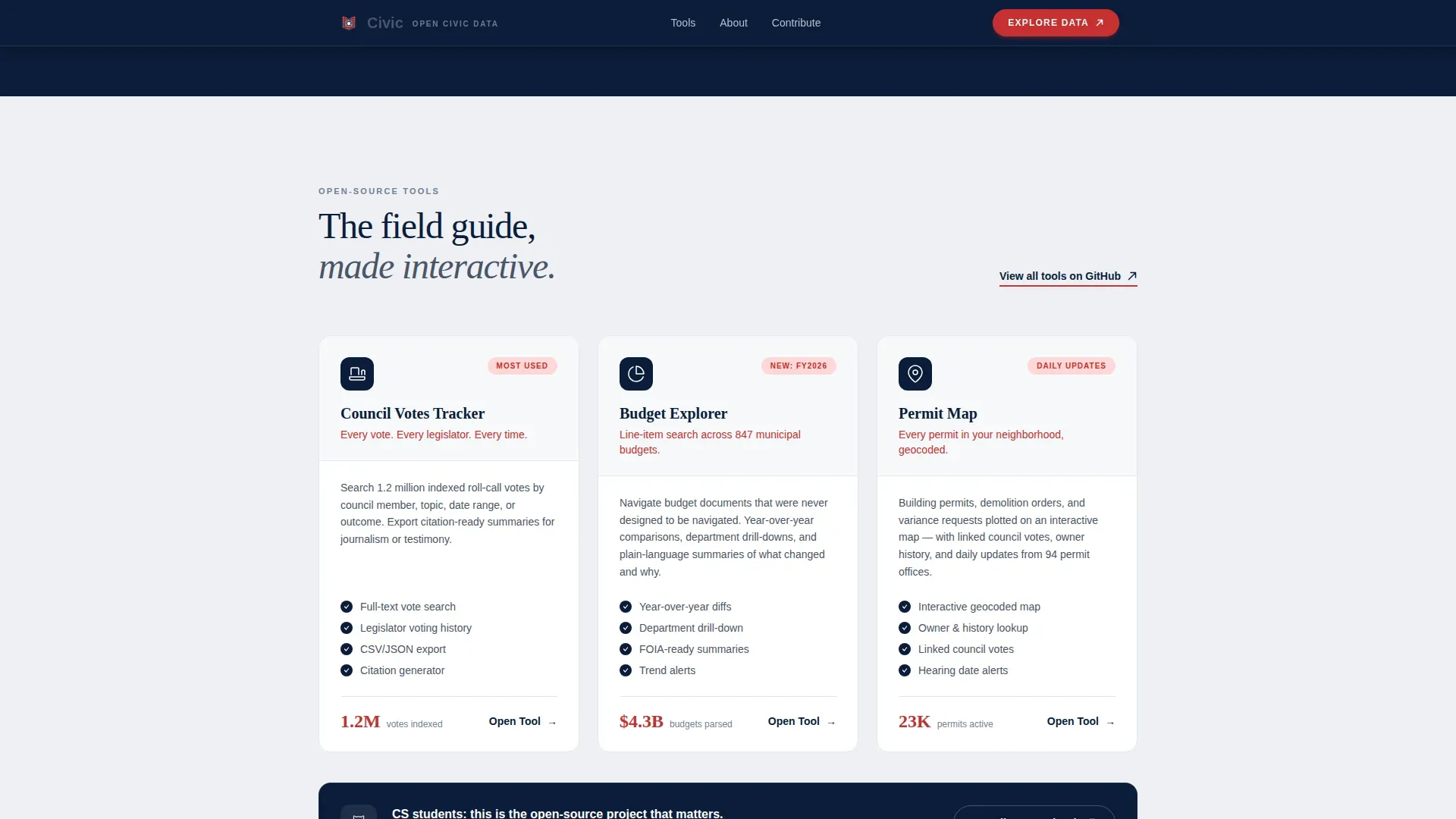
Three tool cards present the organization's primary products: Council Votes, Budget Explorer, and Permit Map. Each card is distinct and named so visitors understand what the tools do without reading surrounding copy. This section bridges the impact stats and the conversion section.
Dual Conversion Path Section
The primary call to action, "Explore the Data," links to the live tool dashboard and appears only after the third data section. A secondary path offers a downloadable field guide gated by an email address and a role selector with five options: journalist, organizer, researcher, developer, and resident. Both paths serve different visitor intents without competing.
Scroll-Linked Animations and Interactivity
The template includes count-up number animations, stagger reveal transitions, scroll-linked opacity changes, and a marquee element. Icon tiles respond to hover states and call-to-action buttons use a magnetic interaction. Counter animations are handled client-side while static sections use server components for efficiency.
Page sections overview
| Section | Purpose |
|---|---|
| Hero Icon Grid | Establish scale and dataset categories with six stat tiles and a fading headline |
| Stats Impact Beats | Deliver three punch-then-explain data moments with figures, context, and screenshots |
| Case Study Quote | Narrow pull-quote column with a real testimony from a journalist or organizer |
| Tools Showcase | Three named tool cards presenting Council Votes, Budget Explorer, and Permit Map |
| Call to Action | Primary dashboard link and email-gated field guide download with role selector |
| Footer | Horizontal flow footer pattern closing the single-column layout |
Design & branding system
The visual language follows an Educational Guide theme grounded in a Navy Authority color system. The palette is designed to feel like the binding of a university press book: serious without being cold, structured to be used rather than admired.
- Navy (#0B1D3A) dominates hero and data section backgrounds; slate (#4A5568) carries body text; civic white (#F7F8FA) provides breathing room between modules
- Ballot-box red (#C53030) appears exclusively on data callouts and interactive highlights, used sparingly so every instance carries visual weight
- Typography pairs Fraunces serif headings for institutional authority with Manrope for clear, modern body text
Mobile & speed optimization
The template is designed desktop-first with a strong mobile fallback built in for journalists and organizers who access the page from a phone in the field.
- Static sections use server components to reduce load overhead; count-up animations and interactive elements use client components where needed
- The single-column flow adapts naturally to narrower screens without restructuring the section order or losing the stats-first visual hierarchy
How this template helps you convert
The page is engineered so that by the time a visitor reaches either conversion path, they have already seen substantial proof of impact. The sequence is deliberate.
- The icon grid and headline establish the organization's scope in the first viewport, before the visitor scrolls or reads a paragraph of prose
- Three sequential data beats load the visitor with specific, concrete evidence so curiosity about the tools becomes natural rather than manufactured
- The case study pull quote adds a human voice at the midpoint, making the final dual conversion section feel like a logical next step rather than a sales prompt
Other information about this template
This template sits in the Government and Public category with a subcategory focus on civic tech organizations. It is designed specifically for the open-source, public-interest space where trust and data credibility are the primary currency.
- The template style is Single Column Flow, which keeps the reading path linear and removes navigation decisions that could break momentum
- The landing page direction is Content and Resource, meaning the primary goal is to connect visitors with tools and information rather than drive a transactional purchase
- The header concept is Icon Grid, a pattern well-suited to organizations with multiple distinct data products that need to be communicated simultaneously
- Localization defaults are set for United States audiences using English, United States dollars, and the MM/DD/YYYY date format
- The footer uses a horizontal flow pattern consistent with modern open-source project pages
Theme
Educational Guide
Creative direction
Stats-First Impact
Color system
Navy Authority
Style
Single Column Flow
Direction
Content/Resource
Page Sections
Stats-first Impact Rhythm
Six-tile Icon Grid Hero
Case Study Pull Quote Block
Three-card Tools Showcase
Dual Conversion Path Section
Scroll-linked Animations
Related questions
Who is this landing page template designed for?
Can I adapt the tool cards and icon tiles to match my own datasets?
How does the field guide download section work?
Is this a single-page or multi-page template?
Can I update the impact numbers and data beats to match my organization?



