City & Municipal Specialist Professional Website Template
Townsend is a split-screen landing page template built for town and village websites. It combines a bold search-led hero with an interactive checklist, daily essentials, community discovery sections, and a council meeting registration form. The design uses a clean Monochrome Steel palette to feel authoritative yet approachable, the digital equivalent of a well-organised community noticeboard.
by Rocket studio
Quick summary
Townsend is a single-page template for town and village websites. It opens with a 50/50 split-screen search hero, guides visitors through an interactive local-knowledge checklist, and closes with an event registration form. The design is municipal and quietly confident, built for residents, newcomers, and local businesses who need answers fast.
Who this template is for
This template suits anyone running a community information hub for a town or village. It works especially well when the site needs to serve several different visitor types at once.
- New residents looking for bin days, GP surgeries, and local services
- Parents and local shopkeepers who want clubs, opening hours, and events found quickly
- Parish councillors and civic volunteers who need a clean registration and communication tool
What problem this template solves
Most local community websites feel like an afterthought. Information is buried, layouts are cluttered, and visitors leave without finding what they came for. Townsend solves that by giving every piece of civic information a clear home.
- Residents waste time hunting across multiple tabs for basic town information
- Local businesses lose footfall because their hours and locations are hard to find online
- Council meetings go under-attended because sign-up is never this simple or visible
What you get with this template
Townsend delivers a complete single-page layout structured around the way real residents actually use a local community website. Every section has a defined purpose and a clear visual hierarchy.
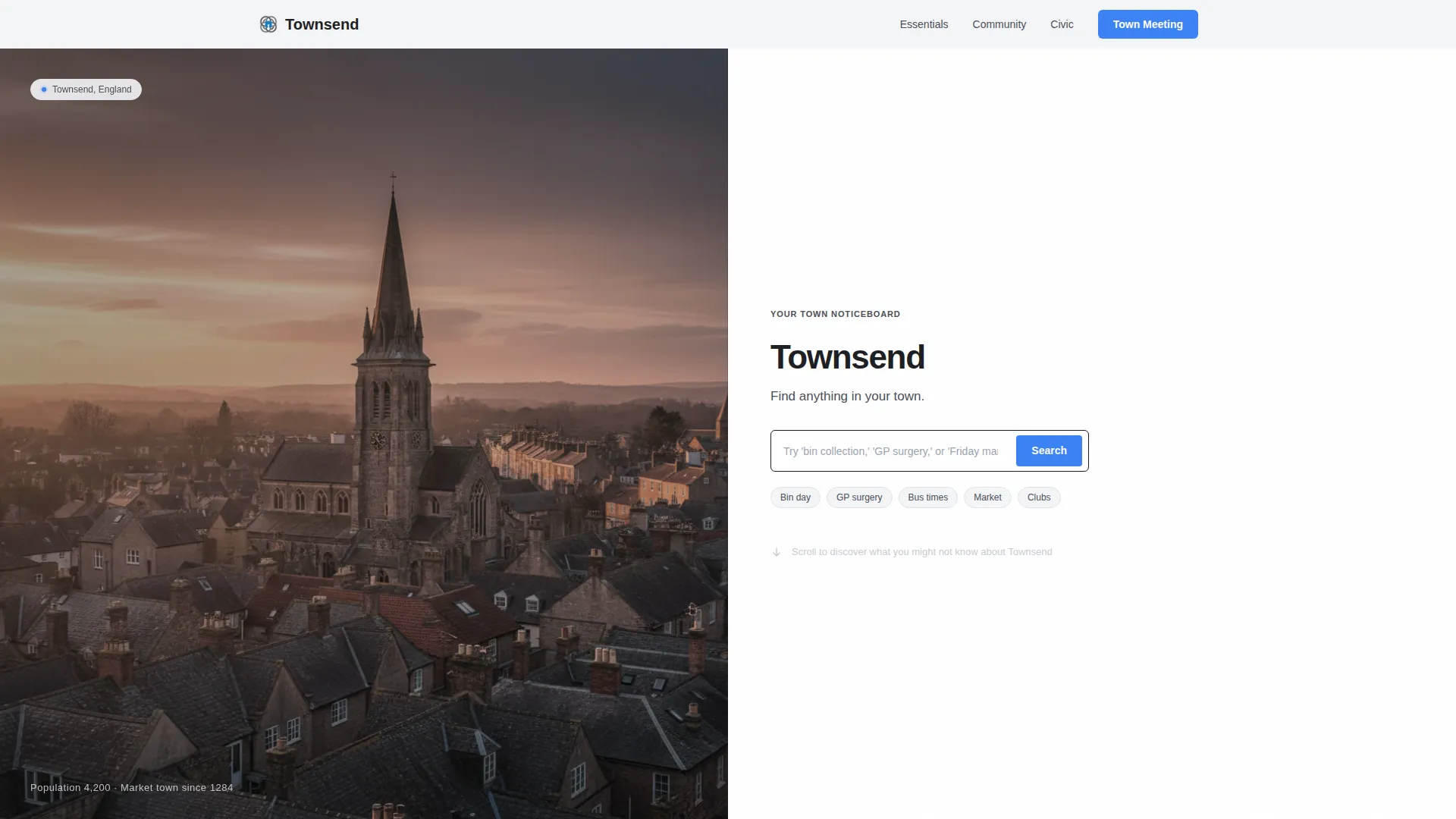
- A 50/50 split-screen hero with a golden-hour rooftop photograph and an oversized search field
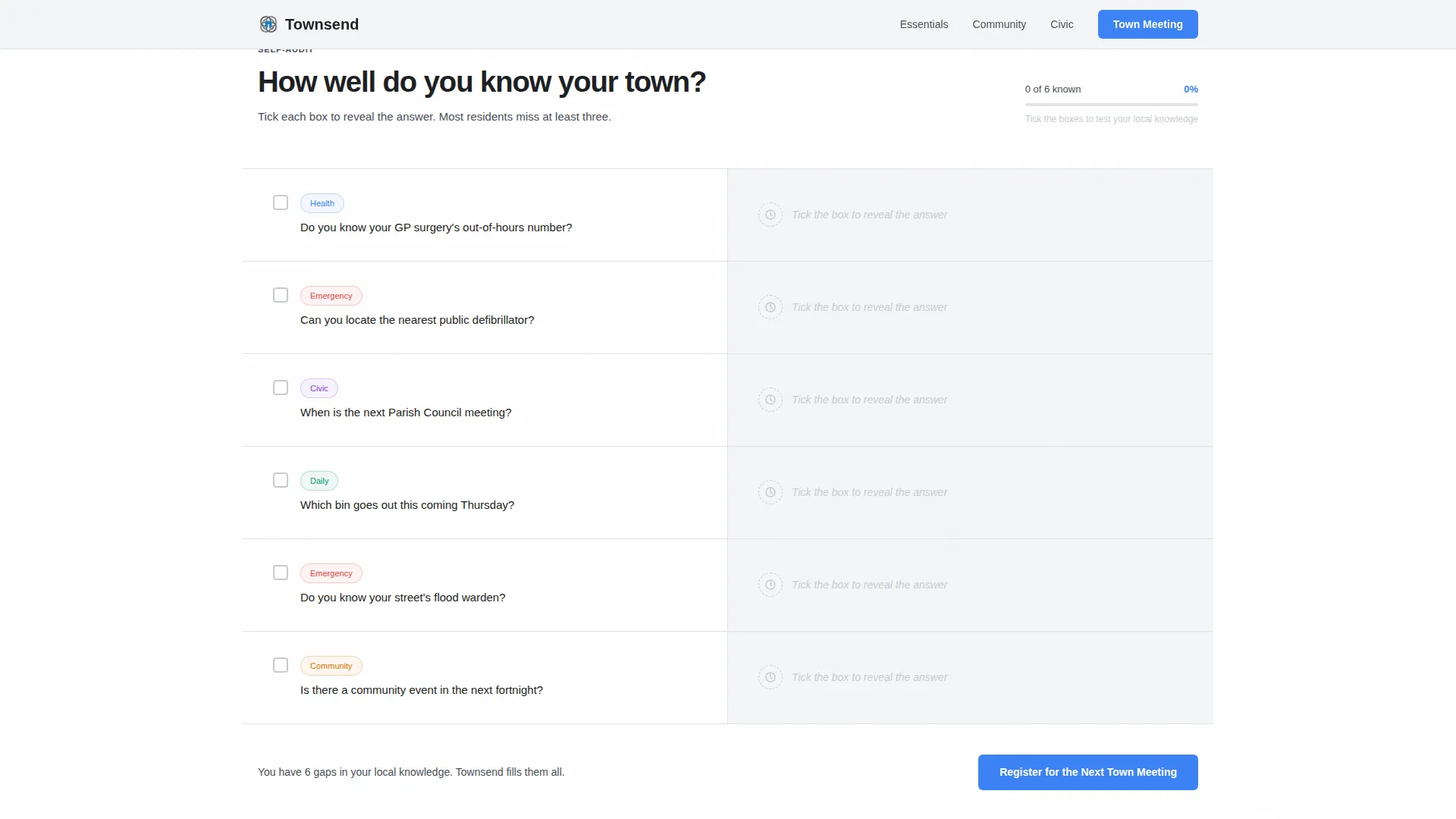
- An interactive "How well do you know your town?" checklist that reveals local knowledge gaps as visitors scroll
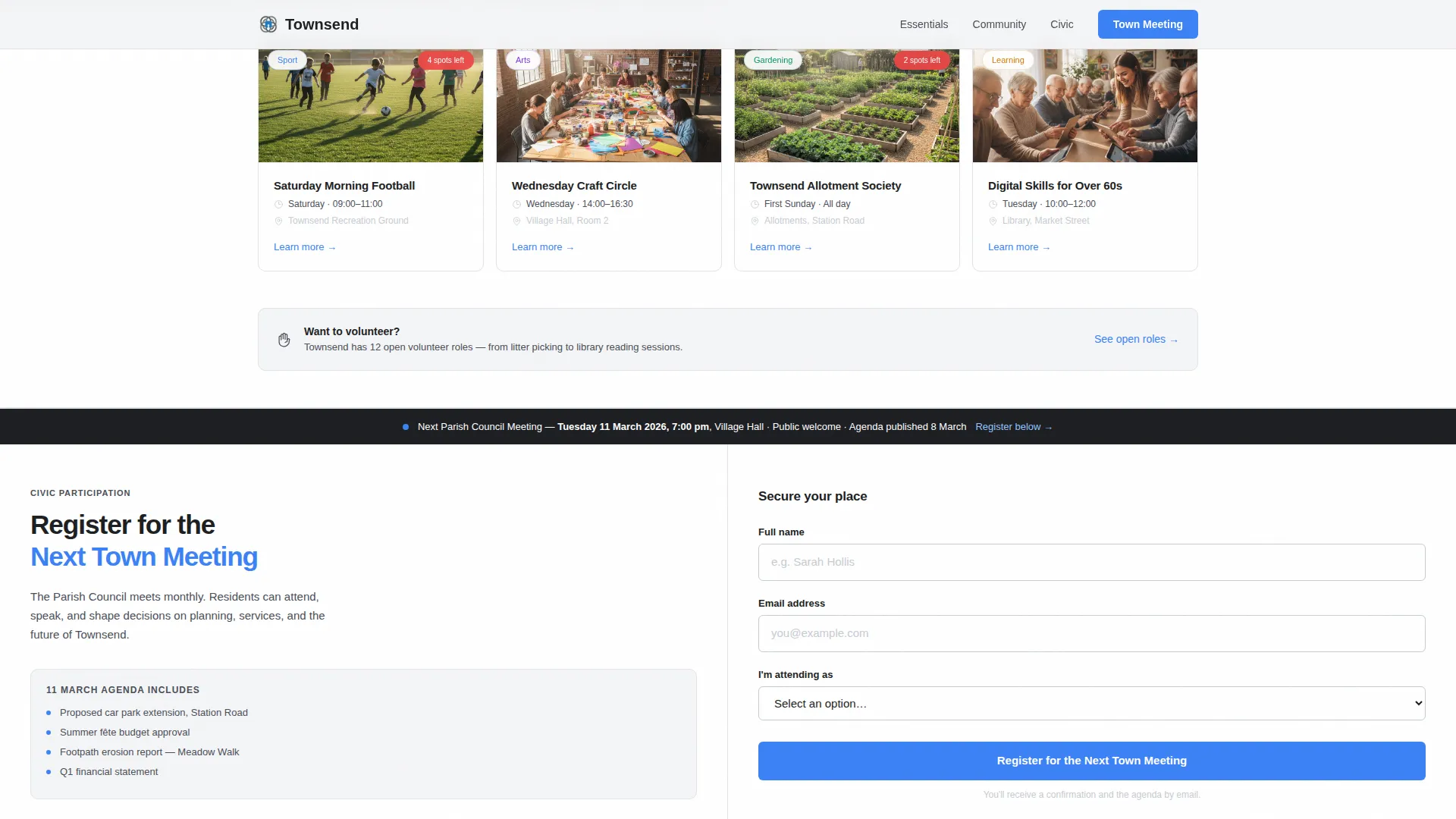
- A council meeting registration form with a name, email, and attendee-type dropdown, plus a bulletin subscribe option
Feature list
A short paragraph introduces the feature set: Townsend packs five purpose-built sections into a single clean layout. Each feature is grounded in how local community pages actually get used day to day.
Split-Screen Search Hero
The header divides the viewport equally. The left half holds a desaturated golden-hour rooftop photograph; the right half is pure white with the town name, a one-line tagline, and an oversized search field. A civic blue "Search" button and a placeholder prompt ("Try 'bin collection,' 'GP surgery,' or 'Friday market'...") signal the site's depth immediately.
Interactive Local Knowledge Checklist
Scrolling past the hero, visitors reach a 50/50 checklist split. The left column lists essential local knowledge, GP surgery number, nearest defibrillator, council meeting date, flood warden contact, next community event. The right column reveals each answer as a checkbox is ticked, turning the scroll into a self-audit that naturally surfaces the site's value.
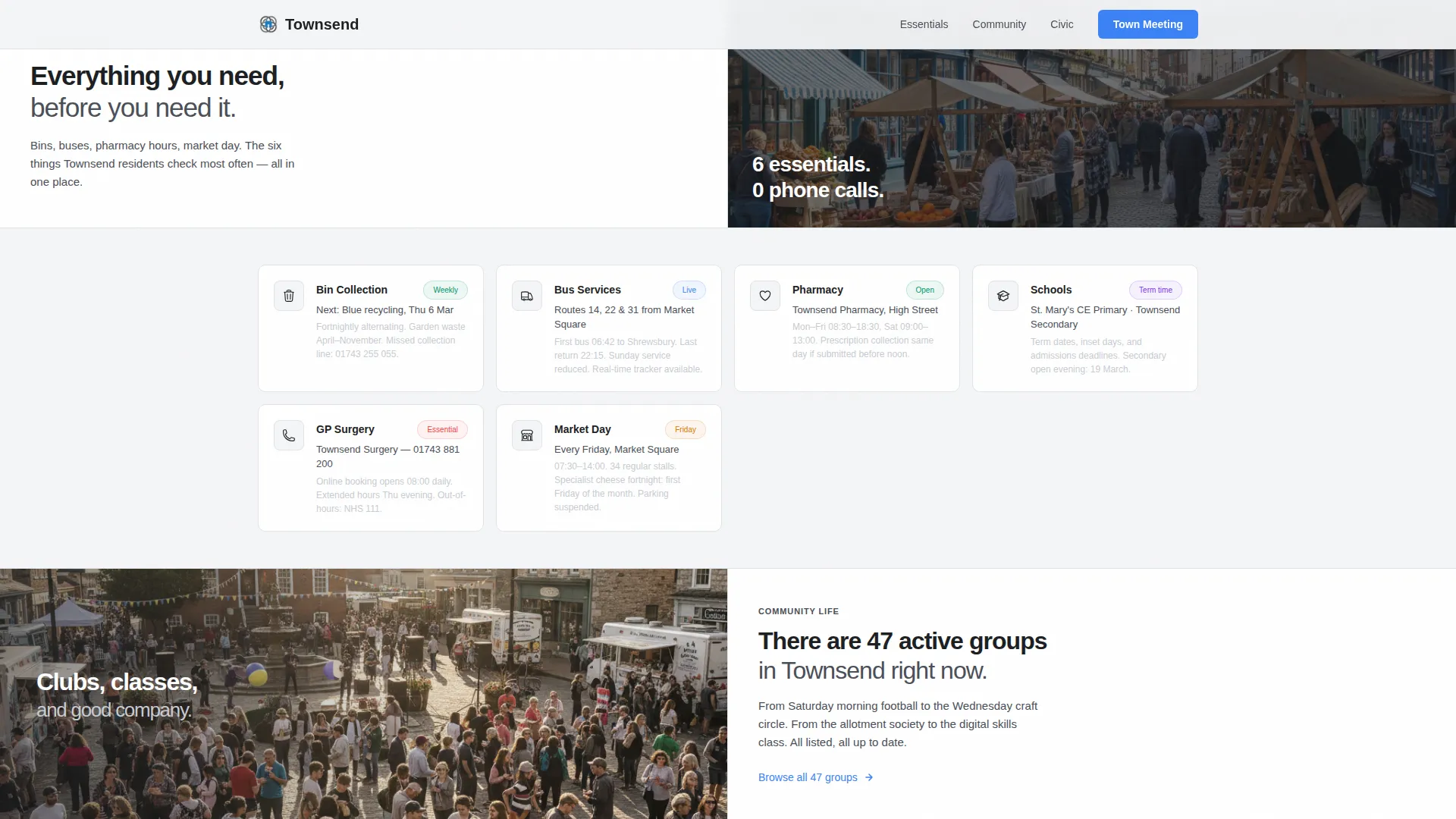
Daily Essentials Section
A dedicated section surfaces the most-searched practical information: bin collection schedules, bus timetables, and pharmacy opening hours. Each item is paired with a direct resource link, keeping the experience efficient for residents on the go.
Community Life Discovery Split
A second content split covers clubs, classes, and volunteering opportunities. Parents looking for Saturday morning football clubs and residents seeking evening activities can browse and connect without leaving the page.
Event Registration Form
An anchor call-to-action, "Register for the Next Town Meeting", sits at the natural end of the checklist journey. The form collects a name, email address, and an attendee-type dropdown with four options: Resident, Business Owner, Councillor, and New to the Area. A lighter secondary link beneath offers a "Subscribe to the Town Bulletin" path for visitors not yet ready to attend.
Page sections overview
| Section | Purpose |
|---|---|
| Split-Screen Hero | Search-led entry point with town identity and oversized search field |
| Knowledge Checklist | Interactive 50/50 reveal that surfaces civic information gaps |
| Daily Essentials | Quick-access links for bins, buses, and pharmacy hours |
| Community Life Split | Discovery section for clubs, classes, and volunteering |
| Event Registration | Council meeting sign-up form with bulletin subscribe option |
| Footer | Horizontal flow layout for links, contacts, and supplementary navigation |
Design & branding system
Townsend uses a Monochrome Steel palette that feels like a freshly painted wrought-iron gate against a limestone wall. The system is restrained and purposeful, letting civic blue do meaningful work rather than decorating the page.
- Core colours: forge-dark charcoal (#1C1E22) for text, brushed gunmetal (#4A4E57) for dividers and icons, cloud-cover silver (#C8CCD2) for alternating backgrounds, and parish-notice white (#F4F5F7) as the base
- Civic blue (#3B82F6) appears only on links, active states, and the primary call-to-action button, so every interactive element feels intentional
- Typography pairs Plus Jakarta Sans in bold for headings with DM Sans for body text, delivering a clean municipal voice across all screen sizes
Mobile & speed optimization
Townsend is designed mobile-first to reflect how most residents actually search for local information, on their phones, mid-errand or mid-commute. The layout adapts cleanly from the 50/50 desktop split to a stacked single-column view on smaller screens.
- The split-screen sections restack gracefully so photographs, checklists, and forms remain legible and tappable on any device
- The search field and civic blue call to action button are sized for comfortable tap targets at mobile viewport widths
- Section backgrounds alternate between white and light silver to preserve visual rhythm and scannability without relying on complex graphics
How this template helps you convert
The page is engineered so that registration feels earned rather than demanded. By the time a visitor reaches the form, the checklist has already done the persuasion work.
- The interactive checklist builds awareness of knowledge gaps, making the council meeting date feel personally relevant before the form ever appears.
- The "Register for the Next Town Meeting" call-to-action arrives at the precise moment of maximum engagement, positioned directly after visitors discover civic information they were missing.
- The secondary "Subscribe to the Town Bulletin" link captures undecided visitors with a lower-commitment option, broadening the total conversion opportunity without cluttering the layout.
Other information about this template
Townsend is localised for a United Kingdom context throughout. Date formats follow DD/MM/YYYY, currency references use GBP, and all copy examples draw on British place references and civic terminology.
- The template style is a 50/50 split screen, and the creative direction is Checklist & Audit, two choices that work together to make information discovery feel active rather than passive
- The footer follows a horizontal flow pattern, providing space for supplementary navigation, contact details, and secondary links without disrupting the landing page's primary conversion journey
- The theme is Directory & Discovery, making Townsend a natural fit for any civic tech project, local community directory, or single-town information hub that needs a trustworthy and well-structured starting point
Theme
Directory & Discovery
Creative direction
Checklist & Audit
Color system
Monochrome Steel
Style
Split Screen (50/50)
Direction
Event Registration
Page Sections
Split-screen Search Hero
Interactive Knowledge Checklist
Daily Essentials Resource Section
Community Life Discovery Split
Event Registration Form
Related questions
Can I adapt Townsend for a different town or village name?
What does the interactive checklist section actually do?
What fields does the council meeting registration form include?
Is there an option for visitors who are not ready to register for a meeting?
What colour system does the Townsend template use?



