Real Estate & Property Law Professional Website Template
Claim is a split-screen landing page template built for eminent domain attorneys. It leads with a guarantee-first message, exposes real case metrics, and walks property owners through the legal process with quiet authority. The Executive Suite design uses courtroom navy, verdict gold, and serif typography to build trust and drive qualified leads through a progressive intake form.
by Rocket studio
Quick summary
Claim is a single-page, split-screen landing page template designed for eminent domain law practices. It opens with a client testimonial card and attorney portrait, anchors the scroll on a no-fee guarantee, then builds proof through exposed case metrics and a four-step process section. Every design and copy decision pushes one action: booking a free case review.
Who this template is for
This template is built for contingency-fee eminent domain attorneys who need to convert anxious property owners into qualified leads. It speaks directly to people who have just received a condemnation notice and are weighing whether to challenge the government's offer.
- Eminent domain and condemnation law attorneys running a lead-generation practice
- Solo practitioners or boutique firms whose clients are homeowners, farmers, and commercial property owners
- Legal practices that rely on contingency fee arrangements and need to communicate that model clearly upfront
What problem this template solves
Most property owners who receive a condemnation notice do not know they can negotiate. They accept the first offer because no page they find gives them a clear, confident reason to fight back. A generic law firm page only deepens that uncertainty.
- Property owners need a dollar-specific reason to act, not a wall of legal credentials
- The government's first offer is rarely the final number, but the template needs to make that case immediately
- Attorneys lose leads when visitors cannot quickly understand the fee structure, the process, and the likely outcome
What you get with this template
You get a fully structured, single-page layout built around one conversion goal: a free case review request. The template delivers a persuasion sequence that moves from emotional proof to financial proof to process clarity, then asks for the lead.
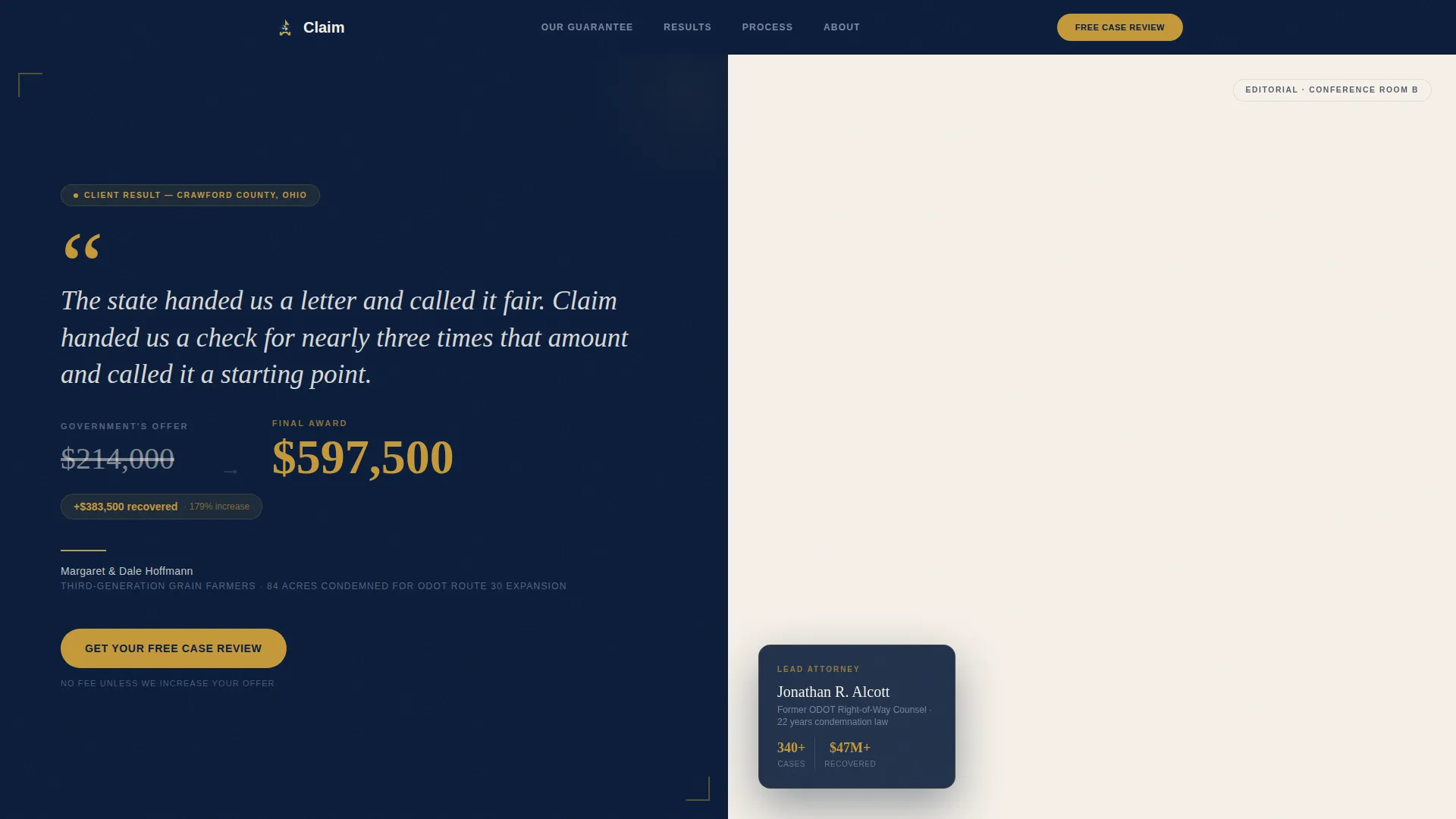
- A hero split with a large-format testimonial card on the left and an editorial attorney portrait on the right
- A guarantee section with a pinned call-to-action button, a case metrics panel, and a four-step process grid
- A progressive lead capture form, a gated PDF download, an attorney profile split, and a single-row footer
Feature list
This template includes the following built-in components and design capabilities.
Split-Screen Hero with Testimonial Card
The hero opens as a 50/50 split. The left panel holds a large serif quote card set against deep courtroom navy, with the dollar difference between the government's first offer and the final award rendered in verdict gold. The right panel holds an editorial-style attorney portrait, hands on a property survey map, reading as a legal journal profile rather than stock photography.
Guarantee-Led Anchor Section
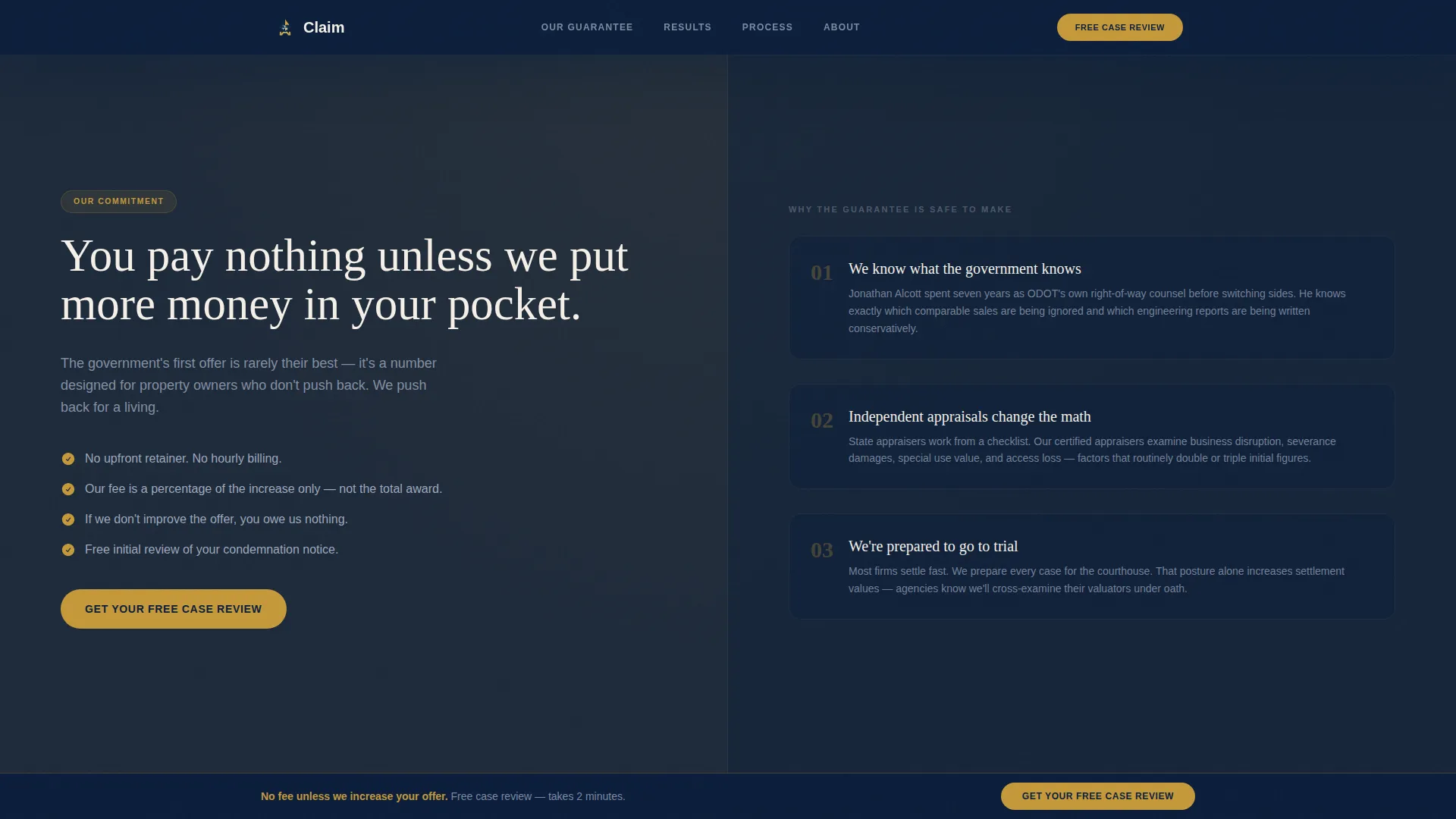
Immediately below the hero, a bold promise statement anchors the page: the firm's no-fee-unless-the-offer-increases guarantee. A call-to-action button reading "Get Your Free Case Review" pins to this section and repeats at the page bottom. The layout makes the guarantee the first financial commitment a visitor encounters.
Exposed Case Metrics Panel
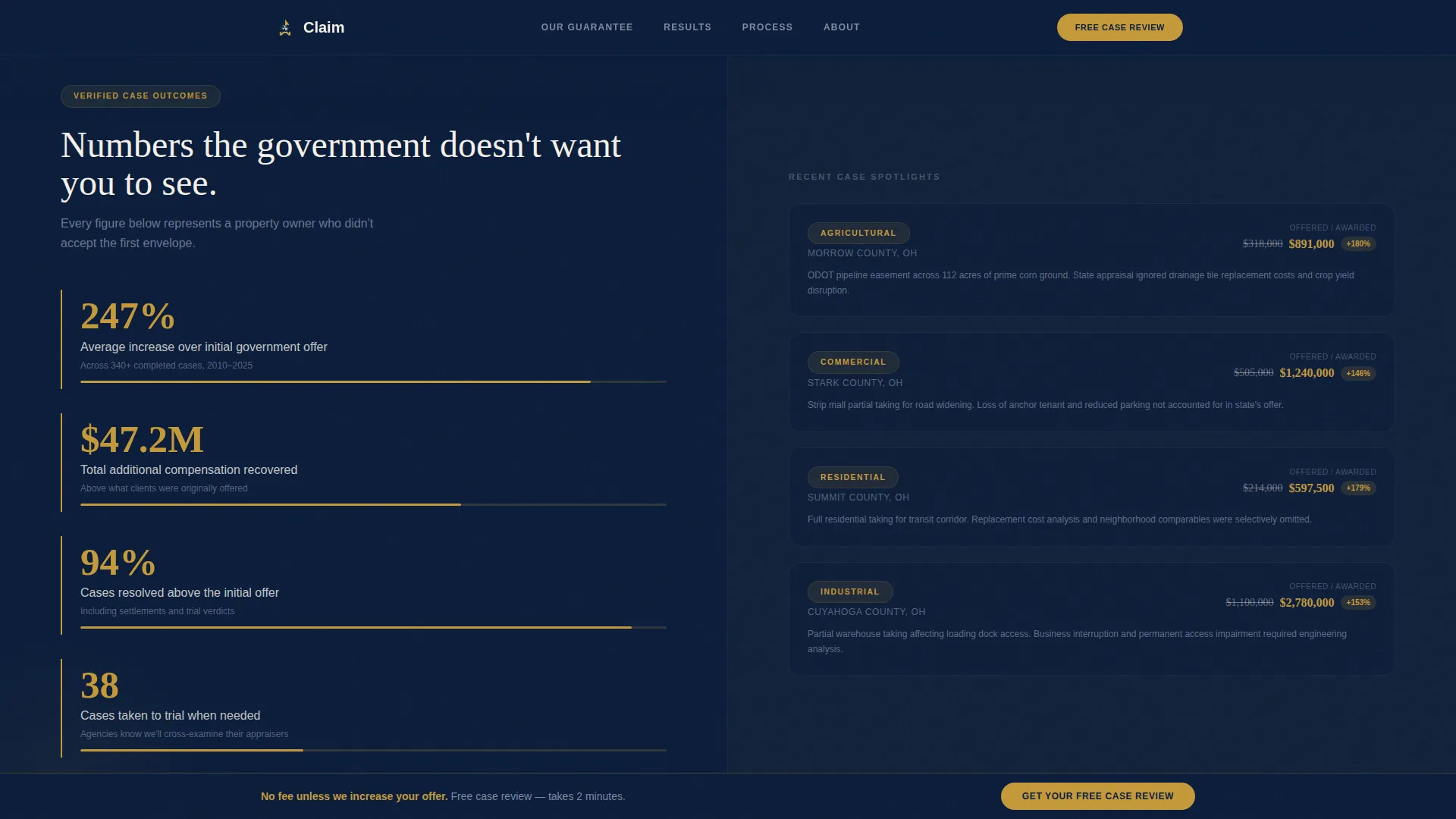
The case metrics split places raw performance numbers on the left side: average percentage increase over initial government offers, total additional compensation recovered, and number of cases taken to trial. The right side explains the legal mechanism behind those numbers, including independent appraisals, engineering loss reports, and cross-examination of state valuators.
Progressive Lead Capture Form
The intake form opens with a single qualifying question: "Have you received a condemnation notice or offer?" Subsequent fields reveal progressively, collecting property type, state, offer amount if known, and a phone number. This disclosure approach reduces friction while qualifying the lead before submission.
Gated PDF Download
A secondary conversion path offers a downloadable guide titled "5 Rights Every Property Owner Has Before Signing," gated behind an email capture field. This path converts visitors who are not yet ready to book a call but are actively researching their options.
Four-Step Process Grid
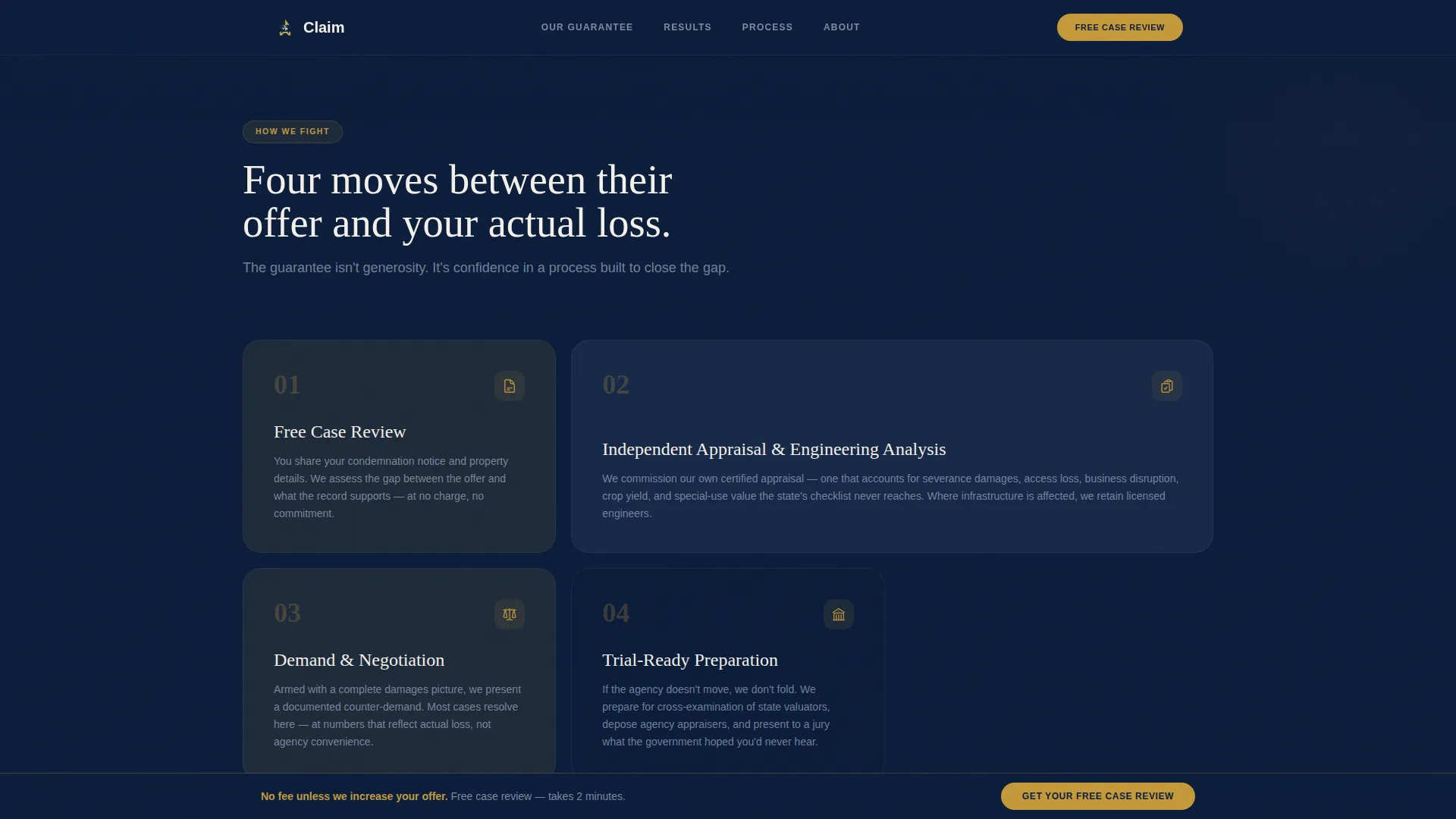
A bento asymmetric grid section breaks the firm's legal approach into four clear steps. It pairs the human cost of each stage on one side against the legal action taken on the other, so visitors understand exactly how the firm fights a condemnation from notice to resolution.
Page sections overview
| Section | Purpose |
|---|---|
| Hero Split | Testimonial quote and attorney portrait establish credibility immediately |
| Guarantee Anchor | Bold fee promise with a pinned call-to-action starts the conversion sequence |
| Case Metrics Split | Exposed outcome numbers on the left; legal mechanism explained on the right |
| Process Grid | Four-step bento layout shows how the firm fights each case from start to finish |
| Attorney Profile | Credentials and background build personal trust before the final form |
| Lead Capture Form | Progressive intake form qualifies and converts the primary visitor |
| PDF Gated Download | Secondary path captures email from visitors researching before they call |
| Footer | Single linear row with contact and firm essentials |
Design & branding system
The visual identity follows an Executive Suite theme built around the Navy Authority color system. Every color decision reinforces legal authority and financial seriousness, from the deep navy of a courtroom wall to the warm gold of a partner's desk lamp.
- Color palette: deep courtroom navy (#0B1D3A) as the primary background, partner-office charcoal (#1E2A3A) for panel contrast, brief-paper ivory (#F5F0E8) for body areas, and verdict gold (#C5993A) reserved for call-to-action buttons, award badges, and key financial figures
- Typography: Fraunces serif headlines for gravitas and editorial weight, paired with DM Sans for clean, readable body copy
- Motion and interaction: medium-weight GSAP ScrollTrigger reveals, staggered section entrances, a magnetic call-to-action button, subtle parallax on background panels, and a FAQ accordion for the process section
Mobile & speed optimization
The template is built desktop-first, reflecting that most property owners research legal options from a home computer or office workstation. Full mobile responsiveness ensures the experience holds across all screen sizes without losing the authority of the split-screen layout.
- The split-screen panels stack vertically on smaller screens, keeping the testimonial card and attorney portrait readable at any width
- The progressive form disclosure and gated PDF path both adapt cleanly to touch input and narrow viewports
- Server Components handle all static sections for fast initial load, while Client Components are scoped to the form and animation layers
How this template helps you convert
The template is structured as a persuasion escalation. Each section builds on the one before it, moving the visitor from emotional recognition to financial confidence to low-risk action.
- The hero testimonial card creates immediate identification for any property owner who has received a low offer, then the guarantee section converts that recognition into a reason to act before the visitor scrolls past the fold
- The case metrics panel backs the guarantee with specific numbers, replacing doubt with evidence, so the "Get Your Free Case Review" call-to-action feels like a logical next step rather than a sales pitch
- The progressive form reduces commitment anxiety by starting with one question, while the gated PDF provides a no-pressure entry point for visitors who need more time before speaking with an attorney
Other information about this template
This template is part of a broader library of legal landing page templates designed for specialized practice areas. It is built with a clear niche focus on eminent domain and property condemnation law, making it immediately deployable for attorneys who serve property owners in the United States.
- The template uses American legal terminology throughout, including condemnation notice, fair market value, and contingency fee, keeping it accurate for a United States audience
- Typography and color choices are intentional editorial decisions, not decorative ones; the Fraunces and DM Sans pairing carries the same authority as print legal publications
- The FAQ accordion built into the process section supports common buyer questions without cluttering the main conversion flow
- This template can support customization of the attorney portrait, testimonial figures, case metrics, and form field labels to match a specific practice's actual results and branding
Theme
Executive Suite
Creative direction
Guarantee-Led
Color system
Navy Authority
Style
Split Screen (50/50)
Direction
Lead Generation
Page Sections
Split-screen Hero with Testimonial Card
Guarantee-led Anchor with Pinned Call to Action
Exposed Case Metrics Panel
Progressive Lead Capture Form
Gated PDF Download Path
Four-step Bento Process Grid
Related questions
Who is this landing page template designed for?
Can I update the case metrics and testimonial figures with my own results?
What does the progressive form do and why does it matter?
Is the PDF download section ready to connect to a file?
Does this template work for attorneys outside eminent domain?