Optometrist Specialist Booking Website Template
Clarity is a split-screen optometrist appointment booking landing page built for local eye care practices. It opens with an interactive Vision Symptom Estimator, guides visitors through a Problem-to-Solution scroll arc, and closes with a focused booking form. The design is calm, clinical, and personal, converting screen-fatigued visitors into confirmed exam appointments.
by Rocket studio
Quick summary
Clarity is a single-page optometrist booking experience designed to feel like a quiet consultation room. It opens with a three-question Vision Symptom Estimator that builds a personalized Eye Health Snapshot score, then scrolls through a blur-to-sharp narrative that names real symptoms and introduces focused solutions. The page closes with a simple four-field booking form.
Who this template is for
This landing page is built for independent optometry practices and eye care clinics that want to turn website visitors into scheduled appointments. It speaks directly to patients who recognize their own symptoms and need a calm, trustworthy nudge to book.
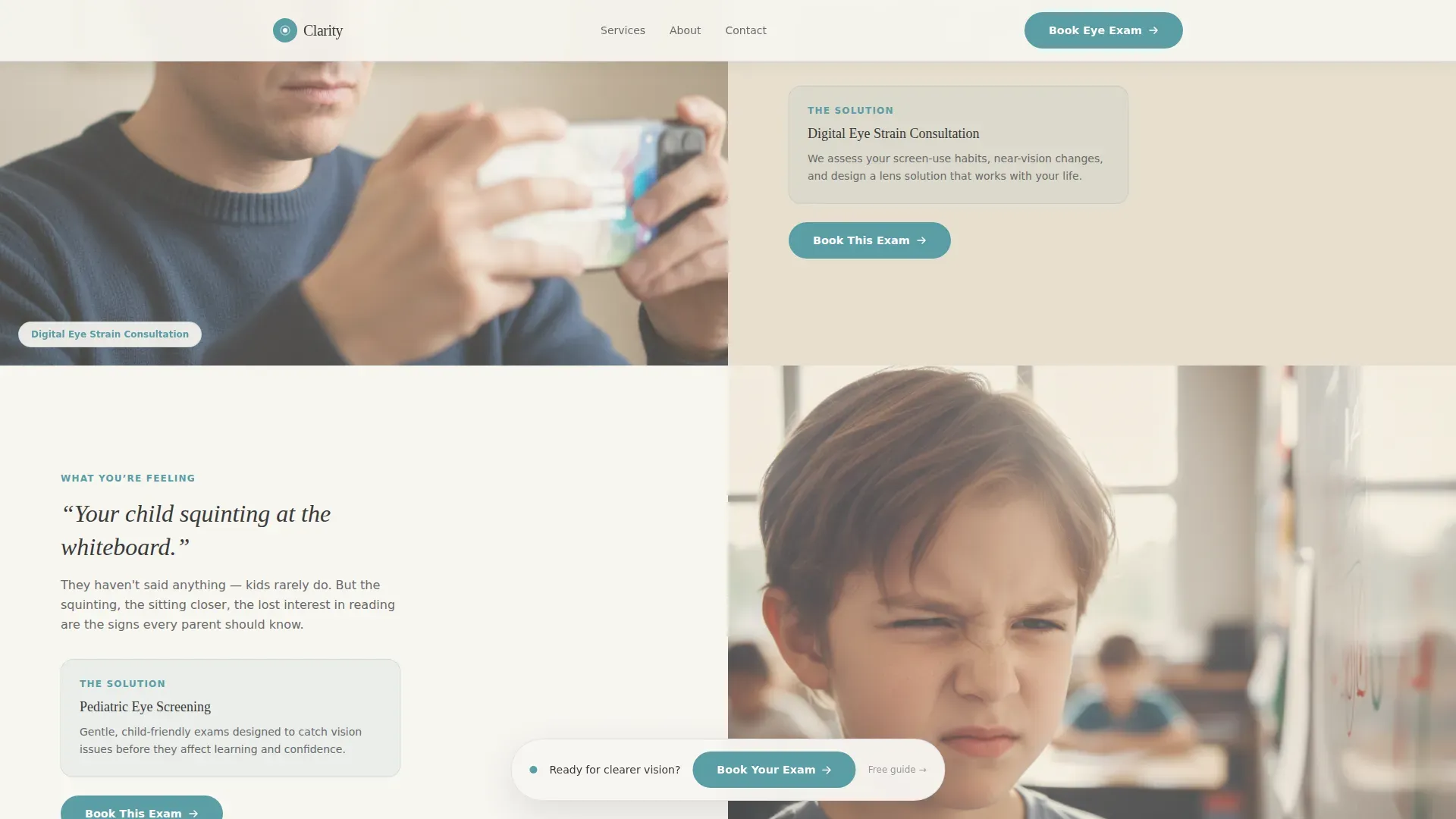
- Parents whose child is squinting at a classroom whiteboard
- Remote workers managing screen fatigue during long workdays
- Retirees whose night driving has become uncertain and uncomfortable
What problem this template solves
Most optometry booking pages feel clinical in the wrong way: cold, generic, and disconnected from what the patient is actually feeling. Visitors arrive with a vague worry but leave without booking because nothing on the page made that worry feel real or solvable.
- Visitors cannot connect abstract "schedule an exam" messaging to their specific daily symptoms
- The booking step feels abrupt with no context building up to it
- Parents, remote workers, and retirees each have distinct concerns that a one-size page ignores
What you get with this template
You get a complete, single-page booking flow built around a Healing Space visual identity and a Problem-to-Solution narrative arc. Every section has a clear purpose, and the layout guides the visitor from self-awareness to action without a single unnecessary step.
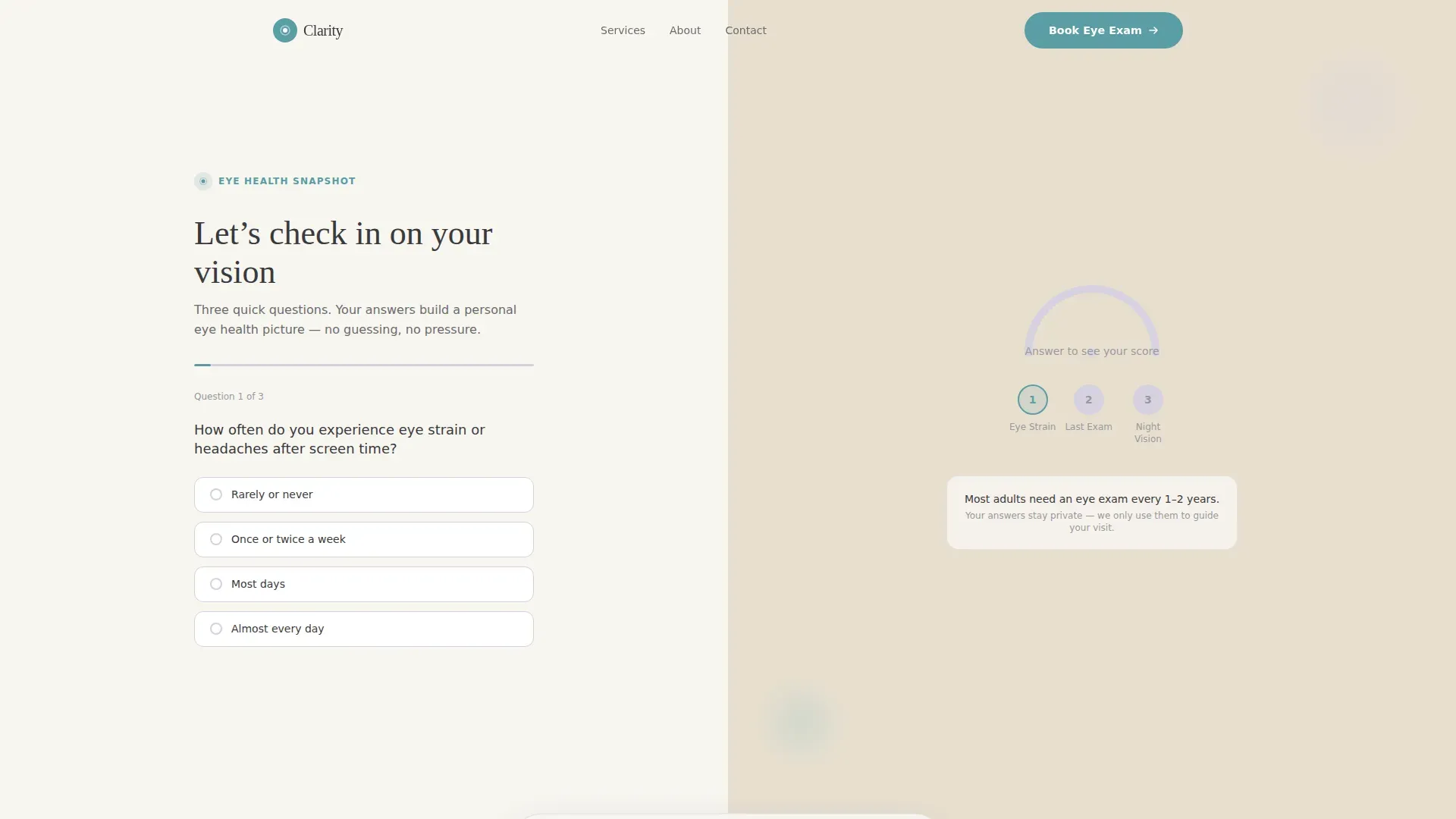
- A hero split-screen with an interactive quiz and animated Eye Health Snapshot gauge
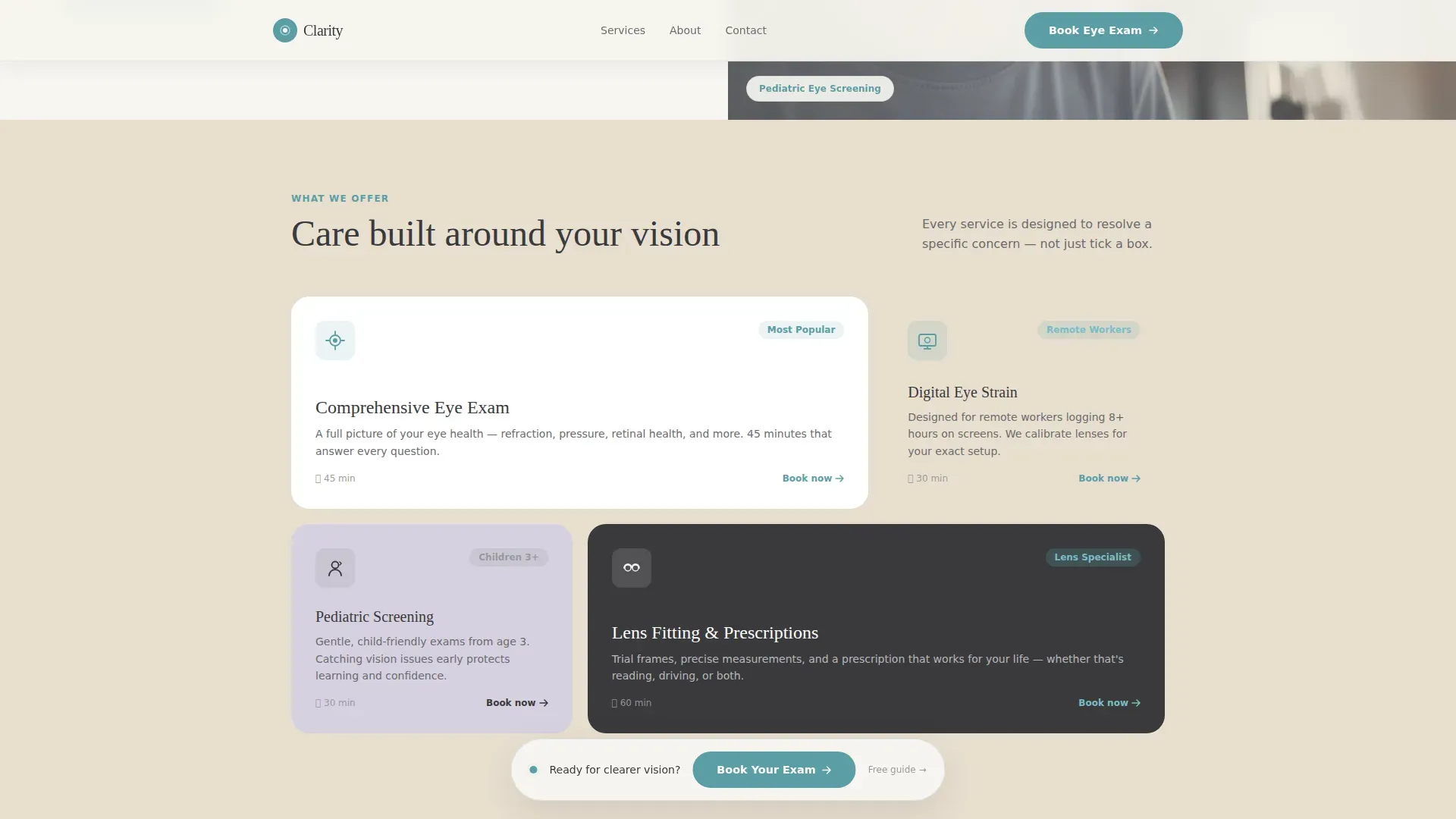
- A services bento grid covering four care areas: Comprehensive Exam, Digital Eye Strain, Pediatric Screenings, and Lens Fitting
- A four-field booking form with a secondary email capture path for undecided visitors
Feature list
This landing page ships with high-interactivity components and a carefully paced scroll experience. Each feature below is part of the described build scope.
Vision Symptom Estimator Quiz
A three-question interactive quiz asks visitors how often they experience eye strain, when they last had an exam, and whether night vision is a concern. Answers shift an animated SVG gauge from green to amber, producing a personalized Eye Health Snapshot score that makes the experience feel immediately relevant.
Blur-to-Sharp Scroll Narrative
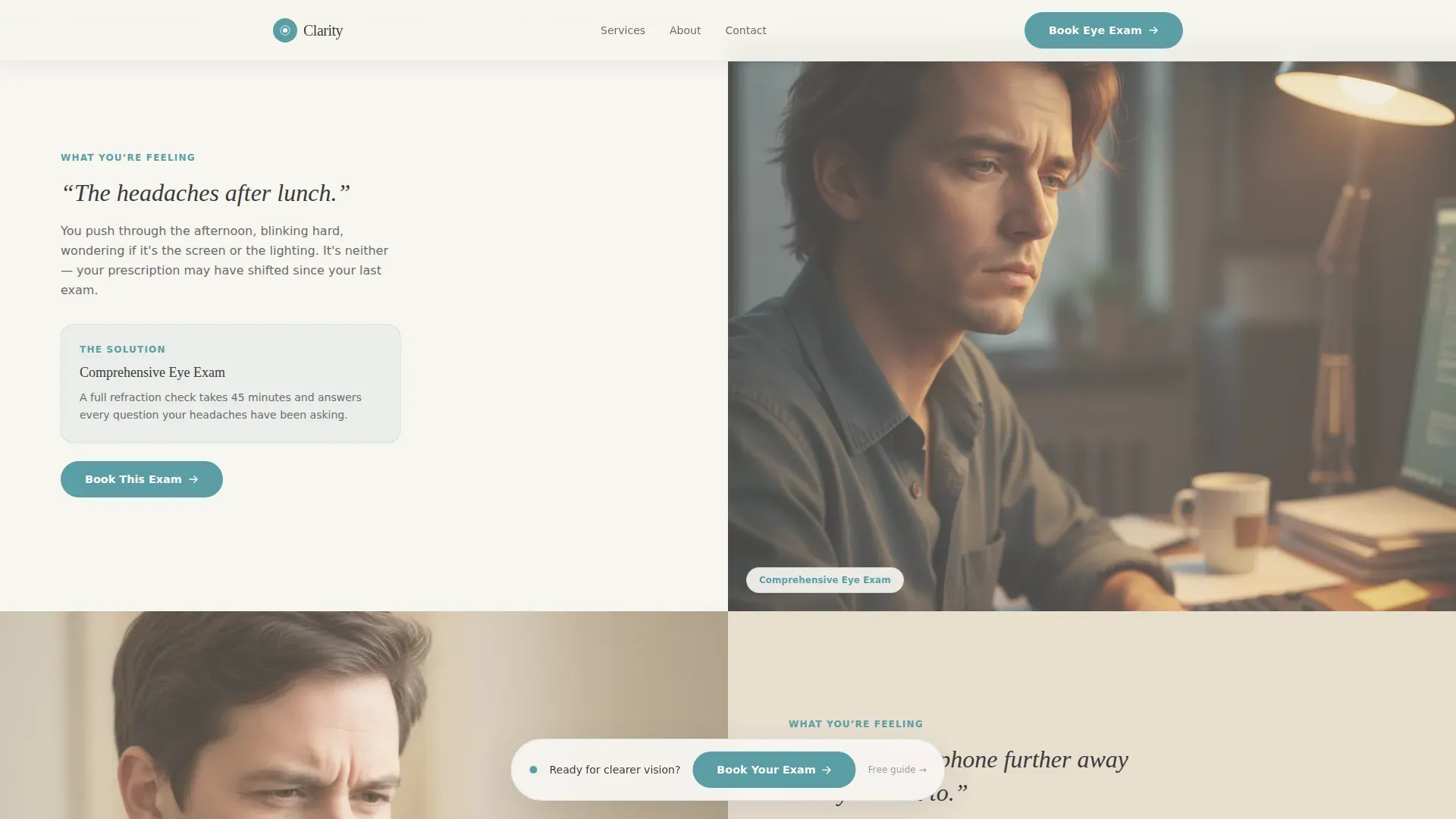
The Problem-to-Solution Arc opens with softly out-of-focus imagery paired with real, felt symptom language. As the visitor scrolls, imagery gradually sharpens alongside the introduction of each service. The page literally comes into focus as solutions appear, mirroring the diagnostic journey.
Floating Booking Call-to-Action Bar
After the visitor passes the second scroll section, a gentle floating bar appears with the primary "Book Your Eye Exam" call-to-action in teal. It stays visible without being intrusive, keeping the booking action accessible at any point in the scroll.
Services Bento Grid
An asymmetric grid presents four services: Comprehensive Exam, Digital Eye Strain consultation, Pediatric Screening, and Lens Fitting. Each card resolves one specific patient worry, matching the Problem-to-Solution structure of the page.
Four-Field Booking Form
The booking form collects preferred date, time preference (morning or afternoon), visitor type (adult or child), and an optional symptoms field. A secondary path offers a free screen-time eye care guide download for visitors not yet ready to commit, capturing their email while keeping them engaged.
Trust Bar with Social Proof
A dedicated trust section displays short, specific patient quotes alongside practice credentials and stats such as years in practice and exams completed. This section builds confidence just before the final booking call-to-action.
Page sections overview
| Section | Purpose |
|---|---|
| Hero Symptom Estimator | Interactive quiz with animated gauge to personalize the experience |
| Problem Arc | Blur-to-sharp imagery paired with real symptom language |
| Services Bento Grid | Four care-area cards resolving specific patient concerns |
| Booking Form | Four-field form with secondary email capture path |
| Trust Bar | Patient quotes, credentials, and practice statistics |
| Footer | Horizontal flow footer with practice information and links |
Design & branding system
The visual identity follows a Healing Space theme. The palette and typography choices work together to feel unhurried and gently reassuring, like a sunlit consultation room with linen curtains.
- Colors: cloud white (#F7F5F0) and warm linen (#E8DFD0) alternate as section backgrounds, charcoal (#3A3A3C) grounds all body text, and calm teal (#5B9EA6) is reserved exclusively for buttons and interactive elements
- Typography: Fraunces serif for headlines gives the page warmth and authority, while DM Sans handles body copy and form elements with clean legibility
- Illustrations replace stock photography throughout, keeping the visual tone personal rather than generic
Mobile & speed optimization
The template is built desktop-first with full mobile responsiveness. Interactive components are scoped as client-side islands so that non-interactive sections load without carrying the overhead of the quiz or gauge.
- The 50/50 split-screen hero adapts gracefully to single-column layout on smaller screens
- Animations including the text-reveal masks and blur-to-sharp scroll filter are scoped to avoid blocking the main content thread
- The floating booking bar repositions cleanly on mobile so it never covers critical form or content areas
How this template helps you convert
Every design and copy decision on this page serves one outcome: a booked eye exam appointment. The conversion path is layered and considers visitors at different levels of readiness.
- The Vision Symptom Estimator creates personal urgency by reflecting each visitor's own answers back as an Eye Health Snapshot score, making the abstract idea of booking an exam feel concrete and timely.
- The Problem-to-Solution scroll arc reassures hesitant visitors by naming their specific symptoms and showing an exact service that addresses each one, so the booking step feels like a natural next step rather than a cold ask.
- The secondary download path captures undecided visitors with a free screen-time eye care guide, keeping them connected to the practice even if they are not ready to book on the first visit.
Other information about this template
This template is built within the Clarity design system and uses the Cloud Canvas color palette as its foundational visual language. It is suited for practices wanting to modernize their optometrist appointment booking page without sacrificing the calm, trusted feel that patients expect from a healthcare provider.
- The footer follows a Vercel Horizontal Flow pattern, keeping practice links and contact details neatly organized
- The US date format (MM/DD/YYYY) and English-language copy are built in from the start, targeting domestic practices
- Animation intensity is set to medium-high, with SVG gauge animation, text-reveal masks, and the blur-to-sharp scroll filter all included in the described scope
- Social proof elements include short specific patient quotes, years in practice, and a completed exams count
Theme
Healing Space
Creative direction
Problem→Solution Arc
Color system
Cloud Canvas
Style
Split Screen (50/50)
Direction
Booking/Scheduling
Page Sections
Vision Symptom Estimator Quiz
Blur-to-sharp Scroll Animation
Floating Booking Call-to-action Bar
Services Bento Grid
Four-field Booking Form
Trust Bar with Social Proof
Related questions
Is this template suitable for a solo optometrist practice?
Can I adjust the services shown in the bento grid?
What happens when a visitor is not ready to book?
How does the Vision Symptom Estimator work?
Does the booking form connect to a scheduling system?



