Family Doctor Booking Website Template
A sidebar companion landing page for a family practice billing transparency page. It walks patients through every stage of the billing journey, from appointment scheduling to the final co-pay, using animated stats, a scroll-linked glossary sidebar, and plain-English definitions. Built for families, parents, and retirees who want clarity before the statement arrives.
by Rocket studio
Quick summary
This landing page template helps a family practice show patients exactly how medical billing works, step by step, before any statement arrives. Three animated counters open the page with hard numbers on claim processing, surprise-bill rates, and accepted insurance networks. A fixed sidebar companion highlights billing terms in plain English as visitors scroll.
Who this template is for
This template is built for family practices that want to earn patient trust through radical billing transparency. It fits clinics serving mixed patient populations who arrive with real anxiety about medical costs.
- Family practices treating parents with pediatric well-visits and annual physicals
- Clinics with retirees navigating Medicare supplement plan confusion
- Primary care providers welcoming young families choosing their first doctor
What problem this template solves
Most patients experience billing as a black box. A statement arrives weeks after the visit, filled with codes they cannot read, and a total that surprises them. This template dismantles that anxiety by showing every stage of the billing process before the co-pay receipt prints.
- Patients fear surprise bills and avoid scheduling because of cost uncertainty
- Medical billing terms like EOB, CPT code, deductible, and coinsurance go unexplained
- Practices lose patient trust when billing feels hidden behind the front desk
What you get with this template
You get a fully structured, single-page layout built around a transparent billing journey. Every section earns visitor trust before asking them to register.
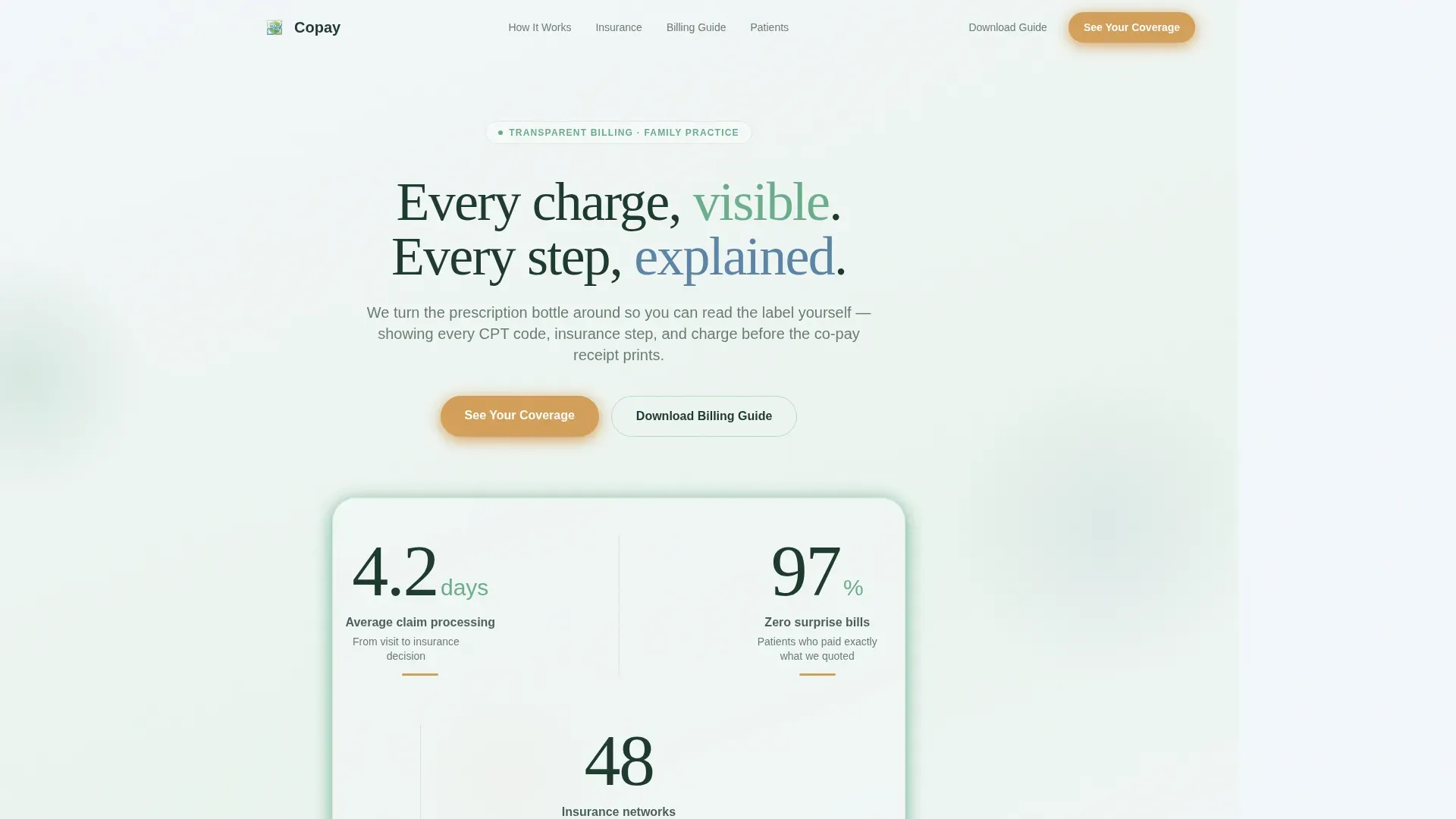
- Animated stats header with three counters: 4.2-day average claim processing time, 97% of patients with zero surprise bills, and 48 accepted insurance networks
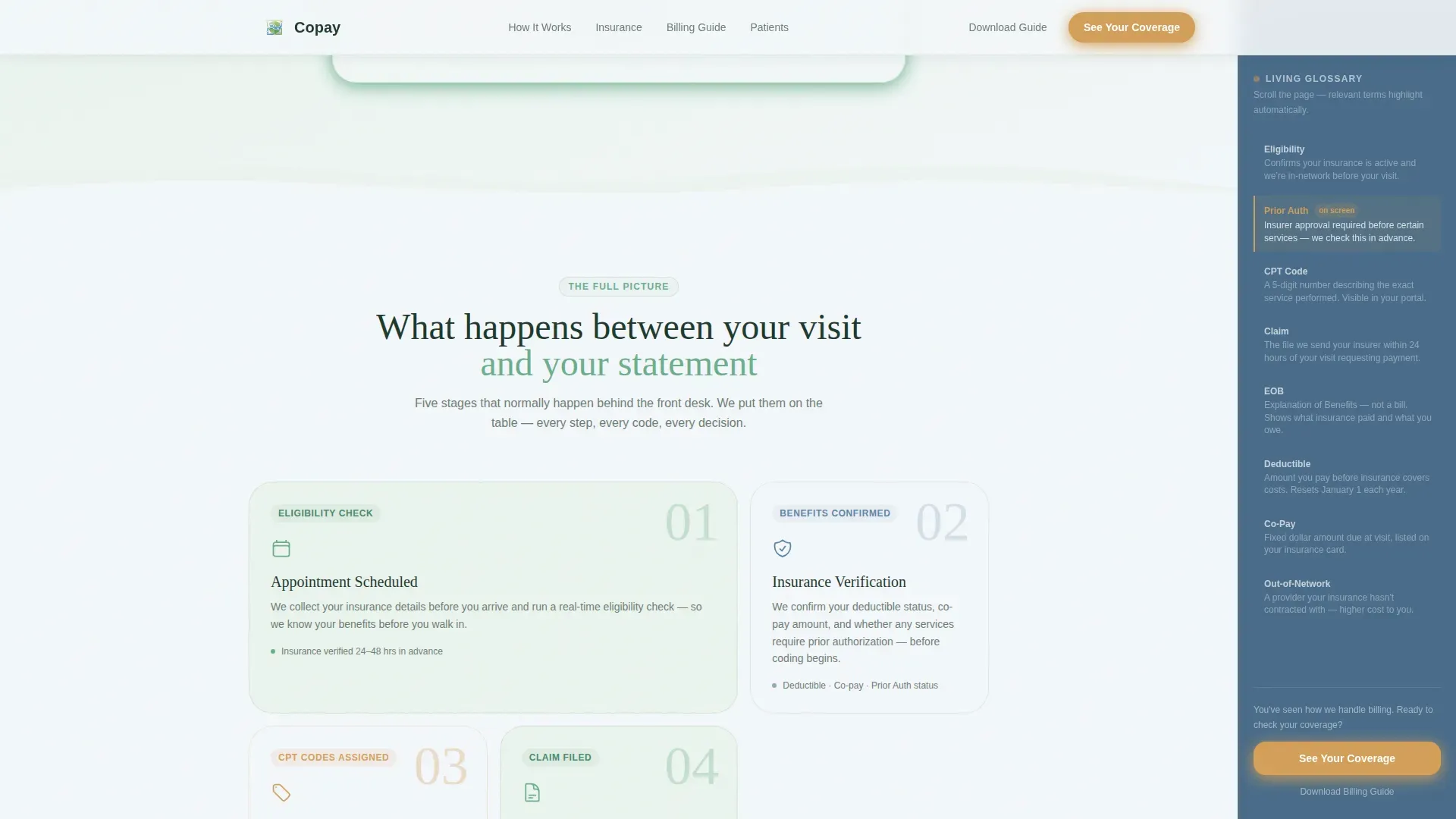
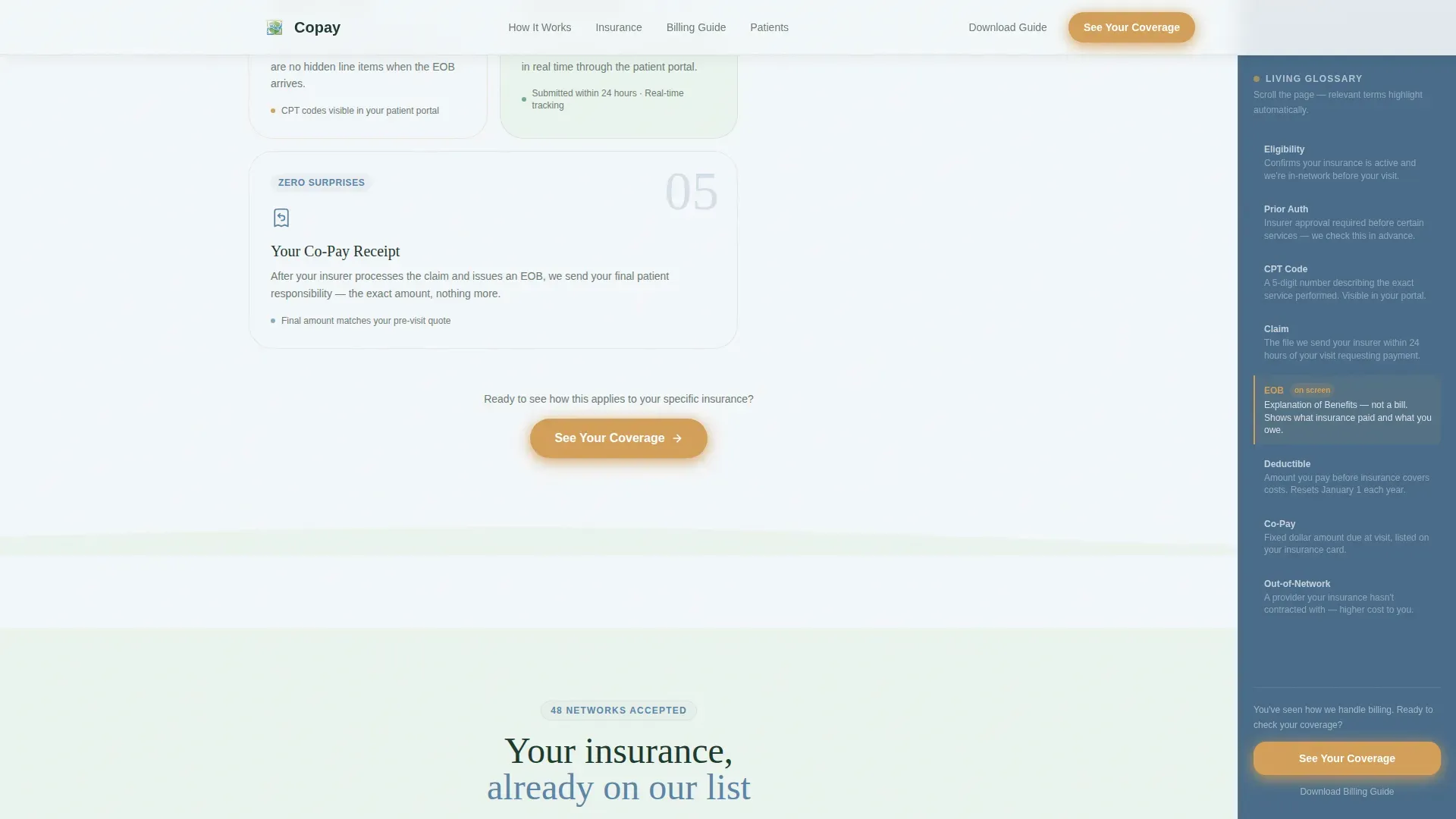
- A five-stage billing journey display covering appointment scheduling, insurance verification, medical coding, claim submission, and final patient responsibility
- A fixed sidebar glossary that scroll-links to highlight plain-English definitions of billing terms as visitors read
Feature list
This template includes the following built-in features and layout components.
Animated Stats Counter Header
Three large counters animate into view as the page loads. They display average claim processing time, the percentage of patients who receive no surprise bills, and the number of accepted insurance networks. Each counter sits on a soft gradient background with a pulse animation on the wildflower gold accent underline beneath it.
Five-Stage Billing Journey Grid
An asymmetric bento grid lays out the full billing process across five stages. Each stage, from appointment scheduling through insurance verification, medical coding, claim submission, and final co-pay, is presented as a distinct visual block. This format lets patients follow the journey without reading dense paragraphs.
Scroll-Linked Sidebar Glossary
A fixed sidebar companion sits on the right side of the page throughout the scroll. As visitors pass sections that mention billing terms such as Explanation of Benefits (EOB), Current Procedural Terminology (CPT) code, deductible, or coinsurance, the sidebar automatically highlights the matching plain-English definition. No click is required.
Insurance Network Showcase
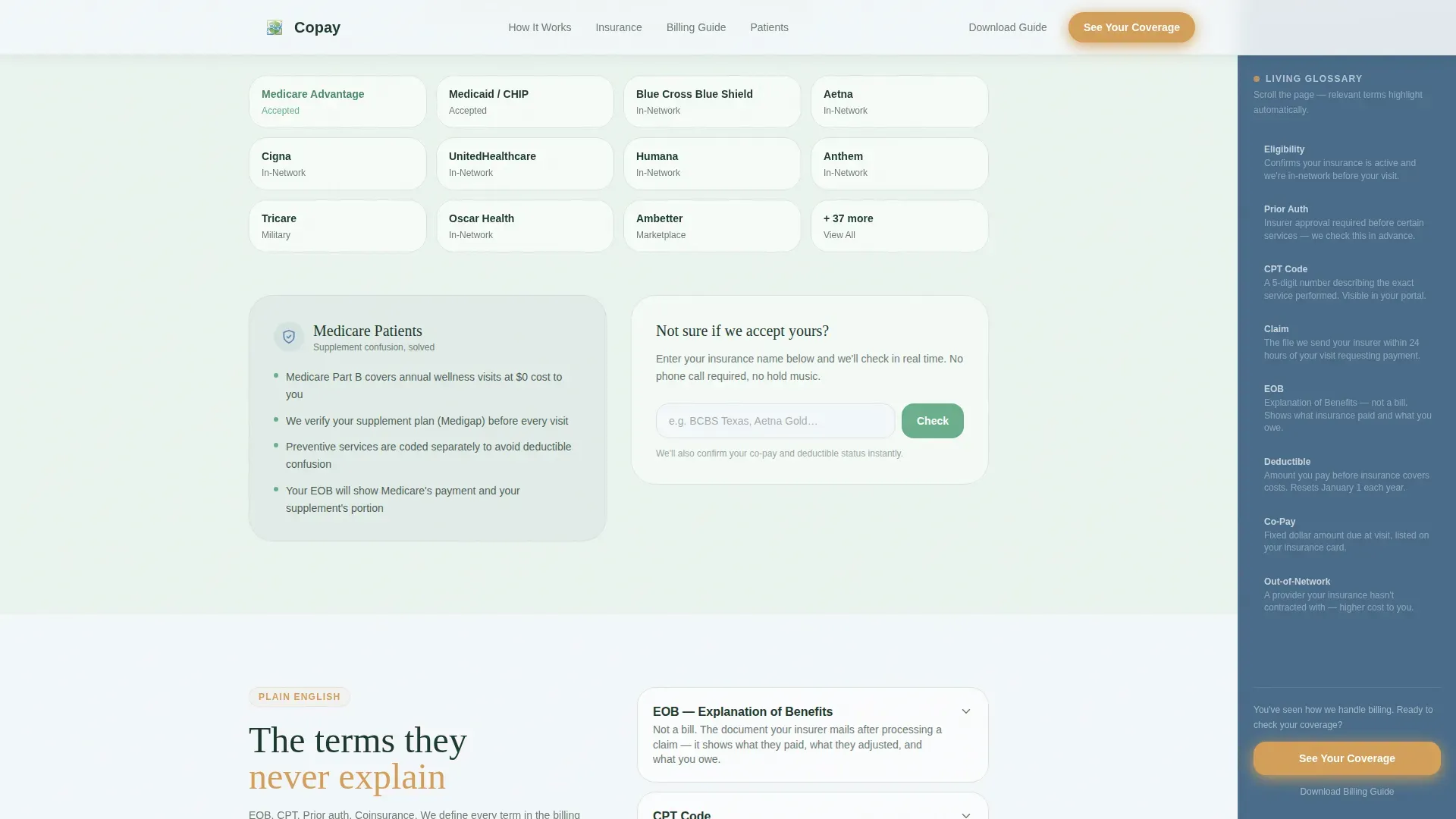
A dedicated section displays network compatibility and includes a specific callout for Medicare supplement coverage. A mid-page "See Your Coverage" call-to-action button appears here, positioned after the visitor has already seen the verification walkthrough.
Billing Glossary Accordion
A frequently asked questions accordion provides plain-English definitions for the billing terms patients encounter most. It answers questions about EOBs, CPT codes, deductibles, and coinsurance in calm, readable language that matches the overall page tone.
Testimonial Snap-Scroll Cards
A horizontal snap-scroll section displays patient testimonials across three audience scenarios: parents managing family visits, retirees navigating Medicare, and young families new to primary care. Cards scroll smoothly without jumping.
Page sections overview
| Section | Purpose |
|---|---|
| Animated Stats Header | Opens with three counters showing claim time, surprise-bill rate, and network count |
| Billing Journey Grid | Shows all five billing stages in an asymmetric bento layout |
| Insurance Networks Showcase | Displays accepted networks with Medicare callout and mid-page call to action |
| Billing Glossary Accordion | Defines EOB, CPT, deductible, and coinsurance in plain English |
| Patient Testimonials | Horizontal snap-scroll cards covering three patient scenarios |
| Registration Call to Action | Ticket-style card with primary and secondary call to action buttons |
| Page Footer | Single-row linear footer |
Design & branding system
The visual identity uses the Alpine Fresh color system. The overall feel is calm, clinical, and reassuring, like a pharmacist turning the prescription bottle around so you can finally read the label.
- Backgrounds drift between frost white (#F4F7FA) and the palest meadow green tint, while the persistent sidebar carries distant peak blue (#8AACC2) as its grounding tone
- Alpine meadow green (#6BAF8D) drives primary actions and section accents, while wildflower gold (#D4A05A) marks every clickable button and progress indicator with a pulse underline animation
- Typography pairs Fraunces serif for display headings with DM Sans for body text and number counters, creating a warm, readable contrast
Mobile & speed optimization
This template is designed desktop-first to support the sidebar companion layout, with a mobile-responsive fallback built in for smaller screens.
- The fixed sidebar glossary adapts gracefully on mobile, transitioning from a persistent side panel to an inline contextual display
- Scroll-triggered animations use Intersection Observer for counter reveals and fade-up staggered section entrances, keeping motion smooth without blocking content load
- CSS smooth scroll behavior governs all in-page navigation transitions for a fluid reading experience
How this template helps you convert
The page earns the click before it asks for it. Every section adds one more layer of transparency, so the final call to action feels like a natural next step rather than a leap.
- The "See Your Coverage" primary call to action appears three times: beneath the header stats, after the insurance verification walkthrough, and anchored at the bottom of the sidebar on scroll, giving visitors a clear path at every stage of reading
- A secondary path, "Download Our Billing Guide," captures an email address for patients who are not yet ready to register, keeping them in the funnel without pressure
Other information about this template
This template is categorized under the Health and Medical vertical, specifically within the Family Doctor Website and Family Doctor Insurance and Billing Page niche. A few additional details worth knowing before you use it.
- The page layout is a single-page, sidebar companion structure and is classified as a landing page, not a multi-page website
- The creative direction is Transparent Process, meaning the design logic is built around revealing each hidden billing step in sequence rather than summarizing them
- The header concept is Stats and Metrics, using numbers alone, without stock photography or stethoscope imagery, to establish credibility
- The landing page direction is Click-Through, with the primary conversion goal being patient portal registration
- Localization is set for English (USA), USD currency formatting, and MM/DD/YYYY date display
- Animation intensity is medium-high, covering counter animations, fade-up staggered reveals, pulse underlines, and blob backgrounds
- The template uses no real patient data; all stats shown (4.2 days, 97%, 48 networks) are placeholder figures included in the design for layout reference
Theme
Soft Gradient
Creative direction
Transparent Process
Color system
Alpine Fresh
Style
Sidebar Companion
Direction
Click-Through
Page Sections
Animated Stats Counter Header
Five-stage Billing Journey Grid
Scroll-linked Sidebar Glossary
Insurance Network Showcase with Medicare Callout
Billing Glossary Accordion
Horizontal Testimonial Snap-scroll
Related questions
Who is this landing page template designed for?
What billing terms does the sidebar glossary cover?
Can I use this template to promote patient portal registration?
Does this template require special coding knowledge to customize?
What happens to the sidebar on mobile devices?



