Eye Care & Optometry Professional Website Template
Clarity is a single-column landing page template built for low vision rehabilitation practices. It guides newly diagnosed adults, their families, and referring professionals through an interactive checklist experience that builds recognition before requesting action. The design is warm, high-contrast, and mobile-first, with every element scaled for readers who may be managing significant vision loss.
by Rocket studio
Quick summary
Clarity is a lead generation landing page for occupational therapy practices specializing in low vision rehabilitation. It walks visitors through a gentle self-assessment checklist, educates them on what rehabilitation actually involves, and then invites them to book a home assessment or download a safety resource. The tone is calm, trustworthy, and built for an audience navigating a difficult diagnosis.
Who this template is for
This template fits clinics and allied health practices that provide low vision rehabilitation services to adults living with conditions such as macular degeneration or diabetic retinopathy. It works equally well for solo occupational therapists and established rehabilitation centers that serve both patients and referring professionals.
- Adults over sixty recently diagnosed with a progressive vision condition, or their adult children searching for next steps
- Veterans' affairs case managers and ophthalmologists who coordinate or refer patients to rehabilitation services
- Occupational therapy practices that need a credible, accessible online presence to convert anxious visitors into booked appointments
What problem this template solves
Newly diagnosed patients and their families often leave the ophthalmologist's office with no clear path forward. They search online late at night, land on generic clinic pages, and leave without taking action because nothing speaks directly to their fear or situation. This template closes that gap by making the visitor feel seen before asking them to do anything.
- Visitors cannot always tell what low vision occupational therapy actually covers, so the checklist and educational sections explain it plainly and specifically
- Family members who are not ready to call may leave empty-handed, so a gated PDF download captures their contact details for a softer follow-up
- Referring professionals such as physicians and case managers need visible credentials and clear intake options, both of which the template provides up front
What you get with this template
The template delivers a fully structured single-column landing page with interactive and educational components built to serve a specific rehabilitation audience. Every section is pre-planned with a clear purpose, from the credentialed hero through to the lead capture form and footer.
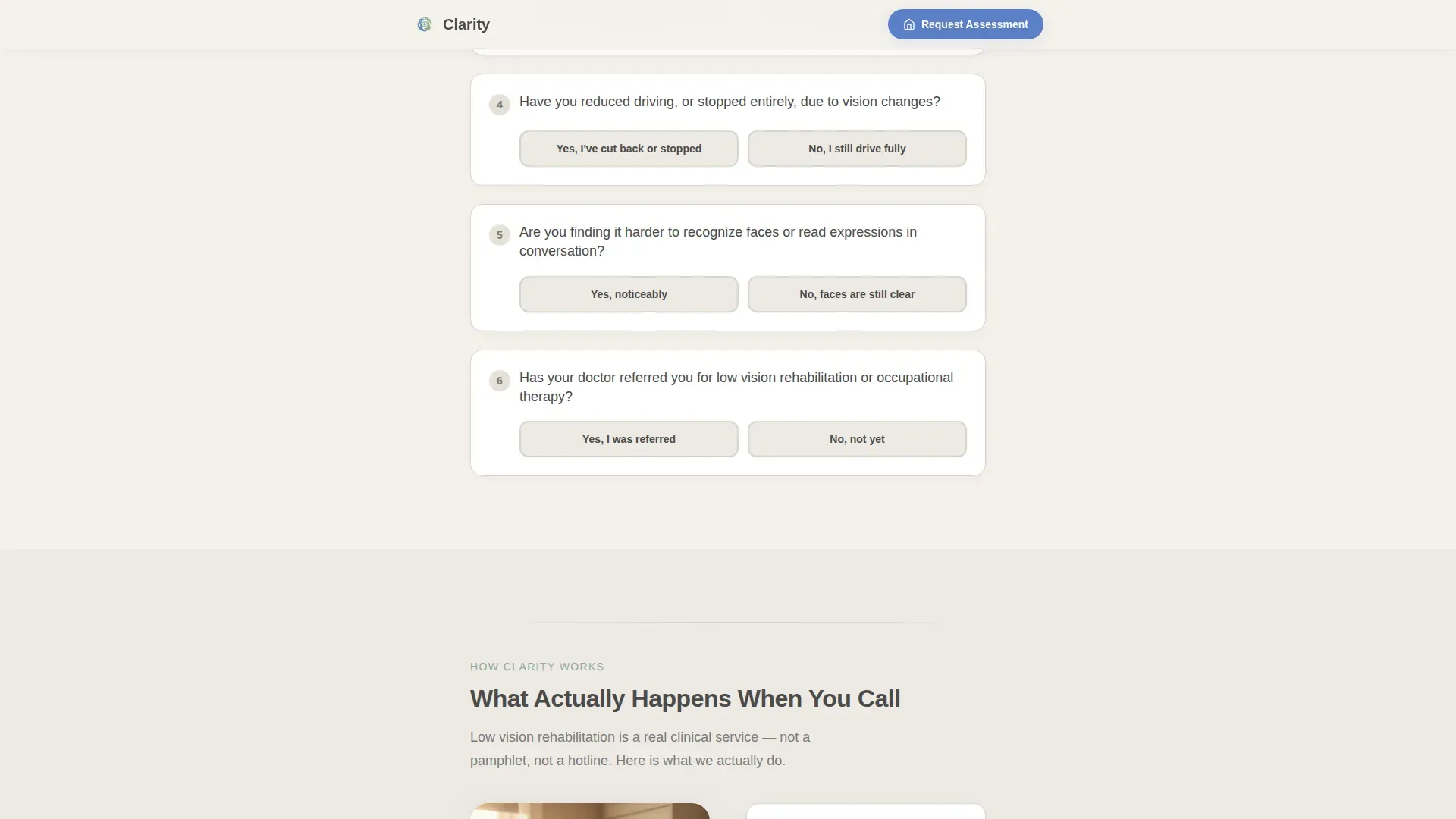
- A six-question interactive checklist with yes/no toggles and a running risk score that builds genuine recognition in the visitor before any call to action appears
- A primary lead capture form requesting a home assessment, plus a secondary PDF download gate for family members who need more time before committing to a call
- Accreditation badge display, outcome-specific testimonials from three distinct audience types, and a sticky mobile call-to-action bar for the phone-first audience this practice serves
Feature list
A brief paragraph introduces the core feature set: this template is engineered around high-stakes emotional context, where trust, readability, and gentle progression matter far more than visual flash. Every feature below reflects a deliberate decision to serve a reader who may be frightened, visually impaired, or acting on behalf of someone they love.
Interactive Low Vision Readiness Checklist
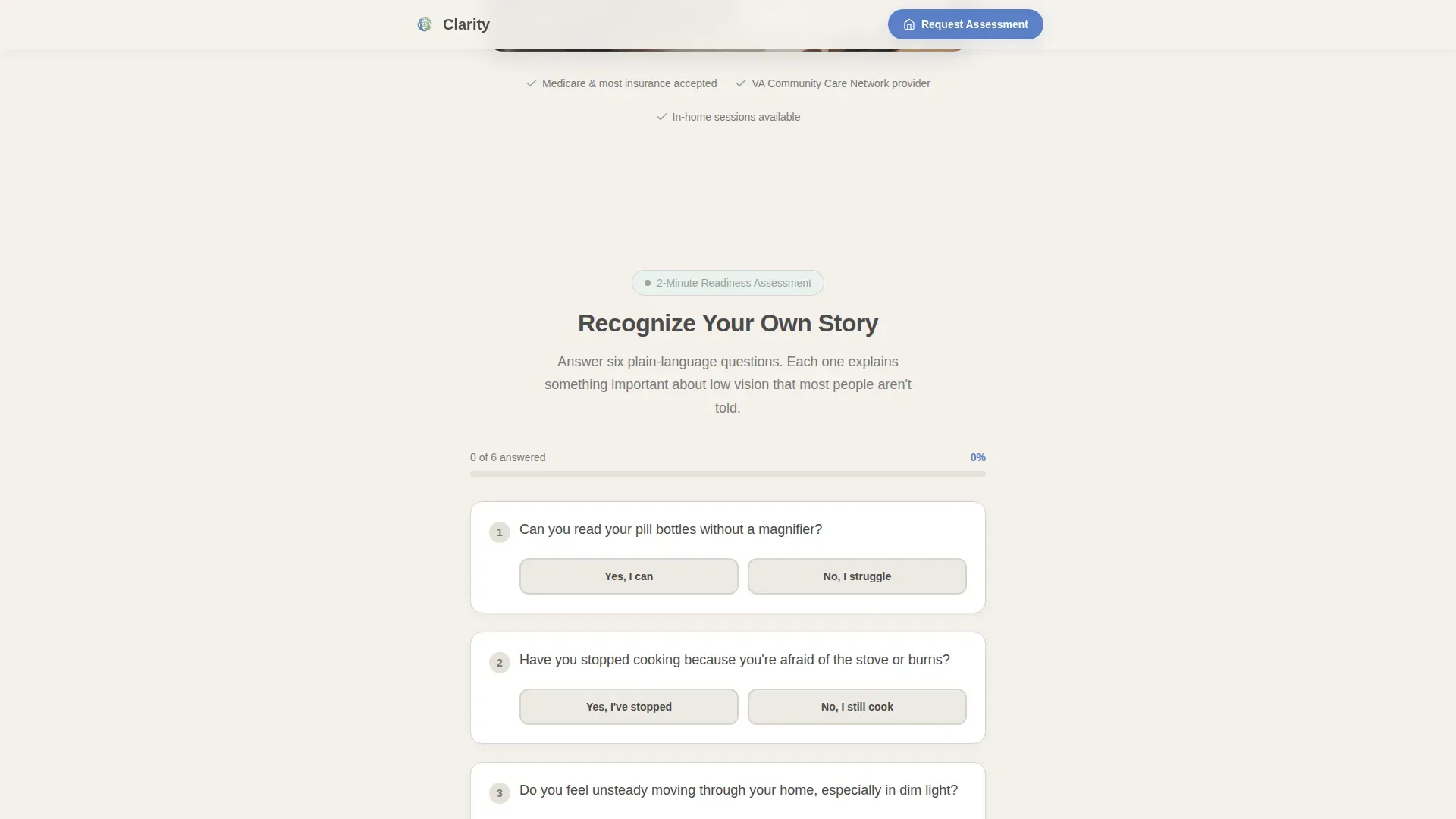
Six plain-language yes/no questions scroll in sequence, each paired with a short educational paragraph explaining why that task matters. A running score tally builds gentle urgency through recognition rather than fear, so the visitor arrives at the call to action already nodding.
Dual Lead Capture Pathways
The primary path is a home assessment request form with fields for patient name, referrer relationship, primary diagnosis, and preferred contact method, with phone set as the default. The secondary path is a PDF checklist download gate requiring only an email, designed for family members who are researching but not yet ready to call.
Accreditation Badge Display
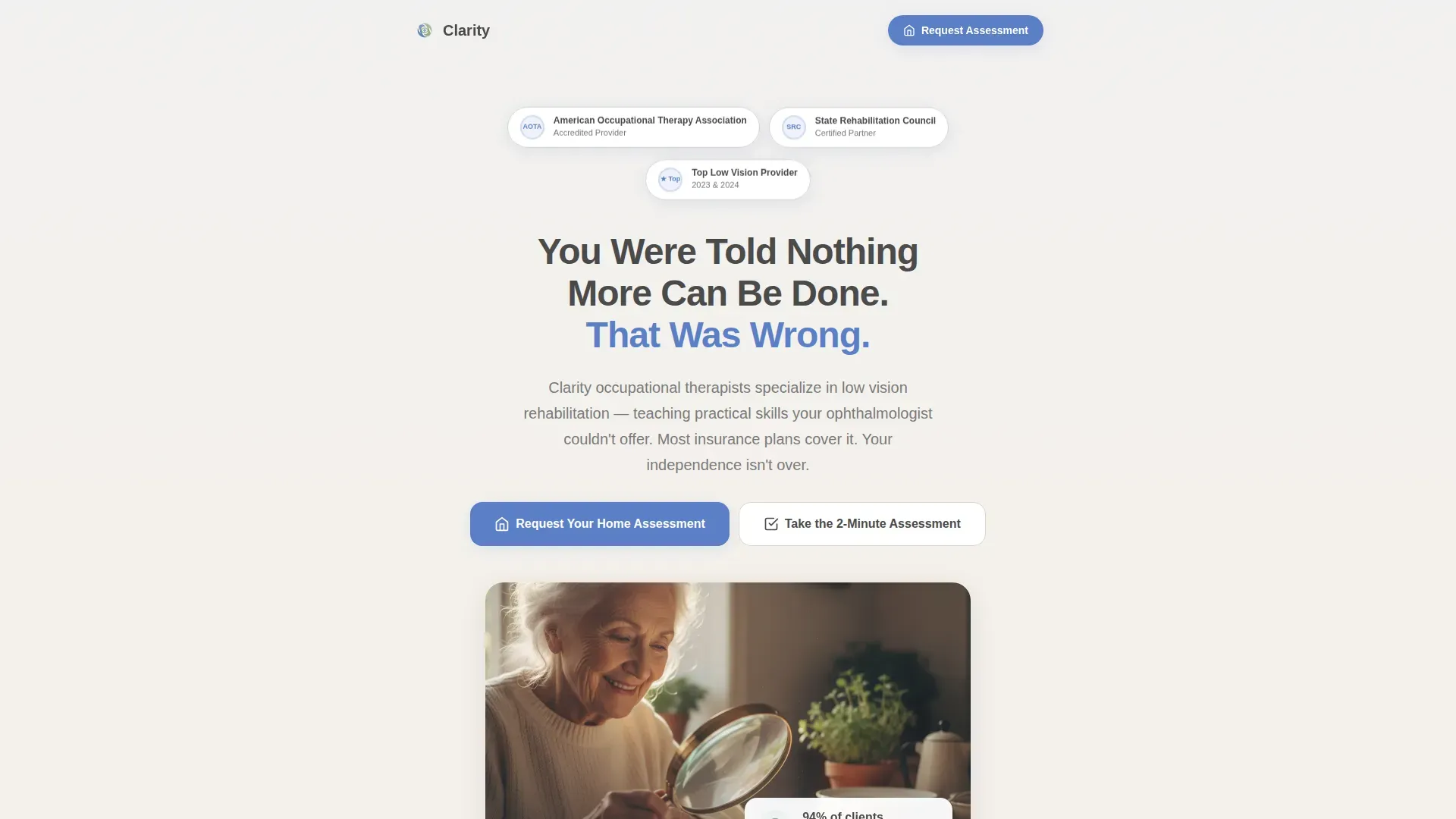
A horizontal row of soft-edged accreditation medallions sits directly below the hero headline. The badges reference relevant professional recognition and give first-time visitors immediate permission to trust the practice without reading a single word of body copy.
Outcome-Specific Social Proof Section
Three testimonials are built into the template, each representing a distinct audience: a patient, a family member, and a referring case manager. This structure ensures every visitor type sees someone who reflects their own situation and concern.
Sticky Mobile Call-to-Action Bar
On mobile devices, a persistent bar anchored to the bottom of the screen keeps the primary phone call-to-action visible throughout the entire scroll. This respects the reality that many users in this audience prefer to call rather than fill out a form.
Educational Bridge Section
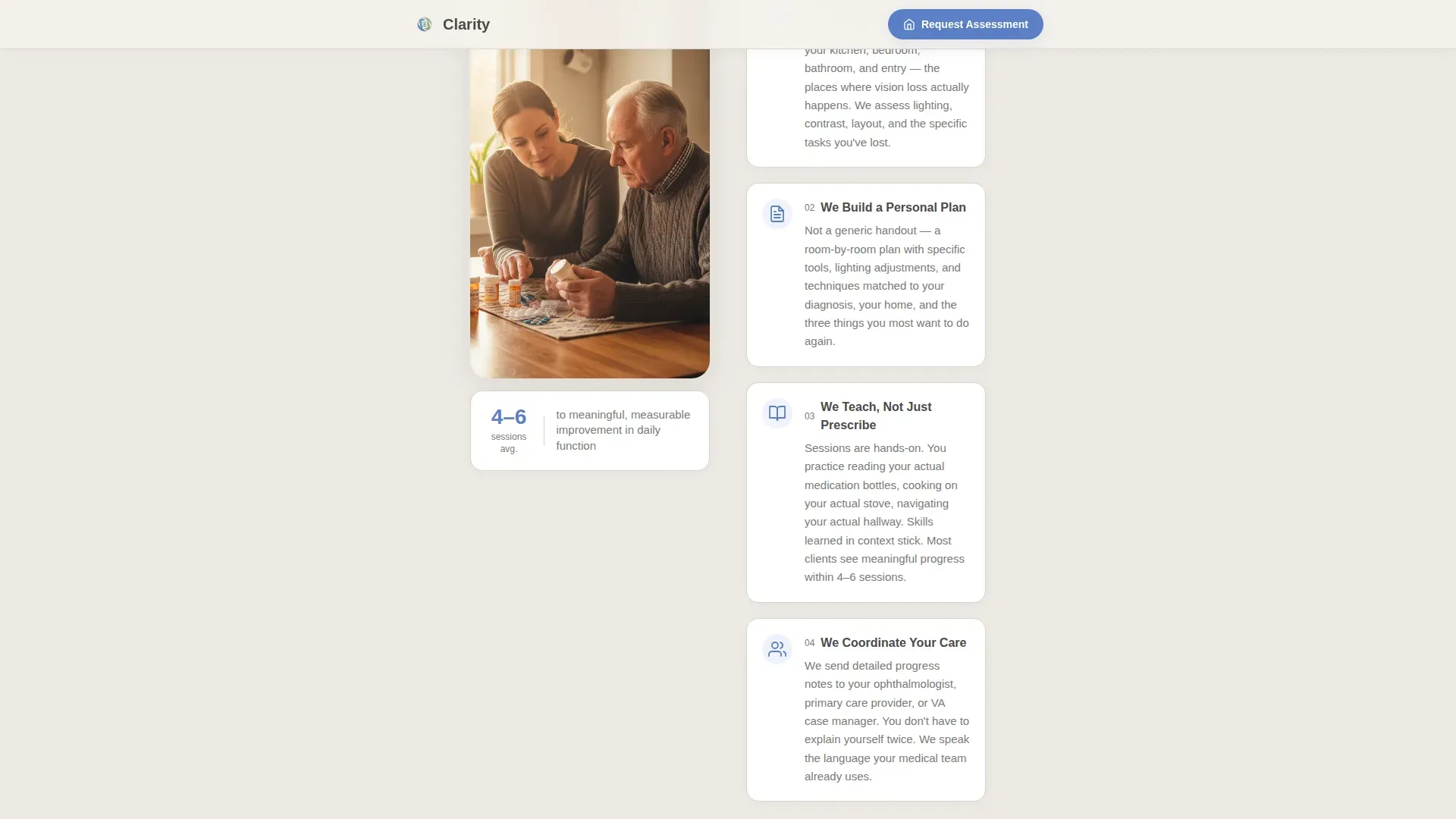
A dedicated mid-page section explains in warm, plain language what low vision occupational therapy actually involves. It sits between the checklist and the testimonials, turning an assessment tool into a full educational experience that increases confidence and informed consent before booking.
Page sections overview
| Section | Purpose |
|---|---|
| Hero with Badges | Opens with accreditation seals and the headline "You Were Told Nothing More Can Be Done. That Was Wrong." to establish immediate trust |
| Checklist Audit | Six interactive yes/no questions with a running score tally guide the visitor through a personal low vision readiness assessment |
| Educational Bridge | Explains what low vision occupational therapy actually does, with specific practical examples that build informed confidence |
| Outcomes and Voices | Displays specific rehabilitation results alongside three testimonials from a patient, a family member, and a case manager |
| Lead Capture Form | Home assessment request form with conditional fields and a secondary PDF download gate for undecided visitors |
| Footer | Single linear row with practice contact details and essential navigation links |
Design & branding system
The visual identity follows a Soft Mist palette designed to feel like a clean, well-lit clinical space rather than a stark medical website. Every color and type choice prioritizes readability for users who may already be managing reduced vision.
- Background uses warm fog white (#F4F1EC), body text is set in quiet graphite (#4A4A4A) at large sizes for high contrast, and muted sage (#8FA89B) marks section dividers and progress indicators
- All interactive elements use cornflower blue (#5B7FC7) consistently so users always know what is tappable or clickable without hunting
- Headings use Plus Jakarta Sans for warm weight and authority; body copy uses DM Sans at a minimum of 16px for comfortable reading across all ages and conditions
Mobile & speed optimization
This template is built mobile-first, which directly reflects its primary audience: adults and family members scrolling on phones, often late at night, looking urgently for help. Touch targets are large throughout, and the layout never asks the user to pinch or zoom to read critical information.
- The sticky bottom call-to-action bar keeps the phone number reachable at every scroll position on mobile without interrupting the reading experience
- Gentle reveal animations and smooth checklist interactions use low-to-medium motion intensity, avoiding any jarring effects that could disorient or distract a visually impaired user
- Static page sections use server-side rendering for fast initial load, while the interactive checklist logic runs client-side to keep the experience smooth and responsive
How this template helps you convert
The conversion strategy in this template is built on recognition first, action second. Visitors are never pushed toward a form before they have had a chance to see their own situation described accurately and compassionately.
- The checklist builds self-identification: by question six, most visitors recognize their own daily struggles in the prompts, which creates motivation to act from understanding rather than alarm.
- The dual call-to-action structure captures two distinct intent levels: the home assessment form converts ready decision-makers, while the PDF download gate holds onto family members who need more time and information before they pick up the phone.
- Accreditation badges, named testimonials, and a warm educational tone work together to establish the practice as a credible and caring authority, reducing the hesitation that typically stalls healthcare conversions.
Other information about this template
This template is designed specifically for the low vision rehabilitation niche within allied health and eye care, where the audience often has specific accessibility requirements that generic medical templates do not address. The combination of large typography, high-contrast color choices, and phone-first call-to-action logic reflects the real-world constraints of this patient population.
- The template is suited for practices that hold or are pursuing professional accreditation from bodies such as the American Occupational Therapy Association (AOTA) or state rehabilitation councils, as the badge section is pre-structured for those credentials
- The three-testimonial format covers the full referral ecosystem: direct patients, family caregivers, and professional referrers such as veterans' affairs case managers, making the page persuasive across all three entry points
- The PDF download gate is positioned as a secondary conversion specifically for the family-member audience segment, who often need something tangible to review before committing to a clinic call
Theme
Educational Guide
Creative direction
Checklist & Audit
Color system
Soft Mist
Style
Single Column Flow
Direction
Lead Generation
Page Sections
Interactive Low Vision Readiness Checklist
Dual Lead Capture Pathways
Accreditation Badge Display
Outcome-specific Social Proof
Sticky Mobile Call-to-action Bar
Educational Bridge Section
Related questions
Who is this landing page template designed for?
What makes the checklist different from a standard contact form?
Can the template handle referrals from physicians or veterans' affairs case managers?
Does the template capture leads who are not ready to book an appointment yet?
Is this template appropriate for an older adult mobile audience?



