Advanced Professional Organizer Appointment Booking Website Template
Clarity is a split-screen landing page template built for professional organizers. It pairs a bold FAQ-driven layout with a clean resource-download flow, guiding overwhelmed homeowners, small business owners, and estate executors from their first question to a booked clarity call. Every section is structured to build trust before the ask.
by Rocket studio
Quick summary
Clarity is a single-page FAQ and resource hub designed for professional organizers. It uses a 50/50 split-screen layout where each question sits on the left and its answer unfolds on the right. The page builds confidence at every scroll, ending with a downloadable starter kit and a path to book a free 15-minute call.
Who this template is for
This template suits professional organizers who want a polished, trustworthy online presence without a heavy website build. It works especially well for solo practitioners and small organizing businesses that need to answer common client concerns before a consultation.
- Professional organizers serving overwhelmed homeowners with years of accumulated clutter
- Organizers working with small business owners who need filing and workspace systems
- Practitioners handling estate organizing for executors managing a loved one's belongings
What problem this template solves
Prospective clients are rarely ready to book on the first visit to an organizer's page. They carry hesitation, embarrassment, and practical questions that go unanswered on most service websites. This template addresses that gap directly, giving every concern a clear, honest answer before the call is ever offered.
- Clients feel embarrassed about their space and need reassurance before reaching out
- Visitors want to know about logistics, contracts, and insurance before they commit
- Most organizer pages bury their process, leaving potential clients to guess
What you get with this template
You get a fully structured, single-page layout that functions as both a resource hub and a lead generation tool. The design is ready to present, with placeholder content, a defined color system, and a clear call-to-action flow baked in from the start.
- A split-screen FAQ section with slide-in answer reveals on scroll
- A primary call to action block for a downloadable "Organizer's Starter Kit" requiring only a name and email
- A secondary text-link call to action to "Book a Free 15-Minute Clarity Call" positioned beneath each resource
Feature list
This template is built around a deliberate set of components, each one serving a specific role in guiding the visitor from curious to committed.
Split-Screen FAQ Layout
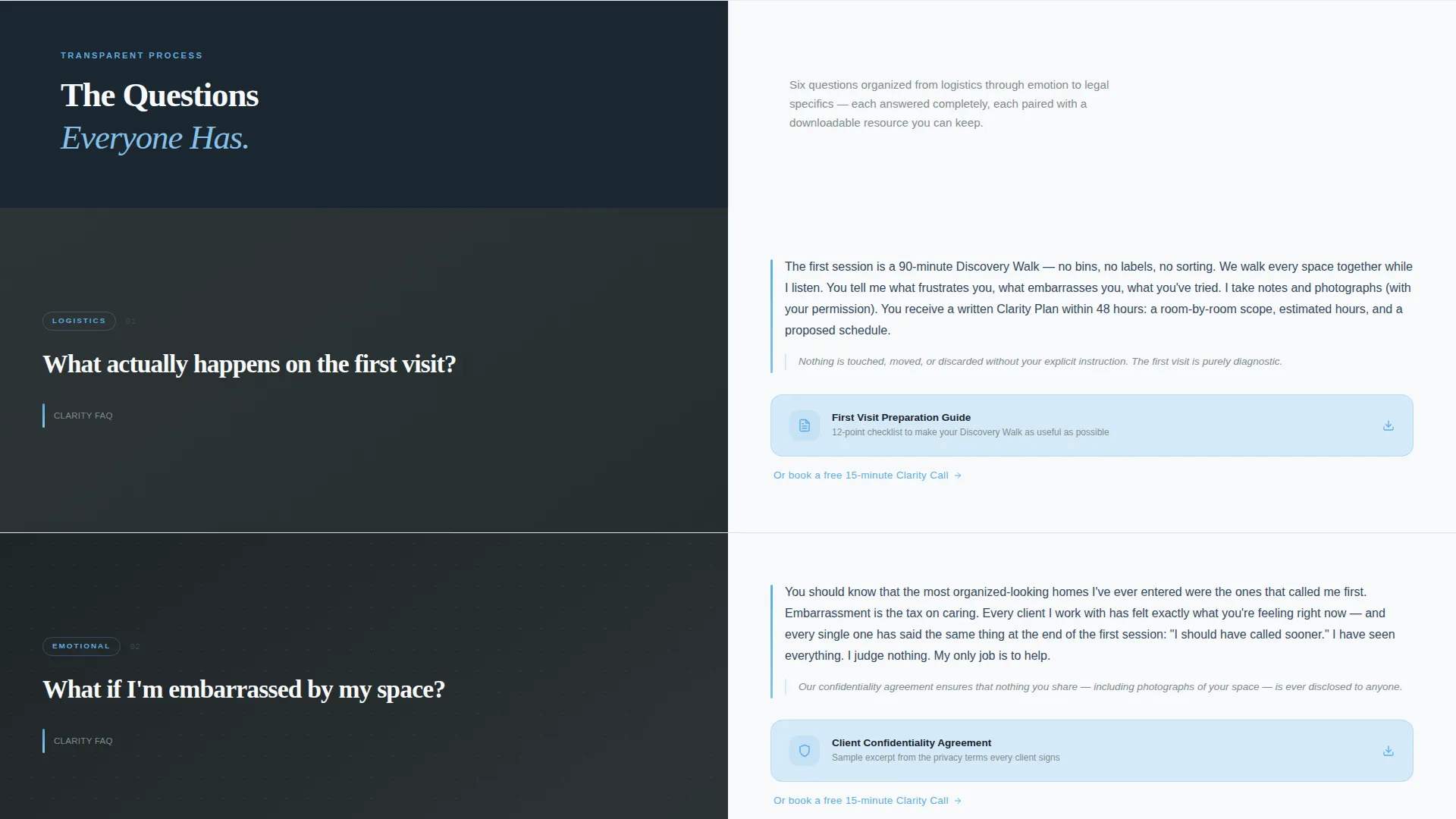
Each scroll section divides into a large left-panel question and a right-panel answer. The layout mimics pulling a folder from a cabinet, giving the experience a calm, organized rhythm that matches the service itself.
Slide-In Answer Reveals
Answers appear with a gentle slide-in animation as the visitor scrolls. This pacing keeps the page from feeling overwhelming and reinforces the idea of a process unfolding one step at a time.
Downloadable Resource Hooks
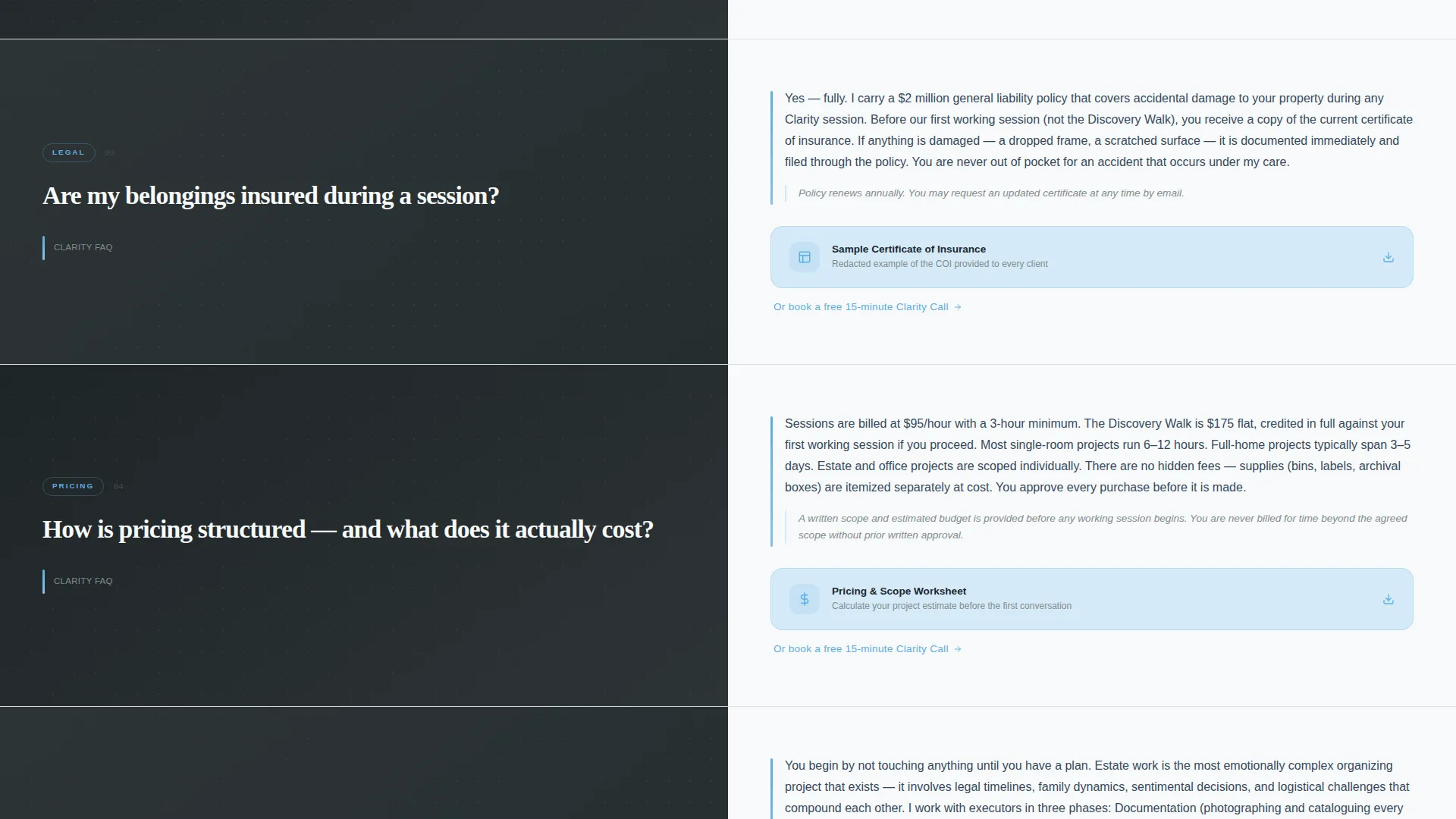
Every FAQ pair includes a linked downloadable asset, such as a checklist PDF, a sample contract excerpt, or a preparation guide. Each resource is previewed before download so visitors know exactly what they are getting.
Escalating FAQ Narrative
The question sequence is structured deliberately. It moves from simple logistics through emotional reassurance and into legal specifics, matching the natural arc of a prospective client's decision-making process.
Dual Call-to-Action Flow
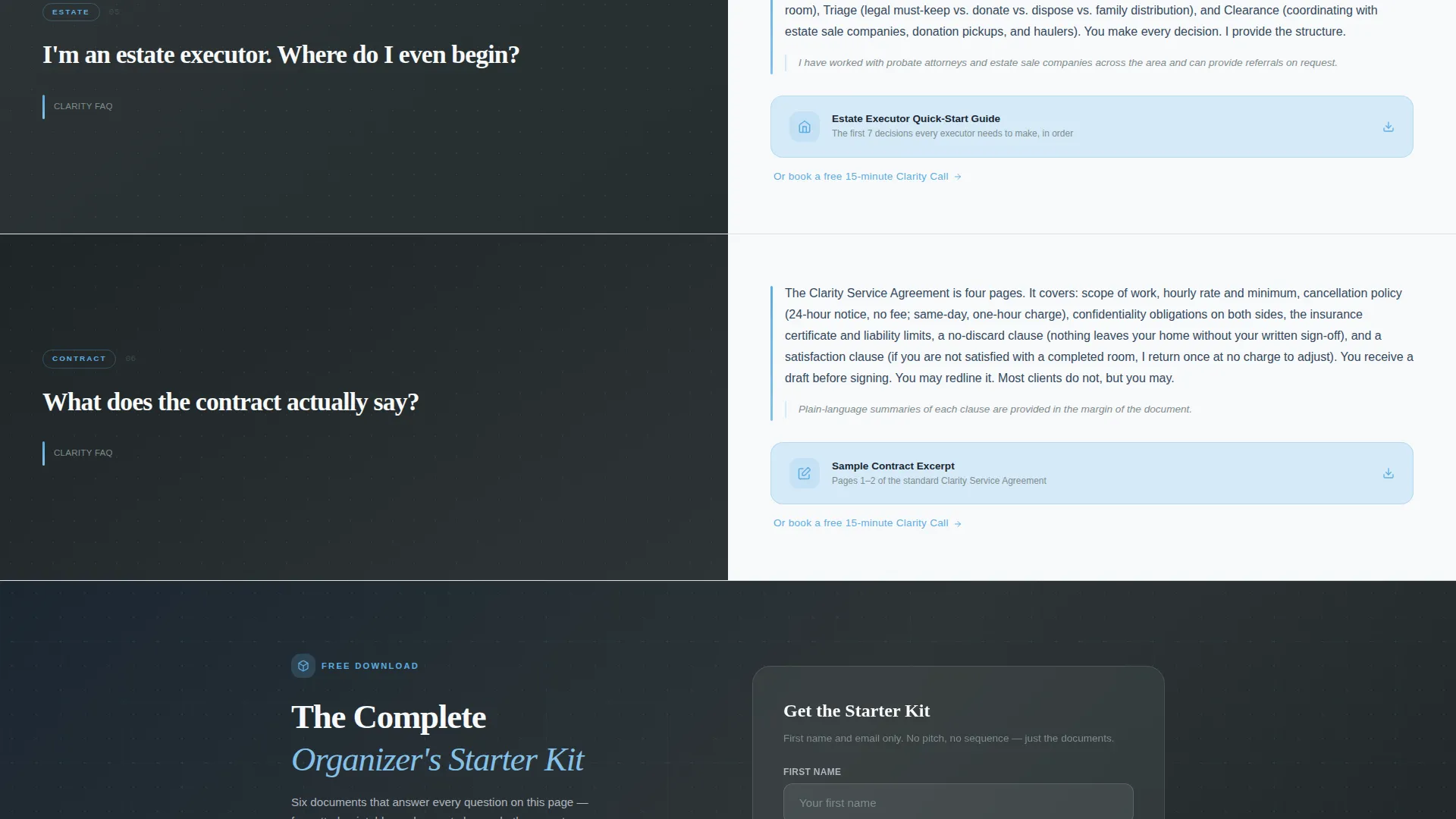
The primary call to action, "Download the Complete Organizer's Starter Kit," appears after the third FAQ pair and again at the footer. A secondary "Book a Free 15-Minute Clarity Call" text link sits beneath each downloadable resource for visitors ready to go further.
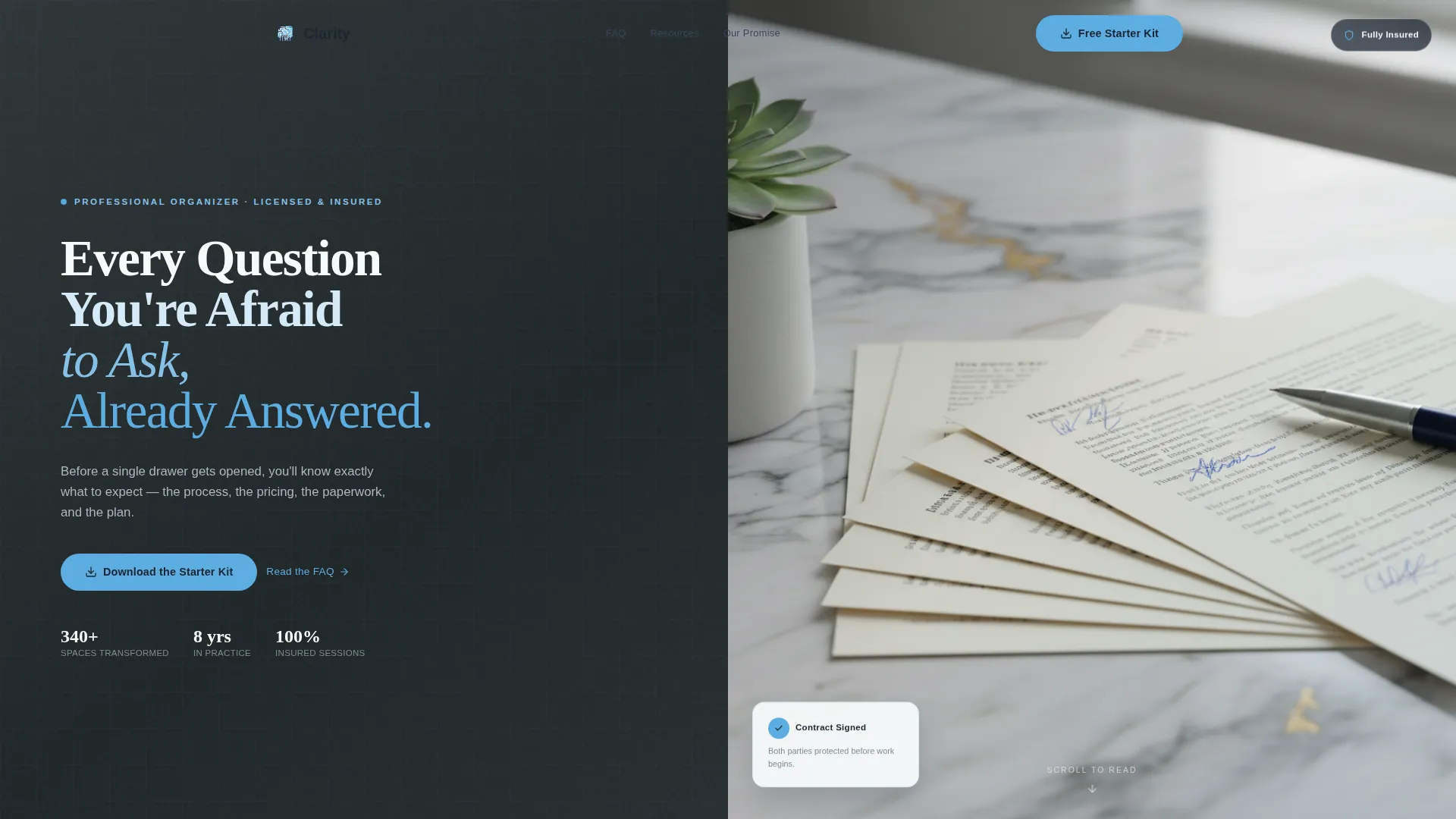
Hero Header with Overhead Photo
The header pairs a bold stacked headline on a deep slate background with an above-angle photograph of a tidy marble countertop. The composition communicates professionalism and calm at first glance.
Page sections overview
| Section | Purpose |
|---|---|
| Hero Header | Sets tone with bold headline and styled overhead photo |
| FAQ Pair 1 | Covers first-visit logistics and process overview |
| FAQ Pair 2 | Addresses emotional concerns like embarrassment |
| FAQ Pair 3 | Explains legal specifics including insurance and contracts |
| Primary call to action Block | Delivers downloadable Starter Kit after third FAQ pair |
| Secondary call to action Links | Offers Clarity Call booking beneath each resource |
| Footer call to action | Repeats Starter Kit download with name and email capture |
Design & branding system
The visual identity follows a Legal Shield theme built on the Slate and Sky color system. Deep charcoal slate grounds the left panels, while open-air blue lifts the right side. The overall effect feels like a clear morning through a freshly cleaned window: calm, authoritative, and easy to trust.
- Deep charcoal slate (#2D3436) anchors left-panel question backgrounds
- Open-air blue (#5DADE2) brightens right-panel answer sections
- Cloud white (#F8F9FA) carries body text for clean readability
- Contract-ink navy (#1B2631) drives headlines, borders, and typographic anchors
- Bold stacked sans-serif type with progressively lighter line weights in the header
Mobile & speed optimization
The split-screen layout is designed to adapt cleanly across screen sizes. On smaller devices, the 50/50 columns stack vertically so questions and answers remain easy to read without horizontal scrolling.
- Left and right panels reflow into a single-column vertical stack on mobile
- Slide-in answer animations are kept lightweight to avoid janky scroll behavior
- Downloadable resource links remain tappable and clearly labeled at all breakpoints
How this template helps you convert
The page is structured so trust is fully earned before any lead capture appears. By the time a visitor reaches the primary call to action, they have already received three complete answers and at least one free downloadable resource.
- Every answer is given freely before any form or booking prompt appears, reducing friction and building goodwill early.
- The downloadable Starter Kit captures a name and email at a natural pause in the scroll, after the visitor is already engaged and reassured.
- The "Book a Free 15-Minute Clarity Call" link appears repeatedly as a low-commitment secondary path for visitors who have a question the page does not cover.
Other information about this template
The Clarity template is built for a professional organizer landing page that functions as both a public resource and a quiet sales tool. It is especially effective for organizers building an online presence for the first time, as the transparent-process approach removes the pressure of hard selling.
- The template follows a Transparent Process creative direction, showing every policy and document preview openly
- It is designed as a Content and Resource hub, not a traditional service page with a single top-of-page call to action
- The escalating FAQ narrative naturally addresses the hesitations of estate organizing clients, who often have the most questions and the most emotional stakes
- The header photograph direction, an overhead marble countertop with fanned documents and a succulent, is included as a composition brief for the organizer's own photography or a stock image placeholder
- The page style aligns with a Service Utility theme, prioritizing practical answers over brand storytelling
Theme
Service Utility
Creative direction
Case Study Narrative
Color system
Slate & Sky
Style
Comparison Table
Direction
Lead Generation
Page Sections
Split-screen FAQ Layout
Slide-in Answer Reveals
Downloadable Resource Hooks
Dual Call-to-action Flow
Escalating FAQ Narrative Structure
Hero Header with Styled Photo Block
Related questions
Can I update the FAQ questions to match my own services?
Does the template include the downloadable PDF resources?
Is the split-screen layout suitable for mobile visitors?
How does the email capture form work on this template?
Can I use this template if I focus only on estate organizing?



