Optometrist FAQ Website Template
Clarity is a sidebar companion landing page built for neighborhood optometry practices. It pairs a stats-driven hero wall with a fixed, clickable FAQ sidebar that walks new patients through insurance, exam process, and visit preparation. Every section is designed to dissolve hesitation before the visitor ever picks up the phone.
by Rocket studio
Quick summary
Clarity is a single-page new patient welcome template for local optometry practices. A fixed sidebar lists the real questions first-time visitors carry through the door. Each click scrolls the main panel to a richly answered section. Three oversized trust metrics open the page, and a checklist download closes it. The whole experience feels like a calm, unhurried conversation.
Who this template is for
This template is built for neighborhood eye care practices that want to meet new patients where their anxiety starts. It works best for solo practitioners and small group practices focused on first-visit conversion.
- Optometrists welcoming referral patients who need reassurance before booking
- Parents researching care for a child who is struggling to see the classroom board
- Remote workers dealing with screen-related eye strain who are ready to act but need answers first
What problem this template solves
Most new patients arrive at a practice website with a short list of worries. They want to know if their insurance is accepted, what will actually happen during the exam, and how long the whole process takes. When those answers are buried or missing, the visitor leaves without booking.
- Insurance uncertainty stops people from scheduling before they even start
- Vague or missing process information creates friction that a phone number alone cannot fix
- No clear first step leaves motivated visitors with nowhere to land their intent
What you get with this template
This template delivers a complete, desktop-first new patient welcome page with a persistent sidebar navigation system. Every section is pre-written in structure and purpose so you can fill in your own practice details without rebuilding the layout.
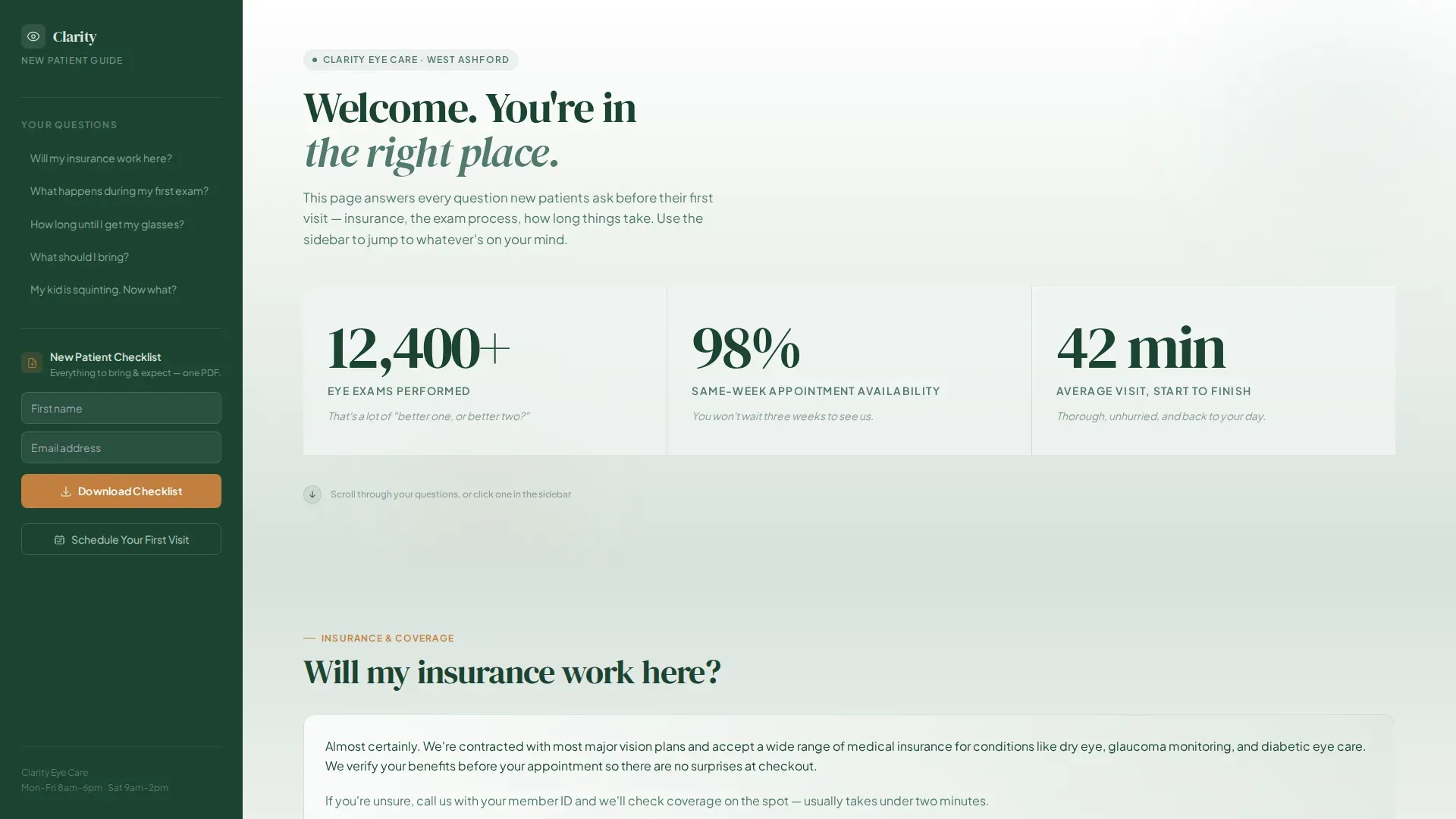
- A stats metrics wall with three fade-in trust figures tied to exam volume, availability, and visit length
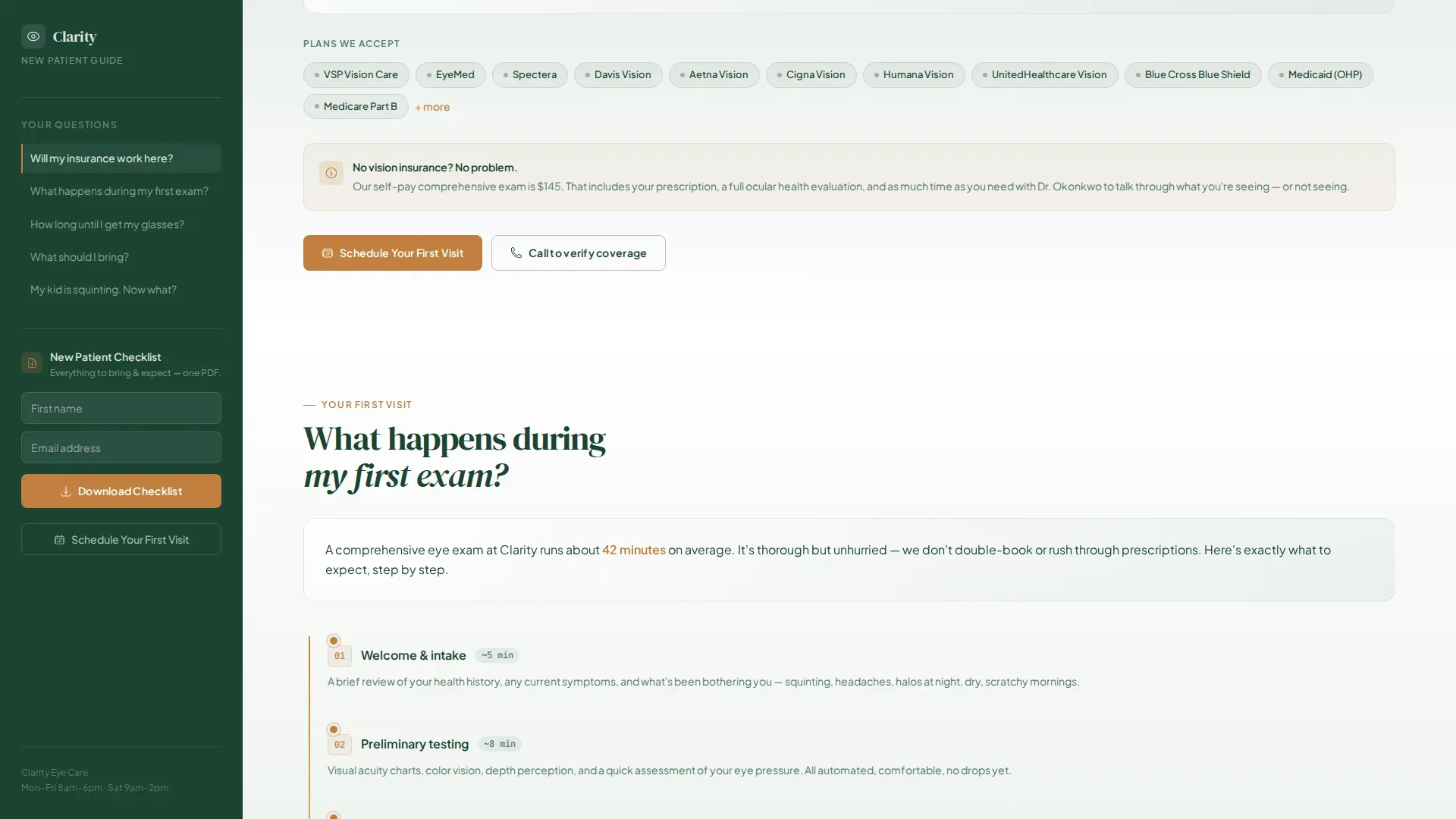
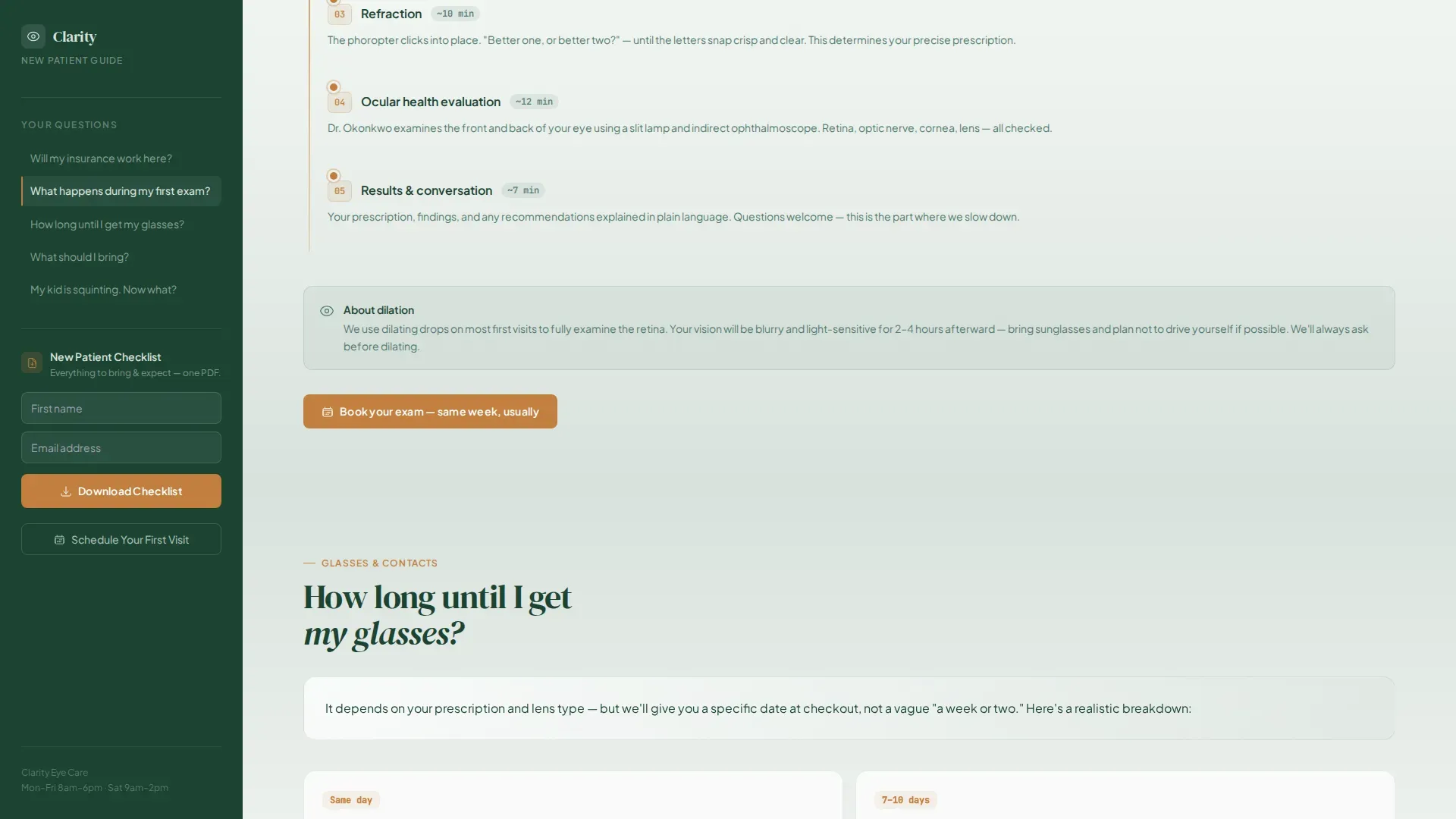
- Four richly answered FAQ sections covering insurance, the first exam, glasses timelines, and visit preparation
- Two conversion paths: a checklist download form and a direct link to online appointment scheduling
Feature list
A quick paragraph: the features below reflect what the template is built to do, drawn directly from the design brief and section plan. Each one is a deliberate, functional part of the page.
Fixed FAQ Sidebar Navigation
The sidebar stays visible as the visitor scrolls. It lists the real questions new patients ask. Each question is a clickable link that scrolls the main content panel to the matching answered section, with an active state that tracks the reader's position on the page.
Stats Metrics Wall Header
The hero area skips photography entirely. Three oversized figures fade in against a soft fog-to-white gradient: over 12,400 eye exams performed, 98 percent same-week appointment availability, and an average visit length of 42 minutes. Each number carries a single-line human translation in moss green below it.
Scroll-Linked FAQ Content Sections
Each FAQ section is a full, richly written answer, not a collapsed accordion. Smooth scroll transitions guide the reader from one answer to the next. The scroll pacing is deliberate, designed to feel like a patient conversation rather than a rushed information dump.
Dual Conversion Path Design
The template supports two calls to action placed at the moments of highest intent. A checklist download form asks only for a first name and email address. A scheduling link surfaces after the insurance and exam-process sections, where a visitor's readiness to book is at its peak.
Forest Trust Color System
Color is applied with clear purpose throughout the page. Deep evergreen anchors the sidebar. Morning fog and white drift across section backgrounds in gentle gradients. Heartwood amber appears only on buttons and highlighted answers, directing the eye exactly where action is needed.
DM Serif Display and Plus Jakarta Sans Typography
Headings use DM Serif Display for editorial weight and warmth. Body copy runs in Plus Jakarta Sans for clean readability at any size. The pairing keeps the page feeling grounded and professional without clinical stiffness.
Page sections overview
| Section | Purpose |
|---|---|
| Stats Metrics Wall | Opens trust with three oversized, human-translated figures |
| Insurance FAQ | Answers the first and most common pre-visit hesitation |
| First Exam FAQ | Walks the visitor through what to expect step by step |
| Glasses Timeline FAQ | Sets realistic expectations for eyewear delivery |
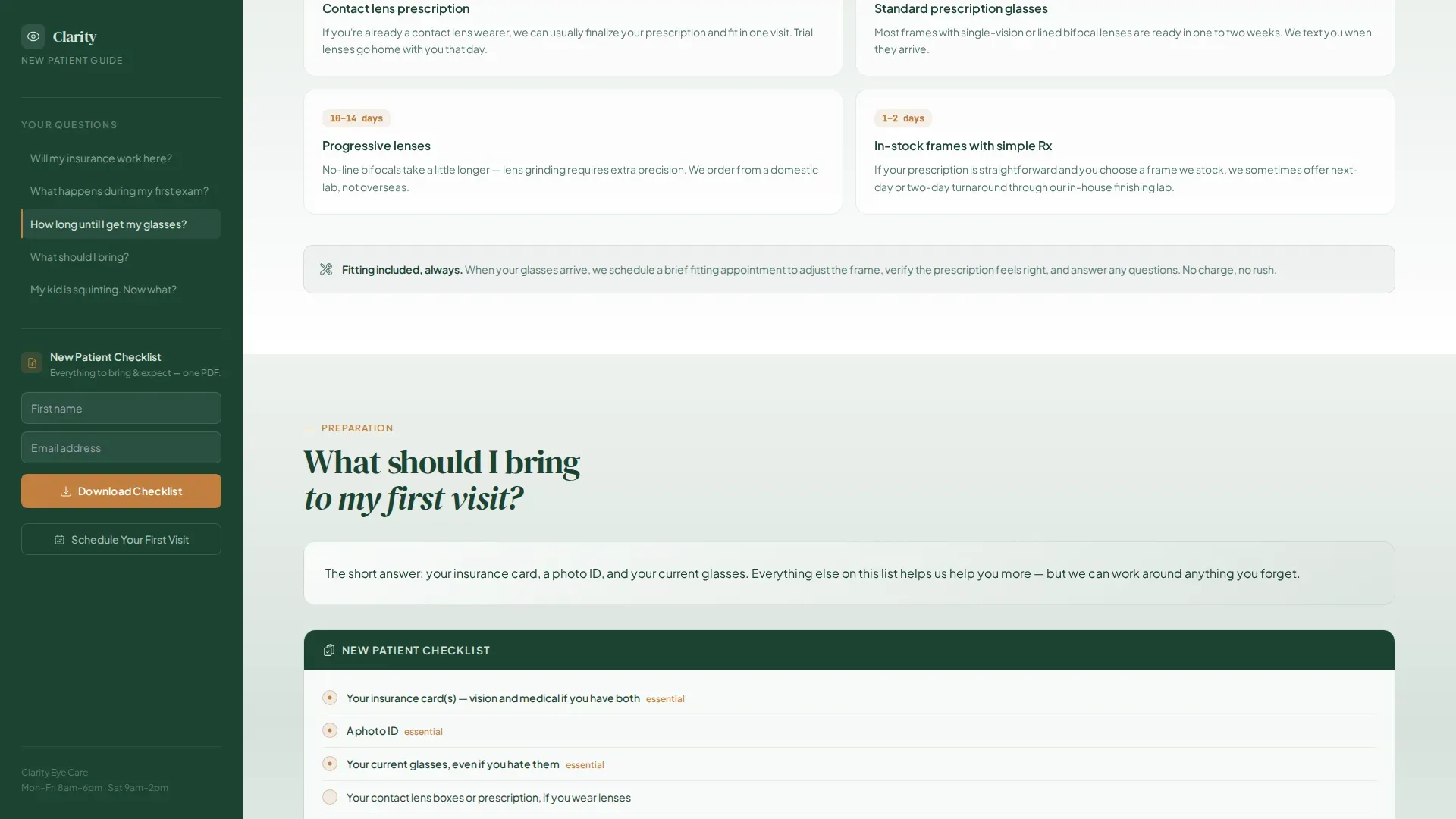
| What to Bring FAQ | Prepares the visitor and surfaces the checklist download call to action |
| Footer Flow | Closes the page with a horizontal Vercel-style link pattern |
Design & branding system
The visual identity follows a Soft Gradient theme built around the Forest Trust color palette. The overall mood is grounded, breathable, and quietly reassuring, like an early morning walk through old-growth pines.
- Evergreen (#1B4332) for the persistent sidebar and primary text, moss (#52796F) for supporting labels, fog (#D8E2DC) and white for drifting background gradients
- Heartwood amber (#C17F3E) reserved exclusively for buttons and highlighted answers, so every accent demands the eye's attention
- DM Serif Display for display headings, Plus Jakarta Sans for body text, both set at display scale with light weight numerics in the hero
Mobile & speed optimization
The template is designed desktop-first to support the sidebar layout properly. On smaller screens, the fixed sidebar collapses into a mobile-friendly format so the content remains navigable.
- Desktop layout keeps the sidebar fixed and the content panel scrollable side by side
- Mobile layout collapses the sidebar so FAQ navigation remains accessible without obscuring content
- Static server components handle the FAQ content, while client-side logic manages the sidebar scroll-spy and active states
How this template helps you convert
Every structural decision on this page is pointed at one outcome: turning a hesitant visitor into a booked new patient. The page earns the click before it asks for anything.
- The stats wall builds immediate, data-backed credibility before the visitor reads a single word of body copy, removing the instinct to bounce.
- The FAQ sidebar surfaces every real anxiety in plain language, then answers each one fully, so by the final section the only unknown left is which frames the patient will choose.
- Both conversion paths appear at the exact moments of peak intent: the scheduling link after insurance and exam questions, and the checklist download form after the final FAQ answer.
Other information about this template
This template is part of a broader set of health and medical landing page designs. A few additional details worth noting for practices evaluating it.
- The page is built for the Health and Medical category, specifically the Optometrist Website subcategory, and targets the Optometrist New Patient Welcome Page niche
- The footer uses a horizontal flow pattern suited to minimal link sets common in local practice pages
- Animation intensity is set to medium: fade-in stat counters, scroll-linked section transitions, and sidebar active-state highlights are all included
- The form modal for the checklist download collects only a first name and email address, keeping the barrier to entry low
- The template carries an intersection match score of 13, indicating strong alignment between the design system, creative direction, and the specific niche use case
Theme
Soft Gradient
Creative direction
FAQ-Driven
Color system
Forest Trust
Style
Sidebar Companion
Direction
Content/Resource
Page Sections
Fixed FAQ Sidebar Navigation
Stats Metrics Wall Header
Scroll-linked FAQ Sections
Dual Conversion Path Design
Forest Trust Color System
Editorial Typography Pairing
Related questions
Can I replace the placeholder stats with my own practice numbers?
Does the sidebar navigation work on mobile devices?
Can I edit the FAQ questions to match my own patients' concerns?
How does the checklist download form work?
Is this template suitable for a multi-location eye care practice?



