Dental Price Transparency & Cost Breakdown Website Template
Clarity is a split-screen dental landing page template built around radical price transparency. It displays procedure costs openly, guides visitors through a scrollable category list, and captures leads through a focused three-field form. Designed for dental practices serving uninsured patients and cost-conscious families, the template turns honest pricing into a conversion tool.
by Rocket studio
Quick summary
Clarity is a single-page dental pricing template that shows real procedure costs upfront. It uses a 50/50 split-screen layout to keep a category navigation list locked on the left while pricing cards load dynamically on the right. The page drives lead generation through a sticky estimate form and a secondary PDF download path.
Who this template is for
This template is built for dental practices that compete on transparency. It works best when the practice is ready to publish real prices and attract patients who are actively comparing options.
- Dental offices serving uninsured families who are comparing quotes across multiple providers
- Anxious first-visit adults who need cost clarity before booking an appointment
- Human resources managers evaluating in-network dental options for small business benefits packages
What problem this template solves
Many dental practices lose potential patients because pricing is hidden or hard to access. Visitors leave when they cannot find a number. This template removes that friction by putting costs front and center.
- Eliminates the "call for estimate" barrier that causes hesitation and drop-off
- Replaces vague pricing language with direct dollar figures for every listed procedure
- Gives price-sensitive visitors a reason to stay, engage, and ultimately submit their contact information
What you get with this template
The template ships as a complete, ready-to-customize single-page layout. Every section is purposefully placed to build trust before asking for anything in return.
- A 50/50 split-screen layout with a locked scrollable category sidebar and dynamic pricing card area
- A sticky lead-capture form on mobile with inline placement after the third pricing category on desktop
- A secondary email-capture path offering a downloadable full price list in PDF format
Feature list
This template gives dental practices a structured set of purpose-built components. Each one is designed to serve a specific role in moving a visitor from curious browser to booked patient.
Split-Screen Pricing Directory
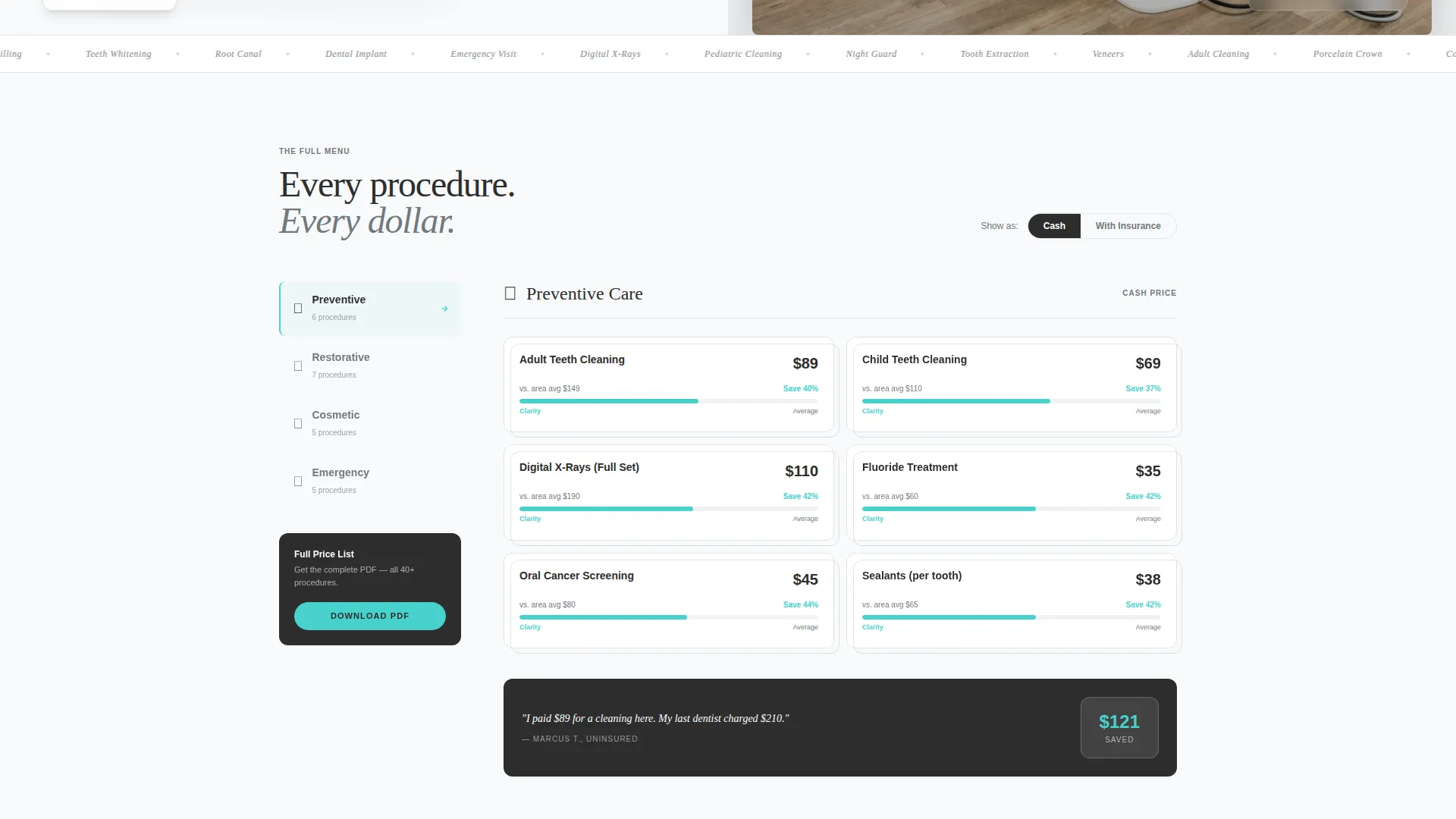
The left column locks a scrollable list of procedure categories: Preventive, Restorative, Cosmetic, and Emergency. The right column responds by revealing pricing cards for each category. This structure lets visitors navigate at their own pace without losing their place.
Sliding Pricing Cards with Value Comparison
Each pricing card slides into view with a subtle upward motion as visitors scroll. A micro-bar under each price shows how the listed cost compares to the local average, making the value visible without requiring visitors to leave the page.
Product Screenshot Header
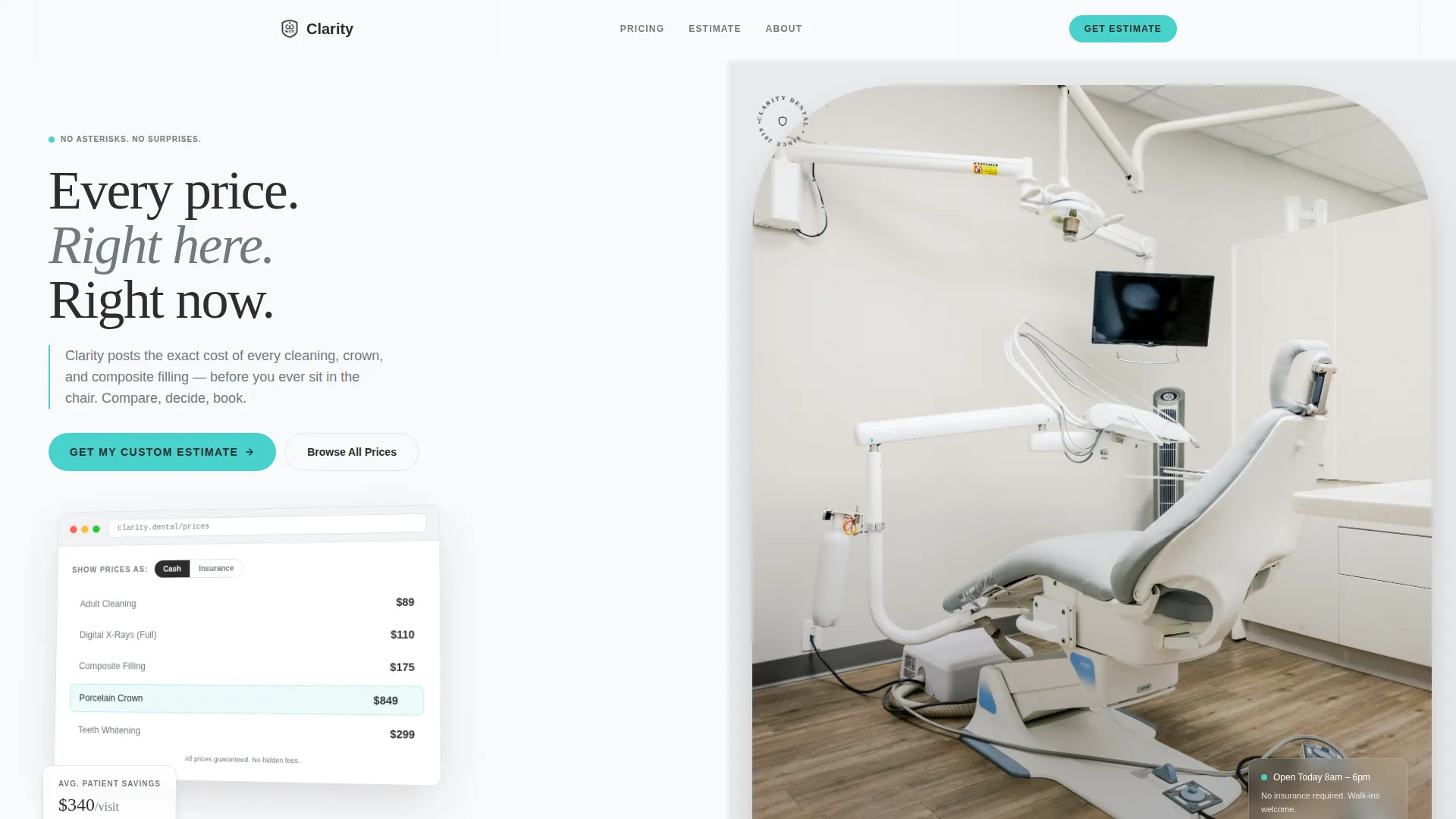
The header opens with a pixel-perfect screenshot of the pricing directory displayed on a tilted browser window. A mint-green cursor hovers over a live price entry, showing the product in action rather than relying on stock imagery.
Embedded Testimonial Quotes
Single-line patient quotes are placed between pricing categories. Each quote references a specific dollar amount saved, reinforcing credibility at exactly the moment a visitor is evaluating a more expensive procedure tier.
Three-Field Lead Capture Form
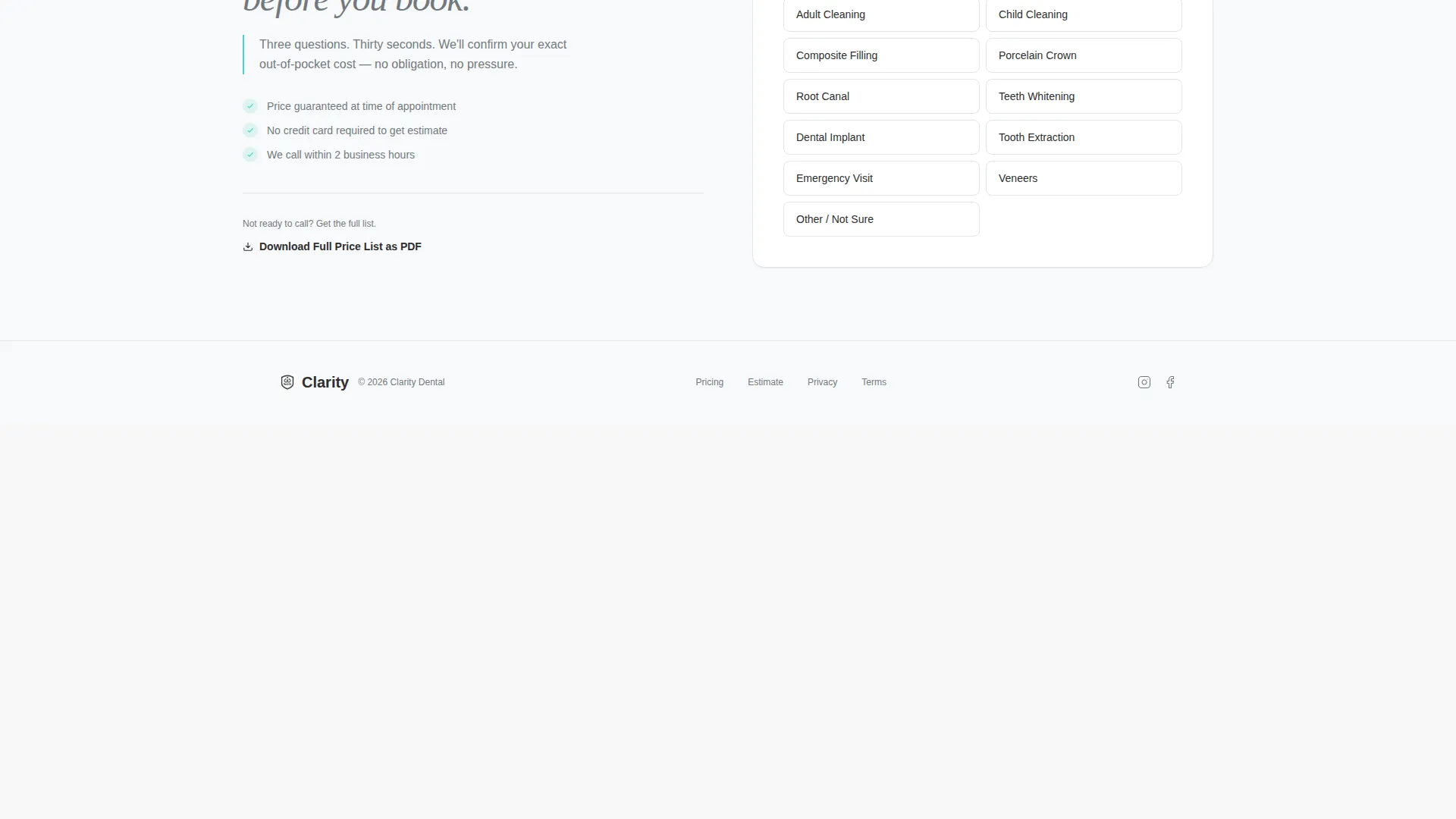
The primary call to action, "Get My Custom Estimate," uses a focused three-step sequence: procedure interest via dropdown, insurance status via yes/no toggle, and a phone number field. The form appears as a sticky bar on mobile and inline on desktop after the third category.
PDF Price List Download Path
Visitors who are not ready to call can enter their email address to receive the full price list as a downloadable PDF. This secondary path captures browsers at an earlier stage of consideration without requiring a phone number.
Page sections overview
| Section | Purpose |
|---|---|
| Header Screenshot Block | Displays pricing directory in a tilted browser frame to establish product credibility immediately |
| Category Navigation Sidebar | Locks a scrollable list of procedure categories on the left for persistent wayfinding |
| Pricing Cards Area | Reveals procedure prices dynamically on the right as visitors select or scroll through categories |
| Value Comparison Bars | Shows each price against a local average benchmark to reinforce savings at a glance |
| Inline Testimonial Strips | Places single-line patient quotes with dollar savings between category sections |
| Inline Estimate Form | Captures lead information after the third pricing category using a three-field sequence |
| Sticky Mobile call to action Bar | Keeps the "Get My Custom Estimate" button accessible at the bottom of the screen on mobile |
| PDF Download Gate | Offers the full price list PDF in exchange for an email address |
Design & branding system
The visual identity follows a Directory and Discovery theme rendered in a Monochrome Steel color system. The palette draws from clinical environments: cool metals, sterile whites, and a single accent color reserved for action states. Nothing decorative competes with the pricing data.
- Core palette: surgical steel (#71797E), autoclave white (#F8F9FA), and charcoal instrument tray (#2D2D2D) for all typographic and structural elements
- Accent color: clinical mint (#48D1CC) used exclusively on interactive buttons, hover states, and the active cursor in the header screenshot
- Typography uses clean sans-serif faces with procedure names set in regular weight and prices set in bold charcoal for immediate visual hierarchy
Mobile & speed optimization
The template is structured for a clean mobile experience without sacrificing the split-screen concept. On smaller screens, the layout adapts so the category navigation and pricing cards stack in a logical reading order.
- The sticky "Get My Custom Estimate" bar is a mobile-specific component that keeps the primary call to action visible during the full scroll
- The three-field form uses a sequential step layout on mobile to reduce visual complexity and keep input friction low
- Pricing cards and testimonial strips reflow into a single-column layout so content remains legible on any screen size
How this template helps you convert
The page is designed so trust is built before any commitment is asked. Visitors see real prices first, then encounter the form only after the data has done its work.
- The header screenshot and visible prices establish credibility in the first few seconds, reducing the hesitation that causes early exits from dental websites
- The inline form placement after the third pricing category catches visitors at peak engagement, when they have already seen enough pricing data to feel confident sharing contact details
- The PDF download option provides a low-commitment second path, capturing email addresses from visitors who prefer to research before calling
Other information about this template
This template is categorized under dental practice website templates and targets the dental practice pricing page niche specifically. It is a strong fit for practices that want to differentiate through openness rather than brand prestige.
- The template style is a 50/50 Split Screen layout, which is uncommon in the dental category and creates an immediate visual distinction from standard practice websites
- The Launch Energy creative direction means the scroll experience is designed to build momentum, moving from simple cleaning prices toward complex implant costs so the value narrative grows as the visitor advances
- The Directory and Discovery theme positions the page closer to a transparent price guide than a traditional dental marketing page, which aligns with the expectations of uninsured and comparison-shopping visitors
Theme
Directory & Discovery
Creative direction
Launch Energy
Color system
Monochrome Steel
Style
Split Screen (50/50)
Direction
Lead Generation
Page Sections
Split-screen Pricing Directory Layout
Animated Pricing Cards with Comparison Bars
Product Screenshot Hero Header
Three-field Sequential Lead Form
Embedded Patient Testimonial Strips
Secondary PDF Download Capture
Related questions
Can I customize the procedure names and prices in this template?
Does the template support both insured and uninsured pricing views?
How does the PDF price list download work?
Can I limit the template to only a few procedure categories?
What type of patient testimonials work best in this layout?



