Clear — Professional Snow Removal Landing Page Template
Plow is a single-page landing page template built for Seattle commercial snow removal services. It uses a dark navy and amber palette, case study narrative sections, and a three-tier service comparison table to position your business as the serious choice for property managers, facility directors, and HOA boards who cannot afford liability from untreated ice.
by Rocket studio
Quick summary
Plow is an authoritative single-page landing page template for commercial snow removal services. It opens with a viewport-scale headline on a deep navy field, moves through case study narrative sections, and anchors mid-page on a three-tier service comparison table. Every layout decision is built to make not hiring your service feel like the riskier option.
Who this template is for
This template is designed for snow removal companies that serve high-stakes commercial accounts in urban markets. If your clients have too much to lose from a single untreated walkway, this page was built for them.
- Property managers overseeing Class A office towers and mixed-use commercial buildings
- Facility directors at hospital campuses and medical centers where ice tolerance is zero
- HOA boards and corporate park managers who have faced liability claims from previous vendor failures
What problem this template solves
Most snow removal service pages look like every other contractor site. They list equipment and pricing but never make the reader feel the actual risk of doing nothing. This template solves that gap directly.
- It quantifies the cost of inaction through real case study narratives before asking for a sale
- It structures the comparison table so the cheapest tier still looks inferior to the right tier for serious properties
- It gives cautious prospects a lower-commitment path through a secondary lead capture option
What you get with this template
The template delivers a complete, conversion-focused single-page layout organized around authority and urgency. Every section earns the next scroll before the call to action appears.
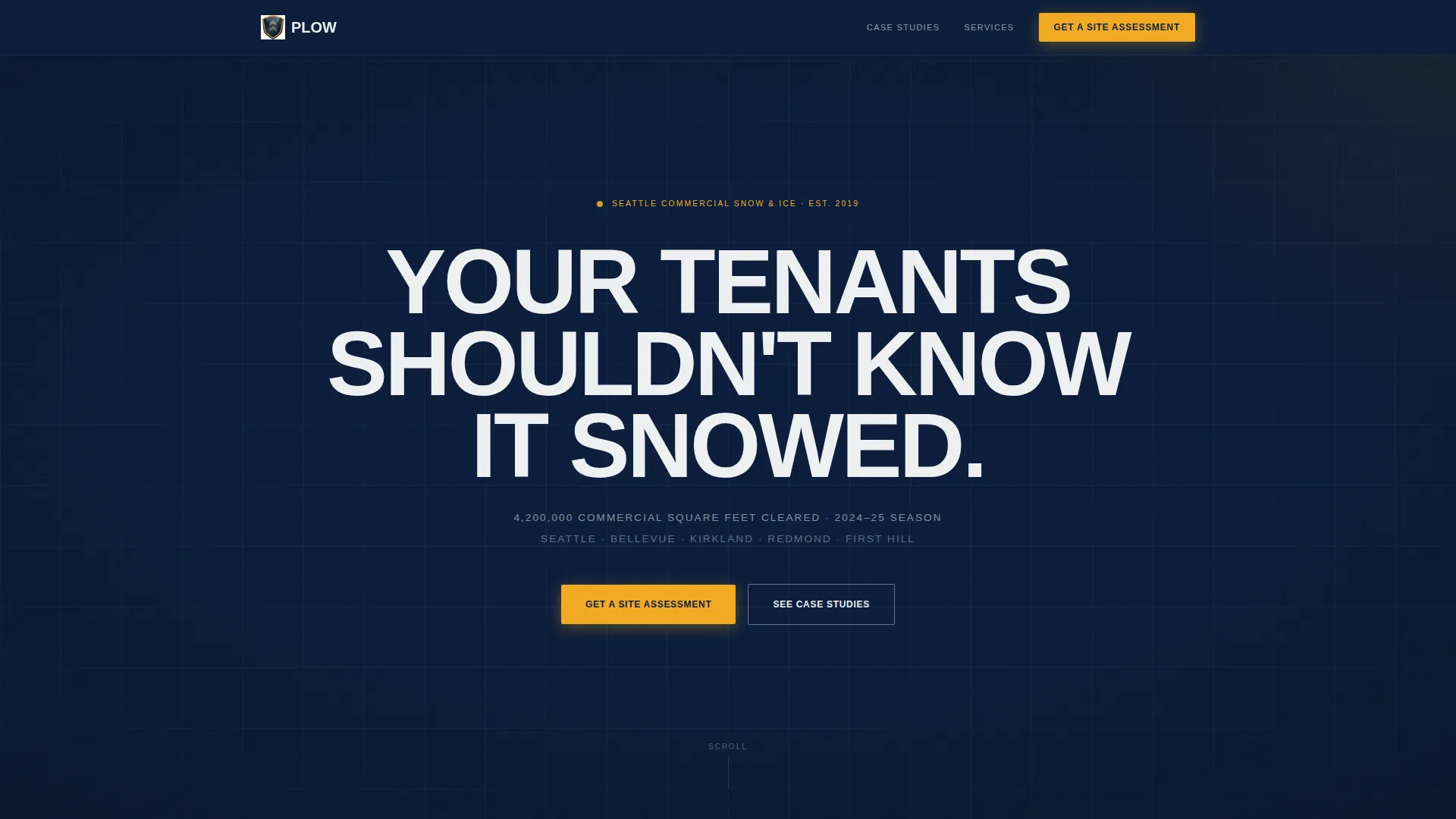
- A full-bleed navy hero with a dominant headline and a single line of social-proof subtext
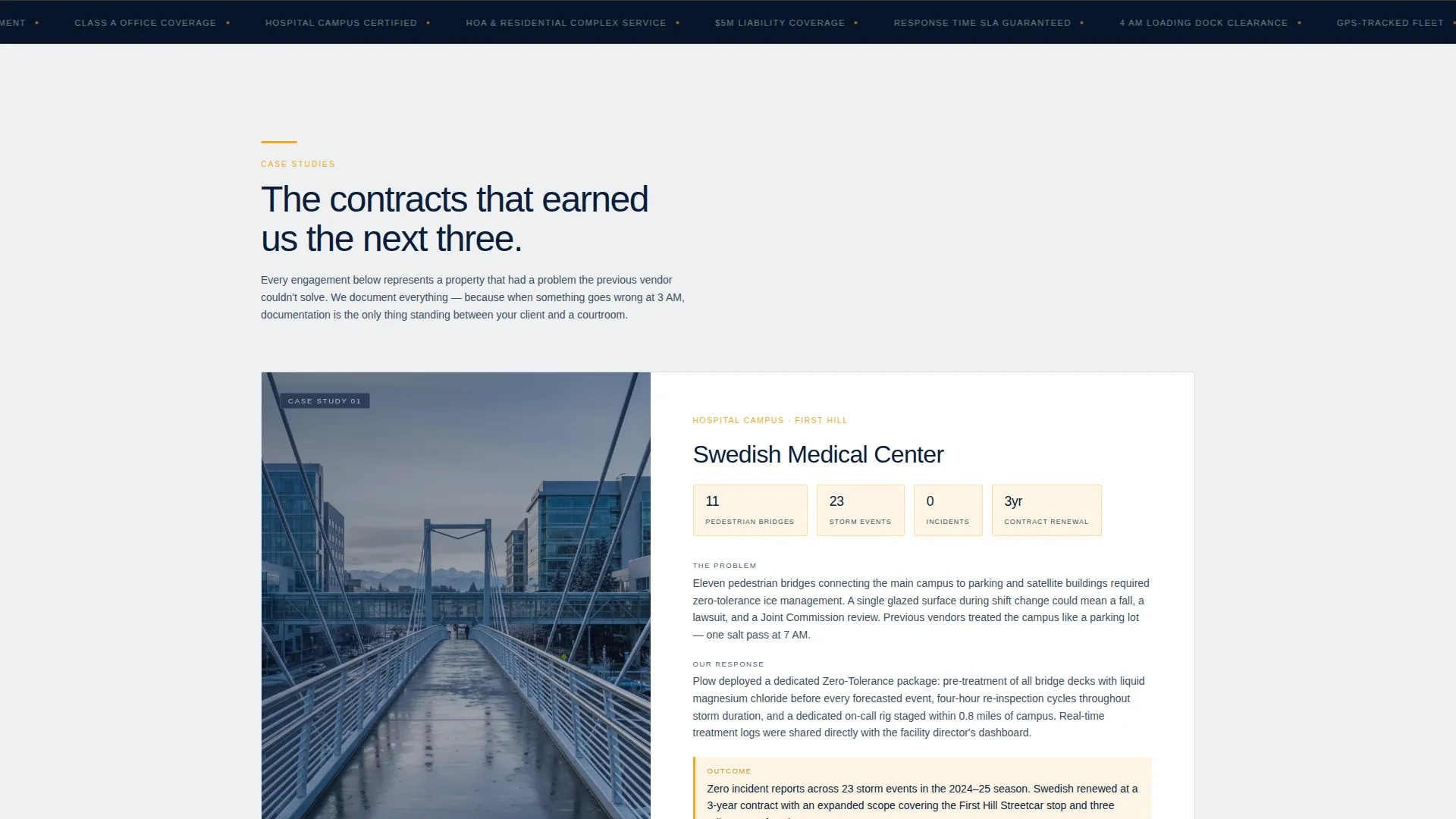
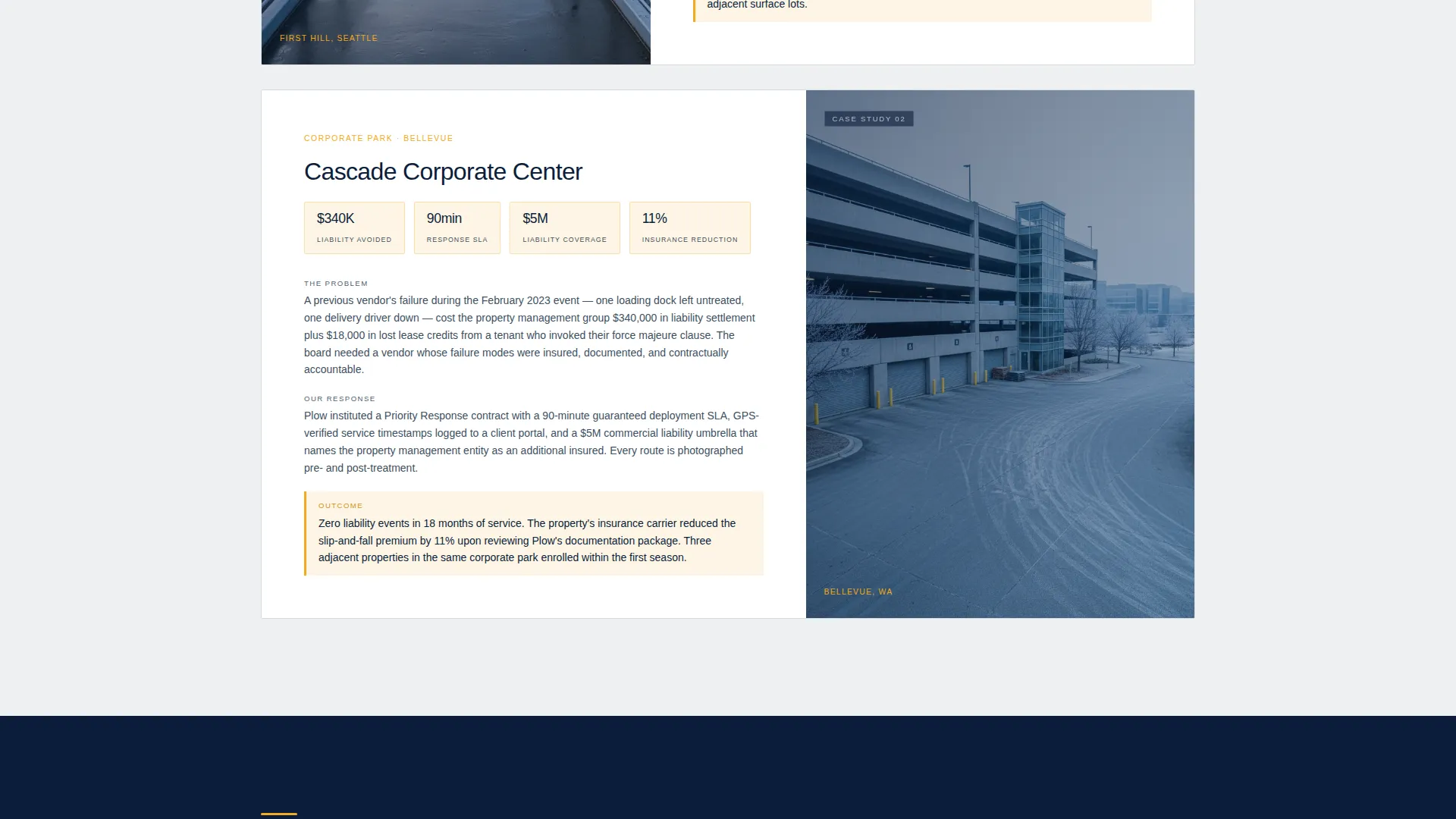
- Two structured case study narrative blocks formatted as problem, response, and outcome
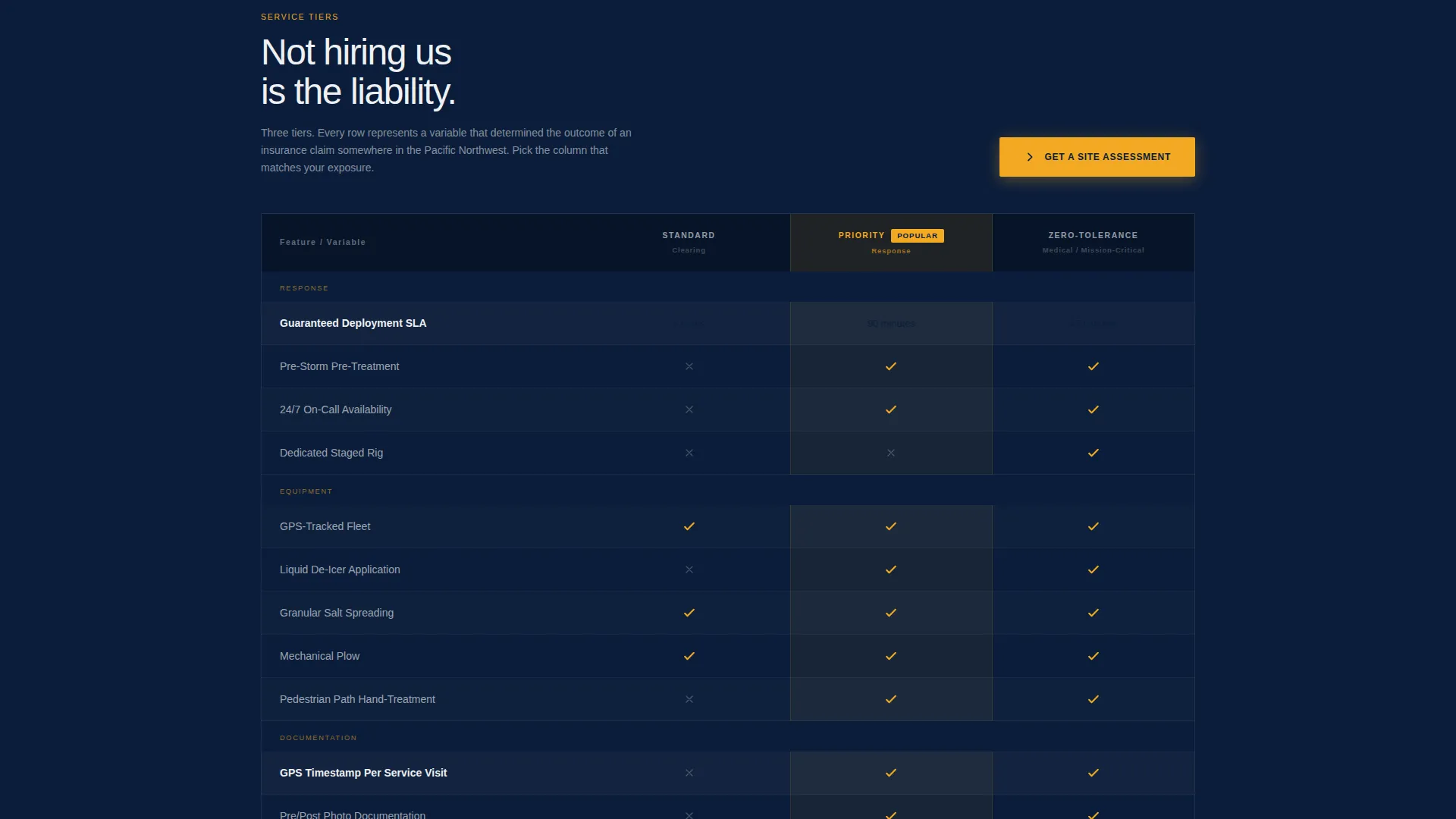
- A three-column service comparison table contrasting Standard Clearing, Priority Response, and Zero-Tolerance tiers
- A primary lead generation form capturing property type, square footage, entrances, loading zones, and contract expiration date
- A secondary email capture path offering a downloadable Insurance and Liability Guide
Feature list
This section covers the core functional and design components built into the template.
Viewport-Scale Hero Headline
The hero section is built entirely from typography on a navy background. No image or video competes with the headline. The negative space around the text signals confidence and makes the message impossible to ignore at any screen size.
Case Study Narrative Blocks
Two structured case study sections walk the reader through real engagement scenarios. Each block follows a strict problem, response, and outcome format that builds prosecutorial momentum before the comparison table appears.
Three-Tier Service Comparison Table
The comparison table spans three service columns: Standard Clearing, Priority Response, and Zero-Tolerance. Rows compare response time, equipment deployed, insurance coverage, and real-time reporting access. The layout is designed to make the right tier feel obvious for serious commercial properties.
Locked Amber Primary call to action
The primary call to action, reading "Get a Site Assessment," appears anchored in safety amber at the comparison table header and again at the page base. Its placement at two high-intent scroll points increases the chance of capturing leads at the moment of decision.
Dual Lead Capture Paths
The page includes a primary lead form for ready buyers and a secondary email capture for prospects still evaluating. The secondary path offers a downloadable Insurance and Liability Guide, keeping cautious visitors inside the funnel without requiring an immediate commitment.
Executive Suite Color System
The Navy Authority palette uses four precisely assigned roles. Deep command navy dominates headers and hero backgrounds. Polished gunmetal carries body text and secondary panels. Clean concrete white opens comparison rows for legibility. High-visibility safety amber is reserved for calls to action, badges, and hover states so every interactive element feels urgent.
Page sections overview
| Section | Purpose |
|---|---|
| Navy Hero Block | Establishes authority with a full-bleed headline and social-proof subtext |
| Case Study One | Narrates the Swedish Medical Center ice management engagement |
| Case Study Two | Details the Bellevue corporate park vendor failure and liability outcome |
| Comparison Table | Contrasts three service tiers across four performance criteria |
| Primary Lead Form | Captures qualified buyer information for site assessment requests |
| Secondary Email Capture | Offers the Insurance and Liability Guide to earlier-stage prospects |
| Page Base call to action | Repeats the amber "Get a Site Assessment" button at final scroll position |
Design & branding system
The template uses an Executive Suite theme built on a four-color Navy Authority system. Every color has an assigned role and does not bleed into another section's territory.
- Navy (#0B1D3A) owns hero backgrounds and section headers; gunmetal (#3D4F5F) carries body text and secondary panels
- Concrete white (#EEF0F2) opens comparison table rows for clean readability against dark surroundings
- Safety amber (#F2A922) appears only on calls to action, badge elements, and interactive hover states to preserve its urgency signal
Mobile & speed optimization
The template's layout is structured to remain legible and navigable across device sizes. The hero typography scales to maintain authority at smaller viewports, and the comparison table is organized for horizontal readability on mobile screens.
- The full-bleed navy hero and typographic headline retain visual weight at compact screen widths
- The comparison table columns and form fields are arranged to remain functional without horizontal overflow on standard mobile viewports
How this template helps you convert
The page is built around a deliberate persuasion sequence. Each scroll position hands the reader a reason to keep moving toward the form.
- The hero headline creates immediate pattern interruption and signals that this service handles the problem before clients wake up, establishing trust before a single feature is mentioned.
- The case study narrative blocks quantify real risk using specific outcomes, making the cost of inaction concrete rather than abstract before the comparison table appears.
- The dual call to action structure captures both ready buyers through the site assessment form and early-stage prospects through the liability guide download, so the page generates leads at two different levels of buyer readiness.
Other information about this template
The Plow template is part of a broader Professional Services and Seattle Local Services category within the marketplace. It is well suited for service businesses in similar high-stakes niches where liability and trust are the primary purchase drivers.
- The template style follows a Sidebar Companion layout structure adapted for a single-page narrative flow
- The creative direction is Case Study Narrative, which is transferable to other service businesses where a documented track record is the primary sales tool
- The header concept uses a Dark Full-Bleed with Glow treatment, consistent with the Executive Suite theme used across related templates in this category
- The landing page direction is built for lead generation and can support a booking or scheduling workflow when connected to an appropriate form handler
Theme
Executive Suite
Creative direction
Case Study Narrative
Color system
Charcoal & Amber
Style
Sidebar Companion
Direction
Booking/Scheduling
Page Sections
Viewport-scale Navy Hero
Case Study Narrative Blocks
Three-tier Comparison Table
Locked Amber Call to Action Placement
Dual Lead Capture Paths
Navy Authority Color System
Related questions
Can I customize the case study content for my own service history?
What information does the lead generation form collect?
Is the three-tier comparison table easy to edit?
Who is the secondary lead capture path designed for?



