Aviation Consulting Landing Page Template
Clearance is a dark-immersive aviation consulting landing page built for firms that solve fleet-level problems. An interactive fleet configurator acts as the hero. Expandable case-study cards surface real outcomes in amber numbers. A persistent lead-capture bar and a gated playbook download convert both ready buyers and early-stage researchers into qualified contacts.
by Rocket studio
Quick summary
Clearance is a single-page, gallery-and-detail landing page for a high-stakes aviation consulting firm. The page opens with an interactive fleet configurator that qualifies visitors by aircraft type and challenge before they read a single word of copy. Case-study cards, animated outcome counters, and a low-friction lead form work together to move fleet operators from curiosity to a booked assessment.
Who this template is for
This template is purpose-built for aviation consulting firms that work at the operator level, not the presentation level. It fits teams whose clients measure success in flight hours, compliance timelines, and cost per block hour.
- Regional carrier executives, Maintenance, Repair, and Overhaul (MRO) directors, and Continuing Airworthiness Management Organization (CAMO) managers evaluating a consulting partner
- Cargo operators scaling into widebody conversions or leasing companies repositioning repossessed assets
- Aviation advisory practices that need a lead-generation page capable of qualifying complex, high-value inquiries before a first call
What problem this template solves
Aviation consulting buyers are sophisticated. A generic hero image and a contact form will not hold the attention of a regional CEO comparing fleet transition options or an MRO director tracking an Aircraft on Ground (AOG) recovery. The page needs to communicate granular, operational credibility within the first scroll.
- Visitors arrive with specific fleet variables in mind and leave without finding proof that the firm understands those variables
- Flat portfolio pages force linear reading, which loses operators who scan the way they read a technical log
- High-friction inquiry forms add unnecessary resistance before intent has been established
What you get with this template
The template delivers a fully structured, single-page consulting site that combines an interactive qualification tool, an expandable case-study gallery, a capabilities grid, and two lead capture paths. Every section is designed to build conviction at the exact depth a fleet operator needs.
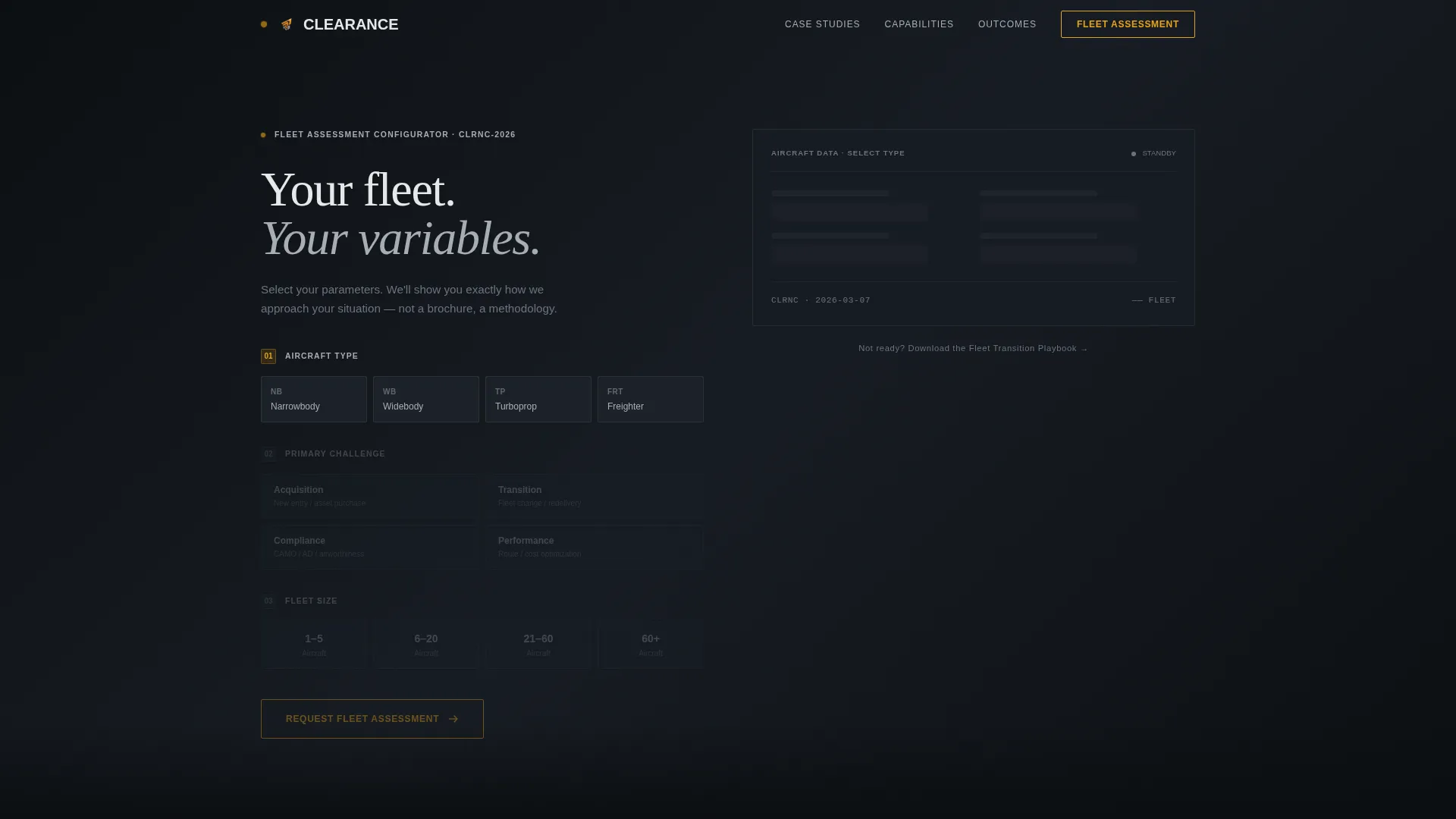
- Hero Configurator with aircraft type selection, challenge selection, and fleet size range, feeding directly into the primary call to action
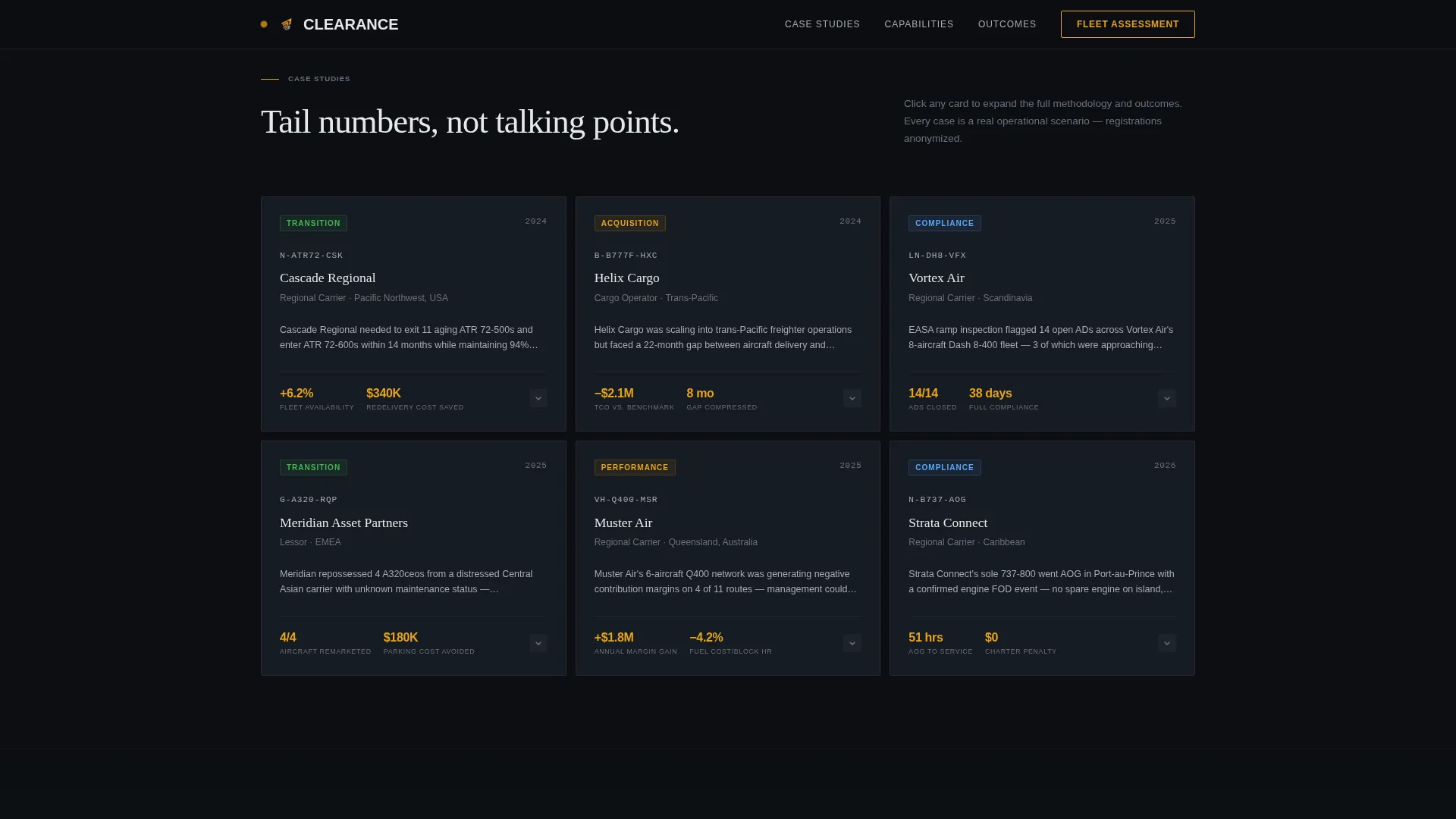
- Expandable case-study cards with a problem statement, a horizontal process timeline, and bold amber outcome numbers
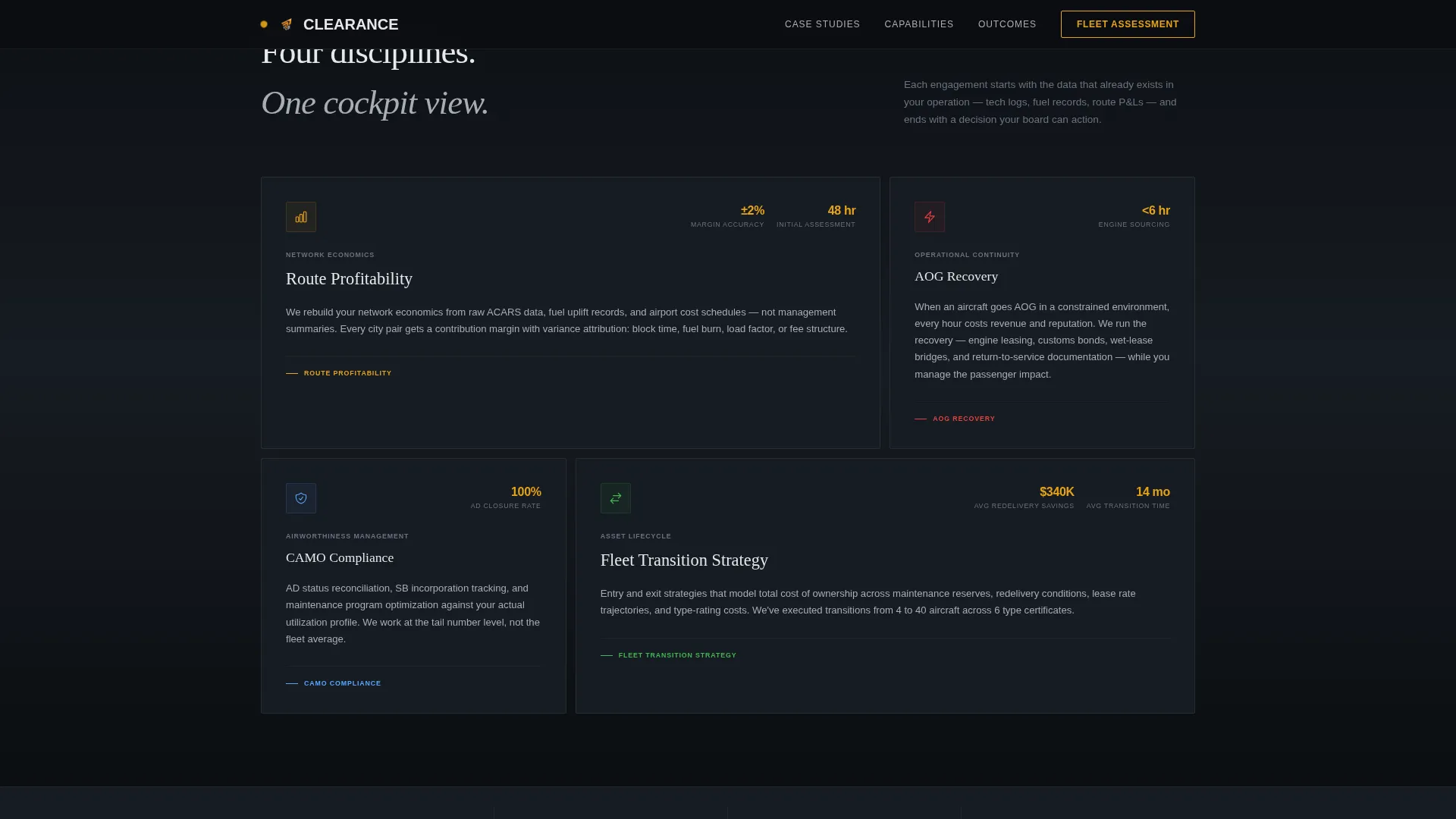
- Capabilities Bento grid covering Route Profitability, AOG Recovery, CAMO Compliance, and Fleet Transition, plus an Outcomes Bar with animated counters and a footer using a minimal developer pattern
Feature list
This section covers the core functional and design capabilities built into the Clearance template.
Interactive Fleet Configurator Hero
The header is a stylized, interactive fleet dashboard. Visitors select an aircraft type (narrowbody, widebody, turboprop, or freighter), a primary challenge, and a fleet size range. As each selection is made, a titanium wireframe silhouette of the chosen aircraft type materializes behind the controls and data points animate into position like an avionics boot sequence.
Expandable Case-Study Gallery
The scroll experience is driven by a staggered dark-panel gallery grid. Each card shows a single aircraft registration, an operator type tag, and a challenge tag. Clicking a card expands it into a full-width detail view that presents the problem in one sentence, the methodology across a horizontal process timeline, and the outcome in bold amber numbers showing fleet availability gained, cost per block hour reduced, and months to full compliance.
Animated Outcomes Bar
A dedicated Outcomes Bar uses GSAP ScrollTrigger counters to animate key metrics as the visitor scrolls into view. The counters surface flight hours recovered, cost reductions, and compliance rates, turning aggregate proof into a scannable, high-impact moment between the case studies and the lead form.
Persistent Lead Capture Bar
After the first case-study expansion, a persistent bottom bar appears with the primary call to action: "Request a Fleet Assessment." The bar stays visible throughout the rest of the session, reducing the distance between conviction and contact without interrupting the browsing flow.
Dual Conversion Paths
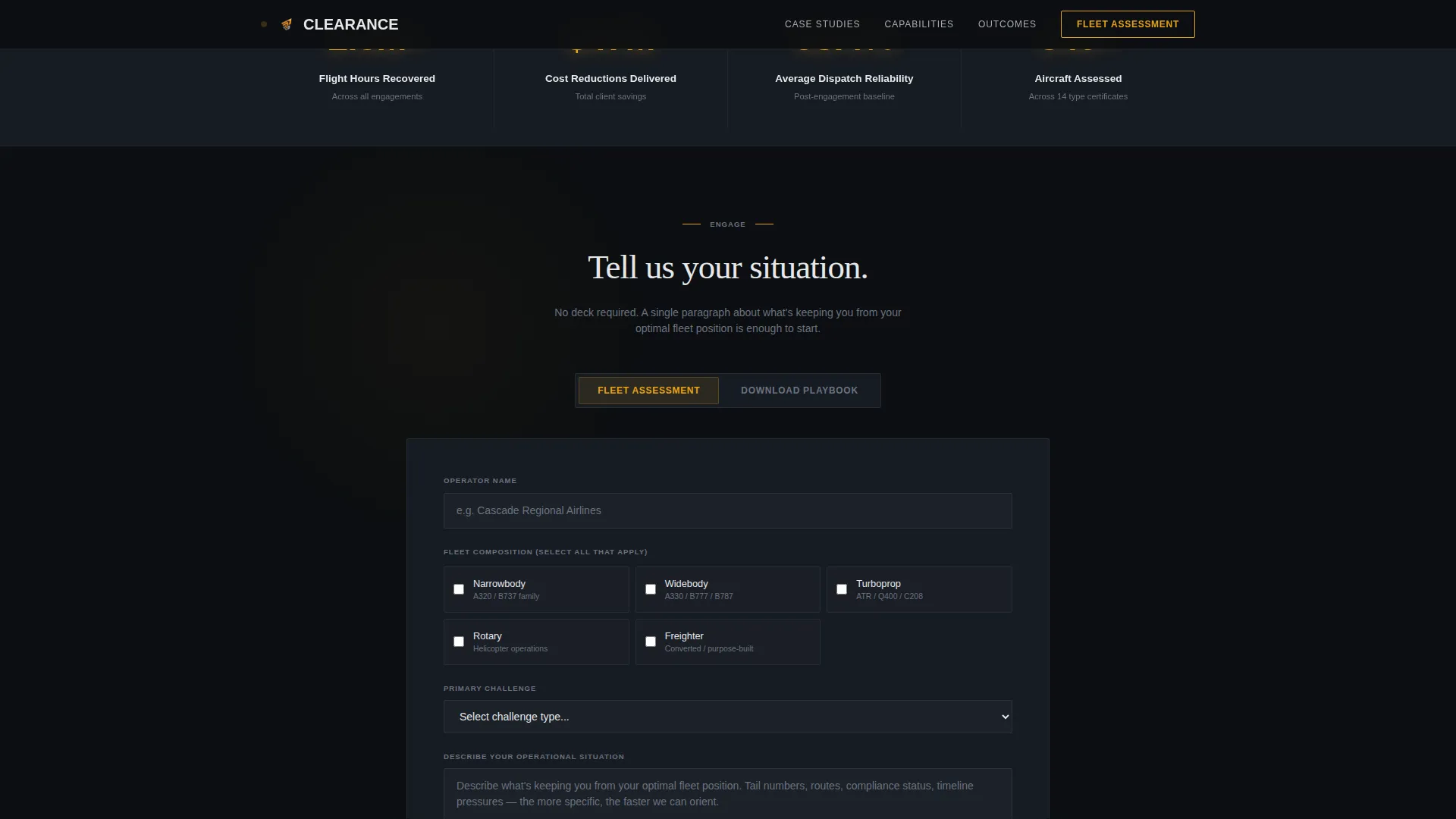
The lead form captures operator name, fleet composition via multi-select checkboxes, primary challenge via a dropdown that mirrors the configurator options, and a free-text field for operational context. No phone number is required. A secondary path offers a gated Fleet Transition Playbook download that captures only email address and operator type, serving visitors who are not yet ready for a direct conversation.
Dark Cockpit Design System
Every surface uses the Monochrome Steel color system. The hangar-dark background (#0B0E11), brushed titanium (#A8ADB3), taxiway centerline amber (#E8A317), and instrument-panel white (#E6E8EA) form a palette that reads like a dimmed cockpit panel at cruise altitude. Amber appears exclusively on interactive elements so it carries the same authority as a caution indicator.
Page sections overview
| Section | Purpose |
|---|---|
| Hero Configurator | Qualifies visitor by fleet type, challenge, and size before showing a call to action |
| Case Study Gallery | Expandable dark cards reveal operator-level outcomes in amber metrics |
| Capabilities Bento | Asymmetric grid presents four core service areas at a glance |
| Outcomes Bar | Animated counters display aggregate proof across flight hours and compliance rates |
| Lead Capture | Fleet Assessment form and gated Playbook download cover both conversion paths |
| Minimal Footer | Copyright, privacy, terms, and LinkedIn link in a developer-minimal pattern |
Design & branding system
The visual identity is built around a Dark Immersive theme that communicates operational precision rather than corporate polish. The Monochrome Steel palette keeps every non-critical surface in the deep background range while reserving amber for moments that demand action.
- Background layers stay between #0B0E11 and #161B22, section dividers use thin titanium rules at #A8ADB3, and primary text sits at instrument-panel white #E6E8EA
- Amber (#E8A317) appears only on hover states, active toggles, call-to-action borders, and outcome numbers, so it functions like a caution light rather than decoration
- Typography pairs DM Sans for interface and data labels with Fraunces display headings, giving the page both technical readability and editorial gravitas
Mobile & speed optimization
The template is built desktop-first, reflecting the reality that airline executives and MRO directors typically review consulting materials on workstations. Responsive layouts ensure the experience remains fully usable on tablet screens as well.
- Server Components handle all static sections including the Capabilities Bento, Outcomes Bar, and footer, keeping initial load weight low
- Client Components are scoped to the configurator and gallery interactions, so animation-heavy sections load independently without blocking the rest of the page
- GSAP ScrollTrigger is used for counter animations and card expand-and-collapse transitions, keeping motion purposeful and performance-conscious
How this template helps you convert
The Clearance template is designed so that every interaction builds qualified intent before asking for contact information. The configurator, the gallery, and the form work as a single progression.
- The Hero Configurator frames the visitor's own fleet variables back to them, establishing relevance before any written content appears. The "Request a Fleet Assessment" call to action appears as the natural final step of that configuration flow.
- The expandable case-study gallery lets operators scan and self-select into relevant outcomes, the same way they read a technical log. Each deeper click raises conviction that the firm operates at the tail-number and regulation-citation level.
- The dual lead capture paths remove the binary choice between "ready now" and "not interested." The low-friction assessment form captures warm leads while the gated Playbook download converts researchers, giving the firm two intake channels from a single page.
Other information about this template
This template is listed under the Automotive and Transport category, within the Aviation and Flight subcategory, and is specifically aligned with the aviation consulting niche. It is a single-page gallery-and-detail landing page using the Interactive Explorer creative direction and a Configurator header concept.
- The template uses ICAO and FAA regulatory language conventions throughout, making it appropriate for United States English-language aviation markets
- No currency is displayed in the template upfront, keeping the page suitable for international operator audiences who need a briefing before pricing conversations
- The footer follows a GitHub Developer Minimal pattern, keeping the bottom of the page clean and credible for a professional services context
- The Intersection Match Score for this template is 13, reflecting a high degree of alignment between the Aviation and Flight subcategory, the aviation consulting niche, and the lead-generation landing-page direction
Theme
Dark Immersive
Creative direction
Interactive Explorer
Color system
Monochrome Steel
Style
Gallery + Detail
Direction
Lead Generation
Page Sections
Interactive Fleet Configurator Hero
Expandable Case-study Gallery
Animated Outcomes Bar
Persistent Bottom Lead Bar
Dual Conversion Path Forms
Dark Cockpit Design System
Related questions
What types of aviation firms is this template best suited for?
Can the configurator and case-study cards be customized with real client data?
Does this template include the Fleet Transition Playbook PDF?
Is this landing page suitable for tablet and mobile viewing?
Why does the lead form not include a phone number field?



