Artisan Charcuterie Landing Page Template
Cleaver is an asymmetric 60/40 landing page template built for artisan charcuterie makers and butchers targeting professional buyers. It combines an interactive cut map, a scroll-driven curing timeline, and a board configurator with two conversion paths: a qualifying tasting request form and a gated cut sheet download. The dark Atelier Studio aesthetic matches the craft it represents.
by Rocket studio
Quick summary
Cleaver is a single-page template designed for artisan charcuterie workshops selling to executive chefs, boutique hotel food and beverage directors, and specialty retailers. It leads visitors from education through desire to action using an interactive cut explorer, a live curing timeline, and a drag-and-drop board configurator. Two conversion paths serve both high-intent and early-stage buyers.
Who this template is for
This template is built for craft-focused food professionals who sell to other businesses, not retail consumers. It speaks the language of sourcing and quality, and it presents the maker as the expert in the room.
- Artisan charcuterie workshops selling bresaola, coppa, pancetta, and aged duck prosciutto to hospitality and specialty retail buyers
- Independent butchers and whole-animal processors looking to attract restaurant and hotel accounts
- Specialty food producers who want a portfolio page that qualifies serious wholesale inquiries before a first conversation
What problem this template solves
Most food producers present their work through generic catalog pages that fail to communicate craft, process, or exclusivity. A chef or food and beverage director visiting those pages cannot feel the difference between an artisan product and a commodity one. This template changes that.
- The interactive cut map and curing timeline teach the buyer about the product before any pitch begins
- The board configurator makes the buying intention concrete, turning browsing into a real order conversation
- The dual conversion path captures both ready-to-order buyers through the tasting request form and research-stage buyers through the gated cut sheet download
What you get with this template
Cleaver delivers a fully structured landing page designed around a single artisan charcuterie operation. Every section serves a purpose in moving a professional buyer from curiosity to qualified inquiry.
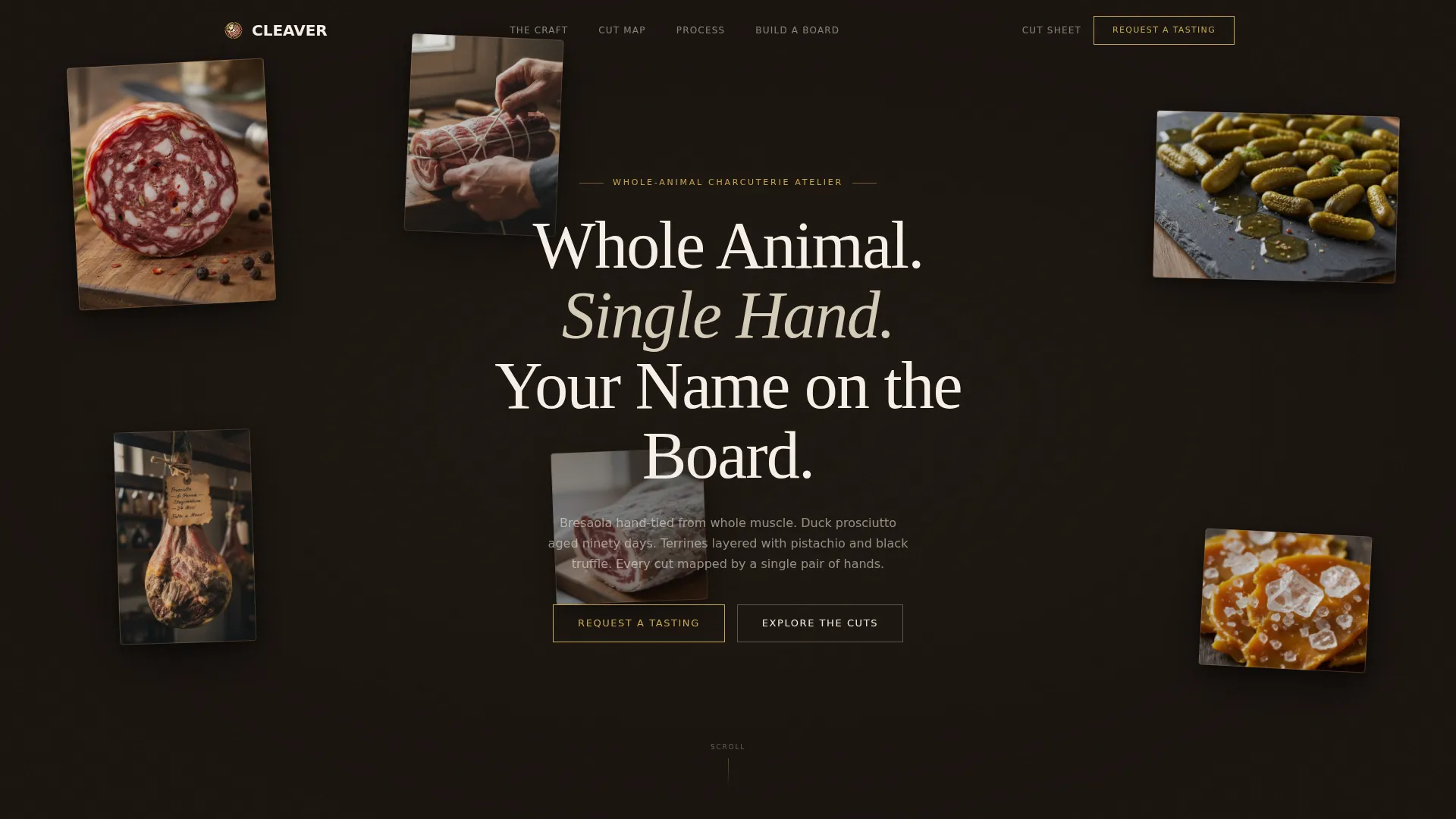
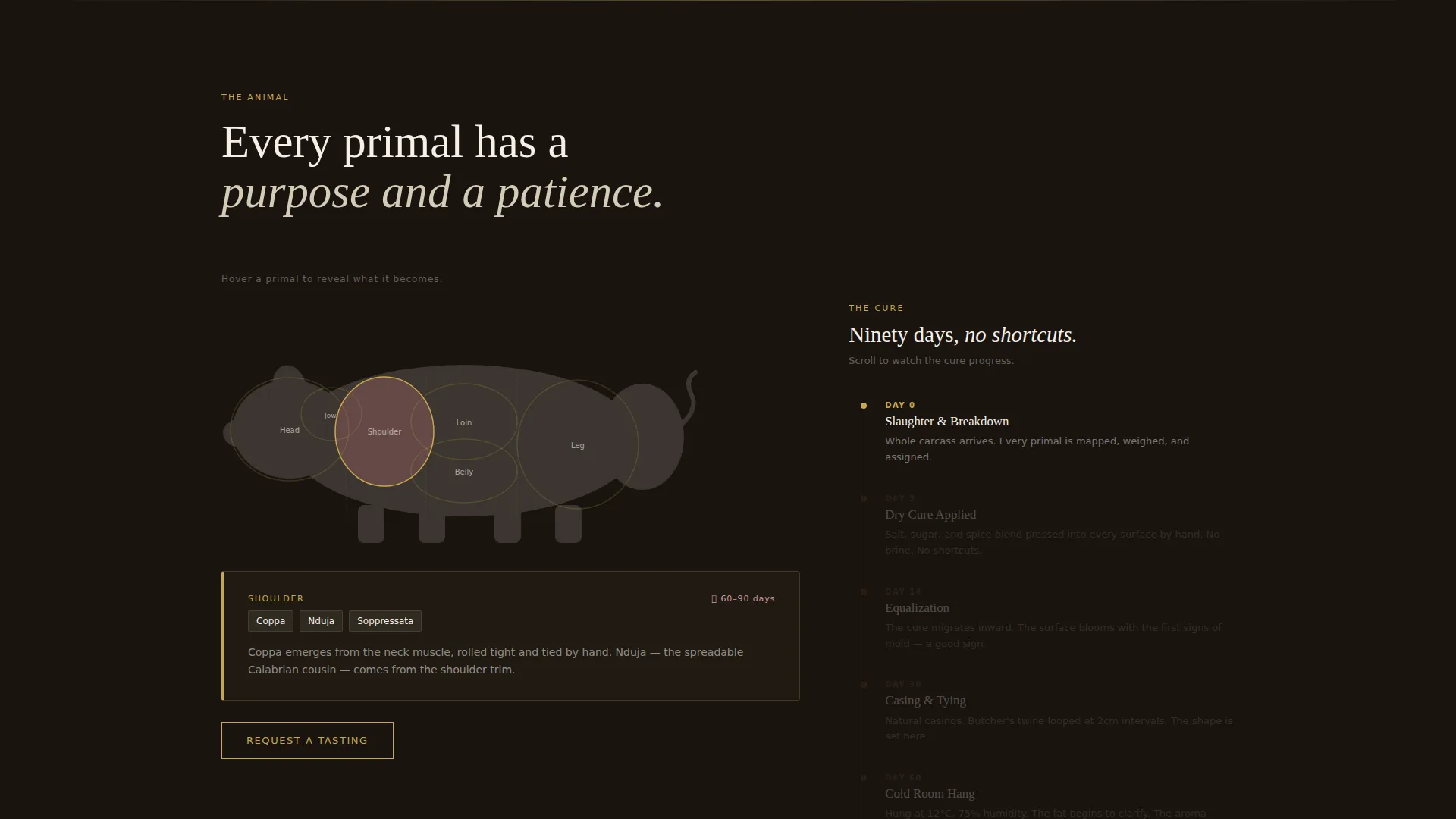
- A floating photo header with parallax motion, an interactive pig cut map, and a scroll-synced curing day counter
- A drag-and-drop board configurator that updates weight, lead time, and minimum order quantities in real time
- Two conversion components: a qualifying tasting request form and an email-gated cut sheet download
Feature list
This section covers the core interactive and structural capabilities built into the Cleaver template.
Floating Photo Header with Parallax
Five or six product images at varied scales and slight rotations drift gently as the cursor moves. The effect creates a cabinet-of-curiosities feel. No single image dominates, and the headline sits in a refined serif above the composition.
Interactive Pig Cut Map
The 60-column displays a full pig cut diagram. Hovering over each primal section reveals the charcuterie products it yields. Shoulder highlights coppa and nduja. Belly reveals pancetta and lardo. The map turns anatomy into appetite.
Scroll-Driven Curing Timeline
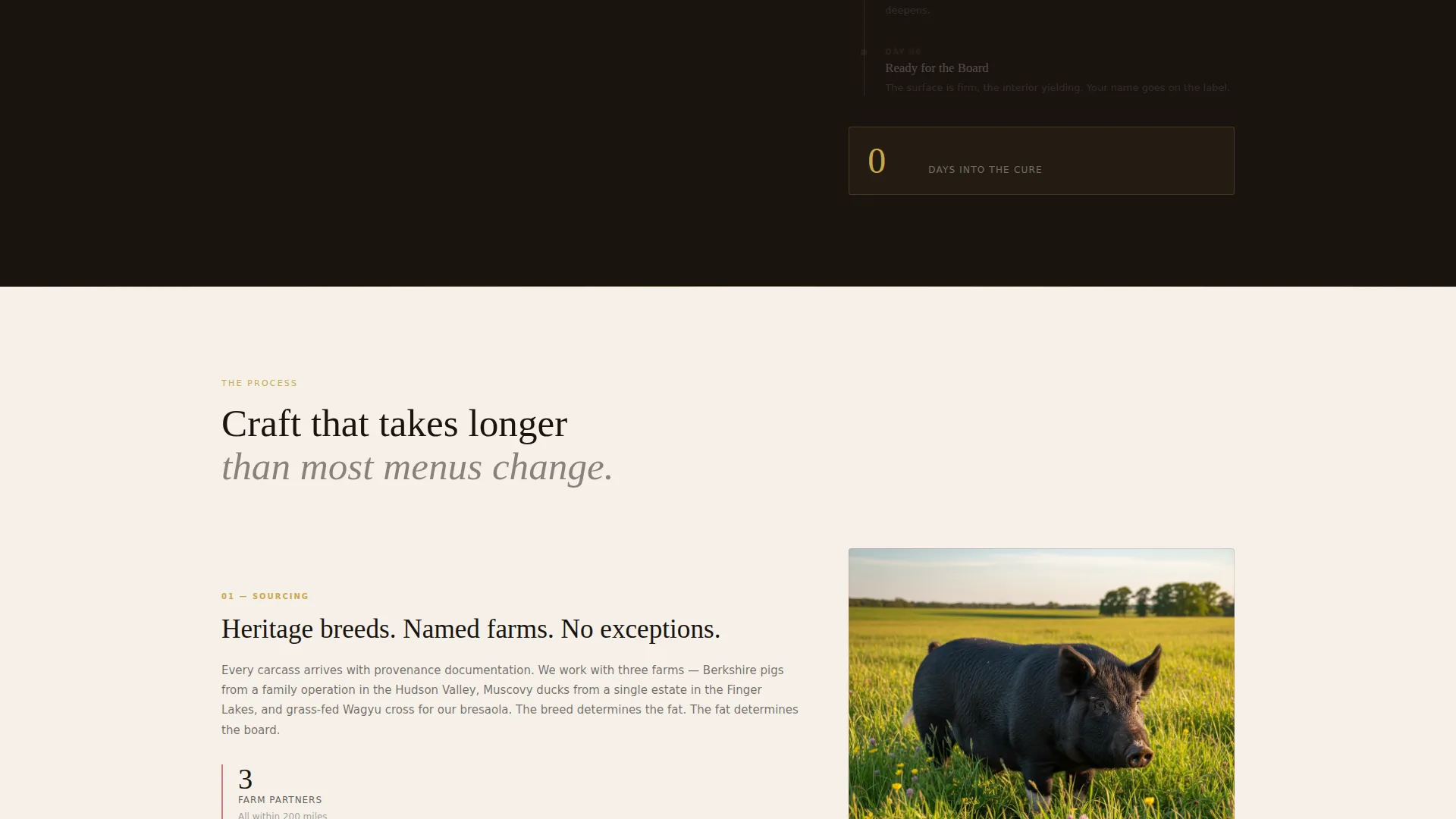
The 40-column alongside the cut map runs a live day counter. As the visitor scrolls, curing days tick upward in real time. The visual rewards patience and communicates exactly how long craft takes.
Board Configurator
Visitors drag cuts onto a virtual slate board. Weight, lead time, and minimum order quantities update as selections change. By the time a chef reaches the form, they have already built the board they want.
Dual Conversion Paths
The primary call to action is "Request a Tasting," placed after the cut map and pinned in the navigation. A secondary path offers "Download the Cut Sheet," gated behind only an email address and business name.
Qualifying Tasting Request Form
The tasting form collects venue name, venue type, estimated monthly volume in kilograms, and a free-text field asking what is missing from the buyer's current board. This filters serious inquiries before the first call.
Page sections overview
| Section | Purpose |
|---|---|
| Floating Photo Header | Establishes craft identity and draws the eye across multiple product images |
| Headline Block | Delivers the core positioning statement in a refined serif typeface |
| Interactive Cut Map | Educates buyers on primal cuts and resulting charcuterie products |
| Curing Day Timeline | Communicates process depth through a scroll-synced day counter |
| Board Configurator | Converts browsing into a concrete, personalized order conversation |
| Tasting Request Form | Qualifies high-intent wholesale and hospitality buyers |
| Cut Sheet Download | Captures early-stage buyers with a gated branded PDF catalog |
| Persistent Navigation call to action | Keeps the primary action visible at every scroll position |
Design & branding system
The visual identity follows an Atelier Studio theme that feels like a private workshop after closing time. Deep backgrounds and warm accent tones create an atmosphere of exclusivity and precision.
- Four-color palette: deep butcher-block black (#1A1410), rendered-fat ivory (#F5F0E8), cured-meat rosé (#C4787A), and hammered-gold (#C9A84C) reserved for hover states, divider lines, and call-to-action borders
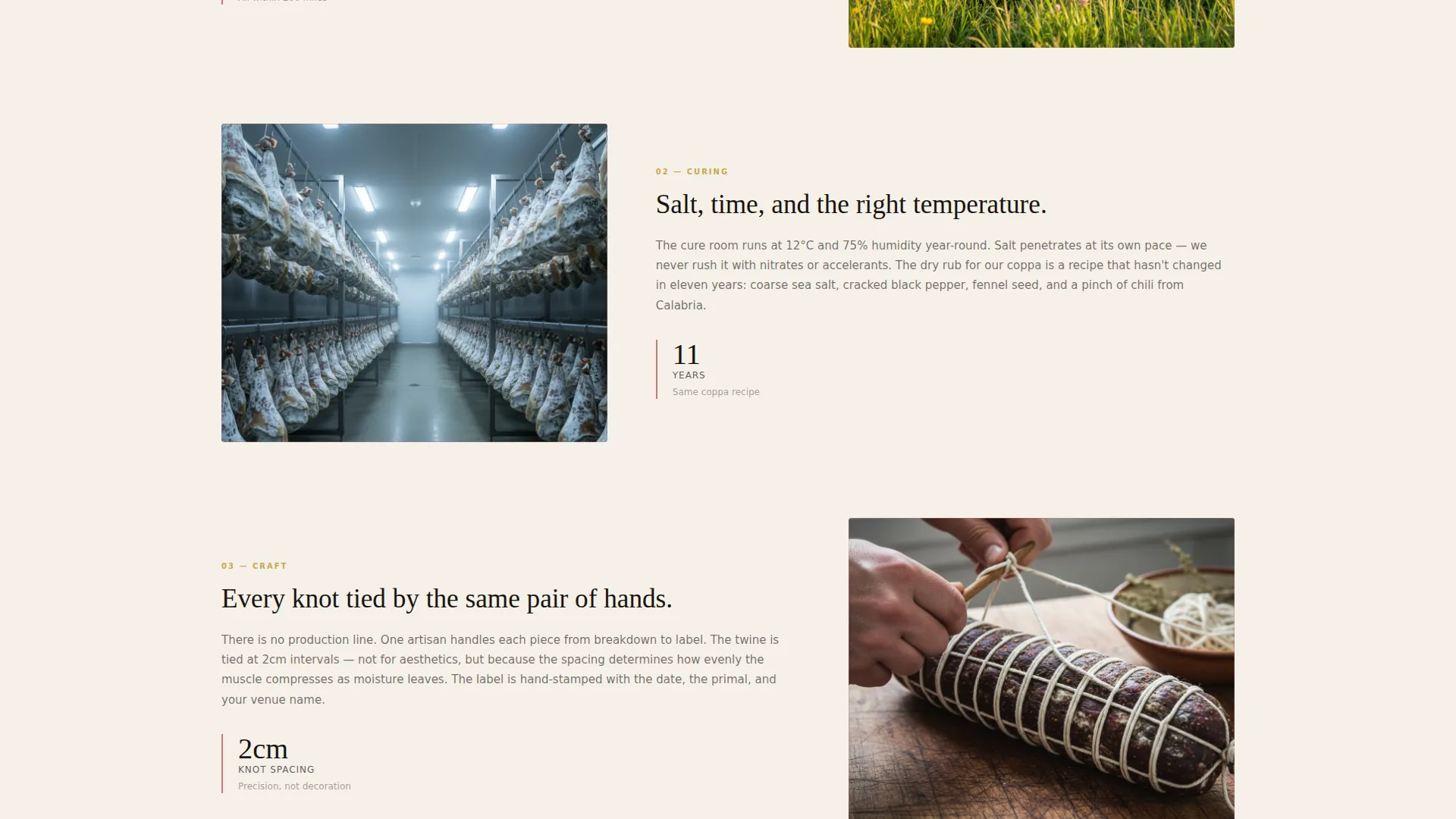
- Backgrounds alternate between obsidian and ivory; rosé appears only in photography borders and progress indicators, never as a dominant surface color
- Typography uses a refined serif for headlines, maintaining high contrast against both dark and light backgrounds throughout the page
Mobile & speed optimization
The asymmetric 60/40 grid adapts thoughtfully on smaller screens. Interactive elements are preserved in a format that works on touch devices.
- The cut map and board configurator reflow into full-width stacked layouts on mobile, keeping interactivity intact
- Floating photo parallax scales down gracefully on touch screens, maintaining the visual atmosphere without causing layout issues
- The persistent navigation call-to-action button remains anchored and tappable at every scroll depth on both desktop and mobile
How this template helps you convert
Cleaver is built around a deliberate sequence: teach first, inspire second, then ask for the commitment. This order respects how professional buyers actually make sourcing decisions.
- The cut map and curing timeline establish expertise before any form appears, so buyers arrive at the call to action already convinced of quality
- The board configurator makes the purchase intent specific and personal, which lowers resistance and increases the likelihood of a qualified tasting request
- The gated cut sheet provides a lower-commitment conversion point for buyers who are not yet ready to book a tasting, keeping them in the pipeline
Other information about this template
Cleaver is part of the Portfolio and Agency category, sitting within the Chef and Culinary Portfolio subcategory. It is designed specifically for the artisan butcher and charcuterie niche.
- The template style is an asymmetric grid with a 60/40 column split, giving the cut map more visual weight than the timeline column
- The theme is Atelier Studio, and the creative direction is Interactive Explorer, meaning every scroll section is designed for participation rather than passive reading
- The landing page direction is Partnership and Business-to-Business, making it suitable for wholesale sourcing conversations with restaurants, hotels, and specialty retailers
- The header concept is Floating Photos, a multi-image constellation layout with subtle cursor-driven parallax motion
Theme
Atelier Studio
Creative direction
Interactive Explorer
Color system
Obsidian & Gold
Style
Asymmetric Grid (60/40)
Direction
Partnership/B2B
Page Sections
Floating Photo Header with Parallax
Interactive Pig Cut Map
Scroll-driven Curing Timeline
Drag-and-drop Board Configurator
Dual Conversion Path Design
Persistent Navigation Call to Action
Related questions
Who is the Cleaver template designed for?
What makes the interactive cut map different from a standard product list?
Can I use both conversion paths at the same time?
What information does the tasting request form collect?
Is this template suitable for a producer with only a few signature products?



