Sacred HVAC Engineering Landing Page Template
Vestry is a gallery and detail landing page template built for church and religious HVAC contractors. It guides facility managers and diocese property directors from problem recognition to consultation booking through a filterable challenge gallery, a five-step diagnostic quiz, and a trust-building credentials section. The design follows an Engineering Blueprint style in charcoal and amber.
by Rocket studio
Quick summary
Vestry is a single-page template designed for specialty HVAC contractors who work exclusively in religious and historic buildings. It opens with a full-bleed sanctuary photograph and an animated amber blueprint overlay, then walks visitors through a problem-to-solution gallery before closing with a five-step diagnostic quiz that delivers a personalized system recommendation and a booking calendar.
Who this template is for
This template is built for HVAC contractors whose entire practice centers on churches, cathedrals, and historic religious facilities. It speaks directly to the people those contractors need to reach.
- Facility managers at megachurches juggling multiple buildings under one budget
- Head deacons at historic congregations where aging boilers and stone walls create unique engineering challenges
- Diocese property directors overseeing many parishes that all need climate system upgrades
What problem this template solves
Most HVAC contractor websites treat every building as interchangeable. Religious and historic buildings are not. The template addresses the specific gap between a generic contractor website and the trust required to win complex, preservation-sensitive projects.
- Clients cannot find a contractor who visibly understands vaulted ceilings, stained glass thermal stress, and century-old stone envelope behavior
- Facility managers need to see solved problems, not just service lists, before they will book a consultation
- Diocese property directors managing dozens of parishes need a fast way to qualify whether a contractor can handle scale and variety
What you get with this template
The template delivers a complete, single-page conversion flow from first impression to booked consultation. Every section earns the next click.
- A full-bleed hero with an SVG amber line-draw animation and a fade-in headline
- A filterable challenge gallery with expandable detail panels showing engineering diagnosis and installed solution side by side
- A five-step diagnostic quiz with inline expertise insights, a custom system recommendation, and a booking calendar
- A credentials and gated PDF download section for visitors not yet ready to book
Feature list
A paragraph introduction: each major interactive and visual component of this template is built around a specific conversion task. Below are the core features delivered in this template.
Full-Bleed Sanctuary Hero with SVG Animation
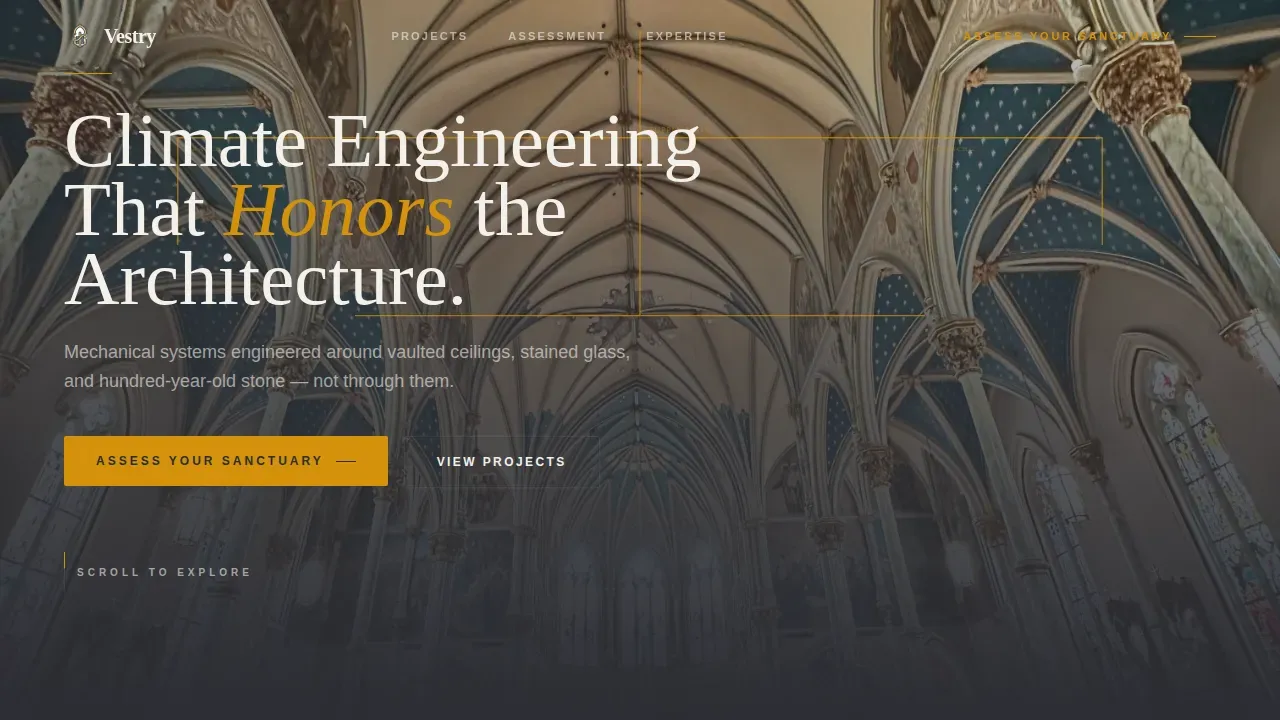
The hero section opens with a center-aisle sanctuary photograph. A thin amber line then draws itself across the ceiling, tracing the hidden ductwork path like a blueprint overlay. The headline fades in after the animation settles, creating a composed and memorable first impression.
Filterable Challenge Gallery with Detail Panels
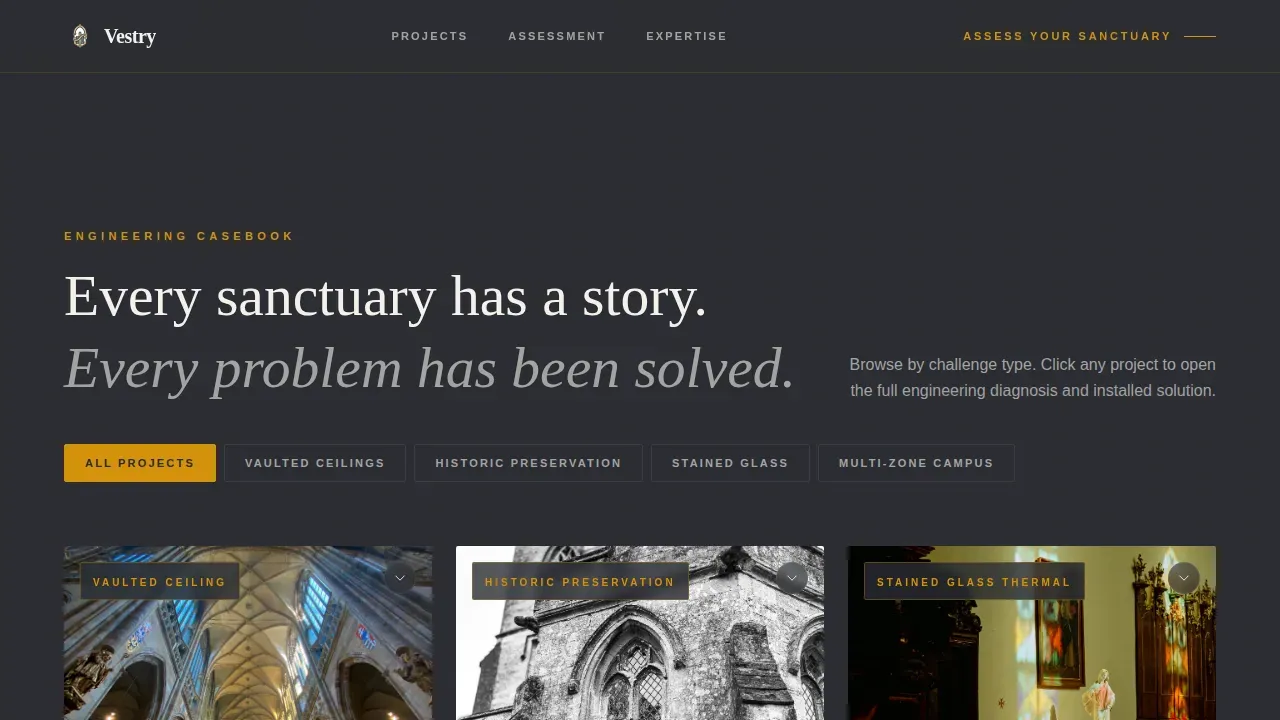
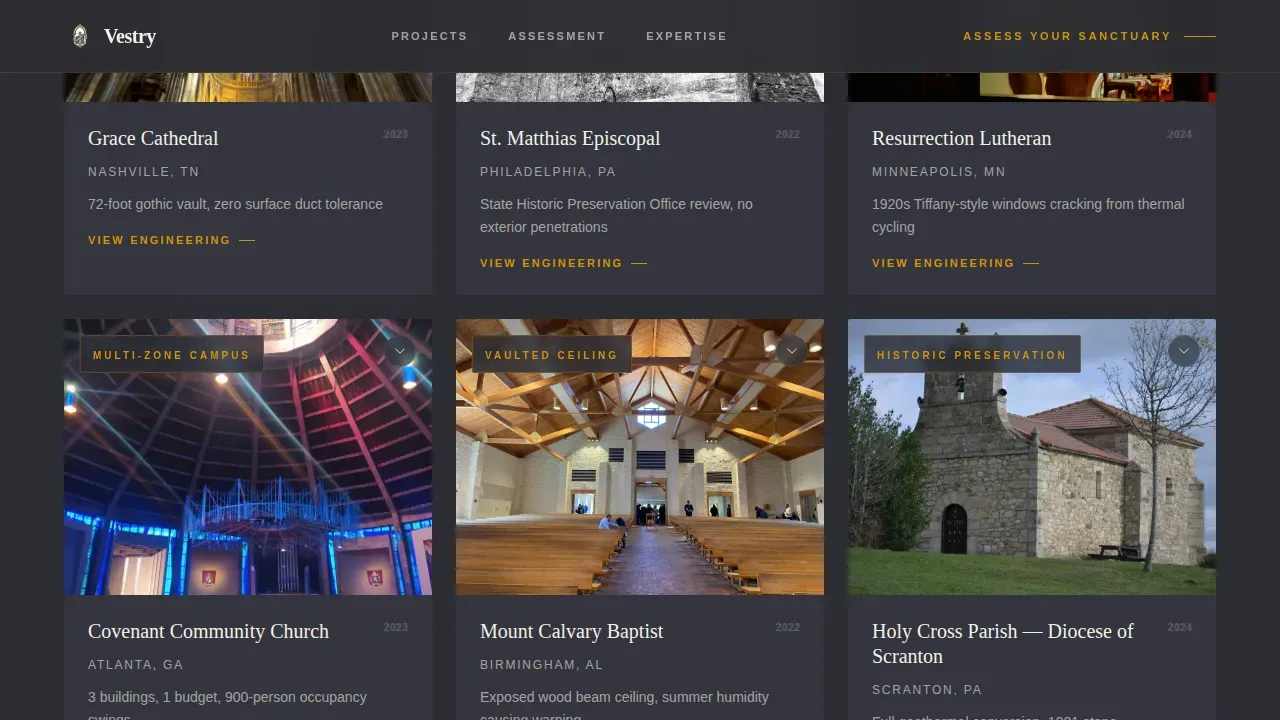
The gallery organizes real church interior photographs by challenge type: vaulted ceilings, historic preservation restrictions, stained glass thermal stress, and multi-zone occupancy patterns. Clicking any tile opens a split detail panel with the engineering diagnosis on the left and the installed solution on the right, rendered in blueprint-style specifications.
Five-Step Diagnostic Quiz with Inline Insights
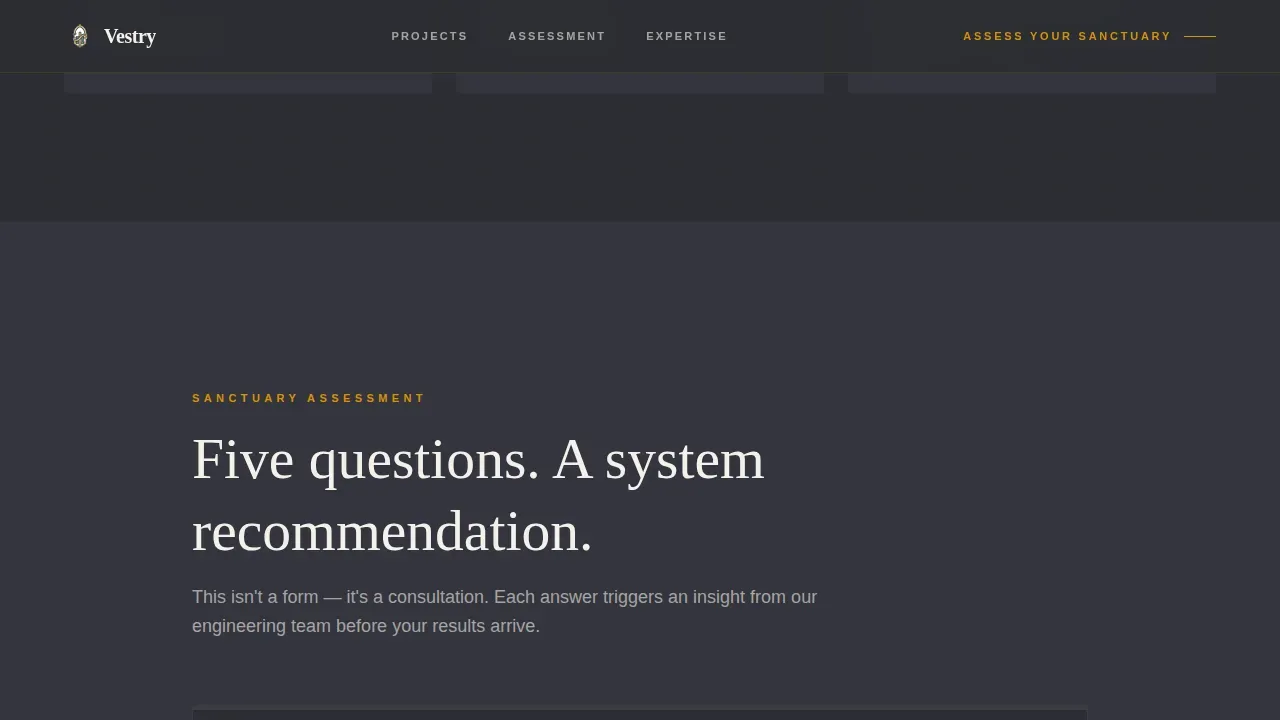
The quiz collects building age, ceiling height, total conditioned square footage, current system type, and the visitor's biggest pain point. Each answer triggers a brief expertise insight before the final results screen delivers a personalized system recommendation. The flow feels like a professional consultation rather than a data-capture form.
"Schedule Your Walk-Through" Booking Section
After the quiz delivers a recommendation, a calendar-style booking interface invites the visitor to schedule an on-site walk-through. This converts engaged visitors at the moment their confidence is highest, turning assessment momentum directly into a calendar appointment.
Gated PDF Checklist Download
A secondary conversion path offers a downloadable resource titled "The Facilities Deacon's HVAC Checklist." Visitors who are not yet ready to book provide an email address to access it. This captures leads earlier in the decision process without interrupting the primary booking flow.
GSAP Scroll-Triggered Animations and Clip-Path Reveals
The template uses GSAP scroll triggers throughout to control clip-path section reveals, quiz step transitions, and the hero SVG line draw. These animations reinforce the Engineering Blueprint visual identity and keep the scroll experience purposeful and precise.
Page sections overview
| Section | Purpose |
|---|---|
| Hero with Animation | Opens with sanctuary photo, SVG amber line draw, and headline fade |
| Challenge Gallery | Filterable church interior tiles organized by problem type |
| Gallery Detail Panel | Split view showing engineering diagnosis and installed solution |
| Diagnostic Quiz | Five-step assessment with inline insights and system recommendation |
| Credentials Section | Trust signals and project metrics that validate expertise |
| PDF Download Gate | Secondary lead capture via gated facilities checklist |
| Booking Call to Action | Calendar-style interface for scheduling an on-site walk-through |
| Footer | Linear single-row footer pattern |
Design & branding system
The visual identity is grounded in an Engineering Blueprint aesthetic. Every color and typographic choice is intentional, evoking the precision of a mechanical drawing reviewed by lamplight.
- Color palette: deep drafting charcoal (#2B2D33) for the primary background, technical graphite (#5C5E66) for section dividers, warm amber (#D4920B) for all calls to action and accent lines, and vestment white (#F4F1EB) for body text
- Typography: Fraunces serif for display headings, paired with DM Sans for body copy to balance reverence with readability
- Interactive elements such as buttons and hover states use amber to trace focus like dimension lines on a mechanical drawing, keeping the blueprint metaphor consistent throughout
Mobile & speed optimization
The template is built desktop-first, reflecting the reality that facility managers and property directors typically assess contractors from a desk. Mobile responsiveness is fully included, ensuring the gallery, quiz, and booking section remain functional on any screen size.
- Interactive components such as the gallery detail panels and multi-step quiz are handled as client-side components, while static sections use server-side rendering for faster initial load
- GSAP animations are scoped to scroll-triggered events, so they do not run unnecessarily on smaller or lower-power devices
How this template helps you convert
The entire page is structured as a progressive trust arc. Each section does specific conversion work before handing off to the next.
- The problem-to-solution gallery builds credibility by showing solved situations that mirror the visitor's own. A facility manager sees their ceiling type, their system age, or their preservation constraints reflected in a solved project before they read a single marketing claim.
- The five-step diagnostic quiz converts browsing interest into personal investment. Each answered question produces a real insight, so by the time the results screen appears the visitor already trusts the contractor's judgment and is primed to book a walk-through.
Other information about this template
This template is designed specifically for the church and religious construction category within the broader construction and home services market. It targets the religious HVAC contractor niche where technical credibility and preservation sensitivity must both be visible before a facility manager will engage.
- The template style is Gallery and Detail, combining a visual proof-of-work approach with a consultative quiz flow
- The creative direction follows a Problem-to-Solution Arc, escalating challenge complexity from a simple fellowship hall retrofit to a full cathedral geothermal conversion to build progressive confidence
- The header concept is a Full-Bleed Photo with an animated blueprint overlay, setting the tone for the entire scroll experience
- The conversion direction is Quiz and Assessment, with the primary call to action reading "Assess Your Sanctuary" and the secondary path offering the gated PDF checklist
- The template is localized for English-language audiences using United States date formats and United States dollar pricing where applicable
Theme
Engineering Blueprint
Creative direction
Problem→Solution Arc
Color system
Charcoal & Amber
Style
Gallery + Detail
Direction
Quiz/Assessment
Page Sections
Full-bleed Hero with Blueprint Animation
Filterable Challenge Gallery with Detail Panels
Five-step Diagnostic Quiz with Inline Insights
Booking Section with Calendar Interface
Gated PDF Checklist for Secondary Leads
GSAP Scroll-triggered Animation System
Related questions
Who is this template designed for?
What does the five-step diagnostic quiz do?
Can visitors filter the gallery by problem type?
What is the secondary conversion option for visitors not ready to book?
What animation technology does the template use?



