Driving School Landing Page Template for Google Ads
Clutch is a driving school landing page template built for Google Ads traffic. It uses a zigzag FAQ-driven layout to answer the real questions nervous learners search at midnight. A bold Quote/Manifesto header opens with instant reassurance, while dual conversion paths capture both cautious researchers and committed bookers. The Charcoal and Amber color system keeps everything sharp, credible, and action-ready.
by Rocket studio
Quick summary
Clutch is a single-page driving school landing page template designed for Google Ads campaigns. It pairs a bold Quote/Manifesto header with a zigzag FAQ layout that dissolves learner hesitation section by section. Two conversion paths work together: a free lesson plan download and a bookable assessment lesson. Every design choice reinforces confidence before the first click.
Who this template is for
This template is built for driving schools that run paid search campaigns and want a page that earns trust immediately. It works equally well for independent instructors and established schools with multiple learner profiles.
- Driving schools targeting anxious adult learners who never passed their test
- Schools offering courses for international license holders adjusting to local roads
- Instructors running Google Ads who need a high-intent landing page that converts cautious researchers into bookings
What problem this template solves
Most driving school pages show smiling stock photos and a phone number. They do not answer the specific worries a learner carries when they click a paid ad. Clutch fixes that gap directly.
- Learners arrive with private doubts and leave without clear next steps, costing the school the booking
- No single page typically speaks to all three learner types: first-timers, late starters, and returning failures
- Schools need a resource-led conversion path that builds trust before asking for a commitment
What you get with this template
You get a complete, ready-to-customise driving school landing page with a structured two-path conversion system. Every section has a defined job, and every copy block addresses a real searcher question.
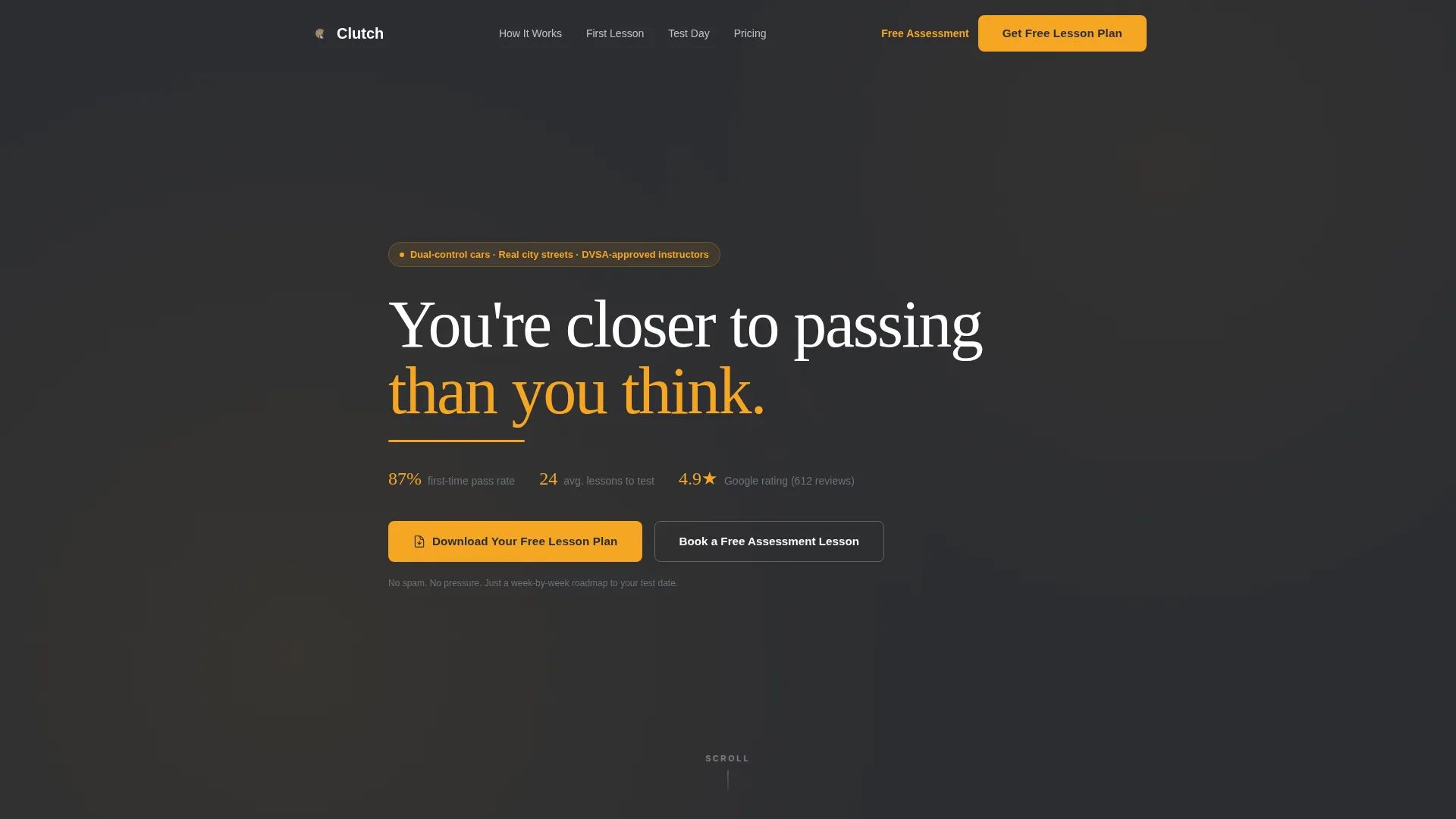
- A Quote/Manifesto header with an amber underline pulse, pass rate stat, and average lessons-to-test figure
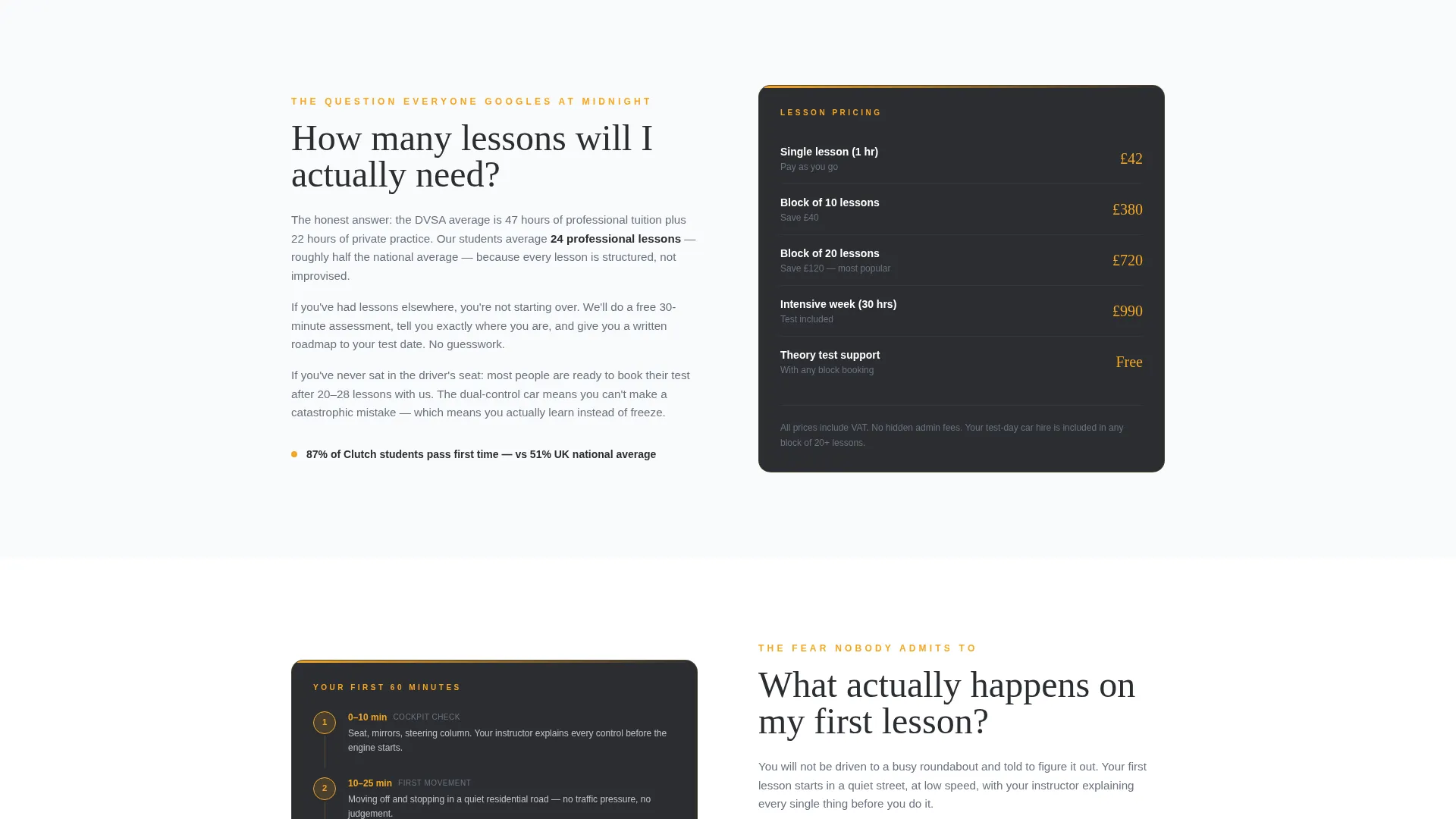
- A zigzag FAQ section layout with alternating content and supporting detail panels covering lessons needed, first lesson format, test-day car use, and failure recovery
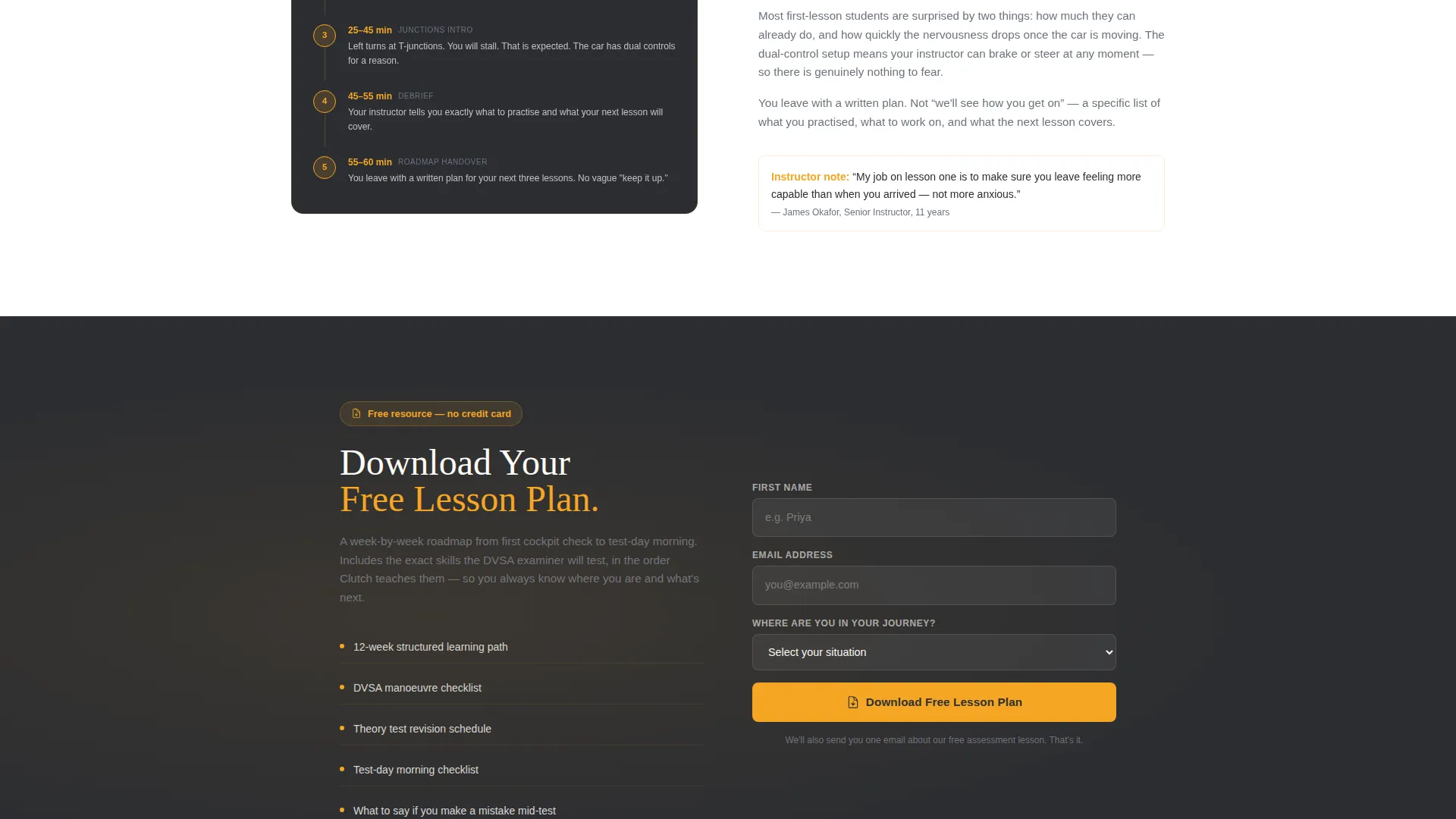
- Two conversion paths: an amber "Download Your Free Lesson Plan" form with a journey-stage dropdown, and a "Book a Free Assessment Lesson" calendar widget
Feature list
This template is built around a set of purposeful components that work together to move learners from hesitation to action.
Quote/Manifesto Header Block
The header opens with a single bold white statement on deep charcoal: "You're closer to passing than you think." A secondary line in dashboard gray displays the school's pass rate and average lessons-to-test number. There are no stock images. The restraint is intentional and builds immediate credibility.
Zigzag FAQ Section Layout
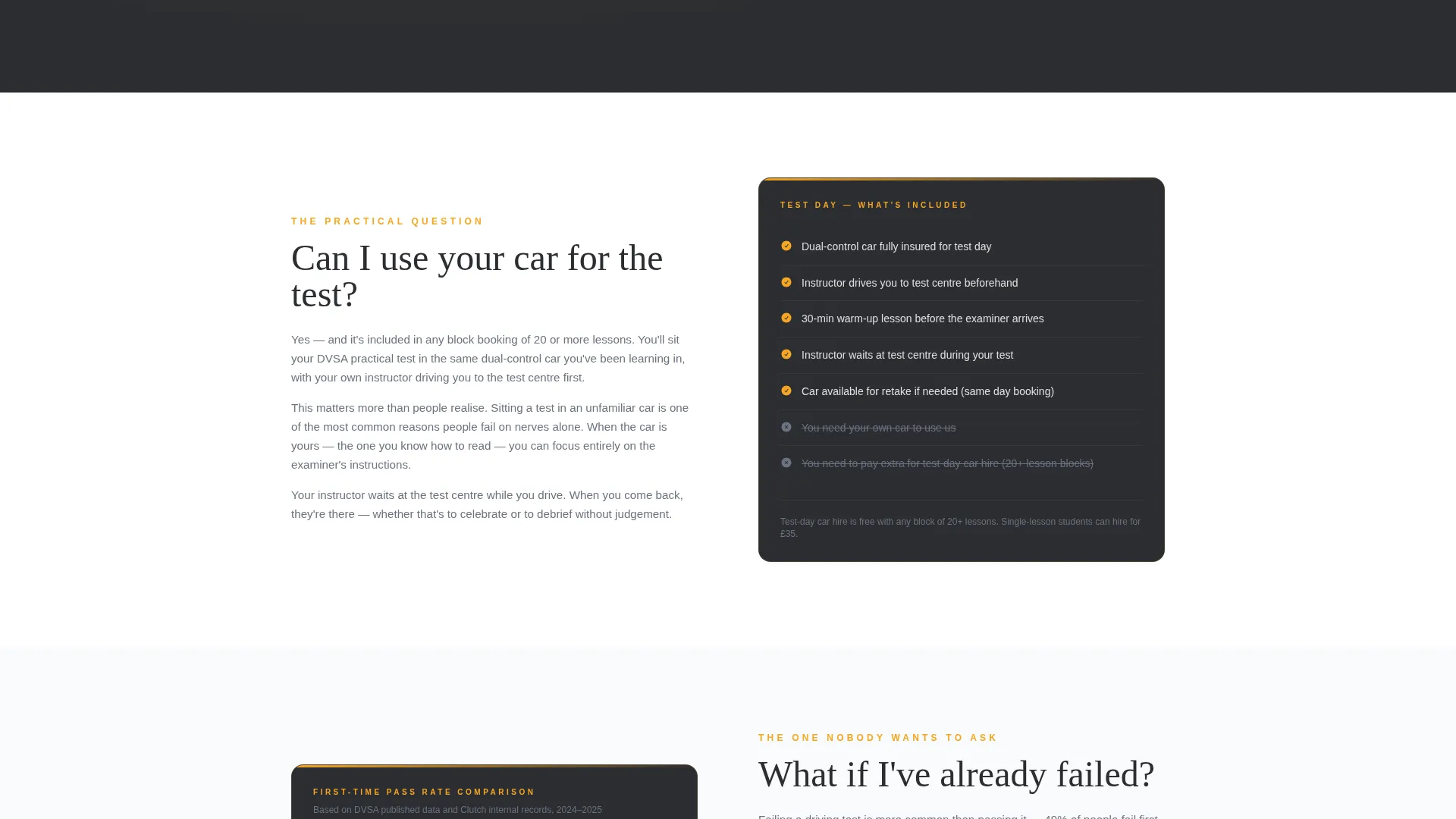
Each alternating section answers one real learner question. A brief honest paragraph sits on one side and a supporting visual detail sits on the other. Details include a lesson pricing breakdown, a first-lesson timeline graphic, a test-day checklist, and a pass-rate comparison panel.
Dual Conversion Path System
The primary call to action is a free lesson plan download in amber. It appears first below the header and repeats after every third FAQ section. The form captures first name, email, and a "Where are you in your journey?" dropdown. A secondary path offers a calendar widget for visitors ready to book directly.
Journey-Stage Dropdown Form
The download form includes a single qualifying dropdown with options such as "Haven't started yet," "Had some lessons elsewhere," and "Failed test, trying again." This allows the school to segment and respond to each learner type with relevant follow-up.
Corporate Precision Color System
The Charcoal and Amber palette uses deep asphalt charcoal for primary backgrounds, warm amber for calls to action and accent highlights, cool dashboard gray for secondary text and dividers, and clean road-marking white for alternating section backgrounds.
Repeating call to action Rhythm
The amber download call to action repeats at a defined interval throughout the page. This pacing ensures that a visitor reading through the FAQ sections always has a conversion moment within reach, without the page feeling pushy.
Page sections overview
| Section | Purpose |
|---|---|
| Quote/Manifesto Header | Opens with a bold reassurance statement and pass rate stat |
| Primary call to action Block | Introduces the free lesson plan download form below the header |
| FAQ Section One | Answers "How many lessons will I actually need?" with pricing detail |
| FAQ Section Two | Answers "What happens on my first lesson?" with a timeline graphic |
| Repeating call to action Block | Reintroduces the download form after every third FAQ section |
| FAQ Section Three | Answers "Can I use your car for the test?" with a test-day checklist |
| FAQ Section Four | Answers "What if I've failed before?" with a pass-rate comparison |
| Secondary call to action Block | Offers the "Book a Free Assessment Lesson" calendar widget |
Design & branding system
The visual identity follows a Corporate Precision theme. The palette is built to feel like a night driving lesson: dark tarmac lit by amber streetlamps, every element sharp-edged and readable.
- Primary backgrounds use deep asphalt charcoal (#2B2D31); calls to action and accent highlights use warm instructor-jacket amber (#F5A623)
- Secondary text and dividers use cool dashboard gray (#6B7280); alternating section backgrounds use clean road-marking white (#F9FAFB)
- Bold white typography carries the header; a subtle amber underline pulse beneath the manifesto line adds motion without distraction
Mobile & speed optimization
The zigzag layout is structured to reflow cleanly on smaller screens. Each FAQ section stacks its content and supporting detail vertically, keeping the reading order logical and the calls to action prominent.
- Alternating section backgrounds maintain visual separation when the two-column layout collapses to a single column on mobile
- The calendar widget and download form are sized for comfortable tap interaction on phone screens
- Charcoal and amber contrast ratios keep text readable in both bright and low-light viewing conditions
How this template helps you convert
The page is designed around the reality that a Google Ads visitor is already interested but not yet convinced. Every structural decision is built to reduce hesitation and create a clear, low-pressure path to action.
- The manifesto header delivers instant reassurance the moment a visitor lands, meeting the emotional state of the click rather than ignoring it and moving the visitor forward rather than making them scroll to find a reason to stay.
- The FAQ zigzag layout removes objections one by one in the same order a nervous learner would Google them, so each section scroll feels like progress rather than a sales pitch.
- The two-tier conversion system lets cautious visitors take a low-commitment first step with the free plan download, while ready-to-book visitors can skip straight to the assessment lesson calendar.
Other information about this template
This template is classified under the Professional Services category, with a specific focus on driving school marketing and Google Ads landing page use cases.
- The template style is Zigzag/Alternating, making it well-suited for FAQ-driven content where each section answers a discrete question
- The landing page direction is Content/Resource, meaning the primary conversion offer is a downloadable asset that earns trust before asking for a booking
- The header concept is a Quote/Manifesto, a deliberate restraint-based design choice that avoids generic imagery in favour of a direct, examiner-style statement
- This template is built for the driving school Google Ads landing page niche and is suitable for campaigns targeting learners at different stages of their driving journey
Theme
Corporate Precision
Creative direction
FAQ-Driven
Color system
Charcoal & Amber
Style
Zigzag/Alternating
Direction
Content/Resource
Page Sections
Quote/manifesto Header Block
Zigzag FAQ Section Layout
Dual Conversion Path System
Journey-stage Dropdown Form
Repeating Call to Action Rhythm
Corporate Precision Color System
Related questions
Can this template handle multiple learner types at once?
Does the page include a booking system?
Why does the header have no images?
How often does the download call to action appear on the page?
Is this template only suitable for learners who have never driven before?



