Academic Coaching Landing Page Template
Coach is a single-column academic coaching landing page built for one-on-one tutors and study strategists. It leads with a bold serif headline, walks visitors through a clear three-session process, shows real outcome metrics, and ends every scroll with an amber booking button. The intake form captures exactly what coaches need to start a productive first session.
by Rocket studio
Quick summary
Coach is a focused, single-column booking landing page for academic coaching practices. It uses a Charcoal and Amber visual system, a transparent three-phase session arc, real outcome data, and a direct pricing section to move hesitant students and parents steadily toward booking their first session.
Who this template is for
This template is built for independent academic coaches who work directly with students. It fits practices where the coach is the product and trust is earned through clarity, not polish.
- One-on-one academic coaches serving high school or college students
- Study skills tutors who want a booking page that replaces back-and-forth emails
- Coaches working with students on academic probation, standardized test prep, or general study strategy
What problem this template solves
Most service providers lose prospective clients at the moment of hesitation. A generic page with vague language and hidden pricing gives parents and students one more reason to wait. This template removes that friction directly.
- Ambiguous pricing and unclear session structure create distrust before a booking ever happens
- Parents researching at night need enough information to feel confident without needing a call first
- Students in academic distress need a page that feels calm and direct, not overwhelming
What you get with this template
The template delivers a complete, single-column landing page flow purpose-built for coaching bookings. Every section earns the scroll that follows it.
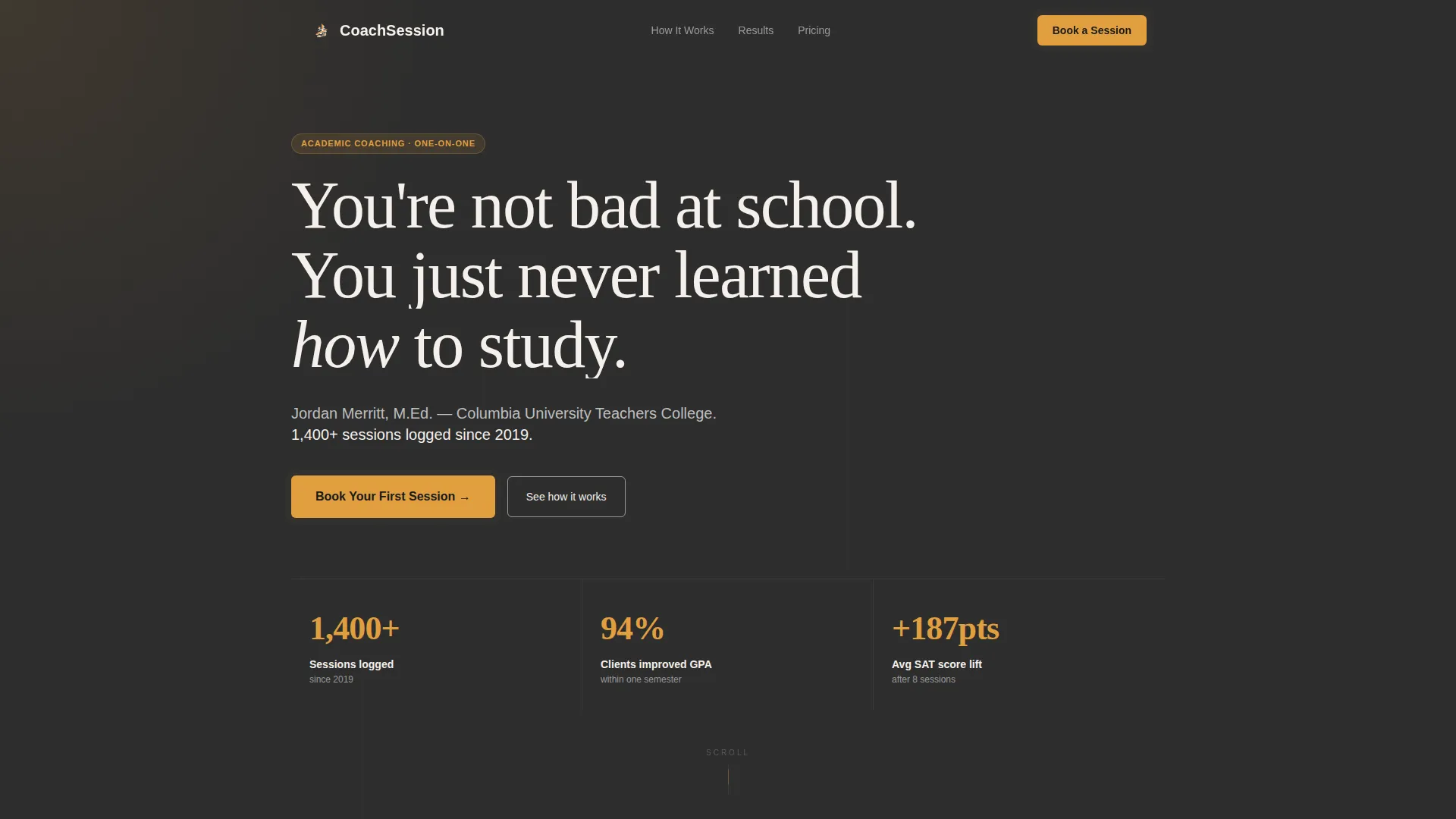
- A bold serif header block with headline, coach credentials, and a primary booking button
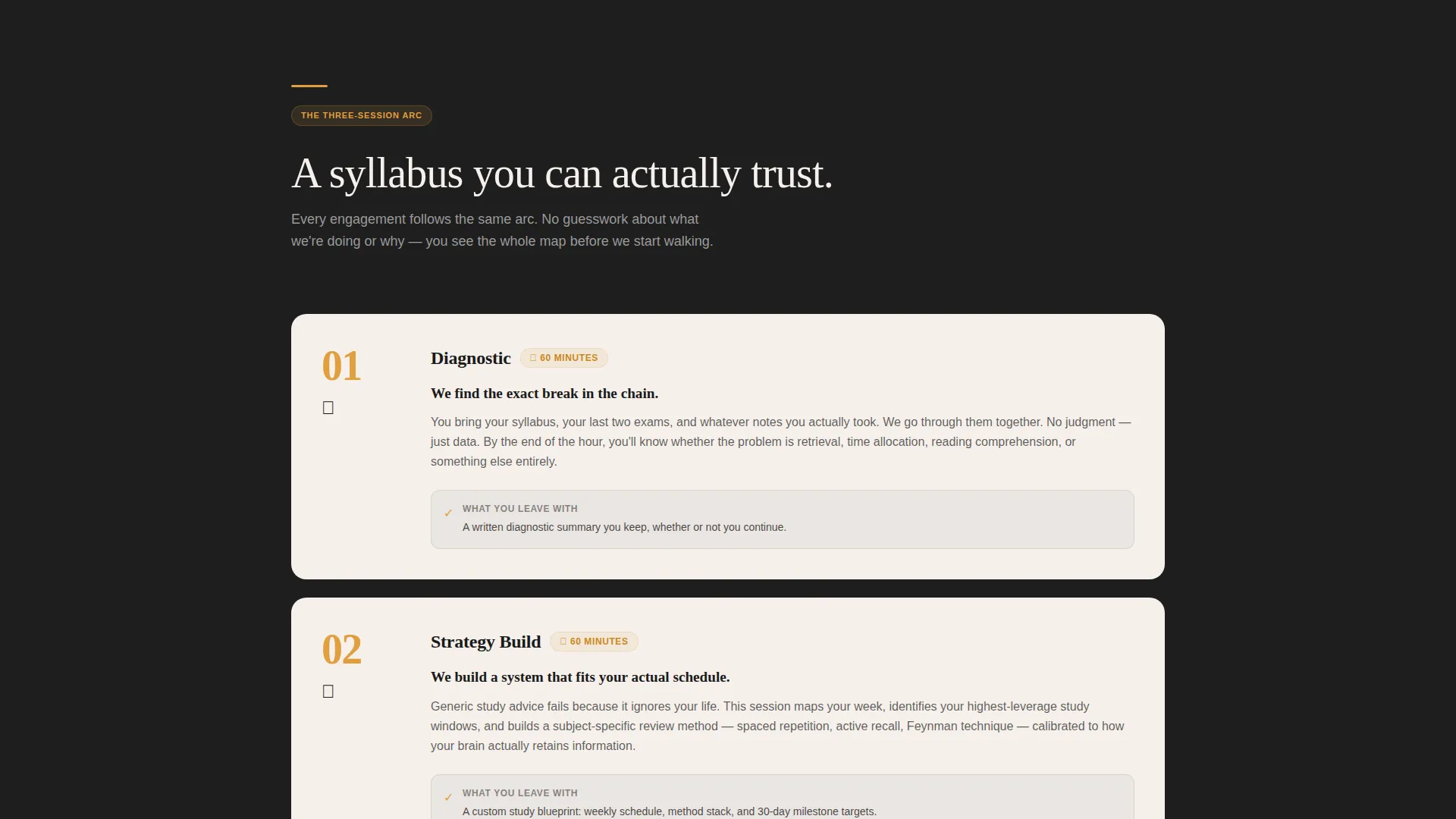
- A three-phase session arc section explaining the diagnostic, strategy, and practice stages in plain language
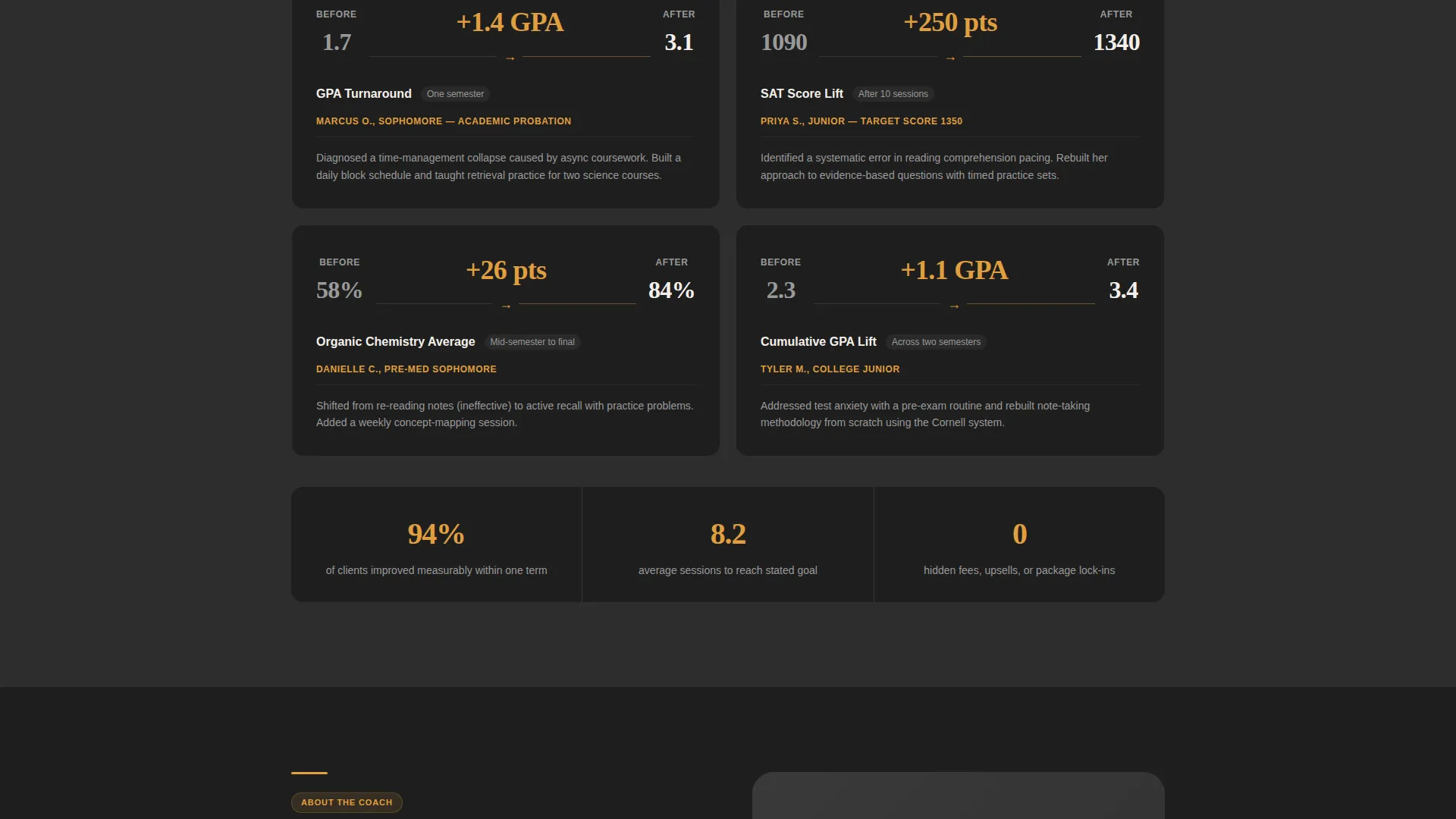
- A metrics section with before-and-after outcomes displayed on charcoal cards
- A transparent full pricing section with session lengths, costs, and inclusions
- An embedded calendar block for 30- and 60-minute booking with a three-field intake form
- A secondary contact path for visitors who are not yet ready to book
Feature list
This template is built around features that directly support how an academic coaching practice earns client trust and converts page visitors into booked sessions.
Bold Serif Header Block
The header opens with a large, left-aligned serif headline set at 80 pixels or larger against a deep graphite background. A single amber underline accents the key word. Below the headline, a one-line credential strip shows the coach's name, degree, and a session-count stat. An amber booking button sits directly beneath with no competing elements around it.
Transparent Three-Session Arc
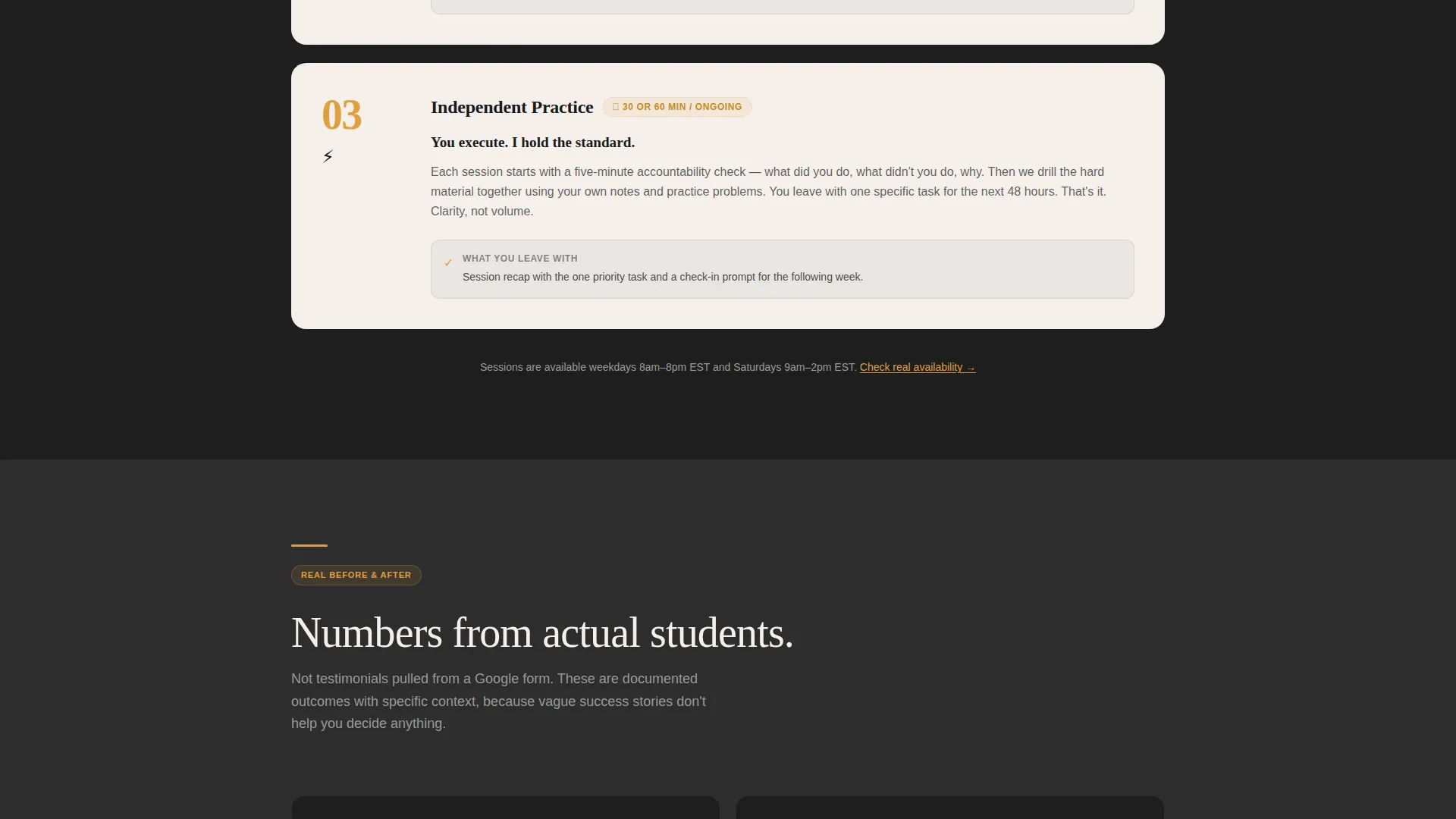
A dedicated section walks visitors through three clearly labeled phases: diagnostic, strategy build, and independent practice. Each phase includes a plain-language description and a specific time commitment. This structure lets prospective clients understand exactly what they are buying before they book.
Real Outcome Metrics Display
A section of charcoal cards presents concrete before-and-after data points such as GPA shifts, score improvements, and semesters retained. Each number renders in amber type against the dark card background, making results visually distinct and easy to scan.
Full Transparent Pricing Section
Pricing is presented in full with no hidden tiers and no "contact for rates" placeholder. Each row shows the session length, the cost, and what is included. This removes one of the most common reasons a prospective client closes the tab without acting.
Embedded Booking Calendar with Intake Form
A calendar block shows real-time availability in 30- and 60-minute slots. The intake form below it captures three fields in order: the student's name, the course or exam they need help with, and a single dropdown asking about their biggest challenge right now. Options include time management, test anxiety, and not knowing where to start.
Secondary Contact Path
Below the primary booking flow, a low-pressure alternative reads "Not ready to book? Send a question instead." It offers a simple text field and an email capture. This catches the parent or student who needs more information before committing, keeping them in the funnel without forcing a decision.
Page sections overview
| Section | Purpose |
|---|---|
| Header Headline Block | Establishes coach credibility and prompts first booking action |
| Three-Session Arc | Explains the coaching process with time commitments per phase |
| Outcome Metrics Cards | Shows real before-and-after results in scannable charcoal cards |
| Transparent Pricing Table | Lists session lengths, costs, and inclusions with no ambiguity |
| Booking Calendar Block | Displays live availability and captures intake in three fields |
| Secondary Contact Path | Offers a low-pressure question form for undecided visitors |
| Mobile Sticky call to action Bar | Keeps the booking button accessible at the bottom of mobile screens |
Design & branding system
The visual identity follows a Service Utility theme. The palette references the feeling of a well-worn notebook opened under a brass desk lamp: serious and warm at the same time.
- Deep graphite (#2D2D2D) as the primary background, warm chalk white (#F5F0EB) for content panels, focused amber (#E09F3E) on all clickable elements and key data points, and soft pencil gray (#9A9A9A) for secondary text and dividers
- Heavy serif typography for headlines gives the page an authoritative, studied quality without feeling institutional
- No stock photography of students or graduates; the design relies on typography, color, and structured data to build trust
Mobile & speed optimization
The single-column layout is inherently suited to mobile viewing. The booking flow and intake form are designed to work within a narrow viewport without horizontal scrolling or pinching.
- A sticky bottom bar on mobile surfaces the primary "Book Your First Session" button at all scroll depths
- The three-field intake form is built for quick thumb-friendly input on smaller screens
- The single-column structure keeps the reading order logical and uninterrupted on any device size
How this template helps you convert
The page is structured so that each section removes one specific reason a visitor might hesitate. Booking feels like the natural conclusion of reading, not a separate decision.
- The header establishes immediate credibility with a specific session count and real credentials, so visitors know within seconds they are on a legitimate coaching page.
- The process, metrics, and pricing sections answer the three questions every prospective client has before they commit: what happens, does it work, and what does it cost.
- The repeated amber "Book Your First Session" button at the header, mid-page after pricing, and in the mobile sticky bar ensures the action is always one tap away regardless of where the visitor is reading.
Other information about this template
This template is part of the Coach series designed for independent professional service providers who book clients directly through their website. It is a practical starting point for any academic coaching practice that wants a credible online presence without the overhead of a multi-page site.
- The single-column flow format means the entire pitch, proof, pricing, and booking experience lives on one scrollable page
- The Charcoal and Amber color system is consistent across all interactive states, so the amber button color always signals a clickable action
- The template is well-suited for coaches building an academic coach online presence for the first time, as well as established tutors replacing an outdated or generic page
- Because pricing is displayed in full, the template works especially well for coaches who prefer a self-service booking model where clients arrive already informed
Theme
Service Utility
Creative direction
Transparent Process
Color system
Charcoal & Amber
Style
Single Column Flow
Direction
Booking/Scheduling
Page Sections
Bold Serif Header with Credentials
Transparent Three-session Arc
Before-and-after Metrics Cards
Full Pricing Section with No Hidden Tiers
Embedded Calendar and Intake Form
Secondary Low-pressure Contact Path
Related questions
Can I update the headline and credential line to match my own background?
Do I need to connect a separate calendar tool for the booking section?
What if I want to adjust the intake form fields?
Is this template suitable for a coach who works with both high school and college students?
Can the secondary contact form capture leads from parents who are not ready to book?



