Advanced Warehouse & Factory Construction Professional Website Template
Coat is a zigzag landing page template built for warehouse and factory painting contractors. It pairs dramatic before-and-after project reveals with a lead-capture form that speaks directly to facility managers, plant engineers, and logistics directors. The Sunset Mesa color system and line-art header set a confident, industrial tone that earns trust before asking for a quote.
by Rocket studio
Quick summary
Coat is a single-page lead generation template for industrial painting and coating contractors. It opens with a striking line-art warehouse header, then walks visitors through escalating before-and-after project transformations. Every section builds credibility, and two clear paths move buyers toward a facility quote or a downloadable coating spec sheet.
Who this template is for
This template is built for contractors who coat, seal, and mark up large industrial facilities. It speaks the language of the clients who hire them.
- Epoxy flooring and industrial coating contractors targeting facility managers and plant engineers
- Warehouse painting crews that work nights and weekends around active operations
- Contractors who handle projects ranging from small mechanical rooms to full distribution campuses
What problem this template solves
Most painting contractor websites look residential. They fail to signal the scale, precision, and scheduling discipline that industrial clients demand. Facility managers need proof of capability, not a generic service list.
- No visible proof of large-scale or complex project experience
- Lead forms that ask irrelevant questions instead of facility type, square footage, and project window
- No secondary capture path for engineers who need technical specs before committing
What you get with this template
You get a complete, ready-to-customize landing page that addresses every stage of the industrial buyer's decision. The layout is structured to show capability first and collect leads second.
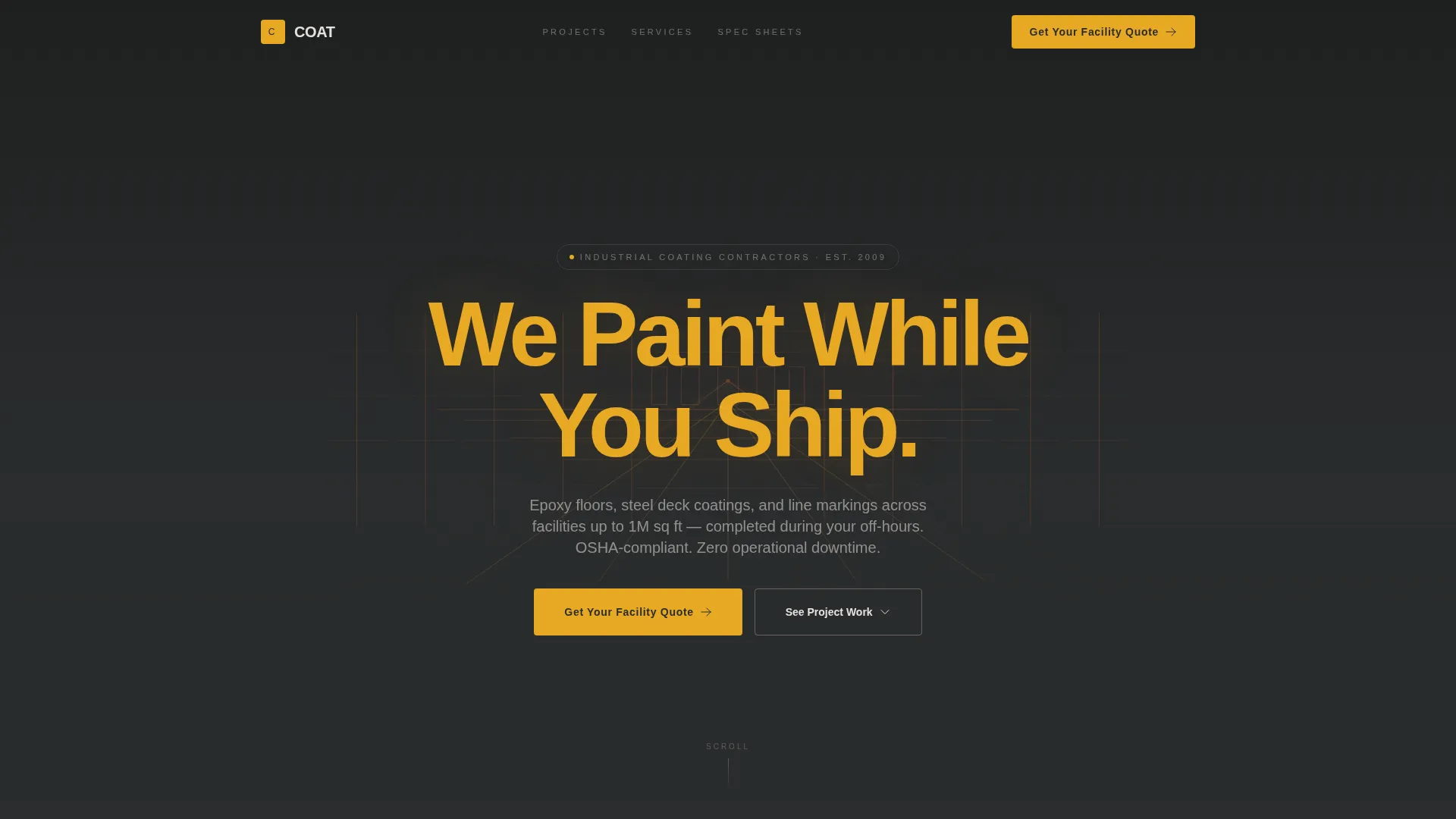
- A line-art animated header with an industrial warehouse illustration and a bold headline
- A zigzag alternating layout with draggable before-and-after sliders for each project type
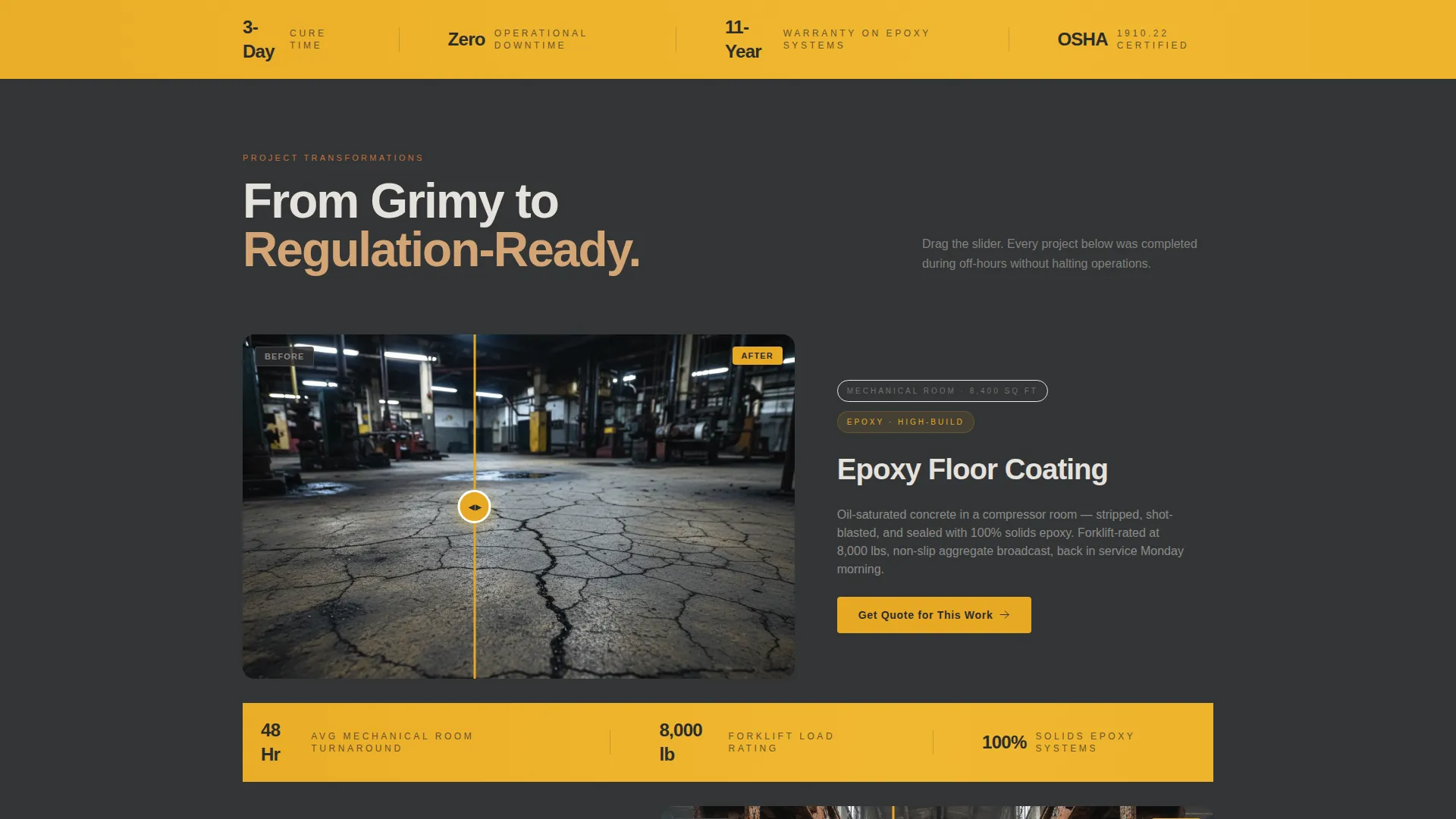
- Stat callout bars between project pairs displaying figures like cure time, downtime, and warranty
- A slide-out quote form with facility-specific fields and a secondary spec sheet download capture
Feature list
A paragraph introduces the feature set: each component in this template was chosen to serve one specific type of buyer, the industrial client who wants proof before picking up the phone.
Line-Art Warehouse Header
The header opens with a single-weight terracotta wireframe illustration of a warehouse interior drawn on charcoal. Racking rows, dock doors, and a receding floor grid fill the frame like a facility blueprint. The headline "We Paint While You Ship." appears in bold safety amber after a beat, using restraint to make project photos land harder below.
Zigzag Before-and-After Sliders
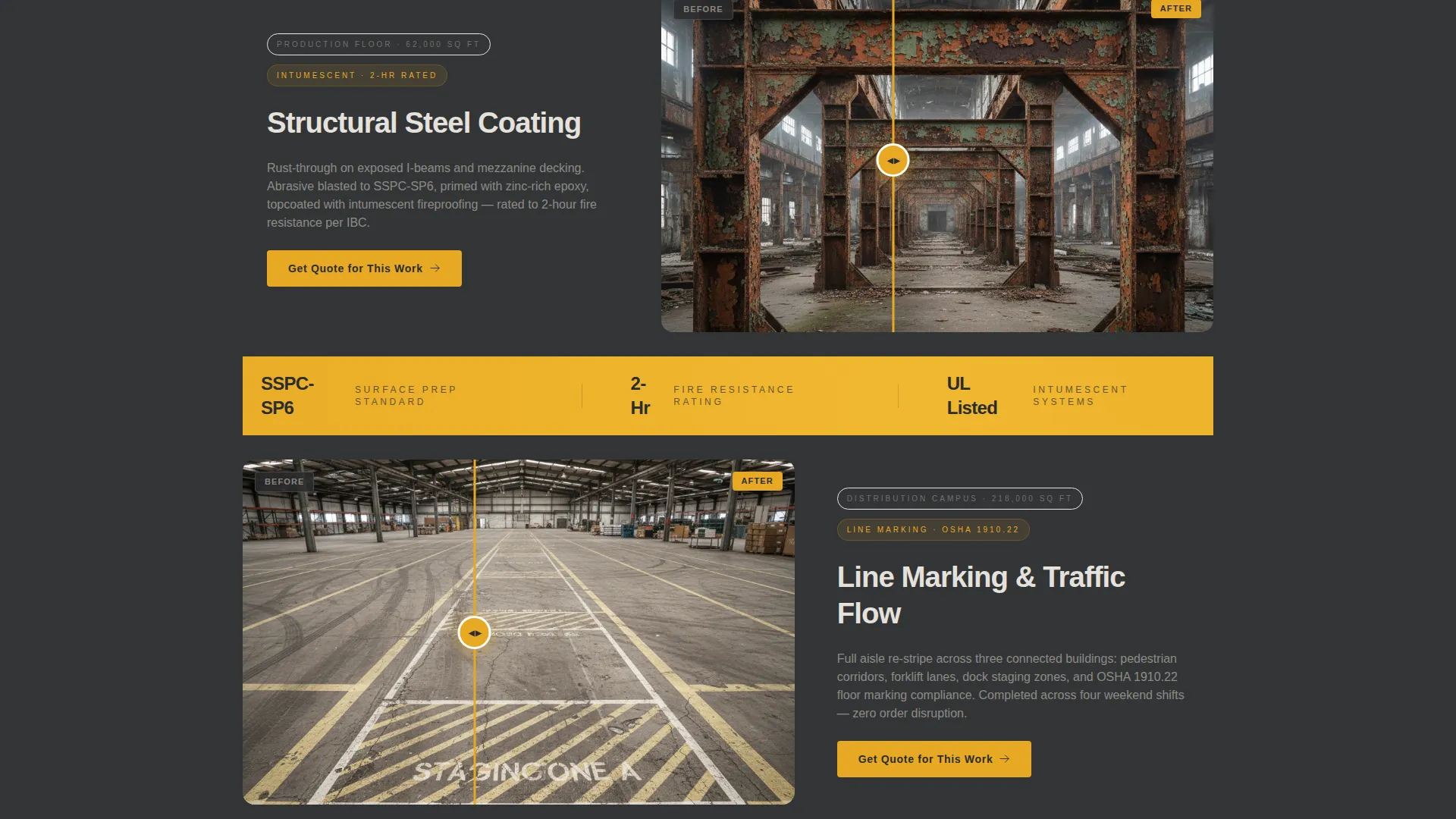
Each alternating section pairs a grimy, damaged surface on one side with its transformed result on the other. A draggable slider lets visitors reveal the contrast at their own pace. Project scale escalates from a small mechanical room to a full distribution campus, proving range and capability in a single scroll.
Amber Stat Callout Bars
Between project pairs, full-width bars in safety-stripe amber surface the numbers that matter most to facility managers. Figures like "3-Day Cure. Zero Downtime. 11-Year Warranty." appear as single-stat callouts. They interrupt the scroll just long enough to reinforce trust without slowing the narrative.
Slide-Out Facility Quote Form
The primary lead capture opens as a slide-out panel. Fields are written in facility-manager language: facility type, square footage range slider, preferred project window, and a phone number. The form reduces friction by asking only what a contractor needs to scope a job.
Coating Spec Sheet Download
A secondary conversion path offers a downloadable coating spec sheet for engineers who need to compare chemistries before committing. Visitors exchange an email address for the document. This captures technical buyers who are not yet ready to request a quote.
Sticky Mobile call to action Button
On mobile, a sticky "Get Your Facility Quote" button stays visible throughout the scroll. The same call to action repeats after every second zigzag section on all screen sizes. No buyer reaches the bottom of the page without seeing a clear next step.
Page sections overview
| Section | Purpose |
|---|---|
| Line-Art Header | Opens with the warehouse illustration and headline |
| Epoxy Floor Reveal | Before-and-after slider for floor coating projects |
| Amber Stat Bar | Surfaces cure time and warranty figures |
| Steel Deck Reveal | Before-and-after slider for structural steel coating |
| Quote call to action Strip | Repeating prompt to open the slide-out form |
| Production Floor Reveal | Escalates scale to full production floor transformation |
| Amber Stat Bar | Reinforces downtime and project window figures |
| Distribution Campus Reveal | Shows full-campus repaint capability |
| Spec Sheet Download | Secondary capture for technical and engineering buyers |
| Sticky Mobile Button | Persistent quote call to action for mobile users |
Design & branding system
The Sunset Mesa color system gives this template a look that feels grounded in the industrial world it serves. Every color choice has a functional role, not just a decorative one.
- Dusty terracotta (#C2703E) and dried adobe tan (#D4A574) build the warm, earthy base used for illustration lines and secondary text
- Deep forklift-aisle charcoal (#2B2D2E) grounds headers and high-contrast text blocks, while cool concrete gray (#E5E1DC) washes across section backgrounds
- Safety-stripe amber (#E8A824) is reserved strictly for calls to action, interactive accents, and stat callout bars to maintain visual urgency
Mobile & speed optimization
The layout is designed to keep industrial buyers moving through the page on any screen size. The mobile experience prioritizes the quote form above all else.
- The sticky "Get Your Facility Quote" button remains fixed on mobile throughout the entire scroll
- Zigzag sections reflow to single-column stacks on smaller screens, keeping before-and-after sliders fully usable
- Stat callout bars maintain their full-width amber treatment on mobile, preserving the visual impact of key figures
How this template helps you convert
The page earns the click by showing undeniable transformations before asking for anything. Conversion is built into the sequence, not bolted on at the end.
- The before-and-after slider sequence builds proof progressively, escalating from a small room to a full campus so buyers self-qualify against their own project scale.
- The amber stat callout bars interrupt the scroll with short, specific figures that reduce the most common objections around scheduling and quality.
- Two separate lead paths, the slide-out quote form and the spec sheet download, serve different buyer readiness levels and avoid losing the technical buyer who needs more time.
Other information about this template
This template fits naturally into the workflow of any industrial coating or painting contractor looking to modernize their client acquisition process.
- The Service Utility theme keeps the visual tone professional and task-oriented, avoiding the decorative style that feels out of place in an industrial sales context
- The template is built around the Coat template name and is part of the Construction and Home category under the Warehouse and Factory Construction subcategory
- Customization involves swapping in real project photos for the slider sections, updating stat figures to match your actual warranty and cure data, and entering your own phone and email capture fields
Theme
Service Utility
Creative direction
Before/After Reveal
Color system
Sunset Mesa
Style
Zigzag/Alternating
Direction
Lead Generation
Page Sections
Line-art Warehouse Header
Zigzag Before-and-after Sliders
Amber Stat Callout Bars
Slide-out Facility Quote Form
Coating Spec Sheet Download
Sticky Mobile Call to Action Button
Related questions
Who is this landing page template designed for?
Can I use this template for both interior and exterior coating projects?
How does the secondary spec sheet download work?
Does the template include the actual before-and-after project photos?
What makes this different from a general contractor landing page?



