Home Office Painting Service Landing Page Template
Coat is a lead-generation landing page template for home office painting services. It uses a zigzag alternating layout, an Engineering Blueprint visual theme, and a Monochrome Steel color system to guide remote workers and freelancers from a neighborhood-aware zip code check straight to a quote request form, all in one focused, conversion-driven page.
by Rocket studio
Quick summary
Coat is a single-page template built for home office painting services that want to turn local credibility into booked jobs. A location-aware header confirms service availability by neighborhood name. Zigzag sections stack real project transformations block by block. Every scroll nudges visitors closer to submitting a quote request or downloading a free color guide.
Who this template is for
This template is built for painting contractors and solo operators who specialize in home office makeovers. It speaks directly to clients who work from home and want a faster, more personal booking experience.
- Home office painting services targeting remote workers and freelancers
- Contractors who use neighborhood-level proof to win local trust
- Small painting businesses that need a lead-capture page, not a full website
What problem this template solves
Most painting service pages look generic. They list services and phone numbers, but they never show the visitor that their specific neighborhood is already being served. Coat fixes that gap by making the page feel personal from the first second.
- Visitors see their own neighborhood name after entering a zip code, not a vague metro area
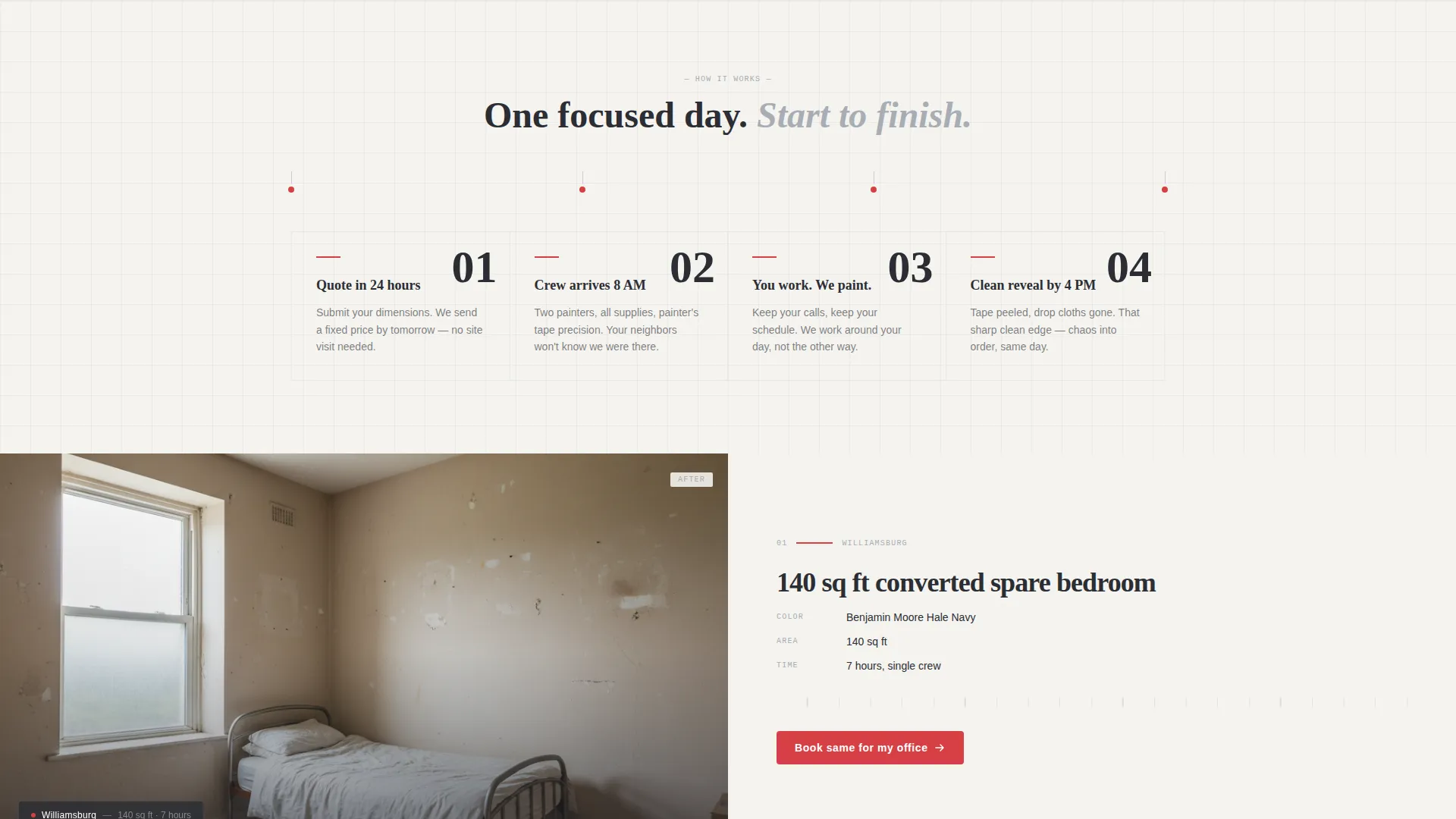
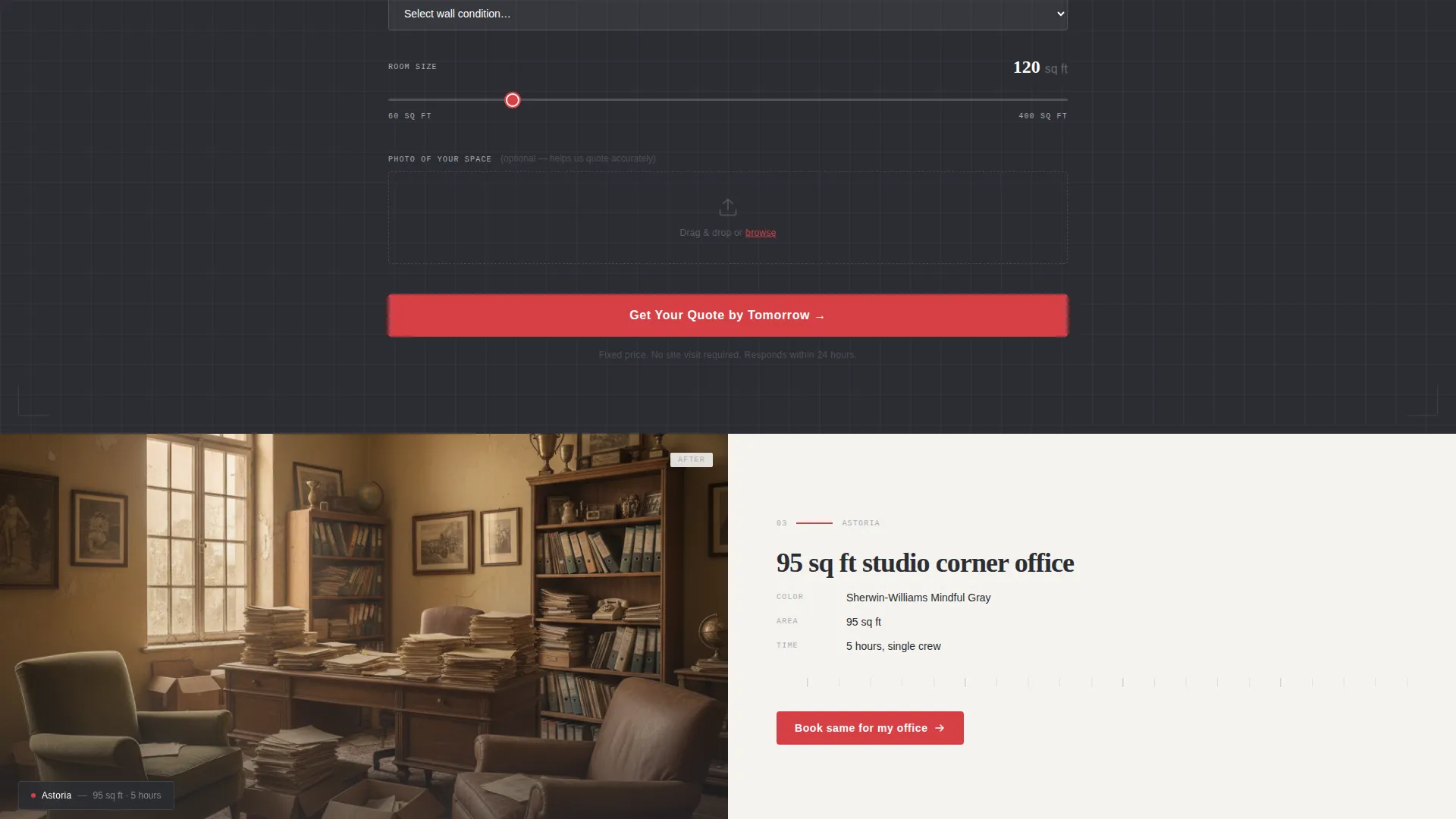
- Before-and-after project captions include street-level detail, room size, color name, and hours worked
- Two conversion paths capture both ready-to-book visitors and those still in the research phase
What you get with this template
Coat delivers a structured, section-led landing page with every layout block pre-built and ready to populate with your own project photos and copy. The design is intentional and restrained, so your transformation images do the heavy lifting.
- A location input header with animated blueprint-grid background and zip code confirmation
- Zigzag alternating sections for neighborhood project showcases, with a quote-request form after every second pair
- A secondary lead-capture path offering a gated downloadable PDF color guide
Feature list
A single paragraph introduces this section: each feature below is drawn directly from the template brief and reflects what the layout actually delivers to you and your visitors.
Location-Aware Header Input
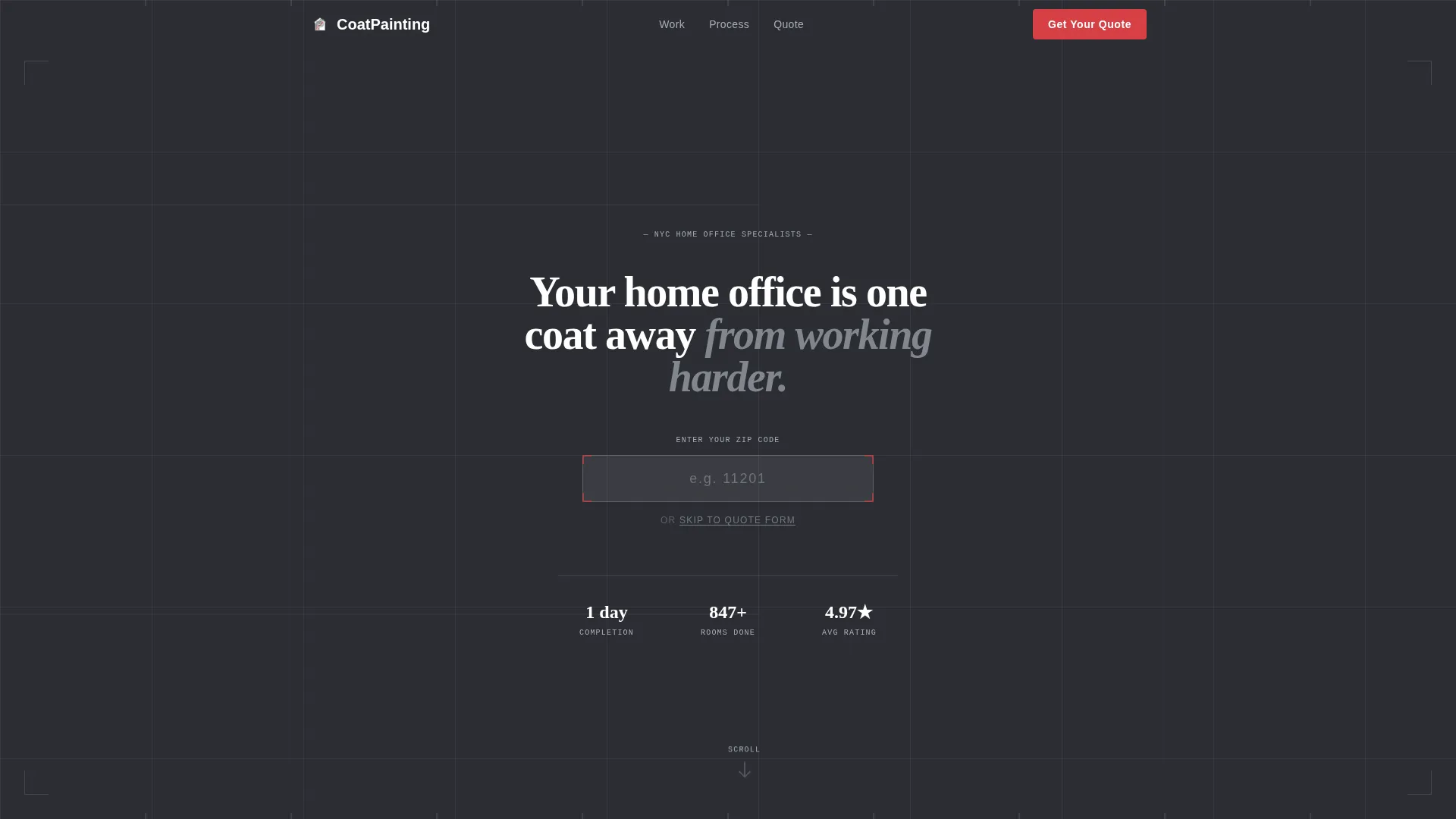
The header centers a clean address field over a faint blueprint-grid background. Grid lines animate as if being drawn in real time. When a visitor enters their zip code, the grid redraws into a simplified floor-plan outline and confirms service availability with their actual neighborhood name, not a broad regional label.
Zigzag Alternating Project Sections
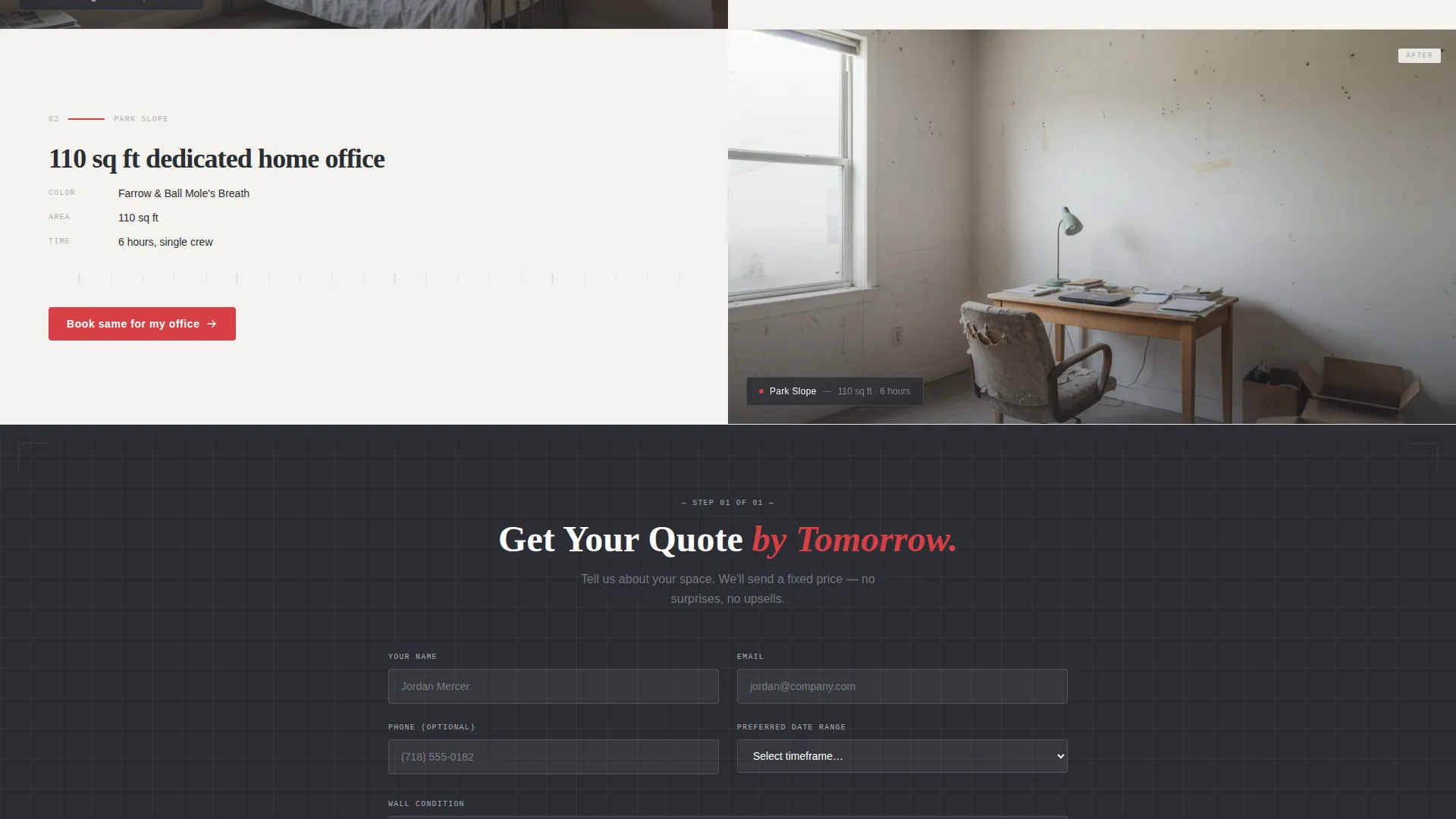
Each left-right alternating block pairs a transformation image with a project caption. Captions follow a consistent format: neighborhood name, square footage, paint color, and hours on site. The alternating rhythm visually mimics the before-and-after nature of the work itself.
Recurring Quote Request Form
A lead form appears after every second zigzag pair. It collects room dimensions via a square footage slider, wall condition via a dropdown, preferred date range, and an optional photo upload. Visitors can hand over every detail a painter needs without a single phone call.
Gated PDF Color Guide
A secondary conversion path offers a free downloadable PDF titled "The Remote Worker's Paint Color Guide." It is gated by email, so visitors who are not ready to book still enter the funnel. This path catches early-stage researchers before they bounce.
Engineering Blueprint Visual Theme
The page uses structural charcoal, drafting-line silver, vellum white, and a measurement-red reserved exclusively for calls to action and interactive highlights. Typography is set in drafting-weight type. Every element is sized and placed with the precision of a technical drawing, not a decorative layout.
Primary Call-to-Action Placement
The main call to action reads "Get Your Quote by Tomorrow" and repeats at regular intervals throughout the scroll. Placement is tied to the zigzag rhythm so it appears naturally after social proof builds, rather than interrupting the story before trust is established.
Page sections overview
| Section | Purpose |
|---|---|
| Location Input Header | Confirms neighborhood service availability via zip code |
| Animated Blueprint Grid | Sets visual tone and draws visitor attention immediately |
| Zigzag Project Block | Showcases a real local home office transformation |
| Project Caption Strip | Provides neighborhood name, room size, color, and hours |
| Quote Request Form | Collects room details and preferred date for a lead |
| PDF Color Guide Gate | Captures email from visitors not yet ready to book |
| Recurring call to action Strip | Reinforces the primary quote action after each pair |
Design & branding system
The visual identity follows an Engineering Blueprint theme. Everything on the page feels measured and intentional, like a contractor's steel ruler laid flat across a sheet of technical paper. Decoration is stripped away. Dimension and structure take its place.
- Color system: structural charcoal (#2B2D33), drafting-line silver (#A8ADB5), vellum white (#F4F3EF), and measurement-red (#D64045) used only for calls to action and interactive highlights
- Typography is set in drafting-weight type that reinforces the precision theme without feeling cold
- Grid lines, floor-plan outlines, and technical proportions give the page visual structure without relying on photography alone
Mobile & speed optimization
The template is designed to remain readable and functional across screen sizes. The zigzag layout adapts cleanly so project images and captions stack in a logical order on smaller screens.
- The zip code input and animated grid are built to display correctly on mobile without losing their visual impact
- Form fields including the slider, dropdown, date range, and photo upload are laid out for easy touch interaction
- call to action strips remain visible and tappable at every key scroll depth on both phone and tablet viewports
How this template helps you convert
Coat is structured to move visitors through a trust-building sequence before asking them to act. Each scroll depth adds another layer of local proof, so the quote request feels like a natural next step rather than a cold ask.
- The neighborhood-aware header creates immediate relevance, showing visitors their own area is already being served before they read a single word of body copy.
- Zigzag project blocks build cumulative social proof by showing real local transformations with honest, specific captions that include square footage, color choices, and time on site.
- Two conversion paths ensure no visitor leaves empty-handed: ready buyers fill out the quote form, while researchers trade their email for the free PDF color guide.
Other information about this template
Coat sits inside the Construction and Home category, specifically in the Home Office Renovation subcategory. It is purpose-built for the home office painting service niche and is not a general painting contractor template.
- The template style is Zigzag/Alternating, which means sections flow left-to-right and right-to-left in a deliberate rhythm throughout the full page scroll
- The creative direction is Local and Neighborhood focused, so the template assumes you will populate it with real project photos and genuine location-specific captions
- The header concept is Location Input, which requires a working zip code lookup to deliver the neighborhood-name confirmation experience described in the brief
- The landing page direction is Lead Generation, meaning every design decision from section order to call to action copy is optimized for collecting qualified contact details
Theme
Engineering Blueprint
Creative direction
Local & Neighborhood
Color system
Monochrome Steel
Style
Zigzag/Alternating
Direction
Lead Generation
Page Sections
Location-aware Zip Code Header
Zigzag Alternating Project Layout
Recurring Lead Capture Form
Gated PDF Secondary Path
Engineering Blueprint Visual Identity
Repeated Primary Call to Action
Related questions
Who is this template designed for?
What does the zip code input actually do?
How does the secondary conversion path work?
What information does the quote form collect?
Can I use this template for a general painting business?



