Precision Interior Painting Landing Page Template
Coat is a hero-dominant landing page template built for interior painting companies that compete on precision. It opens with a blueprint-style interactive service area map, leads with a bold craftsmanship guarantee, and drives leads through a sequential three-field slide-up form. The design is sharp, authoritative, and engineered to convert detail-conscious homeowners into booked estimates.
by Rocket studio
Quick summary
Coat is a single-page lead generation template for interior painting businesses. It pairs a full-viewport interactive service area map with a guarantee-led content flow. Every section, from the five-step prep breakdown to the close-up before-and-after panels, is built to earn trust before asking for a commitment. The result feels less like a service page and more like a proof document.
Who this template is for
This template was designed for interior painting professionals who work in detail-driven markets. It speaks directly to contractors whose reputation depends on the quality of a cut-in, not just the speed of a roll.
- Painting contractors targeting homeowners mid-renovation who already know exactly what finish they want
- Property managers and realtors who need a trusted crew on a tight turnaround schedule
- Interior painting businesses ready to lead with craft and back it up with a visible guarantee
What problem this template solves
Most painting service pages look interchangeable. They show wide-angle room photos, list a phone number, and hope the visitor calls. That approach fails buyers who care about precision, because nothing on the page proves the work is precise.
- Visitors cannot verify service area coverage before they invest time in a quote request
- Generic "quality work" claims offer no concrete proof of skill or process
- There is no guided path for cautious visitors who need education before they are ready to commit
What you get with this template
You get a fully structured, single-page layout that opens with interactive proof and closes with a low-friction lead capture form. Every section between them is designed to deepen confidence, not just fill space.
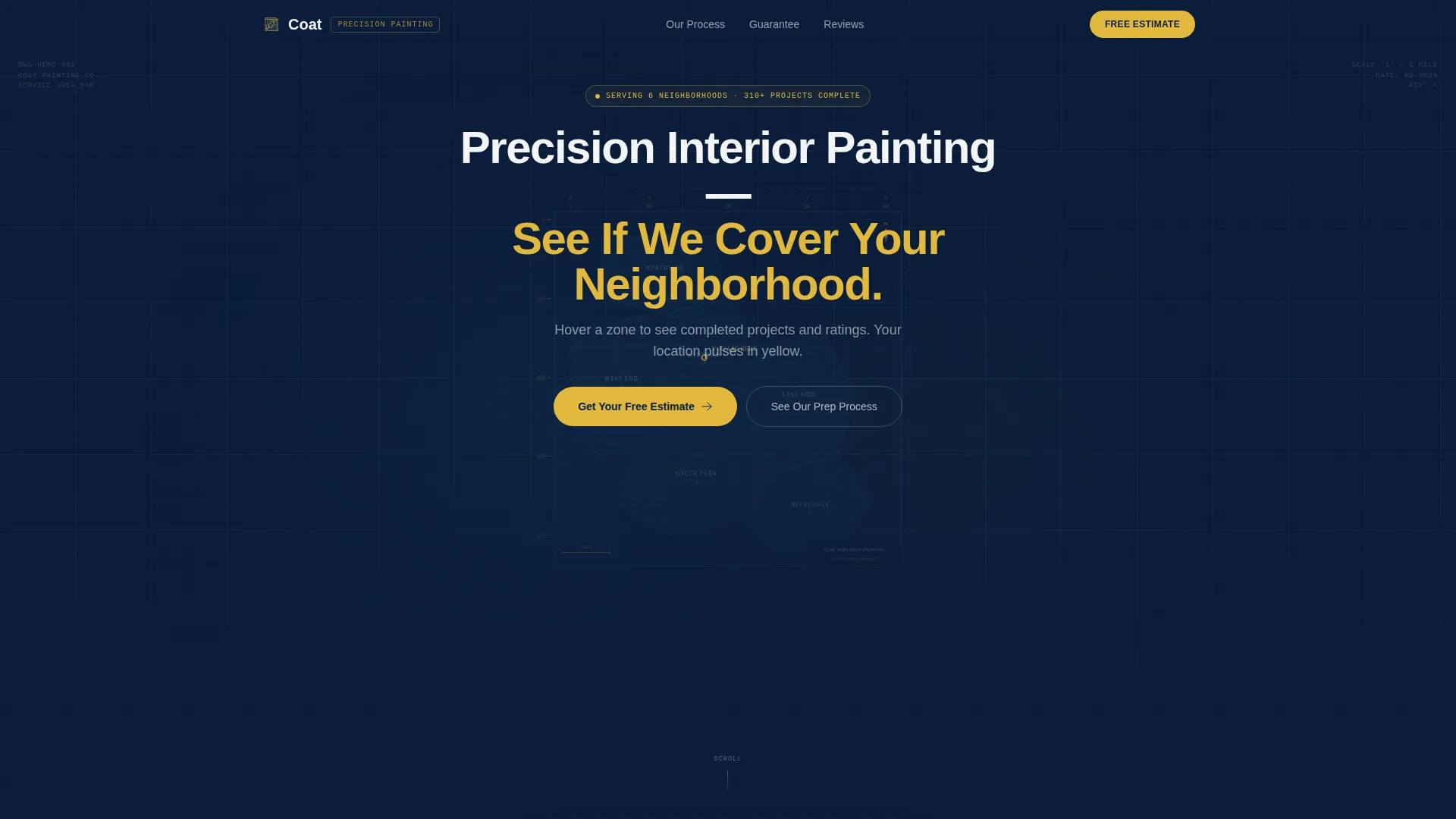
- A full-viewport blueprint-style map that shows your service area and displays completed project counts per zone on hover
- A guarantee panel, five-step prep spec sheet, materials callout, and close-up before-and-after evidence panels
- A sequential slide-up form with zip code, room count selector, and contact fields, plus a persistent mobile call-to-action bar
Feature list
This template is built around a deliberate section order. Each feature below is part of that structure.
Blueprint-Style Interactive Service Area Map
The hero fills the entire viewport with a dark navy map rendered in an engineering schematic style. Fine grid lines mark neighborhood boundaries. The visitor's detected location pulses in specification yellow. Hovering over any zone reveals completed project counts and average ratings, turning geography into immediate social proof.
Guarantee Panel with Craft-Backed Headline
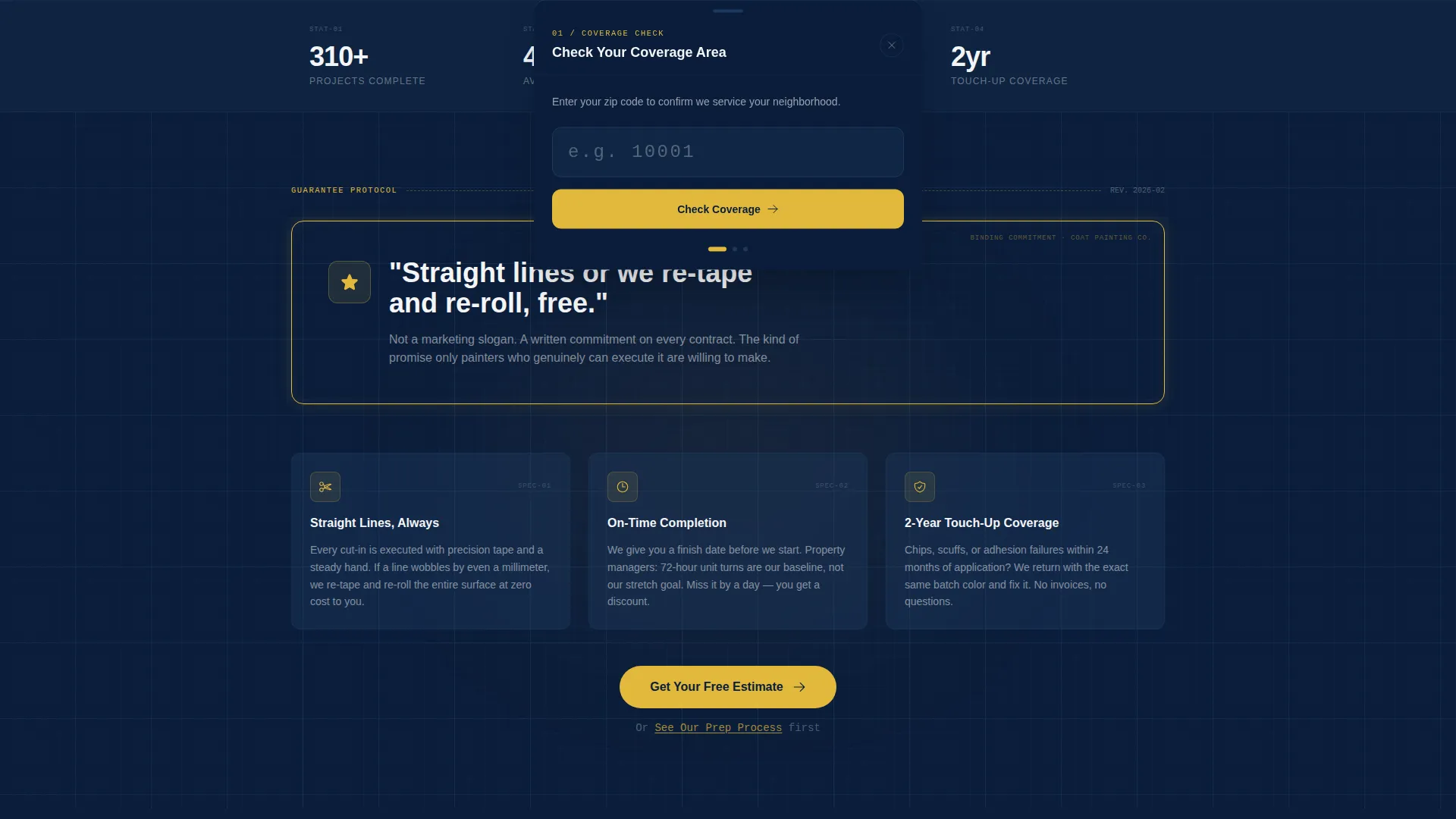
The first section below the hero is a bold guarantee statement: straight lines or the crew re-tapes and re-rolls at no charge. This panel appears before any other content, setting the standard that every section below it is written to support.
Five-Step Prep Spec Sheet
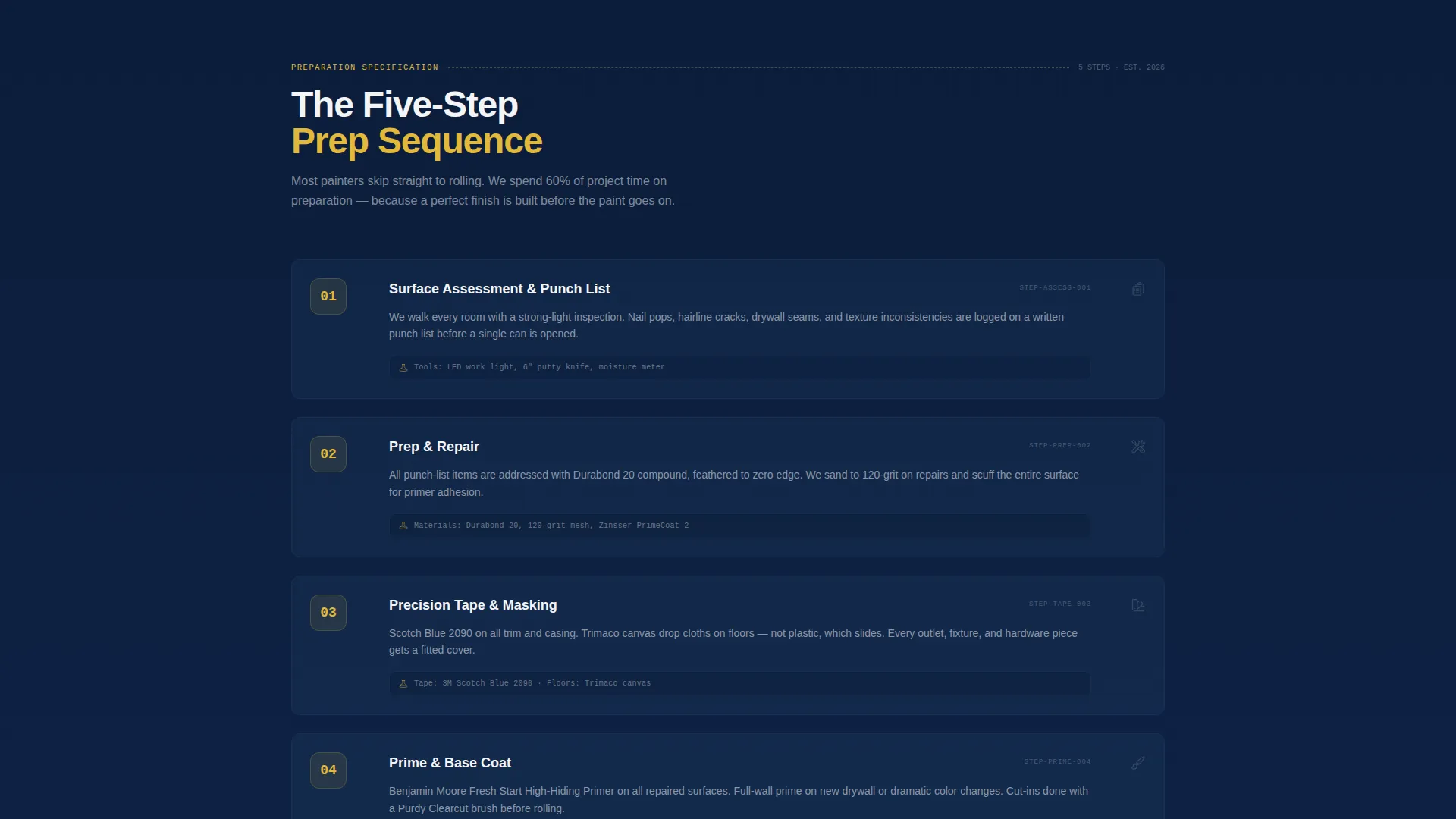
The preparation process is laid out as a numbered engineering spec sheet. Each step is labeled and described with the same clarity you would find in a technical document. This format signals professionalism without requiring the visitor to take anything on faith.
Materials and Brands Callout Section
A dedicated panel names the exact primers, brushes, and tape products used on every job. Specificity here replaces vague quality claims. Visitors who care about materials can verify choices; visitors who do not care still register the level of detail.
Edge-Focused Before-and-After Evidence Panels
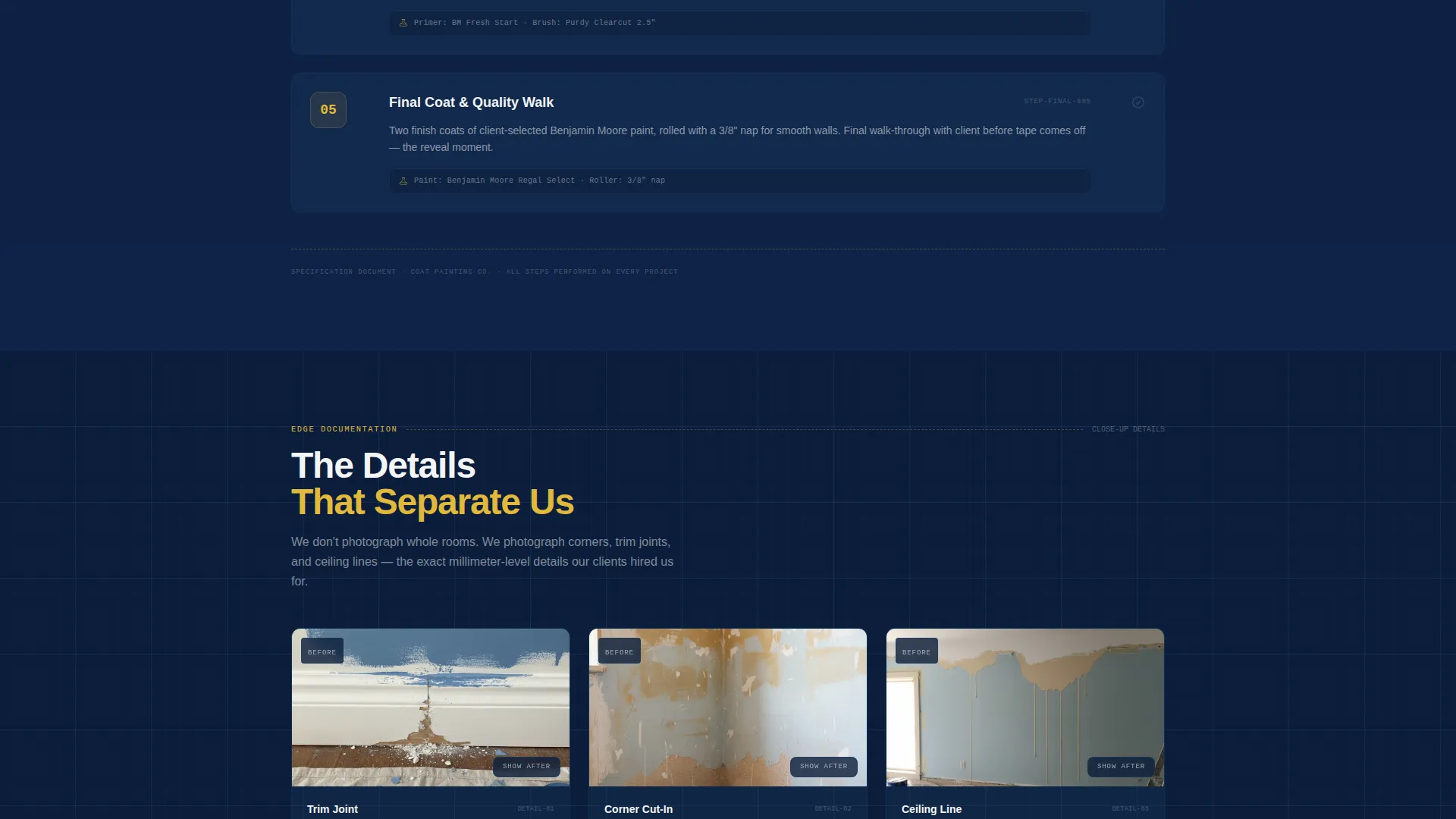
Before-and-after images in this template are cropped to show edges, corners, and trim joints rather than full rooms. This framing proves precision at the level that separates professional interior painters from DIY results.
Sequential Slide-Up Lead Form
The primary lead form opens as a slide-up panel. It asks one question at a time: zip code first to confirm coverage, then a tap-to-select room count grid, then name and phone. This step-by-step structure reduces hesitation and keeps completion rates high.
Page sections overview
| Section | Purpose |
|---|---|
| Hero Map Panel | Proves service area scale and invites location check |
| Guarantee Statement | Anchors trust before any other content loads |
| Prep Process Steps | Shows the five-step sequence as a spec sheet |
| Materials Callout | Names specific products used on every job |
| Before and After | Highlights edges and trim joints as proof of craft |
| Testimonial Cluster | Surfaces reviews that cite clean lines and on-time finishes |
| Lead Capture Form | Converts interest into a booked estimate request |
Design & branding system
The visual identity follows an Engineering Blueprint theme. Every color and layout choice reinforces the idea that this crew operates with the same discipline you would expect from a technical professional.
- Color palette: deep command navy (#0B1D3A) for backgrounds, technical grid blue (#1B3A5C) for structural elements, clean drywall white (#F4F5F7) for body text, and specification yellow (#E2B93B) reserved for call-to-action buttons, guarantee badges, and interactive highlights
- Typography and layout feel like an architect's working drawings: clean, ruled, and impossible to misread at a glance
- The yellow accent appears only where action or validation is needed, so it always draws the eye without competing with itself
Mobile & speed optimization
On smaller screens, the template reorganizes its layout to keep the most persuasive content above the fold and the call to action always reachable.
- The primary "Get Your Free Estimate" button is pinned as a persistent bottom bar on mobile, so the visitor never has to scroll back up to convert
- The tap-to-select room count grid is built for touch, removing the friction of typing a number on a small keyboard
- Section stacking is designed for vertical scrolling, keeping the guarantee, process steps, and form all cleanly accessible in a single-thumb session
How this template helps you convert
The page is built around a single conversion goal, and every design choice points toward it.
- The map qualifies the visitor immediately by letting them confirm coverage before reading a word of copy, which means the leads who fill out the form are already pre-screened by location
- The guarantee panel appears at the first scroll position, so the visitor's opening impression is a concrete promise rather than a generic headline, which lowers resistance before the sales argument even begins
- The secondary path, "See Our Prep Process," gives hesitant visitors a way to stay engaged and learn before circling back to the form, reducing bounce without splitting the conversion goal
Other information about this template
This template fits interior painting businesses operating in competitive local markets where proof of craft matters more than price alone.
- The template is built for the interior painting niche within the broader construction and home services category
- It is categorized under painting and wallpaper services and is optimized for local lead generation rather than e-commerce or informational publishing
- The hero-dominant layout means roughly ninety percent of the visual weight sits in the above-the-fold map experience, with the remaining ten percent distributed across supporting sections
- The Engineering Blueprint theme and Navy Authority color system are matched intersection fields, meaning this visual direction was selected specifically for the interior painting niche and lead generation use case
Theme
Engineering Blueprint
Creative direction
Guarantee-Led
Color system
Navy Authority
Style
Hero-Dominant (90/10)
Direction
Lead Generation
Page Sections
Blueprint-style Interactive Hero Map
Guarantee-led First Scroll Panel
Five-step Prep Spec Sheet
Edge-focused Before and After Panels
Sequential Slide-up Lead Form
Persistent Mobile Call-to-action Bar
Related questions
Can I update the service area shown on the map?
What images work best in the before-and-after section?
Is the slide-up form limited to three fields?
Who provides the testimonials shown in the template?
Is this template suitable for property managers or realtors, not just painting contractors?



