Painting & Wallpaper Portfolio Website Template
Coat is a hero-dominant commercial painting landing page built for overnight crews who hand back inspection-ready facilities by sunrise. A draggable before/after hero, scrolling case studies across warehouse, medical, and retail verticals, and a three-field bid form work together to convert property managers, plant supervisors, and general contractors into bid requests fast.
by Rocket studio
Quick summary
Coat is a single-page template built for commercial painting companies that work at scale. The design leads with a full-viewport before/after slider, then walks visitors through real project case studies before asking for anything. Every section earns the next click by proving competence first.
Who this template is for
This template is built for commercial painting contractors who need to win business from buyers who value proof over promises. It speaks directly to the people who actually approve bids.
- Property managers and facility directors overseeing multi-tenant retail or office centers
- Plant supervisors who need epoxy floors and compliant markings completed before the next shift
- General contractors looking for a reliable painting subcontractor to step in on an active project
What problem this template solves
Most commercial painting websites look like residential portfolios scaled up. They list services but never show scope, speed, or accountability. Buyers with real urgency move on fast.
- No proof of scale: visitors cannot gauge whether the crew can handle 68,000 square feet in four nights
- No urgency path: property managers with a Monday deadline need a phone number, not a contact page buried in a menu
- No trust sequence: asking for a bid before showing completed work creates friction and doubt
What you get with this template
You get a fully structured, single-page commercial painting landing page that builds credibility through documented project evidence before surfacing any call to action.
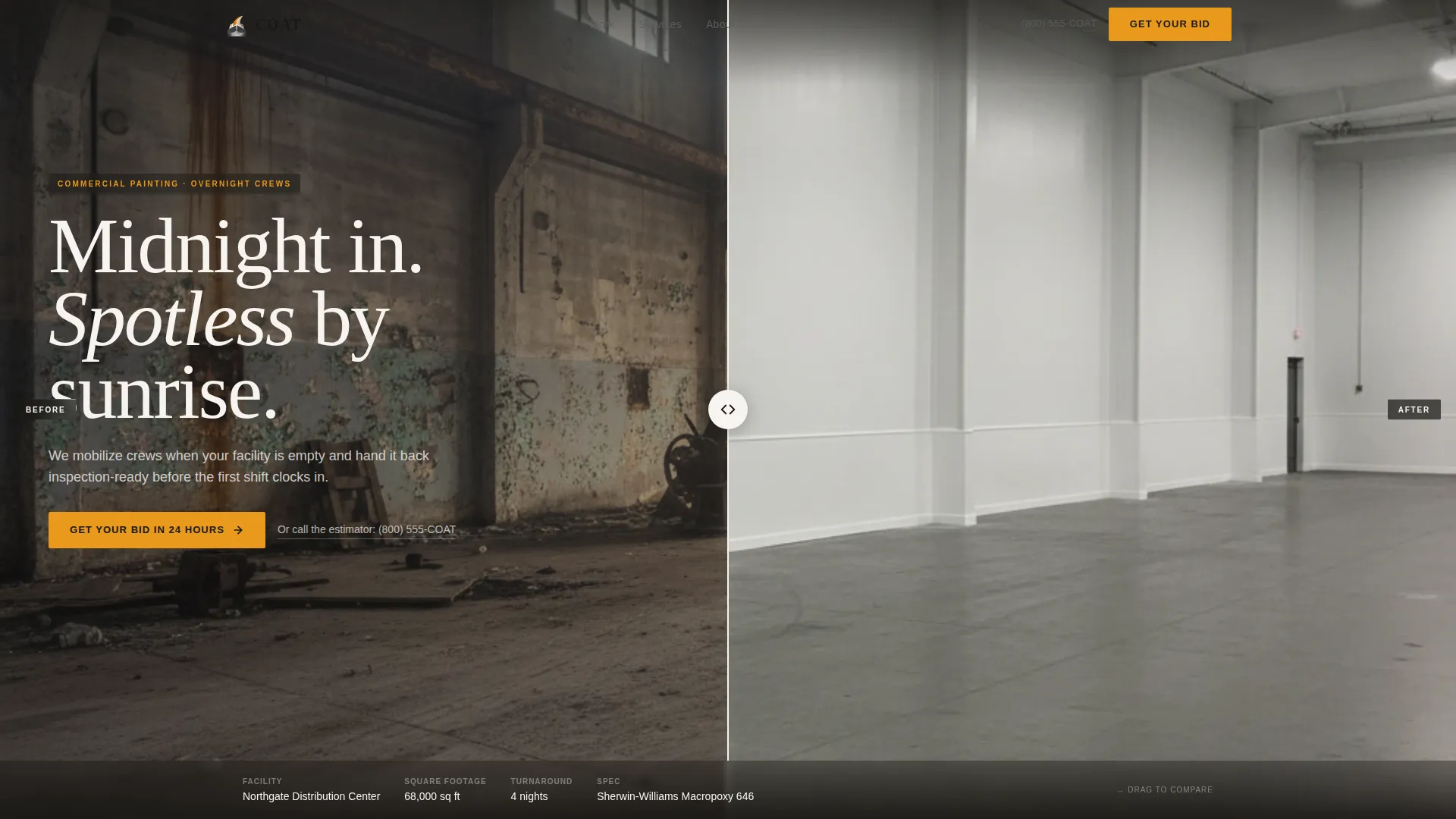
- A full-viewport draggable before/after hero slider with a factual data strip showing facility name, square footage, and turnaround time
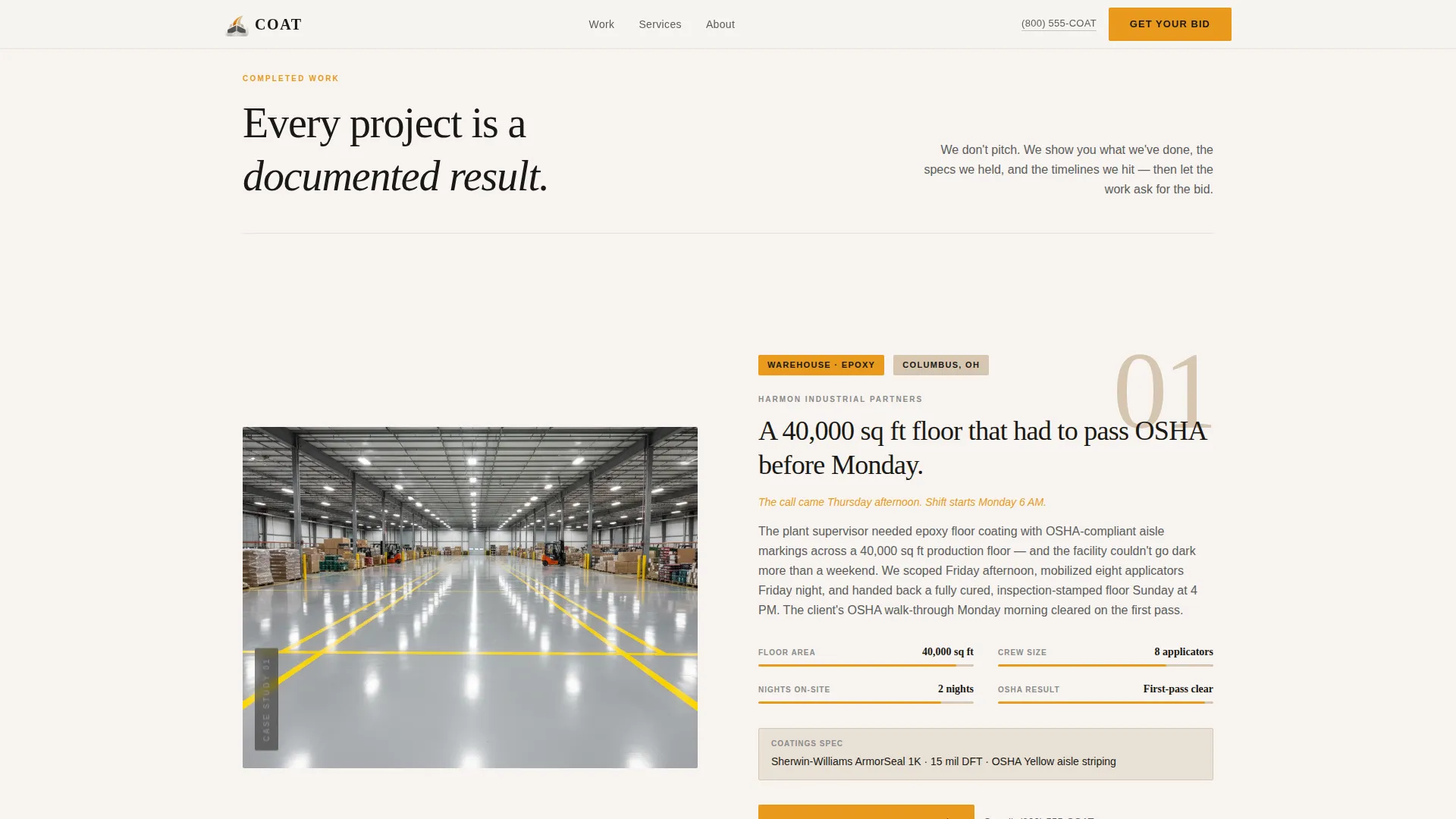
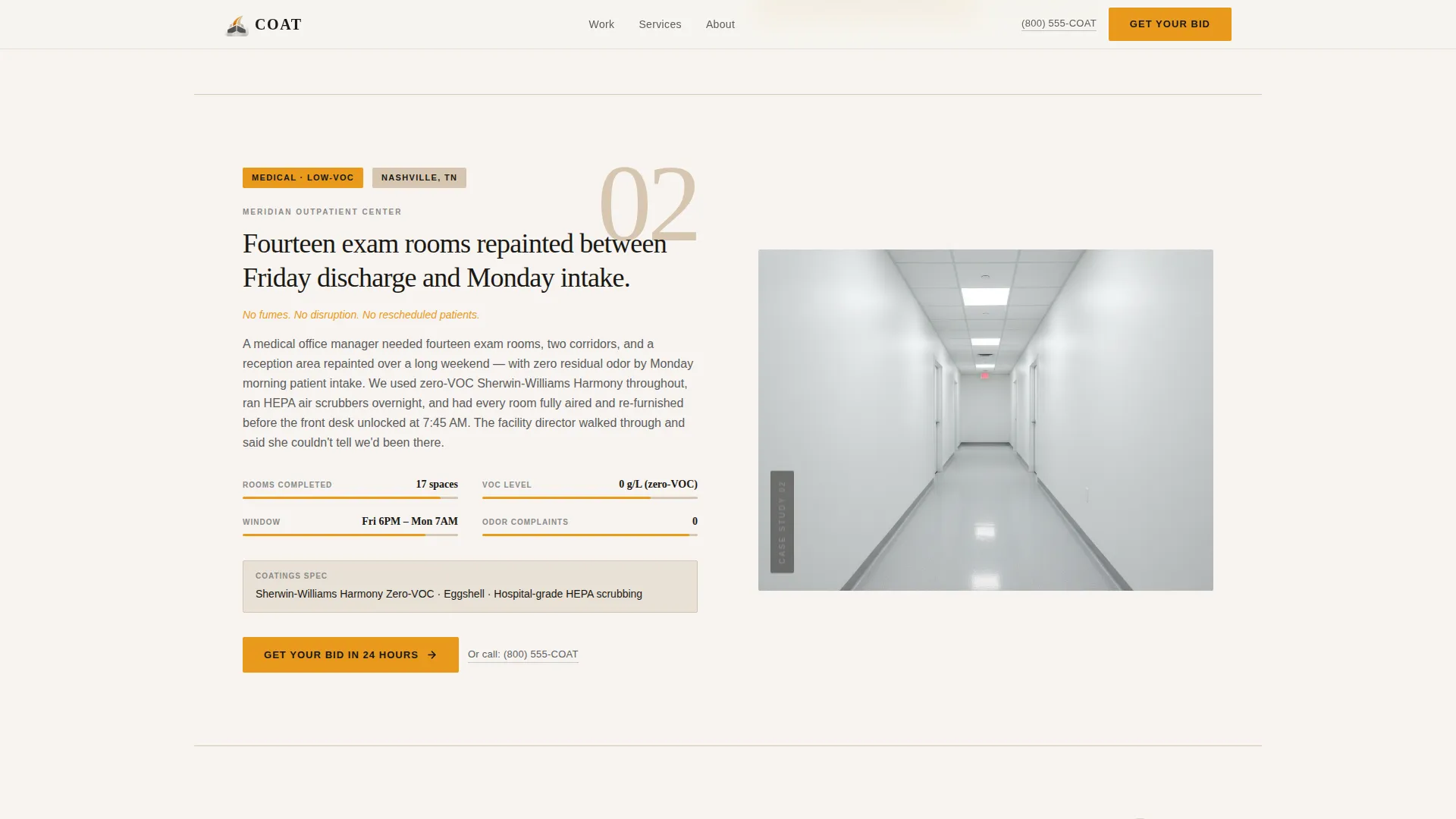
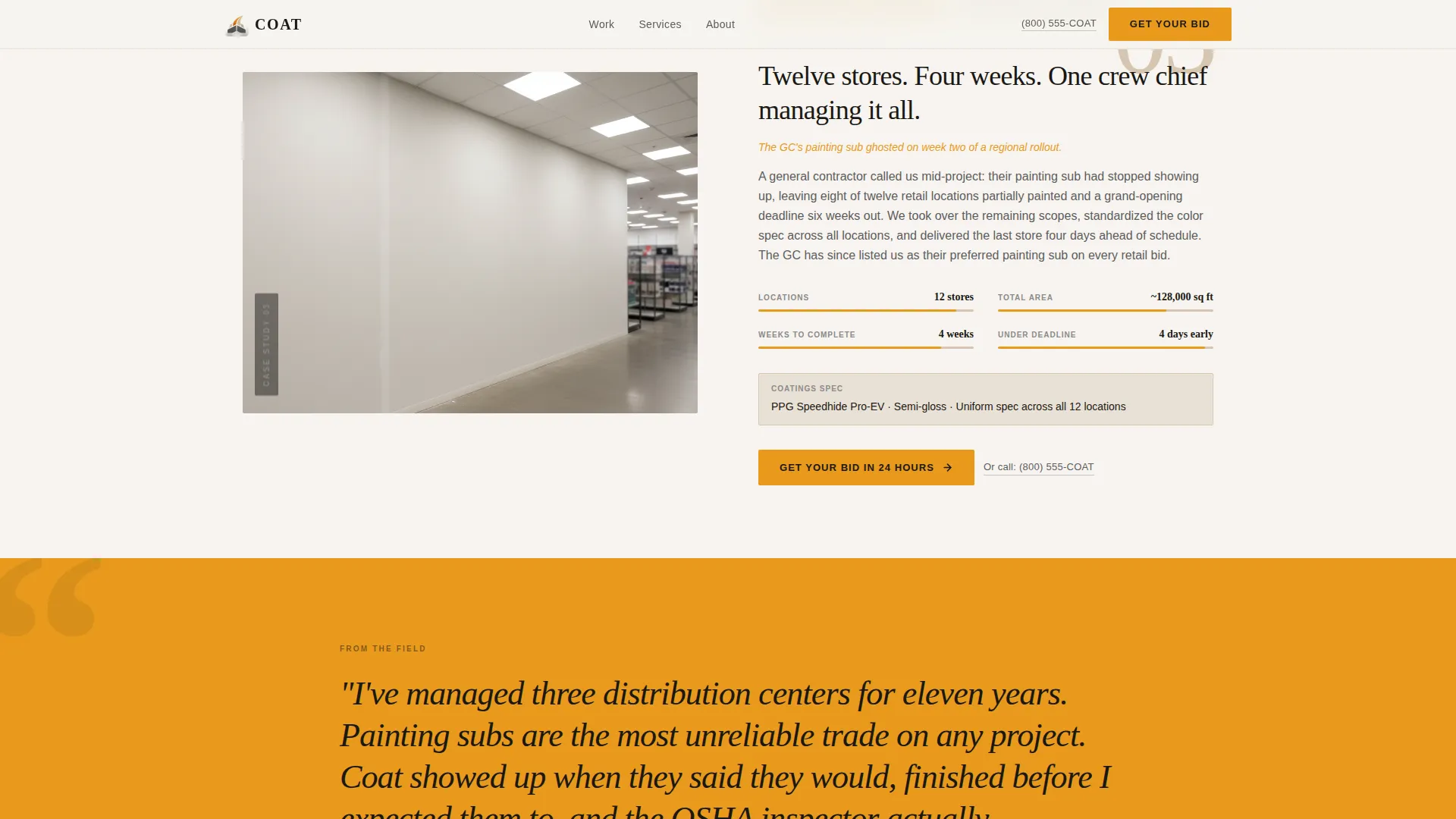
- Three scrolling case study sections covering a warehouse, a medical office, and a multi-location retail rollout
- A three-field bid form paired with a click-to-call link, so both form-fillers and phone-dialers have a clear path forward
Feature list
This template ships with purpose-built components designed around how commercial painting buyers actually evaluate a contractor.
Draggable Before/After Hero Slider
A full-viewport split shows the same commercial interior before and after the job. A draggable center divider lets visitors slide between the raw and finished state. A data strip at the bottom anchors the visual with real figures: facility name, square footage, and turnaround time.
Scrolling Case Study Narrative
Each scroll section tells the story of a completed project in a specific vertical. The sequence moves from warehouse to medical office to a twelve-location retail rollout, escalating in complexity. Each story answers the next likely objection: timeline, disruption, coatings specification, and warranty.
Full-Width Testimonial Block
A facility manager quote breaks the visual flow midway through the page. It sits in a full-width amber block, giving social proof a moment of its own before the visitor reaches the bid form.
Three-Field Bid Request Form
The form asks only what is needed to prepare an estimate: facility type from a dropdown, approximate square footage range, and preferred start window. Keeping it to three fields reduces friction for buyers who are ready to move.
Sticky Click-to-Call Secondary call to action
A "Call the Estimator" link styled as a scaffold-gray text link appears beneath every primary call to action. On mobile it is pinned to the bottom of the viewport. It gives time-sensitive buyers a direct path without requiring a form submission.
GSAP ScrollTrigger Animations
Scroll-driven image reveals and section transitions are powered by GSAP ScrollTrigger. The before/after divider is fully interactive. Animations are applied only to scroll events to keep motion purposeful and load behavior predictable.
Page sections overview
| Section | Purpose |
|---|---|
| Hero Before/After | Show transformation visually with draggable slider and factual data strip |
| Warehouse Case Study | Establish large-scale overnight capability with project narrative |
| Medical Office Case Study | Demonstrate precision work in regulated, occupied environments |
| Retail Rollout Case Study | Prove multi-site coordination across twelve locations |
| Facility Manager Testimonial | Break page rhythm with full-width amber social proof quote |
| Bid Request Form | Capture facility type, square footage, and start window in three fields |
| Footer | Linear single-row footer with essential contact and navigation links |
Design & branding system
The visual identity follows a Service Utility theme built on a Warm Stone color palette. The overall effect feels like a well-prepped job site at golden hour: warm, honest, and quietly competent.
- Colors: quarry beige (#D6C6B0) background, scaffold gray (#5C5C5C) for body text and dividers, fresh primer white (#F7F4F0) for card surfaces, and safety-vest amber (#E8991C) on every button, badge, and interactive accent
- Typography: Fraunces serif display for headings paired with DM Sans for body text, creating a contrast between editorial authority and clean readability
- Every interactive element uses amber to draw attention without visual noise, while beige and gray handle structural weight throughout the layout
Mobile & speed optimization
The template is built mobile-first, reflecting how property managers and plant supervisors actually behave when they need a contractor fast. Desktop and mobile experiences are at full parity.
- The primary call to action button is pinned to the bottom of the viewport on mobile so it is always reachable without scrolling
- Native CSS scroll handles page movement, with GSAP used only for scroll-triggered animations to keep motion lean and intentional
- The click-to-call link is surfaced beneath every call to action on all screen sizes, putting a phone dial one tap away for urgent buyers
How this template helps you convert
The page is structured to earn trust before asking for anything, which reduces friction at the moment of conversion.
- The before/after hero makes the quality of work undeniable in the first seconds of a visit, before a single word is read.
- The case study sequence answers real buyer objections one by one, covering timeline, disruption, coatings specifications, and warranty across three different facility verticals.
- The bid form and click-to-call link together serve two distinct buyer types: those who prefer to submit details online and those who need to speak to someone immediately.
Other information about this template
This template is a strong fit for commercial painting companies competing for facility management and property management contracts at scale. It is also well-suited for painting contractors who want to position themselves as a dependable emergency subcontractor for general contractors.
- The template uses a Hero-Dominant layout at a 90/10 ratio, meaning the hero section carries most of the visual and persuasive weight
- The accordion FAQ component is included in the interactive layer, allowing contractors to address common questions about coatings, disruption, and scheduling directly on the page
- The footer follows a linear single-row pattern, keeping the bottom of the page clean and focused
- The page is built in English, formatted for United States dollar pricing and United States date conventions
- The template is categorized under Construction and Home, within the Painting and Wallpaper subcategory, and targets the commercial painting niche specifically
Theme
Service Utility
Creative direction
Case Study Narrative
Color system
Warm Stone
Style
Hero-Dominant (90/10)
Direction
Direct Sales
Page Sections
Draggable Before/after Hero Slider
Scrolling Case Study Narrative
Full-width Amber Testimonial Block
Three-field Bid Request Form
Sticky Click-to-call Call to Action
GSAP Scrolltrigger Animations
Related questions
Who is this landing page template designed for?
Can I adapt the case study sections for my own completed projects?
Does the before/after slider work on mobile devices?
What does the bid form collect?
Is the click-to-call link available throughout the page?



