Palliative Care Medicine Cost Calculator Website Template
Palliate is a single-column landing page template built for palliative care private practices. It opens with a three-question Symptom Burden Estimator, then guides visitors through scroll-triggered statistics that dismantle common misconceptions. The template earns trust with clinical evidence before asking for anything, ending in a family guide download and a consultation scheduling section.
by Rocket studio
Quick summary
Palliate is a calm, evidence-led landing page template for palliative care private practices. It leads with an interactive Symptom Burden Estimator, then walks visitors through four arresting statistics, three patient profiles, a plain-language family guide download, and a consultation scheduling section, all in one focused, single-column flow.
Who this template is for
This template is built for palliative care providers who need to speak clearly to two very different audiences at the same time: families in crisis and clinicians making referrals. It removes jargon without removing credibility, and it gives before it asks.
- Adult children and spouses researching palliative options after a difficult prognosis meeting
- Oncologists and referring physicians who need a trusted, professional resource for Stage IV patients
- Palliative care private practices that want to convert late-night research visits into guide downloads and consultation bookings
What problem this template solves
Most healthcare landing pages either feel too clinical to be comforting or too soft to be trusted. Families searching at midnight need answers, not another brochure. Physicians making referrals need evidence, not promises. This template solves both problems inside one page.
- Replaces vague reassurance with real outcome statistics that speak before any form appears
- Eliminates the common confusion between palliative care, hospice, and comfort care through plain, structured copy
- Removes friction from two conversion paths simultaneously, one for families downloading a guide and one for clinicians requesting a consultation
What you get with this template
You get a complete, single-column landing page built around a stats-first rhythm: number, breath, story, resource. Every section earns the next. The template includes all sections needed to move a first-time visitor from uncertainty to action without pressure.
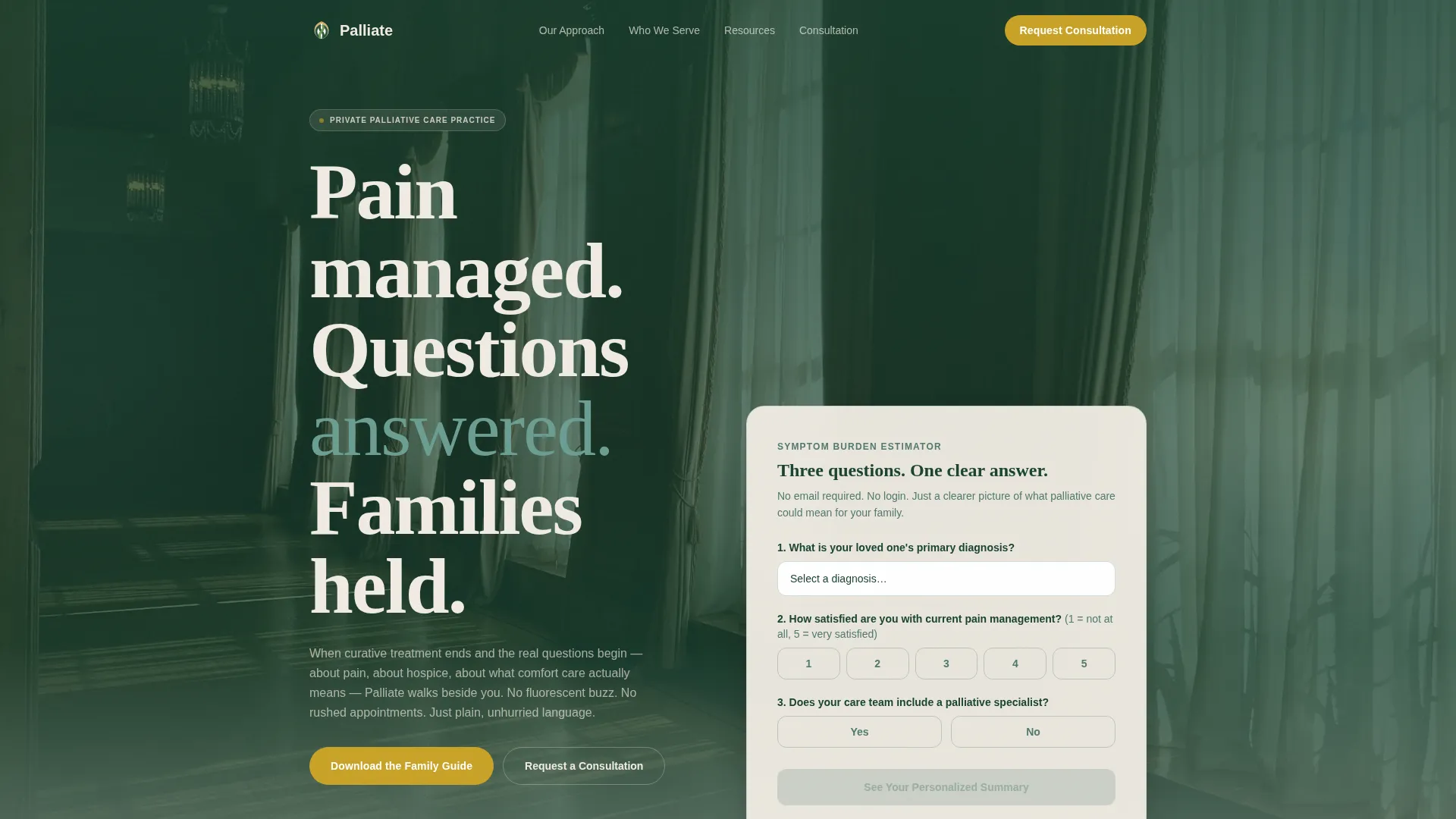
- A three-question Symptom Burden Estimator with a live, personalized result displayed in oversized amber type
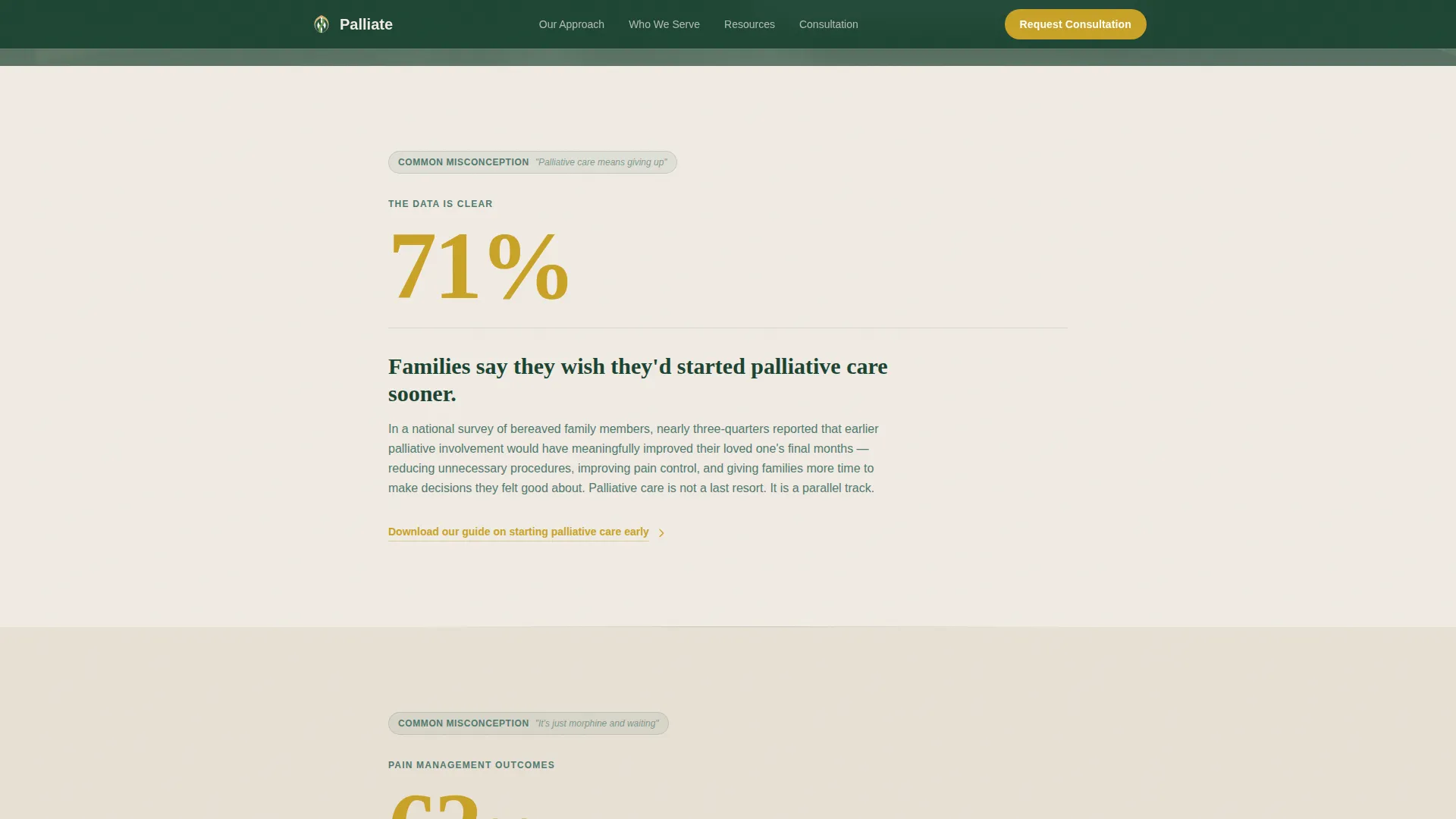
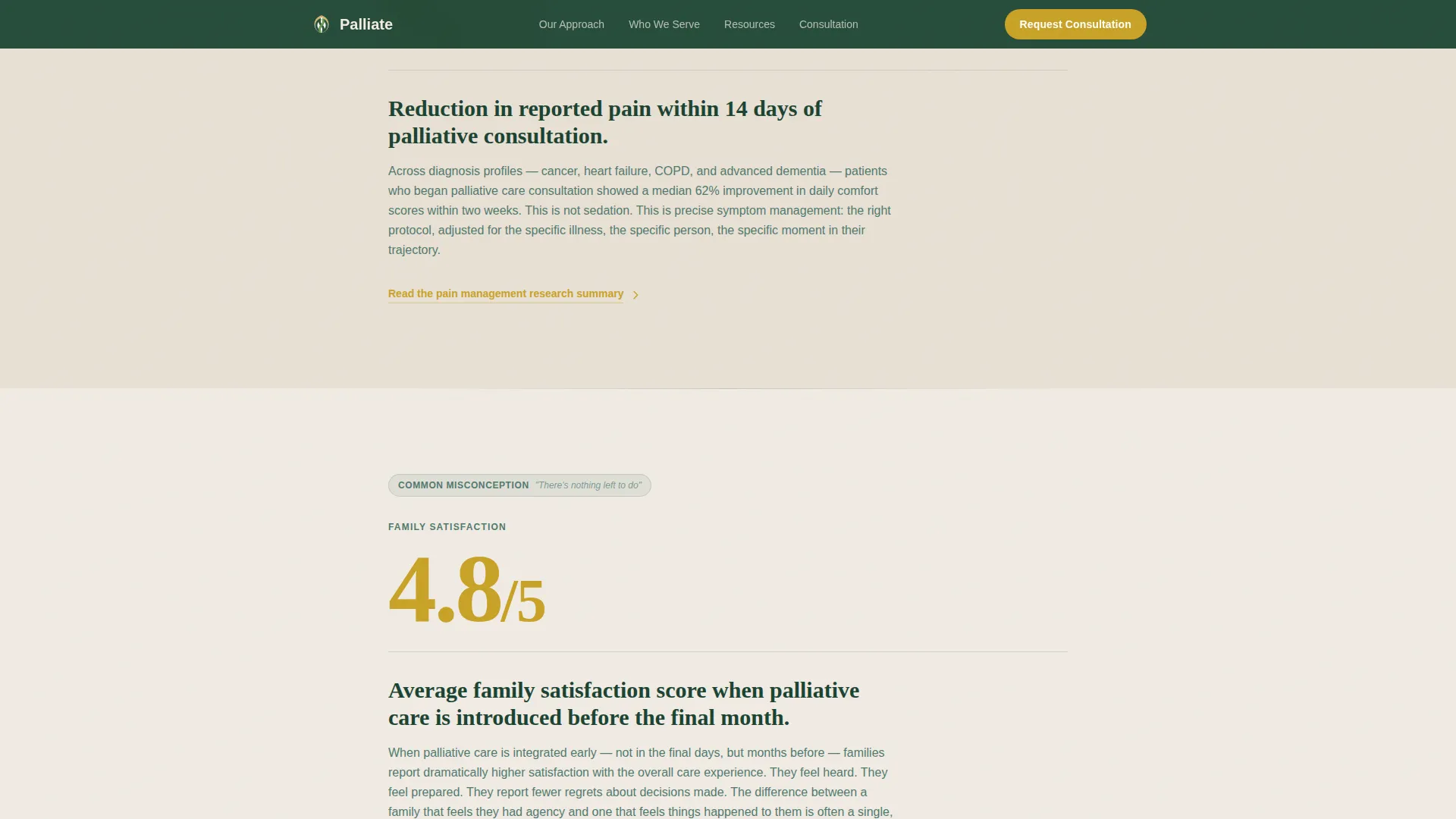
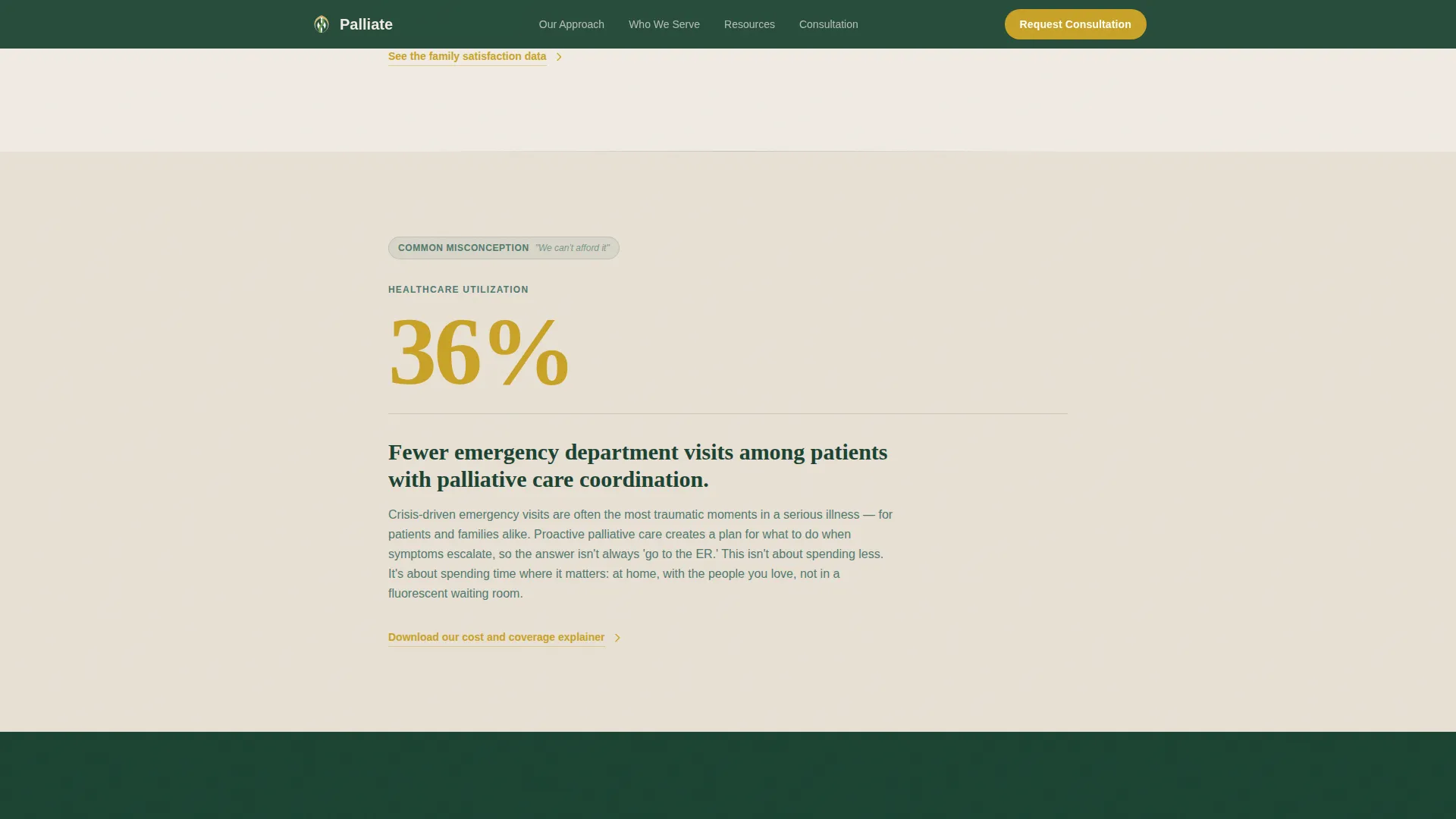
- Four scroll-triggered statistics that dismantle common misconceptions about palliative care, each paired with a paragraph and a downloadable resource
- Two conversion sections: a family guide download form and a scheduling widget for 20-minute phone consultations
Feature list
A paragraph introduces the core capability set of this template. Each feature below reflects a specific, built-in component described in the source brief.
Symptom Burden Estimator
A calm, three-question interactive tool sits in the hero section. Visitors select their loved one's primary diagnosis, rate current pain management satisfaction on a one-to-five scale, and confirm whether a palliative specialist is already on the care team. The tool returns a personalized summary statement with a single outcome number rendered large in amber, requiring no login and no email address.
Stats-First Scroll Sections
Four amber statistics appear in oversized type as each scroll section opens, before any explanatory copy follows. Each statistic dismantles one specific misconception, such as when families typically wish they had started palliative care, or how quickly comfort scores improve after consultation. The rhythm is consistent: statistic, contextual paragraph, downloadable resource.
Patient Profile Layout
An asymmetric section presents three distinct patient profiles side by side. Each profile represents a real audience type: a family caregiver, an adult child navigating a new prognosis, and a clinical referral case. This section helps each visitor quickly identify their own situation and feel seen before moving further down the page.
Family Guide Download Section
The primary conversion section offers a printable PDF titled "What Palliative Care Actually Means: A Plain-Language Guide for Families." The download form asks only for a first name and email address, with an optional checkbox to request a follow-up call from the care navigator. The gate is minimal and the value exchange is clear.
Consultation Scheduling Widget
A secondary conversion path appears after the third statistics section. Visitors can request a consultation directly through a scheduling widget that shows available 20-minute phone appointment slots. This path is designed for clinicians and families who are ready to act without needing the guide first.
Forest Trust Color System
The full four-color palette is applied purposefully across every section. Deep evergreen anchors navigation and headers. Soft fern carries body text and secondary containers. Warm birch white creates open breathing room between sections. Quiet amber appears only on interactive elements, key statistics, and calls to action.
Page sections overview
| Section | Purpose |
|---|---|
| Hero with Estimator | Opens with a cinematic photo and the three-question Symptom Burden Estimator |
| Stats-First Evidence | Four scroll-triggered amber statistics dismantle common palliative care misconceptions |
| Who We Walk Beside | Asymmetric layout introduces three patient profiles for audience identification |
| Family Guide Download | Resource hub section with the PDF download form and optional consultation checkbox |
| Consultation Scheduling | Scheduling widget for 20-minute phone consultations with available appointment slots |
| Footer | Horizontal flow footer with practice navigation and contact information |
Design & branding system
The visual identity follows a Medical Clarity theme. The goal is clinical enough to trust and warm enough to exhale in. Typography pairs DM Sans for body text with Fraunces for display headlines, combining warmth with authority.
- Deep evergreen (#1B4332) for headers and navigation, soft fern (#52796F) for body text and containers, warm birch white (#F0EBE3) for section backgrounds, quiet amber (#C9A227) reserved for statistics, interactive elements, and calls to action
- Fraunces display headlines carry the emotional weight of each section opening, while DM Sans keeps body copy clear and easy to read on small screens
- Scroll-triggered animations reveal statistics and stagger card entries as visitors move down the page, keeping the pace unhurried without feeling slow
Mobile & speed optimization
This template is built mobile-first, prioritizing the experience of someone researching on a phone late at night after a difficult conversation. The single-column layout adapts cleanly to small screens without restructuring content or hiding sections.
- The Symptom Burden Estimator is designed for touch input, with large tap targets for the one-to-five scale and clear result display on small screens
- Static sections use server-rendered components for fast initial loads, while the interactive estimator runs as a client component to keep interactivity smooth without slowing the page
How this template helps you convert
The page is structured so that clinical evidence arrives before any ask does. By the time a visitor reaches either conversion section, they have already received personalized information, four evidence points, and a patient profile that mirrors their situation.
- The Symptom Burden Estimator delivers a personalized outcome statement immediately, giving families a concrete reason to stay and read before any form appears.
- The stats-first scroll sequence builds a compounding evidence case across four sections, each one reducing a specific objection that typically stops families from seeking palliative care.
- Two distinct conversion paths serve two distinct audiences: the guide download captures families who need more information, and the scheduling widget captures clinicians and families who are ready to book now.
Other information about this template
This template is part of a broader set of healthcare landing page templates designed for specialized medical practices. It is particularly suited to practices that rely on both direct patient inquiries and professional referral networks. The single-column flow keeps focus high and navigation minimal, which is intentional for this audience and use case.
- The optional care navigator checkbox in the download form supports a soft second conversion without adding friction to the primary guide download
- The template uses Pattern 3 (Vercel Horizontal Flow) for the footer, keeping the bottom of the page organized and professional without visual heaviness
- Copy tone throughout is formally casual and unhurried, reflecting the brief's direction to feel like sitting across from someone who finally speaks in plain language
Theme
Medical Clarity
Creative direction
Stats-First Impact
Color system
Forest Trust
Style
Single Column Flow
Direction
Content/Resource
Page Sections
Symptom Burden Estimator
Stats-first Scroll Sections
Patient Profile Layout
Family Guide Download Form
Consultation Scheduling Widget
Forest Trust Color System
Related questions
Who is this template designed for?
Does the Symptom Burden Estimator require visitors to log in or provide an email?
What are the two conversion paths included in this template?
Can I adapt this template without advanced development experience?
Is this template suitable for a practice that also accepts physician referrals?



