Commercial Kitchen Rental Landing Page Template
Commissary is a full-width immersive landing page template built for commercial kitchen rental businesses. It guides visitors station by station through your kitchen space using interactive hotspots, dynamic pricing, and a streamlined three-step booking module. The Cloud Canvas color system and cinematic header photography create an atmosphere that makes the kitchen feel familiar before a visitor ever walks through the door.
by Rocket studio
Quick summary
Commissary is a single-page template designed for shared kitchen and commissary rental operators. It uses an interactive explorer layout to let visitors discover kitchen stations at their own pace. A sticky booking bar and a full booking module drive direct reservations, while a secondary "Tour the Space" path captures visitors who need more time before committing.
Who this template is for
This template is built for commercial kitchen rental businesses that want to sell shifts and memberships directly from their website. It works especially well for operators who serve a mixed client base.
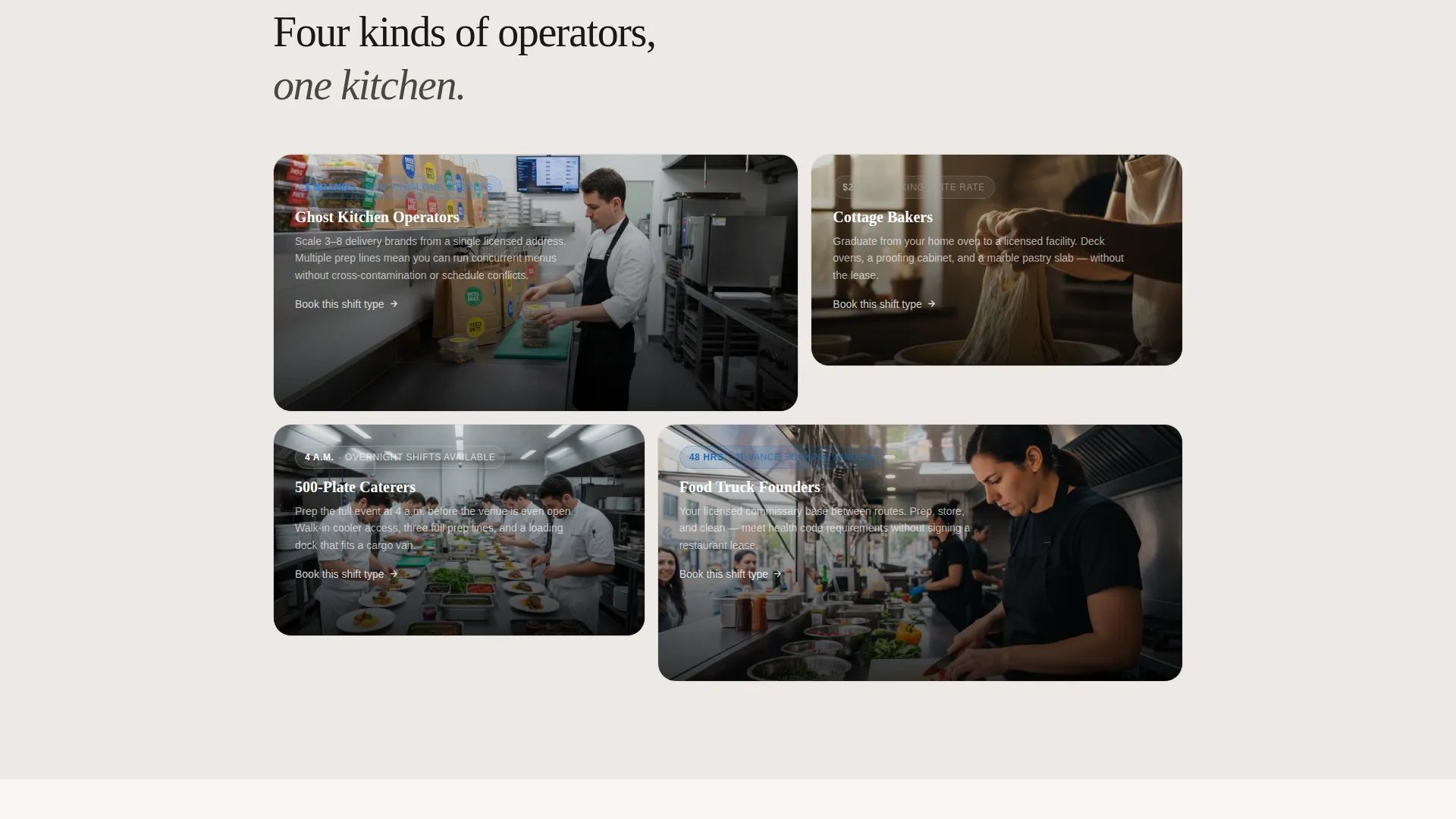
- Ghost kitchen operators and delivery brand founders looking for scalable prep space
- Cottage bakers, caterers, and food truck operators who need a licensed commercial kitchen as their base of operations
What problem this template solves
Most kitchen rental pages bury their pricing, list stations in plain text, and force visitors to submit a quote request before they can act. That friction costs bookings.
- Visitors cannot explore the space visually, so they leave before they feel confident enough to reserve
- The absence of live pricing makes every inquiry feel like extra work for both sides
What you get with this template
This template delivers a complete, ready-to-customize landing page built around a station-by-station discovery experience and a frictionless direct booking flow. Every section is designed to move a visitor from curiosity to confirmed reservation.
- A panoramic cinematic header, interactive station hotspots with spec cards, and a dynamic three-step booking module
- A secondary calendar-embed path for visitors who want a 20-minute walkthrough before booking
Feature list
This template packages a full set of purpose-built components that work together to simulate walking through the kitchen before a visitor ever arrives in person.
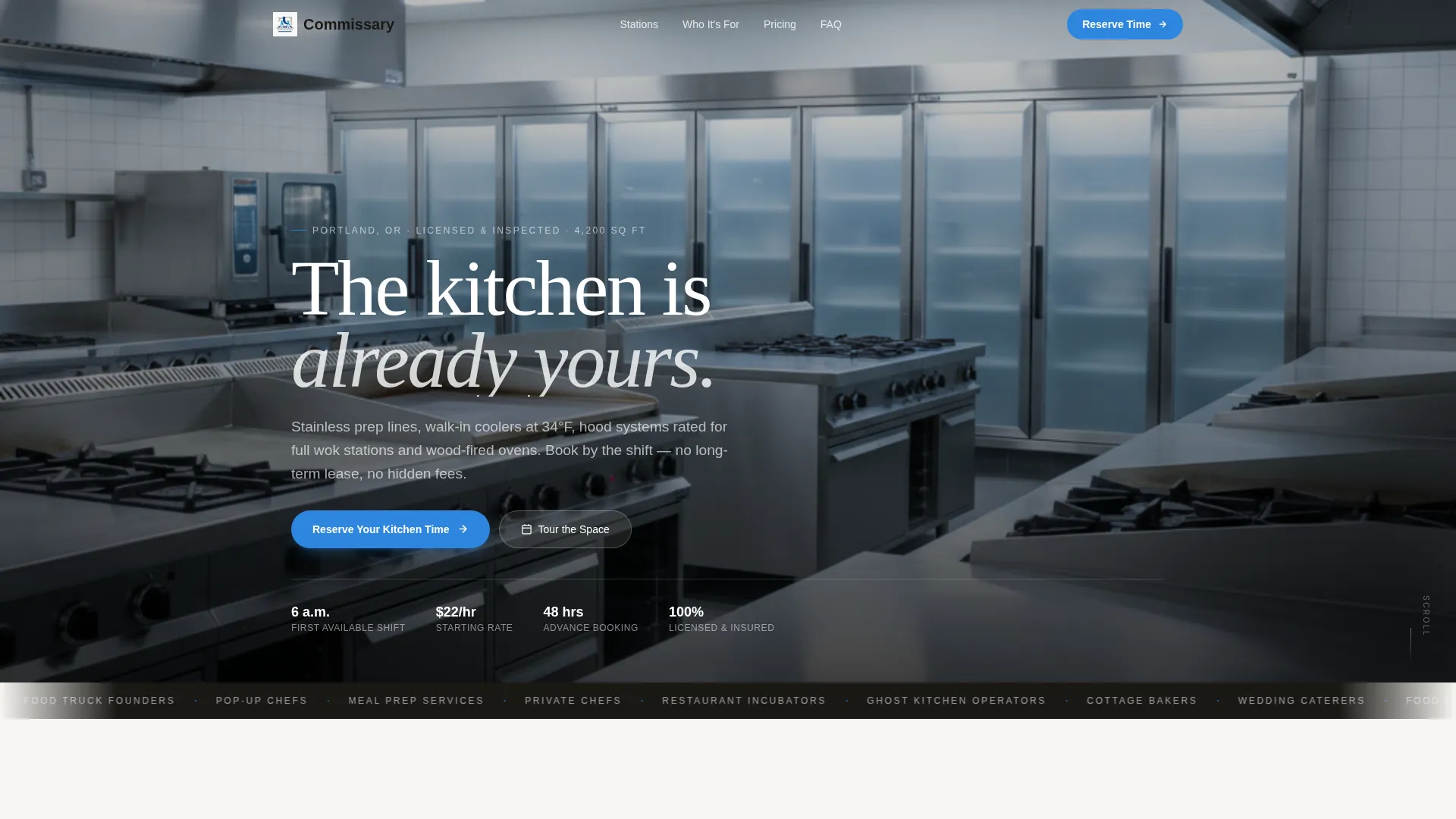
Panoramic Cinematic Header
The header uses an edge-to-edge photograph taken from the pass, looking down the full length of the kitchen. Depth of field pulls focus from the prep counter in the foreground through rows of burners to the cold storage doors at the far wall. No people in the frame. The emptiness signals the space is ready to be claimed.
Interactive Station Hotspots
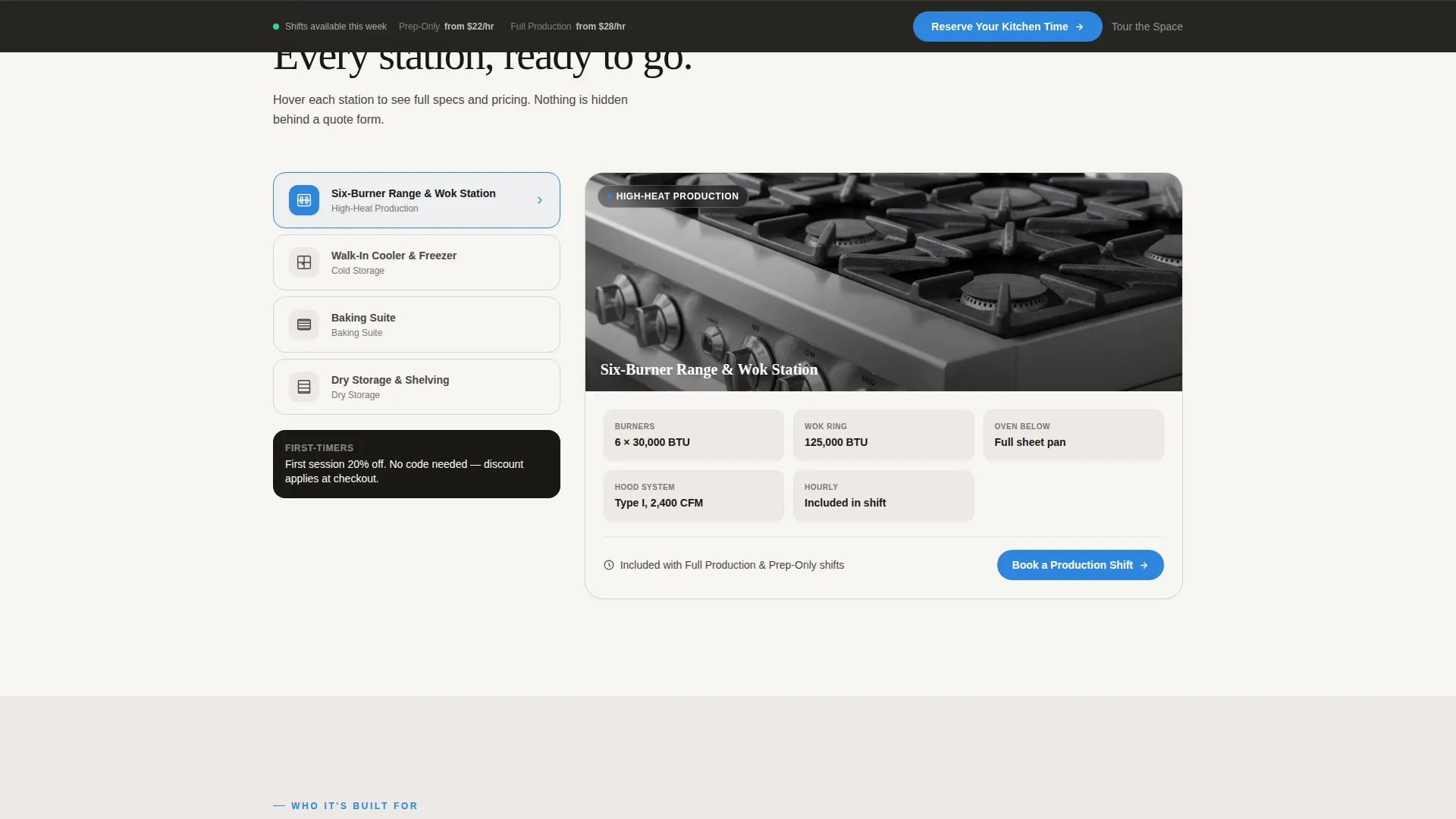
After the header, scrolling triggers station-by-station hotspots across the kitchen floor plan. Hovering over the six-burner range slides out a specs card showing BTU ratings and hourly cost. Clicking the walk-in cooler opens square footage and temperature zone details. Tapping the dry storage shelving reveals a shelf-rental add-on. Each interaction feels discovered rather than listed.
Dynamic Three-Step Booking Module
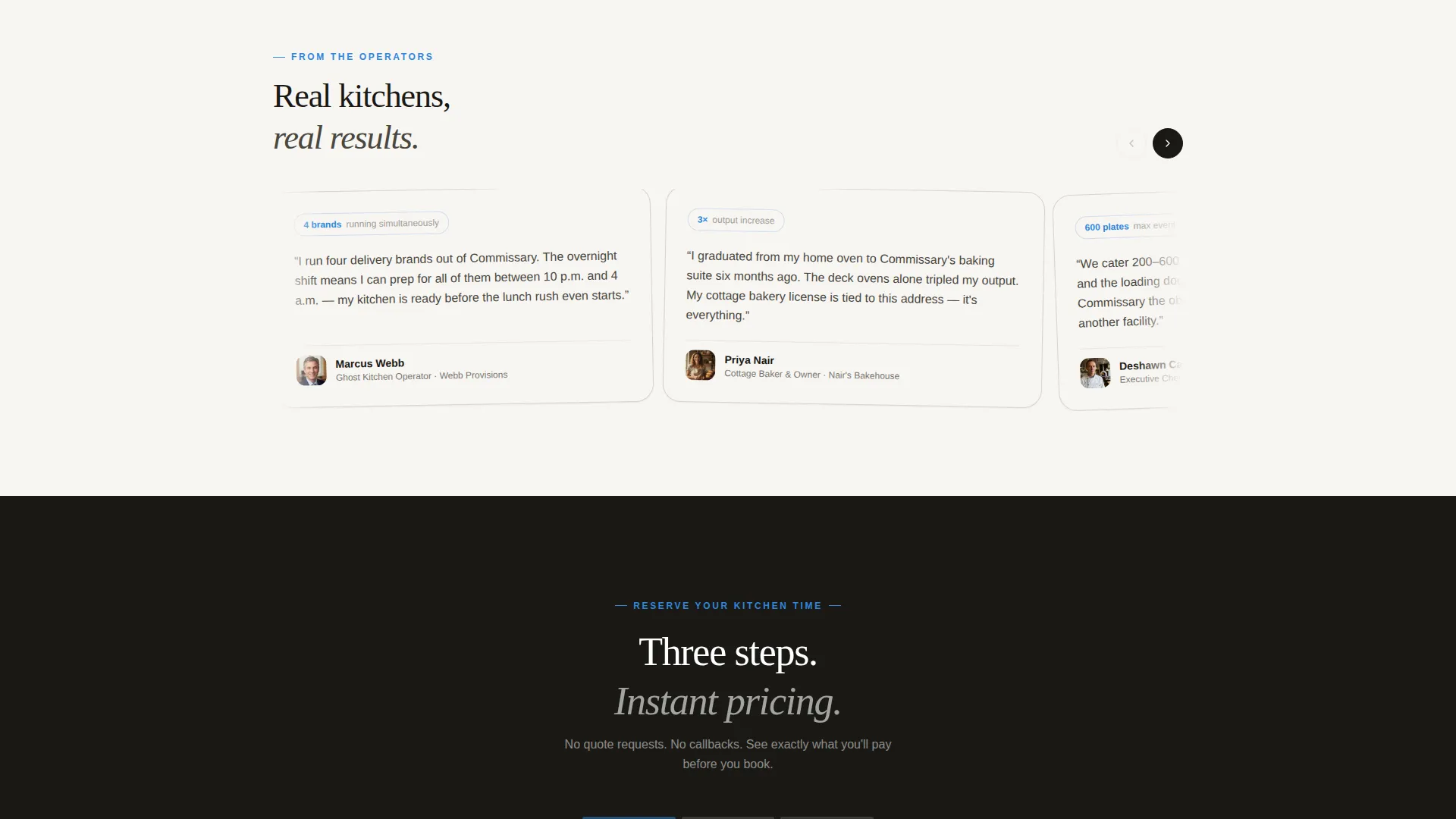
The primary booking flow asks three questions in sequence: kitchen type (prep-only, full production, or baking suite), preferred shift (morning, afternoon, or overnight), and rental frequency (single session, weekly block, or monthly membership). Pricing updates dynamically as each selection is made. No quote request form. No callback required.
Sticky Reservation Bar
After the visitor scrolls past the header, a sticky bottom bar appears carrying the primary call to action: "Reserve Your Kitchen Time." It stays visible throughout the scroll journey so the path to booking is always one tap away.
Tour the Space Path
A secondary conversion path offers a 20-minute in-person walkthrough. A calendar embed inside the page lets visitors book the tour directly without leaving the site. This path serves visitors who need to see the kitchen before they commit to a rental.
Cloud Canvas Color System
The template uses a four-tone palette: soft studio white, brushed stainless, warm concrete, and a single burner-flame blue accent reserved for calls to action and interactive hotspots. The system creates a kitchen-at-golden-hour atmosphere where matte and shine live side by side.
Page sections overview
| Section | Purpose |
|---|---|
| Panoramic Header | Establishes cinematic first impression |
| Sticky Booking Bar | Keeps reservation call to action visible |
| Station Hotspot Explorer | Lets visitors discover kitchen specs |
| Walk-In Cooler Detail | Shows square footage and temperature zones |
| Dry Storage Add-On | Surfaces shelf rental upsell |
| Three-Step Booking Module | Drives direct reservations with dynamic pricing |
| Tour the Space | Converts visitors who need a walkthrough first |
Design & branding system
The visual identity follows an Atelier Studio theme built on the Cloud Canvas color system. Every color choice reinforces the feeling of a clean, professional kitchen at golden hour.
- Four-tone palette: soft studio white (#F7F5F2), brushed stainless (#C8CDD0), warm concrete (#A39E93), and burner-flame blue (#2E86DE) used only for calls to action and interactive hotspots
- Typography and negative space are used deliberately so that the page feels ready to be filled with a visitor's own work, not cluttered with promotional noise
Mobile & speed optimization
The template is designed so the interactive explorer experience translates clearly to smaller screens. Touch interactions replace hover states on mobile without losing the station-by-station discovery flow.
- Hotspot tap interactions, the sticky booking bar, and the calendar embed are all built for touch-first use on phones and tablets
- The three-step booking module stacks cleanly in a single column on narrow screens so pricing remains readable at every step
How this template helps you convert
The page earns the booking by making the kitchen feel familiar before the visitor ever steps inside. Every structural decision points toward a confirmed reservation or a scheduled walkthrough.
- The panoramic header and interactive hotspots build confidence in the space so visitors arrive at the booking module already invested, reducing drop-off at the reservation step.
- Dynamic pricing displayed inline removes the friction of quote requests and gives visitors a clear cost before they commit, shortening the decision cycle.
Other information about this template
This template sits in the Real Estate and Property category under the Space and Rental Platforms subcategory. It is purpose-matched for commercial kitchen rental and commissary use cases but the layout and booking structure can be adapted for other rentable production spaces.
- The Atelier Studio theme and Cloud Canvas palette are consistent with the intersection context of studio and workspace rental platforms
- The interactive explorer creative direction is distinct from a standard gallery or feature-list layout, making the page memorable for high-consideration rental decisions
- The booking module supports three kitchen types, three shift windows, and three frequency tiers out of the box, giving operators flexibility without requiring custom development
Theme
Atelier Studio
Creative direction
Gallery Walk
Color system
Midnight Blue
Style
Zigzag/Alternating
Direction
Quiz/Assessment
Page Sections
Interactive Station Hotspot Explorer
Dynamic Three-step Booking Module
Panoramic Cinematic Header
Sticky Reservation Bar
Tour the Space Calendar Path
Cloud Canvas Branding System
Related questions
Can I change the kitchen types and shift options in the booking module?
Does the template show pricing automatically as visitors make selections?
What happens when a visitor clicks the Tour the Space option?
Is this template suited for a kitchen with multiple distinct station areas?
Can I use this template if my kitchen only offers one pricing tier?



