Reliable Pet Sitting Landing Page Template
Sitter is a single-column landing page template built for independent pet sitters who need to earn trust fast. It leads with hard-hitting credentials, guides nervous pet owners through exactly what to expect, and drives bookings through a focused "Book a Free Meet & Greet" form. The design feels calm, clinical, and warm at the same time.
by Rocket studio
Quick summary
Sitter is a lead-generation landing page template designed for solo pet sitting professionals. It opens with three powerful trust metrics, walks visitors through the full care experience in plain language, and closes with a clear booking form. Every section is built to answer the questions anxious pet owners ask before handing over a spare key.
Who this template is for
This template is built for independent pet sitters running a one-person operation. It works especially well for sitters who offer overnight stays, home visits, and personalized daily care updates.
- Solo pet sitters who want a credible, professional web presence without a large website
- Pet care professionals with certifications, reviews, and verified credentials to showcase
- Sitters targeting dual-income households, traveling professionals, and first-time puppy parents who research carefully before booking
What problem this template solves
Most pet sitters lose potential clients at the trust gap. A nervous pet owner finds the profile, checks the numbers, and then hesitates because nothing on the page answers their real questions.
- Pet owners need to see proof of experience and safety before sharing a house key with a stranger
- First-time clients want to understand exactly how overnight stays, meet & greets, and daily updates actually work
- Sitters without a dedicated page miss the chance to capture leads from people who are researching late at night but not yet ready to book
What you get with this template
This template gives you a complete, single-column lead-generation page structured to educate visitors and move them toward a booking. The layout teaches before it sells, using real process descriptions to build confidence.
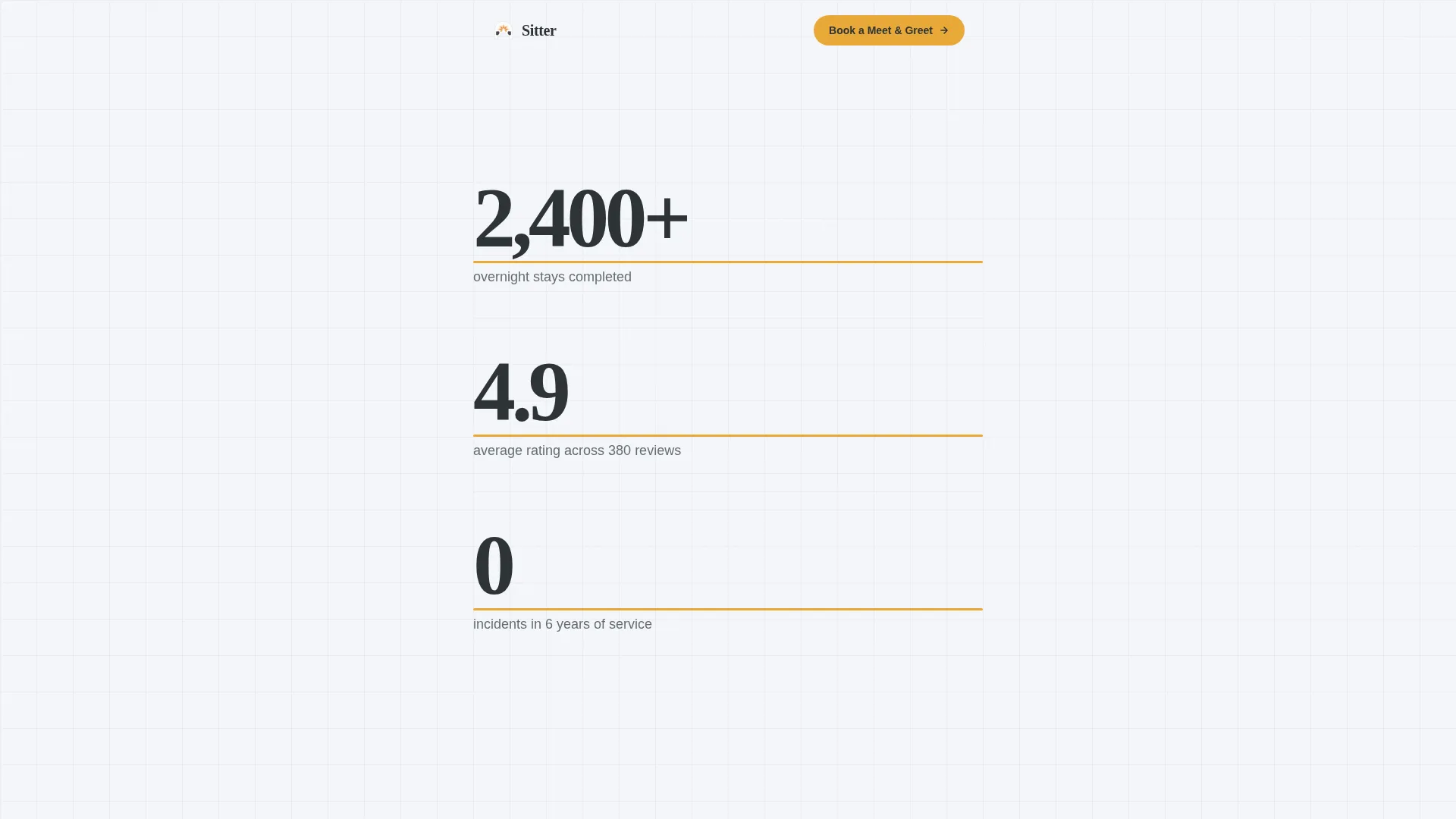
- A stats-first header with three large-format trust metrics set in bold steel-gray type on fog white
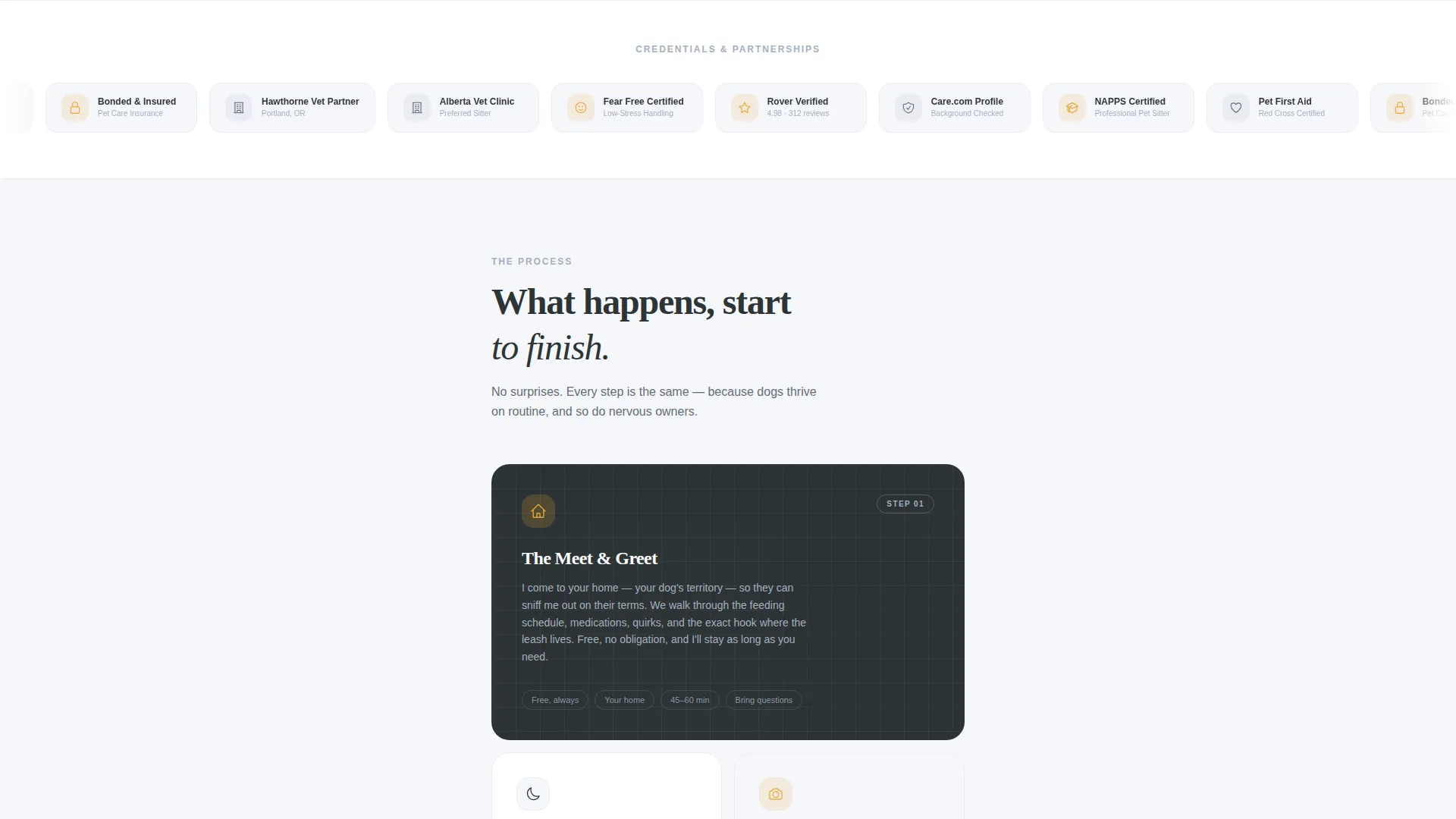
- A scrolling credentials ribbon displaying certification seals, partnership badges, and verification icons
- Two conversion paths: a primary booking form asking for pet details first, and a secondary email capture offering a downloadable checklist
Feature list
This template organizes every section with purpose. Each block is designed to reduce hesitation and guide the visitor toward one clear action.
Stats-First Header Block
Three large credential numbers open the page: total overnight stays completed, average star rating with review count, and years without a single incident. Each number carries a thin amber underline that animates left to right as the visitor scrolls, creating a visual rhythm that directs attention downward without a competing hero image.
Scrolling Trust Credentials Ribbon
A horizontal scrolling ribbon breaks the page between content chapters. It displays recognizable trust signals including certification seals, pet first-aid credentials, bonded and insured verification icons, local vet clinic partnership badges, and professional pet care profile indicators. The ribbon reinforces authority at the exact moment visitors begin reading about the service.
Educational Process Sections
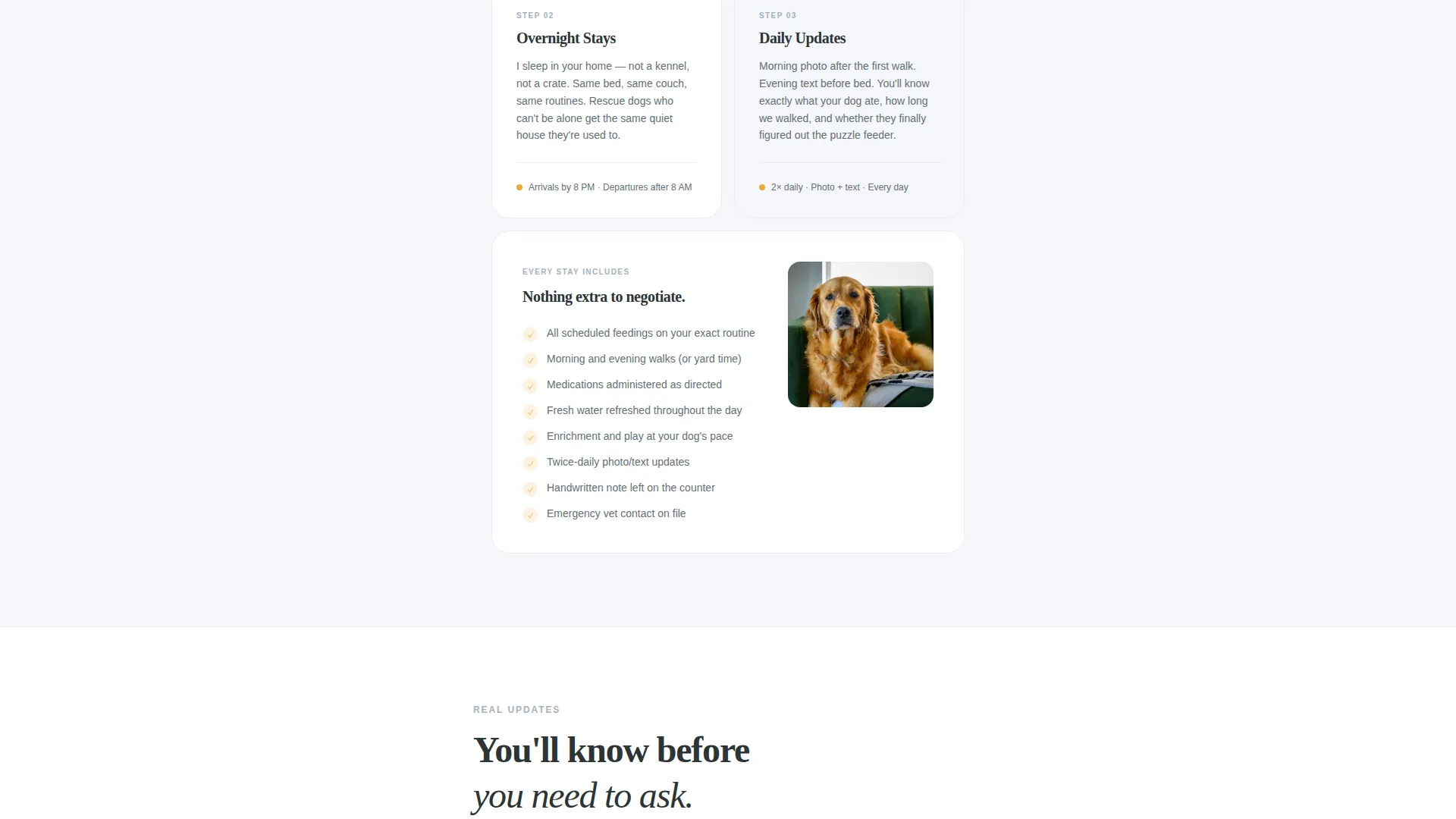
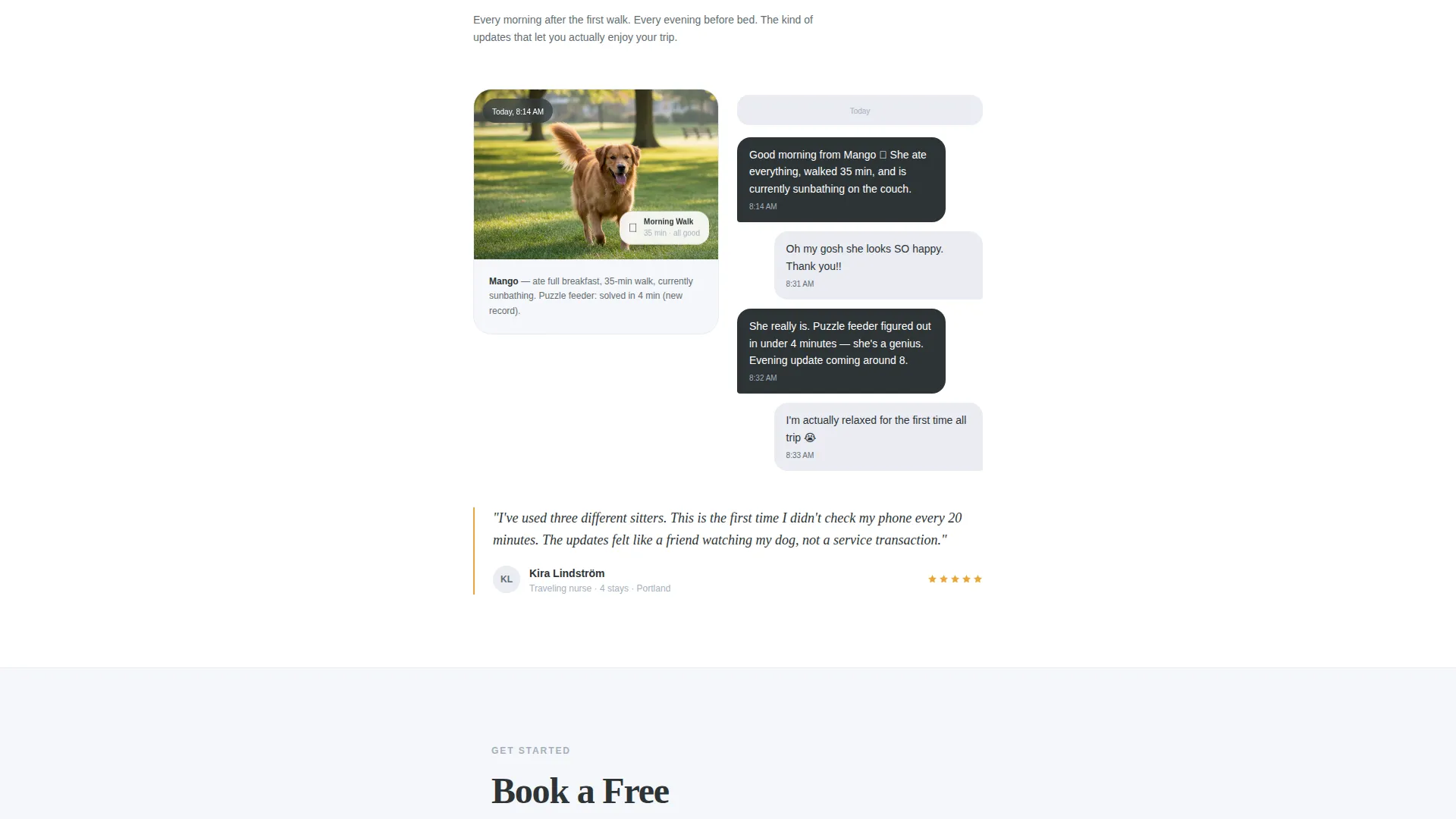
Three clearly labeled content chapters explain the experience in plain language: what happens during a meet and greet, how overnight stays work, and what is included in daily photo and text updates. Each section teaches the process before asking for anything, matching how cautious pet owners actually research a sitter.
Primary Booking Form
The lead form opens by asking for the pet's name first, not the owner's. It then collects pet type and breed, travel dates, and a single open-text field labeled "Anything we should know about your pet's routine?" This order signals that the sitter genuinely prioritizes the animal, which builds immediate rapport.
Secondary Email Capture Path
A second conversion option offers a downloadable "First-Time Boarding Parent Checklist" PDF in exchange for an email address. This path captures visitors who are deep in research but not yet ready to commit, keeping them in the funnel without pressure.
Sticky Mobile Bottom Bar
On mobile screens, the primary call to action appears as a persistent bottom bar so the booking prompt stays visible as visitors scroll through the educational content. This ensures the conversion path is never more than a tap away.
Page sections overview
| Section | Purpose |
|---|---|
| Stats metrics header | Open with hard proof of experience and reliability |
| Trust credentials ribbon | Display certifications, seals, and partnership badges |
| Meet & Greet explained | Walk visitors through the first introduction process |
| Overnight stays overview | Describe what a full overnight stay includes |
| Daily updates section | Show how photo and text check-ins work |
| Primary booking form | Capture pet details and travel dates for lead generation |
| Secondary checklist capture | Offer a PDF download in exchange for an email address |
| Sticky mobile call to action bar | Keep the booking prompt visible on small screens |
Design & branding system
The visual identity follows an Educational Guide theme built on a Monochrome Steel color system. The palette is precise and purposeful, designed to feel trustworthy without being cold.
- Core colors: charcoal slate (#2D3436) for type, brushed aluminum (#A4B0BD) for supporting elements, and soft fog white (#F5F6FA) for backgrounds
- Accent color: warm amber (#E8A838) used exclusively for calls to action, animated underlines, and trust indicators to draw the eye without overwhelming the layout
- Overall tone: clinical enough to signal professional competence, warm enough to reassure a first-time client leaving their dog with someone new
Mobile & speed optimization
The template is structured for mobile visitors who arrive through a late-night search and need information fast. Every design decision supports quick scanning and easy tapping.
- Single-column layout flows cleanly on all screen sizes without horizontal scrolling or layout shifts
- Sticky bottom bar keeps the "Book a Free Meet & Greet" call to action visible throughout the entire mobile scroll experience
- Sections are chunked into short, digestible chapters so visitors on small screens can read comfortably without losing their place
How this template helps you convert
The conversion strategy is layered and deliberate. It meets visitors at different levels of readiness without pushing everyone toward the same hard ask.
- The stats header creates instant credibility before a visitor reads a single word of body copy, reducing the drop-off that happens when trust is not established immediately.
- The educational process sections answer the exact questions cautious clients search for, so by the time they reach the booking form they already feel informed and confident.
- The dual conversion paths let ready clients book directly while research-stage visitors opt in for the PDF checklist, capturing leads across two different intent levels in one page.
Other information about this template
This template was designed with pet sitting marketing best practices in mind. It suits professionals who want a focused, high-trust presence for their pet care service.
- The template style follows a single-column flow that keeps visitor attention focused without sidebar distractions
- The header concept prioritizes social proof through verified numbers rather than lifestyle photography, making it effective even without a professional photo shoot
- The lead-generation direction is well-suited for pet sitting professionals who rely on word-of-mouth referrals and want a page that reinforces that existing reputation online
Theme
Service Utility
Creative direction
Expert Panel
Color system
Monochrome Steel
Style
Sidebar Companion
Direction
Lead Generation
Page Sections
Stats-first Trust Header
Scrolling Credentials Ribbon
Educational Process Chapters
Pet-first Booking Form
Secondary Checklist Email Capture
Sticky Mobile Booking Bar
Related questions
Can I use this template without professional photography?
How do the two conversion paths work together on one page?
Is this template suitable if I am just starting out with fewer reviews?
Why does the booking form ask for the pet's name first?
What screen sizes does the single-column layout support?



