Senior & Disability Professional Website Template
Navigate is a card grid landing page template built for state aging and disability departments. It organizes every elderly care service by need rather than bureaucracy, so families, caregivers, and healthcare professionals can find the right program in seconds. The Monochrome Steel design, bold stat counters, and modular service cards create a professional, trustworthy care website with no clutter and no confusion.
by Rocket studio
Quick summary
Navigate is a single-page government services landing page template designed for aging and disability departments. It leads with impact stats, then routes visitors through a modular card grid organized by human need. Every section answers one question: "Am I in the right place?" The template helps elderly individuals, families, and professional care coordinators find home care programs without reading walls of text.
Who this template is for
This template is purpose-built for state agencies and public healthcare departments that connect seniors to assisted living resources, home assistance programs, and wellness services. It works equally well for any professional team that needs a clean, user friendly care website that elderly users and their families can easily navigate.
- Adult family members searching for senior care options after a crisis event
- Hospital discharge planners and social workers who need to find home care services fast
- Caregiver support coordinators and home care agencies publishing a professional services directory
What problem this template solves
State agencies store dozens of elderly care programs across county offices, buried in bureaucratic categories that confuse the people who need them most. A well-designed website makes it possible for visitors to find information without calling a helpline first. This landing page template removes that friction entirely.
- Families searching for assisted living or home care options at midnight face confusing government pages with no clear entry point
- Hospital professionals have minutes, not hours, to locate care services and schedule next steps for elderly patients
- Seniors and caregiver contacts often cannot find information about wellness programs, Medicaid waivers, or home assistance without professional help
What you get with this template
This template delivers a fully structured elderly care landing page with every section pre-built and ready to publish. The layout is clean, scannable, and designed to build trust from the first scroll. You get a professional, visually appealing site that provides detailed information without overwhelming users.
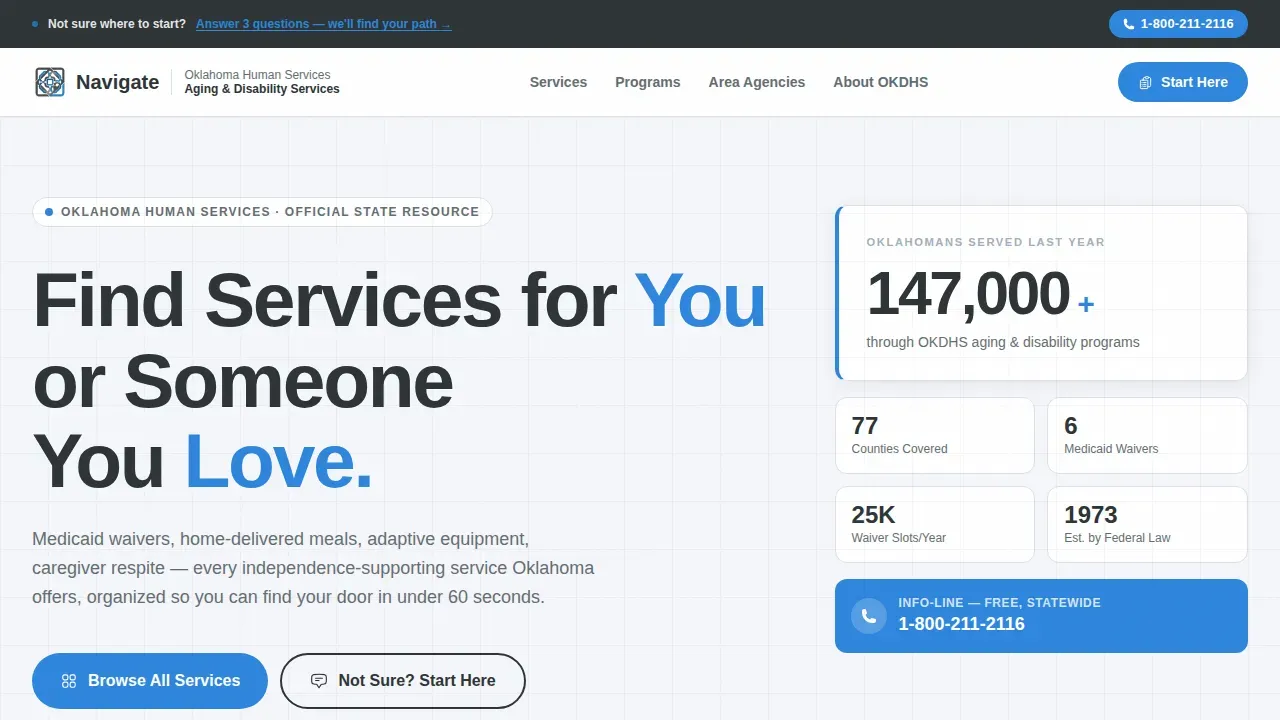
- A hero section with a giant left-aligned headline, bold stat counter, and persistent top navigation bar
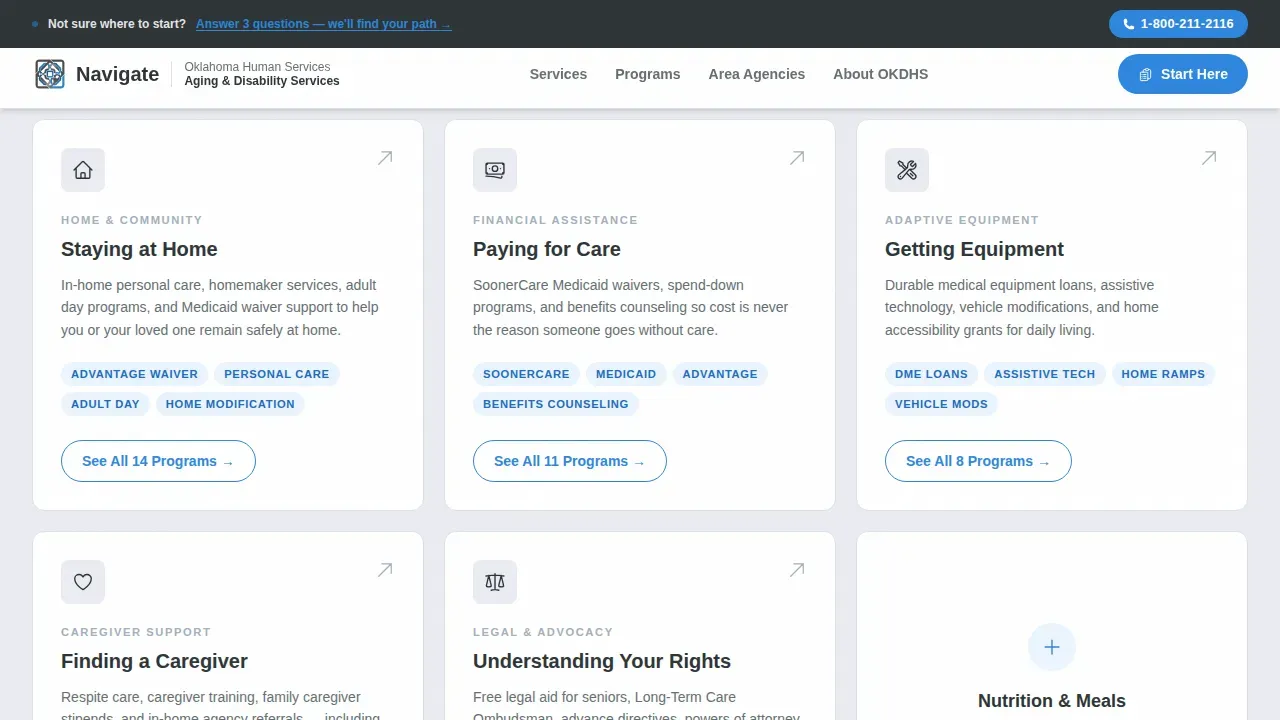
- Five modular service category cards with program counts, short service descriptions, and clear call-to-action buttons
- A guided intake call-to-action section, a contact and coverage block, and a single-row footer
Feature list
This elderly care landing page template includes carefully considered features that serve real people under real pressure. Each feature reflects the mission of the template: make every program findable, every page trustworthy, and every interaction professional.
Giant Headline Hero with Stat Counter
The hero section uses a 72-point-plus sans-serif headline pinned to the left two-thirds of the viewport. A live count-up stat on the right displays the number of seniors served, landing with immediate credibility. No hero image is used. Whitespace carries the tone.
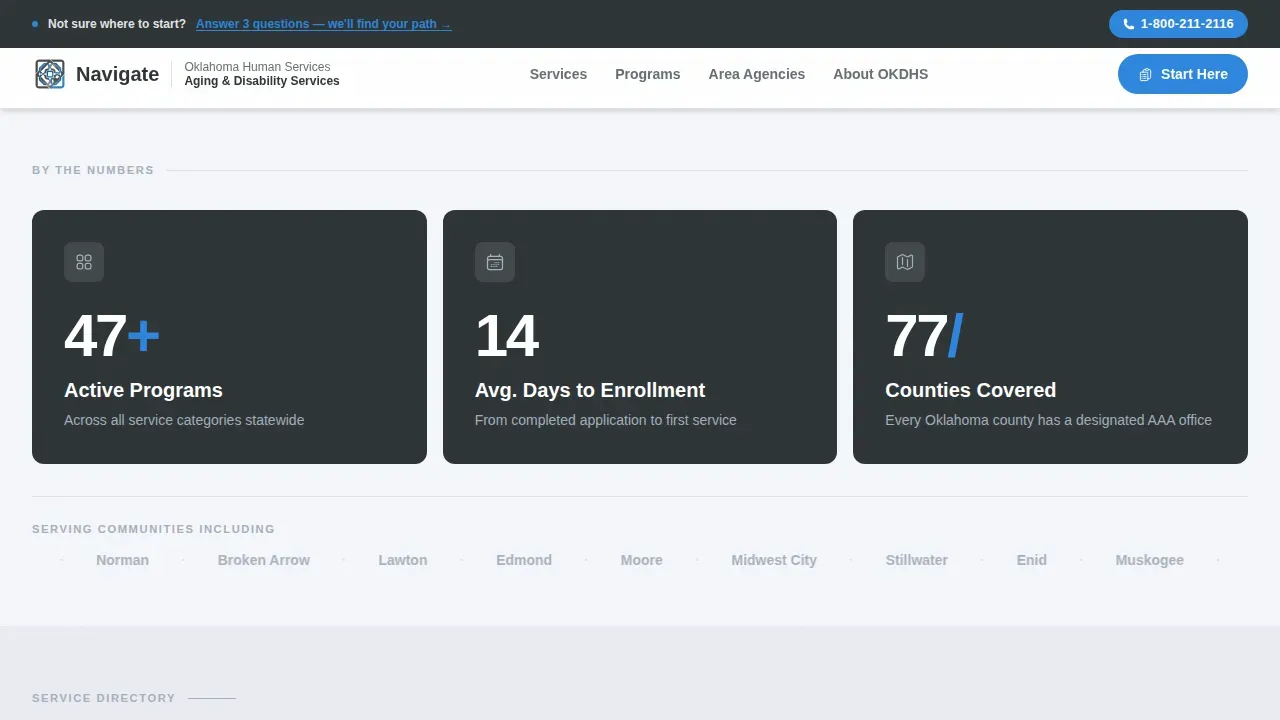
Impact Stats Row
Three bold data cards appear above the service grid. They display the number of active programs, average days to enrollment, and counties covered. These cards load with a count-up animation that gives visitors immediate confidence in the scope of care services available.
Modular Service Category Cards
The core of the template is a card grid organized by need: Staying at Home, Paying for Care, Getting Equipment, Finding a Caregiver, and Understanding Your Rights. Each card shows a one-line description and a program count. Cards use hover depth effects and route to dedicated category pages.
Guided Intake Call-to-Action Block
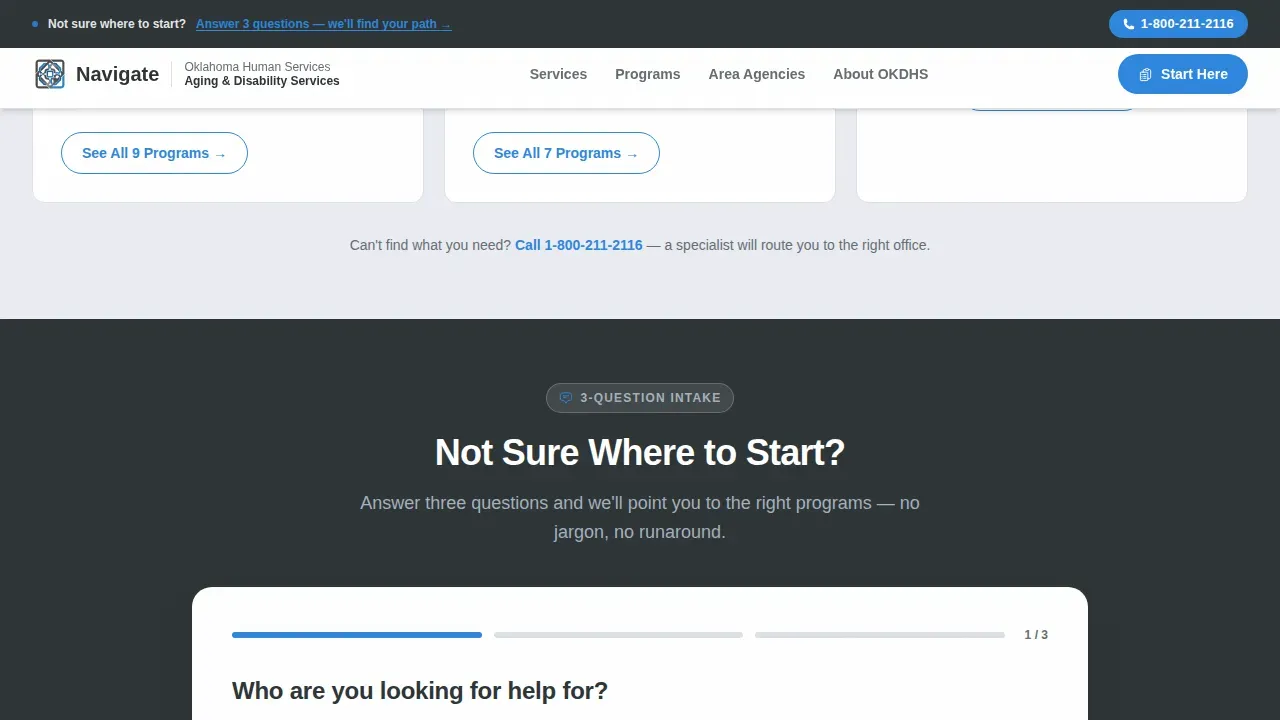
A persistent top bar carries a secondary path for visitors who are unsure where to start. A three-question intake flow helps elderly individuals and families identify the right services quickly. This gives the landing page a personalized support pathway without a complex form.
Contact and Coverage Section
The contact block displays area agency details, a helpline number, and trust signals covering all 77 counties. It gives families and professional inquiries a direct way to reach real people. Contact information is prominently displayed for users who prefer speaking to someone over browsing.
Staggered Card Reveal Animation
Cards load with a staggered reveal animation as users scroll. This keeps the page feeling active and responsive without relying on autoplay videos, which can disorient elderly users. The animation is lightweight and handled with minimal JavaScript.
Page sections overview
| Section | Purpose |
|---|---|
| Hero Headline Block | Establish trust and scope with a bold left-aligned headline and animated stat counter |
| Impact Stats Row | Show program count, enrollment speed, and county coverage before the grid loads |
| Service Category Grid | Route visitors to the right care service category through five modular need-based cards |
| Guided Intake Bar | Help uncertain visitors find elderly care programs through a simple three-question path |
| Contact and Coverage | Display area agencies, helpline contact, and county-wide trust signals |
| Footer Row | Provide essential links and department information in a clean single-row layout |
Design & branding system
The website design follows a Directory and Discovery theme using a Monochrome Steel color system. The palette feels like a freshly printed government handbook: sharp, clear, and professional. The typography uses DM Sans for headlines and Manrope for body labels, creating a modern, readable hierarchy across all pages.
- Structural charcoal (#2D3436) for primary text, civic blue (#2E86DE) for links, active cards, and call-to-action buttons, brushed aluminum (#A4B0BD) for muted labels, and soft white (#F5F6FA) as the page background
- High-contrast color pairing supports readability for elderly users and meets strong visual separation standards across the site
- All typography is large and scannable, with headlines at display size and body text set for comfortable reading on desktop and mobile screens
Mobile & speed optimization
This template is designed desktop-first for hospital planners and families searching on laptops, with a solid mobile fallback for all other users. Mobile responsiveness ensures the care website functions well across devices without losing structure or clarity. A responsive layout means visitors on any screen can still easily navigate the card grid.
- The card grid reflows cleanly on smaller screens, keeping service descriptions and program counts legible on mobile
- Animations including count-up numbers and staggered card reveals use minimal JavaScript, keeping the page lightweight for users on slower connections
- Static content uses server component architecture so the page loads fast even when elderly individuals access it on older hardware
How this template helps you convert
User experience has a huge impact on conversion rates for senior living websites. This template earns every click before asking for one. It proves comprehensiveness first so visitors trust the site before they commit to exploring further.
- The Stats-First Impact layout shows three credibility data points before the grid appears, giving families and healthcare professionals immediate confidence that this care website covers everything they need
- Each service card displays a real program count and a direct call-to-action label like "See All 14 Programs," which is far more effective than a generic prompt and helps drive higher conversion rates on every card click
- The guided intake bar provides a secondary path for visitors who are unsure, reducing bounce and encouraging even the least tech-confident elderly users to stay on the page and find the services they need
Other information about this template
The Navigate find aging and disability services landing page template is designed to work well in any modern website builder that supports card grid layouts and custom color tokens. Departments can publish the template quickly, adjust service descriptions, update program counts, and add upcoming events or blog posts without rebuilding the page structure.
- The template can support a blog section or news feed to keep seniors and families informed about new care services, wellness programs, and events
- Testimonials from families and professional users can be added to the contact block to build trust and reflect real outcomes for elderly individuals
- Social media integration and links to social media platforms can be added to the footer to encourage engagement and extend the site's reach
- Incorporating relevant keywords into page titles and service descriptions supports search engines in surfacing this site for local elderly care searches, helping drive organic traffic and improve the website's visibility
- Home care agencies and assisted living providers can adapt this template as a professional senior living website or senior care landing page with minimal customization
- The template encourages clear, plain-language service descriptions so that elderly individuals and families with no healthcare background can understand every option
- Tips for customization: swap the stat counter values to reflect real program data, update the card labels to match your department's service categories, and use high quality images of real caregiver and client interactions rather than generic stock photos
- The faq section, feedback form, and consultation request components can all be added as modular blocks to extend the landing page without disrupting the core grid layout
Theme
Directory & Discovery
Creative direction
Stats-First Impact
Color system
Monochrome Steel
Style
Card Grid (Modular)
Direction
Click-Through
Page Sections
Giant Headline Hero with Stat Counter
Impact Stats Row with Count-up Animation
Modular Need-based Service Card Grid
Persistent Guided Intake Top Bar
Contact and Coverage Trust Block
Staggered Card Reveal and Hover States
Related questions
Can I update the service card counts and descriptions without a developer?
Is this template suitable for departments outside Oklahoma?
Does the template include the guided intake flow?
Can I add testimonials and a contact form to this landing page?
How does this template support seniors who are not confident using websites?



