Autism Caregiver Support Landing Page Template
Compass is a zigzag landing page template built for autism spectrum caregiver support services. It opens with a gentle multi-step emotional check-in form, then walks visitors through a transparent support journey using alternating content and real caregiver quotes. The primary conversion path delivers a downloadable caregiver toolkit gated by first name and email only.
by Rocket studio
Quick summary
Compass is a single-page landing page template designed for caregivers of autistic individuals. It leads with empathy, asking how the caregiver is doing before anything else. A multi-step form, alternating zigzag sections, real caregiver quotes, and two ungated resource tips all work together to earn trust before the download prompt appears.
Who this template is for
This template is built for services that support the people who do the daily work of caring for autistic individuals. It suits organizations and practitioners who want their landing page to feel like a conversation, not an intake form.
- Respite coordination services and behavioral strategy practices serving family caregivers
- Wellness and social service providers targeting parents, grandparents, and adult siblings
- Community programs offering virtual support groups alongside downloadable caregiver resources
What problem this template solves
Caregivers of autistic individuals arrive at a support service page exhausted and skeptical. Most pages ask about the person being supported before acknowledging the person doing the supporting. That ordering breaks trust before it can be built.
- Visitors leave when a page feels clinical or demanding before it feels warm
- Lead forms with too many fields create friction for people already running on empty
- Services lose conversions when they fail to prove resource quality before asking for an email
What you get with this template
This template gives you a fully structured landing page with a logical emotional flow from arrival to conversion. Every section has a clear role, and the design system keeps the experience calm and coherent throughout.
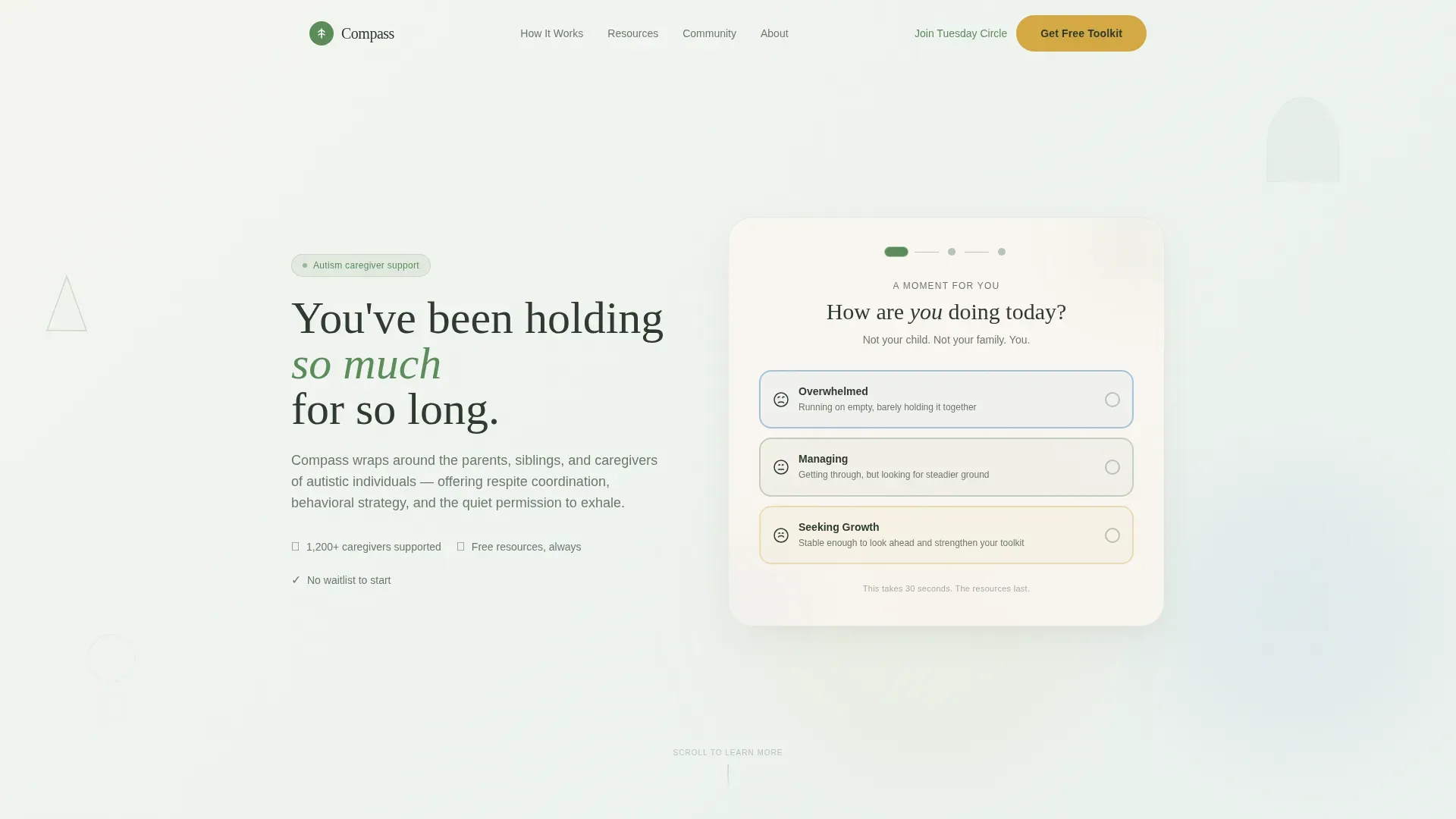
- A three-step emotional check-in form in the header that surfaces a personalized resource bundle
- Six zigzag alternating content sections covering the full support journey from first contact to community
- A persistent bottom bar call to action that appears after the third scroll section, plus a lightweight footer in a single-row linear pattern
Feature list
This template's features are grounded directly in what the brief defines. Each one serves a specific moment in the caregiver's journey down the page.
Three-Step Caregiver Check-In Form
The header form opens with "How are YOU doing today?" and offers three emotional check-in options: overwhelmed, managing, and seeking growth. Step two asks the age range of the person they support. Step three surfaces a personalized resource bundle. Pine-green progress dots track each step across the top of a rounded, generously padded container.
Zigzag Alternating Section Layout
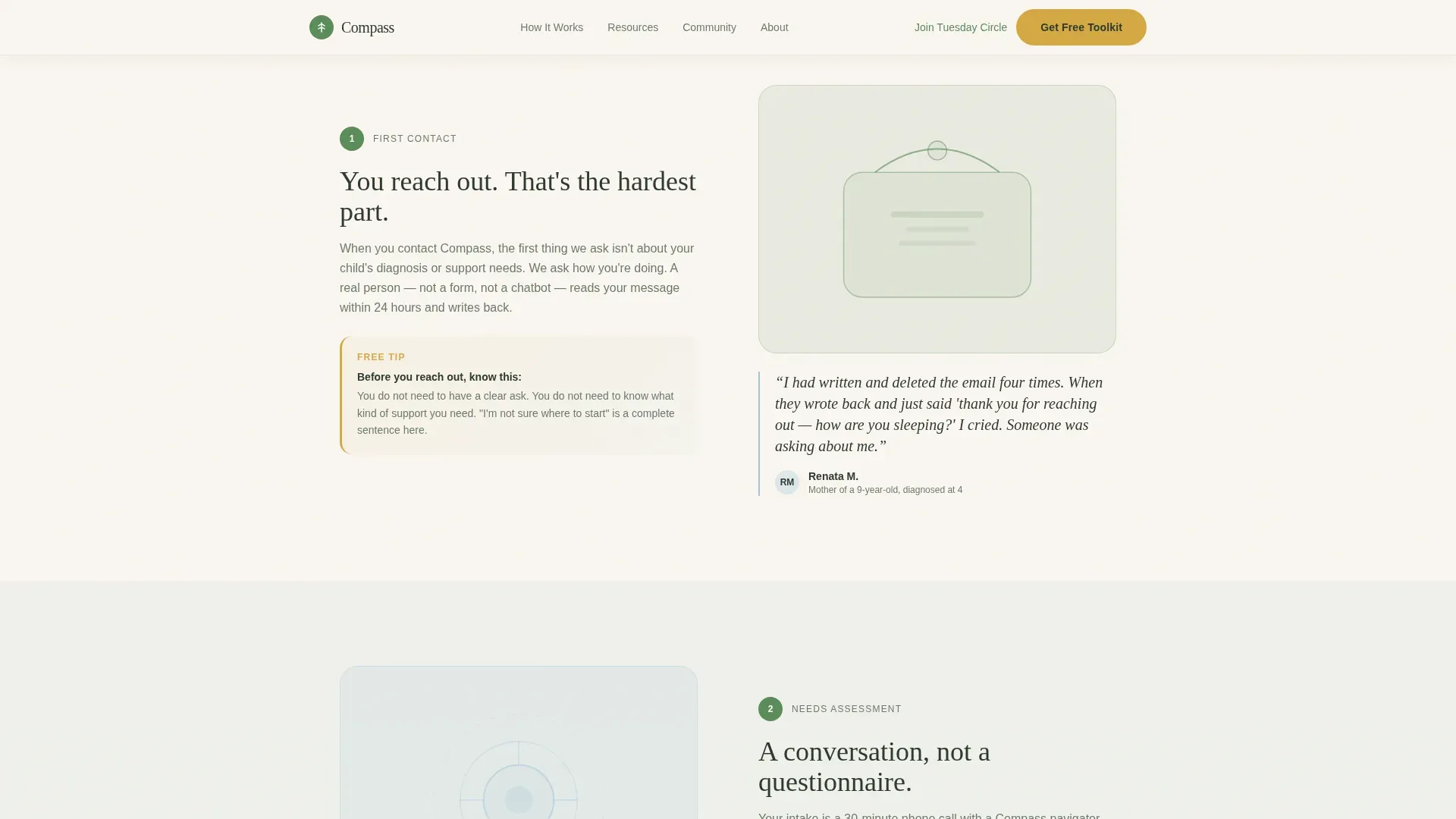
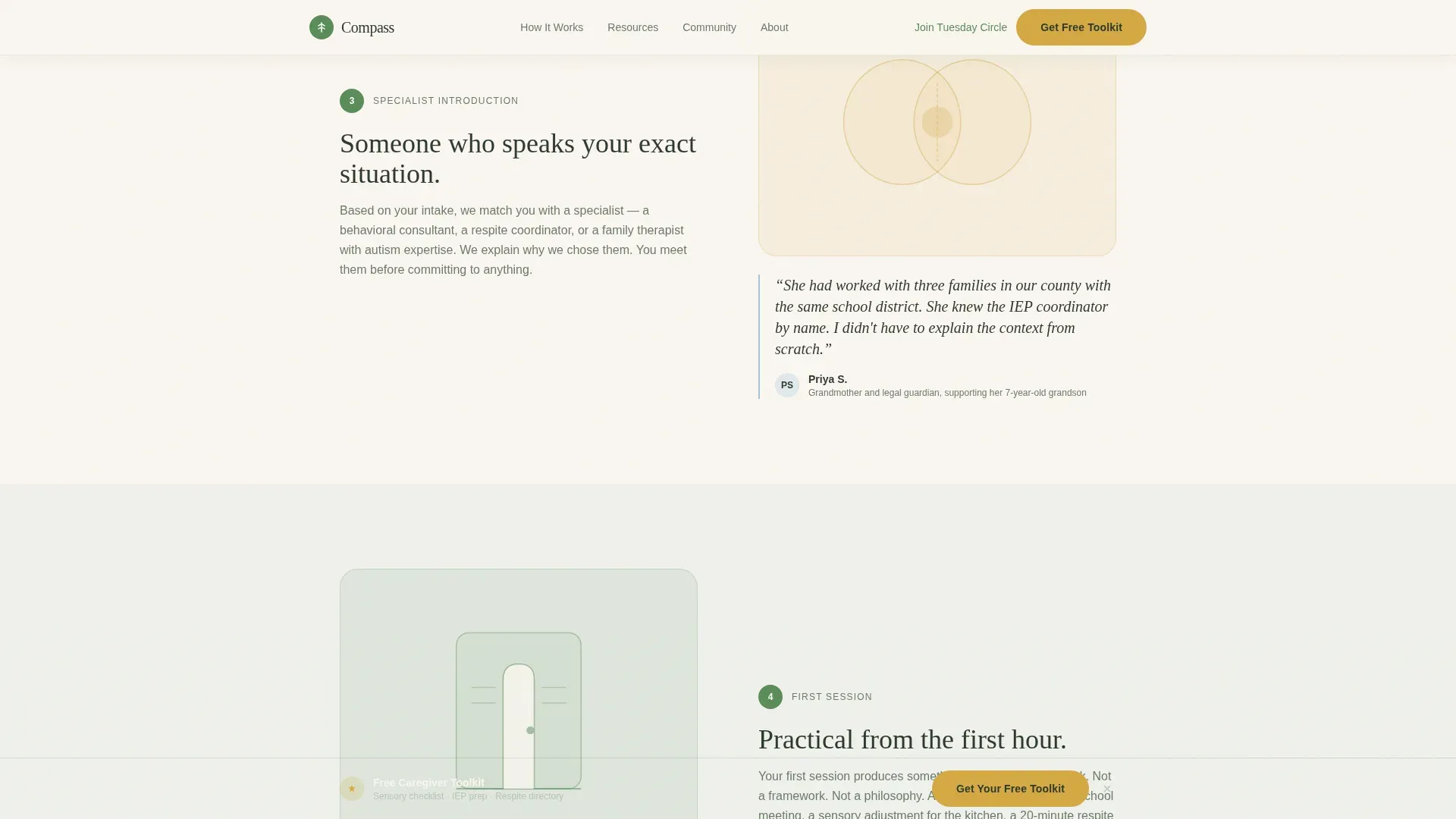
Six alternating sections create a left-right pendulum rhythm that slows the scroll intentionally. Left-side panels carry plain, honest process descriptions. Right-side panels carry a real caregiver quote from someone who lived that step. Each section is designed to be shorter than the one before it, easing the reader toward action.
Ungated Caregiver Tips
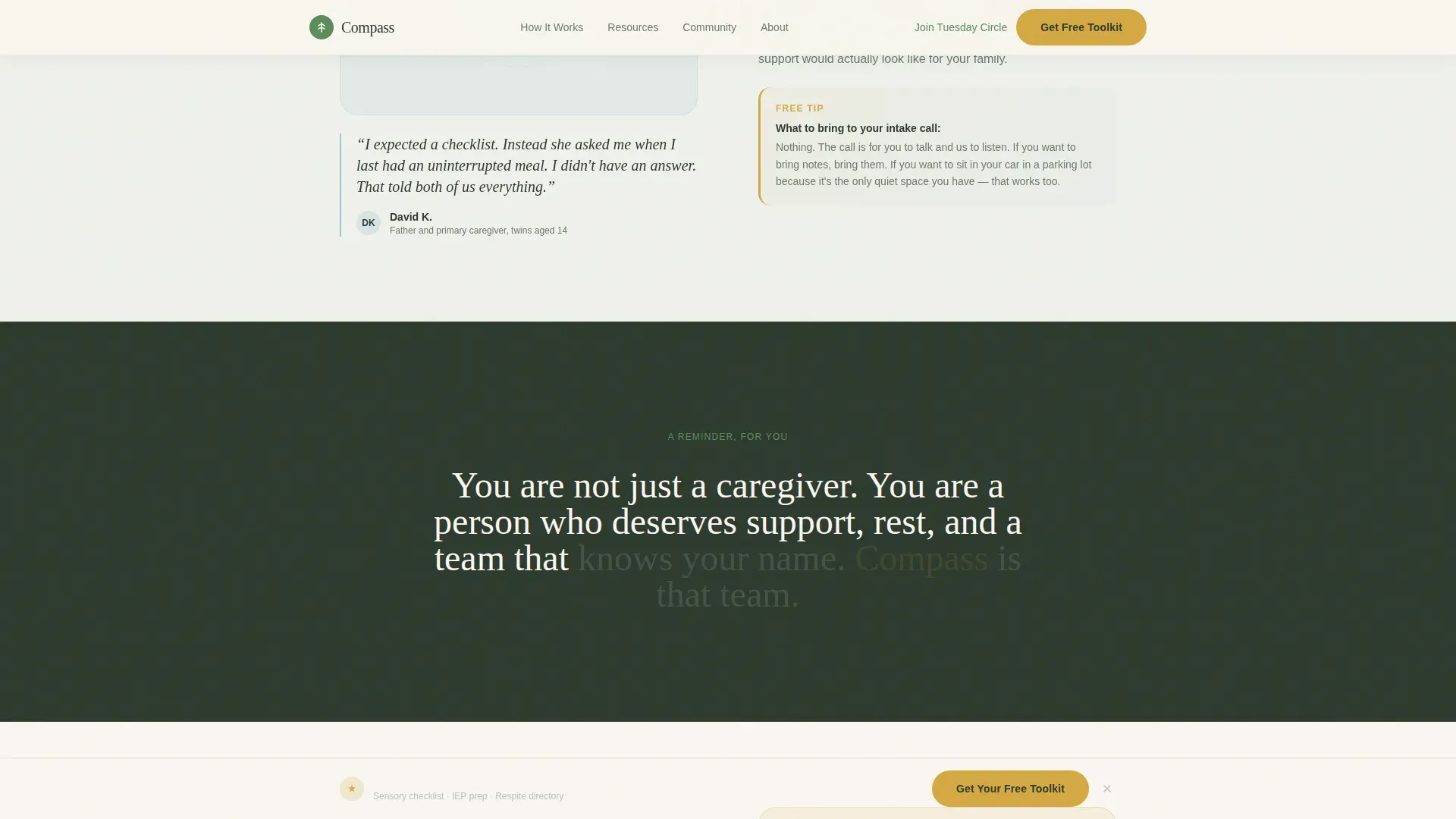
Two practical caregiver tips appear directly inside the zigzag sections, visible before any download prompt. This give-first approach demonstrates resource quality and builds trust before the toolkit gate is ever presented.
Downloadable Caregiver Toolkit Gate
The primary call to action, "Get Your Caregiver Toolkit," delivers a PDF bundle containing a sensory environment checklist, an Individualized Education Program (IEP) meeting prep sheet, and a local respite directory. The gate requires only a first name and email address, with no phone number or intake questionnaire.
Persistent Bottom Bar
After the visitor passes the third scroll section, a persistent bottom bar appears with the toolkit call to action. It stays visible as they continue reading, providing a low-pressure secondary reminder without interrupting the content flow.
Tuesday Circle Community Path
A secondary conversion path invites visitors to join the Tuesday Circle, a free weekly virtual support group. Sign-up requires only an email address, giving people a lower-commitment way to stay connected with the service.
Page sections overview
| Section | Purpose |
|---|---|
| Hero Check-In Form | Opens with a caregiver-first emotional check-in and delivers a personalized resource bundle |
| Zigzag 1: First Contact | Describes the first contact step and pairs it with a caregiver quote and an ungated tip |
| Zigzag 2: Needs Assessment | Explains the needs assessment process alongside a caregiver quote and a second ungated tip |
| Zigzag 3: Specialist Introduction | Introduces the matched specialist step with a supporting caregiver quote |
| Zigzag 4: First Session | Covers the first session experience and triggers the persistent bottom bar call to action |
| Zigzag 5: Tuesday Circle | Presents the free weekly virtual support group with an email-only sign-up path |
| Linear Footer | Closes the page with a single-row footer layout |
Design & branding system
The visual identity follows a Healing Space theme built around an Alpine Fresh color system. The palette is deliberately calm, evoking a mountain clearing after rain, with cool air, muted greens, and soft warm neutrals giving every element room to breathe.
- Soft pine green (#5B8C5A) anchors section headers and iconography; morning fog gray (#E8EDE7) separates alternating blocks; glacier meltwater blue (#A3C4D9) highlights resource categories; warm birch white (#FAF6F0) serves as the dominant page background
- Quiet goldenrod (#D4A843) appears on buttons and progress indicators as the accent color, providing a warm focal point without visual aggression
- Typography pairs Fraunces serif for headlines with DM Sans for body text, and all decorative elements use soft geometric shapes suggesting shelter rather than stock photography
Mobile & speed optimization
This template is designed mobile-first because the target audience reaches for their phones at 2 a.m., not their laptops. The layout and interactions are built to feel immediate and easy on small screens.
- Scroll-reveal word animations and zigzag section reveals use IntersectionObserver, so elements animate in only when they enter the viewport
- Multi-step form transitions and the persistent bottom bar are built with mobile state management in mind, keeping the experience smooth on smaller screen sizes
- The single-row linear footer and condensed zigzag layout reduce cognitive load on mobile without sacrificing content depth
How this template helps you convert
The conversion strategy in this template is built on a give-first principle. Every structural decision earns the click rather than demanding it.
- Two ungated caregiver tips appear inside the zigzag sections before any download prompt, proving the value of the toolkit and lowering resistance to sharing an email address.
- The three-step check-in form creates a personalized experience that ends with a relevant resource bundle, making the final call to action feel like a natural next step rather than a cold ask.
- The persistent bottom bar and the in-form toolkit prompt work together to provide two visible conversion moments without doubling up on aggressive interruptions.
Other information about this template
This template is designed for the Health and Medical category, specifically within the Autism Spectrum Care subcategory. It reflects a Transparent Process creative direction, meaning the page is structured to answer the question every exhausted caregiver asks when they consider reaching out.
- The template style is Zigzag/Alternating, and the header concept is a Multi-Step Form with emotional check-in states
- The landing page direction is Content and Resource delivery, prioritizing a downloadable PDF bundle as the primary conversion event
- The color system is Alpine Fresh, the theme is Healing Space, and the template is localized for English-language, US-format audiences
Theme
Healing Space
Creative direction
Transparent Process
Color system
Alpine Fresh
Style
Zigzag/Alternating
Direction
Content/Resource
Page Sections
Three-step Caregiver Check-in Form
Zigzag Alternating Content Layout
Ungated Caregiver Resource Tips
Email-gated Toolkit Download
Persistent Bottom Bar Call to Action
Tuesday Circle Community Sign-up
Related questions
What is included in the caregiver toolkit download?
Does the header form ask for detailed intake information?
Can this template support a virtual support group sign-up alongside the toolkit?
When does the persistent bottom bar appear on the page?



