Small Business Tax Savings & Reduction Website Template
The Ledger smart tax savings small business accountant landing page template is a sidebar companion landing page built for accounting practices serving small businesses. It opens with an interactive tax savings estimator, flows through client case studies and a services accordion, and closes multiple conversion paths. The Executive Suite design keeps the experience calm, credible, and focused on one goal: booked consultations.
by Rocket studio
Quick summary
This ledger template gives accounting firms a focused, high-converting landing page. The hero is a working tax savings estimator. A sticky sidebar holds credentials and the primary call to action. Sections below build authority through savings breakdowns, anonymized case studies, and an inline services accordion. Two conversion paths capture visitors at every stage of readiness.
Who this template is for
This template was designed for solo accountants and small accounting practices that serve small businesses. If your clients are founders doing their own bookkeeping, freelancers mixing personal and business accounts, or early-stage startups unsure of their real monthly burn rate, this page speaks directly to them.
- Small business accountants launching or refreshing a lead generation page
- Bookkeeping practices that want to lead with proof of savings rather than a services list
- Accounting firms ready to replace a generic contact form with a tool that qualifies visitors automatically
What problem this template solves
Many accounting landing pages bury the value proposition under long paragraphs of credentials. Visitors arrive anxious about money, unsure whether the firm understands their specific situation, and unwilling to fill out a form before seeing any evidence of results. This template solves that trust gap immediately.
- The estimator shows a personalized dollar figure before a single paragraph of copy is read
- Anonymized case studies with real revenue and tax numbers replace vague promises
- Two distinct conversion paths reduce friction for visitors at different stages of the buying decision
What you get with this template
You get a complete, structured landing page ready for a small business accounting firm. Every section is purposeful. The general ledger metaphor runs through the visual language, keeping the financial services context clear without being clinical.
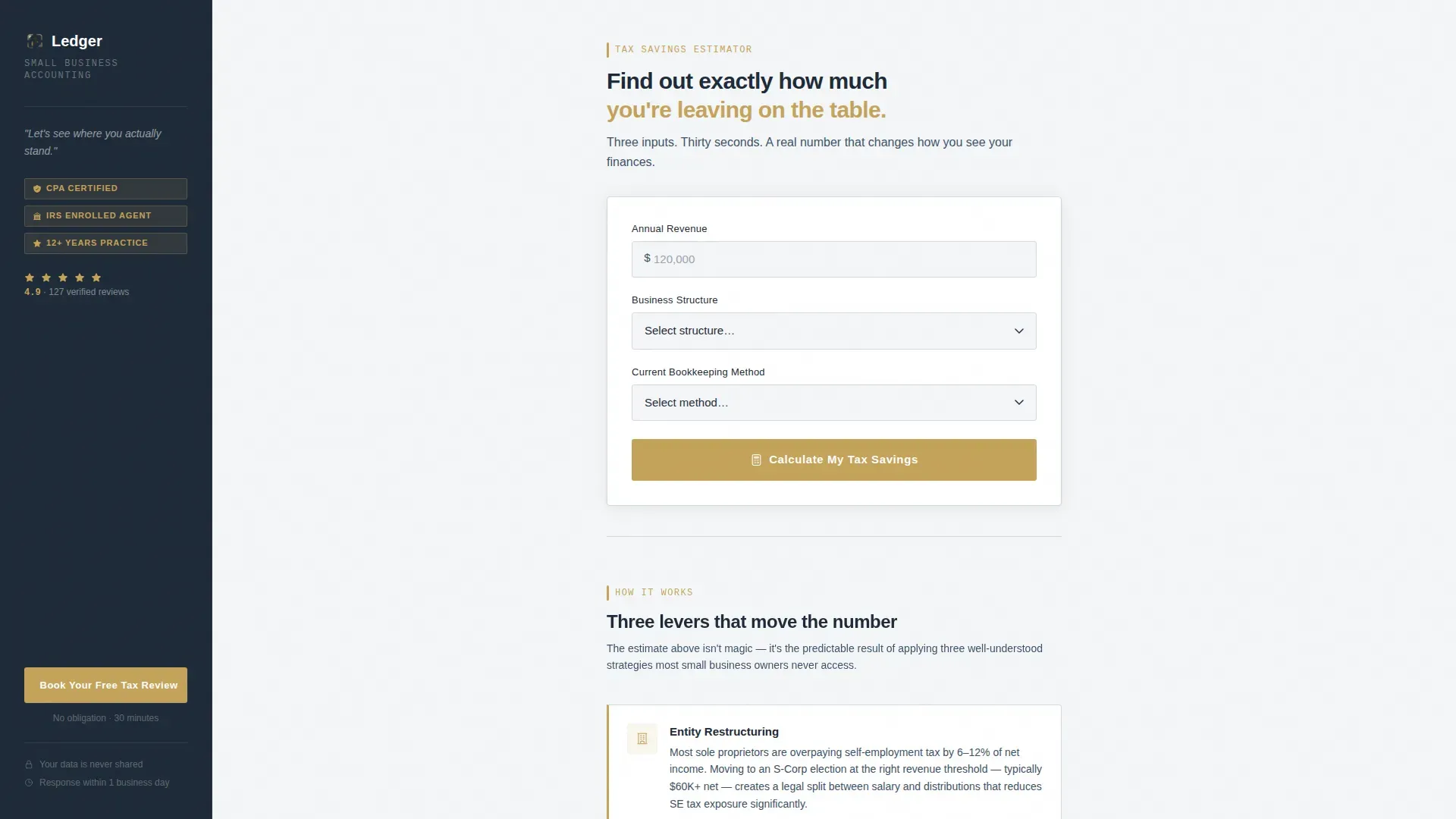
- An interactive tax savings estimator in the hero, with gold-animated output showing estimated annual savings, hours reclaimed per month, and a penalty risk score
- A sticky sidebar that persists on scroll, holding the firm name, credentials, a five-star review count, and the primary call-to-action button
- An inline services accordion covering monthly bookkeeping, tax preparation, payroll, and advisory, plus a secondary PDF checklist download gate for early-stage visitors
Feature list
This ledger template includes the following built-in capabilities.
Interactive Tax Savings Estimator
The hero section is a working calculator. Visitors enter annual revenue, business structure (sole proprietor, LLC, or S-Corp), and their current bookkeeping method. The output animates into view in gold-highlighted text, showing estimated annual tax savings, hours reclaimed per month, and a penalty risk score. Accounting software logic is baked into the output display so that each answer produces a meaningfully different result. This tool acts as a powerful tool for lead qualification before any form is submitted.
Sticky Sidebar with Credential Strip
The sidebar companion stays fixed as the visitor scrolls through the main content column. It shows the firm name, a credential line, a five-star review count, and the primary "Book Your Free Tax Review" call-to-action button. This persistent trust strip keeps the conversion path visible at every scroll depth without interrupting the reading flow.
Savings Breakdown Section
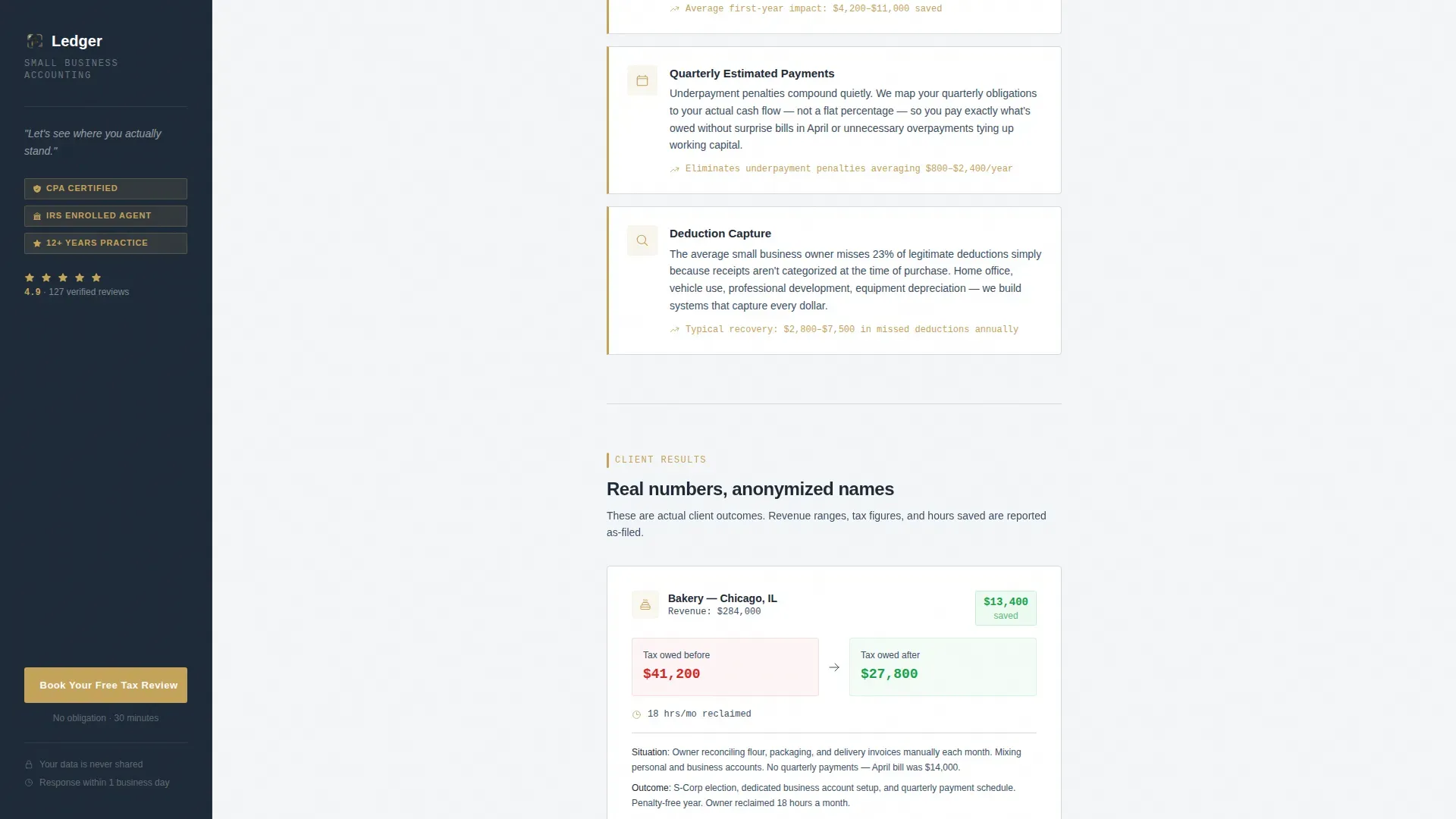
Below the estimator, a three-part breakdown explains how those savings are achieved. It covers entity restructuring, quarterly estimated payment strategies, and deduction capture. This section links the calculator output to concrete services, turning a number into a narrative that reinforces the general ledger as the foundation for financial clarity.
Anonymized Client Case Studies
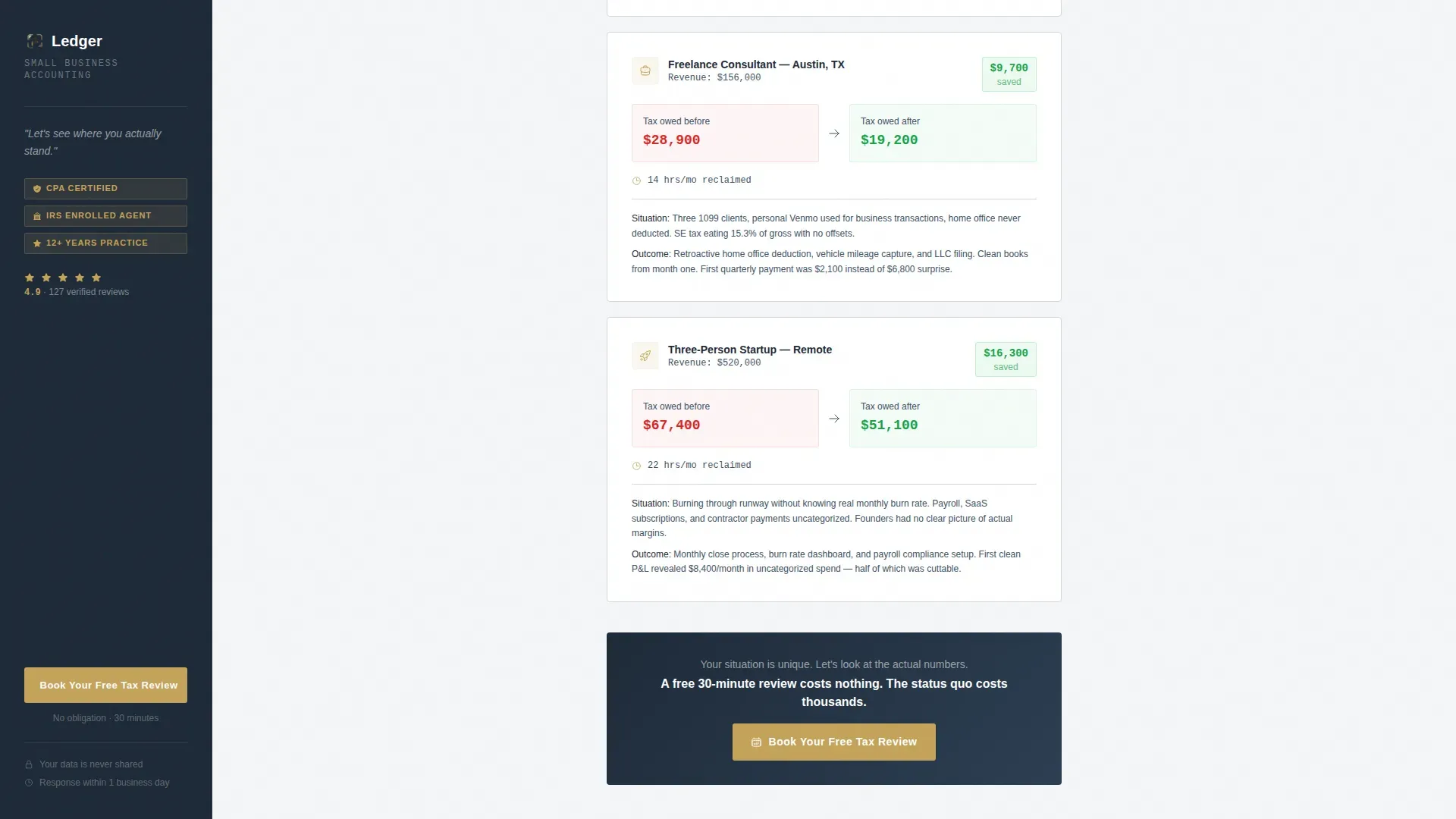
Three case studies display real before-and-after numbers: revenue, taxes owed before, and taxes owed after. No client names are used. The format is compact and scannable, making the results easy to absorb and compare. This section continues the authority built by the estimator.
Inline Services Accordion
Four service categories expand inline without breaking scroll rhythm. Monthly bookkeeping, tax preparation, payroll, and advisory each open to reveal a short description. The accordion keeps the page clean while giving visitors enough detail to self-qualify.
Dual Conversion Path Design
The primary call to action, "Book Your Free Tax Review," appears three times: in the sticky sidebar, at the bottom of the calculator output, and once more after the case studies. A secondary path offers a downloadable small business tax checklist behind a simple email gate. The inline booking form pre-fills annual revenue from the calculator if the visitor used it, reducing friction at the moment of commitment.
Page sections overview
| Section | Purpose |
|---|---|
| Tax Savings Estimator | Qualify visitors with personalized dollar output |
| Sticky Credential Sidebar | Maintain trust and call to action visibility on scroll |
| Savings Mechanism Breakdown | Explain how results are achieved |
| Client Case Studies | Show real before-and-after tax numbers |
| Services Accordion | Let visitors explore offerings inline |
| PDF Checklist Gate | Capture early-stage leads via email |
| Footer | Close with linear pattern and contact info |
Design & branding system
The visual identity follows an Executive Suite theme built on the Cloud Canvas color system. The palette evokes a mahogany desk in a composed, unhurried corner office. Every color choice is purposeful and restrained.
- Background in soft cloud white (#F4F6F8), sidebar and primary text in deep charcoal suiting (#1E2A38), structural dividers in pressed linen gray (#D6DAE0), and muted gold (#C4A35A) reserved for interactive elements, call-to-action buttons, and calculator output highlights
- Typography uses DM Sans for headings and IBM Plex Mono for numbers and calculator outputs, reinforcing the general ledger aesthetic where financial data reads with precision
- Layout is desktop-first with a two-column sidebar companion structure; the sidebar remains static while the main column scrolls through layered content
Mobile & speed optimization
The layout is desktop-first by design, reflecting the sidebar companion structure. On smaller screens, the sidebar companion collapses gracefully so that key conversion elements remain accessible without crowding the estimator.
- The sticky sidebar stacks below the calculator on mobile, keeping the call-to-action reachable after the estimator result is viewed
- Accordion sections and inline forms are touch-friendly, with adequate tap target sizing for mobile business owners reviewing the page between tasks
- Calculator interactivity is handled client-side while the structural layout uses server components, keeping the initial load light
How this template helps you convert
The conversion architecture is layered. Each section deepens the credibility established by the estimator. Visitors are never asked to commit before they have seen evidence of results.
- The estimator creates emotional urgency by showing a specific dollar amount left on the table, making the primary call to action feel like picking up money off the floor rather than responding to a sales pitch
- The sticky sidebar ensures the "Book Your Free Tax Review" button is always visible, and the pre-filled inline form reduces the number of fields a warm visitor has to complete
- The PDF checklist gate captures visitors not yet ready to talk, building a permission-based list of warm prospects who have already engaged with the firm's financial guidance
Other information about this template
This template is well suited for practices that want to present a clean general ledger of their own value before asking for anything in return. A good ledger practice keeps every financial event documented, and this landing page mirrors that discipline in its structure.
- The accounts template structure within the estimator maps inputs to output categories that reflect real general ledger logic: assets, liabilities, equity, revenue, and expenses
- The chart of accounts framework behind the savings breakdown helps visitors understand why entity restructuring and deduction capture matter, not just that they do
- Every accounting ledger component is represented in the page's visual grammar: account name, account numbers, debit and credit columns, and a running total in the animated output
- The trial balance metaphor applies to the case studies, where the before-and-after tax figures function as a debit and credit comparison that makes savings tangible
- Practices using QuickBooks Online or Microsoft Excel for client work will find the IBM Plex Mono number formatting consistent with those environments
- The Google Sheets-friendly color logic of the Cloud Canvas palette means brand assets stay transferable if the firm uses spreadsheet-based financial reports with clients
- The ledger template supports detailed descriptions for each service in the accordion, consistent naming conventions across sections, and the ability to add notes or a journal reference to the footer for compliance purposes
- The free template layout removes navigation to keep visitors focused, consistent with best practices for lead generation pages where a single goal drives the entire experience
- Automation has emerged as a powerful tool for accounting practices; this template is designed to sit at the front of that workflow, capturing leads that feed into whatever accounting software the firm uses downstream
- Regular reconciliation of the general ledger with bank statements is a core practice this page promotes; the savings breakdown section directly addresses how clean records reduce tax exposure at tax time

Theme
Executive Suite
Creative direction
Calculator/Tool First
Color system
Cloud Canvas
Style
Sidebar Companion
Direction
Lead Generation
Page Sections
Interactive Tax Savings Estimator
Sticky Sidebar Credential Strip
Before-and-after Case Studies
Inline Services Accordion
Dual Conversion Path Architecture
Executive Suite Visual System
Related questions
What kind of accounting practice is this template designed for?
Can I customize the estimator inputs and output fields?
How does the dual conversion path work?
Does the sidebar stay visible while the visitor scrolls?
Is this template suitable for a practice that offers payroll services?



