County Health Bureau Landing Page Template
Comply is a civic-authority landing page template built for county health bureaus. It organizes four service lanes, Food Safety, Water & Septic, Housing Code, and Permits & Licensing, into a zigzag checklist layout. A sticky compliance form and amber action cues guide restaurant owners, landlords, and homebuilders to submit their status check or schedule an inspection.
by Rocket studio
Quick summary
Comply is a single-page government health bureau template that turns a complex compliance process into a clear, scrollable checklist experience. Four service lanes walk visitors through inspections, certifications, and violation steps in plain language. The primary call to action, "Check My Compliance Status," appears at every lane and in a pinned amber banner, making it easy to act at any point.
Who this template is for
This template is designed for county health departments and public health bureaus that need a direct, trustworthy web presence. It works best when visitors arrive with a specific compliance need and limited patience for clutter.
- Restaurant owners preparing for re-inspection before an opening date
- Homebuilders or landlords waiting on well-water results or violation notices
- General public seeking permit status or inspection scheduling information
What problem this template solves
Many government health bureau pages bury their most-used services inside deep navigation menus. Visitors arrive stressed, time-pressed, and uncertain which form applies to them. This template removes that friction.
- Each service lane tells visitors exactly what triggers an inspection and what documents they need
- Amber action markers and checklist steps make it clear where a visitor stands in the process
- The compliance form appears only after visitors have already seen the checklist that matches their situation
What you get with this template
The template delivers a fully structured single-page layout that covers four core health bureau service lanes. Every section is ready to receive real content without needing a redesign.
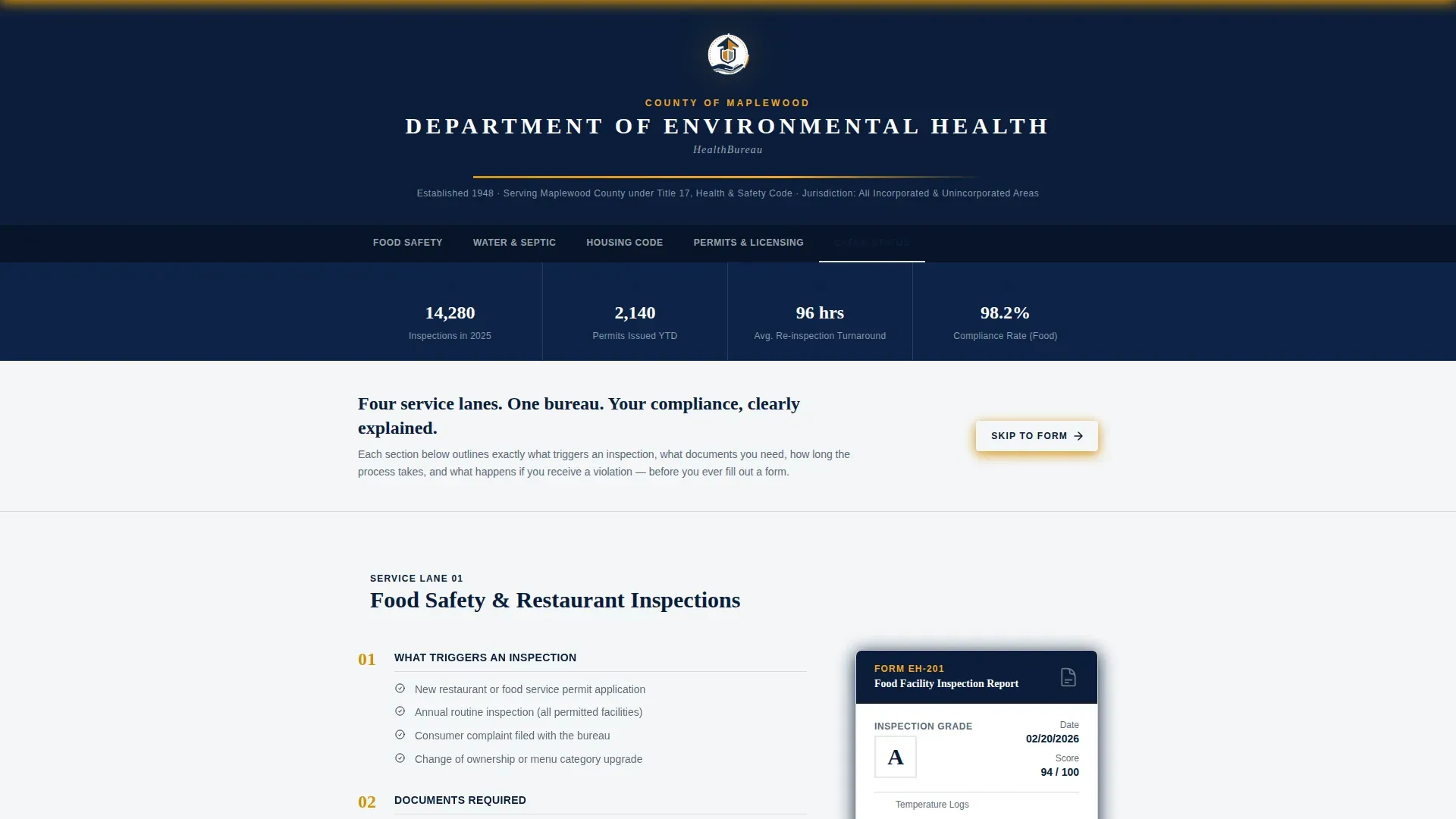
- A seal-anchored logo bar header with formal bureau name typography and jurisdiction line
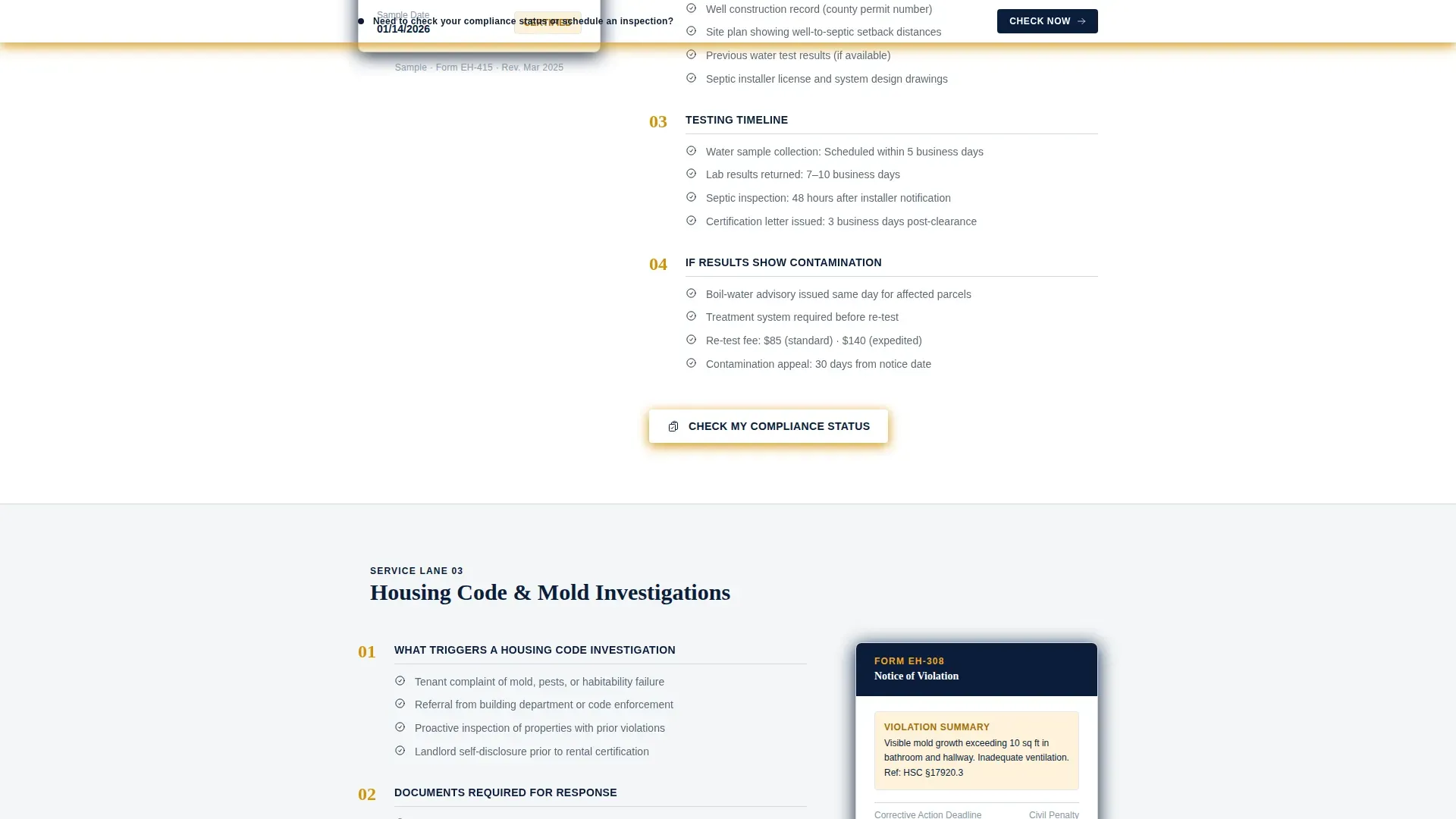
- Four zigzag service sections, each with a numbered compliance checklist and paired document thumbnail
- A lead generation form with an icon-selector, date-picker, and a sticky amber call-to-action banner
Feature list
This template includes the following built-in capabilities, all grounded in the source brief.
Zigzag Checklist Layout
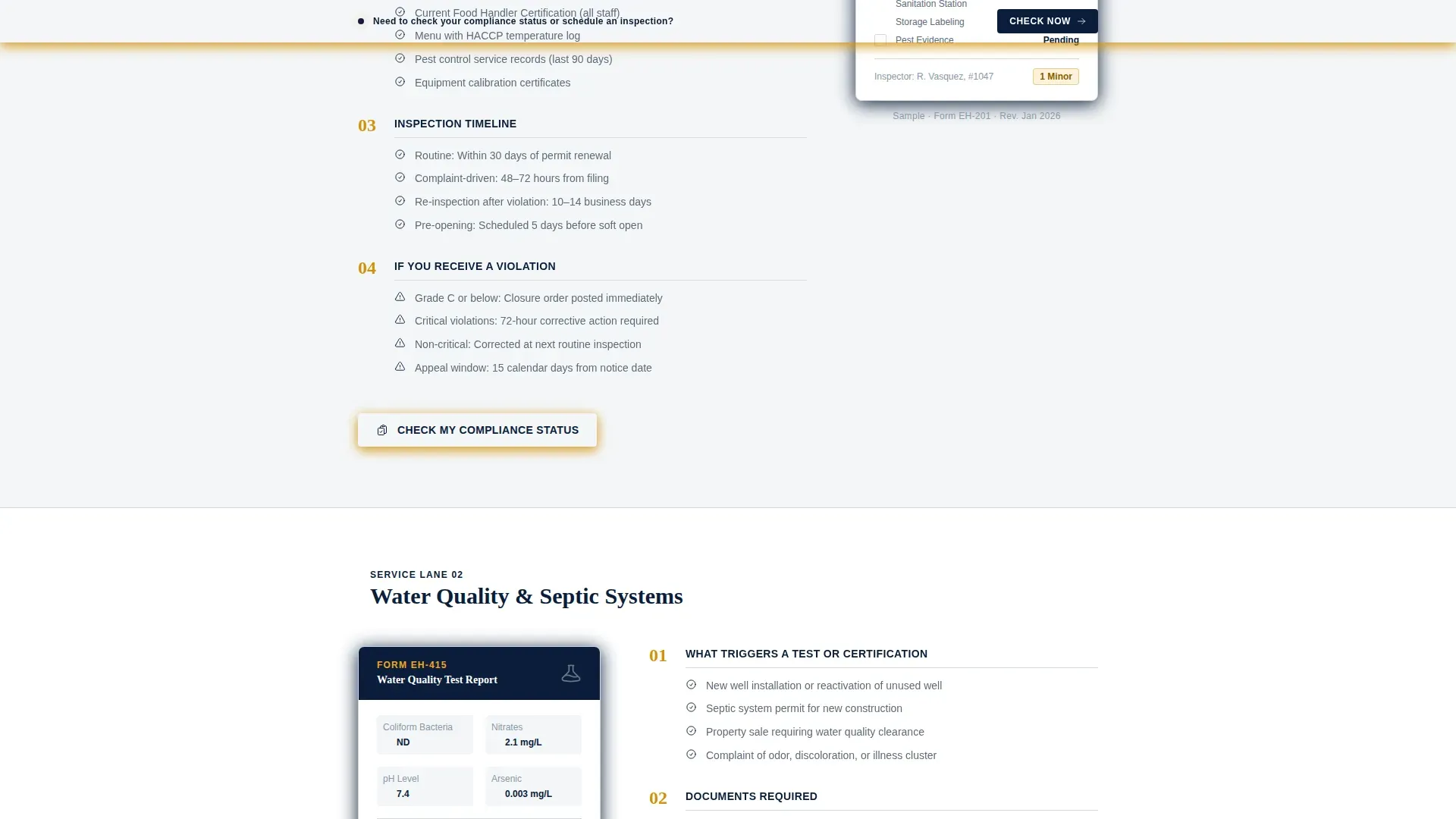
Each of the four service lanes alternates its checklist and document panels side by side. Left-side sections show the compliance checklist; right-side sections show the corresponding form or document thumbnail. The alternating rhythm keeps the page visually dynamic while reinforcing a structured audit feel.
Compliance Status Lead Form
The primary lead form collects a property address first, then lets visitors pick their service type using an icon-selector, restaurant, residence, construction site, or well/septic. A free-text field labeled "Describe your situation or violation number" captures open-ended context before submission.
Sticky Amber Action Banner
A slim amber banner pins to the viewport on scroll and carries the "Check My Compliance Status" call to action at all times. This ensures the primary conversion path stays visible regardless of how deep a visitor scrolls into the checklist content.
Amber Checkpoint Markers
Amber checkmarks punctuate each completed checklist step within every service lane. The visual cues teach visitors their compliance position as they scroll, turning passive reading into an active progress audit.
Inspection Scheduling Path
A secondary conversion path labeled "Schedule an Inspection" includes a date-picker and a contact number field. This gives visitors who are not ready to submit a status check a lower-friction alternative action.
Seal-Anchored Header Bar
The header centers the county seal at full crest resolution, flanked by the bureau's formal name in tracked-out serif type. A slim amber rule and a single gray jurisdiction line complete the bar, establishing governmental authority before any page content appears.
Page sections overview
| Section | Purpose |
|---|---|
| Logo Bar Header | Establishes county seal, bureau name, and jurisdiction authority |
| Food Safety Lane | Checklist left, document thumbnail right |
| Water & Septic Lane | Document thumbnail left, checklist right |
| Housing Code Lane | Checklist left, document thumbnail right |
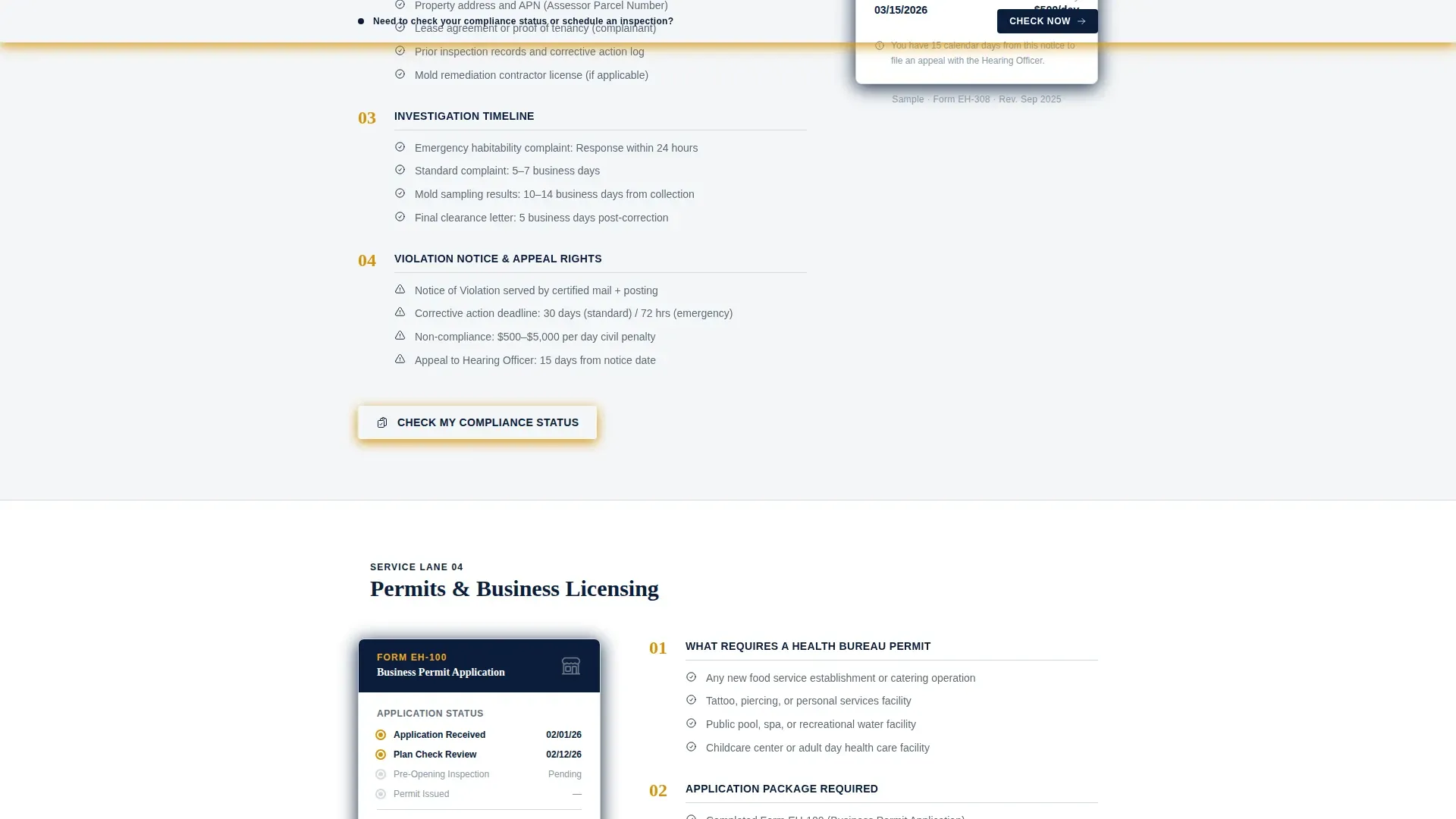
| Permits & Licensing Lane | Checklist with embedded lead generation form |
| Page Footer | Linear single-row links and bureau contact information |
Design & branding system
The template uses a Navy Authority color system that reads immediately as official and institutional. Every color has a defined role, and none are used interchangeably.
- Deep institutional navy (#0B1D3A) dominates headers and section dividers; civil-service gray (#5C6B7A) carries body text and secondary labels; clean compliance white (#F4F6F8) opens space between content blocks
- Action-amber (#D4920B) is reserved exclusively for buttons, alert badges, deadline callouts, and amber checkpoint markers
- Typography pairs Fraunces serif headings with DM Sans body and interface text for a civic, readable contrast
Mobile & speed optimization
The template is built desktop-first, reflecting how bureau staff and professional users typically navigate compliance workflows. A strong mobile fallback accommodates restaurant owners and contractors checking status from a job site.
- Scroll-reveal animations and checklist step stagger are kept at a low-to-medium level to avoid disrupting mobile performance
- Server components handle static content sections, and JavaScript is kept minimal to support faster load on slower connections
- The sticky amber banner and icon-selector form remain fully usable on smaller screens
How this template helps you convert
The page earns the form submission by doing visible work before asking for anything. Visitors leave each service lane already knowing what applies to them.
- Each service lane displays what triggers an inspection, what documents are required, what the timeline looks like, and what happens after a failed result, before any form appears
- The "Check My Compliance Status" call to action is placed at the end of every service lane and pinned in a scroll-following amber banner, creating multiple natural conversion points without pressure
- Official statistics blocks, inspections completed, certifications issued, and average response time, act as social proof that reinforces bureau credibility and moves hesitant visitors toward submission
Other information about this template
This template is categorized under Government & Public, with a subcategory of Public Health Department and a niche focus on county health bureau operations. It is built for a USA audience with English-language copy, standard date formatting (MM/DD/YYYY), and USD currency references where applicable.
- The Civic Service theme and Checklist & Audit creative direction make this template suitable for any county-level public health or environmental health bureau
- The template style is Zigzag/Alternating with a Lead Generation page direction, supported by a Logo Bar header concept
- Animation is intentionally restrained: scroll reveals, amber badge pulse, and checklist step stagger keep the page feeling active without undermining its official tone
Theme
Civic Service
Creative direction
Checklist & Audit
Color system
Navy Authority
Style
Zigzag/Alternating
Direction
Lead Generation
Page Sections
Zigzag Checklist Service Lanes
Compliance Status Lead Form
Sticky Amber Action Banner
Amber Checkpoint Progress Markers
Seal-anchored Logo Bar Header
Official Statistics Social Proof Block
Related questions
Who is this template designed for?
Can I customize the four service lanes for my bureau's specific programs?
What does the compliance form collect from visitors?
Does the template include a sticky call-to-action element?
Is this template suitable for mobile users in the field?



