Compliance Consultancy Landing Page Template
Comply is an editorial-style landing page template built for cross-border tax and compliance consultancies. It leads with data-driven storytelling, a navy-and-amber visual identity, and a structured scroll flow that builds urgency through statistics. Two conversion paths, a downloadable resource form and an interactive risk diagnostic, work together to turn informed visitors into qualified leads.
by Rocket studio
Quick summary
Comply is a single-page compliance consultancy template built around a Stats-First editorial flow. It opens with an animated headline statistic, guides visitors through a series of data-led sections, and closes with two conversion paths. The design borrows from classified intelligence briefs, authoritative, precise, and deliberately unsettling in the best way.
Who this template is for
This template is built for consultancies that advise companies on the compliance risks that come with internationally mobile workforces. If your value proposition lives in complexity and your clients measure risk in jurisdictions, this layout matches your tone.
- Global mobility advisors managing assignee populations across multiple countries
- Cross-border tax and payroll compliance firms serving HR directors and CFOs
- Consultancies that lead with research and need a content-first conversion funnel
What problem this template solves
Most professional services pages bury the expertise and lead with a pitch. That approach fails audiences who already know the problem is serious. Comply flips the order: data first, credentials second, conversion third.
- Clients arrive already worried about liability but unsure of their exposure level
- Generic service pages do not communicate the depth of cross-border tax knowledge required
- A form-first layout would lose the CFO who wants to see the thinking before booking a call
What you get with this template
Comply delivers a fully structured editorial landing page that earns trust before it asks for anything. Every section is sequenced to escalate perceived risk and resolve it through a clear call to action.
- An animated hero section with a count-up statistic and a pulsing world map visual
- Two embedded conversion paths: a gated resource download and a five-question risk diagnostic
- An editorial scroll flow built around penalty figures, threshold rules, and country-level compliance context
Feature list
A paragraph introduces each capability in plain terms. Every feature below maps directly to a described section or component in the template brief.
Animated Data Hero
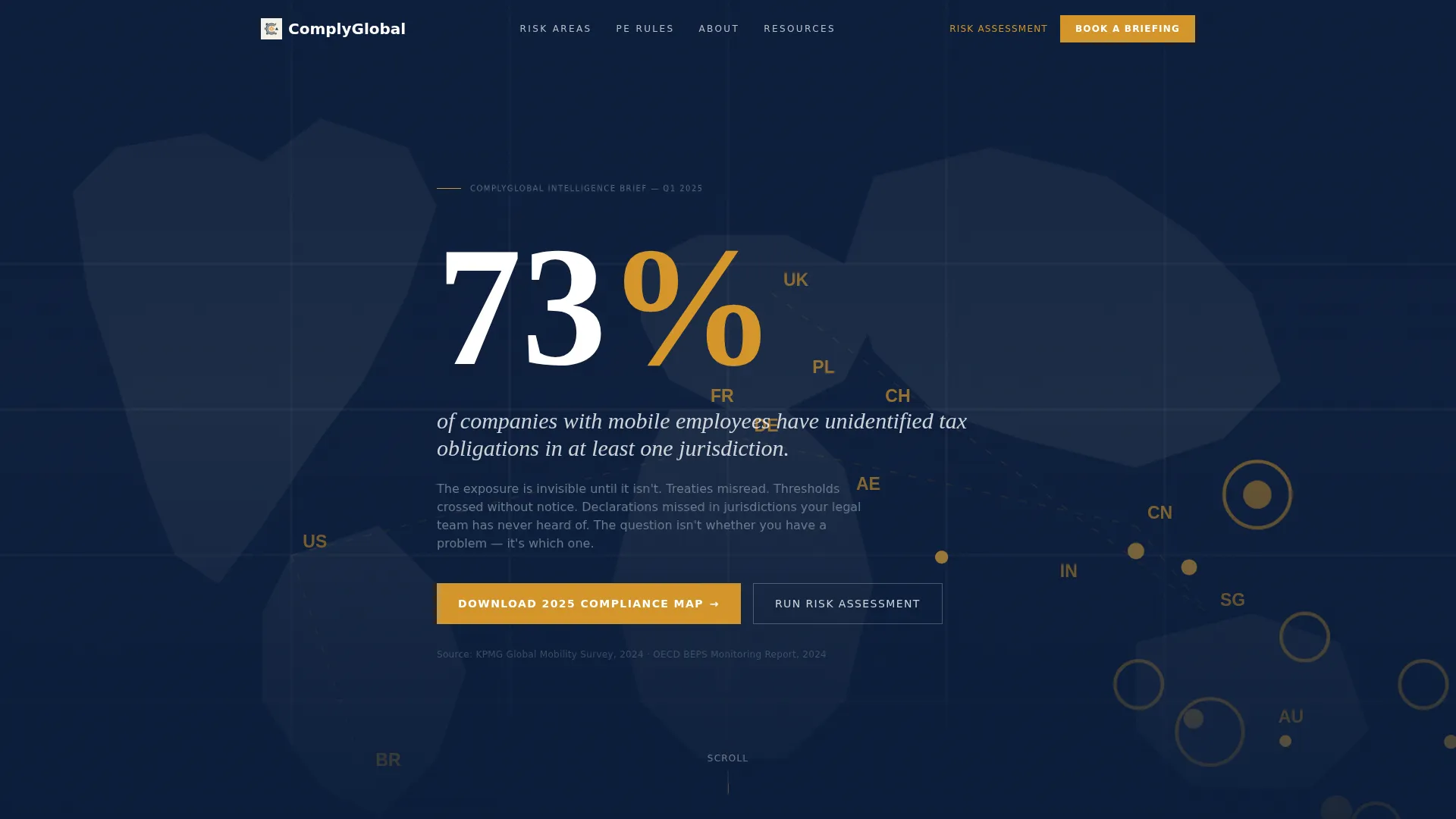
The hero section opens with a single large statistic that counts up on load against a deep navy background. As the number settles, a world map fades in behind it with amber nodes marking the highest-risk jurisdictions. No photography, no stock imagery, just the data, rendered in a sharp serif typeface designed to feel urgent.
Stats-First Editorial Scroll
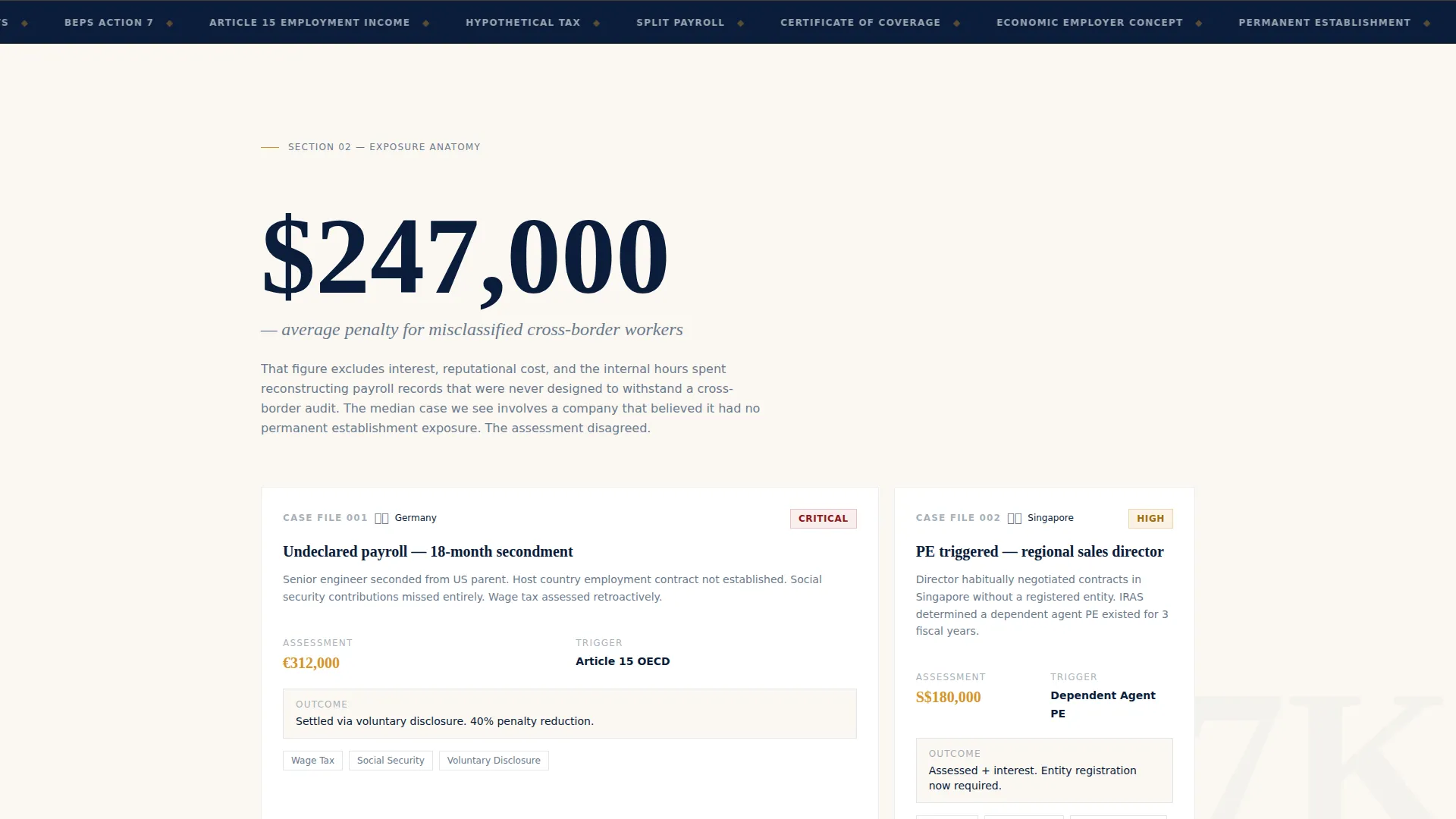
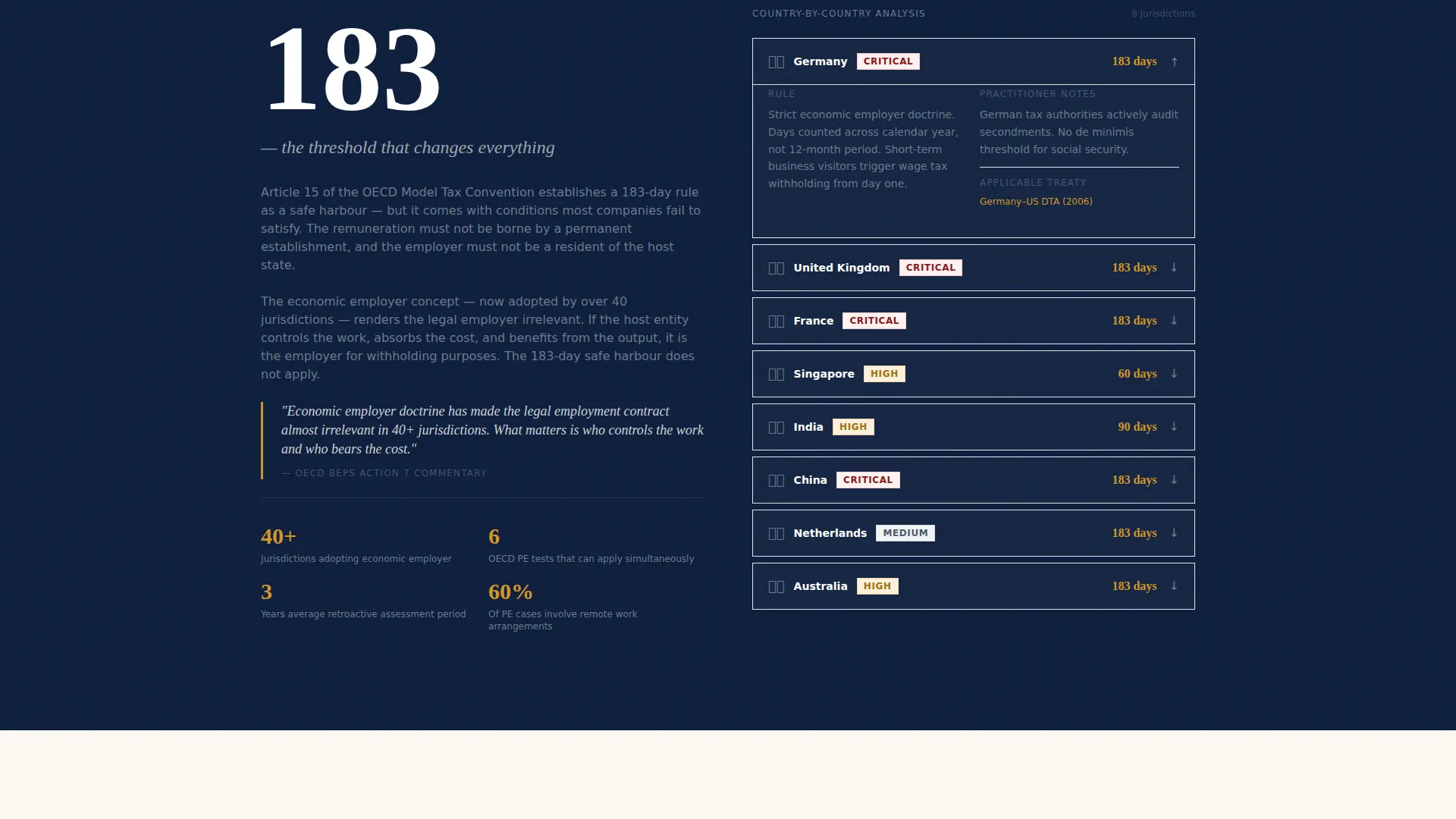
Each major scroll section leads with a penalty figure or regulatory threshold before expanding into context. The sequence builds progressively: "$247,000 average penalty for misclassified cross-border workers" in section two, "183 days, the permanent establishment threshold" in section three. The effect is a risk assessment that keeps finding more risk.
Gated Resource Download Form
After the third data section, a two-field form offers the "2025 Global Compliance Map" download. It asks only for a work email address and the number of mobile employees. The form is intentionally minimal to reduce friction at the moment of highest anxiety.
Interactive Risk Diagnostic Sidebar
A persistent sidebar runs alongside the main scroll and prompts visitors to complete a five-question exposure assessment. The diagnostic scores the visitor's risk level and gates the detailed results behind an email capture. It provides a secondary conversion path for visitors not yet ready to download the main resource.
Pull Quote Editorial Columns
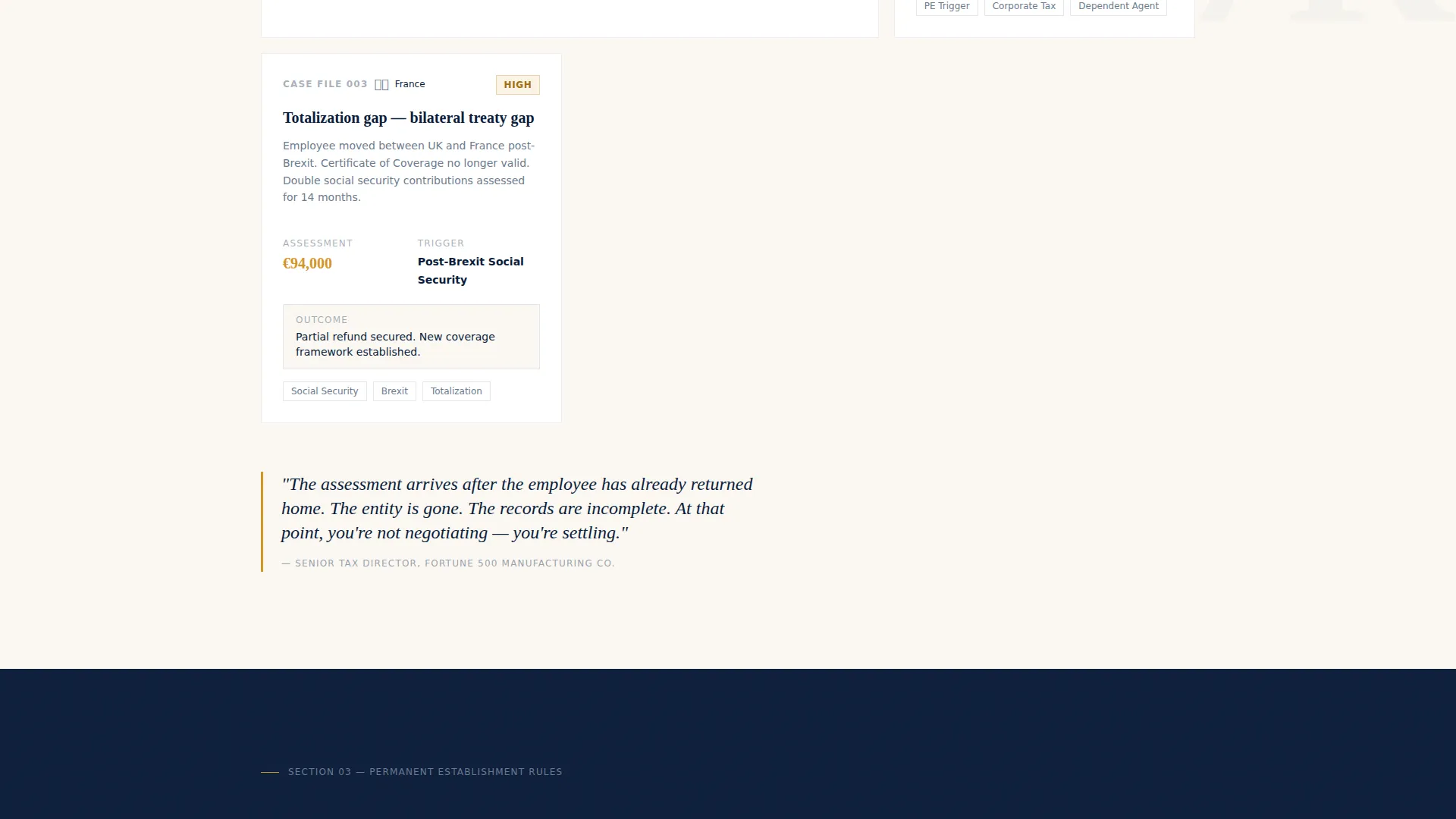
Between data sections, the template includes magazine-style editorial columns with pull quotes styled as marginalia. These sections carry authoritative prose and reinforce the consultancy's depth of knowledge in treaty interpretation, permanent establishment rules, and social security totalization agreements.
Navy Authority Design System
The visual identity uses a four-color palette: admiralty navy for headers and hero backgrounds, policy-paper cream as the reading surface, steel briefing gray for body text, and regulatory amber reserved for data callouts and interactive hover states. Typography leans on sharp serifs for statistics and clean body text for editorial prose.
Page sections overview
| Section | Purpose |
|---|---|
| Animated stats hero | Opens with the arresting 73% statistic and world map visual |
| Penalty case section | Introduces the $247,000 misclassification figure with case anatomy |
| Threshold rules section | Unpacks the 183-day permanent establishment trigger by country |
| Resource download form | Converts anxious visitors with a two-field gated download |
| Editorial column blocks | Builds authority through tight, treaty-level compliance prose |
| Persistent risk sidebar | Offers a five-question diagnostic as a secondary conversion path |
Design & branding system
The Comply template uses a Navy Authority color system that feels like a policy document: precise, weighted, and intentional. Every color has a defined role and is never used outside it.
- Admiralty navy (#0B1D3A) anchors all headers, the hero background, and primary typographic elements
- Policy-paper cream (#FAF7F2) provides the reading surface, keeping long editorial sections comfortable to scan
- Regulatory amber (#D4952A) appears only on data callouts, risk indicators, and interactive hover states to preserve its signal value
Mobile & speed optimization
The template is designed to reformat cleanly for narrower viewports without losing the editorial weight that makes it authoritative. The persistent sidebar adapts to an inline or bottom-anchored position on smaller screens.
- Stat-forward sections stack vertically on mobile, preserving the count-up animation and amber node map
- The two-field download form and five-question diagnostic remain fully usable on touch devices
- Editorial pull quotes reflow as standard block quotes on small screens without disrupting reading flow
How this template helps you convert
Comply converts by teaching the visitor something before asking them to act. The page builds a case through escalating data points, then offers two ways to go deeper.
- The animated hero statistic creates immediate personal relevance, the visitor wonders whether their company is inside the 73%, which keeps them scrolling.
- The gated download arrives at the exact moment anxiety peaks, after three data sections have established what non-compliance actually costs.
- The risk diagnostic sidebar catches visitors who are not ready for the main form by offering a lower-commitment interaction that still ends in an email capture.
Other information about this template
Comply is categorized under Professional Services and Travel Consulting, and it is built specifically around the Travel Compliance Consultant niche. The template style is Editorial and Magazine, matching the intelligence-brief aesthetic described throughout the brief. It is a single landing page, not a multi-page website.
- The template is rated 9 out of 10 on intersection match score for the Travel Compliance Consultant niche
- The Educational Guide theme shapes every layout decision, from the numbered pages feel to the marginalia-style pull quotes
- The Content and Resource landing page direction means the primary goal is proving expertise first, then converting on the strength of that proof
Theme
Educational Guide
Creative direction
Stats-First Impact
Color system
Navy Authority
Style
Editorial/Magazine
Direction
Content/Resource
Page Sections
Animated Data Hero Section
Stats-first Editorial Scroll Flow
Two-field Gated Resource Form
Persistent Risk Diagnostic Sidebar
Magazine-style Editorial Columns
Navy Authority Color System
Related questions
Who is the Comply template designed for?
Can I customize the statistics and data points in the template?
How do the two conversion paths work together?
Does the template include the interactive risk diagnostic component?
Is this template suitable for a firm covering multiple compliance specialisms?



