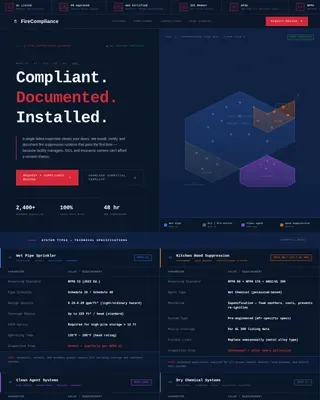
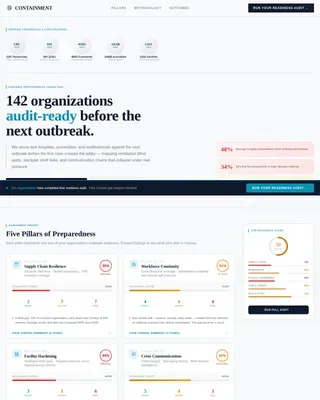
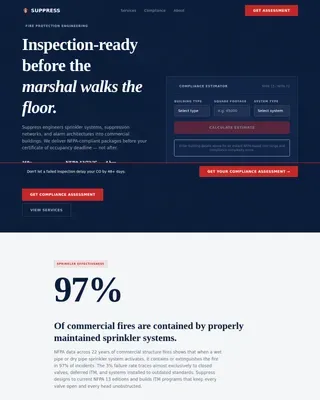
Fire Safety & Prevention Privacy Policy & Terms Website Template
Comply is a split-screen landing page template built for industrial fire protection firms. It guides plant safety managers, EHS directors, and procurement engineers from hazard awareness to confident action using a Problem-to-Solution visual arc, authority-first badge headers, a site assessment request form, and a gated compliance checklist for lead qualification.
by Rocket studio
Quick summary
Comply is a precision-engineered landing page template for commercial fire protection companies. It pairs stark hazard scenarios with detailed suppression countermeasures in a 50/50 split-screen layout. Every section is designed to move a technically demanding B2B audience from concern to confidence and toward a site assessment booking.
Who this template is for
This template is built for fire protection firms that serve heavy industrial clients. It speaks directly to the people who carry liability for facility safety and compliance.
- Plant safety managers responsible for filing National Fire Protection Association (NFPA) compliance reports
- Environmental, Health, and Safety (EHS) directors managing insurance premium negotiations
- Procurement engineers specifying suppression systems for refineries, chemical plants, and manufacturing floors
What problem this template solves
Industrial fire protection firms struggle to communicate technical authority quickly to skeptical, time-pressed buyers. A generic service page does not carry the weight that a $200M facility decision demands.
- Visitors leave before understanding the firm's depth of engineering capability
- There is no clear path for leads at different readiness levels, from ready-to-call to still-auditing
- Compliance credentials get buried instead of anchored at the top where they establish trust immediately
What you get with this template
You get a structured, single-page layout that handles both the emotional and technical dimensions of an industrial safety sale. The design does the heavy lifting before a visitor reads a single word of body copy.
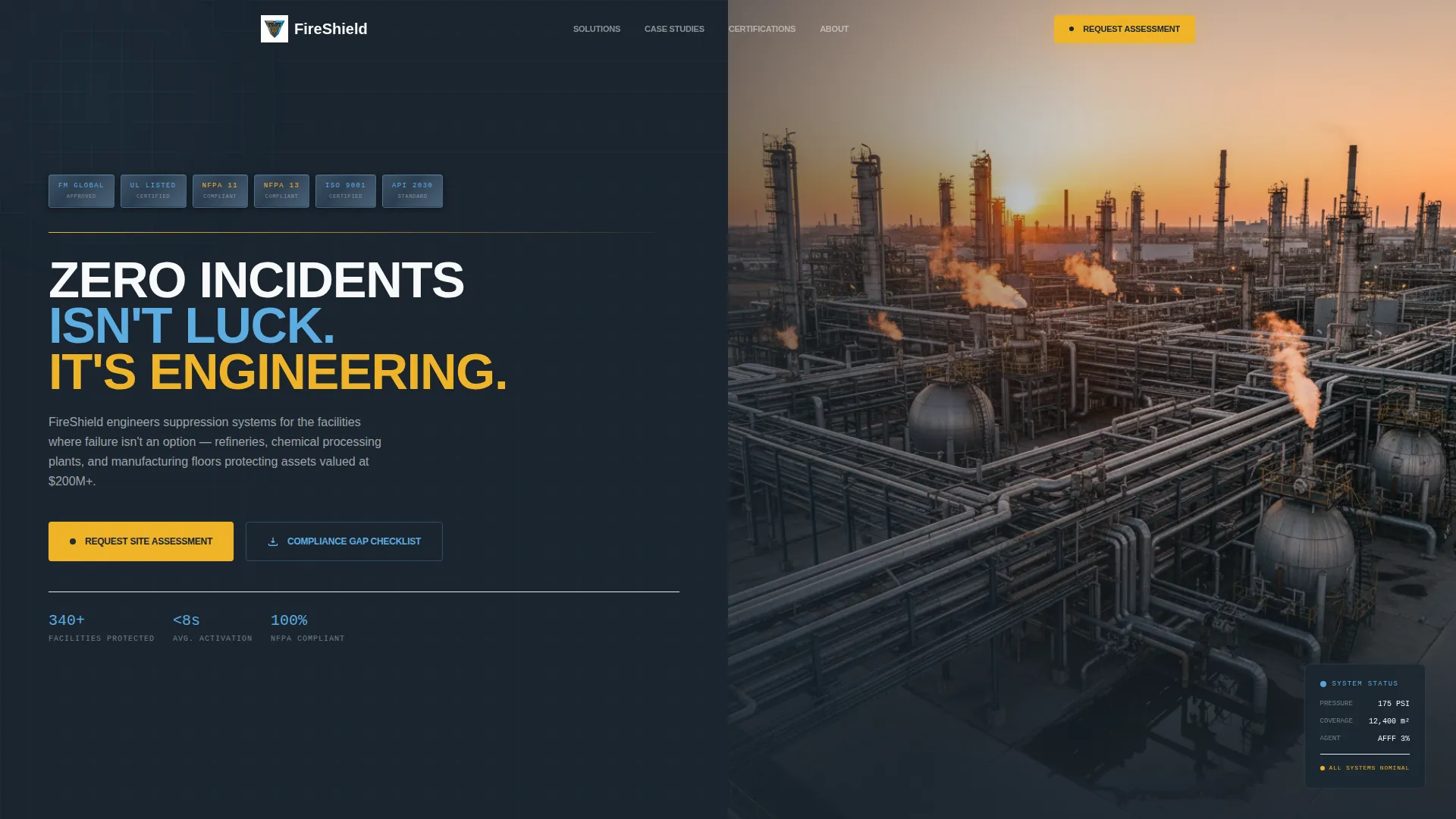
- A horizontal award badge row featuring FM Global approvals, UL certifications, NFPA diamond ratings, and ISO stamps rendered as tactile metallic emblems
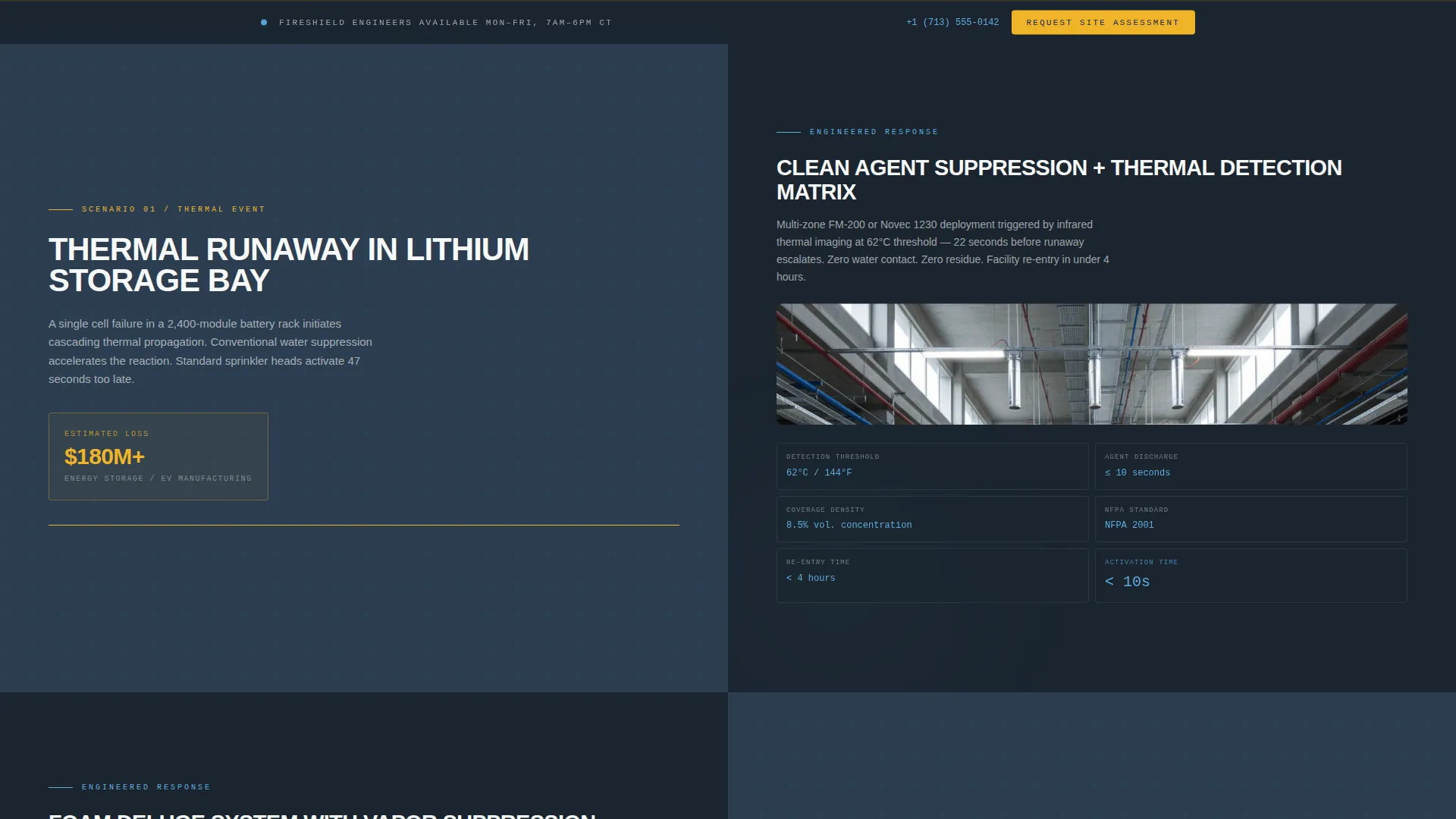
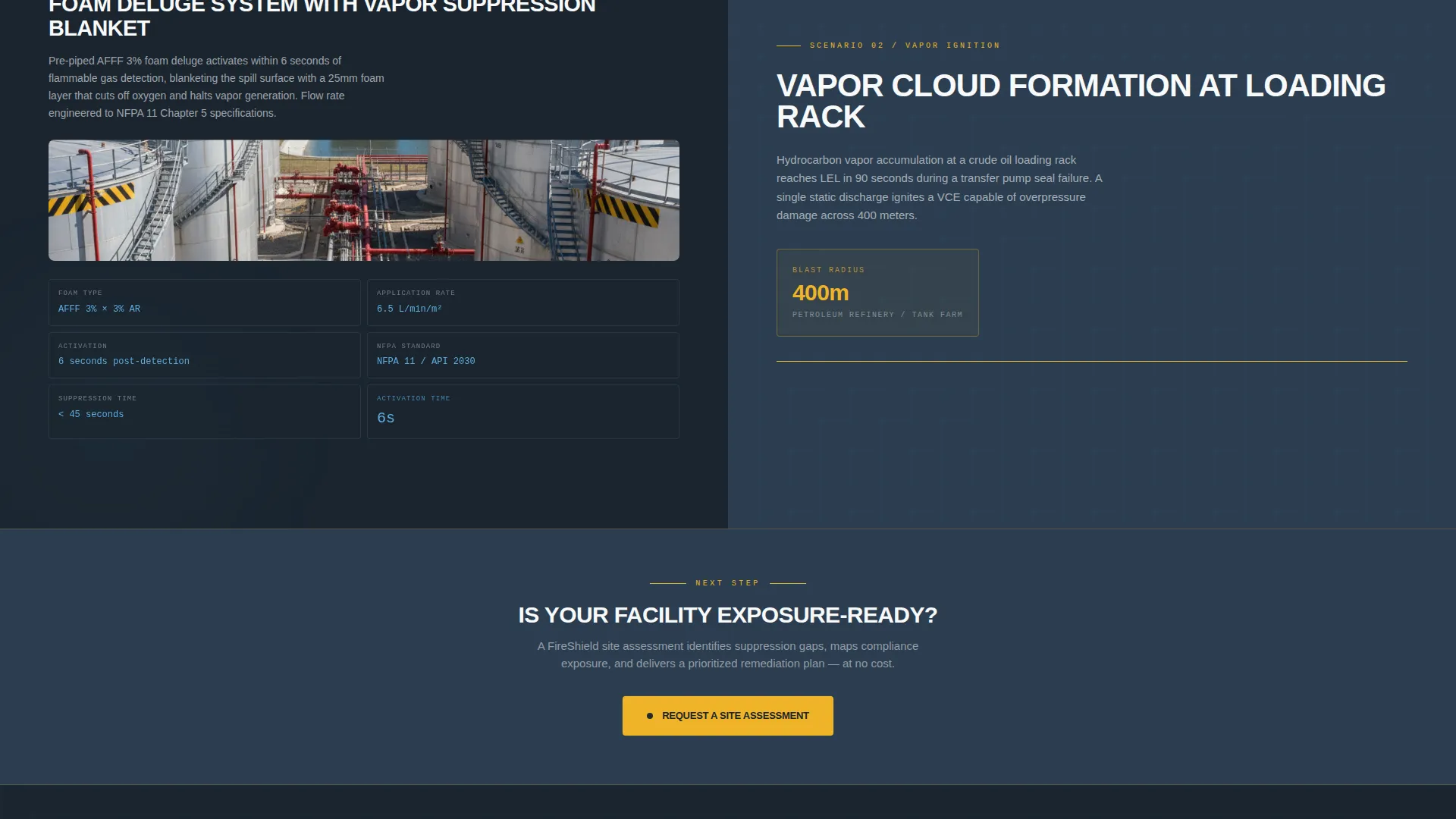
- A repeating 50/50 split-screen section format pairing hazard scenarios with engineered countermeasures, technical cutaway diagrams, flow-rate specs, and activation sequences
- Two conversion paths: a site assessment request form and a gated downloadable compliance gap checklist PDF
Feature list
A paragraph describing this section: Each built-in feature of the Comply template addresses a specific challenge in converting a high-stakes industrial buyer. The components below are included and ready to customize.
Award Badge Header Row
A horizontal row of certification emblems opens the page above the headline. FM Global, UL, NFPA, and ISO marks are styled as tactile metallic badges against the gunmetal background, each catching a subtle light reflection. They establish authority before the visitor reads anything else.
Problem-to-Solution Split Sections
Each scroll section pairs a hazard scenario on the left panel with its engineered suppression countermeasure on the right. Scenarios include thermal runaway in lithium storage, vapor cloud events in loading racks, and grease fire propagation in food processing lines. The arc moves visitors from fear to confidence in under sixty seconds.
Dual Conversion Path System
The primary call to action, "Request a Site Assessment," appears after the second problem-solution pair and repeats as a sticky bar after the case studies. A secondary path offers a downloadable compliance gap checklist PDF gated behind a company email field, qualifying leads who are auditing but not yet ready for a call.
Site Assessment Request Form
The intake form captures facility type (refinery, warehouse, manufacturing, or chemical processing), square footage range, current suppression system age, and a direct-line phone number. Each field is chosen to qualify the lead before the first conversation.
Case Study Resolution Blocks
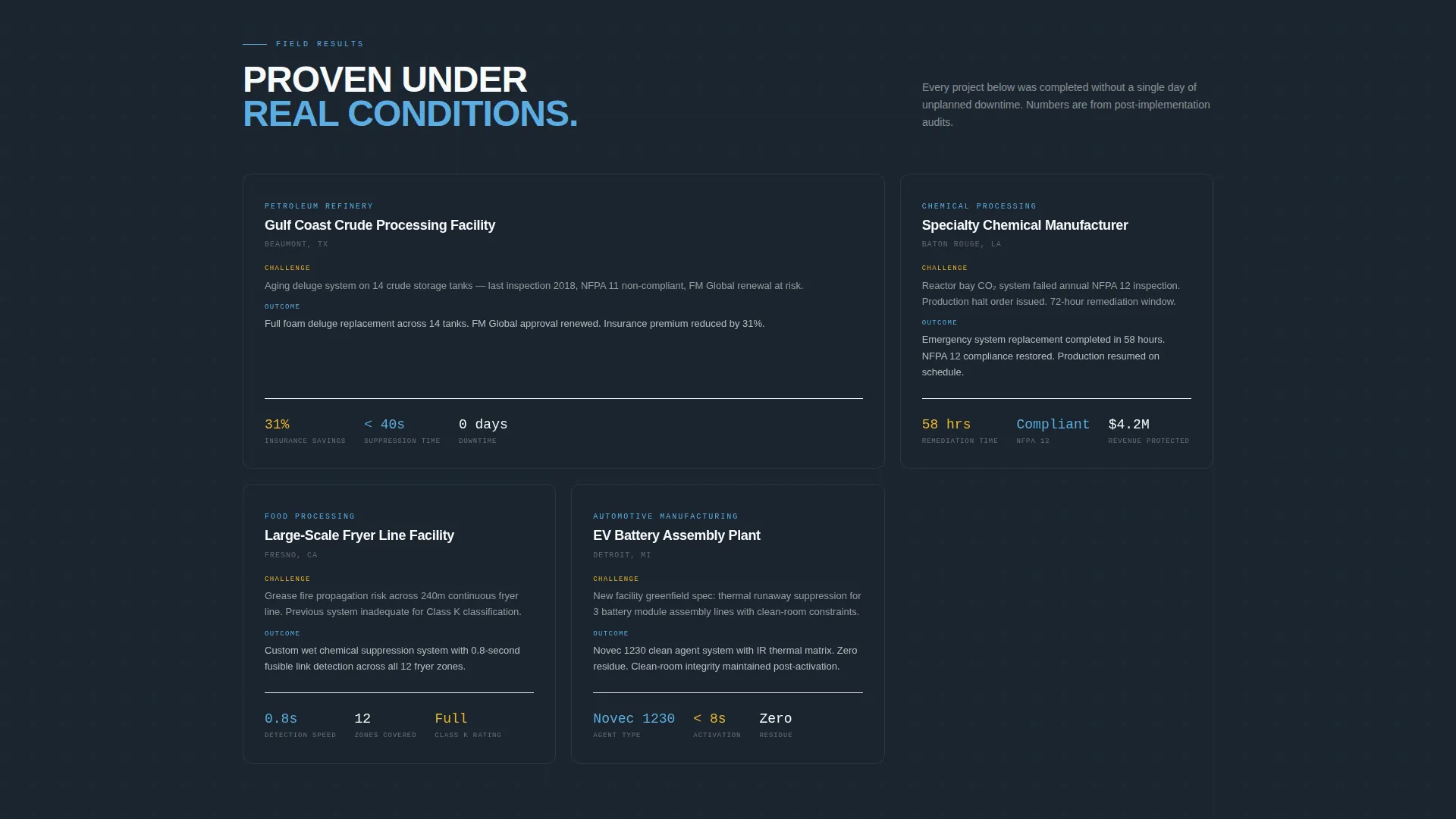
After the hazard arc, the template surfaces real-outcome case studies showing suppression times, insurance savings percentages, and zero-downtime results. These blocks convert residual skepticism into confidence at the close of the page.
Sticky Conversion Bar
A persistent bar anchors the primary call to action on screen after the case study section. It ensures the site assessment prompt is always visible without interrupting the reading flow of earlier sections.
Page sections overview
| Section | Purpose |
|---|---|
| Badge Header Row | Establish certifications and authority |
| Hero Headline Block | Deliver primary brand statement |
| Problem Panel One | Present first hazard scenario |
| Solution Panel One | Show engineered countermeasure |
| Problem Panel Two | Escalate second hazard scenario |
| Solution Panel Two | Reveal suppression response |
| Primary call to action Block | Prompt site assessment request |
| Deep Hazard Scenarios | Escalate to catastrophic what-ifs |
| Case Study Section | Show real suppression outcomes |
| Sticky call to action Bar | Repeat site assessment prompt |
| Compliance Checklist Gate | Capture mid-funnel email leads |
Design & branding system
The visual identity follows a Corporate Precision theme. The palette feels like the control room of a well-run plant at 6 AM: cool monitors, steel panels, and one steady blue status light confirming all systems nominal.
- Core palette: deep gunmetal slate (#2C3E50), structural charcoal (#1A252F), open-sky blue (#5DADE2), and clean compliance white (#F8F9FA) for breathing room
- Accent: signal amber (#F0B429) used sparingly on rules, dividers, and caution elements, the way a caution light punctuates an otherwise orderly facility
- Typography: condensed, all-caps sans-serif for the hero headline; a thin amber rule separates the badge row from the primary call to action zone
Mobile & speed optimization
The Comply template is structured so its split-screen layout adapts cleanly for smaller viewports. Content hierarchy is preserved when the two-column format stacks vertically on mobile screens.
- Split-screen panels reflow into single-column stacks on narrow screens, keeping hazard and solution pairings readable in sequence
- The sticky conversion bar is designed to remain visible and functional across screen sizes without overlapping critical content
- Form fields are sized and spaced for touch input, reducing friction for users completing the site assessment request on a mobile device
How this template helps you convert
The page is structured as a deliberate lead generation funnel. Every design and copy decision is aimed at moving an industrial buyer toward one of two actions.
- The Problem-to-Solution arc builds urgency and credibility in sequence, so by the time the primary call to action appears, the visitor has already understood the stakes and seen proof of engineering capability.
- The dual conversion path captures both ready-to-call prospects through the site assessment form and early-stage researchers through the gated compliance checklist, so no qualified visitor leaves without an entry point.
Other information about this template
The Comply template is categorized under Safety and Emergency, with a specific focus on commercial fire protection and industrial fire safety prevention. It is designed as a lead generation landing page for B2B partnership engagement.
- The template style follows a single-column flow with split-screen section pairs, making it straightforward to extend or rearrange sections as needed
- The header concept draws from a stats-first, authority-first approach, surfacing credentials and outcomes before detailed service descriptions
- The color system is described in the brief as a Corporate Precision palette; it shares visual DNA with navy authority themes common in regulated industrial sectors
- Suitable for firms operating in refinery fire suppression, chemical plant protection, tank farm foam deluge systems, and manufacturing floor suppression
Theme
Medical Clarity
Creative direction
Stats-First Impact
Color system
Navy Authority
Style
Single Column Flow
Direction
Lead Generation
Page Sections
Award Badge Header Row
Problem-to-solution Split Sections
Dual Conversion Path System
Site Assessment Request Form
Case Study Resolution Blocks
Sticky Conversion Bar
Related questions
Who is the Comply template designed for?
What are the two conversion paths included in this template?
Can I adapt the hazard scenarios to match my firm's specific service areas?
What certifications does the badge header support?
Is this template suitable for a firm that serves multiple facility types?