Expert Gas Fitting Landing Page Template
Valve is a sidebar companion landing page template built for certified gas fitting businesses. It combines animated compliance counters, a scrollable expert panel of technician profiles, and a pinned lead-capture sidebar. The design uses a Legal Shield theme to communicate precision and trust, making it ideal for gas fitters serving residential, commercial, and multi-unit clients.
by Rocket studio
Quick summary
Valve is a single-page sidebar companion template designed for certified gas fitting operations. It opens with live-updating compliance counters, guides visitors through technician expertise as they scroll, and closes every session with a pinned booking form. The layout feels like a well-kept service logbook: every section earns confidence before asking for a commitment.
Who this template is for
This template is built for gas fitting professionals who need to convert cautious, compliance-aware visitors into booked inspections. It works for solo operators and small teams with licensed technicians across different specializations.
- Certified gasfitters offering residential appliance hookups and leak detection services
- Commercial gas fitting contractors serving kitchens, boiler rooms, and plant spaces
- Gas fitting businesses managing multi-unit property compliance for property managers
What problem this template solves
Gas fitting clients arrive anxious. They either smell something wrong, face a compliance deadline, or need a certificate before an inspection. A generic service page cannot carry that weight. Valve is built to replace doubt with documented evidence the moment the page loads.
- Visitors have no quick way to gauge competence before reading paragraphs of copy
- Property managers and commercial operators need to verify credentials, not just read promises
- Emergency visitors waste time navigating forms when they need a phone number immediately
What you get with this template
Valve delivers a structured, scroll-driven layout that matches visitor urgency to the right content and the right technician at every stage of the page. The sidebar never disappears, so the path to booking is always visible.
- Animated data counters in the header showing inspections completed, average response time, and a zero-incident safety record
- A persistent sidebar with technician profile cards, a three-field booking form, and an emergency click-to-call toggle
- A secondary conversion path offering a downloadable gas safety compliance checklist gated behind an email field
Feature list
This section covers the core built-in components that make Valve function as a lead generation tool for gas fitting services.
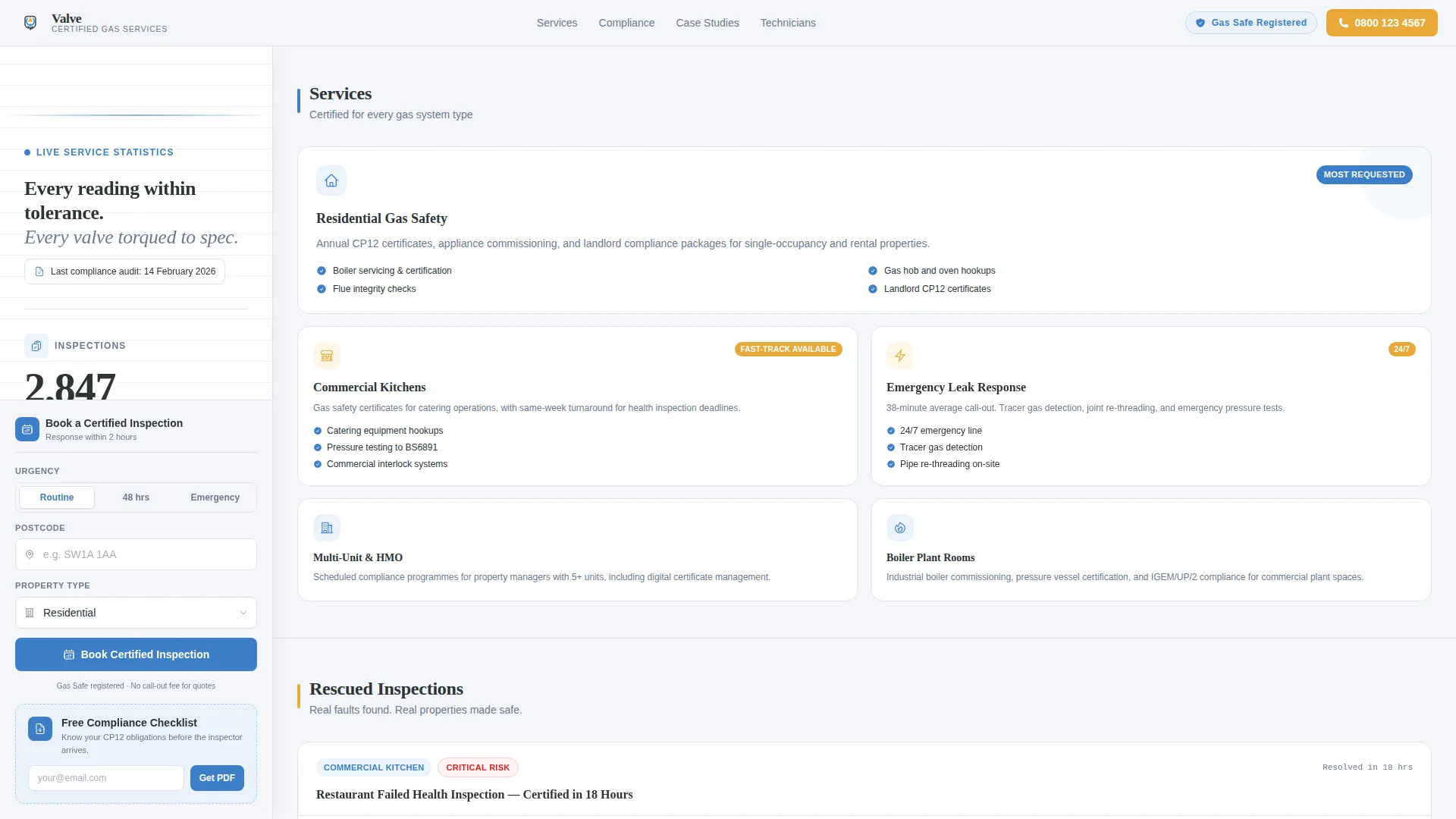
Animated Compliance Counter Header
Three counters animate into view on page load: total inspections completed this year, average response time in minutes, and consecutive zero-incident days. A single line of microcopy below displays the date of the most recent compliance audit. The numbers establish credibility before any copy is read.
Scroll-Reactive Technician Sidebar
The sidebar holds a vertical stack of certified technician profile cards. Each card shows the technician's name, license number, years certified, and specialization. As visitors scroll through service content, the sidebar updates to highlight the technician whose expertise matches the current section.
Pinned Lead Capture Form
A three-field booking form is anchored at the bottom of the sidebar. Visitors enter their postcode, select a property type (residential, commercial, or multi-unit), and choose an urgency level. The form stays visible throughout the entire scroll without requiring the visitor to return to the top.
Emergency Toggle with Click-to-Call
The urgency toggle includes an emergency option that immediately surfaces a click-to-call phone number. Selecting the emergency state bypasses the standard form entirely, removing friction for visitors who cannot wait for a callback.
Compliance Checklist Lead Magnet
A secondary conversion path sits within the main content column. Visitors who are not ready to book can enter their email address to download a free gas safety compliance checklist. This captures leads at an earlier stage of the decision process.
Jurisdiction-Specific Case Study Sections
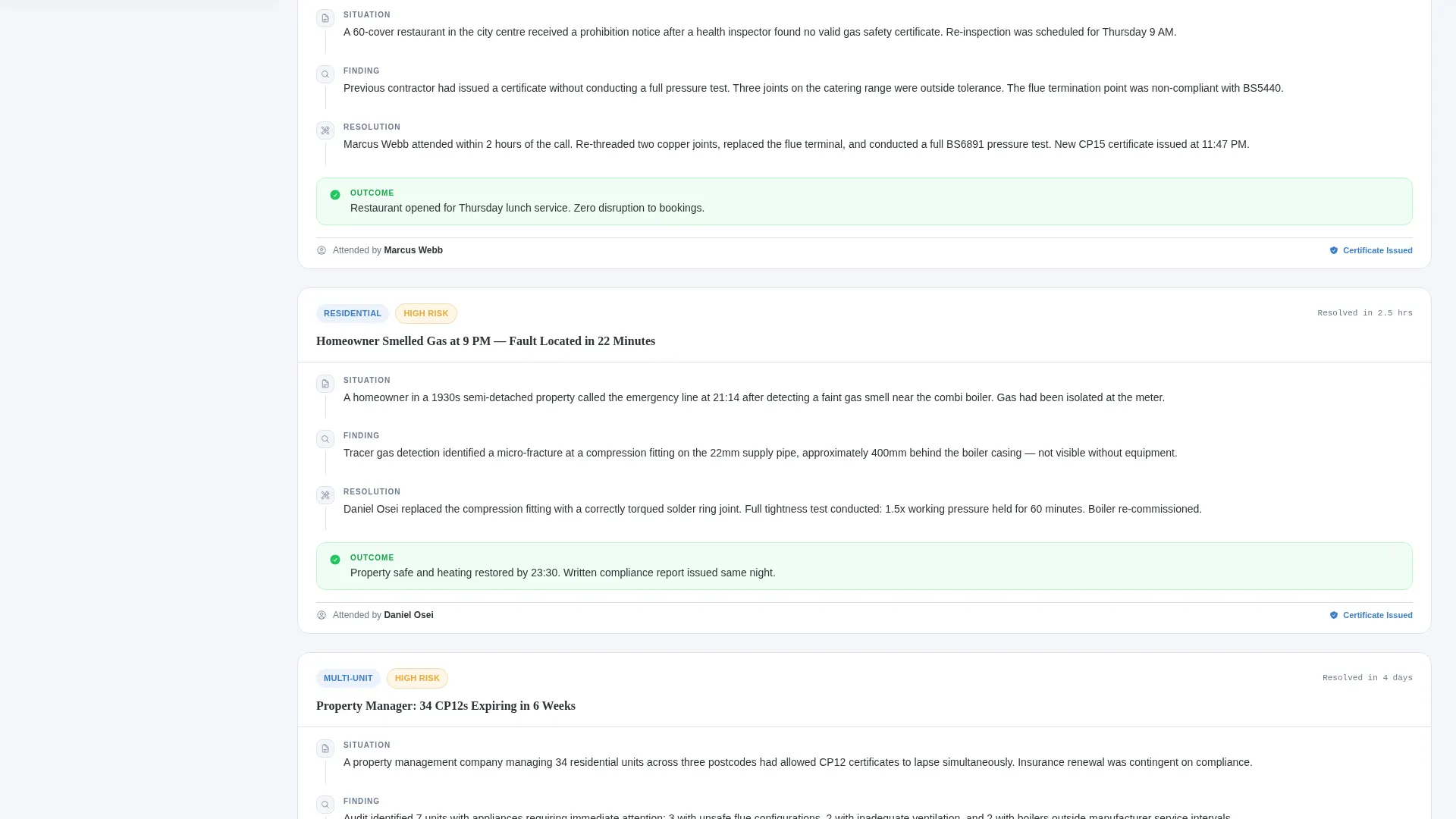
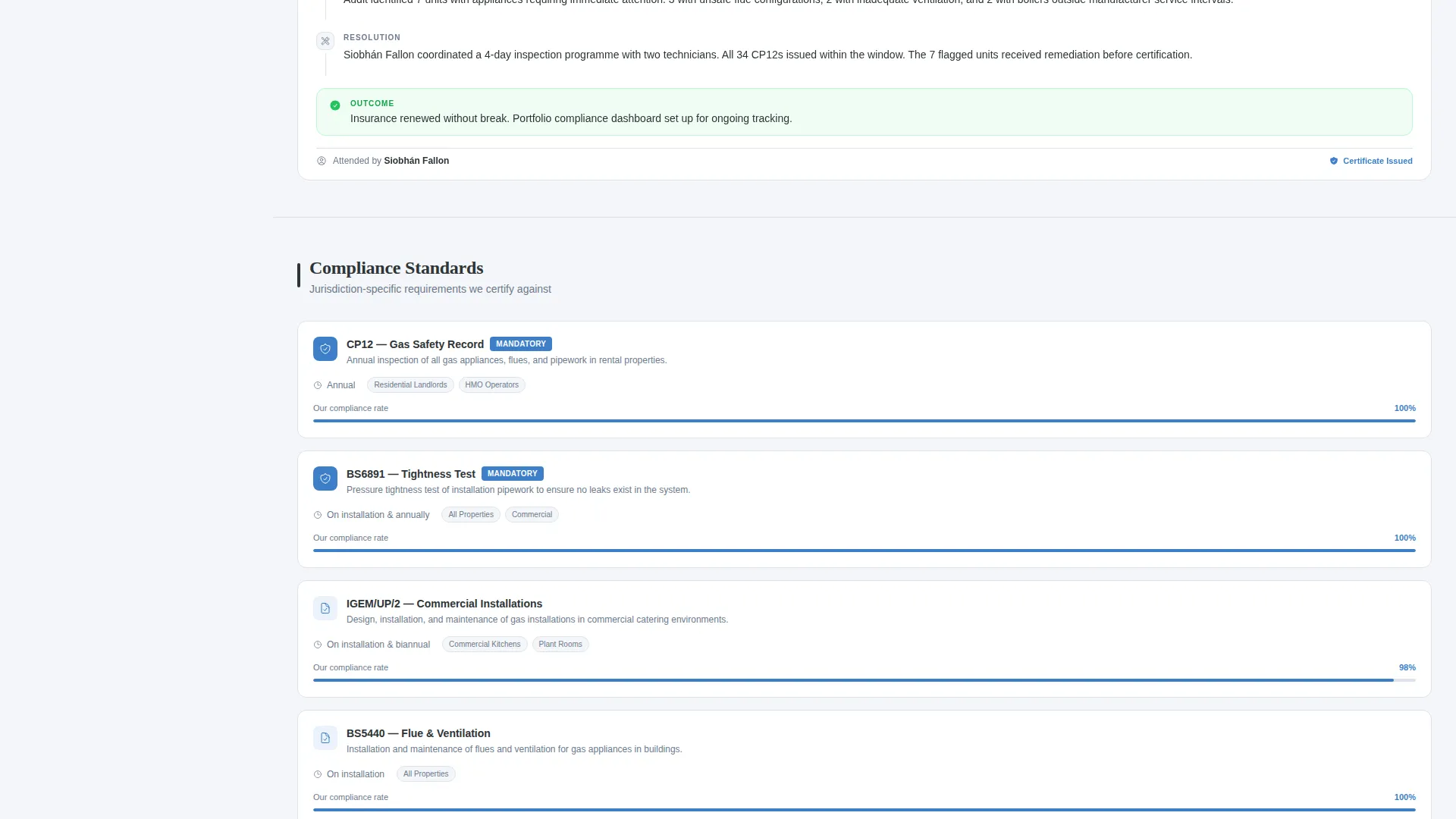
The main content column includes space for case studies of failed inspections that were rescued and jurisdiction-specific compliance breakdowns. These sections support the scroll-driven expert panel by giving the technician profiles meaningful context.
Page sections overview
| Section | Purpose |
|---|---|
| Animated counter header | Establishes credibility with live compliance data |
| Compliance audit microcopy | Shows date of most recent audit below counters |
| Technician profile sidebar | Displays credentials and specializations persistently |
| Service explanation column | Walks visitors through gas fitting service categories |
| Case study blocks | Demonstrates real rescue of failed inspections |
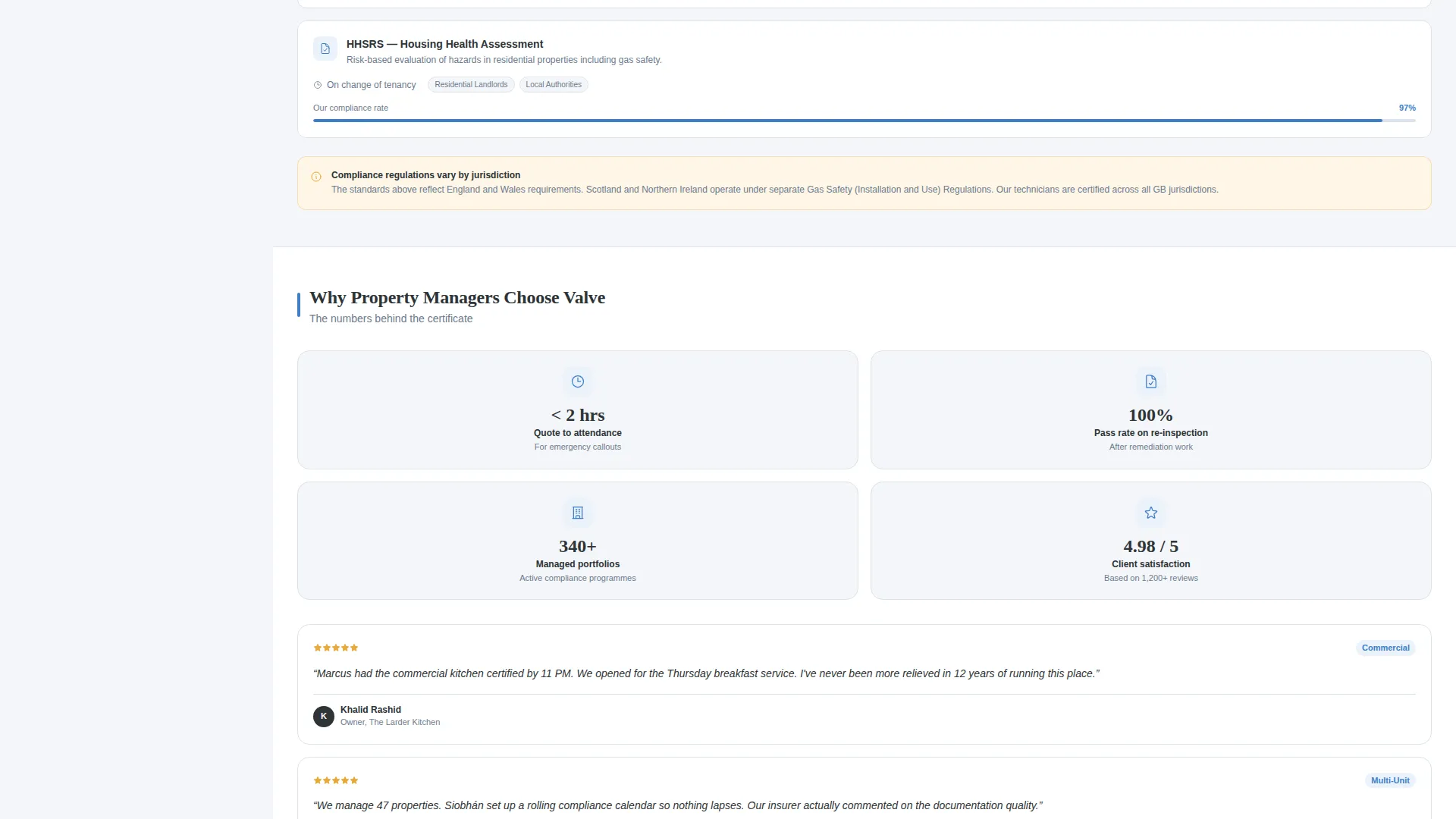
| Compliance breakdown content | Covers jurisdiction-specific certificate requirements |
| Sidebar booking form | Captures postcode, property type, and urgency |
| Emergency click-to-call | Surfaces phone number on emergency toggle selection |
| Checklist lead magnet | Gated download capturing early-stage email leads |
Design & branding system
The Legal Shield theme uses a Cloud Canvas color system that feels like a freshly printed gas safety certificate. Every color has a specific, functional role and nothing is decorative without purpose.
- Soft cumulus white (#F4F6F9) covers page backgrounds, keeping the layout clean and clinical
- Compliance-grade charcoal (#2D3436) is used for body text and technician profile cards, and regulation blue (#3D7EC7) marks certification badges and interactive elements
- Cautionary amber (#E8A838) is reserved exclusively for emergency callout buttons and safety alert callouts, creating an unmistakable visual signal
Mobile & speed optimization
The sidebar companion layout adapts sensibly for smaller screens so that the booking path and technician profiles remain usable on any device. The design priorities shift on mobile without losing the core conversion structure.
- The persistent sidebar stacks below the main content column on narrow viewports, keeping the booking form reachable without side-scrolling
- The emergency toggle and click-to-call element remain prominently placed on mobile so urgent visitors can act immediately
- Technician profile cards condense to essential details on smaller screens, preserving readability without crowding the layout
How this template helps you convert
Valve is structured around the reality that gas fitting clients arrive at different stages of urgency. The layout routes each visitor type toward the conversion action that matches their state of mind.
- Immediate credibility from the animated counter header reduces the need to build trust through copy, shortening the decision cycle for skeptical visitors.
- The scroll-reactive sidebar keeps the right technician profile visible at every point in the page, so visitors feel guided toward a specific expert rather than a generic contact form.
- The dual conversion paths, one for ready-to-book visitors and one for early-stage leads, capture a wider range of intent without cluttering the layout.
Other information about this template
Valve is part of a broader template range built around compliance-driven service businesses. A few additional details are worth noting before you customize and launch.
- The template style is classified as a Sidebar Companion, meaning the right-hand column functions as a persistent navigation and conversion rail alongside a scrollable main content area
- The header concept is Data Storytelling, a deliberate departure from typical trade service hero images in favor of numbers that carry more persuasive weight
- The creative direction follows an Expert Panel structure, a format that works particularly well when a business employs or contracts multiple specialists with distinct credentials
- The landing page direction is Lead Generation, so the layout is optimized for form submissions and phone calls rather than brand awareness or content reading time
Theme
Legal Shield
Creative direction
Expert Panel
Color system
Cloud Canvas
Style
Sidebar Companion
Direction
Lead Generation
Page Sections
Animated Compliance Counter Header
Scroll-reactive Technician Sidebar
Pinned Three-field Booking Form
Emergency Toggle with Click-to-call
Compliance Checklist Lead Magnet
Case Study and Compliance Content Blocks
Related questions
Can I update the counter numbers shown in the header?
What happens when a visitor selects the emergency urgency option?
Can I use this template if I have only one technician?
Is the compliance checklist document included in the template?
Who is the secondary conversion path designed to reach?



