Bold Military Community Landing Page Template
Stationed is a bold editorial landing page built for military spouse networks. It blends magazine-style design with neighborhood warmth, guiding newcomers from a striking hero section through an installation map, real spouse stories, and a two-step event registration flow. The design moves away from cluttered, traditional military themes toward a clean, high-impact editorial layout built for genuine community connection.
by Rocket studio
Quick summary
Stationed is a single-page editorial design built to help military spouse networks share their mission and grow their local chapters. It pairs authentic photography, bold serif headlines, and a focused event registration flow to turn a first-time visitor into a registered gathering attendee. The tone is welcoming and professional, reflecting the real challenges of the military lifestyle.
Who this template is for
This landing page is designed for community organizers, chapter coordinators, and volunteer leads who want to share their network with newly arrived military spouses across the country.
- Military spouse community builders launching or growing a local chapter at a specific installation
- Network coordinators who want to share upcoming events and collect RSVPs in one clean, mobile-first experience
- Established military spouses who want to recruit volunteers or start a chapter where coverage does not yet exist
What problem this template solves
Military spouses are talented and adaptable, yet the job market and social landscape rarely meet them with the same flexibility. Each permanent change of station (PCS) move resets every connection. This design gives a network a credible, story-driven home that matches the real pace of military life.
- Isolated newcomers lack a fast, trustworthy way to find local gatherings and relevant information
- Generic community pages often fail to convey warmth, authenticity, or a clear path to joining
- Coordinators need a design that earns trust before asking for a name or email
What you get with this template
The template delivers a full editorial landing page built around authentic imagery, bold typography, and a conversion-focused layout. Every section is organized into clear content areas so busy readers can scan and act quickly.
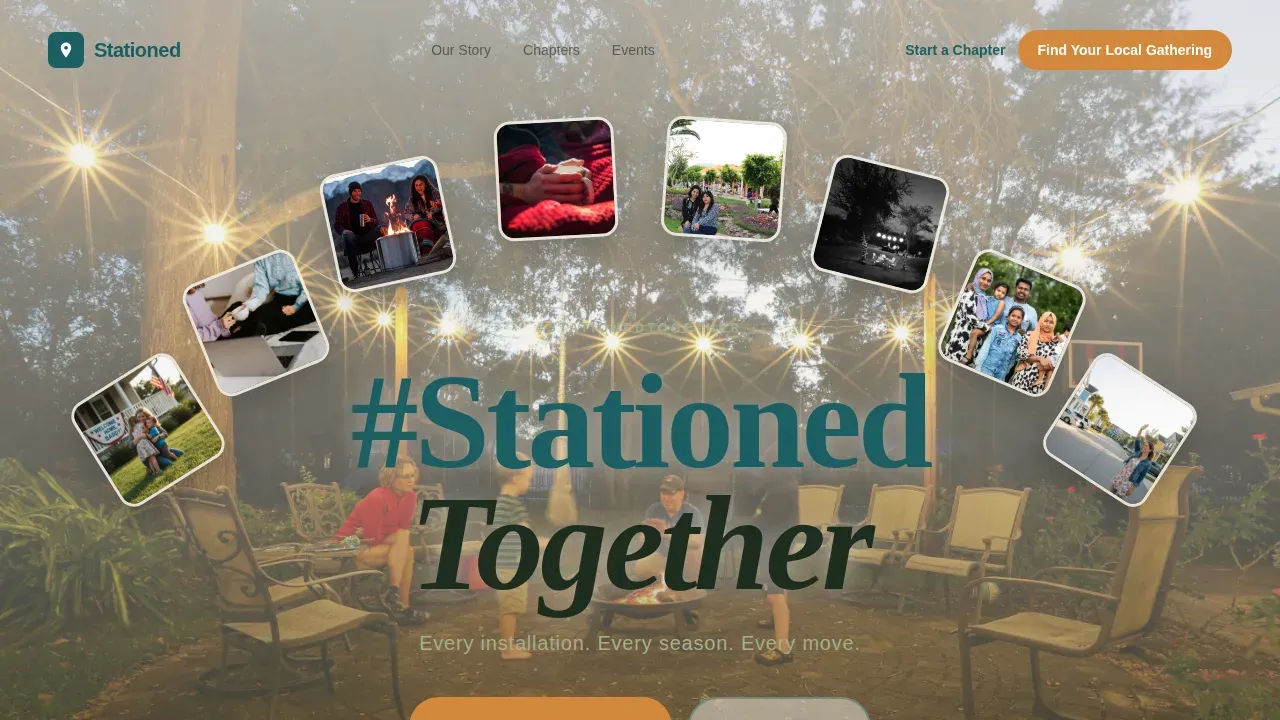
- A cinematic hero section with an editorial hashtag headline, an amber call-to-action button, and a firepit photograph that sets an immediate, welcoming tone
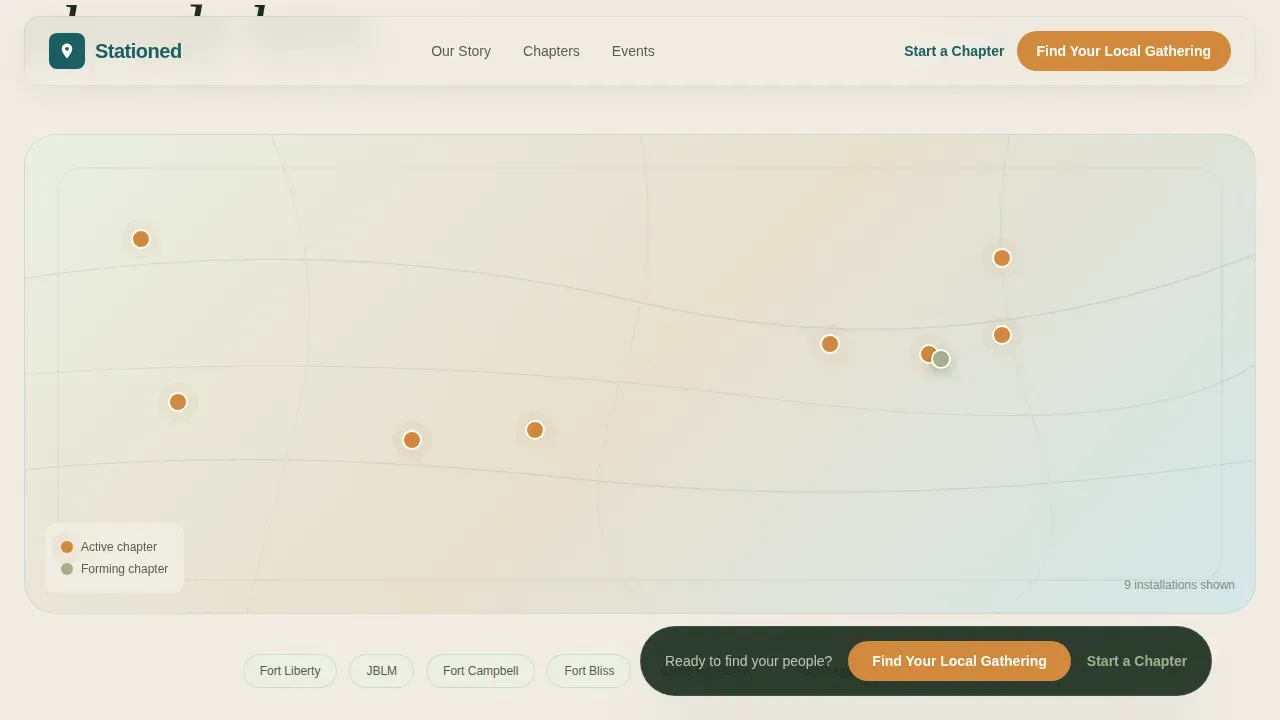
- An interactive installation map with expandable chapter pins showing coordinator names and next gathering details
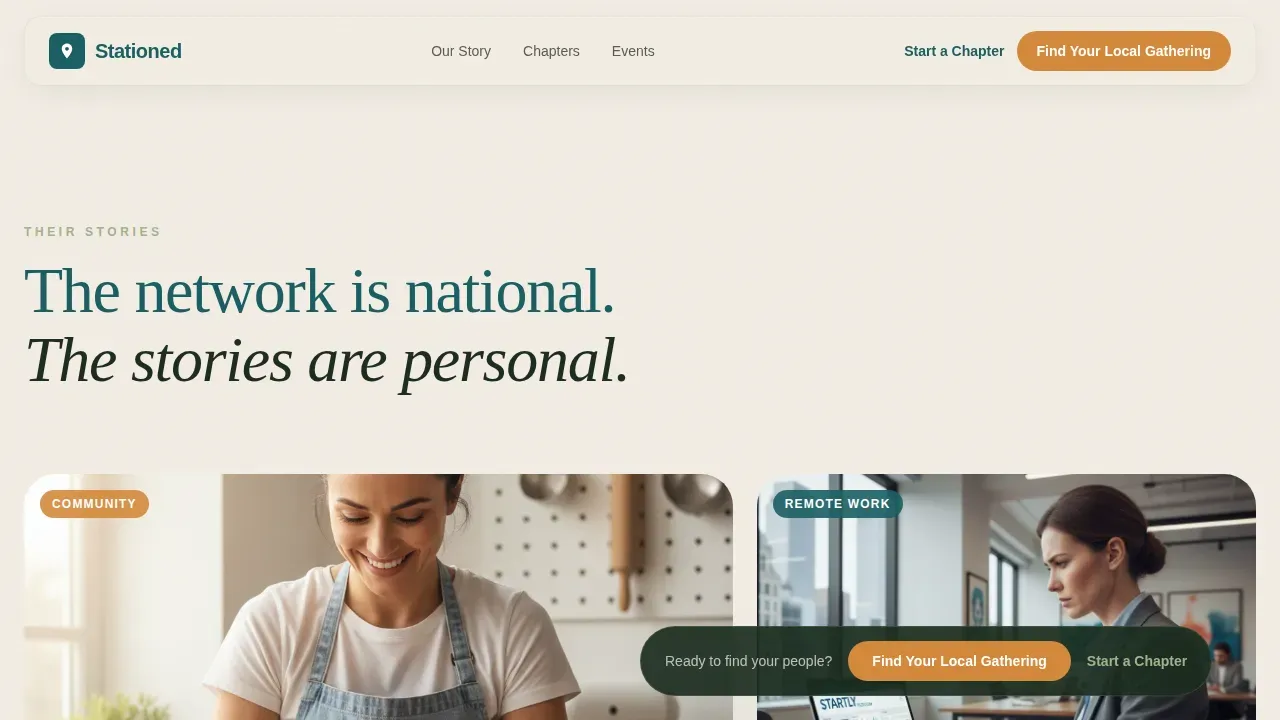
- Editorial story cards with pull quotes, candid photography, and generous white space to share real spouse journeys
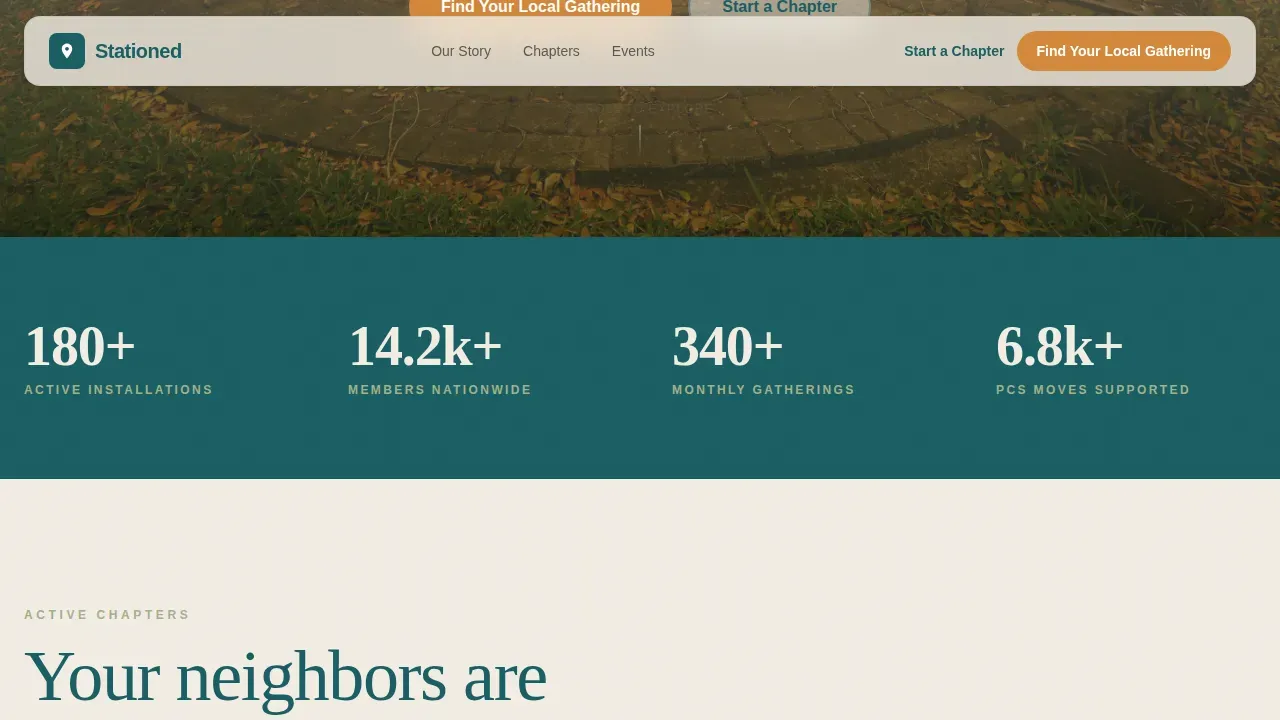
- A stats bar displaying four community numbers to build credibility through social proof
- A two-step event registration modal with a searchable installation dropdown and date cards with "Save My Spot" buttons
Feature list
This template uses a focused set of design components. Each one is built to share information clearly and move visitors toward registration.
Editorial Hero with Hashtag Headline
The hero opens on a bold Fraunces serif headline set over a soft-focus firepit photograph. A single sage-colored subline and an amber call-to-action button sit below it. The composition follows a magazine-cover design approach with a large-print slogan and high-impact visual.
Interactive Installation Map
A nationwide map section shows active chapter pins. Each pin is expandable to share the local coordinator's first name and next gathering detail. This section makes the network feel both large and personal at the same time.
Magazine-Style Story Cards
Spouse stories are laid out in an asymmetric editorial grid with pull quotes, candid photography, and white space. The design uses Fraunces for headlines and DM Sans for body copy to create a clear magazine feel. Visitors can share and explore individual stories in a natural scroll flow.
Two-Step RSVP Modal
Clicking the primary call-to-action opens a two-step form. The first step is a searchable installation dropdown. The second step displays upcoming event date cards with individual "Save My Spot" buttons for direct registration.
Stats Bar with Social Proof
Four community numbers anchor the page mid-scroll, covering installations, members, events, and moves supported. Social proof elements like these help build credibility and reassure first-time visitors that the network is active and growing.
Sticky Event Registration Bar
After the second scroll, a sticky amber bar appears and stays in view. It carries the primary call-to-action without disrupting the editorial reading experience.
Page sections overview
| Section | Purpose |
|---|---|
| Hero with Hashtag | Establishes tone, surfaces the primary call-to-action |
| Installation Map | Shows nationwide chapter coverage with coordinator details |
| Editorial Story Cards | Shares real spouse stories in a magazine layout |
| Community Stats Bar | Displays social proof numbers to build trust |
| Upcoming Events | Lets visitors browse and register for local gatherings |
| Footer Split Layout | Provides navigation, tagline, and secondary chapter links |
Design & branding system
The design uses a Teal Catalyst color system built around four carefully chosen tones. The palette feels like a wooded walking trail at dusk, grounded and warm without being heavy.
- Forest teal (#1A5E63) anchors headlines and navigation; sun-warmed sage (#A3B18A) fills section dividers and pull-quote backgrounds; soft birch white (#F2EDE4) grounds the editorial layout
- Warm amber (#D4883A) is reserved for buttons, event dates, and every interactive moment across the page
- Fraunces editorial serif is used for all headlines; DM Sans handles body copy for a clean, magazine-inspired typographic design
Mobile & speed optimization
The landing page is built mobile-first, reflecting that military spouses are often on their phones during moves and transitions. The design avoids cluttered layouts and excessive animation to maintain a premium, fast-loading feel.
- Server components handle static editorial content; client components power the interactive map pins, sticky bar, and RSVP modal
- GSAP ScrollTrigger drives scroll reveals and elastic stagger animations without overwhelming the reading experience on smaller screens
How this template helps you convert
The page earns the click by showing real faces at real events before asking for any personal information.
- The amber "Find Your Local Gathering" button appears first in the hero and again as a sticky bar after the second scroll, keeping the primary action consistently visible
- The two-step RSVP modal reduces friction by separating installation selection from event browsing, making it easier for a visitor to complete registration in one short session
Other information about this template
This is the Stationed Bold Editorial Military Spouse Network Landing Page Template, designed for community networks operating across USA installations. It is a fully customizable starting point that can be adapted for various chapter sizes and network needs.
- The design is powered by a modern component structure. No-code landing page builders make it straightforward to adjust colors, swap photography, and update event information without coding skills
- Users can share feedback with their coordinator team by updating copy directly in the template; no backend configuration is required to launch a production-ready site
- The National Military Spouse Network model, where professionals, businesses, academics, and media share expertise, directly inspired the story-card and chapter-map design approach used here
- Military spouses can share their career and entrepreneurial journeys through this template's editorial story cards, giving the network a platform that reflects its members' real lives
Theme
Nature-Inspired
Creative direction
Local & Neighborhood
Color system
Teal Catalyst
Style
Editorial/Magazine
Direction
Event Registration
Page Sections
Editorial Hero with Hashtag Headline
Interactive Installation Map
Magazine-style Story Cards
Two-step RSVP Modal
Community Stats Bar
Sticky Event Registration Bar
Related questions
Can I customize the color palette and typography?
Do I need coding skills to launch this landing page?
How does the two-step RSVP modal work for visitors?
Can I add a chapter for an installation not yet on the map?
What kind of photography works best for this template?



