Appliance Repair Landing Page Template
Conserto is a single-page appliance repair landing page built for São Paulo service providers. It pairs bold editorial typography with structured comparison tables and a testimonial mosaic layout to build trust fast. A three-field lead form, a zip-code response estimator, and a photo-diagnosis path give visitors two low-friction ways to book.
by Rocket studio
Quick summary
Conserto is an appliance repair landing page template designed for São Paulo-based service teams. It opens with three monumental stats, moves through side-by-side comparison tables, weaves in real customer voices, and closes with a progressive lead form. The layout feels like a premium print magazine: clean, confident, and built to convert.
Who this template is for
This template suits appliance repair businesses that serve a wide urban client base and need to demonstrate credibility before a visitor picks up the phone.
- Independent repair technicians and small service teams operating across São Paulo neighborhoods
- Building managers and property coordinators handling multiple unit appliance calls
- Growing repair companies that want to present service plans, response times, and brand coverage in one clear page
What problem this template solves
Most appliance repair websites look rushed and hard to trust. Visitors arrive stressed about a broken refrigerator or washing machine and need to feel confident in under a minute. This template removes that doubt by leading with proof before pitch.
- No clear way to compare visit plans or response times by neighborhood
- No visible social proof woven into the page at the right moments
- No easy, low-commitment path for visitors who are not ready to book a full visit
What you get with this template
You get a fully structured single-page layout with every section already in place. The design, copy structure, and conversion flow are ready to be filled with your own service details.
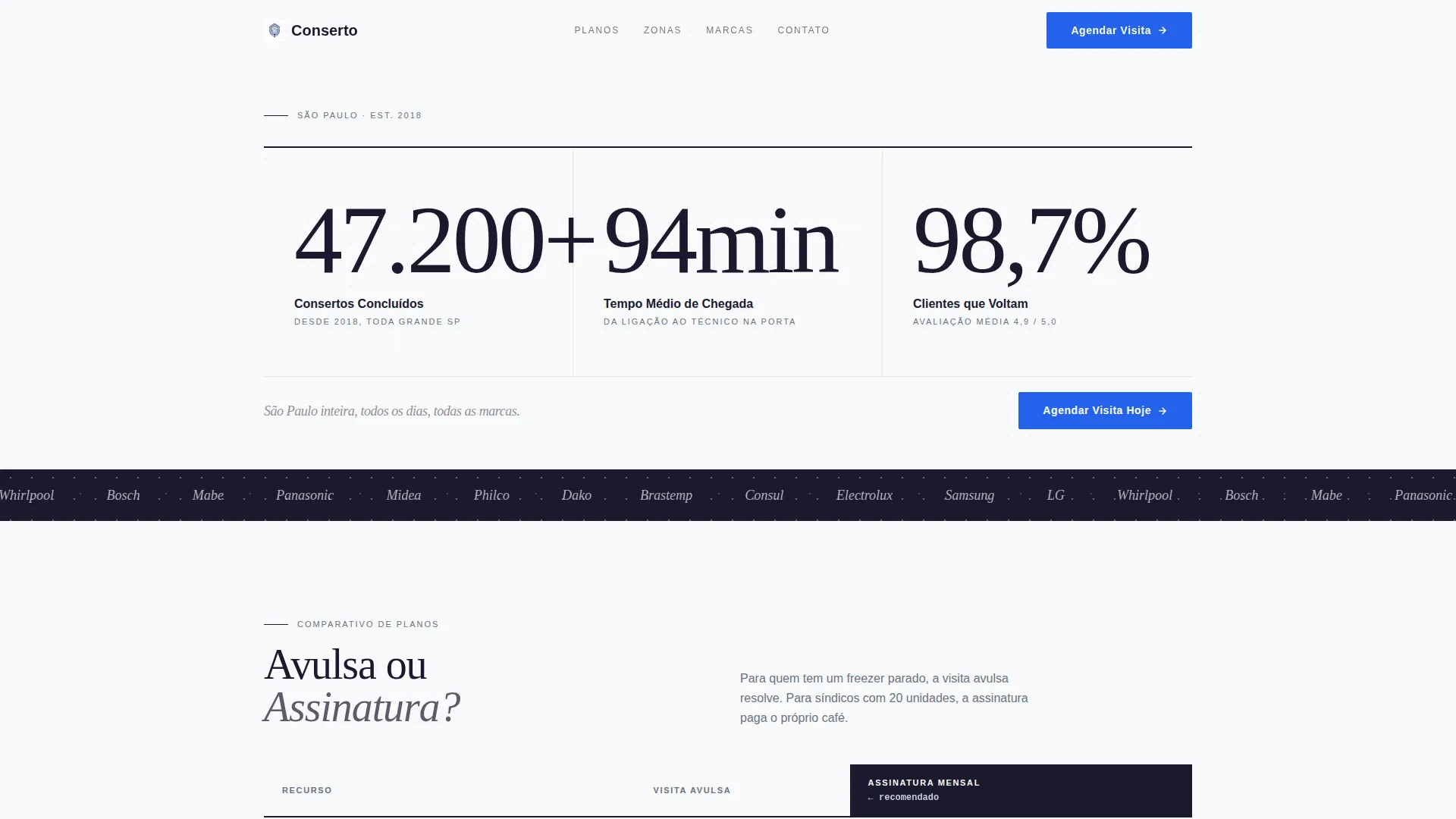
- A stats-first hero section with three large editorial figures and a typographic sub-headline
- Alternating comparison tables and testimonial mosaic blocks that build trust through the full scroll
- A three-step progressive lead form plus a secondary photo-diagnosis conversion path
Feature list
This template delivers focused, prompt-true capabilities organized to serve an appliance repair lead generation page from top to bottom.
Editorial Stats Hero
Three large, serif-set metric figures sit in a full-viewport horizontal grid at the top of the page. No images are used. The numbers act as the first trust signal, communicating scale and reliability before a visitor reads a single line of body copy.
Side-by-Side Comparison Tables
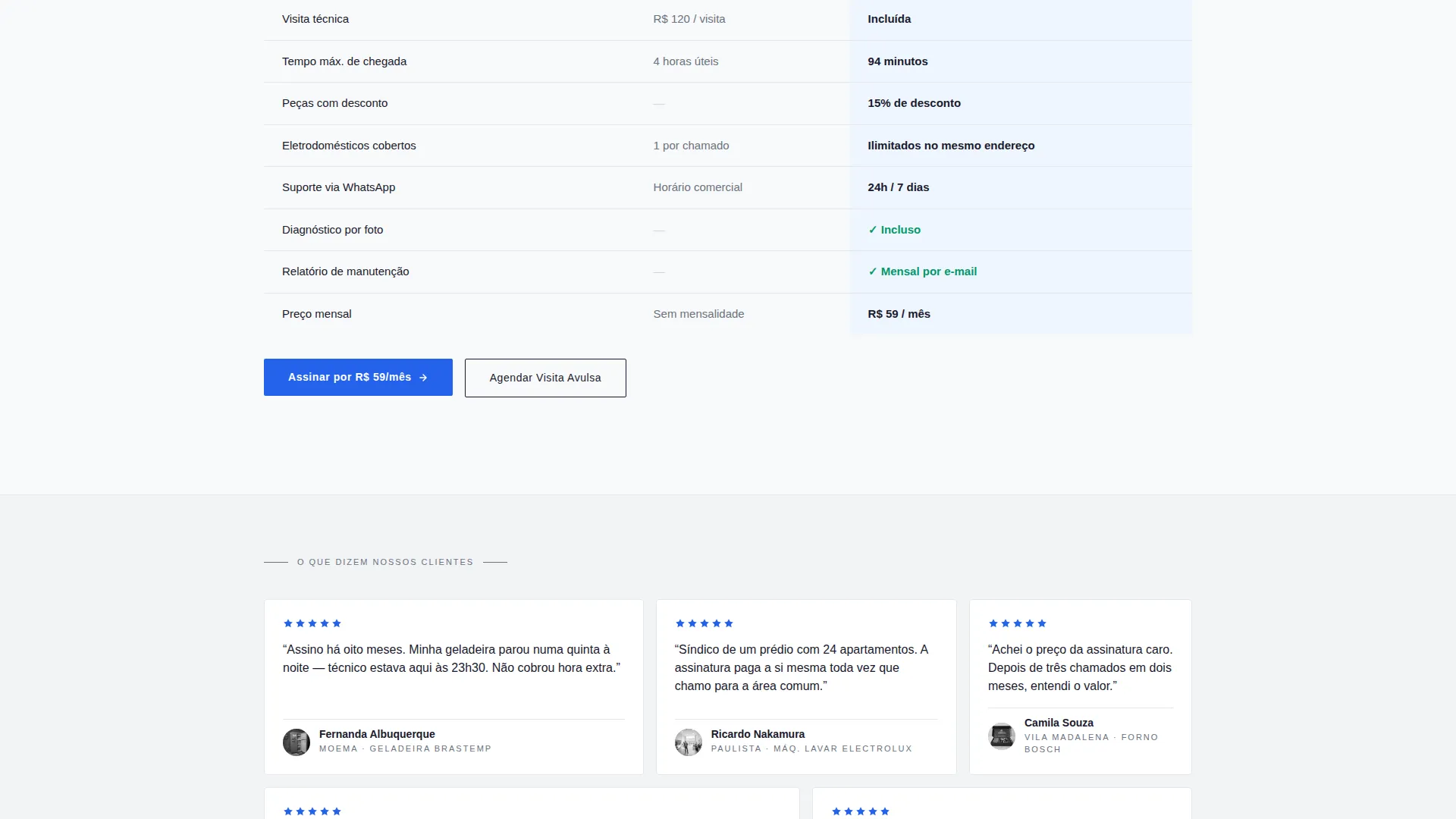
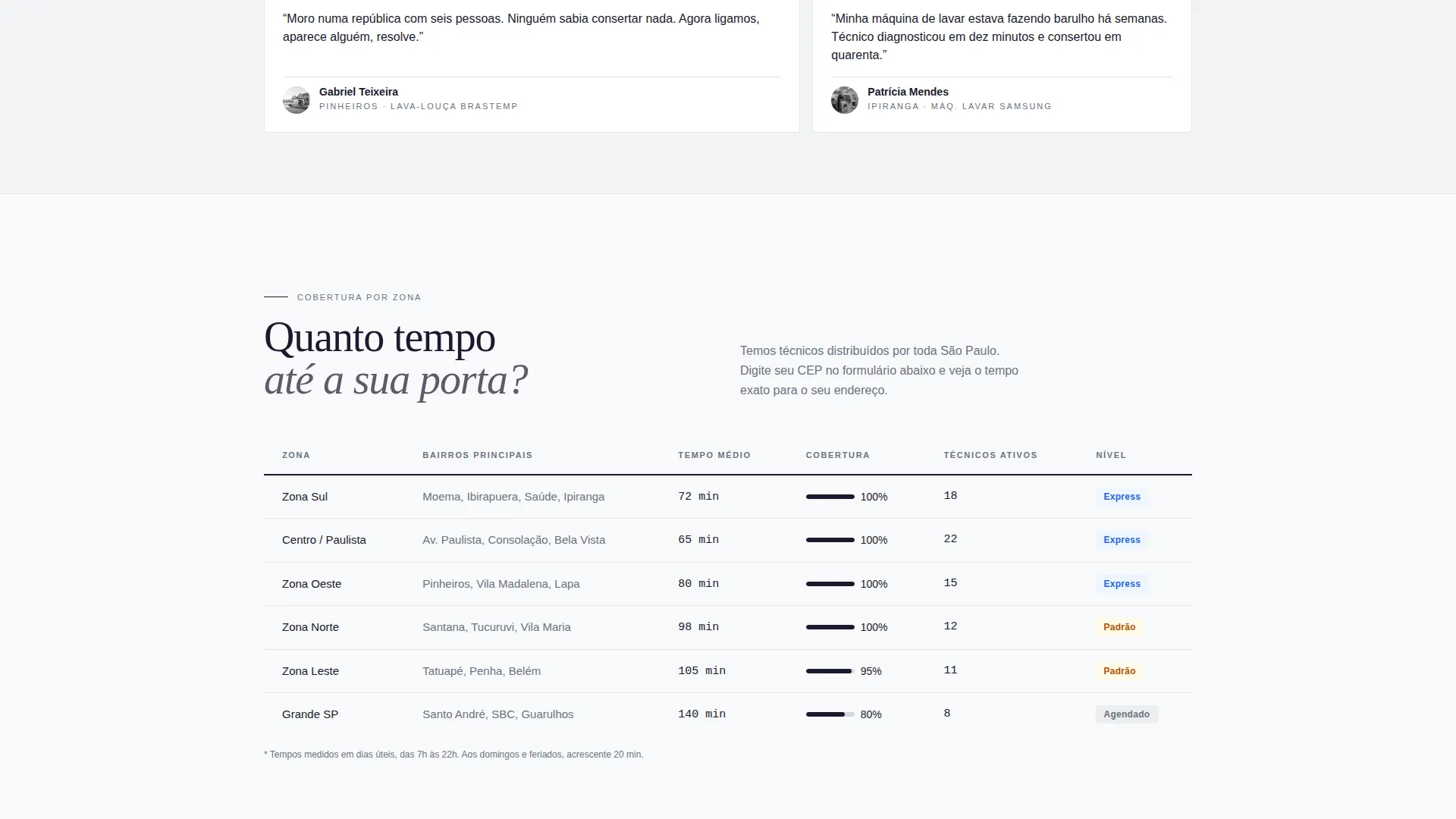
Dedicated table sections let you compare service plans, neighborhood response windows, and brand coverage against competitors. Each table uses the Arctic White color system with aluminum-gray dividers for clean readability and a structured, data-first feel.
Testimonial Mosaic Layout
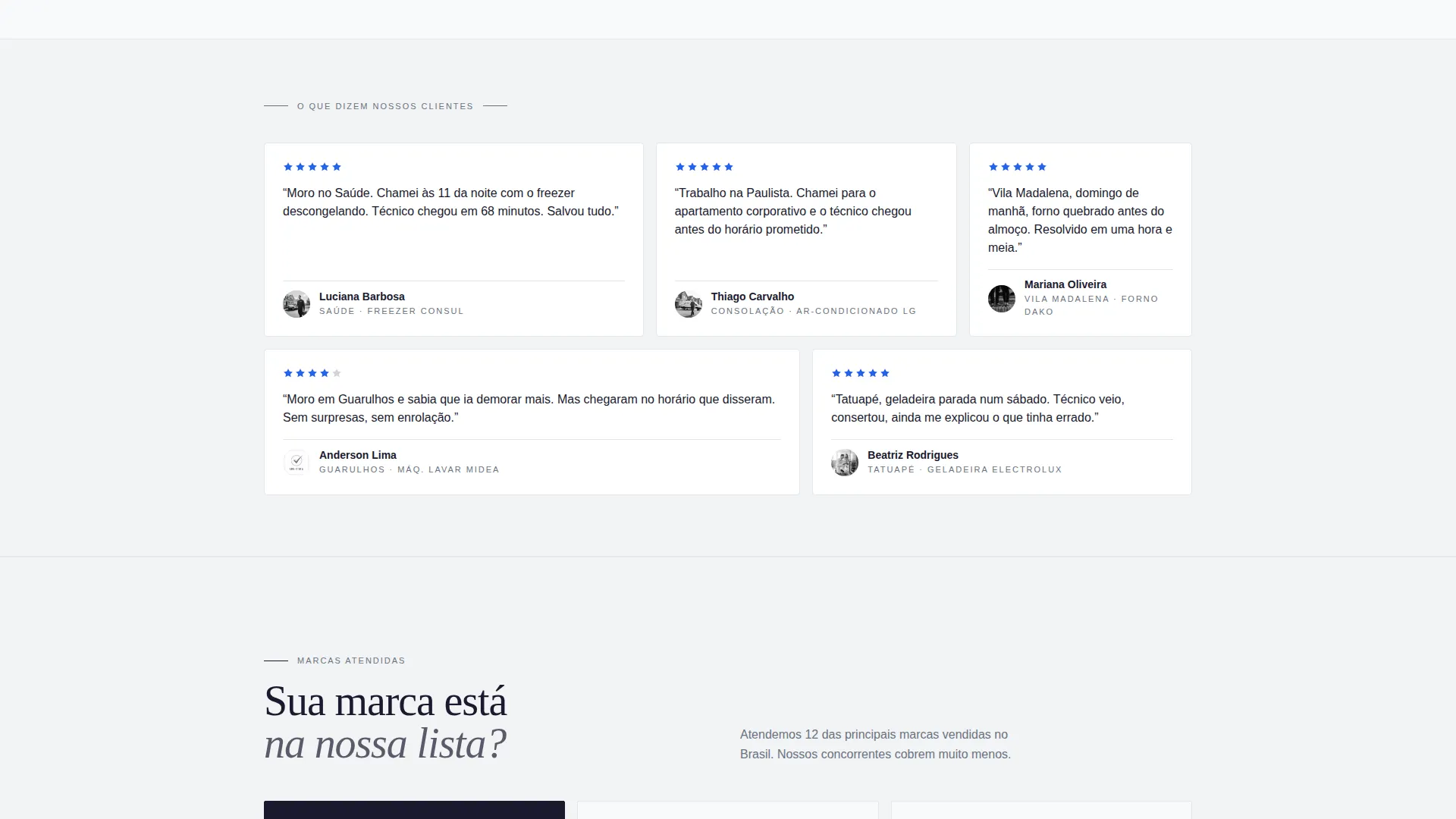
After each comparison table, an asymmetric mosaic of short customer quotes appears. Each quote includes a photo, the customer's neighborhood, and the appliance that was repaired. This rhythm of data followed by human voices repeats through the scroll to reinforce social proof continuously.
Three-Field Progressive Lead Form
The primary conversion form uses three progressive steps. First, the visitor enters their zip code, which reveals their zone and estimated arrival time. Then they select their appliance from an icon-illustrated dropdown. Finally, they provide their phone number via messaging app for booking confirmation.
Photo Diagnosis Path
A secondary call-to-action invites visitors to send a photo of the problem and receive an estimated quote within fifteen minutes. This reduces friction for visitors who are not yet ready to commit to a full visit, capturing leads earlier in the decision process.
Comparison-Driven Page Structure
The full page alternates between cold data tables and warm testimonial mosaics in a deliberate rhythm. This structure is designed to address objections and build layered proof, so by the time a visitor reaches the form, the decision feels obvious.
Page sections overview
| Section | Purpose |
|---|---|
| Stats hero block | Opens with three editorial metric figures to establish credibility immediately |
| Sub-headline line | Reinforces city-wide coverage with a short italic typographic statement |
| Plan comparison table | Compares single-visit and monthly subscription options side by side |
| First testimonial mosaic | Adds customer voices and neighborhood context after the first data block |
| Response time table | Shows estimated arrival windows broken down by city zone |
| Second testimonial mosaic | Reinforces trust with more quotes before the brand coverage section |
| Brand coverage table | Lists appliance brands serviced versus competitor coverage |
| Third testimonial mosaic | Closes the proof sequence with a final layer of real customer voices |
| Primary lead form | Three-step progressive form with zip code, appliance selector, and contact field |
| Photo diagnosis call to action | Secondary path for visitors who prefer a quote before committing to a visit |
Design & branding system
The Arctic White theme gives this landing page a refined, editorial quality. Every color choice is deliberate and restrained, making the content feel authoritative rather than promotional.
- Background in absolute ice white (#F8F9FA), typographic black (#1A1A2E) in heavy serif headlines, and aluminum gray (#D1D5DB) for table lines and thin dividers
- Technical blue (#2563EB) used exclusively on buttons and action links, so every interactive element stands out clearly against the white canvas
- Large serif headlines at editorial scale give the page the visual weight of a premium print magazine, not a generic service website
Mobile & speed optimization
The layout is built with a mobile-first reading experience in mind. Visitors arriving from a late-night search on a phone should be able to scan, compare, and submit without friction.
- Comparison tables and testimonial mosaics reflow cleanly for smaller screens without losing their structural logic
- The progressive lead form is designed for thumb-friendly interaction, with each step appearing only after the previous one is completed
How this template helps you convert
The page is structured to move a skeptical visitor from doubt to action through a sequence of proof, comparison, and low-friction entry points.
- The stats hero and testimonial mosaic work together to establish trust before the visitor reaches any call to action, removing doubt early in the scroll
- The zip-code field in the lead form gives an immediate, personalized response, which makes the service feel real and local rather than generic
- The photo-diagnosis path offers a second, lighter commitment option, so visitors who hesitate at the main form still have a way to engage and convert
Other information about this template
This section covers additional practical details that help you understand the full scope and fit of the Conserto template.
- The template is built for the São Paulo appliance repair market but the layout structure suits any urban same-day repair service with multiple service tiers
- The comparison table approach works well for businesses that serve diverse audiences, such as individual households, building managers, and shared living arrangements
- The Editorial Magazine theme and Testimonial Mosaic creative direction are designed to work together; separating them would reduce the intended visual rhythm of the page
Theme
Editorial Magazine
Creative direction
Testimonial Mosaic
Color system
Arctic White
Style
Comparison Table
Direction
Lead Generation
Page Sections
Editorial Stats Hero Section
Side-by-side Comparison Tables
Testimonial Mosaic Blocks
Progressive Three-field Lead Form
Photo Diagnosis Conversion Path
Related questions
Can I use this template for a repair service outside São Paulo?
How does the zip-code step in the lead form work?
Is the photo-diagnosis section functional out of the box?
How many comparison tables does the template include?
Can I edit the testimonial content and customer photos?



