Tropical Architecture Pre-Launch Website Template
Conserva is an asymmetric 60/40 landing page template built for tropical preservation consultancies. It pairs an animated scientific illustration header with scroll-driven project spotlights, a curated Void and Violet color system, and a waitlist form that earns every signup through demonstrated field expertise. Purpose-built for conservation professionals who need a presence as rigorous as their methodology.
by Rocket studio
Quick summary
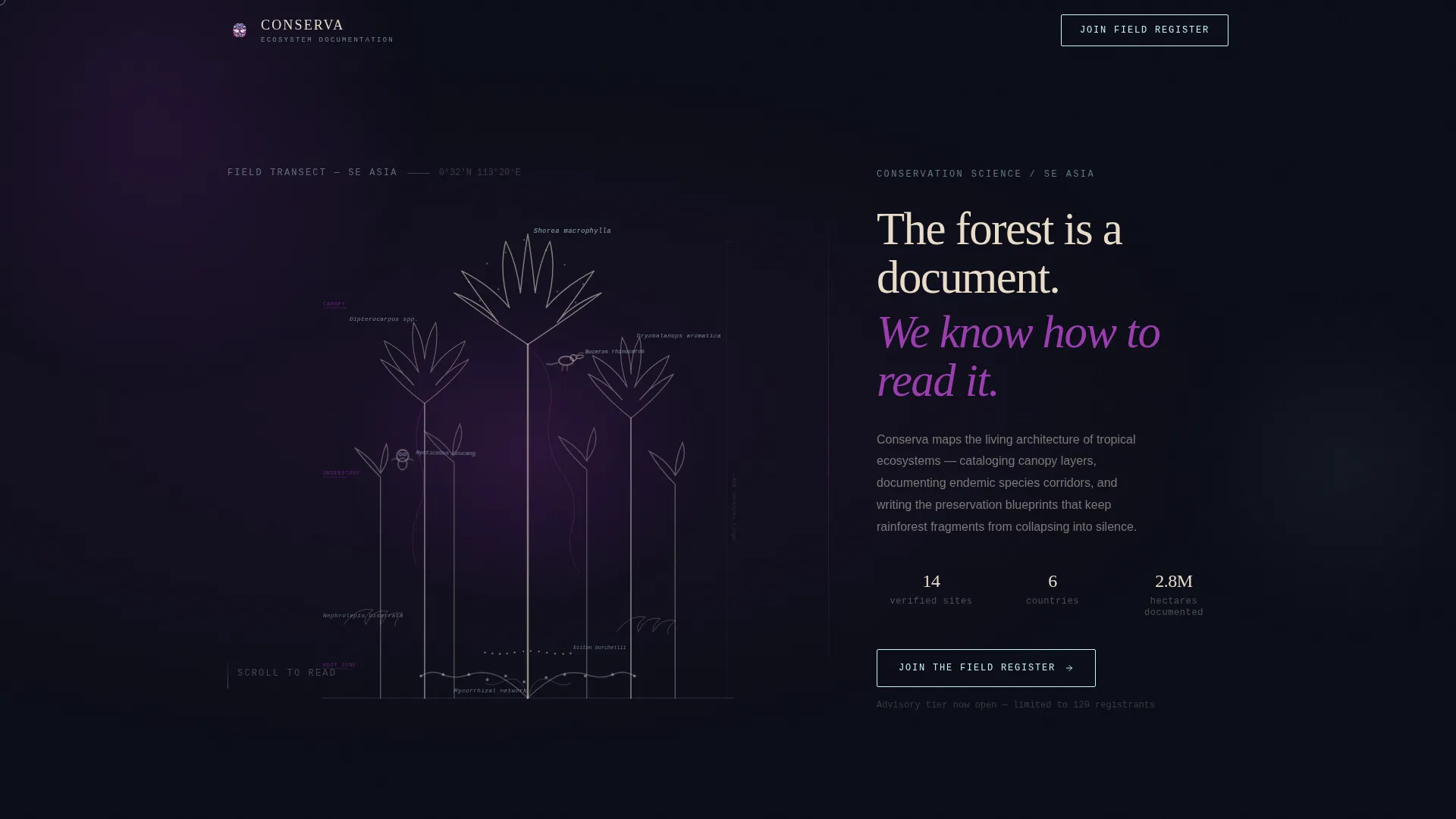
Conserva is a single-page landing template for tropical ecosystem preservation consultancies. It opens with a hand-drawn animated cross-section of the rainforest canopy and guides visitors through curated fieldwork spotlights before landing on a waitlist form. The design feels like a naturalist's studio at dusk: scientific, tactile, and quietly alive.
Who this template is for
This template is designed for conservation professionals who operate at the intersection of fieldwork and institutional clients. It speaks directly to consultancies that have the methodology and need the presence to match.
- Conservation trust managers overseeing land acquisitions in Southeast Asia
- Multinational developers who must produce biodiversity offset reports
- Government ministry teams drafting protected-area legislation
What problem this template solves
Most professional services pages look generic. For a preservation consultancy, that is a credibility problem. Clients need to trust that the person they hire has stood in the watershed, not just modeled it from a desk. This template solves that trust gap by leading with demonstrated expertise, project by project.
- No visual language exists to communicate scientific field authority at a glance
- Generic waitlist pages fail to earn the signup before asking for it
- Conservation clients need depth before they commit to an advisory relationship
What you get with this template
You get a fully structured, scroll-driven landing page that builds credibility before it asks for anything. Every section is designed to show expertise in motion, from the first animated line of the canopy illustration to the final tree added to the footer counter.
- An animated SVG hero section with a scientific rainforest cross-section that draws itself on load
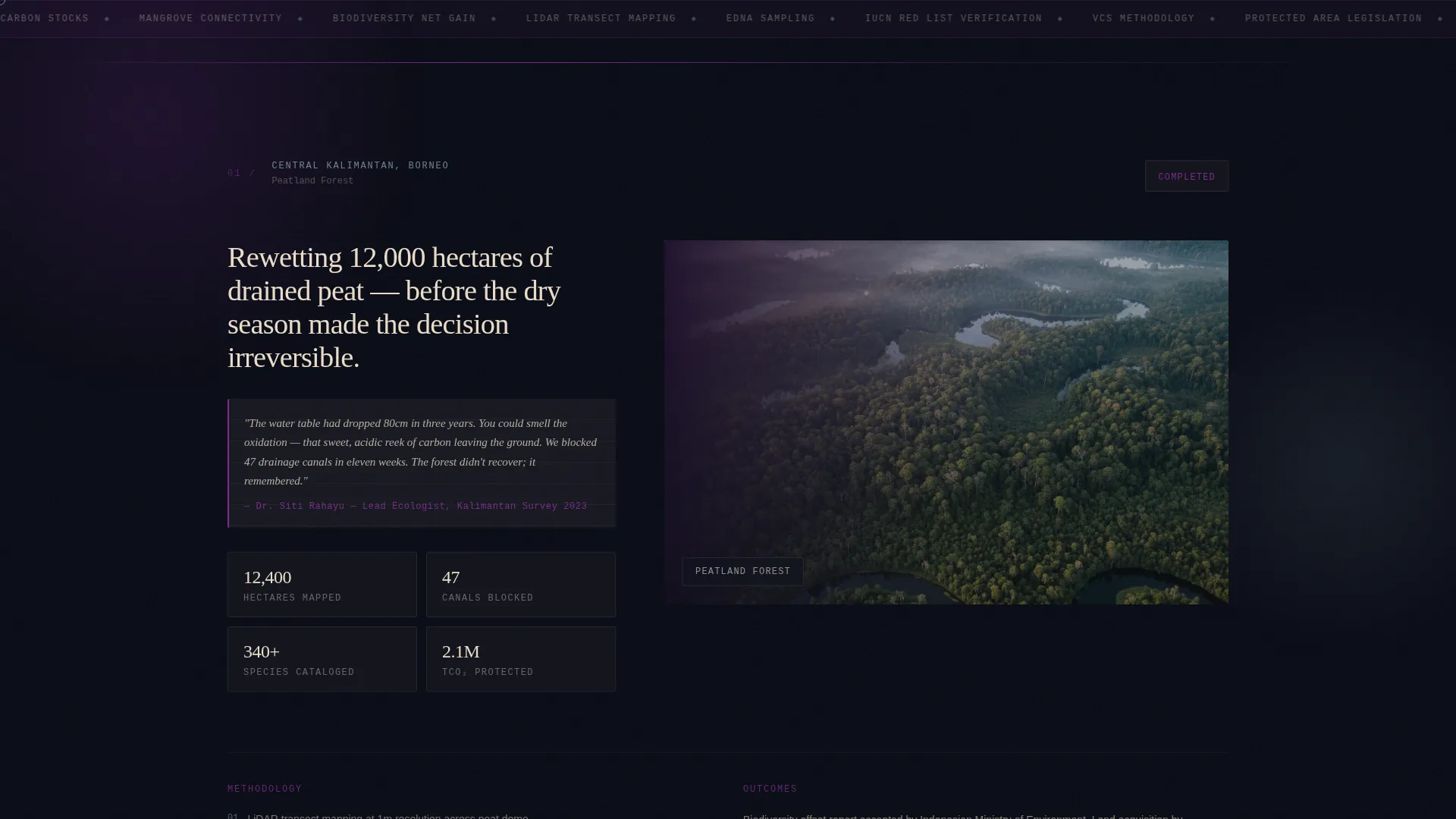
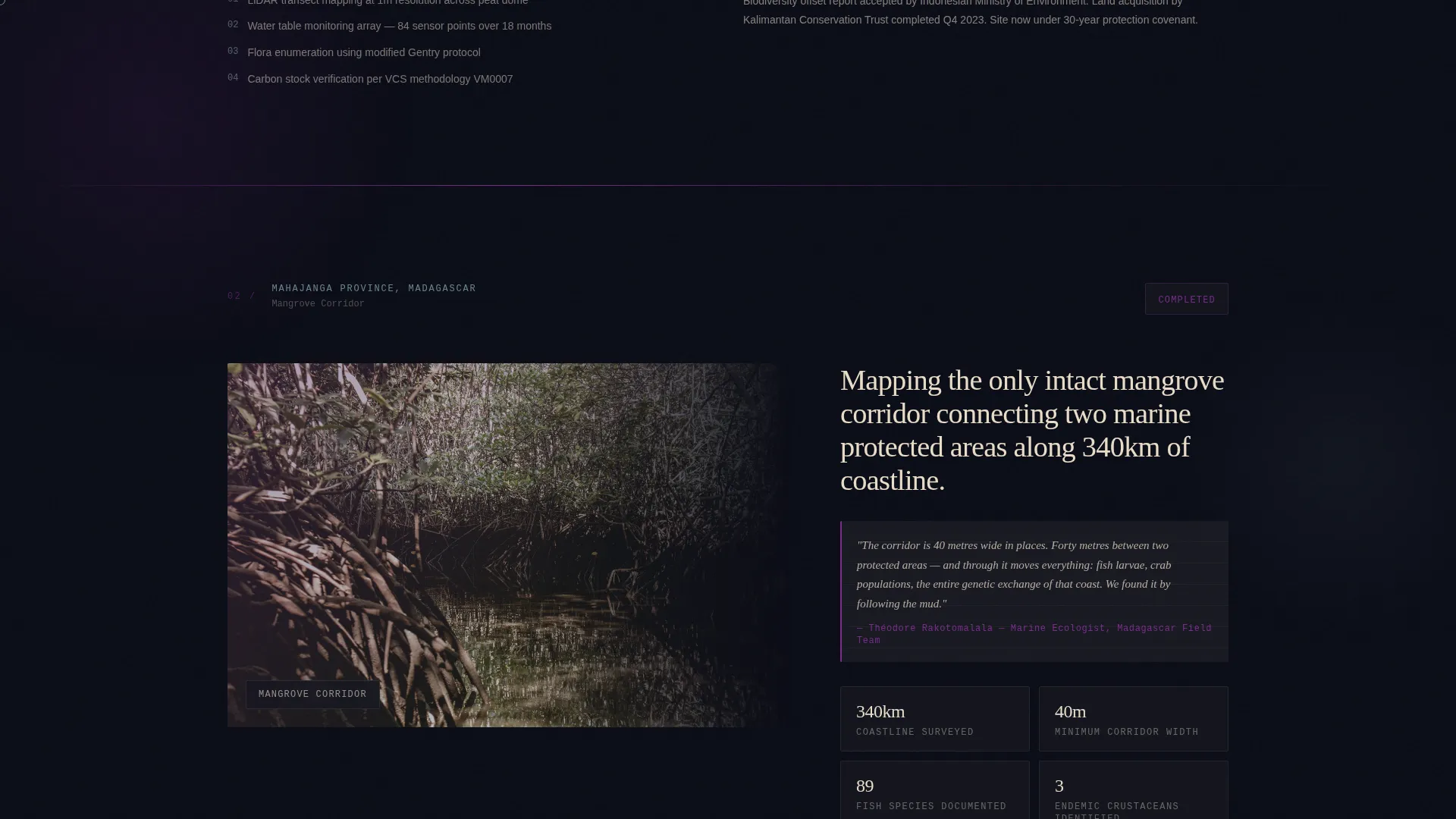
- Two asymmetric fieldwork spotlight sections with swappable layouts for Borneo and Madagascar projects
- A waitlist form with role dropdown and a growing illustrated tree counter at the footer
Feature list
This template includes purpose-built components that serve the specific needs of a conservation consultancy opening its first public advisory tier.
Animated SVG Canopy Illustration
The hero section features a hand-drawn tropical cross-section that builds itself line by line as the page loads. Canopy emergents appear first, then understory layers, root networks, and finally illustrated fauna including a hornbill, a slow loris, and a column of army ants. Each species carries a Latin binomial label in a delicate serif typeface.
Asymmetric 60/40 Grid Layout
The page uses a deliberate column split throughout. Project images bleed into the 60-column while narrative and data hold the 40-column, then swap on the next section. This rhythm creates a curatorial, folio-like reading experience that keeps the eye moving without losing structure.
Scroll-Driven Project Spotlights
Each fieldwork section opens with a portrait photograph and a handwritten-style field note, then reveals methodology and measured outcomes. The Borneo peatland and Madagascar mangrove corridor sections each carry a distinct voice and landscape while sharing the same meticulous layout rigor.
Field Register Waitlist Form
The signup section includes a single email input, a role-selection dropdown with four options (land trust, researcher, developer, government body), and an optional short text field asking visitors to describe their site in one sentence. The form sits at the end of a trust-building scroll, not at the beginning.
Growing Tree Counter Illustration
Instead of displaying a raw signup number, the footer shows a reforestation strip of ink-drawn tree trunks that grows as the waitlist fills. Each new registration adds another illustrated trunk to the strip, turning social proof into a living visual metaphor.
Bioluminescent Hover Interaction System
Interactive elements respond to the visitor's cursor with a bioluminescent cyan pulse. Hover states, interactive labels, and animated triggers all use the accent color reserved solely for interaction, making the page feel like it responds to touch like a living organism.
Page sections overview
| Section | Purpose |
|---|---|
| Hero Canopy Illustration | Animated SVG cross-section with vertical headline on 40-column |
| Borneo Peatland Spotlight | Portrait, field note, methodology, and outcomes in 60/40 layout |
| Madagascar Mangrove Spotlight | Swapped asymmetry with data-forward narrative |
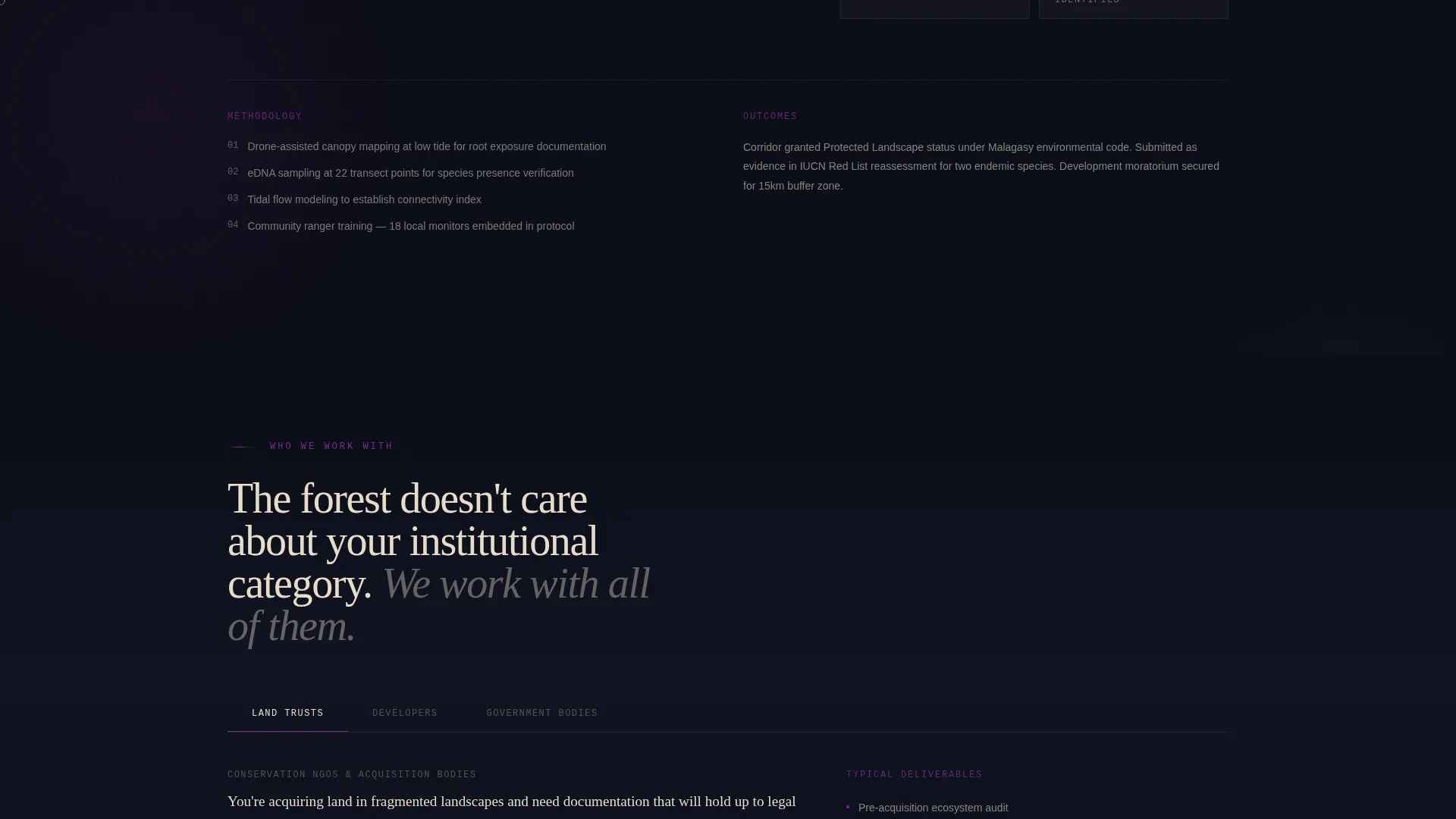
| Who We Work With | Three client typologies presented with specificity |
| Field Register Form | Waitlist signup with role dropdown and optional site description |
| Footer Tree Counter | Growing illustrated reforestation strip showing signup volume |
Design & branding system
The visual identity follows an Atelier Studio theme built around a Void and Violet color system. The palette feels like a naturalist's journal left open under ultraviolet light, where scientific precision meets something quietly alien at the edges.
- Void (#0B0D17) dominates all backgrounds; parchment (#E8DCC8) carries body text; bruised orchid violet (#7B2D8E) marks section transitions and pull quotes
- Bioluminescent cyan (#C4F5FC) appears only on hover and interaction states, never as a static element
- Typography uses Fraunces for serif display headings, DM Sans for body copy, and IBM Plex Mono for data labels and species annotations
Mobile & speed optimization
The template is designed desktop-first, reflecting the professional workstation environment of its primary audience. Mobile adaptation is handled carefully so the asymmetric grid collapses gracefully without losing the curatorial reading rhythm.
- Static content sections use server-rendered components for fast initial load
- Animated and interactive elements use client components to isolate rendering cost
- The asymmetric 60/40 grid stacks cleanly on smaller viewports while preserving section hierarchy
How this template helps you convert
The page earns every waitlist signup before it asks for one. The scroll is structured as a proof-of-expertise journey, so visitors arrive at the form already convinced of the consultancy's methodology.
- The animated hero establishes credibility immediately through the visual language of scientific illustration, signaling rigor before a single word is read.
- Each project spotlight section adds a layer of verified, named-ecosystem evidence so the visitor's trust builds incrementally with each scroll step.
- The Field Register form closes with low friction: one email, one role selection, and one optional sentence, asking just enough to qualify the lead without creating resistance.
Other information about this template
This template is built specifically for the tropical preservation consultancy niche within the broader architecture and design category. It sits at the intersection of tropical architecture sensibility and conservation science communication.
- The template is localized for international English with no currency references, covering Southeast Asia and Madagascar contexts out of the box
- GSAP ScrollTrigger is used for scroll-driven reveals throughout the page
- The Atelier Studio theme and Void and Violet color system are purpose-matched to the specimen-cabinet, scientific-illustration aesthetic described in the brief
- The template supports desktop-first clients reviewing work on professional workstations, with thoughtful mobile adaptation included
Theme
Atelier Studio
Creative direction
Creator Spotlight
Color system
Void & Violet
Style
Asymmetric Grid (60/40)
Direction
Waitlist/Coming Soon
Page Sections
Animated SVG Canopy Hero
Asymmetric 60/40 Grid
Scroll-driven Project Spotlights
Field Register Waitlist Form
Growing Illustrated Tree Counter
Bioluminescent Interaction States
Related questions
Who is the Conserva template designed for?
Can I replace the fieldwork spotlight content with my own projects?
How does the growing tree counter at the footer work?
Is this template suitable for a solo preservation consultant?
What animation technology does this template use?