Dietitian FAQ & Common Questions Website Template
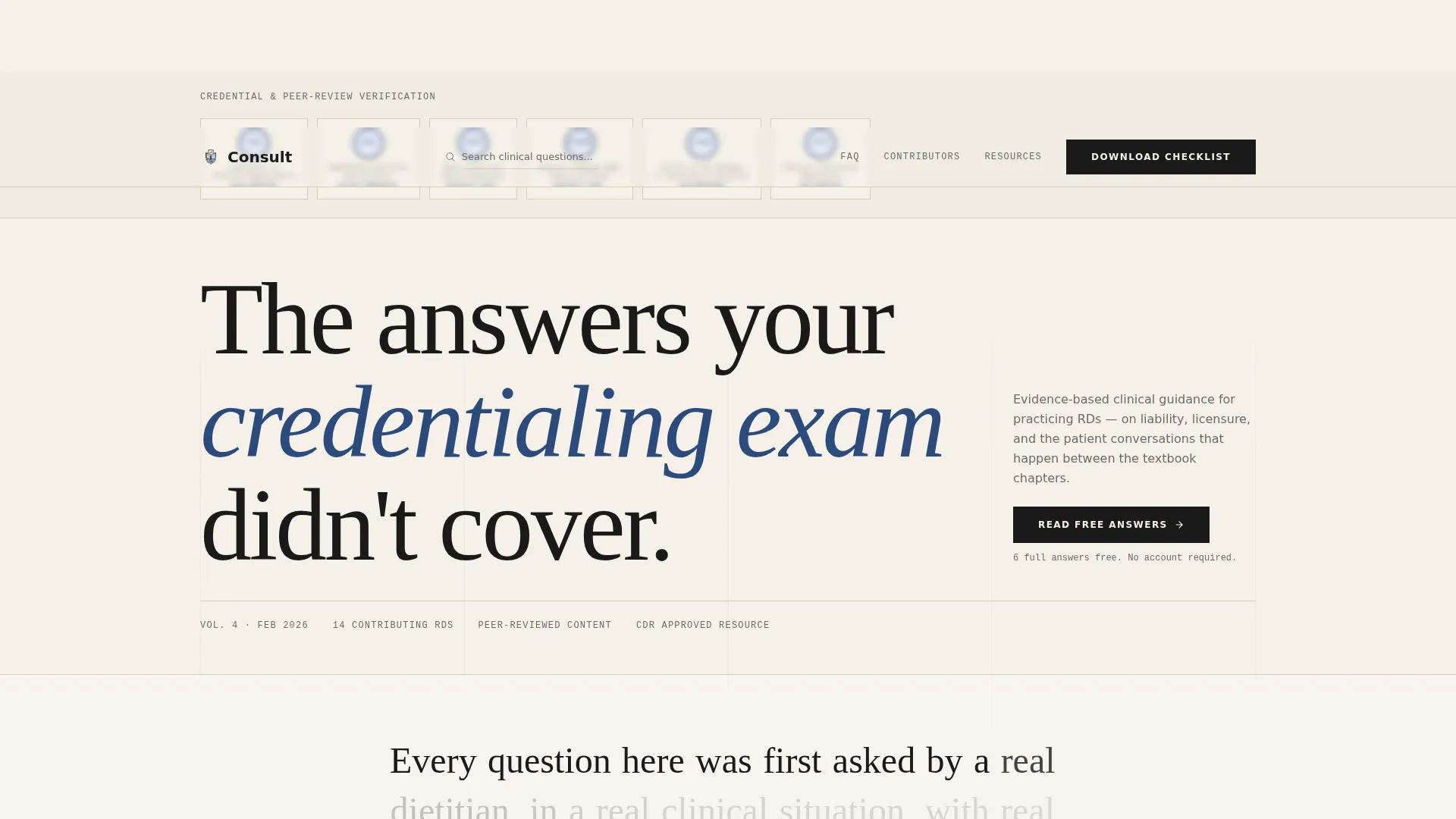
Consult is an editorial-style landing page template built for registered dietitians who need a credible, resource-rich online presence. It combines a vetted FAQ structure, named contributor profiles, and a gated practice checklist download into one authoritative page. The design feels like a professional journal, ink-dark, parchment-warm, and built to earn trust before it asks for anything.
by Rocket studio
Quick summary
Consult is a single-page editorial template for dietitian professionals who publish evidence-based answers and practice resources online. It pairs a credential-forward header with named contributor sections, accordion-style FAQ blocks, and a gated checklist download. The result is a resource page that reads like a trusted reference manual and converts like a focused content offer.
Who this template is for
This template is designed for nutrition professionals who need more than a generic bio page. It speaks directly to practitioners managing complex questions around liability, licensure, and clinical communication.
- Newly credentialed dietitians navigating scope-of-practice and liability questions for the first time
- Private-practice owners who need a professional home for informed-consent resources and client education
- Clinical registered dietitians in hospital systems dealing with state licensure variation and compliance documentation
What problem this template solves
Most dietitian websites either look too clinical or too casual. Neither builds the kind of trust that earns a download or a consult booking. This template solves the credibility gap by leading with earned credentials, named contributors, and visible answers before any ask is made.
- Practitioners lose potential clients when their site looks undifferentiated from a generic health blog
- Legal and scope-of-practice questions often go unanswered publicly, leaving visitors uncertain about a practitioner's depth
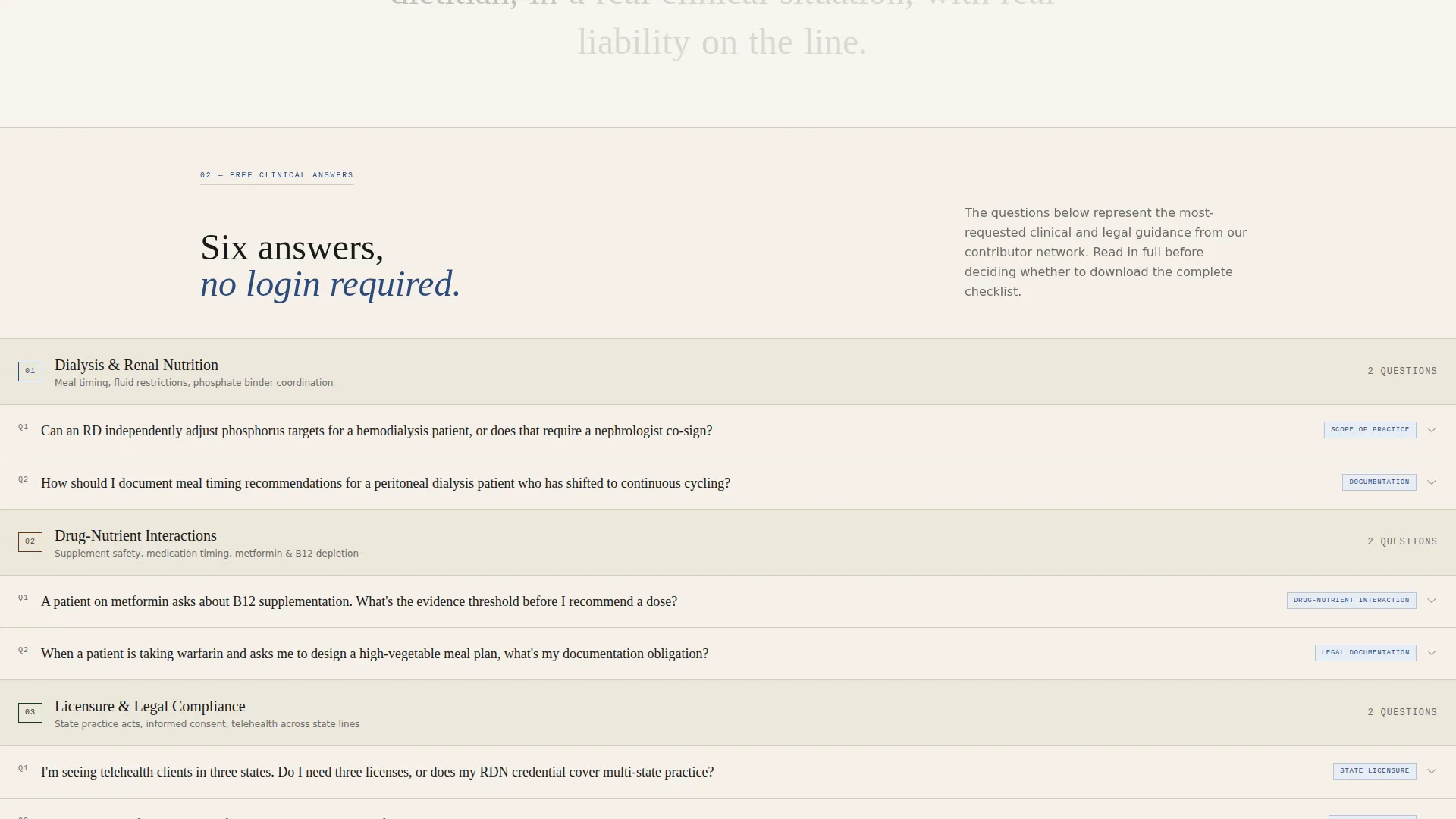
- A gated resource with no proof of value gets ignored, this template shows six full answers before requesting an email
What you get with this template
You get a complete editorial landing page layout designed around the specific trust signals that matter to healthcare-adjacent professionals. Every section is pre-structured so you can drop in your content without rebuilding the information architecture from scratch.
- A credential-badge header row, named contributor profile blocks, and alternating FAQ accordion and deep-dive editorial sections
- A gated download block with an email field and credential-type selector (Registered Dietitian, Registered Dietitian Nutritionist, Dietetic Technician Registered, Student)
- An ungated FAQ search bar pinned to the top navigation for continuous visitor exploration
Feature list
This section covers the core built-in components that give the Consult template its editorial authority and conversion structure.
Credential Badge Header Row
The header presents a row of award-style badge insignia, credential seals, licensure verification marks, and peer-review trust indicators, arranged across a parchment field. No stock photography is used. The visual effect reads like honors mounted on a diploma wall, signaling that the content behind it has been vetted by working practitioners.
Named Contributor Profile Blocks
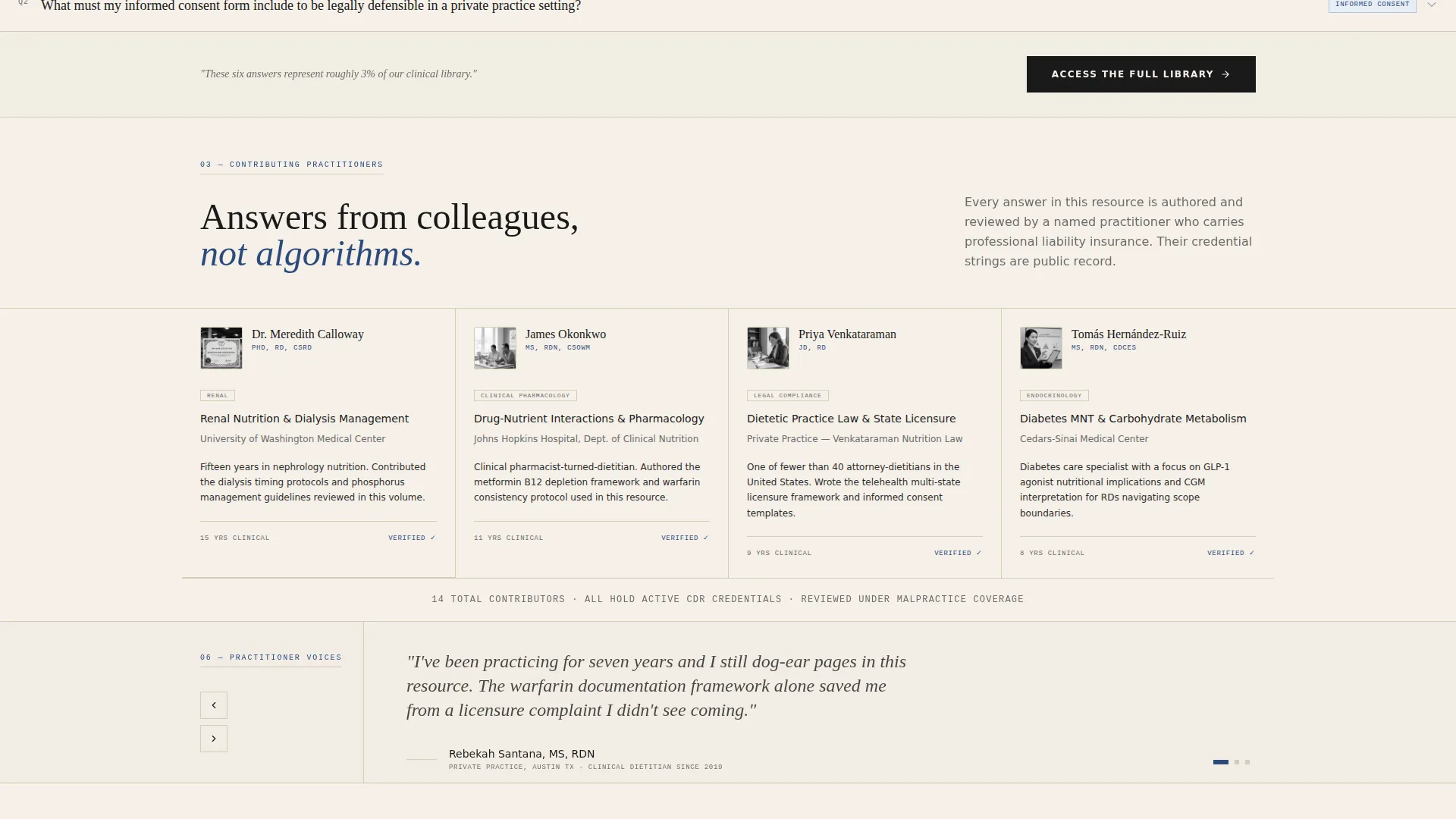
Every FAQ category opens with a named dietitian contributor block showing a headshot, full credential string, and practice specialty. The scroll experience mirrors walking a university hallway and reading office nameplates. This structure makes the page feel collaborative and peer-reviewed rather than anonymously generated.
Accordion FAQ Sections
The template includes accordion-style question-and-answer blocks that expand on tap or click. Six answers are fully visible on page load before any gated content appears. This proves depth before asking for the visitor's email address.
Editorial Deep-Dive Sections
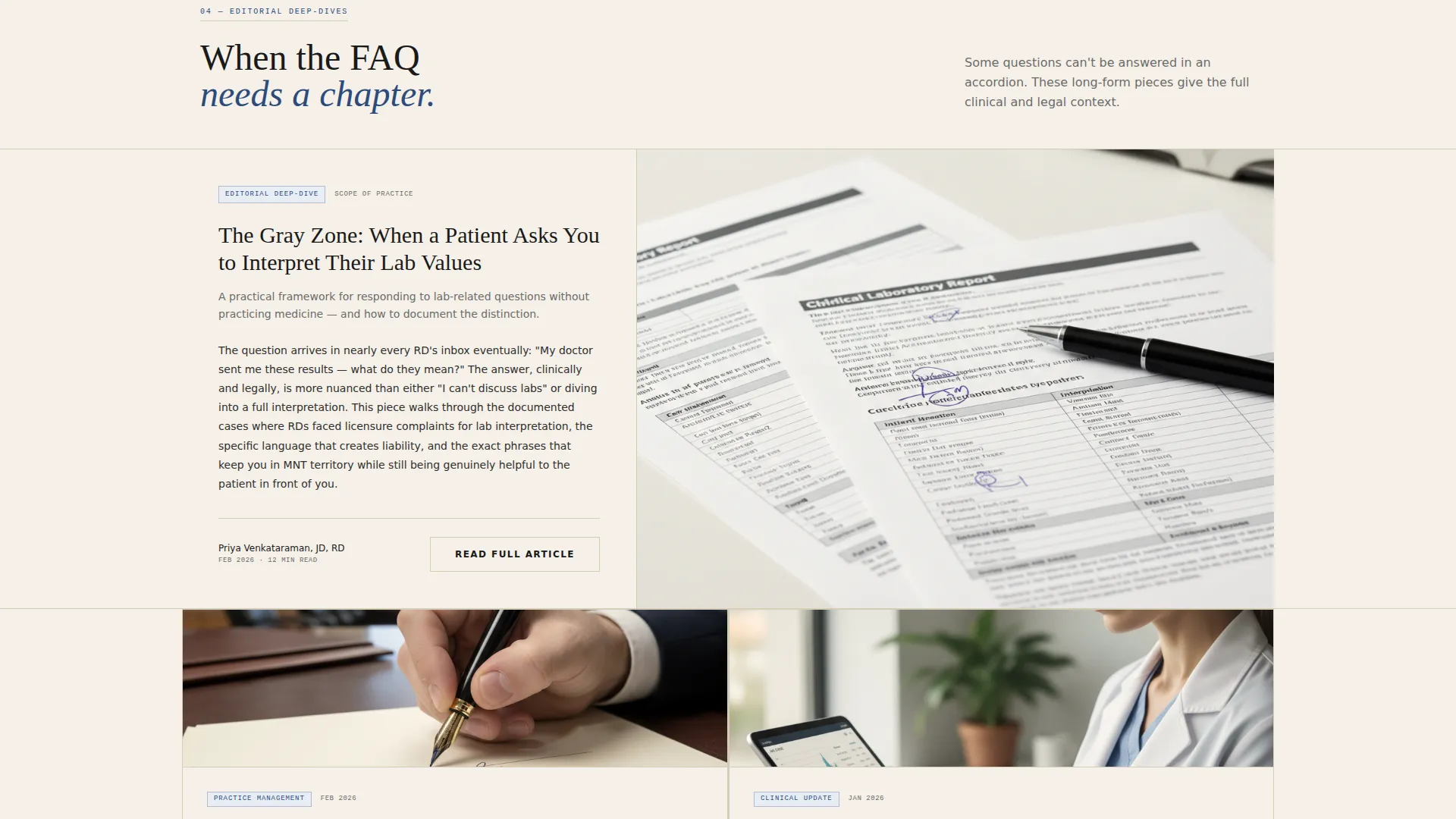
Alternating with the tight FAQ accordions are longer editorial sections where tone shifts from clinical to conversational. These sections handle topics like patient communication and practice boundary-setting in a voice that feels like a knowledgeable colleague explaining, not a compliance manual reciting.
Gated Practice Checklist Download
The primary call to action is a "Download the Practice Protection Checklist" block gated behind a single email field and a credential-type selector. The selector options reflect the real credentialing landscape: Registered Dietitian, Registered Dietitian Nutritionist, Dietetic Technician Registered, and Student.
Pinned FAQ Search Bar
A search bar is fixed to the top navigation so visitors can query the resource content at any point during their scroll. This keeps exploration active and reduces bounce by letting users self-navigate to the specific compliance or clinical question they came to answer.
Page sections overview
| Section | Purpose |
|---|---|
| Credential Badge Header | Establishes authority through earned insignia before any content loads |
| Editorial Headline Block | Sets the resource tone with a single guiding statement |
| Contributor Profile Row | Introduces named dietitian contributors with credentials and specialty |
| FAQ Accordion Block | Delivers six visible answers before gating any content |
| Editorial Deep-Dive | Provides longer-form guidance on clinical and legal topics |
| Gated Checklist Download | Captures email and credential type in exchange for the practice checklist |
| Pinned Search Navigation | Keeps visitors exploring the FAQ resource throughout the scroll |
Design & branding system
The Consult template uses an Ink and Paper color system that feels like a freshly printed professional journal. Every color choice reinforces authority without tipping into sterile corporate design.
- Core palette: archival black (#1A1A1A) for body text, warm parchment (#F5F0E8) for page fields, margin-note gray (#6B6B6B) for secondary labels, and statutory blue (#2C4A7C) reserved exclusively for linked citations and interactive accordion triggers
- Typography and layout follow an editorial magazine structure with tight column spacing, clear section breaks, and a visual rhythm that alternates between dense reference content and readable long-form prose
Mobile & speed optimization
The template is structured to remain readable and navigable on smaller screens without sacrificing the editorial density that makes it authoritative.
- The pinned search bar and accordion blocks adapt to touch interaction, keeping the resource explorable on mobile devices
- Section alternation between short FAQ blocks and longer editorial prose keeps vertical scrolling comfortable and paced on any screen size
How this template helps you convert
The conversion approach here is built on a trust-first sequence. Every structural decision delays the ask until the visitor already believes the value is real.
- Six fully visible FAQ answers load before any gated content appears, proving the resource depth is genuine before requesting an email address or credential type
- The gated checklist block appears only after the visitor has scrolled through contributor profiles and editorial content, meaning intent is already high when the download prompt is reached
Other information about this template
The Consult template sits inside the Professional Services category with a specific focus on dietitian online presence and FAQ resource pages. It is built for the editorial and magazine template style and follows a content and resource delivery direction.
- The Legal Shield theme shapes every structural choice, from the badge header to the credential-selector gate, reinforcing that this page exists to protect and equip practitioners, not just inform them
- The Team and People creative direction means real contributor identity is central to the layout; the template is designed to showcase named professionals, not anonymous content
- This template is a strong fit for practices that publish clinical guidance on topics like dialysis meal timing, supplement and medication interactions, and scope-of-practice documentation
Theme
Legal Shield
Creative direction
Team & People
Color system
Ink & Paper
Style
Editorial/Magazine
Direction
Content/Resource
Page Sections
Credential Badge Header Row
Named Contributor Profile Blocks
Accordion FAQ Sections
Editorial Deep-dive Sections
Gated Practice Checklist Download
Pinned FAQ Search Bar
Related questions
Can I use this template without a large team of contributors?
What type of content works best in the FAQ accordion sections?
Is the gated download section customizable?
Who is the primary audience this template was designed to reach?
Does the template include the actual FAQ content or just the layout?



