Expert Pulmonology Booking Landing Page Template
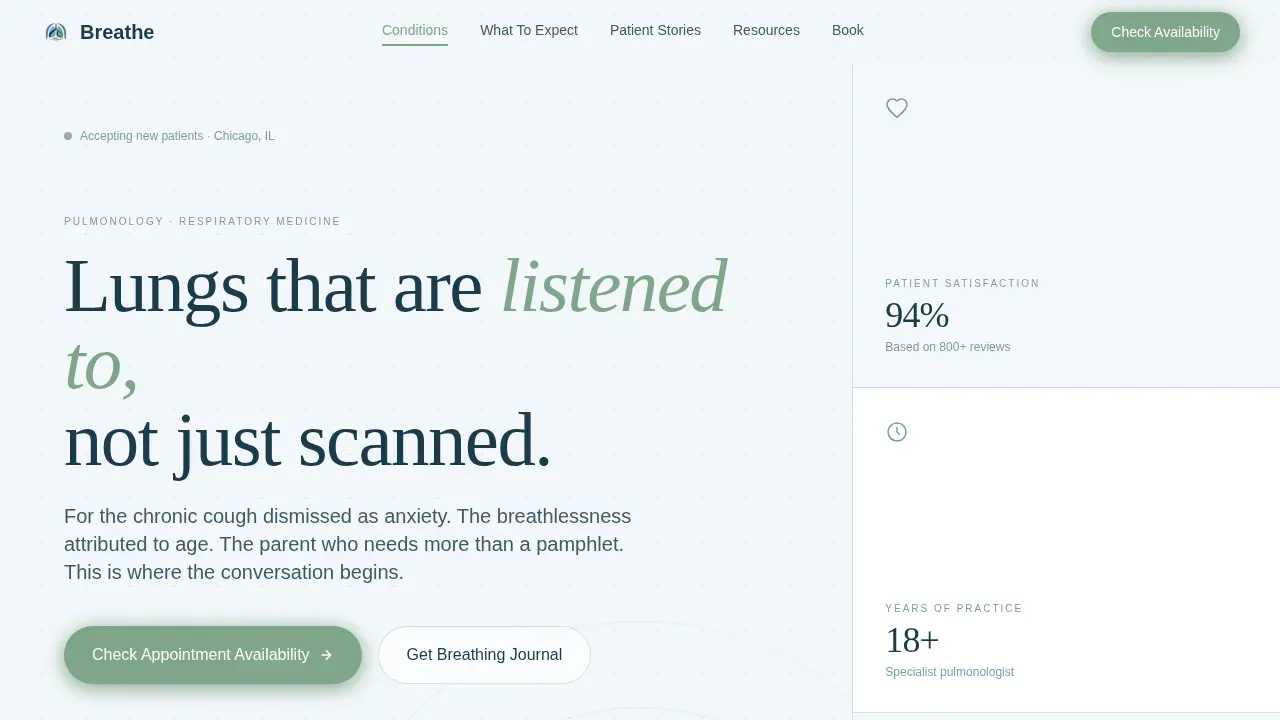
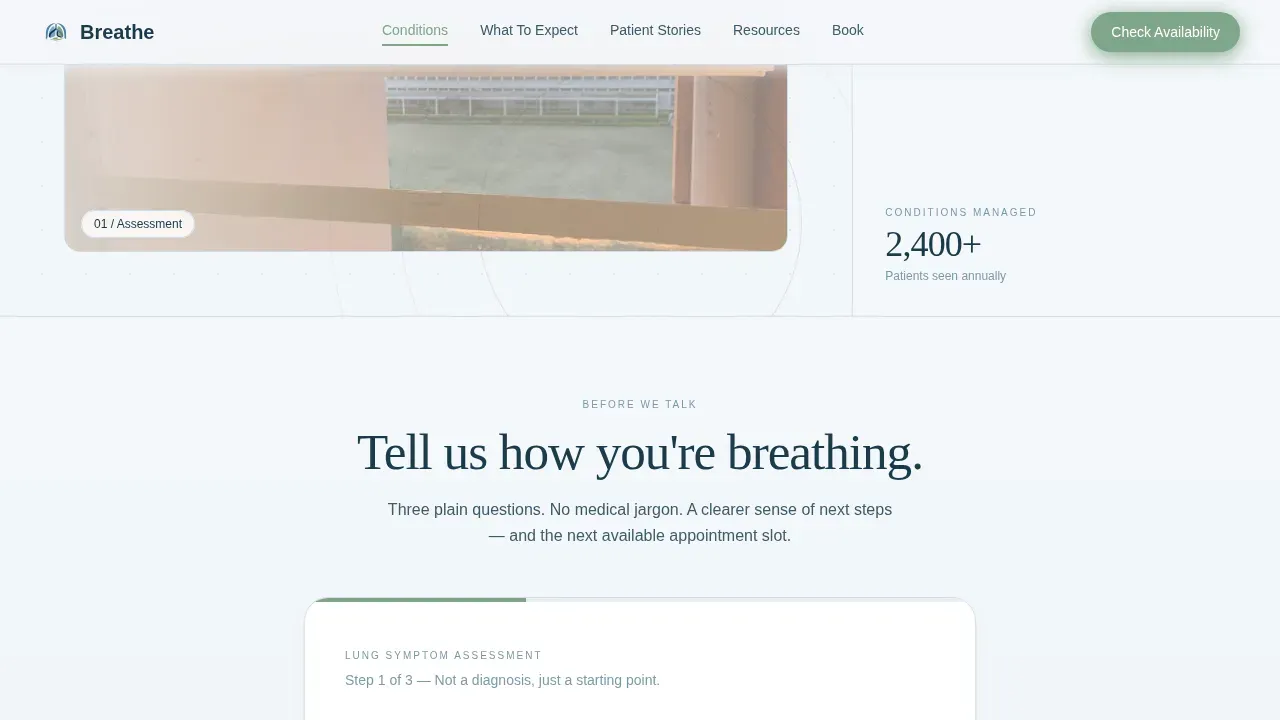
The Breathe trusted pulmonologist appointment booking landing page template is a hub and spoke, anchor-nav layout built for pulmonology practices ready to earn patient trust before asking for a booking. It opens with a three-step Lung Symptom Assessment calculator, moves through condition information, patient story mosaics, and a downloadable Breathing Journal, and closes with a clear appointment availability call to action.
by Rocket studio
Quick summary
Breathe is a single-page, anchor-nav template designed for pulmonologists who want new patients to feel understood before they ever call the office. A Lung Symptom Assessment calculator greets visitors first. Conditions, patient stories, resources, and booking follow in a calm, structured flow. The result is a page that earns the consultation rather than demanding it.
Who this template is for
Pulmonology is a critical specialty that treats patients with respiratory issues such as asthma and COPD, yet many practices struggle to communicate that expertise online. This template is built for solo pulmonologists and small respiratory clinics who want a professional web presence that converts hesitant visitors into scheduled consultations.
- Pulmonologists and respiratory specialists launching or refreshing their practice website
- Clinics treating chronic conditions such as asthma, COPD, sleep apnea, and lung disease
- Parents of children with asthma seeking a specialist who will explain triggers clearly
What problem this template solves
Many patients search for a respiratory specialist for weeks before booking. They feel dismissed, uncertain about diagnosis, or unsure whether their symptoms warrant a specialist visit. A generic website does nothing to reassure them. This template removes that hesitation by giving visitors a structured, empathetic path from concern to consultation.
- Patients with unexplained breathing symptoms who need guidance before committing to an appointment
- Visitors who have seen multiple healthcare providers without a clear plan for their lung health
- Cautious browsers who need clinical depth and emotional proof before they schedule
What you get with this template
The template delivers a fully structured, single-page layout with five anchor-linked hub sections, a header calculator, a patient testimonial mosaic, and a gated resource download. Every component is scoped to one goal: turning symptomatic visitors into booked patients.
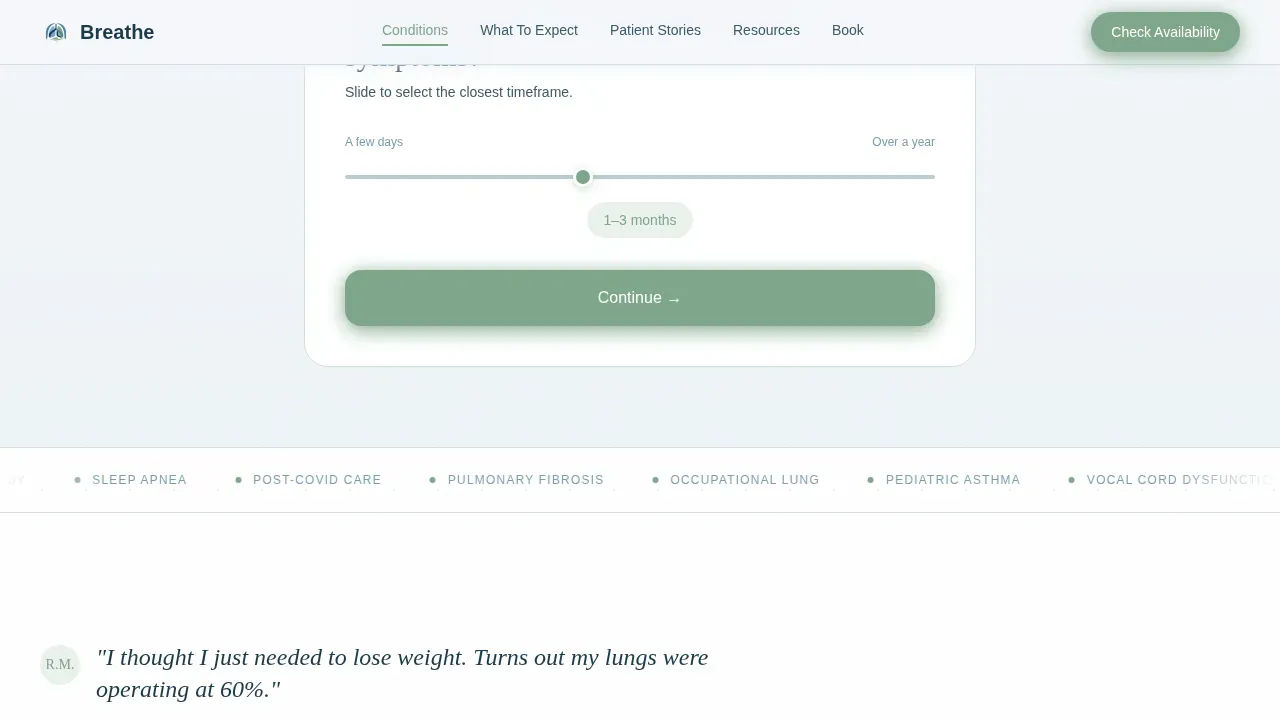
- A three-step Lung Symptom Assessment tool with personalized urgency output and next-available appointment display
- An asymmetric Patient Stories mosaic featuring initials, age, condition, and three-sentence narratives across diverse demographics
- A downloadable Breathing Journal PDF gated behind a name-and-email form, giving hesitant visitors something useful before they commit
Feature list
This template includes purpose-built components that support the full patient acquisition journey, from first symptom search to confirmed appointment.
Three-Step Symptom Calculator
The header opens with a Lung Symptom Assessment tool centered in the viewport. Visitors answer three plain-language questions using a sliding scale, illustrated cards, and a yes/no toggle. The calculator outputs a personalized urgency indicator and surfaces the next available appointment slot, earning trust before asking for anything in return.
Anchor Navigation Bar
A persistent anchor navigation bar runs across the top of the page with links to each hub section: Conditions Treated, What To Expect, Patient Stories, Resources, and Book. A sage green "Check Appointment Availability" button sits inside the bar at all times, keeping the primary call to action visible as patients scroll through clinical content.
Testimonial Mosaic with Patient Voices
Each hub section opens with a two-line patient voice fragment that emotionally frames the content below. The Patient Stories section itself presents an asymmetric mosaic grid of patient cards, each showing initials, age, condition, and a short narrative. The range of voices, young adults, elderly patients, post-COVID cases, occupational exposure, and parents of children with asthma, creates collective proof that this practice listens.
Breathing Journal Download Gate
The Resources section offers a free, four-week Breathing Journal PDF designed for patients to track symptoms before their first visit. Access requires only a first name and email address. This exchange gives the hesitant visitor something practical while pre-qualifying them as an engaged, motivated patient before the consultation.
Conditions and Process Sections
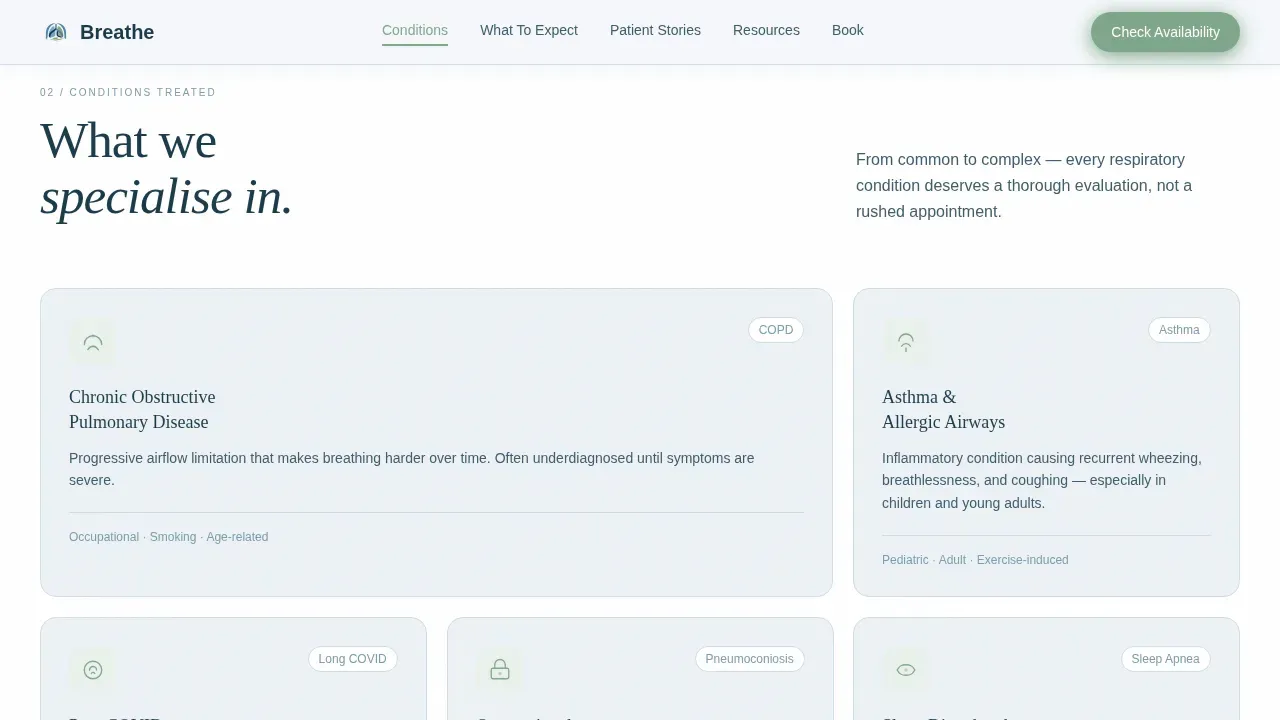
The Conditions Treated section presents a clear list of respiratory services, including asthma management, COPD treatments, sleep apnea care, lung disease evaluation, and related chronic conditions. The What To Expect section walks patients through the first visit, covering medical history review, spirometry, and personalized management plans, so they arrive informed and calm.
Cloud Canvas Color System
The page uses a four-color Cloud Canvas palette: atmospheric white backgrounds, mist blue card surfaces and section dividers, deep clinical navy for all body text and navigation, and sage green reserved exclusively for interactive elements such as buttons, progress indicators, and anchor nav highlights. The palette conveys health, trust, and calm authority without clinical sterility.
Page sections overview
| Section | Purpose |
|---|---|
| Hero + Calculator | Opens with a three-step Lung Symptom Assessment tool that outputs a personalized urgency indicator and next appointment slot |
| Conditions Treated | Lists respiratory services including asthma, COPD, sleep apnea, and lung disease to confirm practice relevance |
| What To Expect | Walks new patients through the first visit process including history review and spirometry |
| Patient Stories Mosaic | Asymmetric grid of patient cards with initials, age, condition, and narrative for emotional proof |
| Resources + Book | Offers the free Breathing Journal download and the primary appointment booking call to action |
| Footer | Single-row linear footer with practice contact details and navigation links |
Design & branding system
The visual identity follows a Healing Space theme built to feel like a recovery room window at dawn, quiet, clean, and reassuring. The typography pairing combines Fraunces, a display serif that carries emotional warmth, with DM Sans for body text that reads with clinical clarity.
- Atmospheric white (#F4F7FA) dominates backgrounds to create open, breathable space; mist blue (#B8CCD8) washes section dividers and card surfaces; deep clinical navy (#1B3A4B) anchors all text
- Sage green (#7FA68A) appears only on interactive elements: buttons, progress indicators, and anchor nav highlights
- Scroll-reveal animations, calculator step transitions, and mosaic stagger effects add medium-level motion without distraction
Mobile & speed optimization
The template is built desktop-first with full mobile responsiveness, recognizing that patients research symptoms and schedule appointments across both device types. The calculator runs client-side only, keeping the initial load fast and the interaction smooth regardless of connection quality.
- A simple, mobile-responsive layout with generous white space and a compact booking form reduces friction for patients on smaller screens
- The call to action appears in the hero section, the anchor navigation bar, and the footer, so it is always reachable
- The layout and component structure support fast initial loading, keeping patient bounce low
How this template helps you convert
The page is structured as a Content and Resource destination, earning patient trust through clinical depth and practical generosity before the booking moment arrives.
- The Symptom Assessment calculator identifies visitor urgency and presents the next available appointment slot immediately, reducing the time between concern and action
- Patient voice fragments and the mosaic grid provide layered social proof, so new patients feel recognized and understood before they contact the practice
- The Breathing Journal download creates a low-commitment first step that keeps hesitant visitors engaged and leads them naturally toward scheduling a full consultation
Other information about this template
This template is one of several professional website templates designed for medical specialists who need a focused online presence without starting from scratch. Healthcare providers can customize colors, logos, fonts, and layout elements to match their own branding. The template structure can support practices that aim to grow their patient community through both organic search and ad campaigns.
- Customizable website templates like this one allow healthcare providers to launch a new website in far less time than a custom build, with no extensive web design experience required
- The page is designed to partner with real-world practice workflows: patients can schedule by calling directly or through an online booking system embedded in the template
- Many treatments offered by pulmonologists are covered by insurance plans; the template includes a section structure that can support insurance and contact information
- Breathe Oklahoma is one example of a pulmonology practice that offers comprehensive care for sleep and breathing disorders, including sleep studies that diagnose sleep apnea and related sleep disorders, and accepts a wide range of plans to make quality care accessible to more patients
- Sleep specialists and pulmonologists who offer at-home testing for respiratory evaluations can use the Resources section to explain those options to new patients
- The template hosting and platform decisions remain flexible; the design files are built to work across standard web-publishing environments
Theme
Healing Space
Creative direction
Testimonial Mosaic
Color system
Cloud Canvas
Style
Hub & Spoke (Anchor Nav)
Direction
Content/Resource
Page Sections
Three-step Lung Symptom Calculator
Persistent Anchor Navigation Bar
Patient Story Testimonial Mosaic
Breathing Journal Download Gate
Conditions and Process Hub Sections
Cloud Canvas Color and Type System
Related questions
Who should use this landing page template?
Can I customize the colors, fonts, and content to match my practice?
What is the Breathing Journal and how does the download gate work?
Does the template support both desktop and mobile users?
How does the Symptom Assessment calculator work?



