Orthopedic Surgeon Specialist Booking Website Template
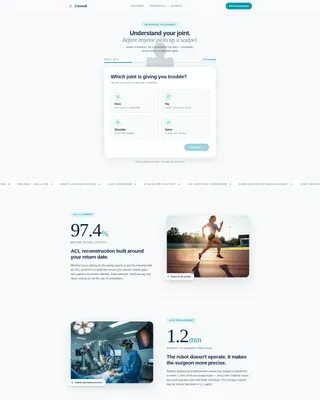
Consult is a precision-built orthopedic surgeon landing page template designed around a four-step patient assessment. It opens with an interactive joint selector, walks visitors through a guided qualification flow, and closes with a personalized result screen and consultation booking prompt. The clinical-editorial design builds trust before a single paragraph is read.
by Rocket studio
Quick summary
Consult is a single-page orthopedic surgeon patient portal template built around a four-step quiz assessment. Visitors tap an anatomical joint selector, answer three follow-up questions, and receive a personalized next-step recommendation. The zigzag layout pairs bold outcome statistics with plain-language explanations, guiding anxious patients from curiosity to a booked consultation with calm confidence.
Who this template is for
This template is built for orthopedic surgery practices that want to qualify patients before the first phone call. It suits individual surgeons, specialty clinics, and multi-provider orthopedic groups serving a direct-to-patient audience.
- Orthopedic surgeons treating ACL tears, hip replacements, knee resurfacing, or scoliosis correction
- Practices that want to reduce unqualified intake calls and arrive at consultations already informed
- Medical marketing teams building a patient-facing portal with a clinical, trustworthy visual identity
What problem this template solves
Most orthopedic practice pages give anxious patients a phone number and a generic contact form. That gap between "I think something is wrong" and "I have an appointment" is where patients stall, compare, or simply give up. This template closes that gap by meeting patients in research mode and walking them through a structured self-assessment.
- Patients researching at 2 a.m. on a phone have no clear path to a next step
- Generic contact forms do not qualify patient needs or set appointment expectations
- Practices waste intake time on calls where the patient does not yet understand their situation
What you get with this template
You get a complete, single-page orthopedic patient portal built around an interactive assessment flow and a stats-forward zigzag content structure. Every section is designed and ready to customize with your practice's actual outcomes and surgeon profile.
- A four-step assessment form with an anatomical joint tap selector, pain duration, mobility, and imaging questions
- Zigzag content sections pairing oversized outcome statistics with jargon-free explanations and anatomical illustrations
- A personalized result screen offering one of three recommended next steps, plus a calendar embed showing the next available consultation slots
Feature list
This template delivers a focused set of high-interactivity components built specifically for orthopedic patient qualification and conversion.
Four-Step Patient Assessment Form
The header opens directly on Step 1 of 4 inside a centered white card. Visitors select their affected joint using a minimal anatomical silhouette, then answer questions about pain duration, mobility limitations, and whether imaging has already been completed. A teal progress bar tracks advancement through each step.
Personalized Result Screen
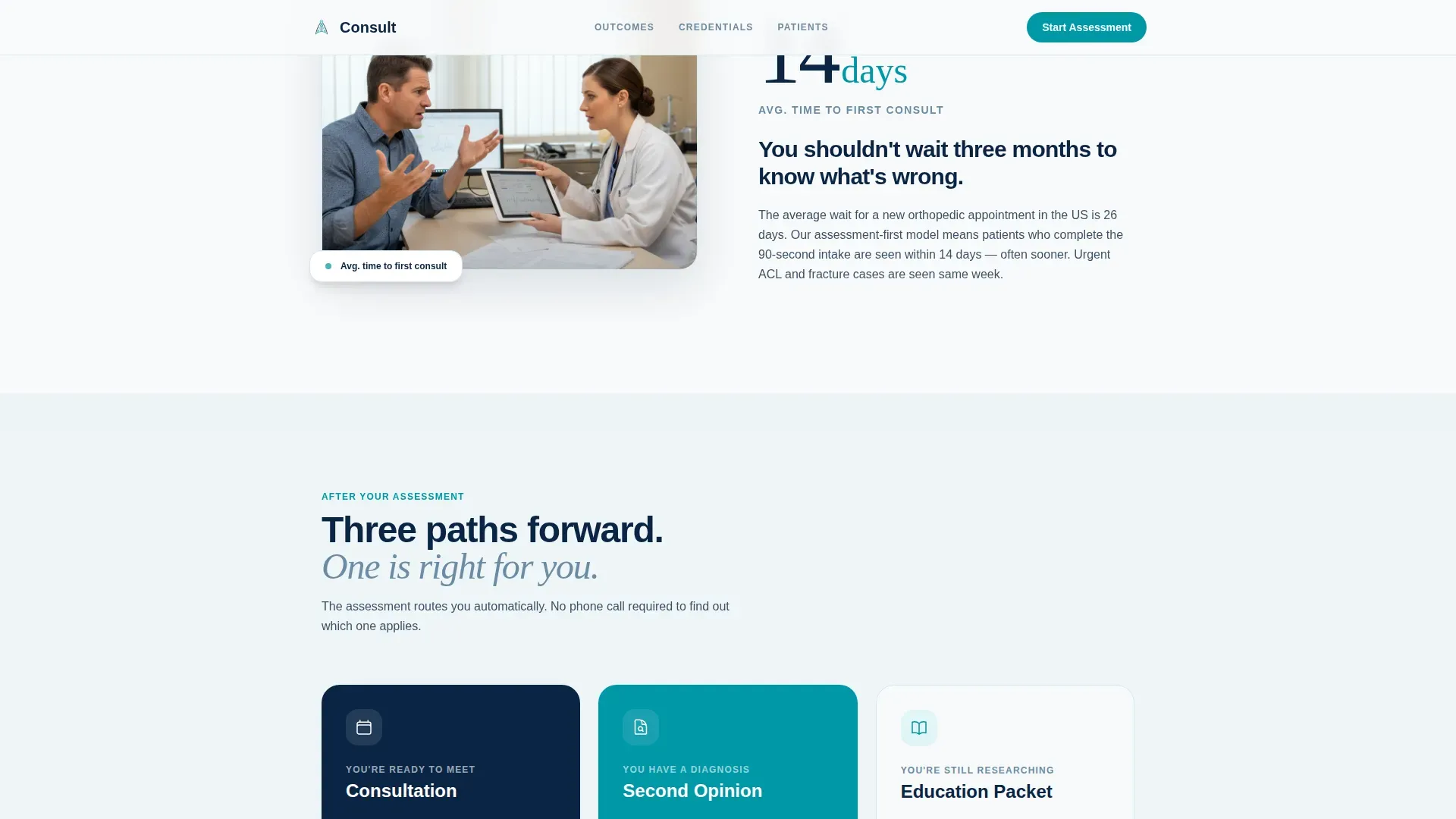
On completing the assessment, visitors receive a recommended next step rather than a generic contact prompt. The three possible paths are consultation booking, second opinion, or a pre-surgical education packet. A "Book My Consultation" button and a calendar embed showing the next three available slots appear directly on the result screen.
Sticky Conversion Bar
A sticky bottom bar activates once Step 1 of the assessment is completed. It keeps the primary call to action, "Find My Treatment Path," in view throughout the rest of the page scroll without interrupting the reading experience.
Stats-First Zigzag Sections
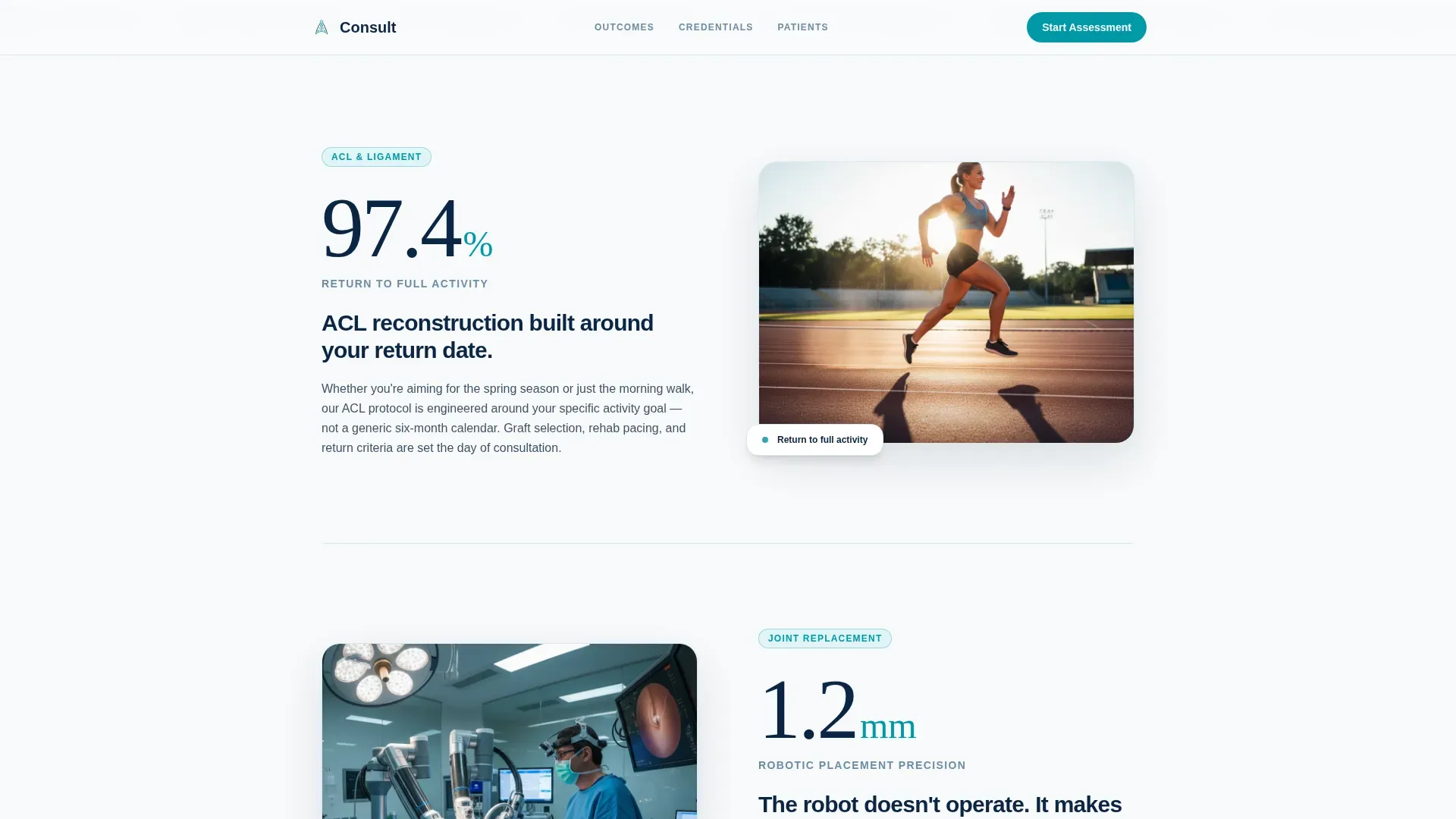
Each alternating content block leads with a bold, oversized outcome number rendered in editorial-weight typography. The number is followed by a short plain-language explanation and a subtle anatomical illustration. Stats shown include a 97.4% return-to-full-activity rate, 1.2 mm robotic precision, and 4,100 procedures performed.
Surgeon Credentials and Outcomes Panel
A dedicated zigzag block presents the surgeon's procedure count alongside a profile section. This keeps social proof personal and specific, showing patients who will be treating them and what that surgeon has achieved.
Patient Testimonials Section
A testimonials section features patient stories tied to specific conditions and outcomes. Stories are matched to the primary patient types addressed across the page, reinforcing trust through recognizable experiences rather than generic praise.
Page sections overview
| Section | Purpose |
|---|---|
| Assessment Form Header | Opens on Step 1 of the four-step joint assessment |
| ACL Stats Block | Leads with 97.4% return-to-activity outcome stat |
| Robotic Precision Block | Introduces 1.2 mm robotic-assisted procedure accuracy |
| Credentials Panel | Anchors trust with 4,100 procedures and surgeon profile |
| How It Works | Previews the three personalized result-screen paths |
| Patient Testimonials | Shares specific patient outcomes by condition |
| Linear Footer | Single-row footer with practice contact information |
Design & branding system
The visual identity follows an Educational Guide theme built on an Arctic White color system. Every design decision communicates clinical competence before a word is read, using the contrast between clean white space and precise teal accents to guide the eye without visual noise.
- Arctic White (#F8FAFB) backgrounds, Sterile Ice Blue (#D6E8EE) card surfaces and section dividers, Deep Surgical Navy (#0B2545) for all headings and data callouts, and Recovery Teal (#0097A7) on buttons, progress indicators, and stat highlights
- DM Sans in bold for headings and interface labels, Fraunces for oversized statistical numbers to give them editorial authority and visual weight
- Anatomical silhouette illustrations used sparingly alongside stat blocks, keeping the page feeling clinical and informative without becoming overly decorative
Mobile & speed optimization
The template is built mobile-first, reflecting the reality that most orthopedic patients do their initial research on a phone, often outside business hours. The interactive components are built as client-side components only, keeping the static base fast to load.
- The anatomical joint selector, four-step form, and calendar embed simulation are client-side only, so the rest of the page loads as static content
- Form step transitions, number count-up animations, and scroll reveals are kept at a medium animation weight to remain smooth on mobile without excessive resource use
- The sticky call-to-action bar is designed to sit above mobile navigation without obscuring content, activating only after Step 1 is completed
How this template helps you convert
Every design and content decision in this template points toward one outcome: a qualified patient who books a consultation already understanding their situation.
- The assessment form opens as Step 1 on page load, so the first action a visitor takes is engaging with their own condition rather than reading about the practice.
- The stats-first zigzag layout builds increasing confidence with each scroll, moving the visitor from understanding their condition to seeing real outcomes to meeting the surgeon, so anxiety decreases as informed trust increases.
- The personalized result screen transforms assessment completion into a clear, low-friction next step, presenting a specific recommendation and real available calendar slots rather than a generic "contact us" prompt.
Other information about this template
This template is part of the Consult series, a set of healthcare-focused templates built for high-trust, patient-facing medical practices. A few additional details worth noting before you start customizing:
- The template is built for United States practices and uses English copy, USD formatting, and MM/DD/YYYY date display by default
- The micro-copy anchor below the header card reads "23,000+ patients assessed, average time: 90 seconds" and is intended to be replaced with your practice's actual patient assessment or intake figures
- The outcome statistics shown (97.4%, 1.2 mm, 4,100 procedures) are placeholder values included for layout and hierarchy demonstration and must be replaced with verified data from your practice
- The calendar embed in the result screen is a simulation component and requires connection to your actual scheduling system during setup
- Secondary audiences such as referring physicians benefit from the credentials panel and procedure-count block, which communicate specialist trust signals clearly without requiring a separate page

Theme
Educational Guide
Creative direction
Stats-First Impact
Color system
Arctic White
Style
Zigzag/Alternating
Direction
Quiz/Assessment
Page Sections
Four-step Patient Assessment Form
Personalized Result Screen
Stats-first Zigzag Layout
Sticky Conversion Bar
Surgeon Credentials Panel
Patient Testimonials Section
Related questions
Can I replace the placeholder statistics with my own practice data?
Does the assessment form send results anywhere automatically?
Is the calendar embed in the result screen functional out of the box?
Can the four-step assessment questions be customized?
Is this template suitable for specialty practices beyond orthopedic surgery?



