Surgical Center Lead Generation Landing Page Template
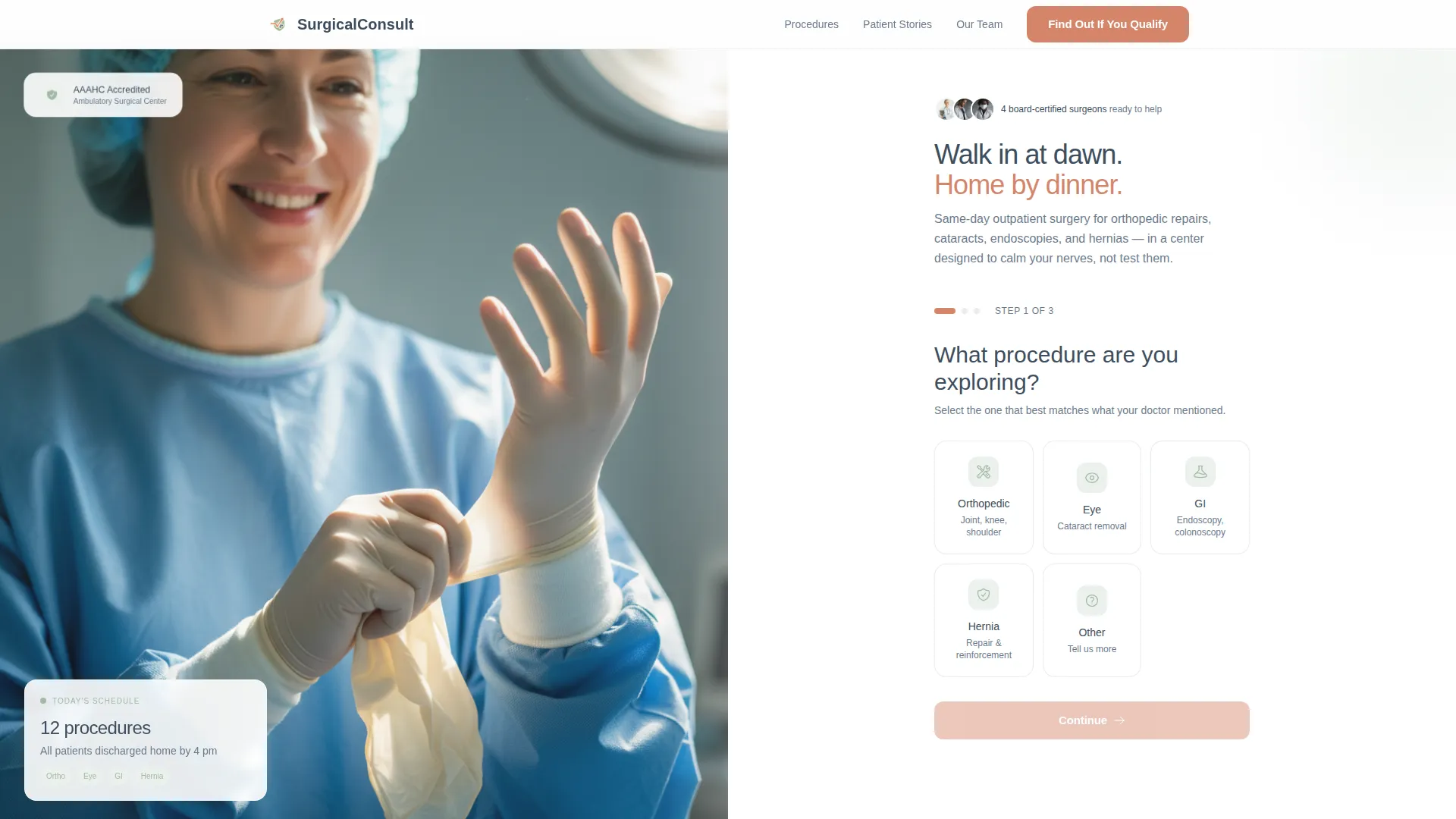
Consult is a split-screen landing page template built for ambulatory surgical centers. It pairs a calming Soft Mist visual identity with a three-step intake form, alternating patient testimonials, and educational procedure diagrams. The design targets adults in their 40s through 70s who need reassurance as much as information, converting quiet kitchen-table research sessions into qualified patient leads.
by Rocket studio
Quick summary
Consult is a lead generation landing page template designed for outpatient surgical centers. It uses a 50/50 split-screen layout, a gentle three-step intake form, and an alternating testimonial mosaic to guide anxious patients from first visit to qualified inquiry. The Soft Mist color system keeps the experience calm, clear, and clinically warm throughout.
Who this template is for
This template is built for ambulatory surgical centers and outpatient procedure clinics that need a patient-facing landing page. It suits practices offering orthopedic repairs, cataract removals, endoscopies, hernia corrections, or similar same-day procedures.
- Surgical center marketing teams looking to replace generic contact forms with a guided, trust-building intake flow
- Practice administrators who want a page that speaks directly to referred patients doing late-night research at home
- Healthcare web designers needing a polished, niche-specific starting point for a surgical center client
What problem this template solves
Adults who have just been told they need a procedure are not ready to fill out a long intake form. They are scared, uninformed, and looking for a reason to trust a facility before they pick up the phone. Most surgical center pages offer dense text or aggressive call-to-action buttons that push anxious visitors away.
- Visitors leave because the page feels cold, rushed, or hospital-like rather than reassuring
- Patients cannot find plain-language explanations of what their procedure actually involves
- Caregivers and spouses researching on behalf of a loved one have no low-commitment entry point
What you get with this template
This template delivers a fully structured, single-page layout with every section pre-built for a surgical center audience. The copy placeholders, visual zones, and form logic are all designed around the patient decision journey.
- A three-step multi-step intake form with tappable procedure tiles, insurance dropdown, and preferred contact time selector
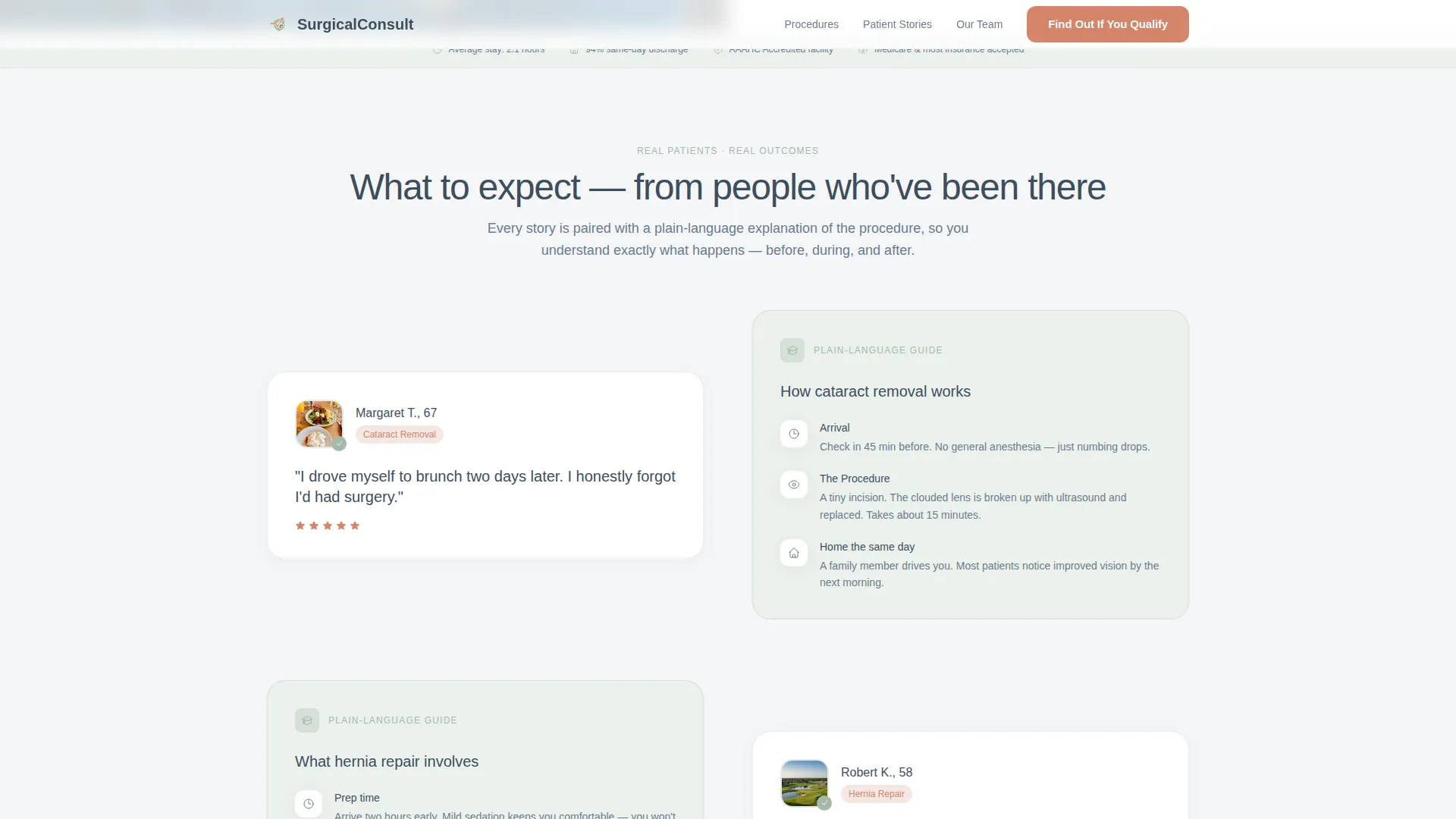
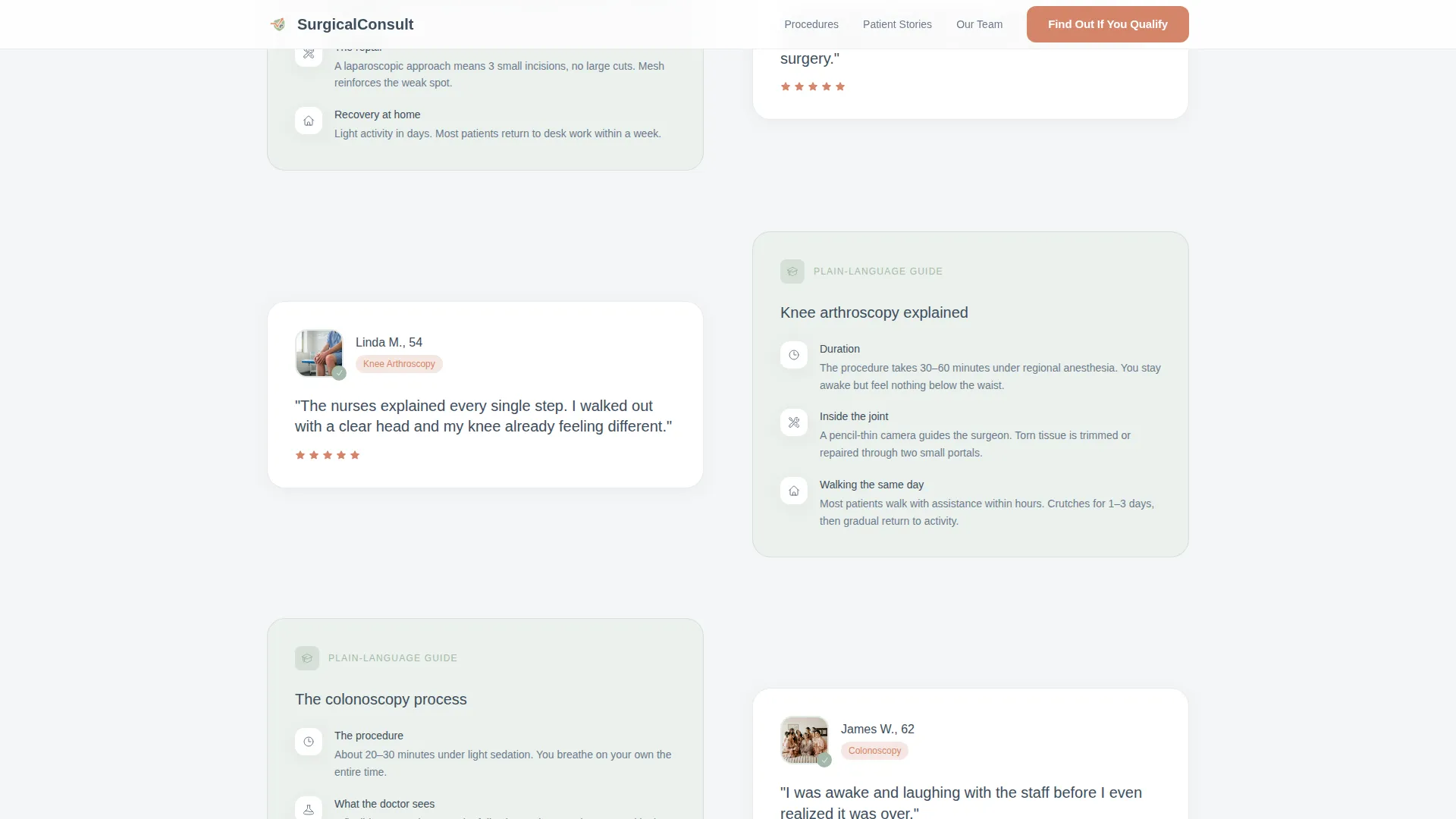
- An alternating testimonial mosaic that pairs patient quote cards with plain-language procedure diagrams
- A secondary conversion path offering a downloadable "Your Surgery Day" PDF guide in exchange for an email address
Feature list
This template includes purpose-built components that address the specific trust and conversion needs of a surgical center audience.
Three-Step Guided Intake Form
The header form splits into three gentle steps: procedure interest via tappable tiles, insurance provider via dropdown, then name, phone, and preferred contact time. A progress bar with three dots shows patients exactly how far they are, reducing form abandonment before the first click.
Alternating Testimonial Mosaic
Patient quote cards and educational procedure diagrams alternate sides as visitors scroll. Each pair includes a first name, age, procedure type, and a short recovery note alongside a step-by-step diagram. The zigzag rhythm keeps the eye moving and builds trust through evidence rather than promises.
Recovery Statistics Cards
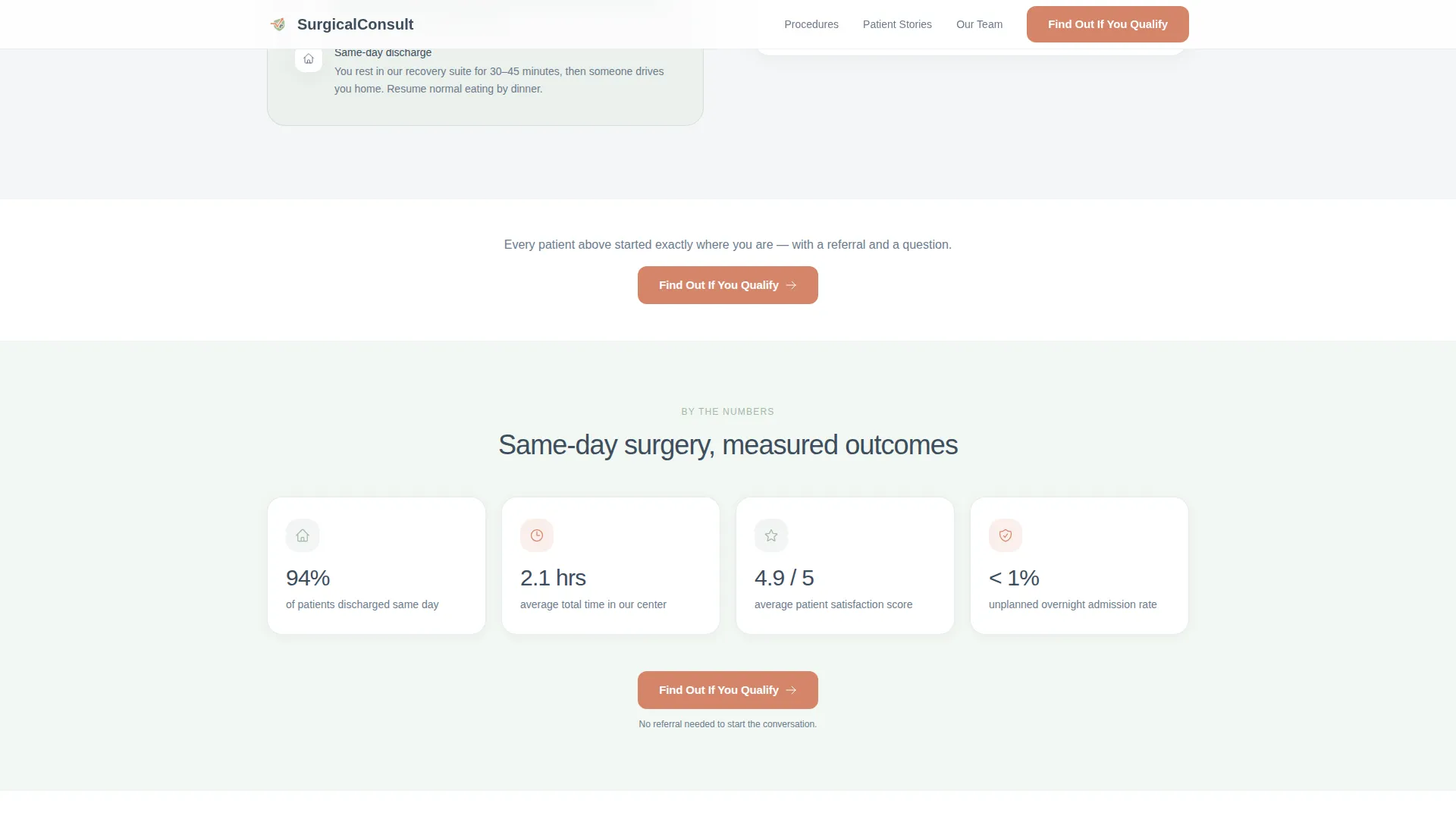
Floating stat cards present concrete recovery timelines in a scannable format. These cards give patients and caregivers specific, believable data points to anchor their expectations before they inquire.
Surgeon Profiles and Credentials Section
A dedicated trust section displays surgeon profile cards alongside accreditation logos. This section gives the facility a professional face and answers the implicit question every patient has: who will actually be in that operating room?
Secondary PDF Guide Conversion Path
A lower-page section offers a downloadable "Your Surgery Day" guide to visitors who are not yet ready to call. Capturing an email here keeps earlier-stage patients in the pipeline without pressuring them toward the main form.
Split-Screen 50/50 Layout
Every major section uses a deliberate left-right structure. The hero splits a surgical team photograph from the intake form. The testimonial mosaic pairs human stories with clinical diagrams. The consistent two-column rhythm reinforces the page's educational, unhurried character.
Page sections overview
| Section | Purpose |
|---|---|
| Hero Split Screen | Introduce the center and launch the three-step intake form |
| Testimonial Mosaic | Alternate patient quotes with plain-language procedure diagrams |
| Recovery Stats Cards | Show concrete recovery timelines through floating stat cards |
| Trust and Credentials | Display surgeon profiles and accreditation badges |
| PDF Guide Call to Action | Offer a downloadable guide for early-stage visitors |
| Footer | Provide contact and legal links in a single-row linear layout |
Design & branding system
The Soft Mist color system is the visual backbone of this template. Every color choice is deliberate: backgrounds stay hushed, text stays readable, and the warm coral appears only where a patient needs to act. The effect feels like morning light through frosted glass in a private recovery suite.
- Fog white (#F4F6F8) and faint sage wash (#A3B9A8) alternate as section backgrounds, keeping the page airy and calm
- Slate (#6B7B8D) carries all body text and supporting labels, maintaining clinical legibility without sterility
- Warm pulse coral (#D4856A) is reserved exclusively for call-to-action buttons and key callouts, drawing the eye without pressure
- Typography is set in Plus Jakarta Sans throughout, a typeface that reads as warm and professional rather than institutional
Mobile & speed optimization
The template is designed desktop-first, reflecting the primary use case of a patient and spouse researching together on a kitchen-table laptop. A strong mobile fallback ensures the same calm experience holds on a phone screen for visitors who start their research on the go.
- Tappable procedure tiles in the intake form are sized and spaced for comfortable mobile interaction
- Scroll-reveal animations and form step transitions are calibrated at a medium intensity, keeping the experience smooth without overwhelming lower-powered devices
- Static sections use server-rendered components while the multi-step form logic runs client-side, keeping the interactive elements responsive
How this template helps you convert
Every design and structural decision in this template points toward one outcome: turning a nervous, referred patient into a qualified lead. The page does this by lowering anxiety first and asking for commitment second.
- The multi-step form breaks the intake process into three small questions, making the first click feel low-stakes. Patients choose a procedure tile before they ever type a single character, which dramatically reduces the psychological barrier to starting.
- The "Find Out If You Qualify" call-to-action repeats at the form top and after every second testimonial pair, catching visitors at each new trust milestone as they scroll rather than forcing a single decision at page load.
- The PDF guide section captures early-stage visitors who are not ready to call, turning a "not yet" into a named lead at a lower commitment level and keeping the center present during the patient's research window.
Other information about this template
This template is part of the Consult collection and sits within the Health and Medical category under the Hospital and Health System subcategory. It is purpose-built for the Surgical Center and Ambulatory niche and carries an intersection match score that reflects strong alignment between its design direction and the lead generation needs of outpatient procedure facilities.
- The Educational Guide theme drives every content and layout decision, treating the page as a calm consultation rather than a marketing pitch
- The Testimonial Mosaic creative direction is the structural heart of the middle page, and it is specifically designed to dissolve fear through layered evidence
- The Multi-Step Form header concept is the primary conversion mechanism and is built to feel painless before the procedure even begins
- Animation intensity is set to medium: scroll reveals bring sections into view gently, form step transitions feel smooth, and the accreditation badge area uses a subtle floating pulse to draw attention without distraction
- The footer follows a linear single-row pattern, keeping the bottom of the page clean and uncluttered
Theme
Educational Guide
Creative direction
Testimonial Mosaic
Color system
Soft Mist
Style
Split Screen (50/50)
Direction
Lead Generation
Page Sections
Three-step Guided Intake Form
Alternating Testimonial Mosaic
Recovery Statistics Cards
Surgeon Profiles and Credentials
Secondary PDF Guide Capture
Split-screen 50/50 Layout
Related questions
Can I customize the procedure tiles in the intake form?
Does this template include the actual PDF guide file?
Is this template suitable for a multi-location surgical group?
How does the testimonial mosaic section work?
What typography does this template use?



