Urologist Booking Website Template
Consult is a sidebar companion landing page for urology practices. It opens with a multi-step booking form that asks one calm question at a time, then scrolls into FAQ-style clinical answers that address the concerns patients search for at night. The result is a page that earns trust before it asks for a name.
by Rocket studio
Quick summary
Consult is a soft-gradient urologist landing page built around two things patients need: clear answers to frightening questions, and a booking form that does not rush them. The sidebar holds the call to action while the main panel walks visitors from concern selection to confirmed appointment, step by quiet step.
Who this template is for
This template is designed for urology clinics and individual consulting urologists who need a patient-facing booking portal that feels reassuring rather than transactional. It suits practices serving a mix of patient profiles across different life stages.
- Men over fifty dealing with prostate-specific antigen (PSA) results or urological symptoms referred by a general practitioner
- Women managing recurrent urinary tract infections (UTIs) who need specialist input beyond repeat antibiotic courses
- Post-operative patients tracking recovery milestones such as catheter removal dates and follow-up imaging
What problem this template solves
Patients with urology concerns often delay booking because the internet gives them anxiety before it gives them answers. This template interrupts that loop by placing clinical information where the hesitation lives.
- Patients arrive on the page mid-worry and leave it with enough context to book confidently
- The multi-step form reduces perceived friction by collecting only what is needed at each step, holding personal details until the final screen
- The anchored sidebar call to action remains visible throughout, so no one has to scroll back to act once they are ready
What you get with this template
The template delivers a complete single-page patient portal layout, structured in three functional zones that work together without requiring any additional pages.
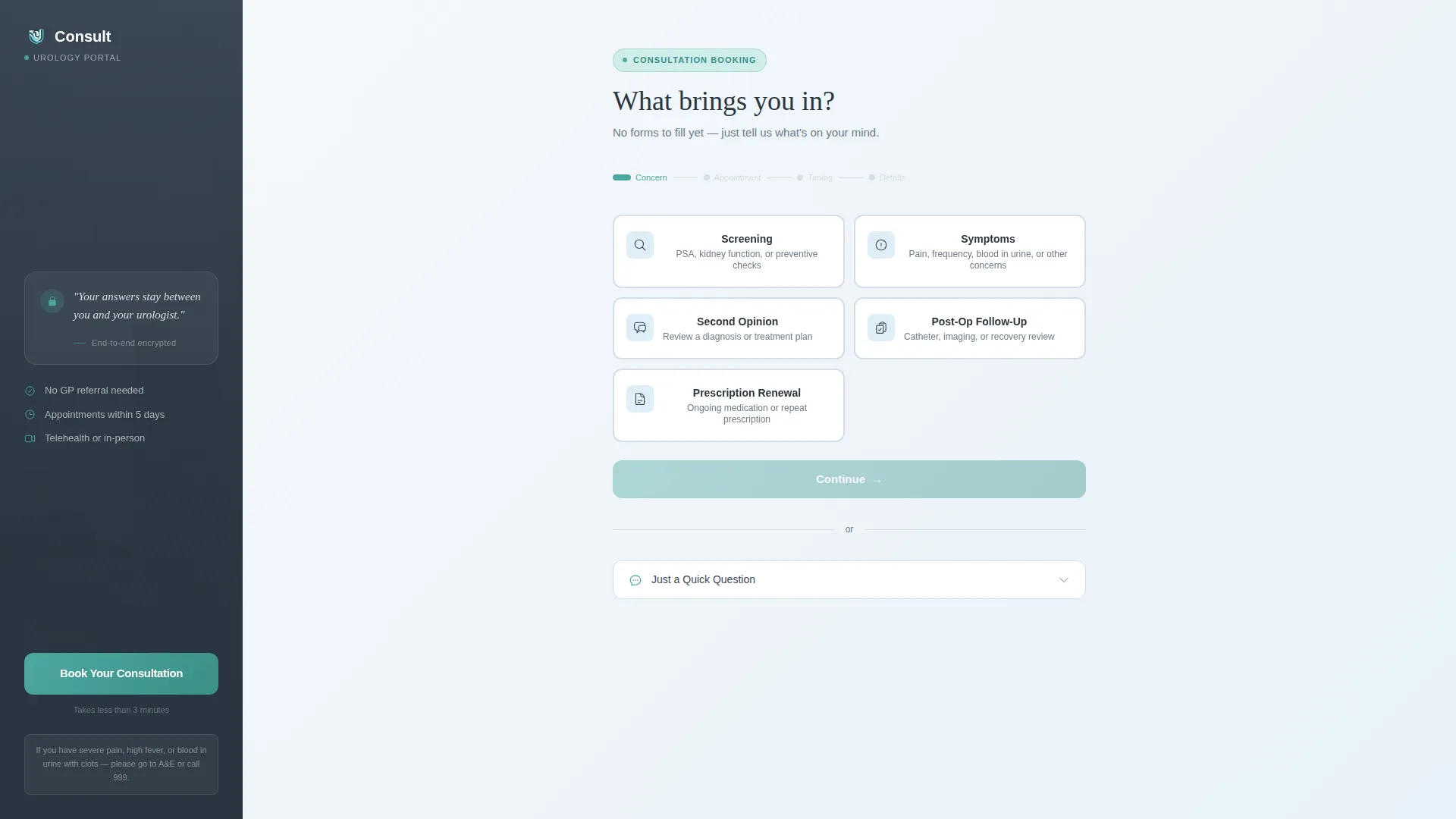
- A split hero section with a persistent sidebar and a progressive multi-step booking form covering concern selection, appointment type, date preference, and personal details
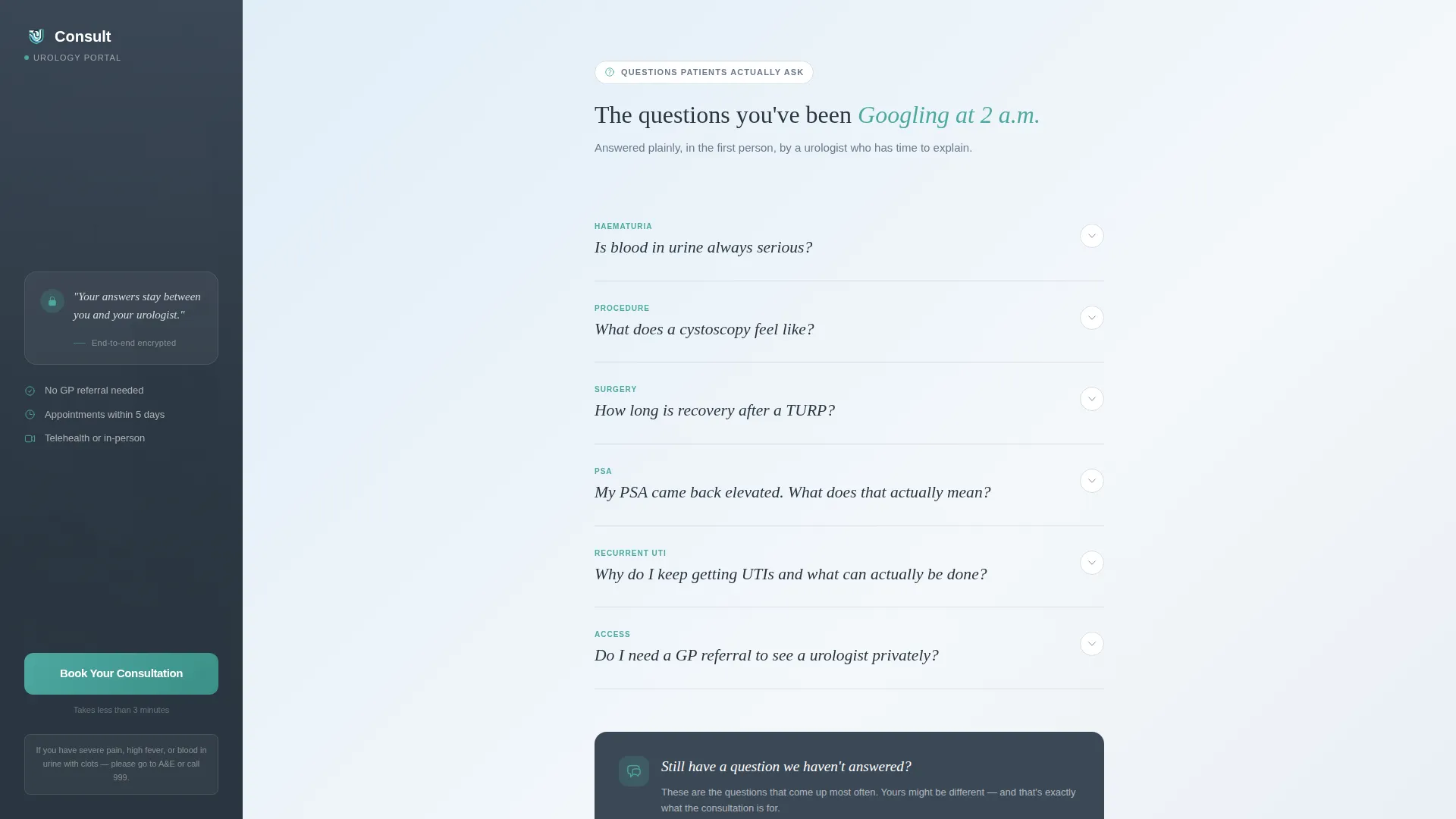
- A large-format FAQ section with accordion-style question blocks written in a first-person physician voice, each linked back to the form with a pre-selected concern
- An anchored booking confirmation zone with a secondary low-friction lead capture path labelled "Just a Quick Question"
Feature list
This section covers the core interactive and structural capabilities built into the template.
Multi-Step Booking Form
The form opens immediately in the right two-thirds of the viewport. Step 1 presents five large tappable tiles: Screening, Symptoms, Second Opinion, Post-Op Follow-Up, and Prescription Renewal. Subsequent steps collect appointment type, date-range preference, and only at the final step, the patient's name, date of birth, and phone number.
Persistent Sidebar with Anchored Call to Action
The left sidebar holds a soft portrait-style photo of the consulting room alongside the primary "Book Your Consultation" button. The sidebar scrolls with the visitor and the teal accent on the button gently pulses once a patient has fully read an FAQ answer, prompting action at the right moment.
FAQ-Driven Content Section
Below the form, large typographic question blocks present the searches patients actually run at night. Each question expands into a two-paragraph answer written in a calm first-person physician voice. A small "Book to discuss this" link at the foot of each answer returns the visitor to the form with the relevant concern already pre-selected.
Warm Step-Transition Gradient
The page background gradient shifts subtly warmer with each completed form step. This visual feedback signals forward progress without using counters or percentages, keeping the experience calm rather than clinical.
Low-Friction Lead Capture Path
Patients not yet ready to book can open a short free-text field via a "Just a Quick Question" toggle. This secondary path captures the lead with minimal commitment, giving the practice a way to follow up at a lower pressure point.
FAQ Accordion with Pre-Selection Links
Each FAQ block is interactive. Clicking a question expands the answer inline without a page jump. The embedded "Book to discuss this" micro-link carries the relevant concern tile pre-selected into Step 1 of the form, connecting information to action in one tap.
Page sections overview
| Section | Purpose |
|---|---|
| Split Hero Sidebar | Holds consulting-room photo and anchored booking call to action |
| Multi-Step Form | Guides patients from concern selection to personal details across four steps |
| FAQ Question Blocks | Delivers clinical answers to high-anxiety patient search queries |
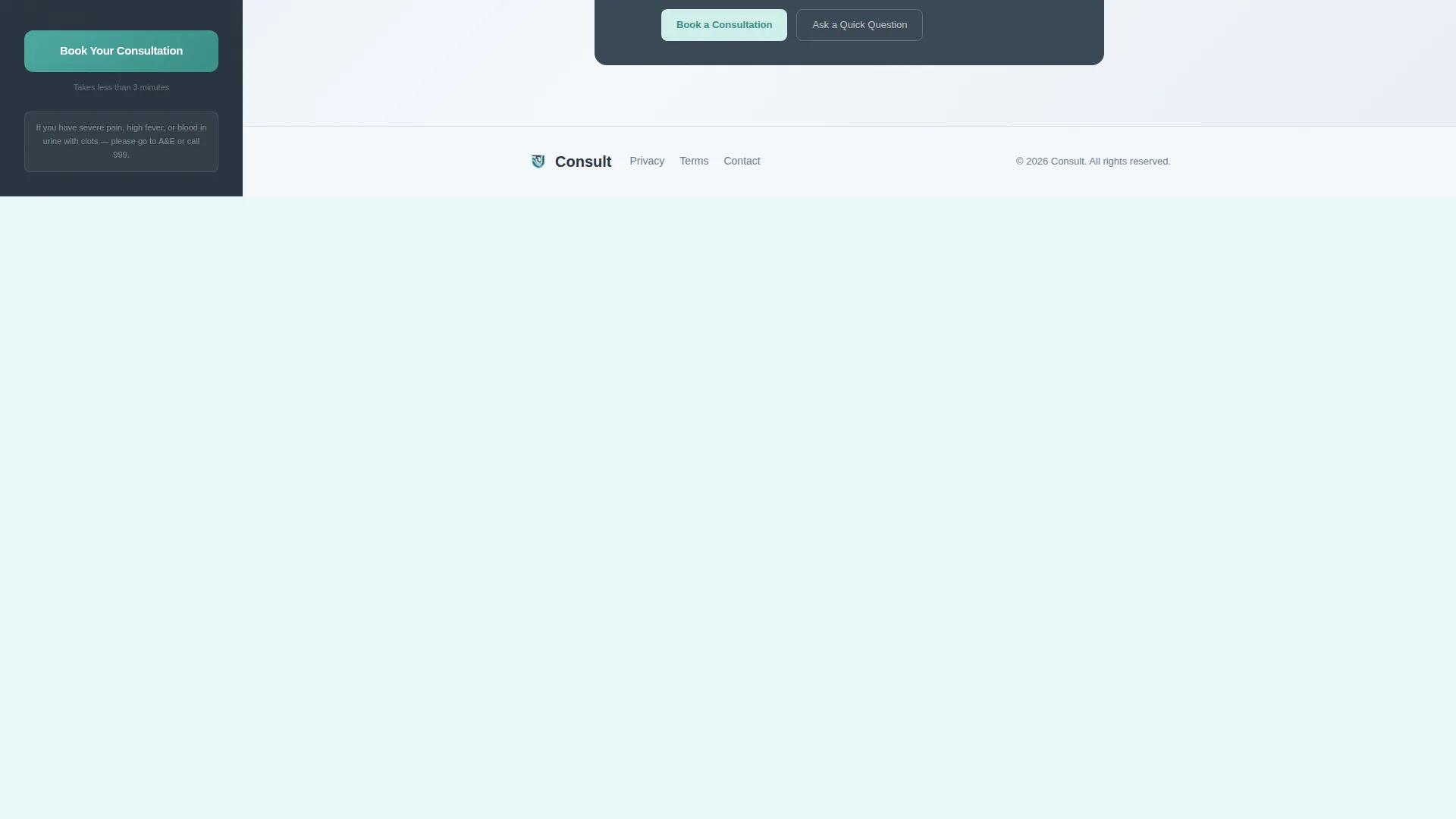
| Anchored Booking Zone | Confirms booking intent and surfaces the secondary lead capture toggle |
| Minimal Clinical Footer | Closes the page with a single-row linear layout |
Design & branding system
The visual identity uses a Soft Gradient theme built on a Slate and Sky color system. Every color choice reinforces the feeling of a calm, competent clinical environment.
- Deep clinical slate (#3B4856) anchors the persistent sidebar, sky-wash blue (#A8C6DF) gradients gently across section backgrounds, and cloud white (#F4F7FA) surfaces cards and form fields
- Calm teal (#4DA8A0) marks all interactive elements including buttons, progress indicators, and the pulsing sidebar call to action
- Typography pairs Fraunces serif for large display headings and FAQ question blocks with DM Sans for body text and form interface copy
Mobile & speed optimization
The template is structured desktop-first around its sidebar layout, and the responsive stack reorders elements naturally for smaller screens without losing the calm tone.
- On mobile the sidebar stacks above the form, keeping the consulting-room photo and the booking call to action visible before the patient begins answering questions
- Static sections such as the FAQ blocks and footer are built as server components, while the multi-step form and accordion FAQ run as client components to keep interactivity focused where it is needed
- Spotlight border effects, step transitions, and the FAQ accordion are set to medium animation weight, keeping movement purposeful rather than distracting
How this template helps you convert
The conversion logic in this template is sequential. The page earns trust first and asks for commitment only after the patient already feels heard.
- The FAQ section answers the high-anxiety questions patients search before they will consider booking, so by the time a visitor reaches the form's final step they have already processed their concern with clinical context
- The pulsing sidebar call to action appears at exactly the moment a patient finishes an FAQ answer, connecting resolved anxiety to an available next step
- The "Just a Quick Question" secondary path captures leads from patients who are not yet ready to book, reducing the all-or-nothing pressure that causes drop-off on standard appointment forms
Other information about this template
This template sits within the Health and Medical category, specifically serving the urologist website and urologist patient portal niche. It is designed for English-language clinical contexts, covering both UK and US patient settings.
- The template style is Sidebar Companion, meaning the persistent left panel and the scrolling right content zone are designed to coexist at all viewport widths
- The creative direction is FAQ-Driven, making the question-and-answer scroll the primary trust mechanism rather than testimonials or credentials
- The header concept is a Multi-Step Form that loads immediately, reducing the blank-state hesitation that causes early exits on medical booking pages
- The landing page direction is Booking and Scheduling, with the entire page architecture oriented toward a completed appointment or a captured lead

Theme
Soft Gradient
Creative direction
FAQ-Driven
Color system
Slate & Sky
Style
Sidebar Companion
Direction
Booking/Scheduling
Page Sections
Multi-step Booking Form
Persistent Anchored Sidebar
FAQ Accordion with Pre-selection Links
Warm Step-transition Gradient
Low-friction Lead Capture Toggle
Soft Gradient Visual Theme
Related questions
Can I edit the five concern tiles in the form's first step?
Does the sidebar stay visible while a patient scrolls through the FAQ section?
How does the 'Book to discuss this' link inside each FAQ answer work?
Is the 'Just a Quick Question' option visible by default?
What typography does this template use?



