Urologist Professional Website Template
The Consult landing page template is built for urology practices that want new patients to feel prepared, not anxious. It pairs a soft Arctic White and glacier blue palette with animated line-art illustrations, an anchor navigation bar, and two clear conversion paths: a pre-visit checklist PDF download and a patient coordinator call request form.
by Rocket studio
Quick summary
Consult is a hub-and-spoke landing page template designed for urology practices welcoming new patients. It uses warm, plain language, a teal-and-white Scandinavian palette, and an animated SVG illustration of the urinary system to make first-time visitors feel informed and at ease before they ever step through the door.
Who this template is for
This template is built for urology practices that want to reduce appointment friction and guide patients toward booking with confidence. It works especially well for practices that treat a wide mix of patient profiles and want one page to speak to all of them.
- Men over fifty dealing with prostate symptoms or nighttime urination they have been putting off
- Women managing recurring urinary tract infections who are ready for a long-term plan
- Couples navigating unexpected fertility referrals and looking for a calm, trustworthy starting point
What problem this template solves
Booking a urology appointment is one of the most delayed decisions in primary care. Patients hesitate because the subject feels awkward, the process feels unknown, and most practice websites offer nothing reassuring. This template removes those barriers directly.
- It answers the questions patients are too embarrassed to ask out loud, in plain, friendly language
- It shows patients exactly what to bring, what will happen, and which conditions the practice treats
- It replaces anxiety with familiarity, so by the time a visitor reaches the form, the practice already feels known
What you get with this template
You get a fully structured, single-page patient welcome experience with two built-in conversion paths. Every section is purpose-built to move a hesitant visitor closer to booking, without pressure or clinical coldness.
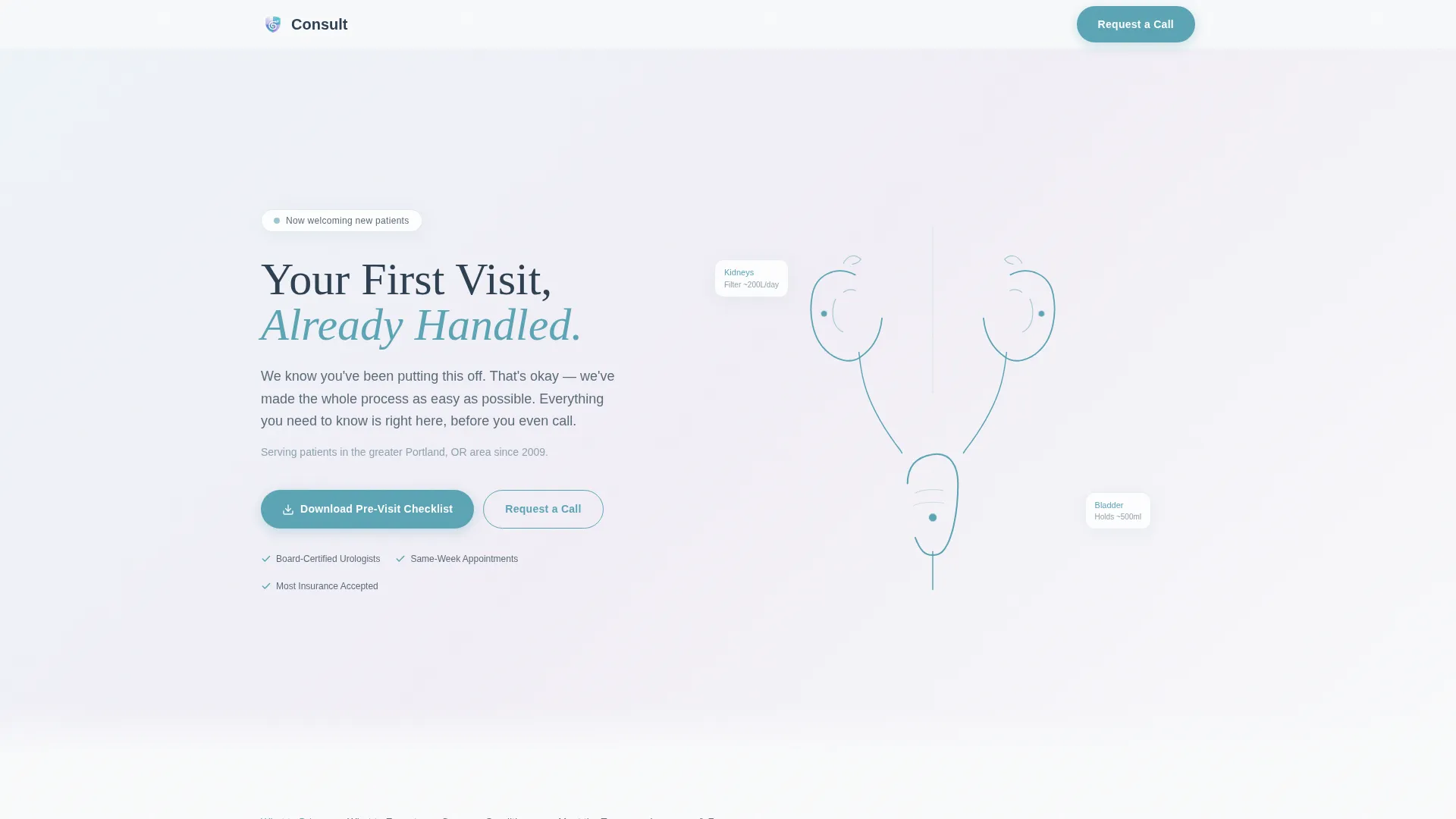
- A hero section with an animated SVG urinary system illustration, a headline, and a dual call-to-action layout
- Five anchor-navigated spoke sections: What to Bring, What to Expect, Common Conditions, Meet the Team, and Insurance and Forms
- A PDF checklist download modal triggered by email capture, and a short patient coordinator request form with a preferred contact time field, a new-or-referred patient toggle, and a free-text "What brought you here today?" field
Feature list
This template includes the following built-in features and design components grounded in the source brief.
Animated SVG Hero Illustration
The hero loads a single continuous-line illustration of the human urinary system drawn in teal strokes. The path animates over three seconds on page load, tracing from kidney to bladder. No stock photography is used.
Sticky Anchor Navigation Bar
A five-link anchor nav pins to the top of the page on scroll. Each link jumps to a named spoke section: What to Bring, What to Expect, Common Conditions, Meet the Team, and Insurance and Forms.
Pre-Visit Checklist PDF Download
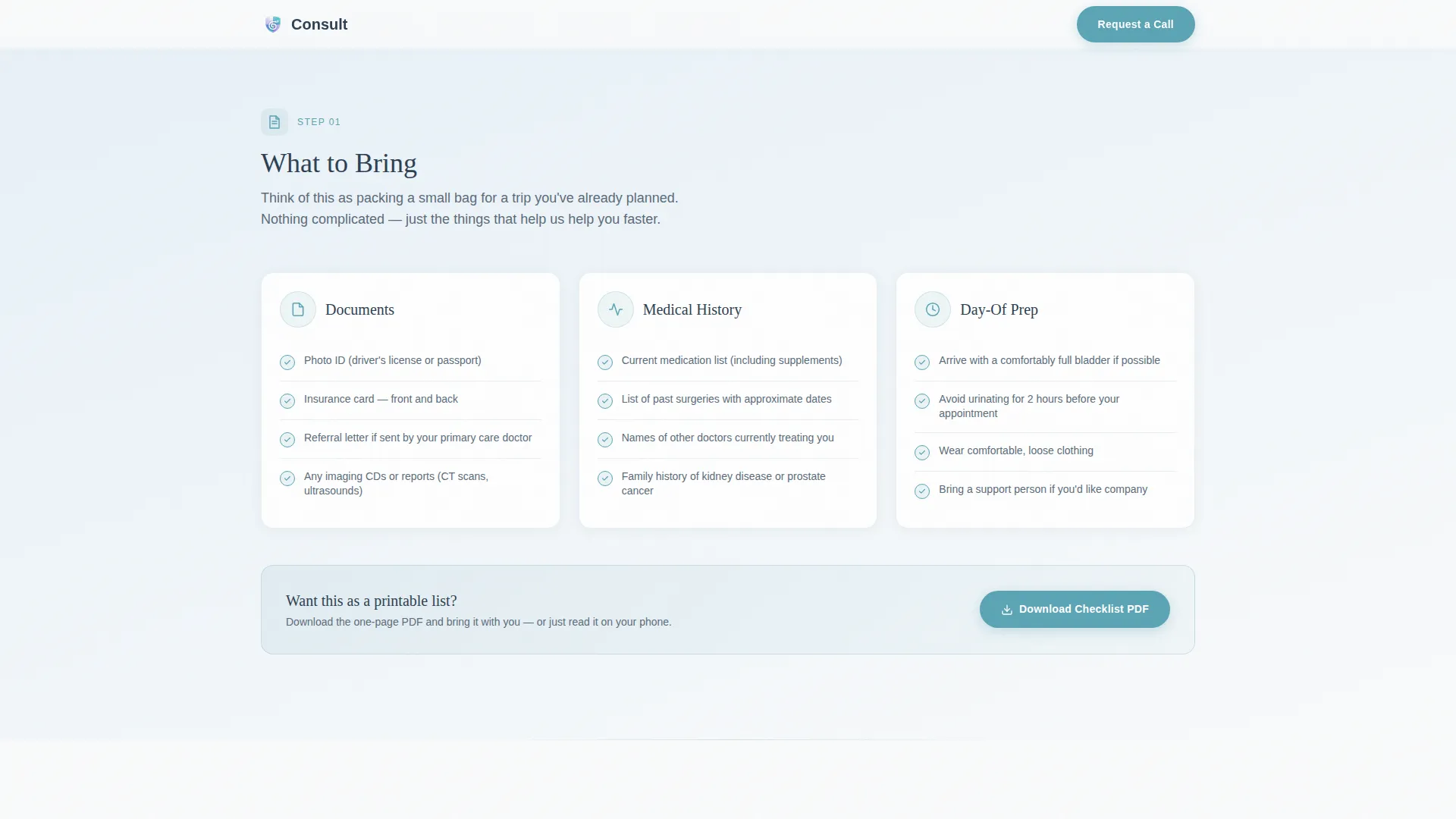
A one-click modal prompts visitors for their email address and delivers a downloadable pre-visit checklist PDF. The call to action appears in the hero and repeats after the What to Bring section.
Patient Coordinator Request Form
A secondary short form lets visitors request a call from the practice's patient coordinator. Fields include preferred contact time, a new-or-referred patient toggle, and a free-text prompt labeled "What brought you here today?"
Condition Cards for Key Patient Profiles
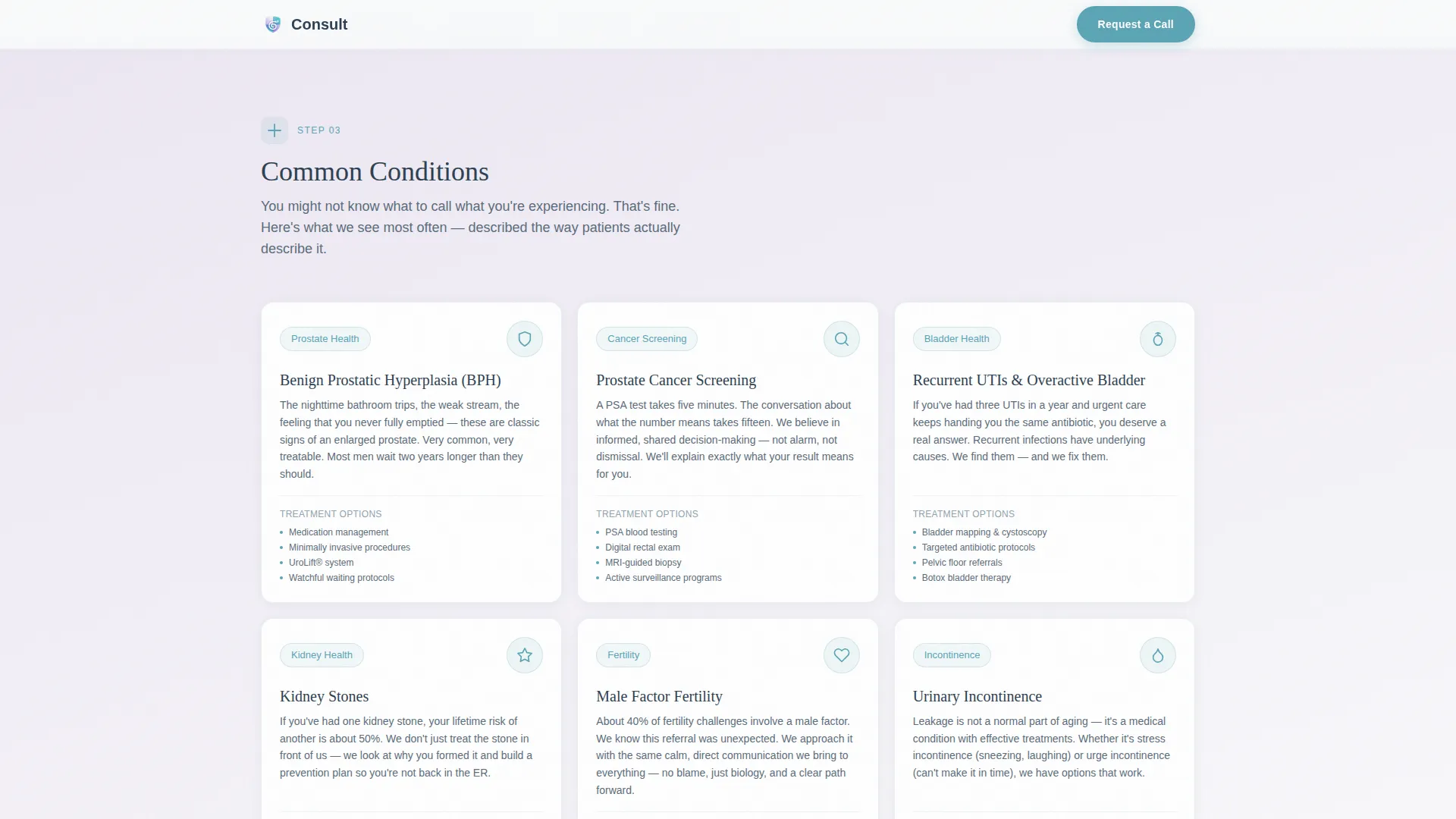
The Common Conditions section presents warm, plain-language cards addressing the three primary patient profiles: prostate and nocturia symptoms, recurring urinary tract infections, and fertility referral navigation.
Meet the Team Editorial Layout
The team section uses an editorial photo-and-bio layout to introduce practice providers. Credentials and approachable language are displayed together to build patient trust before the first appointment.
Page sections overview
| Section | Purpose |
|---|---|
| Hero with Animation | Introduce the practice and present the dual call-to-action |
| What to Bring | Checklist layout with PDF download call-to-action repeat |
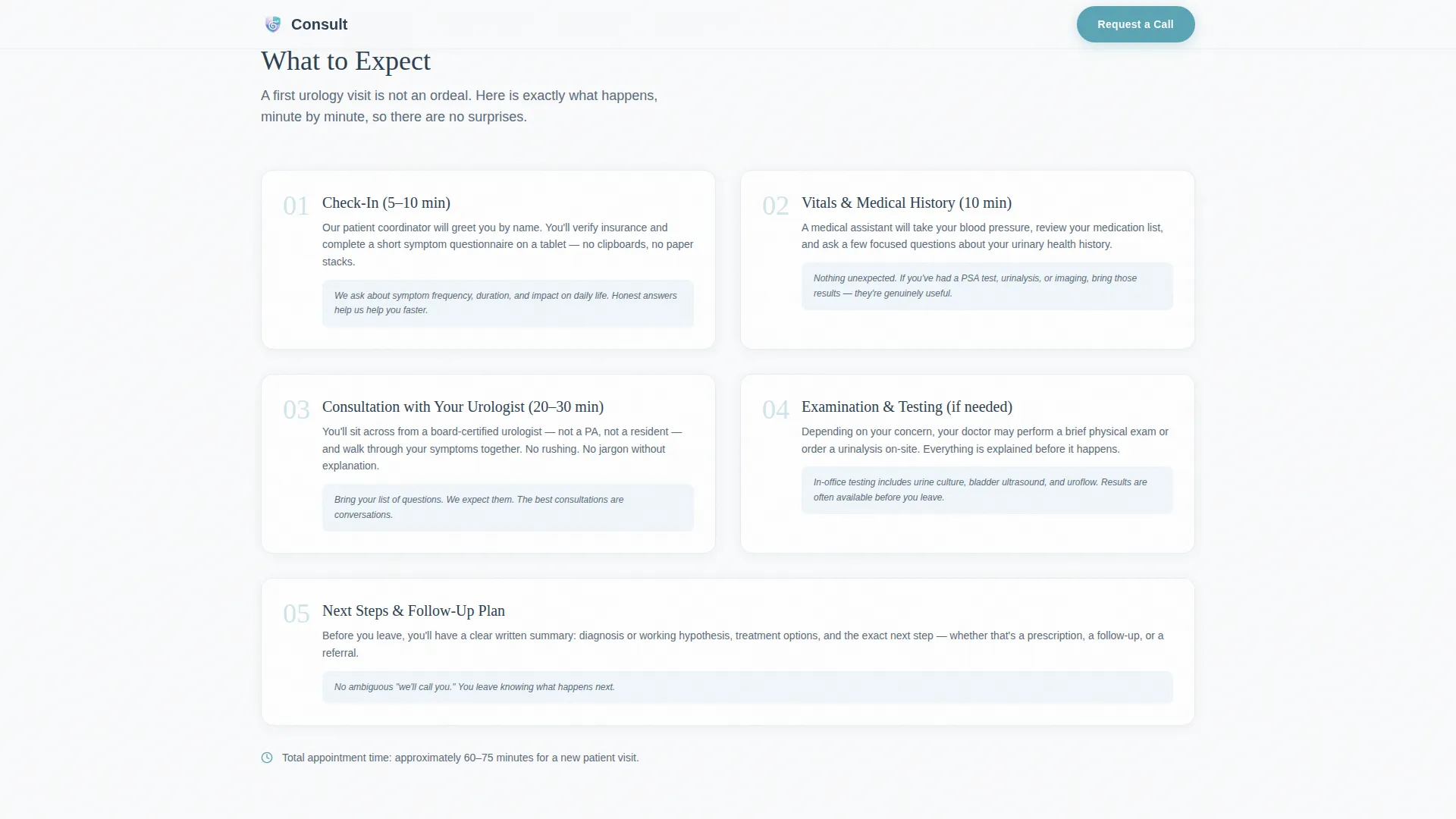
| What to Expect | Step cards with micro line-art icons explaining the visit flow |
| Common Conditions | Condition cards matched to each primary patient profile |
| Meet the Team | Editorial bios with provider credentials |
| Insurance and Forms | Transparency content and patient coordinator request form |
| Footer | Single-row linear footer with practice contact details |
Design & branding system
The visual identity uses a Soft Gradient theme built on an Arctic White color system. The palette keeps the page clinical without feeling cold, with gradients shifting subtly between glacier blue and soft lavender so sections feel connected rather than boxed.
- Colors: Arctic White (#FAFBFC), Glacier Blue (#E8F1F8), Soft Lavender (#EDE7F3), and Calm Teal (#5BA4B5) for buttons and interactive anchor links
- Typography: Fraunces serif for display headings, DM Sans for all body copy
- Decorative elements use delicate teal line-art icons at the opening of each spoke section, keeping the visual language consistent and medical without being clinical
Mobile & speed optimization
This template is built with a mobile-first approach. Patients frequently research and book healthcare appointments from their phones, so the layout and interactions are designed to work smoothly on small screens.
- The sticky anchor nav, PDF modal, and coordinator form are all touch-optimized for mobile use
- Scroll-reveal animations are staggered for a smooth experience as patients move through each spoke section
- Static sections use server components while animated elements are handled client-side to keep the page responsive
How this template helps you convert
The page is structured as a content-first resource, earning visitor trust before asking for anything. Every section answers a specific anxiety before presenting a next step.
- The hero places both conversion paths immediately in view, so motivated visitors can act right away, while curious visitors are invited to read further
- The What to Bring section repeats the PDF download call to action at the moment patients have just learned what the checklist contains, making the download feel immediately useful
- The coordinator form appears only after patients have read about conditions, met the team, and reviewed insurance, so they are submitting information to a practice they already feel they know
Other information about this template
This template is designed specifically for the urology new patient welcome page use case. It covers all three primary patient profiles in one cohesive flow without requiring separate pages.
- The page follows a hub-and-spoke structure with one central scroll and five named spoke destinations, keeping navigation predictable and simple
- The line-art animation and Scandinavian clinical aesthetic are intentional design choices to reduce the specific anxiety associated with urology visits
- The template is localized for United States practices: date formats follow MM/DD/YYYY, currency references use USD, and all copy defaults to American English
- Animation intensity is high by design, with SVG path draw on load and staggered scroll-reveal throughout, making the page feel polished without relying on photography
Theme
Soft Gradient
Creative direction
Step-by-Step Guide
Color system
Arctic White
Style
Hub & Spoke (Anchor Nav)
Direction
Content/Resource
Page Sections
Animated SVG Urinary System Illustration
Sticky Five-spoke Anchor Navigation
Pre-visit Checklist PDF Download Modal
Patient Coordinator Request Form
Warm Condition Cards Per Patient Profile
Editorial Team Bio Layout
Related questions
Can I customize the condition cards for my specific practice focus?
How does the pre-visit checklist PDF download work?
Is this template suitable for a solo practitioner or a group practice?
Can the patient coordinator form be connected to a scheduling system?
Does this template work well on mobile devices?



