Container Home Buyer's Agent Landing Page Template
Contain is a click-through landing page template built for container home buyer's agents. It leads with a nine-tile photo mosaic, animated stat counters, and a modular card grid that stacks proof before emotion. The Navy Authority color system and maritime amber accents create a bold, executive feel that moves serious buyers toward a single consultation booking action.
by Rocket studio
Quick summary
Contain is a single-page, click-through landing page template designed for container home buyer's agents. It opens with a viewport-filling photo grid mosaic, drives urgency through animated counters, and organizes every section around data-first card modules. The entire page funnels visitors toward one destination: a consultation booking page.
Who this template is for
This template is built for buyer's agents who specialize in the container home market. It speaks directly to the professional who sources fabricators, negotiates delivery logistics, and closes deals on steel-framed dwellings of all sizes.
- Container home buyer's agents representing individual buyers and small developers
- Real estate professionals working with tech workers, remote buyers, or affordable rental portfolio builders
- Agents wanting a high-trust, data-forward landing page that converts skeptical visitors into booked consultations
What problem this template solves
Container home buyers arrive skeptical. They want proof of expertise before they trust anyone with a deal this unconventional. A generic real estate page does not answer the hard questions fast enough.
- Visitors leave before trust is established because no clear evidence of track record is presented up front
- Agents lose early-stage leads who are researching but not yet ready to call
- The complexity of container builds, from fabricator sourcing to delivery logistics, goes unexplained and unaddressed
What you get with this template
You get a fully structured, click-through landing page organized around a modular card grid. Every section is purpose-built to move a visitor from first impression to booked consultation.
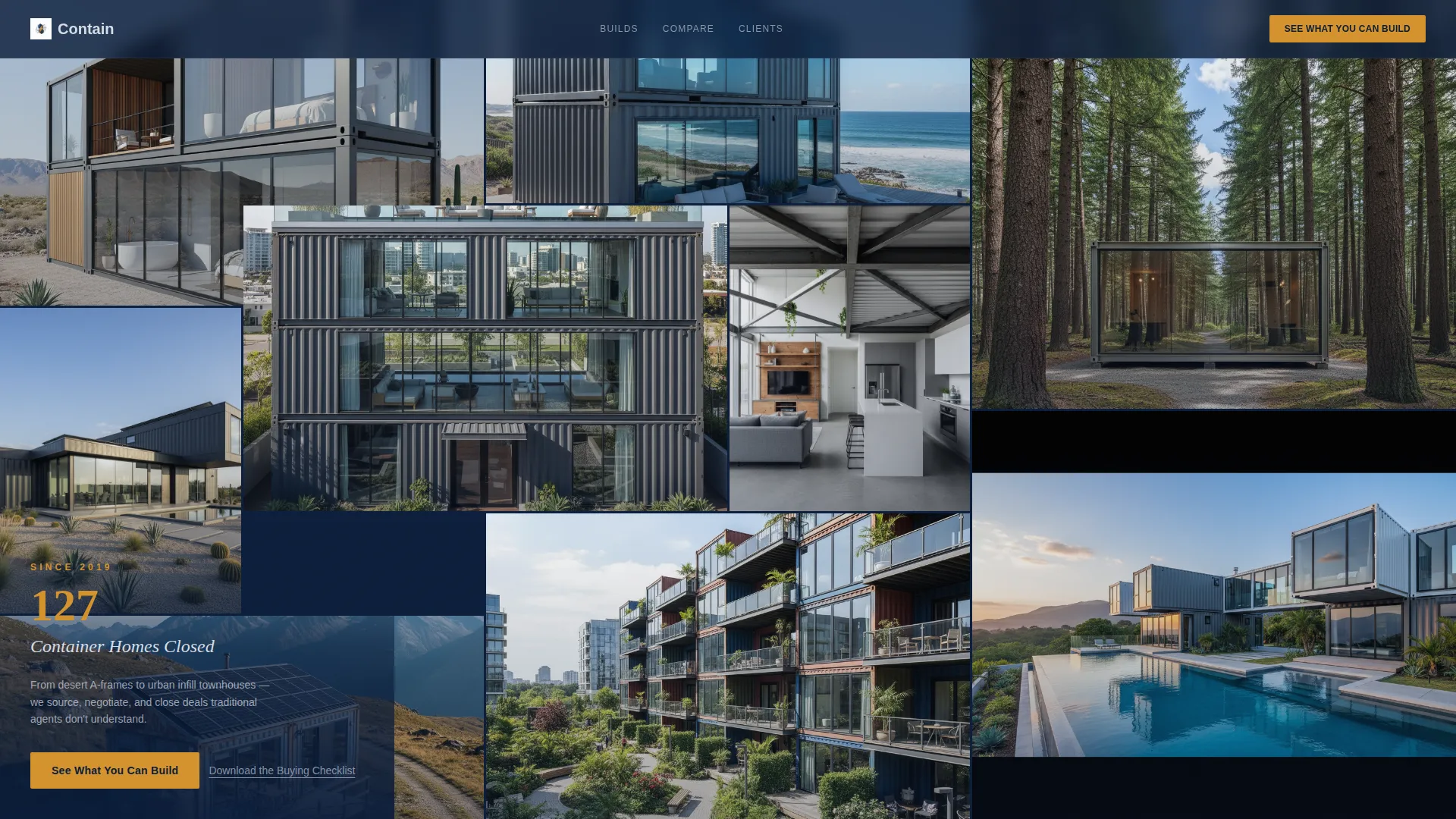
- A nine-tile photo grid mosaic header with a bold embedded stat overlay and a primary call-to-action button
- Animated stat counters, a comparison card grid, and individual project cards that each lead with a key number
- A floating call-to-action bar that pins after scroll depth, plus a secondary checklist download link for earlier-stage visitors
Feature list
This template packages several deliberate design and layout decisions into one cohesive landing page.
Nine-Tile Photo Grid Mosaic Header
The header fills the entire viewport with nine tiles of varying aspect ratios, each showing a different finished container home type. A bold stat overlay reads "127 Container Homes Closed Since 2019" in condensed white type over a navy scrim. The primary call-to-action button appears here first.
Animated Stats Row
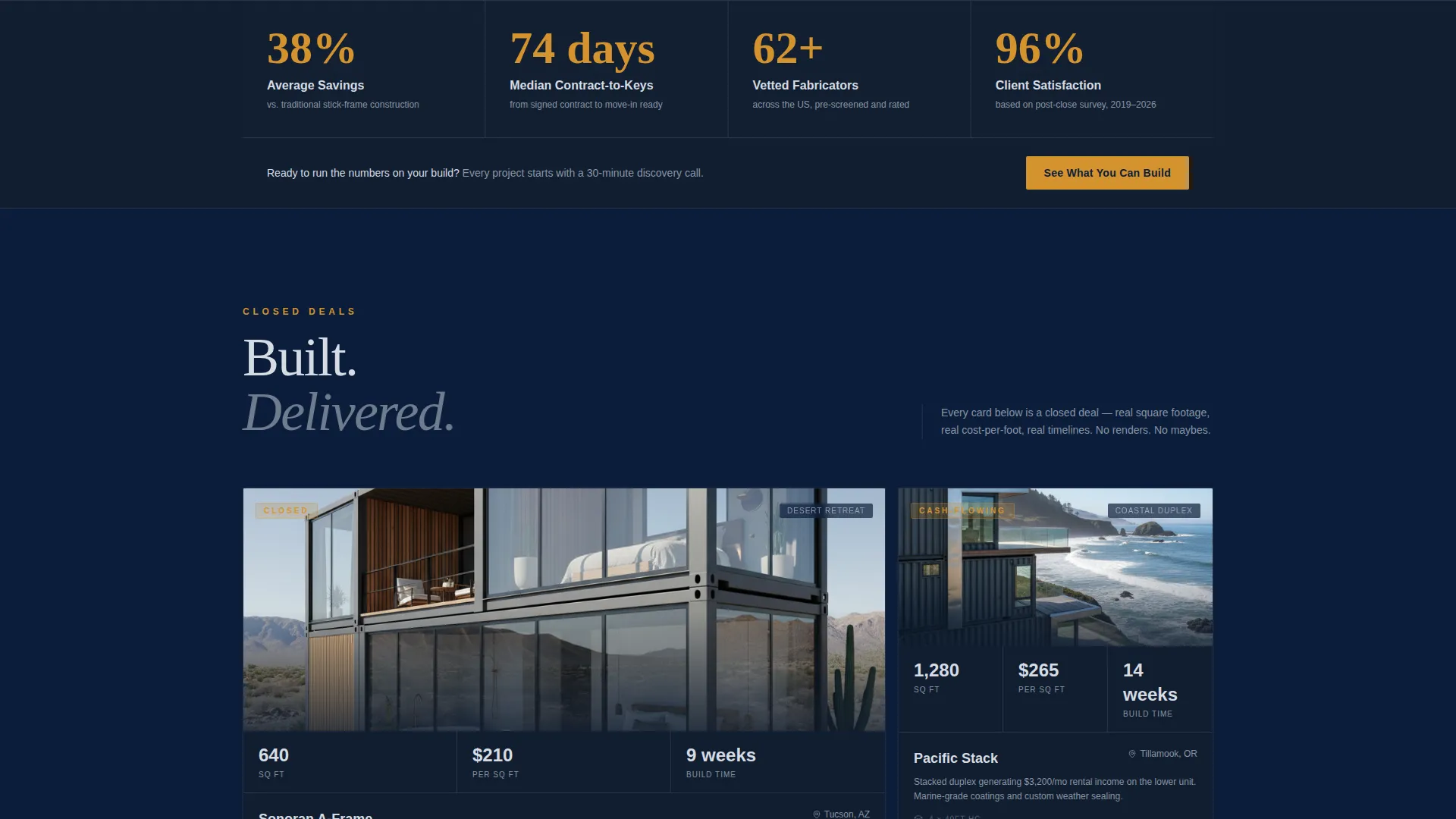
Immediately below the header, a row of animated counters snaps into view on scroll. Each counter highlights a key metric: average savings versus traditional construction, median days from contract to move-in, number of vetted fabricators in the network, and client satisfaction percentage.
Modular Card Grid with Data-First Layout
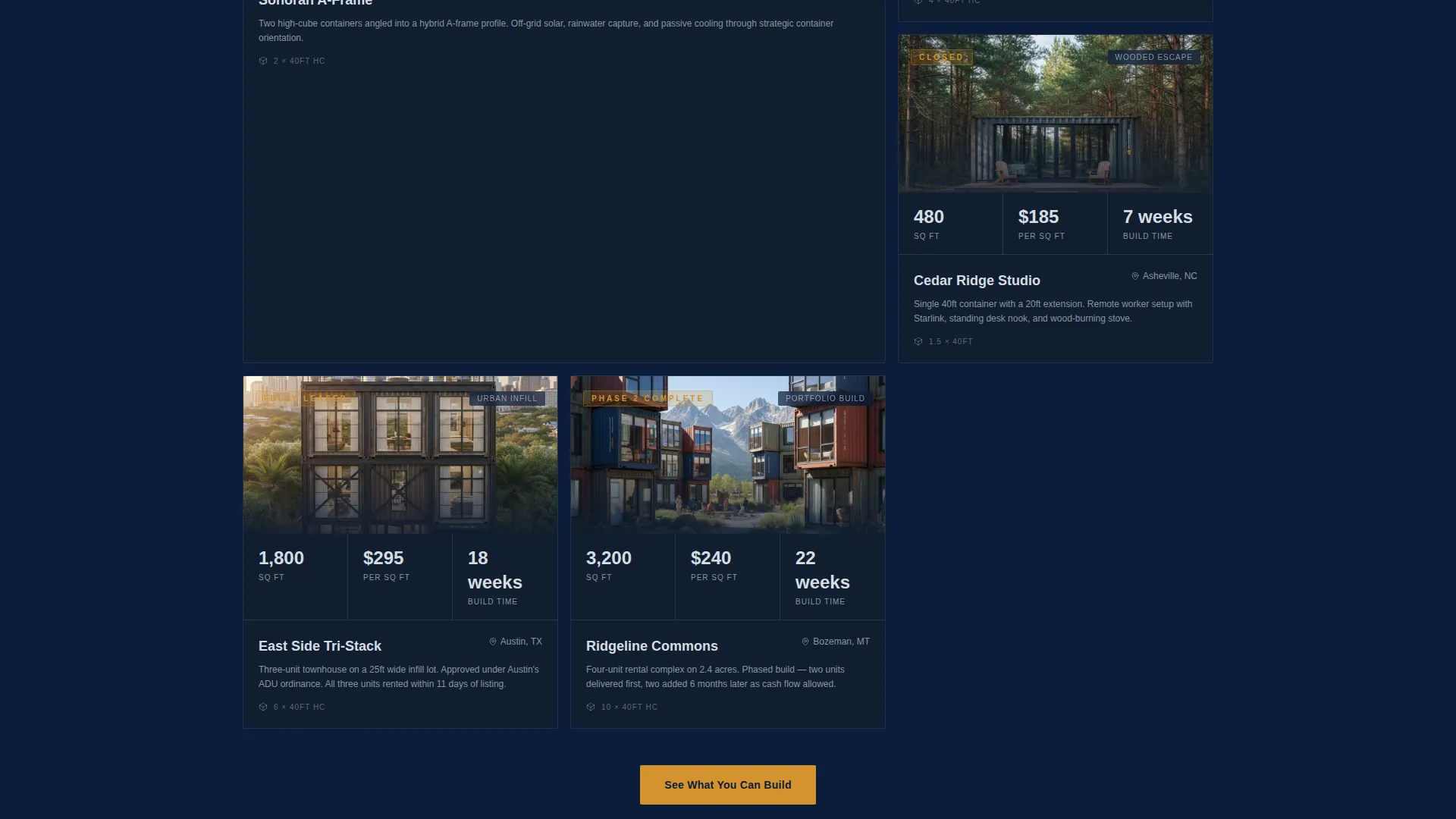
Every card in the grid leads with a bold number before revealing the story beneath. Square footage, cost per square foot, and build timeline are front and center. This structure keeps the visitor reading through evidence before emotion.
Comparison Card Grid
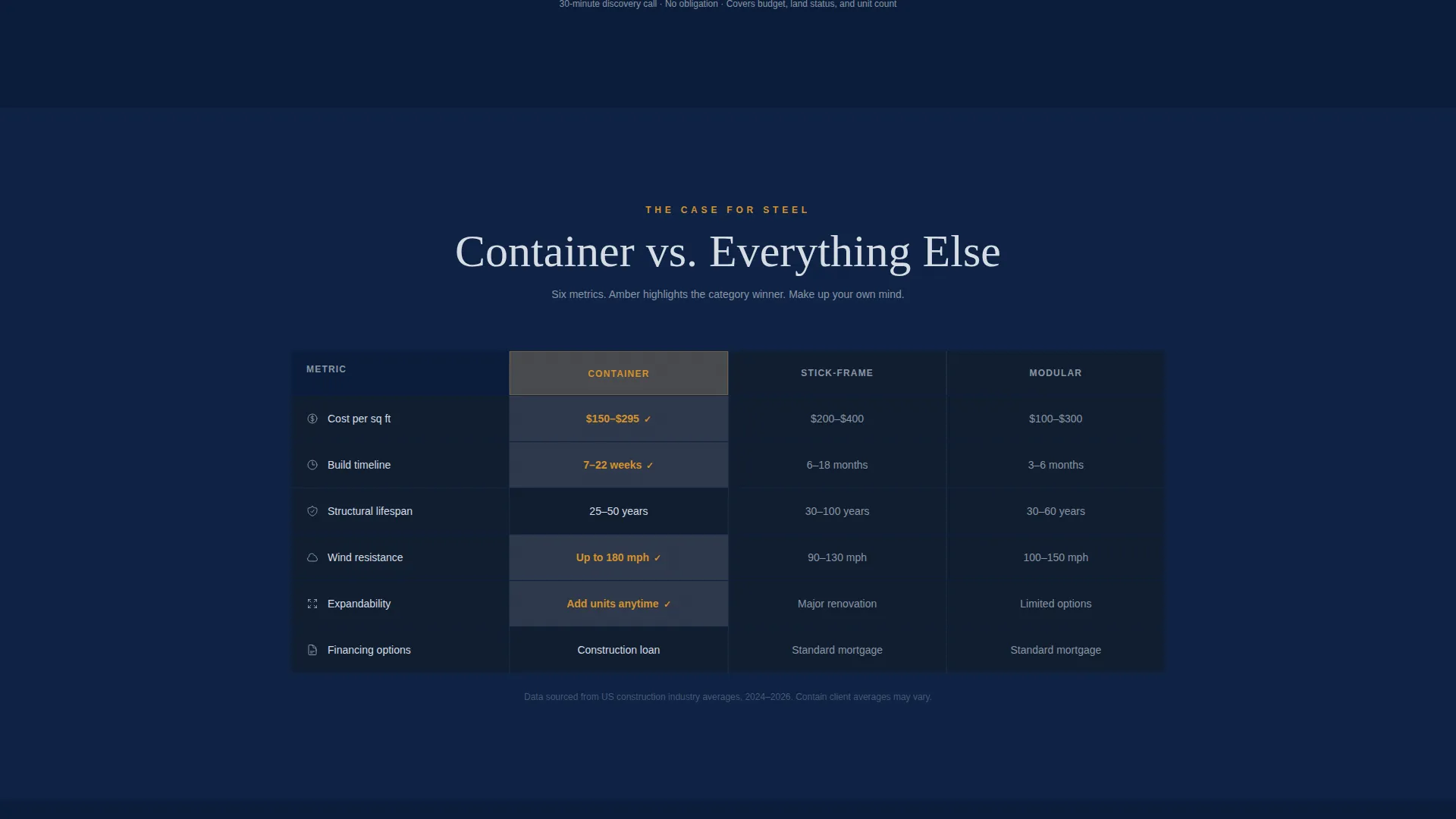
A dedicated mid-page section pits container builds against stick-frame and modular alternatives across six metrics. Navy cells highlight the winning figures in maritime signal amber, making the advantage immediately readable.
Floating Call-to-Action Bar
After the visitor scrolls past 40 percent of the page, a pinned bar appears with the primary call-to-action. This ensures the booking prompt is always visible without interrupting the scroll experience early.
Secondary Checklist Download Link
A text link labeled "Download the Container Buying Checklist" sits alongside the primary call-to-action pathway. It captures earlier-stage visitors who are researching but not yet ready to book a consultation.
Page sections overview
| Section | Purpose |
|---|---|
| Photo Grid Mosaic | Opens with visual range and a bold proof stat |
| Animated Stats Row | Delivers immediate credibility through key metrics |
| Primary call to action Block | First full-width prompt to book a consultation |
| Modular Card Grid | Stacks individual project proof with data-first cards |
| Comparison Card Grid | Benchmarks container builds against alternatives |
| Floating call to action Bar | Keeps the booking action accessible after 40% scroll |
| Checklist Download Link | Captures research-stage visitors with a secondary offer |
Design & branding system
The visual identity follows an Executive Suite theme using the Navy Authority color system. The palette is built to absorb distraction on dark surfaces and direct attention only where action is required.
- Core colors: deep command navy (#0B1D3A), gunmetal hull (#3B4856), and polished aluminum (#D6DCE4) for backgrounds, surfaces, and type
- Accent color: maritime signal amber (#D4922E) used exclusively for call-to-action buttons, stat highlights, and hover states
- Typography uses condensed white type for stat overlays and a clean hierarchy that keeps the page skimmable at speed
Mobile & speed optimization
The modular card grid layout is designed to reflow cleanly across screen sizes. Each tile, card, and counter block is built as a self-contained module.
- The photo grid mosaic adapts its tile arrangement so the header remains impactful on smaller screens
- Card modules stack vertically on mobile, keeping the data-first number visible at the top of each card
- The floating call-to-action bar remains pinned and accessible regardless of the device used to scroll
How this template helps you convert
The entire page is engineered around a single conversion goal: getting the visitor to click through to a consultation booking page. There is no form on this landing page by design.
- The header mosaic and animated stats row overwhelm initial skepticism with visual proof and hard numbers before the visitor reads a single line of body copy.
- The comparison card grid and modular project cards reinforce credibility throughout the scroll, so by the time the visitor reaches the floating call-to-action bar, commitment feels like a natural next step.
Other information about this template
This template is a strong fit for container home real estate professionals who want a page that feels as serious as the deals they close. A few additional details worth noting:
- The page is designed for the container home real estate niche, including buyer's agents who work with single-unit studios, stacked multi-family builds, and everything in between
- The "See What You Can Build" call-to-action is designed to click through to a separate qualification page that collects budget range, land status, and desired unit count
- The template suits agents serving tech professionals priced out of traditional real estate, remote workers buying land in secondary markets, and small developers building affordable rental portfolios from modified shipping containers
- The visual tone references a cargo vessel executive briefing room: dark surfaces, metallic trim, and amber reserved only for moments that require action
Theme
Executive Suite
Creative direction
Case Study Narrative
Color system
Midnight Blue
Style
Split Screen (50/50)
Direction
Click-Through
Page Sections
Nine-tile Photo Grid Mosaic Header
Animated Stats Row
Data-first Modular Card Grid
Six-metric Comparison Card Grid
Floating Call-to-action Bar
Secondary Checklist Download Link
Related questions
Does this template include a contact form?
Can I update the stat numbers and project cards with my own data?
What happens after a visitor clicks the primary call-to-action?
Is this template suited for a new agent with a smaller portfolio?
Can the floating bar and checklist link be used at the same time?



