Executive Meeting Room Rental Landing Page Template
Convene is a full-width, single-page landing page template built for premium meeting room rental venues. It combines a panoramic boardroom header, an interactive floor-plan explorer, and a brass-on-walnut visual identity to create a space that earns trust before asking for a booking. Executive clients feel at home from the first scroll.
by Rocket studio
Quick summary
Convene is a single-page landing page template designed for upscale meeting room rental venues. It opens with a panoramic boardroom image, guides visitors through a clickable floor-plan explorer, and closes with a sticky "Check Availability" call to action. The warm stone color system and deliberate layout signal quality before a word is read.
Who this template is for
This template is built for professional venues that rent boardrooms, huddle spaces, and private meeting suites. It speaks to operators who serve a discerning clientele and need a page that matches the quality of the space itself.
- Executive assistants scheduling quarterly board meetings and recurring corporate sessions
- Startup founders booking rooms for investor pitches and early-stage team offsites
- Legal teams and professional services firms needing a neutral, well-equipped venue
What problem this template solves
Most meeting room rental pages feel generic. They list room names and square footage, but they never help a visitor feel confident about the space. Convene fixes that by letting people explore before they commit.
- Visitors cannot picture a room from a bullet list alone, so a clickable floor plan with hero photos replaces flat text
- Clients booking high-stakes meetings need social proof and clear policies, not just a price grid
- The absence of a persistent call to action means many rental pages lose visitors who were ready to book
What you get with this template
You get a complete, structured landing page that guides a visitor from first impression to booking intent. Every section is sequenced deliberately, building confidence at each step.
- A panoramic header section, an interactive room explorer, an amenities showcase, a testimonials block, and a cancellation policy section
- A sticky bottom bar with a primary "Check Availability" button and a secondary "Request a Custom Setup" path
- A warm stone visual identity with travertine, walnut, linen white, and brass accent styling throughout
Feature list
This template ships with a set of purpose-built components that reflect how executive clients actually evaluate a venue.
Panoramic Boardroom Header
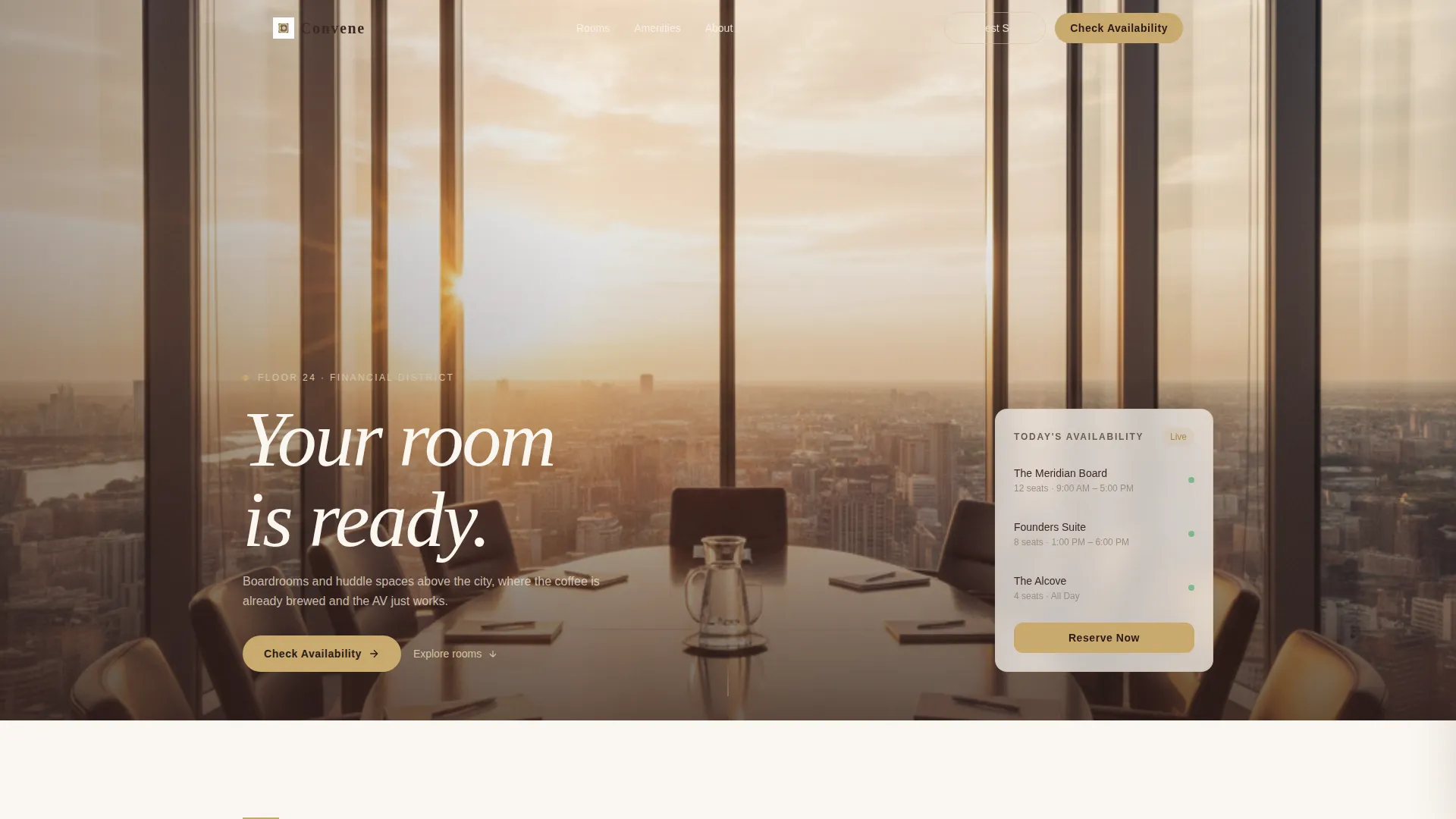
A single edge-to-edge hero image fills the full viewport width. It shows a corner boardroom at golden hour, with floor-to-ceiling glass, a twelve-seat oval table, and a carafe of water catching the light. The headline "Your room is ready." appears in walnut-dark type over the image, setting the tone immediately.
Interactive Floor Plan Explorer
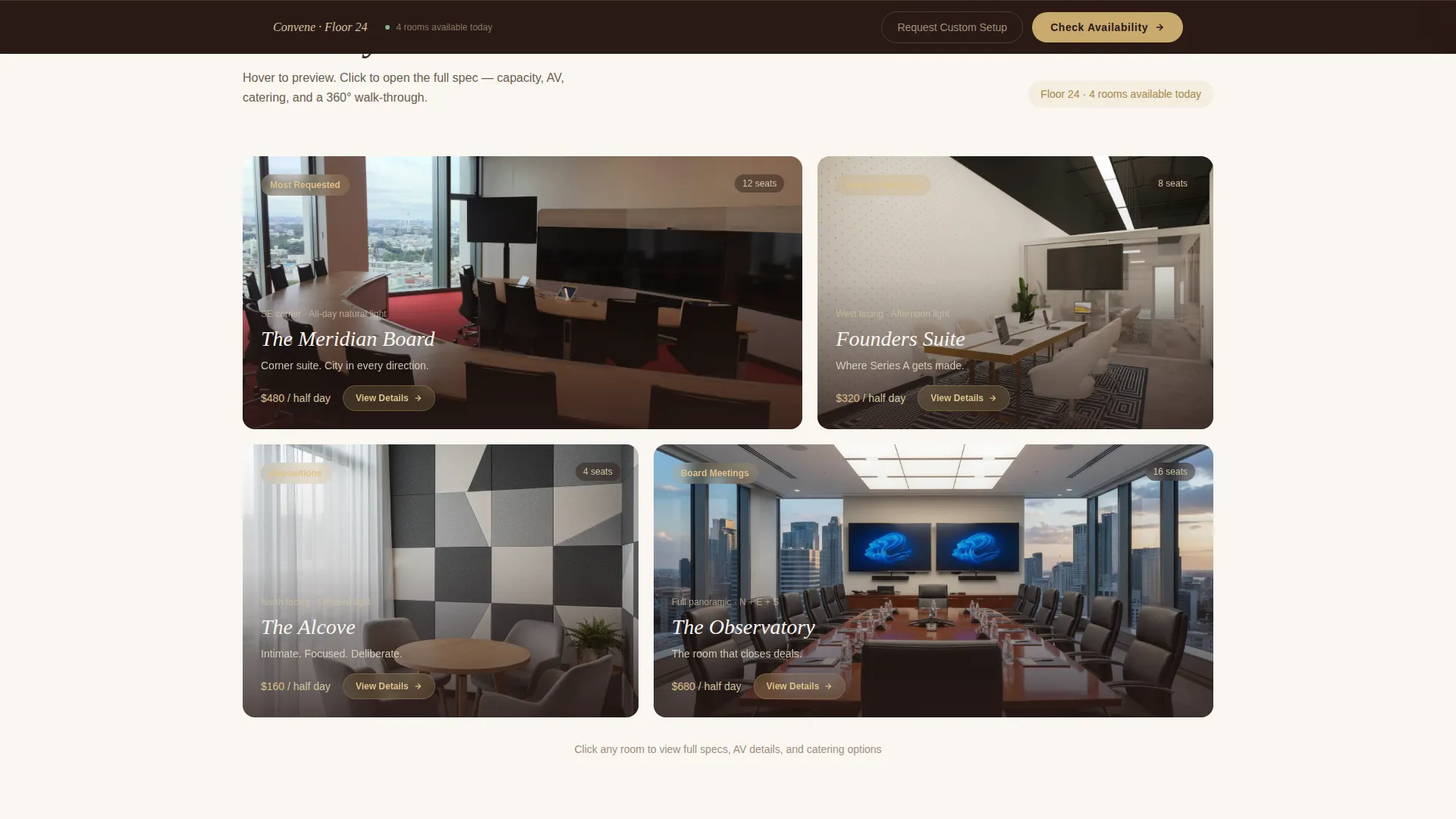
Below the header, visitors encounter a clickable floor plan where each room glows on hover. The hover state reveals capacity, natural light orientation, and a single hero photo. Clicking a room opens a detail card showing tech specs, catering add-on options, and a 360-degree view of the space.
Sticky Availability Call to Action
After the first scroll, a sticky bottom bar appears with the primary "Check Availability" button styled in brass on walnut. Clicking it passes the visitor to a booking calendar pre-filtered by room size and date, reducing friction at the moment of intent.
Secondary Custom Setup Path
A "Request a Custom Setup" link opens a lightweight form designed for multi-room events or recurring booking blocks. It gives larger clients a clear path without cluttering the primary conversion flow.
Testimonials Block
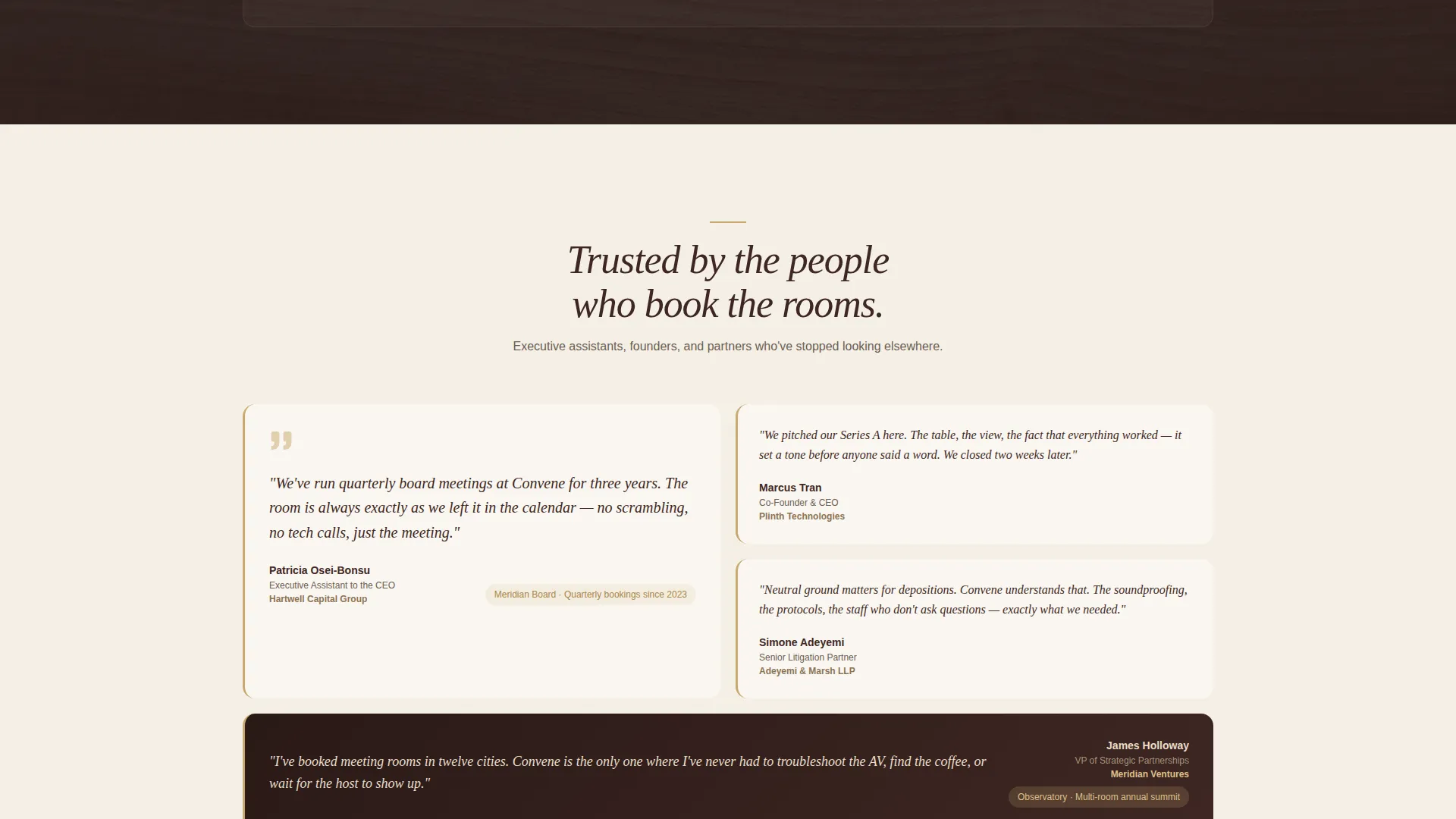
A dedicated section surfaces social proof from recognizable company names. Placed after the amenities section, it arrives at the moment when a visitor needs final reassurance before acting.
Cancellation Policy Section
A transparent cancellation policy section appears near the end of the page. Its placement is deliberate: it signals flexibility and builds the last layer of confidence before the call to action is reached.
Page sections overview
| Section | Purpose |
|---|---|
| Panoramic Hero Header | Sets premium tone with a full-width boardroom image and headline |
| Interactive Floor Plan | Lets visitors explore rooms, capacity, and tech specs by clicking |
| Room Detail Cards | Reveals catering add-ons, specs, and a 360-degree room view |
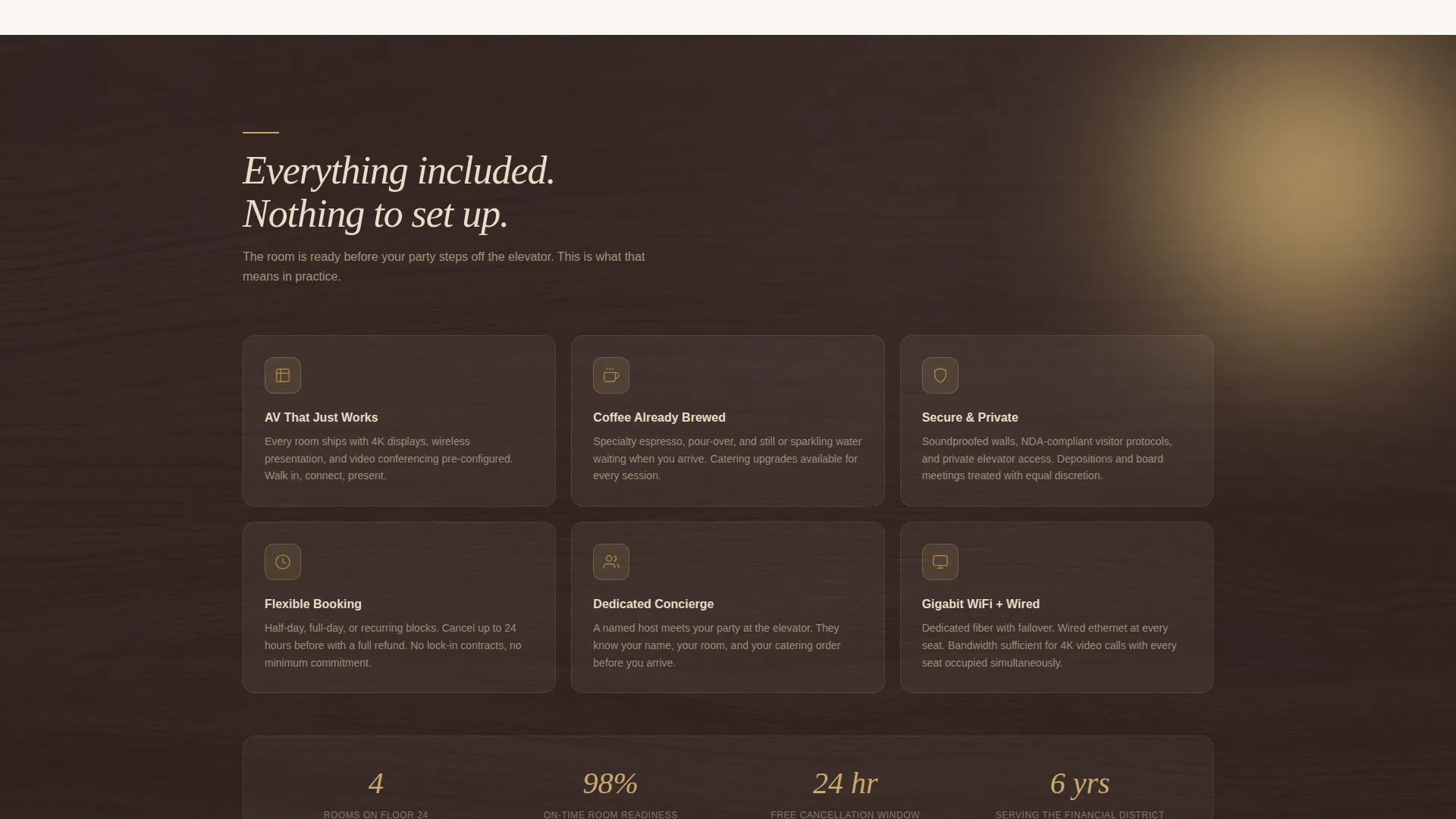
| Amenities Showcase | Highlights venue-wide services like catering and AV readiness |
| Testimonials Block | Builds trust with social proof from named corporate clients |
| Cancellation Policy | Signals flexibility and reduces booking hesitation |
| Sticky Bottom Bar | Anchors the primary call to action and secondary inquiry path on every scroll |
Design & branding system
The visual identity follows an Executive Suite theme built around a Warm Stone color system. Every color choice references physical materials found in a well-appointed boardroom, giving the page a tactile, grounded quality.
- Core palette: honed travertine (#D5C4A1), deep walnut paneling (#3E2723), soft linen white (#FAF6F0), and muted brass (#C9A96E) on buttons, dividers, and hover states
- Brass accents appear consistently on interactive elements, including the primary call-to-action button, section dividers, and floor-plan hover glows
- The overall effect is warm grain and quiet weight, a palette that communicates premium without announcing it
Mobile & speed optimization
The layout is structured to work cleanly on smaller screens without losing the immersive quality of the desktop experience. The wide panoramic header and interactive floor plan adapt to narrower viewports while keeping the core exploration flow intact.
- The sticky bottom bar remains functional on mobile, keeping the "Check Availability" action always within thumb reach
- Section spacing and type sizing are set to remain readable and visually balanced across device widths
- The floor-plan explorer is designed to respond to touch interaction on mobile devices, preserving the click-and-explore behavior
How this template helps you convert
Convene is built around a specific conversion philosophy: let visitors explore first, then ask for the booking. By the time a visitor reaches the call to action, they have already chosen their room mentally.
- The interactive floor plan gives visitors a sense of ownership over their choice, so clicking "Check Availability" feels like a natural next step rather than a cold commitment
- The sequenced layout moves from rooms to amenities to testimonials to policy, with each section resolving a specific doubt before the next one appears
- The sticky bottom bar ensures the primary action is never more than a glance away, without interrupting the exploration experience
Other information about this template
Convene is a purpose-built template for the meeting room rental and shared venue market. It is part of the Real Estate and Property category, under the Space and Rental Platforms subcategory, and it is suited to operators who serve executive and professional clientele.
- The template is designed as a single landing page, not a multi-page site, making it fast to deploy for a single venue or a flagship location
- The "Request a Custom Setup" form path makes it practical for venues that handle group bookings, recurring corporate contracts, or multi-room conference days
- The Intersection Match Score for this template is 9 out of 10, reflecting strong alignment between the executive meeting room niche and the landing page structure provided
Theme
Atelier Studio
Creative direction
Gallery Walk
Color system
Midnight Blue
Style
Zigzag/Alternating
Direction
Quiz/Assessment
Page Sections
Panoramic Full-width Hero Header
Interactive Clickable Floor Plan
Sticky Availability Call to Action
Secondary Custom Setup Inquiry Form
Sequenced Trust-building Layout
Related questions
Who is the Convene template best suited for?
Can I adapt the room explorer to show my actual floor plan and rooms?
Does the template support multi-room or recurring booking requests?
How does the sticky bottom bar work?
Can I change the color palette to match my brand?



