Education Access Policy Institute Landing Page Template
Convene is an editorial landing page template built for education access research and policy institutes. It pairs cinematic video, animated data visualizations, and narrative case study cards with a warm academic design system. The page flows from problem framing to event registration, guiding equity officers, funders, and legislators toward the annual Education Access Summit.
by Rocket studio
Quick summary
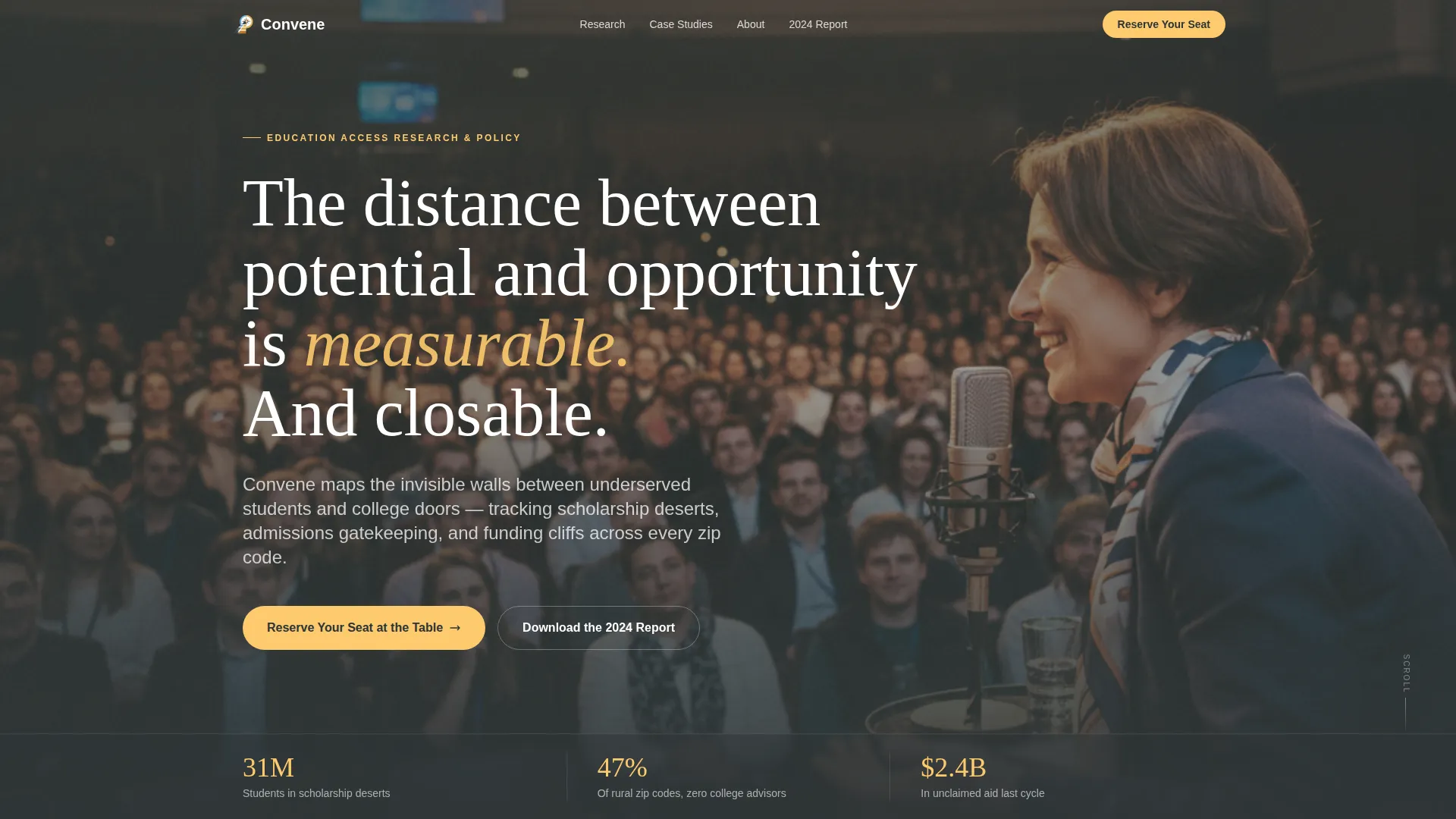
Convene is a single-page editorial template designed for an education access research and policy institute. It opens with a full-screen video header, moves through a Hero's Journey scroll narrative, and closes with a prominent event registration block. The design feels like a flagship magazine feature, dense with data, warm in tone, and built for serious decision-makers.
Who this template is for
This template is built for nonprofits and policy institutes that work at the intersection of education equity and public data. It serves organizations that need to earn trust from sophisticated, evidence-driven audiences before asking them to act.
- School district equity officers drafting multi-year strategic plans
- Foundation program directors and state legislative staffers evaluating research partners
- Researchers, practitioners, and student advocates attending or speaking at policy summits
What problem this template solves
Many education nonprofits struggle to present complex data in a way that feels urgent and credible at the same time. A generic page template cannot hold the attention of a senior policymaker or a program director who reviews dozens of reports each month.
- Visitors leave before reaching the registration form because the page lacks narrative momentum
- Dense data is presented without visual hierarchy, making it hard to scan and trust
- The connection between research findings and a concrete next action, like summit registration, is never made clear
What you get with this template
Convene gives you a fully structured, scroll-driven landing page that moves visitors through a deliberate editorial narrative. Every section is designed to carry a specific role in that story, from problem exposure to event sign-up.
- A full-screen video header with a serif headline overlay and supporting stat bar
- Animated counter and choropleth map data section, researcher profile cards, and narrative case study blocks
- A full-width summit registration form with a secondary report download path for visitors not yet ready to commit
Feature list
A brief overview of the template's built-in capabilities follows below. Each feature is grounded in the source brief and serves a specific role in the page's editorial flow.
Full-Screen Video Header
The hero section uses a full-screen video background cycling through intimate, warm-graded footage. A serif display headline fades in over the video, and a stat bar anchors the bottom of the frame with supporting data points.
Animated Data Visualization Section
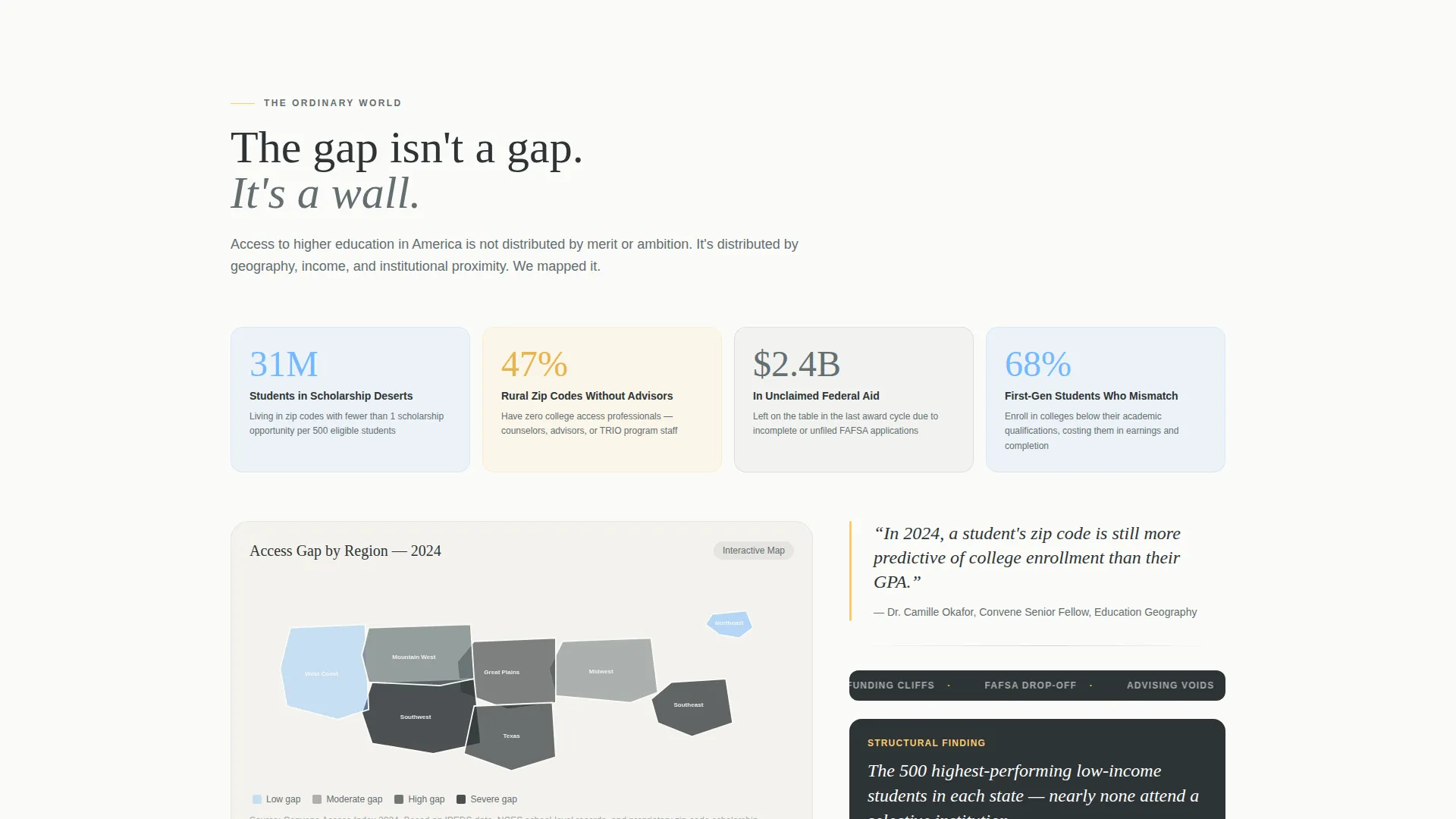
The "Ordinary World" problem section includes scroll-triggered animated counters and a choropleth map showing access gaps by region. Data callouts frame the map to give numbers immediate context.
Editorial Researcher Profiles
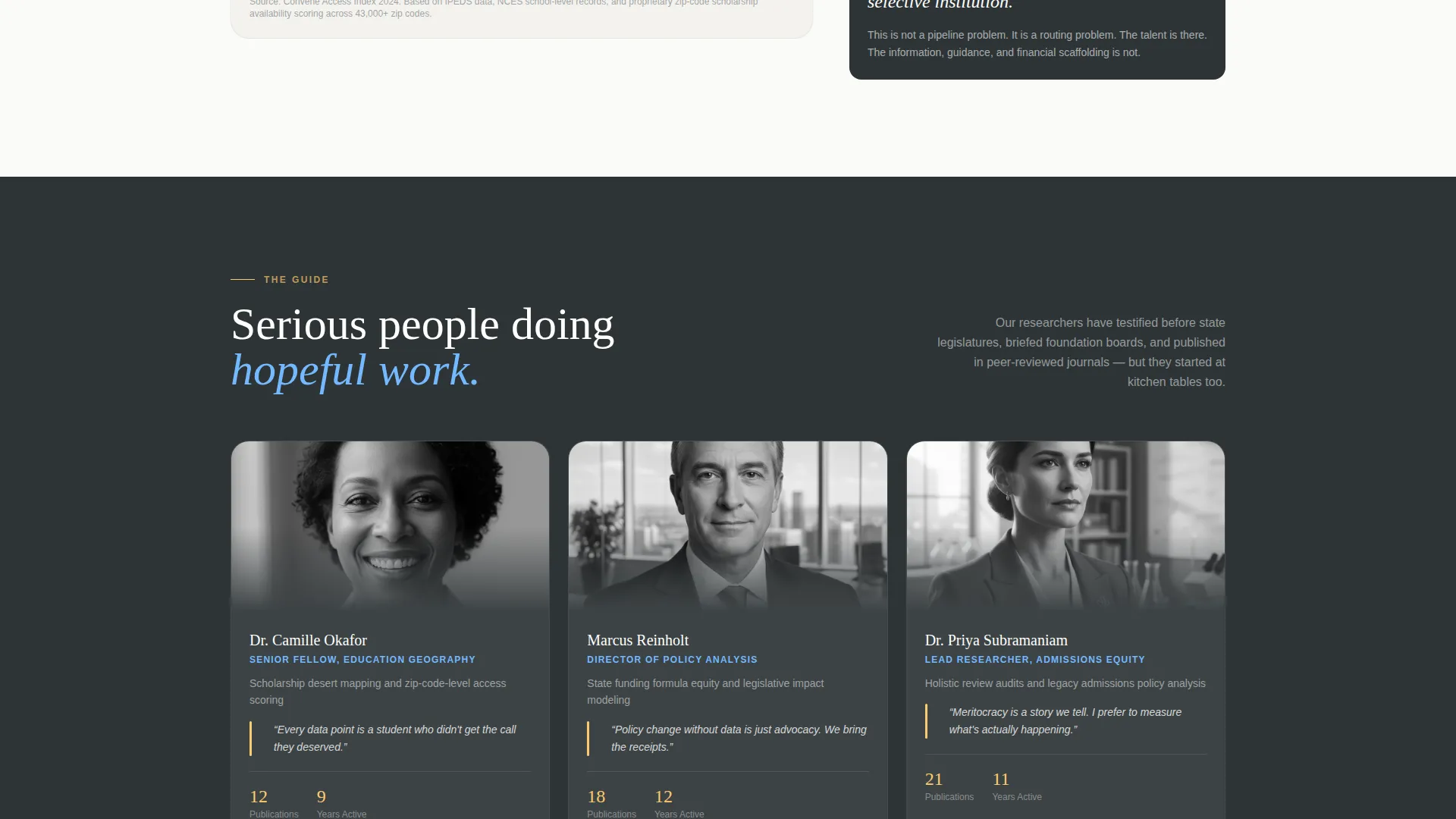
The guide section presents researcher profiles in an editorial card style, paired with methodology snapshots. This builds institutional credibility with readers who need to trust the source before trusting the data.
Narrative Case Study Cards
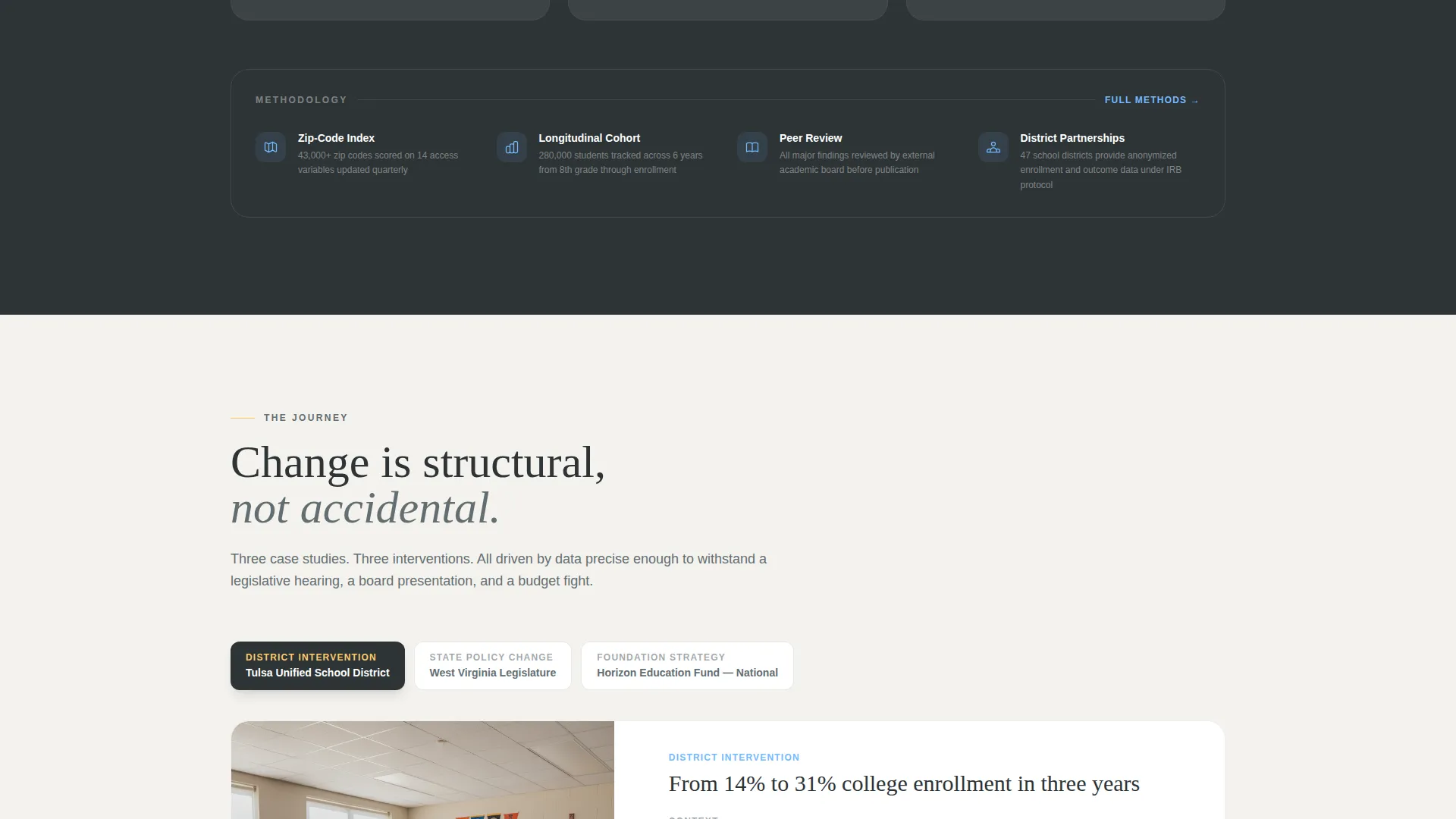
Case studies are structured as story arcs: a district that partnered with the institute, the specific intervention, and the measurable outcome. Each card builds conviction that structural change is achievable.
Sticky Event Registration Bar
After the second scroll section, a sticky call-to-action bar appears and persists throughout the scroll journey. It carries the primary registration prompt and keeps the summit visible without interrupting reading.
Dual Conversion Forms
The page closes with a full-width registration block for the Education Access Summit and a secondary form offering a downloadable report. The registration form includes a name, institutional affiliation, role dropdown, and one optional open-ended question field.
Page sections overview
| Section | Purpose |
|---|---|
| Hero Video Header | Opens with cinematic video, serif headline, and bottom stat bar |
| Problem Data Section | Animated counters and choropleth map frame the access gap |
| Researcher Guide Section | Editorial profiles and methodology snapshots build credibility |
| Case Study Cards | Narrative arcs show district interventions and measured outcomes |
| Summit Registration Block | Full-width form drives event sign-up with role dropdown |
| Report Download Form | Secondary conversion path for visitors not ready to register |
| Footer | Arc-split layout with logo, tagline, and navigation links |
Design & branding system
The template uses a Community Hearth visual identity built on a Slate and Sky color system. The palette evokes a university commons at dusk, stone walls still holding warmth while the sky shifts from blue to gold.
- Typography pairs Fraunces as the display serif for headlines and pull quotes with DM Sans as the body typeface for clarity and readability
- Backgrounds alternate between warm white (#FAFAF7) and deep charcoal slate (#2D3436), mimicking the page-turn rhythm of a well-designed journal
- Lantern amber (#FDCB6E) is reserved for calls to action and pull-quote highlights; open-morning sky blue (#74B9FF) marks links and interactive callouts
Mobile & speed optimization
The template is designed desktop-first for policy professionals working at workstations, with full mobile support built in. Heavy animation components are handled by client-side rendering while static sections use server components to keep initial load lean.
- Scroll-triggered animations including counters, staggered card reveals, and parallax effects are scoped to client components
- The choropleth map and sticky call-to-action bar are interactive elements designed to perform well without blocking the page render
- All sections reflow cleanly on smaller screens, preserving the editorial hierarchy and form usability on mobile devices
How this template helps you convert
The conversion strategy follows a deliberate Hero's Journey structure. Visitors are not asked to act until they understand the stakes and trust the guide leading them.
- The problem section with animated counters and a regional access map creates immediate emotional and intellectual investment before any ask is made.
- The sticky registration bar appears after the second scroll section and stays visible through the case studies, keeping the summit top of mind without interrupting the narrative.
- The dual conversion block at the bottom of the page captures both high-intent visitors ready to register and lower-intent visitors willing to exchange an email for the Access Gap Report.
Other information about this template
Convene is built for United States English-language content with date formatting in month/day/year order. It is localized for a domestic policy audience and priced contexts in USD where applicable.
- The optional open-ended form field, "What question should this year's summit answer?", is designed to lower registration friction while giving the institute pre-event intelligence
- The footer follows an Arc Browser Split pattern with the institute logo and tagline on the left and navigation links on the right
- Pull quotes appear throughout the scroll flow as breathing whitespace moments, reinforcing key findings between denser data modules
- The template style is classified as Editorial/Magazine and sits within the Community and Nonprofit category, specifically the Education Access Nonprofit subcategory
Theme
Community Hearth
Creative direction
Hero's Journey
Color system
Slate & Sky
Style
Editorial/Magazine
Direction
Event Registration
Page Sections
Full-screen Video Hero Header
Scroll-triggered Data Visualizations
Editorial Researcher Profile Cards
Narrative Case Study Blocks
Sticky Registration Call-to-action Bar
Dual Conversion Registration Block
Related questions
Who is this landing page template designed for?
Can I use this template to drive event registrations?
What does the secondary conversion path offer?
Does the template support data visualizations?
How is the page structured to build trust before asking for action?



