Renewable Energy Components Professional Website Template
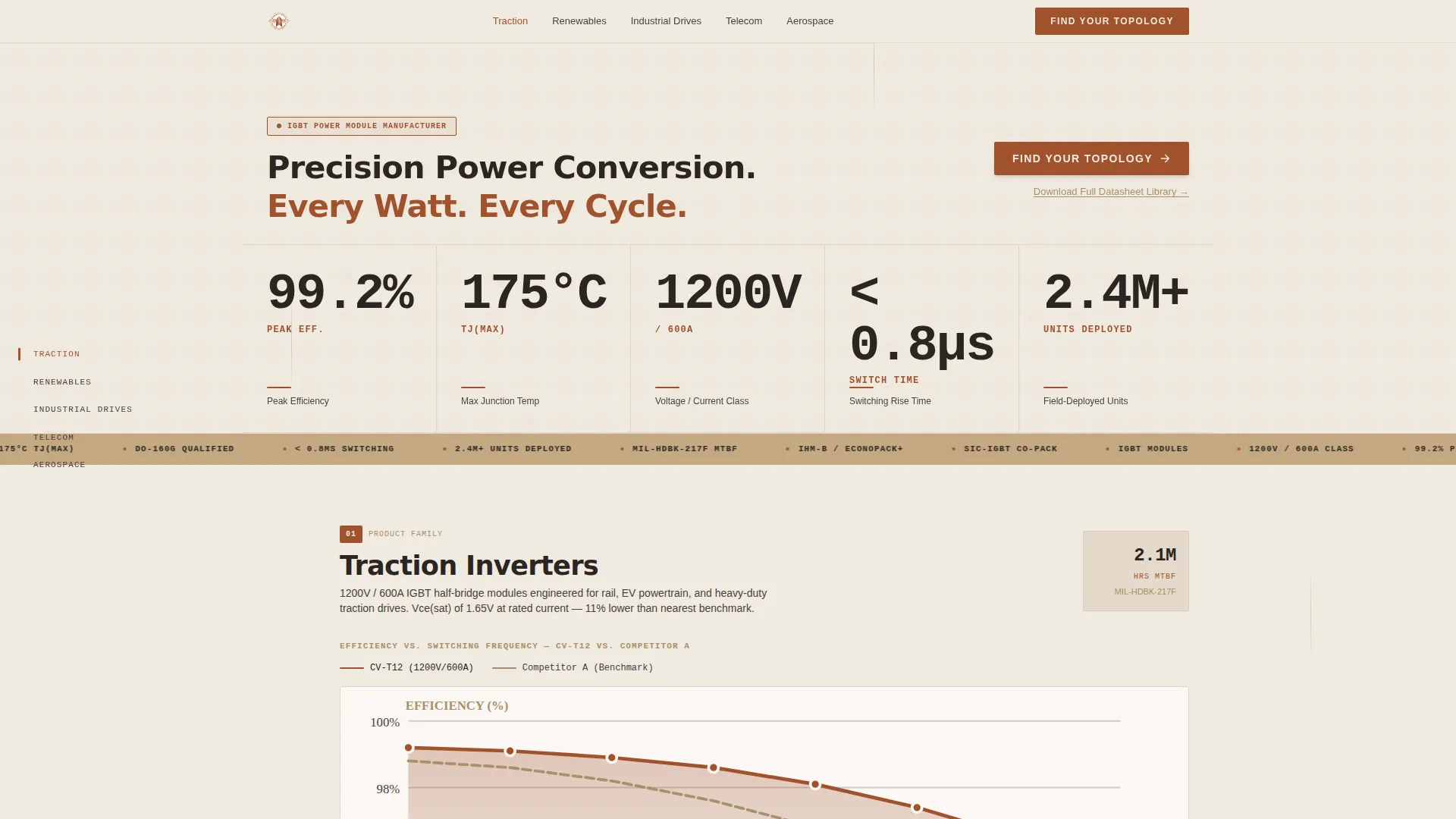
Converter is a hub-and-spoke landing page template built for power converter manufacturers. A fixed anchor nav guides engineers through five product-family sections, each leading with loss curves, thermal data, and efficiency metrics before any narrative copy. The header opens with five oversized stat blocks and a single "Find Your Topology" call to action, moving qualified visitors into a parametric product selector.
by Rocket studio
Quick summary
Converter is a data-first, hub-and-spoke landing page template for precision power converter manufacturers. It opens with a wall of live-counting performance metrics and routes visitors through five product-family spokes via a fixed left-rail anchor nav. Every section leads with evidence, and every section closes with a "Find Your Topology" call to action that pushes engineers toward a parametric product selector.
Who this template is for
This template is built for technical manufacturers and industrial component suppliers who sell to engineering audiences. If your buyers read spec sheets before they read case studies, this layout was designed for them.
- Power systems engineers specifying insulated-gate bipolar transistor (IGBT) modules for traction inverters
- Procurement leads at solar inverter original equipment manufacturers (OEMs) benchmarking switching losses
- Field application engineers troubleshooting thermal derating in 48-volt server rack environments
What problem this template solves
Most landing pages lead with lifestyle photography and vague value statements. Engineering buyers tune that out immediately. They arrive with a specific operating point in mind and leave the moment they cannot find supporting data.
- Visitors bounce before reaching product detail because the page buries numbers behind marketing copy
- Generic layouts offer no navigation structure for multi-family product lines with distinct audiences
- Click-through paths are unclear, so qualified engineers never reach the parametric selector tool
What you get with this template
You get a complete, single-page layout structured around a fixed anchor navigation rail and five data-dense product-family sections. Each section follows the same evidence-first rhythm: loss curves first, product photos second, customer stories last.
- A header stat block with five oversized, count-up performance metrics and a primary call-to-action button
- Five spoke sections (Traction, Renewables, Industrial Drives, Telecom, Aerospace), each anchored in the left-rail nav
- A secondary "Download Full Datasheet Library" text link with a single-field email gate for early-stage visitors
Feature list
This section covers the core functional components built into the Converter template.
Count-Up Metrics Header
The header renders five oversized stat blocks across the full viewport width. Values count up on page load as if a bench instrument is settling to its final reading. Stats include peak efficiency, maximum junction temperature, voltage and current ratings, switching time, and total units deployed. A faint topographic grid pulses once behind the numbers, then stills.
Fixed Left-Rail Anchor Navigation
A persistent left-rail nav lists all five product-family spokes: Traction, Renewables, Industrial Drives, Telecom, and Aerospace. Clicking any spoke smoothly scrolls the viewport to its corresponding section. Active spoke labels use the terracotta accent to show current position. This structure lets engineers jump directly to their relevant product family without scrolling through unrelated content.
Evidence-First Section Rhythm
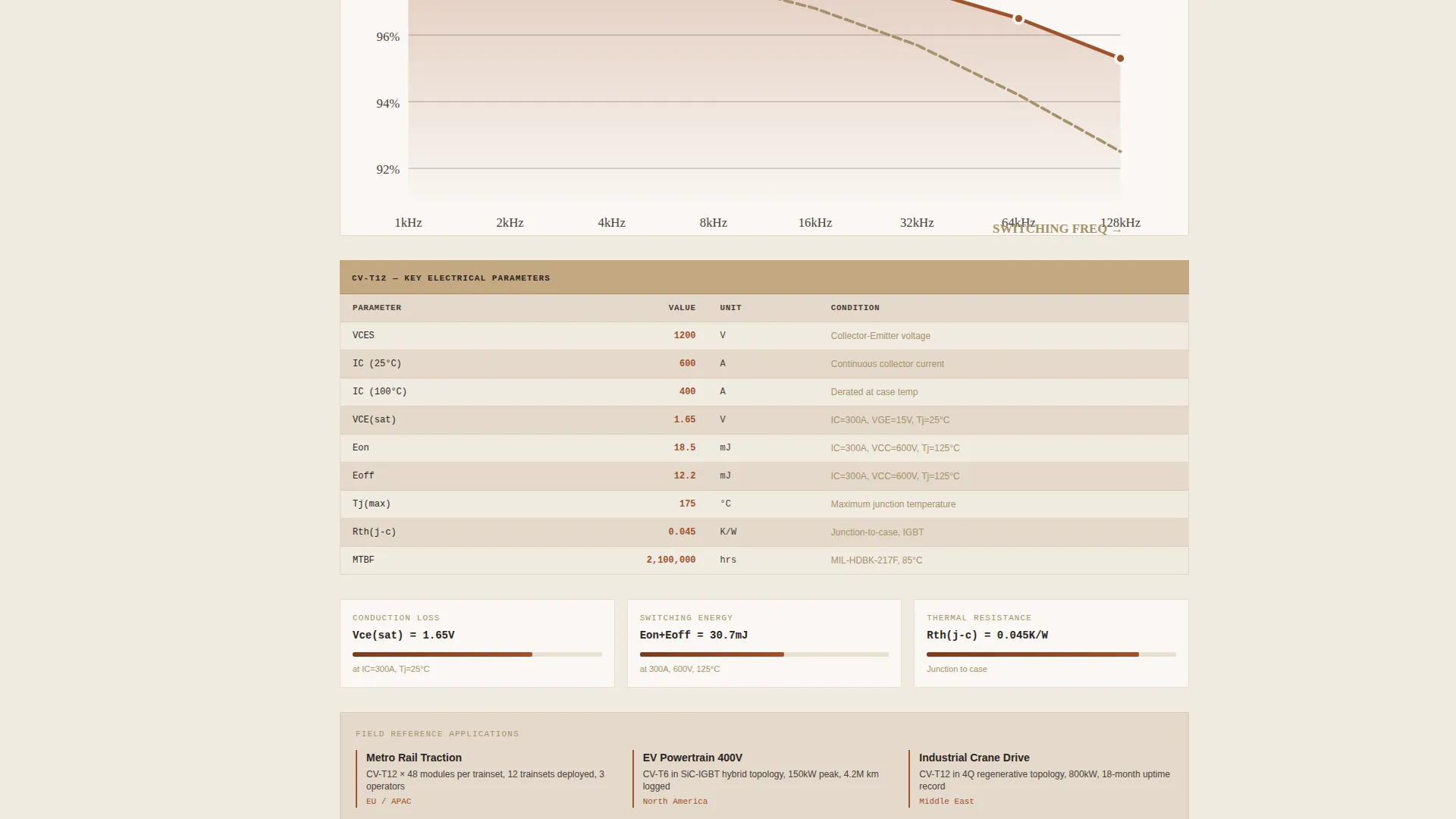
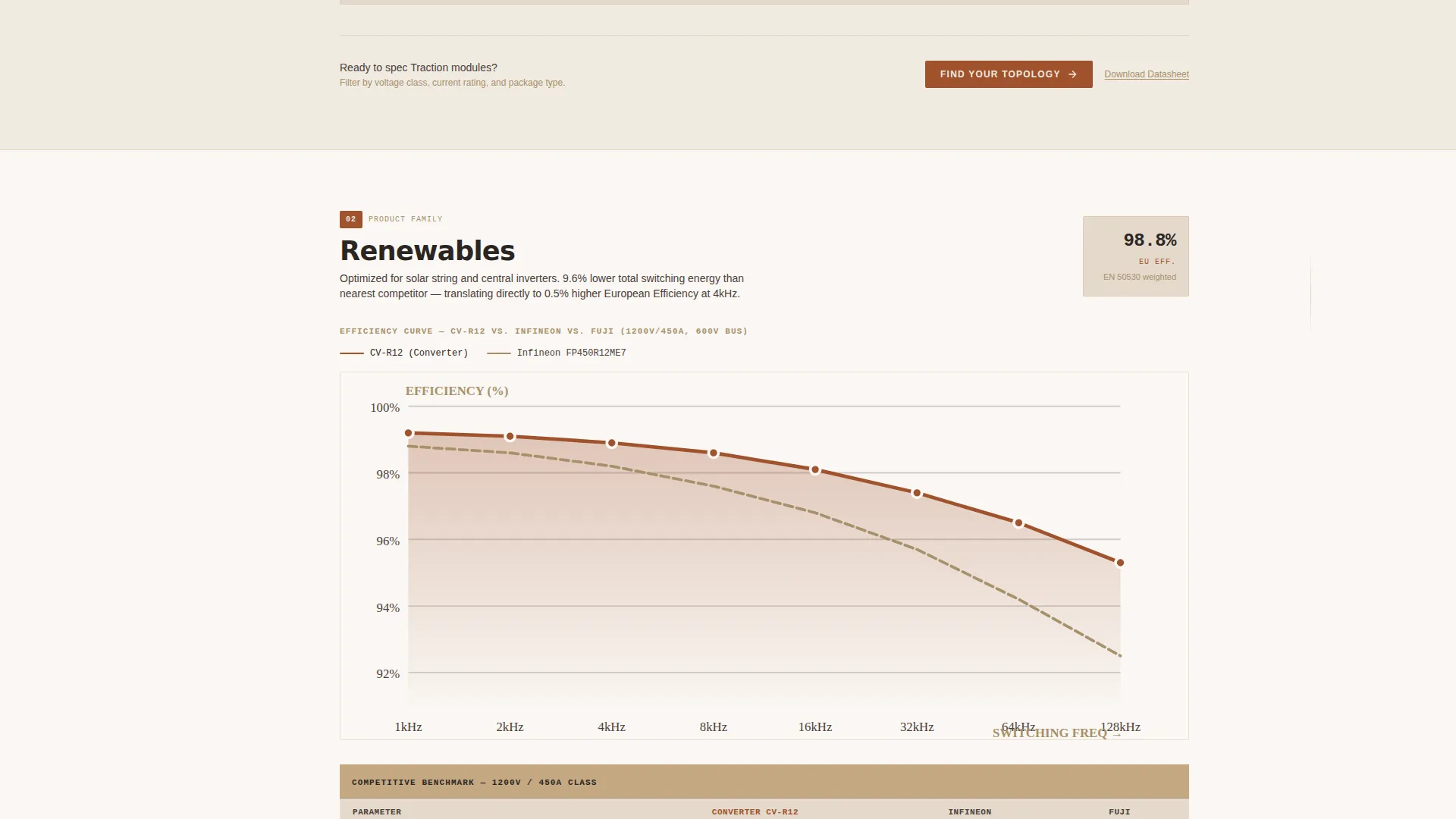
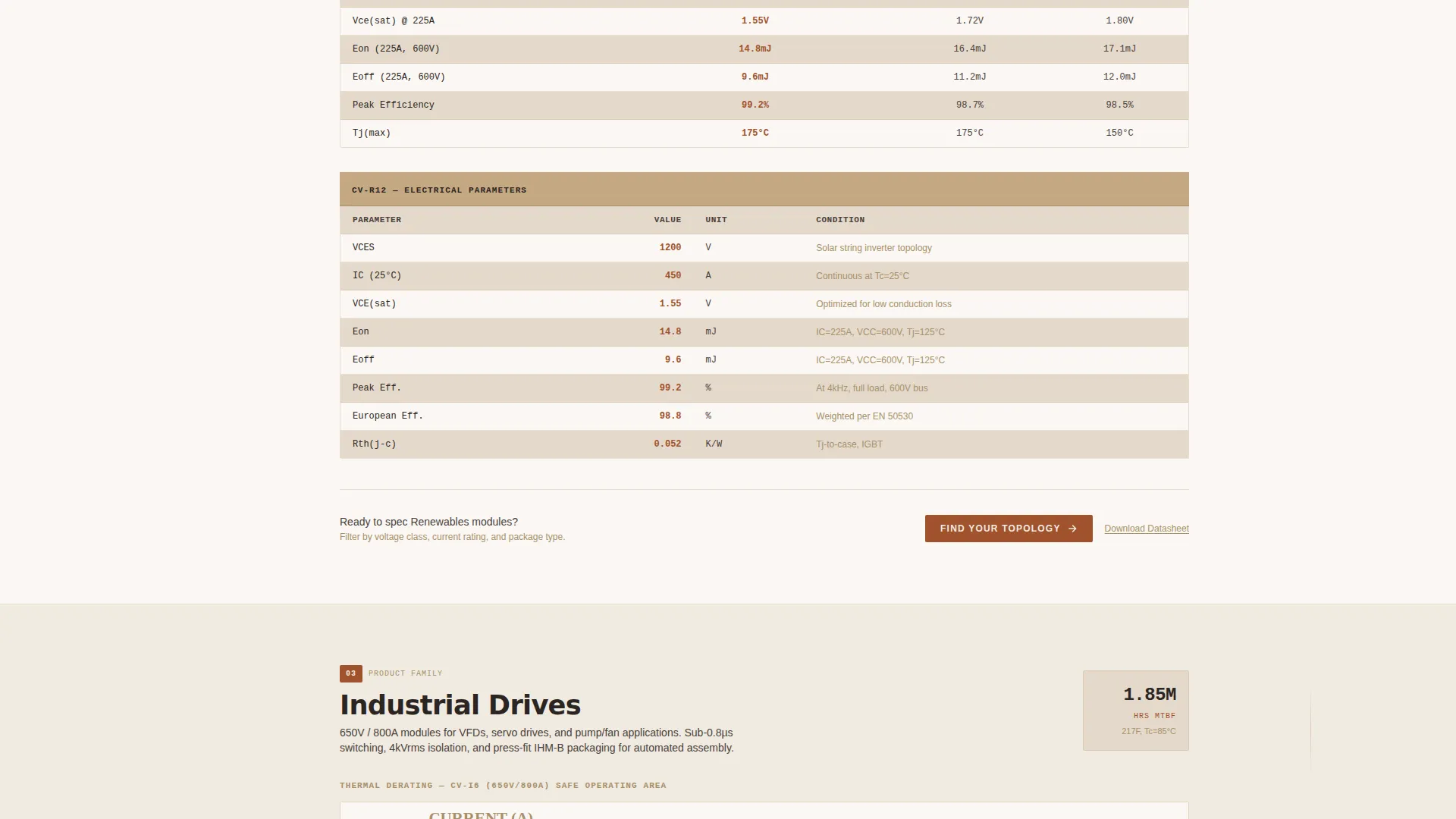
Each spoke section opens with a central efficiency-versus-switching-frequency chart featuring draggable operating-point selectors. Loss curves and thermal impedance graphs appear before product photography. Mean time between failures (MTBF) hours and thermal data precede customer testimonials. This deliberate ordering builds technical trust before emotional narrative.
Repeating Click-Through Call to Action
"Find Your Topology" appears first inside the header stat block and repeats at the base of every spoke section. The button renders in terracotta text against deep kiln charcoal, maintaining visual consistency throughout the scroll. No form fields appear on the landing page itself; the click lands on an external parametric search tool.
Datasheet Library Email Gate
A secondary text link, "Download Full Datasheet Library," captures visitor contact via a single input field. It targets engineers who are researching rather than actively specifying. The gate is lightweight by design, asking only for an email address, so it does not interrupt the primary click-through path.
Warm Stone Data Command Styling
The entire page uses a four-color Warm Stone palette applied with strict role assignments. Terracotta carries every interactive state including hover effects, progress bars, and efficiency curve highlights. Charcoal and sandstone hold the structural layout steady. The result is a visual language that feels technical and grounded without relying on stock photography.
Page sections overview
| Section | Purpose |
|---|---|
| Header Stat Block | Opens with five count-up performance metrics and the primary "Find Your Topology" call to action |
| Anchor Nav Rail | Fixed left rail listing all five product-family spokes for instant section access |
| Traction Section | Data-dense module covering traction inverter specifications, loss curves, and a closing call to action |
| Renewables Section | Efficiency and switching data for solar inverter OEM audiences with supporting customer evidence |
| Industrial Drives Section | Thermal and switching specs for industrial drive applications with MTBF data leading content |
| Telecom Section | 48-volt rack-oriented data, thermal derating context, and a section-closing call to action |
| Aerospace Section | High-reliability specifications and application context with an evidence-first content order |
| Datasheet Library Link | Secondary text link with a single-field email gate for early-stage research visitors |
Design & branding system
The Converter template uses a Warm Stone color system built around four precisely assigned roles. Every color decision reinforces the Data Command theme, keeping the page legible under high information density without feeling clinical or cold.
- Quarry sandstone (#C4A882) for section backgrounds, fired terracotta (#A0522D) for all interactive elements, deep kiln charcoal (#2B2522) for body text and chart axes, and pale limestone (#F0EAE0) for card surfaces and data table rows
- Terracotta drives every active state: hover effects on nav spokes, efficiency curve highlights, progress bars, and the primary call-to-action button label
- The topographic grid motif in sandstone appears once behind the header metrics, reinforcing the instrument-panel aesthetic without competing with data
Mobile & speed optimization
The template is structured to remain readable and functional at narrower viewport widths. The fixed left-rail nav adapts to the layout without obscuring content on smaller screens.
- Oversized stat blocks in the header reflow cleanly so count-up numbers remain legible on mobile displays
- Chart modules and data tables are arranged to prioritize the most critical values at smaller screen widths
- The single-field email gate stays unobstructed and easy to interact with across device types
How this template helps you convert
The Converter template is designed specifically for click-through conversion to a parametric product selector. Every structural decision serves that goal.
- The header delivers five hard performance numbers immediately, establishing technical credibility before a visitor scrolls one pixel, making the "Find Your Topology" call to action feel like a natural next step rather than a sales prompt.
- The anchor nav eliminates friction for multi-family product lines, letting each visitor type navigate directly to their relevant spoke section and encounter a section-specific call to action precisely when their interest peaks.
Other information about this template
This template sits within the Manufacturing and Industrial category, specifically aligned to the Renewable Energy Components subcategory and the Power Converter Manufacturer niche. It was designed using a Stats-First Impact creative direction and a Data Command theme, both matched to audiences that expect quantitative evidence before narrative persuasion.
- The template style is Hub and Spoke with Anchor Navigation, making it well suited for manufacturers with multiple distinct product families under one brand
- The landing page direction is Click-Through, meaning no lead-capture form appears on the page itself; conversion happens via the linked parametric selector tool
- The intersection match between the template style, theme, and niche context was validated at a score of 13, reflecting a strong alignment between the Data Command visual theme and the power converter manufacturer audience
Theme
Data Command
Creative direction
Stats-First Impact
Color system
Warm Stone
Style
Hub & Spoke (Anchor Nav)
Direction
Click-Through
Page Sections
Count-up Metrics Header
Fixed Left-rail Anchor Nav
Evidence-first Section Structure
Repeating Click-through Call to Action
Datasheet Library Email Gate
Warm Stone Data Command Theme
Related questions
Does this template include a lead-capture form on the page?
How many product sections does the template include?
Can the color palette and header stat values be customized?
Who is the primary audience this template is built for?
What makes the header different from a standard hero section?



