Conveyor Systems Audit Landing Page Template
Convey is a dashboard-style landing page template built for conveyor systems companies. It uses an Engineering Blueprint visual identity with a Monochrome Steel palette to present a self-assessment audit framework. Operations managers, plant engineers, and logistics directors can evaluate their facility against benchmark metrics before being guided toward a downloadable full audit guide.
by Rocket studio
Quick summary
Convey is a single-page, data-grid landing page template designed for industrial conveyor systems businesses. It combines a full-screen video header with a scrollable audit dashboard that walks facility professionals through five conveyor subsystem categories. The primary conversion goal is a downloadable audit guide, supported by a secondary system assessment request form.
Who this template is for
This template is built for conveyor systems companies that sell to industrial and logistics buyers. It speaks directly to the people responsible for keeping facilities running at throughput targets.
- Operations managers tracking downtime across belt conveyors and roller lines
- Plant engineers specifying new conveyor lines for warehouse or production floor expansions
- Logistics directors who need sortation accuracy data before peak season demand hits
What problem this template solves
Industrial buyers rarely convert on a generic brochure page. They need evidence that a vendor understands their floor before they trust them with a specification conversation. This template closes that gap by presenting the vendor as the expert first.
- Facilities often defer maintenance checks on drive units, accumulation zones, and belt tracking until failure occurs
- Prospects arrive with real operational questions but leave when a page offers only service descriptions and a contact form
- A single form-gated call to action creates too much friction for cold traffic that has not yet established trust
What you get with this template
You get a fully structured, single-page layout that doubles as a credibility tool and a lead generation engine. Every section is pre-built and ready to fill with your facility metrics and audit content.
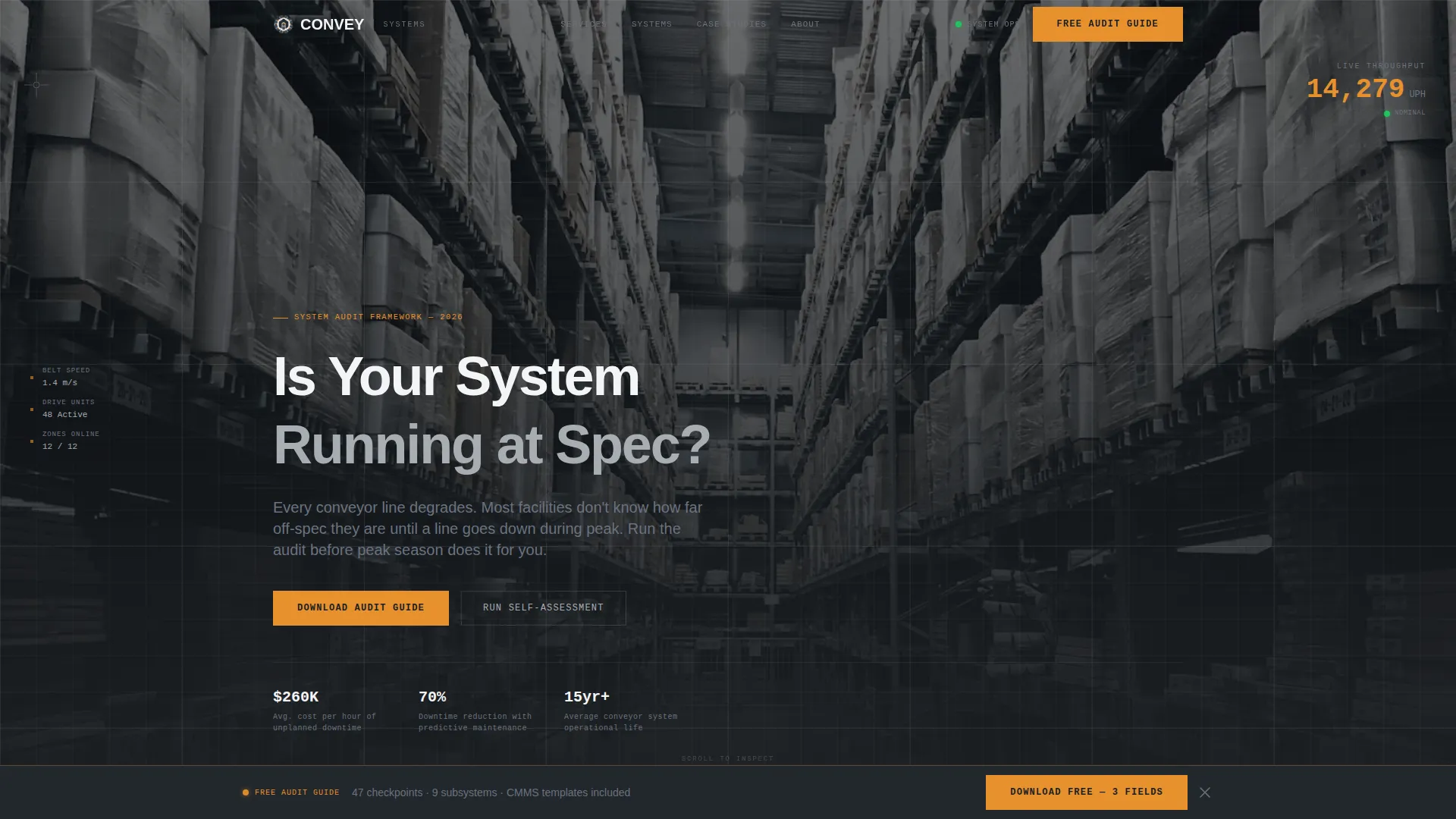
- A full-screen video header section with a live metric counter and engineering-spec headline typography
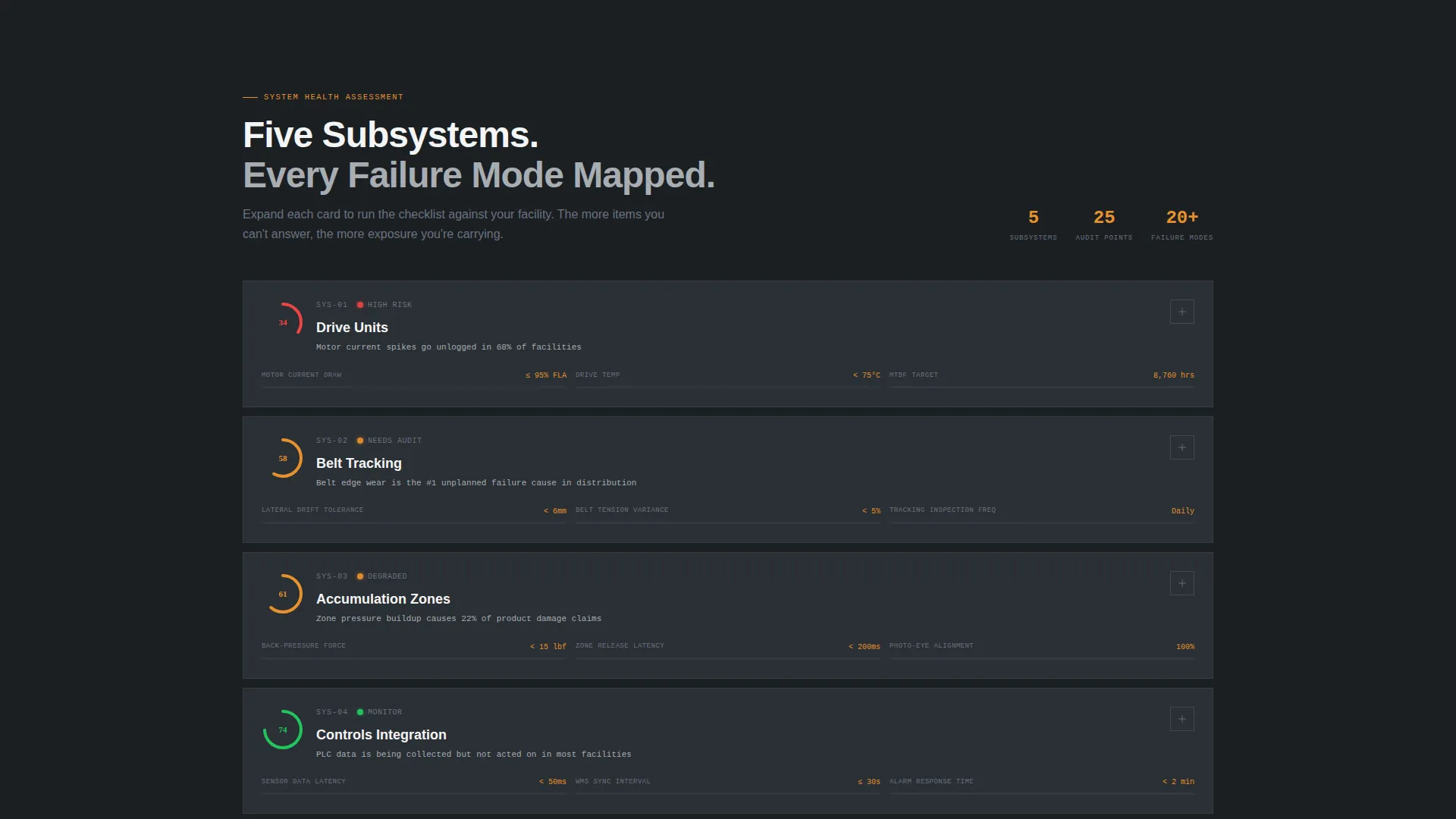
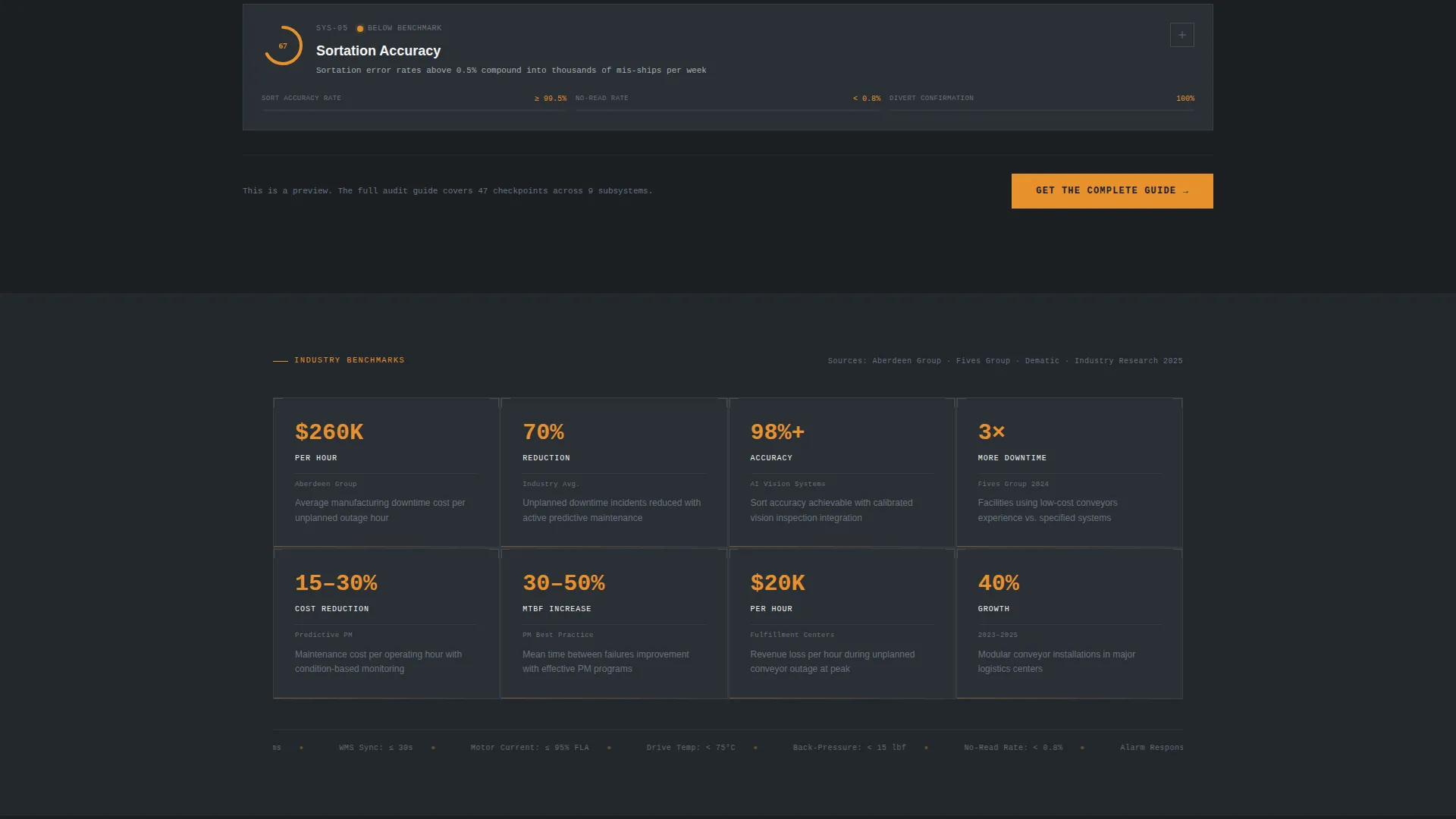
- Five pre-built audit card sections covering drive units, belt tracking, accumulation zones, controls integration, and sortation accuracy
- Two distinct conversion paths: a low-friction three-field download form and a longer system assessment request form
Feature list
This template is built around a clear set of functional and visual capabilities drawn directly from the brief.
Full-Screen Video Background Header
The header fills the entire viewport with aerial drone footage traveling the length of a conveyor mainline. The footage is desaturated and graded to match the steel monochrome palette. A thin blueprint grid overlay sits on top, and a metric counter ticks upward in the corner before the headline renders.
Audit Card Data Grid
The core of the page is a scrollable data grid presenting each conveyor subsystem as an individual audit card. Each card contains benchmark metrics, common failure indicators, and an expandable checklist that visitors mentally run against their own facility.
Persistent Download call to action Bar
After the second audit grid section, a bottom bar appears and stays visible as the visitor continues scrolling. The bar carries the primary call to action in safety-signal amber, prompting visitors to download the full audit guide without interrupting the reading flow.
Dual Conversion Form System
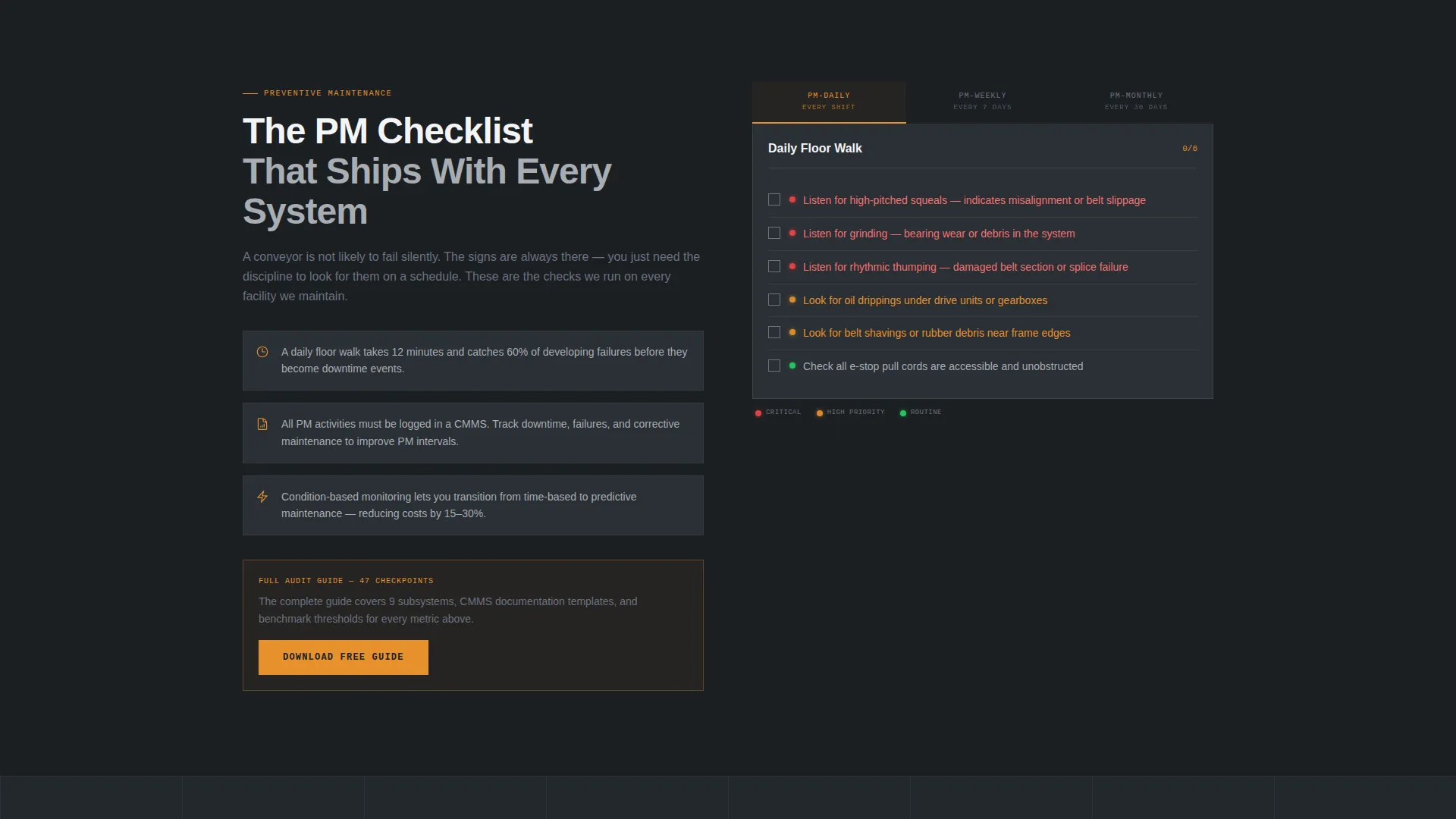
The page includes two distinct lead capture forms. The primary form asks for facility type, number of conveyor lines, and work email only. The secondary form adds square footage and current throughput fields for visitors ready to request a full system assessment.
Engineering Blueprint Visual Theme
The layout uses structural dark as the primary background, mill-finish aluminum for data containers, and bright weld-spark white for text and key figures. Safety-signal amber appears only on interactive elements and calls to action, creating a control-room visual hierarchy where color signals action.
Five Free On-Page Audit Categories
The template is designed to give away the first five audit categories directly on the page. This approach builds trust with the download offer by letting visitors experience partial value before committing to the form.
Page sections overview
| Section | Purpose |
|---|---|
| Video Hero Header | Establishes facility scale and presents the headline prompt |
| Metric Counter Block | Animates units-per-hour figure to anchor throughput context |
| Drive Units Card | Presents benchmark data and failure indicators for drive systems |
| Belt Tracking Card | Displays alignment metrics and common deviation checklist |
| Accumulation Zones Card | Covers zone pressure, flow rates, and deferral indicators |
| Controls Integration Card | Outlines integration benchmarks and signal failure patterns |
| Sortation Accuracy Card | Shows accuracy benchmarks and mis-sort audit checklist |
| Download call to action Module | Full-width section with the primary three-field download form |
| System Assessment Form | Secondary conversion path with extended qualification fields |
| Persistent Bottom Bar | Sticky call to action bar that activates after the second grid section |
Design & branding system
The visual identity follows an Engineering Blueprint theme that treats every pixel as functional information. The palette is built entirely around industrial reference points, with no decorative color present anywhere except where human attention is required.
- Structural dark (#1B1F23) as the primary background, reading like a machine housing panel
- Mill-finish aluminum (#A8ADB3) for secondary surfaces and data card containers, with weld-spark white (#F4F5F6) reserved for body text and key figures
- Safety-signal amber (#E8912D) used exclusively for interactive elements, calls to action, and audit indicators to enforce a strict visual hierarchy
Mobile & speed optimization
The dashboard grid layout is structured to remain legible and functional across screen sizes. Audit cards and data containers reflow cleanly for smaller viewports without losing their information density.
- The data grid adapts to single-column stacking on mobile so audit cards remain fully readable
- The persistent bottom call to action bar is positioned to remain accessible on touch devices without obscuring key content
- The video header section is designed to gracefully handle reduced-motion or lower-bandwidth conditions as part of the layout structure
How this template helps you convert
The conversion strategy is built around earning trust before asking for anything. The page gives value first, then presents the offer as the natural next step.
- The five free on-page audit categories let visitors self-assess their own facility, making them aware of gaps they had not yet measured and positioning the downloadable guide as the complete resource
- The dual-form system matches offer depth to buyer readiness, so cold traffic takes the low-friction download while warm prospects self-select into the longer system assessment path
- The persistent amber call to action bar keeps the download offer visible throughout the scroll without forcing a popup or interrupting the audit experience
Other information about this template
This template is categorized under Manufacturing and Industrial, specifically within the Industrial Equipment and Machinery subcategory and the Conveyor Systems niche. It is well suited for companies offering belt conveyors, roller lines, sortation systems, and accumulation tables.
- The template style is Dashboard and Data Grid, meaning content is organized as structured cards rather than narrative paragraphs, matching how industrial buyers prefer to scan specifications
- The creative direction is Checklist and Audit, which makes the page function as a self-assessment tool rather than a traditional service brochure
- The landing page direction is Content and Resource, meaning the primary offer is a downloadable audit guide rather than a direct sales or demo request
Theme
Engineering Blueprint
Creative direction
Checklist & Audit
Color system
Monochrome Steel
Style
Dashboard/Data Grid
Direction
Content/Resource
Page Sections
Full-screen Video Hero Header
Scrollable Audit Card Dashboard
Persistent Amber Call to Action Bottom Bar
Dual Lead Capture Form System
Engineering Blueprint Visual Identity
Five Free On-page Audit Categories
Related questions
Can I customize the audit card content for my specific conveyor products?
Does this template support two separate lead capture forms?
What makes this template different from a standard industrial services page?
Is the video header required, or can it be replaced with a static image?
Who is the system assessment form designed for compared to the download form?



