Material Handling Landing Page Template
ConveyorCommand is a split-screen landing page template built for conveyor and material handling operations. It guides visitors through the full system lifecycle, from planning to retrofit, using phase-matched data visualizations and gated resource downloads. The Data Command visual theme, built on a Carbon Fiber color system, mirrors the precision and urgency of a live fulfillment floor.
by Rocket studio
Quick summary
ConveyorCommand is a single-page, split-screen (50/50) landing page template designed for conveyor and material handling operations. It walks visitors through five project phases, pairing data visualizations with downloadable resources at each stage. The template is built for industrial audiences who need proof of value before they share contact details.
Who this template is for
This template is built for organizations that sell into, operate, or support large-scale conveyor and material handling systems. The content architecture and visual tone are calibrated for technically literate, results-driven professionals.
- Distribution center managers tracking downtime and throughput KPIs
- Plant engineers specifying replacement drives and integration components
- VP-level operations leaders who need defensible throughput data for executive reviews
What problem this template solves
Industrial buyers do not convert on generic promises. They need to see that your resources match their actual project stage before they hand over contact details. A standard lead-capture page loses these visitors immediately.
- No single page connects planning, integration, commissioning, optimization, and retrofit in one scroll
- Most templates cannot gate content progressively without a disjointed user experience
- Industrial audiences abandon pages that feel consumer-grade or visually mismatched to their work environment
What you get with this template
You get a fully structured, single-page layout that moves visitors through the complete lifecycle of a material handling system. Each phase section is pre-built and ready to populate with your own resources and visuals.
- Five full split-screen phase sections, each with a data visualization slot on the left and a resource card on the right
- A progressive gated form system that escalates from work email to full contact details across three download interactions
- A persistent amber bottom bar carrying the primary "Get the Complete Toolkit" call to action
Feature list
This template delivers a focused set of purpose-built components. Every element earns its place by serving a specific function in the visitor journey.
Five-Phase Timeline Progression Layout
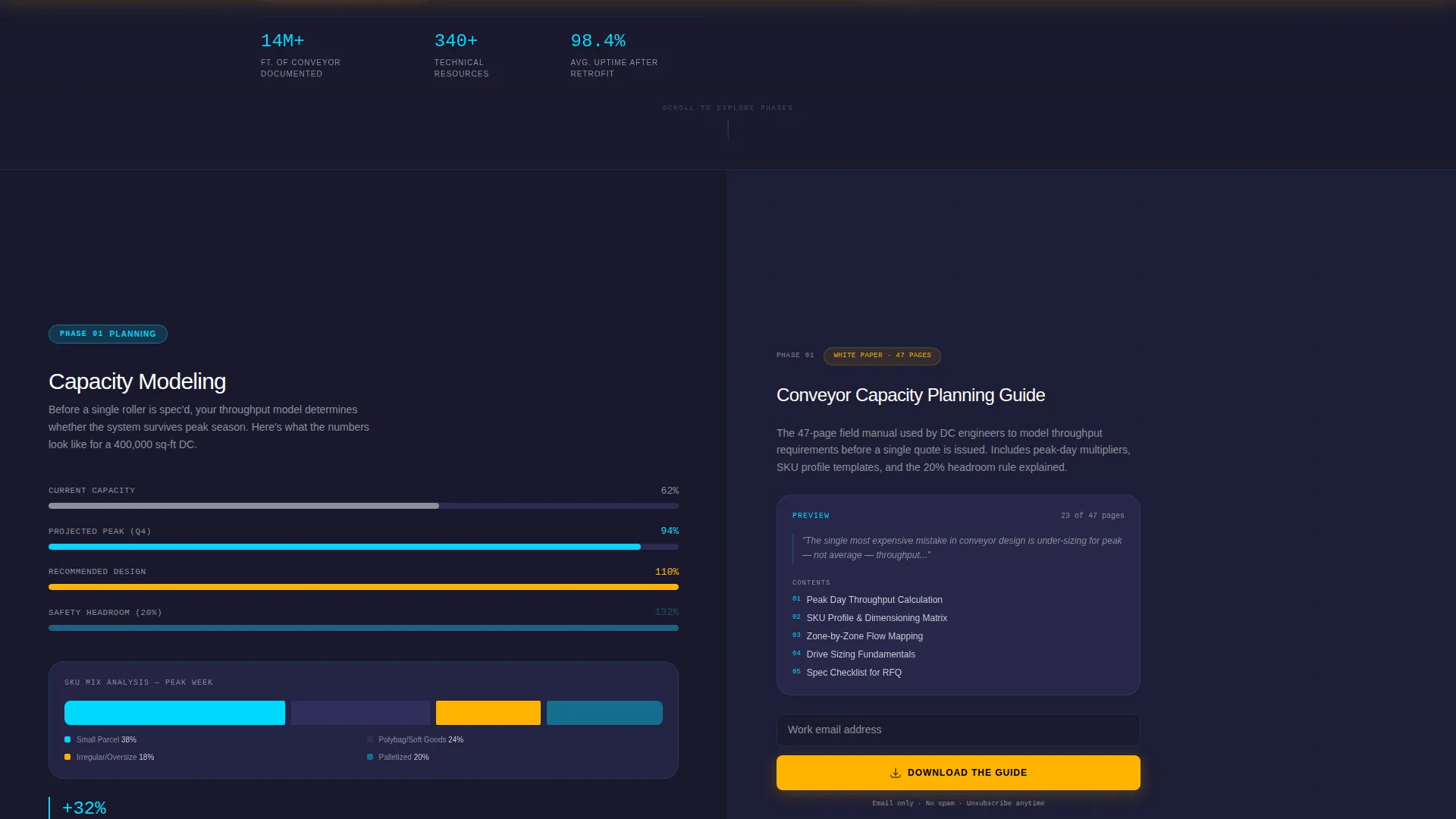
The page is structured around five lifecycle stages: Planning, Integration, Commissioning, Optimization, and Retrofit. Each stage occupies a dedicated full-width split-screen section, giving visitors a clear sense of forward motion as they scroll.
Split-Screen Data Visualization Slots
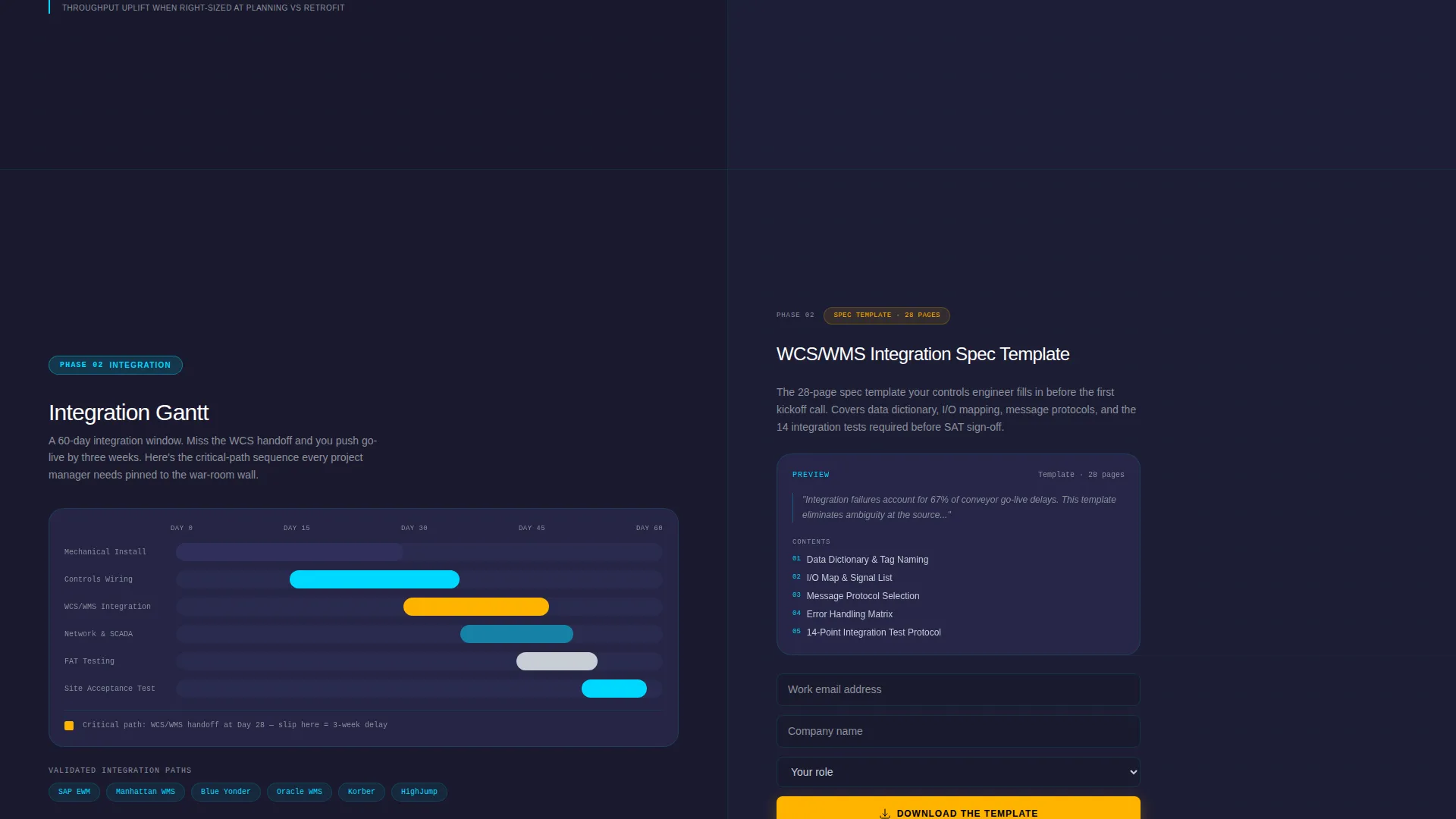
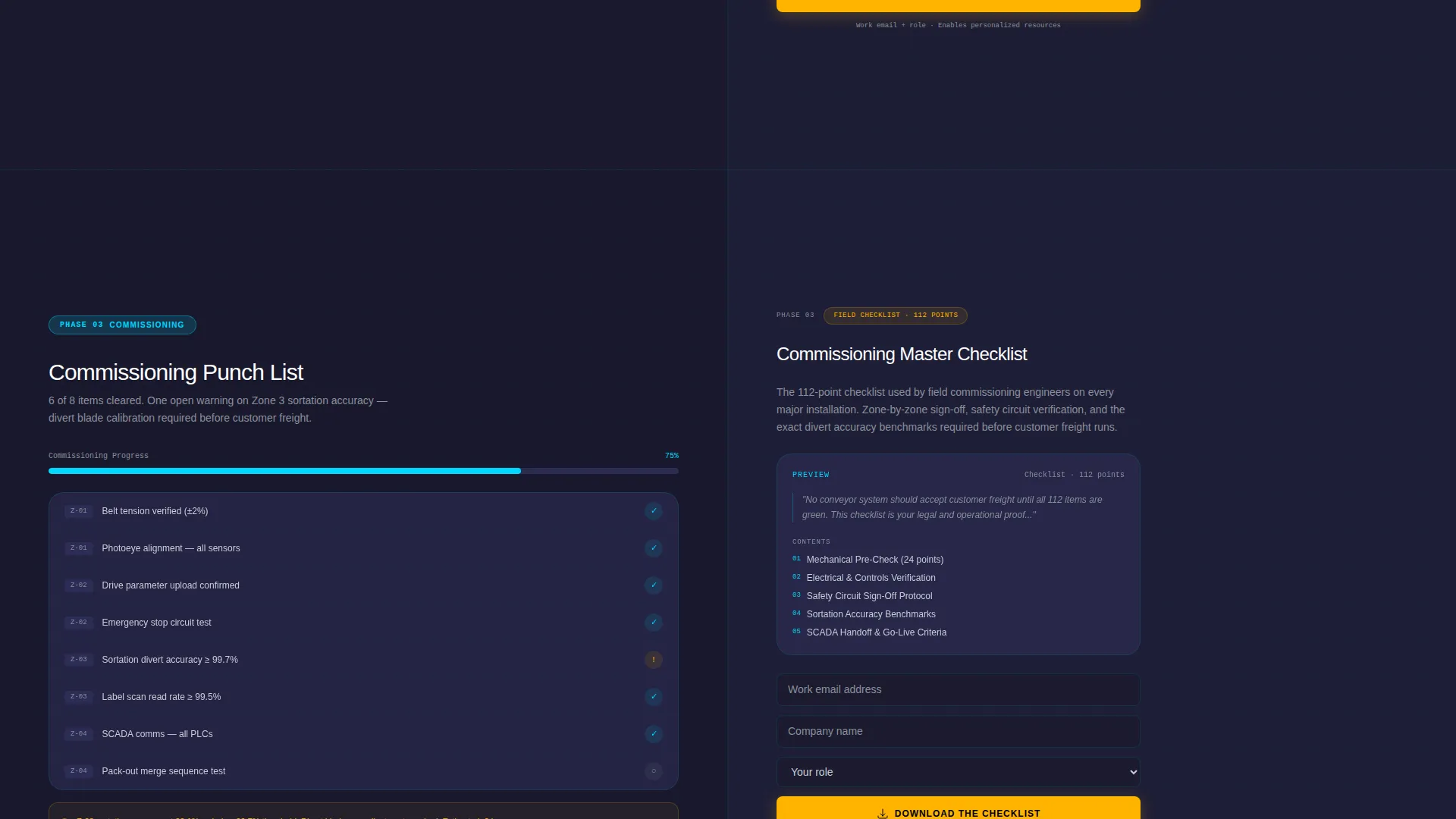
The left panel of each phase section holds a phase-specific data visualization. Slots are designed for capacity modeling charts, integration Gantt views, commissioning punch-lists, OEE (Overall Equipment Effectiveness) dashboards, and wear-curve analyses.
Progressive Gated Resource Cards
Each right-panel resource card shows a preview snippet, the first page, a key stat, and a table of contents, before asking for any information. The gate escalates: the first download requests only a work email, the second adds company name and role, and the third unlocks the full library with phone number and fleet size.
Logo Bar Header with Partner Scrolling
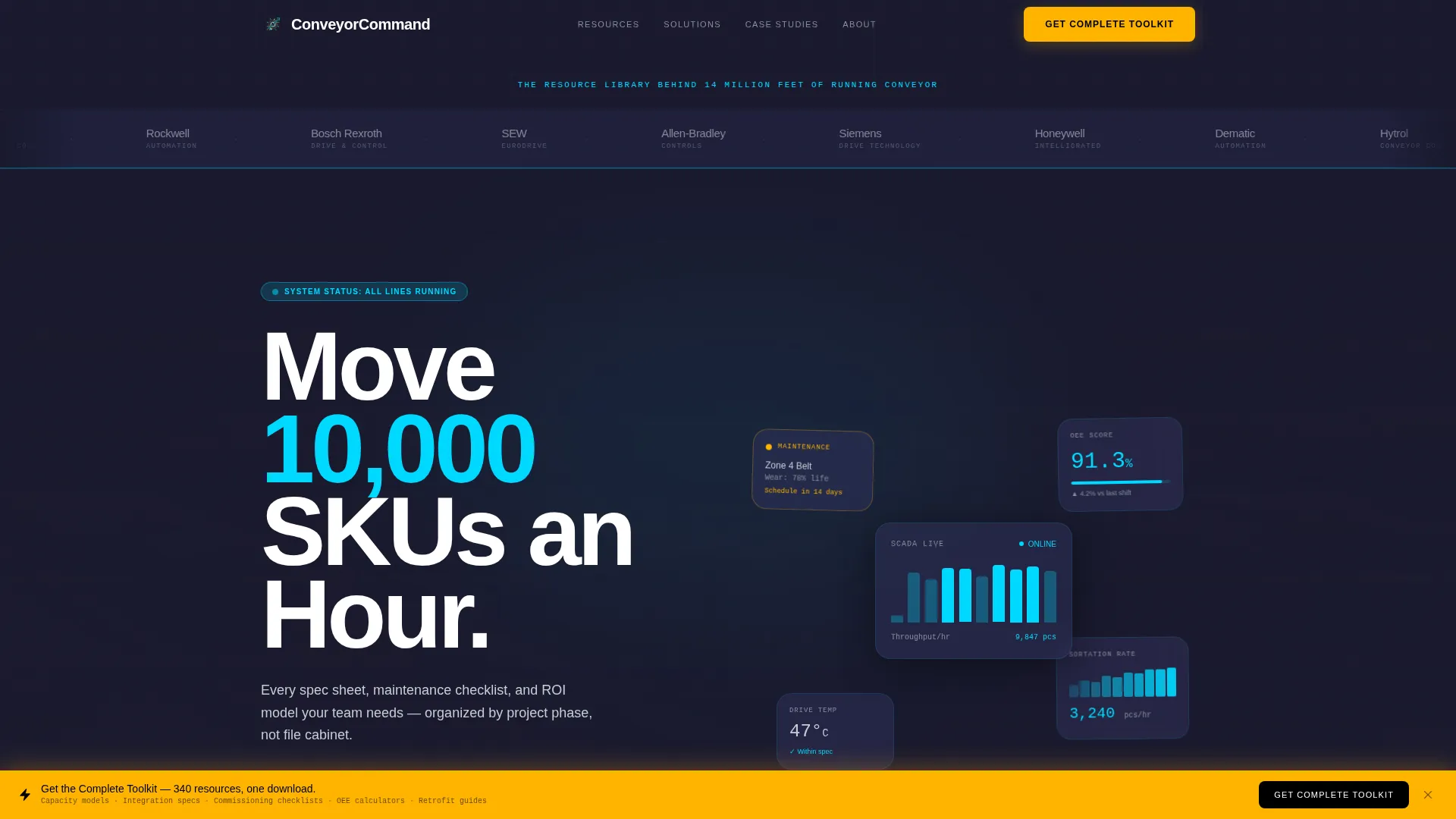
The header is a horizontal, edge-to-edge logo bar. Client and integration partner logos scroll left to right at a steady, conveyor-belt pace against a carbon black background. A single line of knockout type sits above the bar, and a thin cyan rule marks the bottom.
Persistent Bottom Call-to-Action Bar
A fixed amber bottom bar remains visible throughout the scroll. It carries the "Get the Complete Toolkit" offer for visitors ready to exchange full contact details upfront, ensuring the highest-intent action is always one click away.
Data Command Visual Theme
The Carbon Fiber color system runs across every surface. Deep carbon black backgrounds, machined graphite section dividers, status-light cyan telemetry accents, and caution-stripe amber reserved exclusively for calls to action give the page the look and feel of a live control cabinet.
Page sections overview
| Section | Purpose |
|---|---|
| Logo Bar Header | Establishes credibility through partner logos and positions the resource library headline |
| Planning Phase | Presents capacity modeling visualization and planning-stage white paper download |
| Integration Phase | Shows integration Gantt chart and spec template resource card |
| Commissioning Phase | Displays commissioning punch-list visualization and maintenance checklist download |
| Optimization Phase | Features OEE dashboard visualization and ROI calculator resource card |
| Retrofit Phase | Shows wear-curve analysis and retrofit-focused downloadable guide |
| Persistent Bottom Bar | Anchors the full-library call to action in amber for high-intent visitors throughout scroll |
Design & branding system
The visual identity follows a Data Command theme built entirely on the Carbon Fiber color system. Every color is assigned a functional role, not a decorative one. The palette feels like the interior of a control cabinet, matte dark surfaces crossed with luminous telemetry lines.
- Deep carbon black (#1A1A2E) for backgrounds, machined graphite (#30305A) for section dividers, and cool silver-gray (#C8CDD5) for body text keep surfaces readable and authoritative
- Status-light cyan (#00D9FF) marks section boundaries and telemetry accents, while caution-stripe amber (#FFB400) fires only on calls to action and alert-state elements
- The cyan rule beneath the logo bar pulses once on load, then holds steady, reinforcing the system-health monitor aesthetic without distracting animation
Mobile & speed optimization
The split-screen layout is structured to reflow cleanly on smaller viewports, keeping phase content and resource cards accessible on mobile devices. The design avoids heavy decorative assets that would slow load time on field-accessed devices.
- Phase sections stack vertically on mobile so data visualization and resource card each take full width
- The persistent bottom bar remains anchored on mobile, keeping the primary call to action accessible without scrolling back to the top
- Logo scroll animation is implemented at a deliberate, low-resource pace consistent with the conveyor-belt metaphor
How this template helps you convert
The template is built around earned trust: visitors see proof of value at every stage before a form appears. This structure reduces abandonment from high-scrutiny industrial buyers.
- Preview snippets beside each resource card, showing the first page, a key stat, and a table of contents, demonstrate operational usefulness before any contact detail is requested, reducing perceived risk at the first gate
- Progressive form escalation spreads commitment across three interactions, so early-stage visitors convert on minimal data while high-intent visitors self-select into the full library offer
- The persistent amber bottom bar captures visitors who prefer to skip the step-by-step flow and exchange full contact details upfront, creating a second conversion path without disrupting the primary timeline narrative
Other information about this template
This template sits within the Manufacturing and Industrial category, specifically the Industrial Equipment and Machinery subcategory, targeting the conveyor and material handling niche. It is well suited for companies operating or selling into high-throughput distribution and fulfillment environments.
- The template style is Split Screen (50/50) and the page follows a Content/Resource landing page direction, meaning the primary conversion mechanism is resource downloads rather than a direct product or service purchase
- The header concept is a Logo Bar designed to display client and integration partner names, which in the conveyor and material handling space may include names such as Siemens, Honeywell Intelligrated, Dematic, and Hytrol
- The Intersection Match Score of 13 reflects a strong alignment between the template's visual theme, creative direction, and the specific demands of industrial material handling audiences
Theme
Data Command
Creative direction
Timeline Progression
Color system
Carbon Fiber
Style
Split Screen (50/50)
Direction
Content/Resource
Page Sections
Five-phase Timeline Progression Layout
Split-screen Data Visualization Slots
Progressive Gated Resource Cards
Logo Bar Header with Partner Scrolling
Persistent Bottom Call-to-action Bar
Data Command Carbon Fiber Visual Theme
Related questions
Who is this landing page template designed for?
How does the progressive form gating work?
Can I replace the data visualization placeholders with my own charts?
Does the template include all five lifecycle phase sections pre-built?
What makes the visual design credible for an industrial audience?



