HVAC Refrigeration Mechanic Landing Page Template
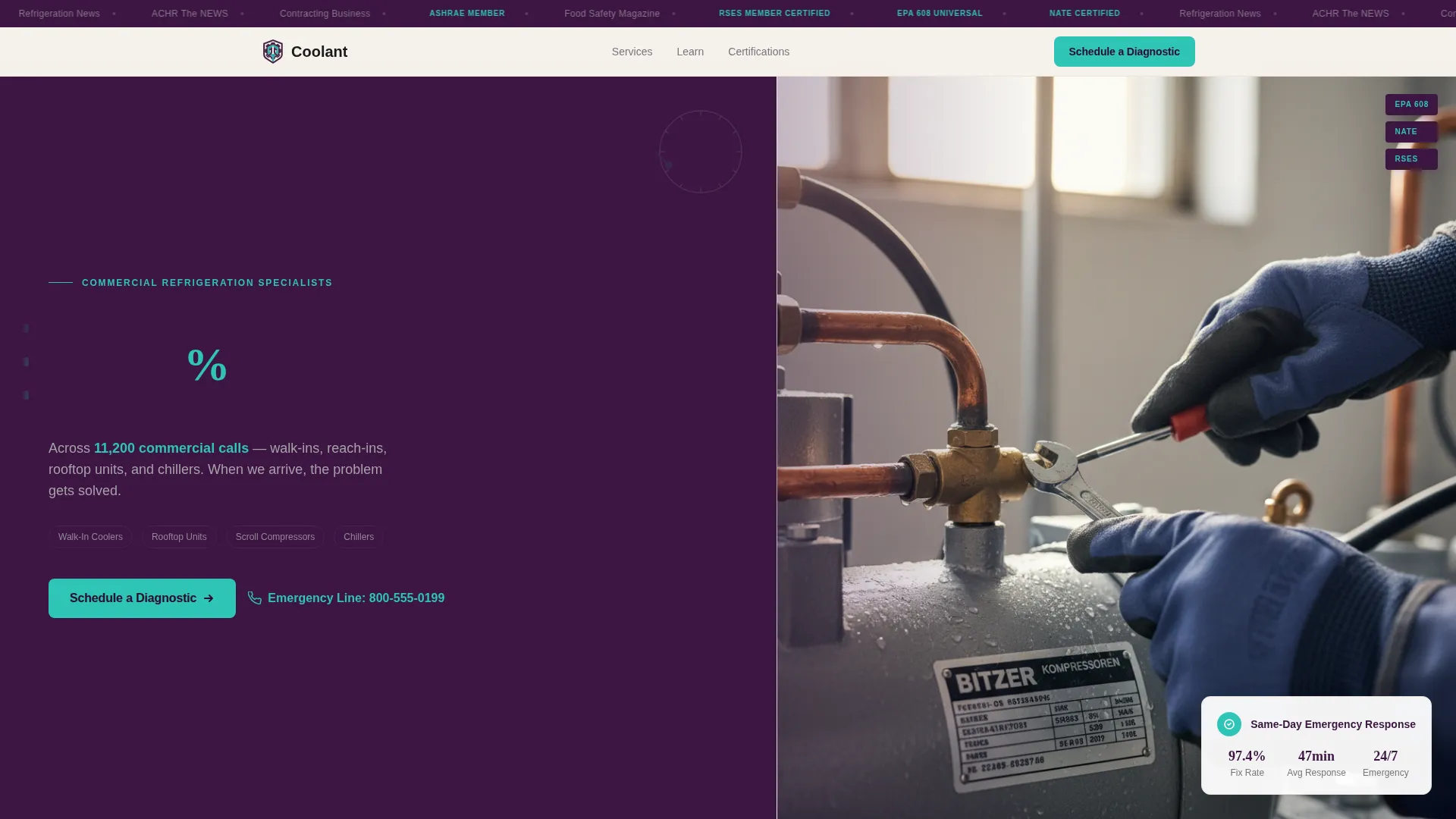
Coolant is a split-screen landing page template built for commercial refrigeration service shops. It pairs hard performance stats with educational content panels to reassure facility managers and restaurant owners the moment they arrive. The design uses a deep plum and teal color system, a press mentions header bar, and a single clear call to action: Schedule a Diagnostic.
by Rocket studio
Quick summary
Coolant is a precise, stats-driven landing page template for certified refrigeration mechanics. It uses a 50/50 split-screen layout to combine hard numbers with educational context, moving skeptical facility managers from doubt to action. Every scroll section teaches something useful while building trust in the service.
Who this template is for
This template is built for refrigeration service businesses that work on commercial equipment and need to convert anxious, time-pressured buyers into booked appointments. It suits shops that value technical credibility as much as visual polish.
- Certified refrigeration mechanics and HVAC service shops serving commercial clients
- Business owners targeting facility managers, restaurant operators, and property management companies
- Service providers who want a clean, educational landing page that drives diagnostic bookings
What problem this template solves
When a walk-in cooler hits fifty degrees on a Friday afternoon, a facility manager does not have time to read marketing copy. They need a page that instantly signals competence, shows a track record, and gets them to a booking in seconds. Generic service pages fail that moment entirely.
- Visitors arrive anxious and leave unconvinced because the page offers no proof of capability
- No clear call to action means a potential client calls a competitor instead
- Educational content is buried or missing, leaving skeptical buyers with unanswered questions
What you get with this template
You get a fully structured single-page layout designed around a Stats-First Impact creative direction. Every visual decision reinforces the feeling of a seasoned technician who has seen every failure mode and fixed it.
- A press mentions scrolling banner at the top featuring trade publication logos and certification marks
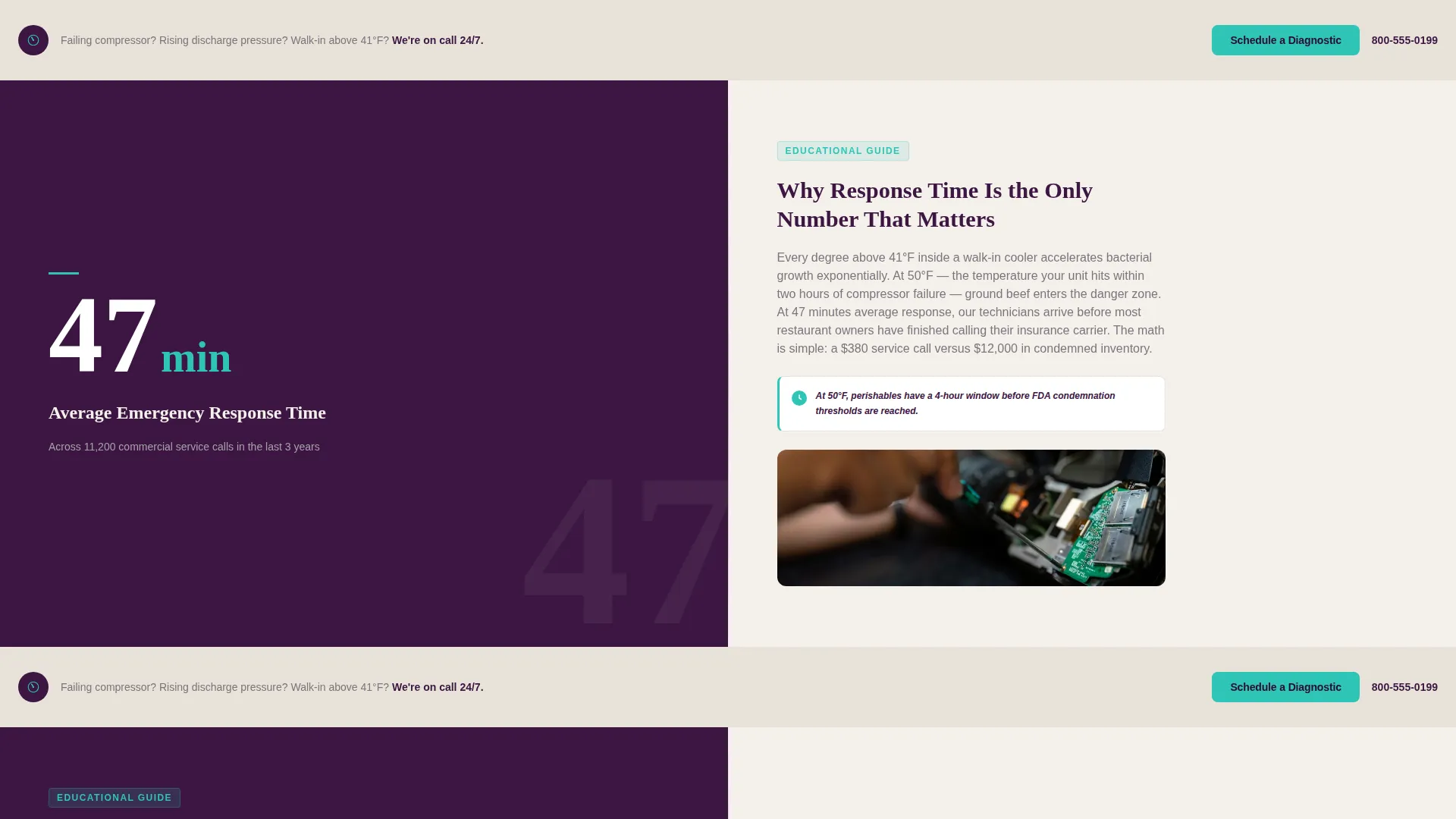
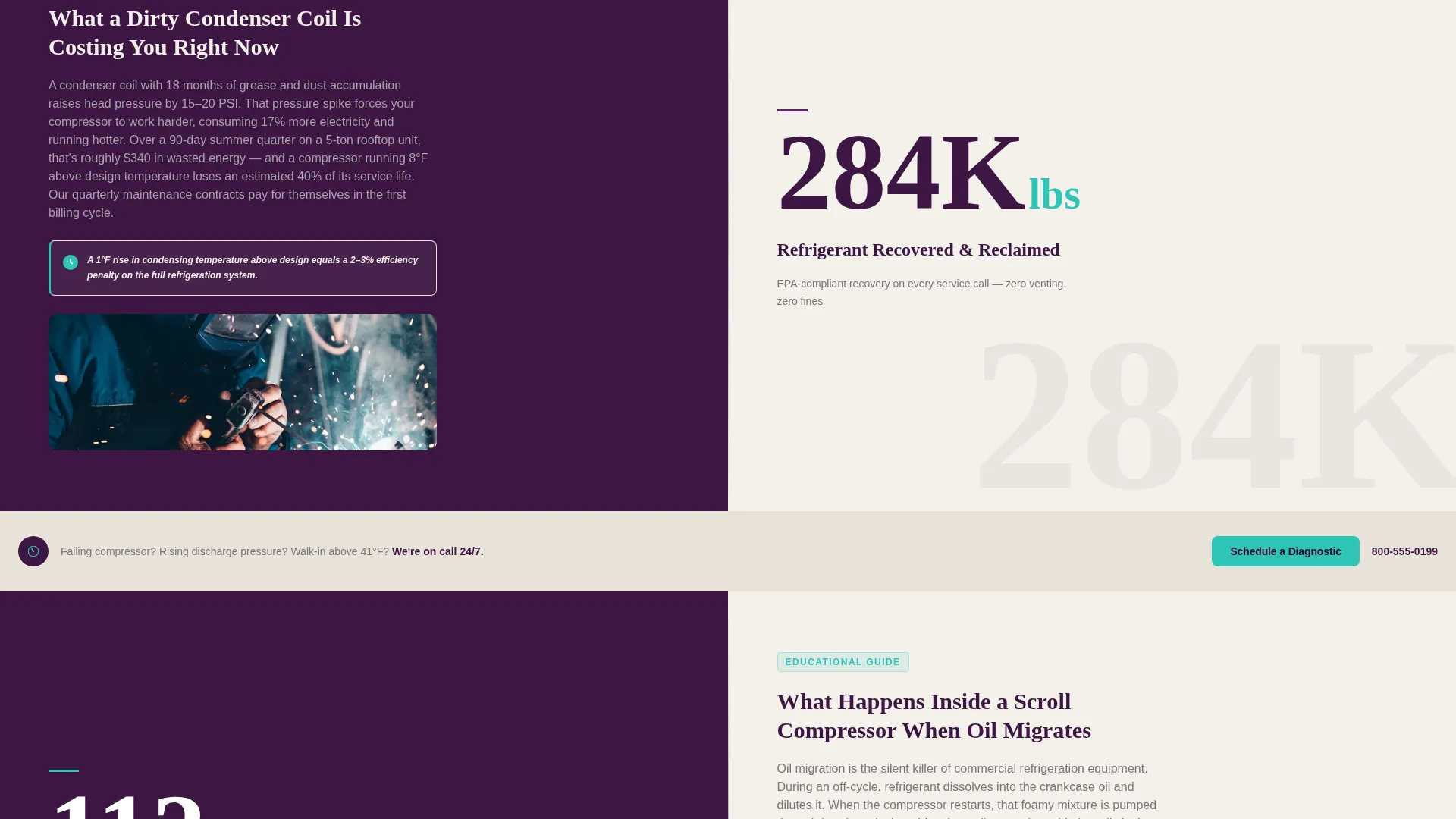
- A repeating split-screen structure where each left panel leads with a hard stat and the right panel delivers an educational explanation
- A primary call-to-action button and a secondary email-capture text link built into the page flow
Feature list
A quick overview of the layout below introduces each major built-in capability this template delivers.
Stats-First Split Screen Layout
Each scroll section opens with an oversized stat on the left panel. The right panel then explains what that number means for the reader. This pairing turns raw data into persuasive context without feeling like a sales pitch.
Press Mentions Header Bar
A slim scrolling banner sits above the fold. It displays logos for trade publications, local news outlets, and industry certifications such as the Refrigeration Service Engineers Society membership, the Environmental Protection Agency 608 Universal certification, and the North American Technician Excellence credential. The bar establishes third-party credibility before the visitor reads a single line of body copy.
Educational Guide Content Modules
Right-panel modules explain technical concepts in plain language. Topics include why subcooling matters, how a dirty condenser coil raises energy bills, and what happens inside a scroll compressor when oil migrates. These modules hold the attention of technically literate facility managers and build genuine confidence in the service.
Repeating Diagnostic call to action Button
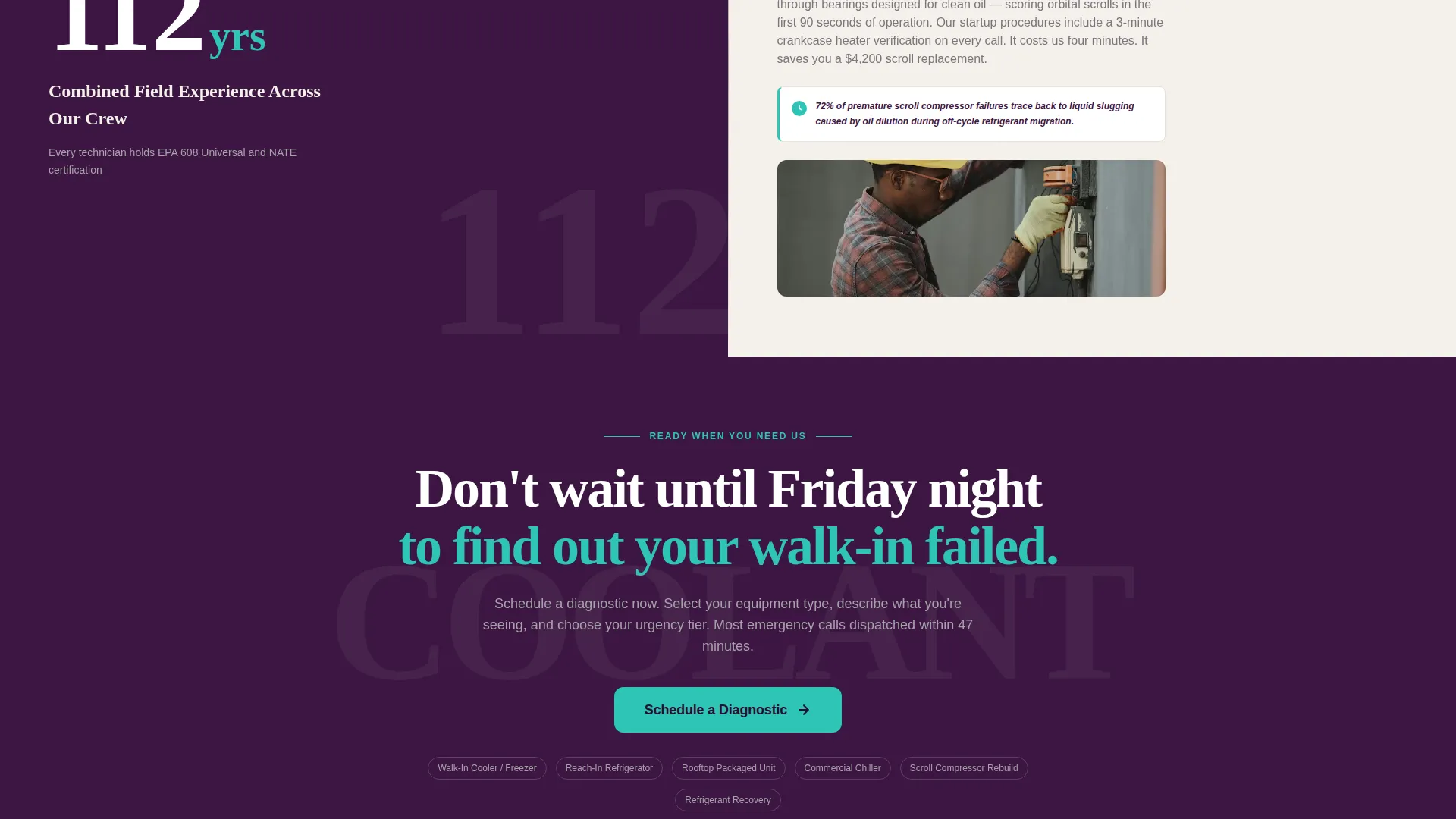
A teal "Schedule a Diagnostic" button appears beneath the hero stat and repeats after every second section. Clicking it carries the visitor to a separate booking flow where they select equipment type, describe symptoms, and choose an urgency tier. No form lives on this page, keeping the layout clean and focused.
Secondary Email-Capture Text Link
A text link reading "Download Our Refrigerant Regulation Guide" sits alongside the primary button. It captures contact information from visitors who are not ready to call but want educational resources. This gives the business a warm lead to follow up with later.
Plum Executive Visual Identity
The color system uses deep plum for headers and hero backgrounds, muted silver for body text and divider lines, warm parchment for content panels, and decisive teal on buttons and stat highlights. The palette feels authoritative and composed, like a reference manual worn smooth from daily use.
Page sections overview
| Section | Purpose |
|---|---|
| Press Mentions Bar | Scrolls certification logos and trade publication marks above the fold |
| Hero Stat Panel | Displays the 97.4% first-visit fix rate stat paired with a mechanic photograph |
| Response Time Split | Shows average response time stat with an educational right panel |
| Refrigerant Recovery Split | Highlights pounds of refrigerant recovered with a technical explanation module |
| Crew Experience Split | States combined crew experience years alongside a compressor education module |
| Same-Day Resolution Split | Shows emergency call resolution rate with a context panel for facility managers |
| Primary call to action Block | Places the Schedule a Diagnostic button after every second section |
| Secondary Capture Link | Presents the refrigerant regulation guide download text link |
Design & branding system
The Plum Executive color system gives the page the visual weight of a technical authority, not a generic service website. Every color choice reinforces calm precision rather than urgency-driven alarm.
- Deep plum (#3C1642) anchors headers, hero backgrounds, and section dividers for a grounded, professional feel
- Muted silver (#A7A2A9) handles body text and lines, while warm parchment (#F4F0EB) fills content panels for readability
- Decisive teal (#2EC4B6) marks every button, stat highlight, and interactive element to draw the eye without visual noise
Mobile & speed optimization
The split-screen layout is designed to restack cleanly on smaller screens so the stat always appears before its explanation. This keeps the Stats-First Impact logic intact regardless of device.
- Left stat panels stack above right educational panels on mobile, preserving the intended reading order
- The scrolling press mentions bar collapses gracefully to a tighter format on narrow viewports
- Button placement is sized and spaced for comfortable tap interaction on touch screens
How this template helps you convert
The page is a Click-Through landing page with one job: move the visitor to the scheduling flow before doubt sets in. Every structural decision serves that goal.
- The hero stat and press mentions bar answer the credibility question in under five seconds, so a nervous facility manager stays on the page instead of bouncing
- The repeating "Schedule a Diagnostic" button appears at predictable intervals, giving the visitor a low-friction exit point toward booking at every stage of their scroll
- The secondary text link captures email from education-motivated visitors who are not ready to call yet, expanding the total number of leads the page produces
Other information about this template
This template is part of the Professional Services category and sits within the HVAC Refrigeration Mechanic Business subcategory. It is purpose-built for the specific buying context of commercial refrigeration service, where trust must be established fast and the booking path must be frictionless.
- The template style is Split Screen (50/50), making it well-suited for pairing data with explanatory copy across all sections
- The Educational Guide theme means the page teaches as it sells, a combination that resonates with technically literate buyers in the commercial HVAC refrigeration mechanic service market
- The landing page direction is Click-Through, so no contact form appears on this page; the entire conversion flow lives on the linked scheduling page
- The template ships with placeholder stat values, photo regions, and certification logo slots that the service shop replaces with their own verified numbers and credentials
Theme
Educational Guide
Creative direction
Stats-First Impact
Color system
Plum Executive
Style
Split Screen (50/50)
Direction
Click-Through
Page Sections
Stats-first Split Screen Layout
Press Mentions Scrolling Header Bar
Educational Guide Content Modules
Repeating Diagnostic Call to Action Button
Secondary Email-capture Text Link
Plum Executive Color System
Related questions
Does this template include a contact form?
Can I update the stats shown in the split-screen sections?
Who is this landing page template designed for?
What certifications are referenced in the press mentions bar?
Is this template suitable for a residential HVAC business?



