Data Center HVAC Contractor Landing Page Template
Coolant is a gallery and detail landing page built for data center HVAC contractors. It follows a Problem to Solution arc, opening on thermal failure evidence and pivoting to resolved installations. The Industrial Raw design, full-bleed hot-aisle photography, and a pinned "Scope Your Facility" call to action make every scroll feel purposeful and every visitor ready to book a site walkthrough.
by Rocket studio
Quick summary
Coolant is a single-page gallery and detail template for data center HVAC contractors. It opens on thermal pain, shifts to proven solutions, and closes with a stepped facility configurator. The Sunset Mesa color system and Industrial Raw visual theme give the page the credibility a high-stakes infrastructure buyer expects before they pick up the phone.
Who this template is for
This template is built for specialized contractors who design and install precision cooling systems inside mission-critical facilities. It speaks directly to the buyers those contractors need to reach fast.
- Colocation facility managers reviewing thermal maps and capacity headroom
- Hyperscale campus directors planning next-quarter cooling buildouts
- Enterprise IT leads running compressed timelines for on-premises expansion
What problem this template solves
Generic contractor websites fail in front of technical buyers. A colocation manager evaluating a cooling contractor does not want a brochure. They want evidence that you understand failure modes, dollar-per-minute cost, and computational fluid dynamics overlays.
- Most HVAC contractor pages bury proof and lead with credentials nobody reads
- Buyers arrive already knowing what they need but leave without trusting the crew
- Slow, unclear calls to action lose high-intent visitors before a conversation starts
What you get with this template
This template ships as a complete gallery and detail landing page structured around a Problem to Solution narrative arc. Every section has a defined job, and every component feeds the primary goal: getting a qualified buyer to scope their facility.
- A full-bleed hot-aisle header with a headline that lands in three seconds
- Expandable gallery panels showing failure modes and resolved installations side by side
- A pinned "Scope Your Facility" call to action that follows the visitor down the page
- A stepped configurator covering square footage, rack count, cooling topology, and timeline urgency
Feature list
This section covers the core built-in capabilities of the Coolant template.
Full-Bleed Hot-Aisle Header
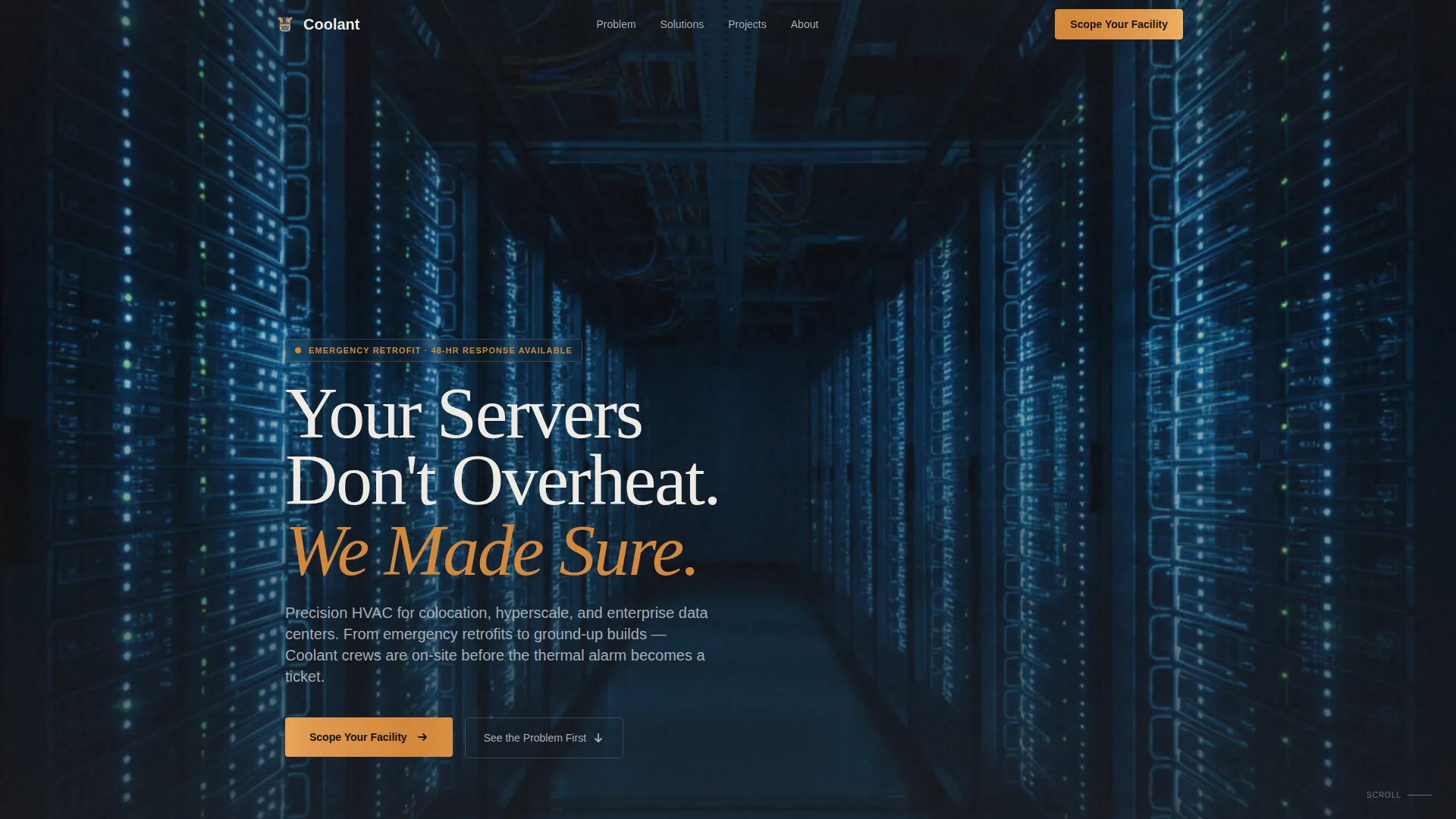
The header fills the viewport with a real job-site photograph shot inside a hot-aisle containment corridor. Server racks converge toward a vanishing point, overhead ducts are visible in raw detail, and a single amber work light catches a technician's hard hat in the midground. The headline "Your Servers Don't Overheat. We Made Sure." appears stark white, sans-serif, and flush left exactly three seconds in.
Problem-to-Solution Gallery Arc
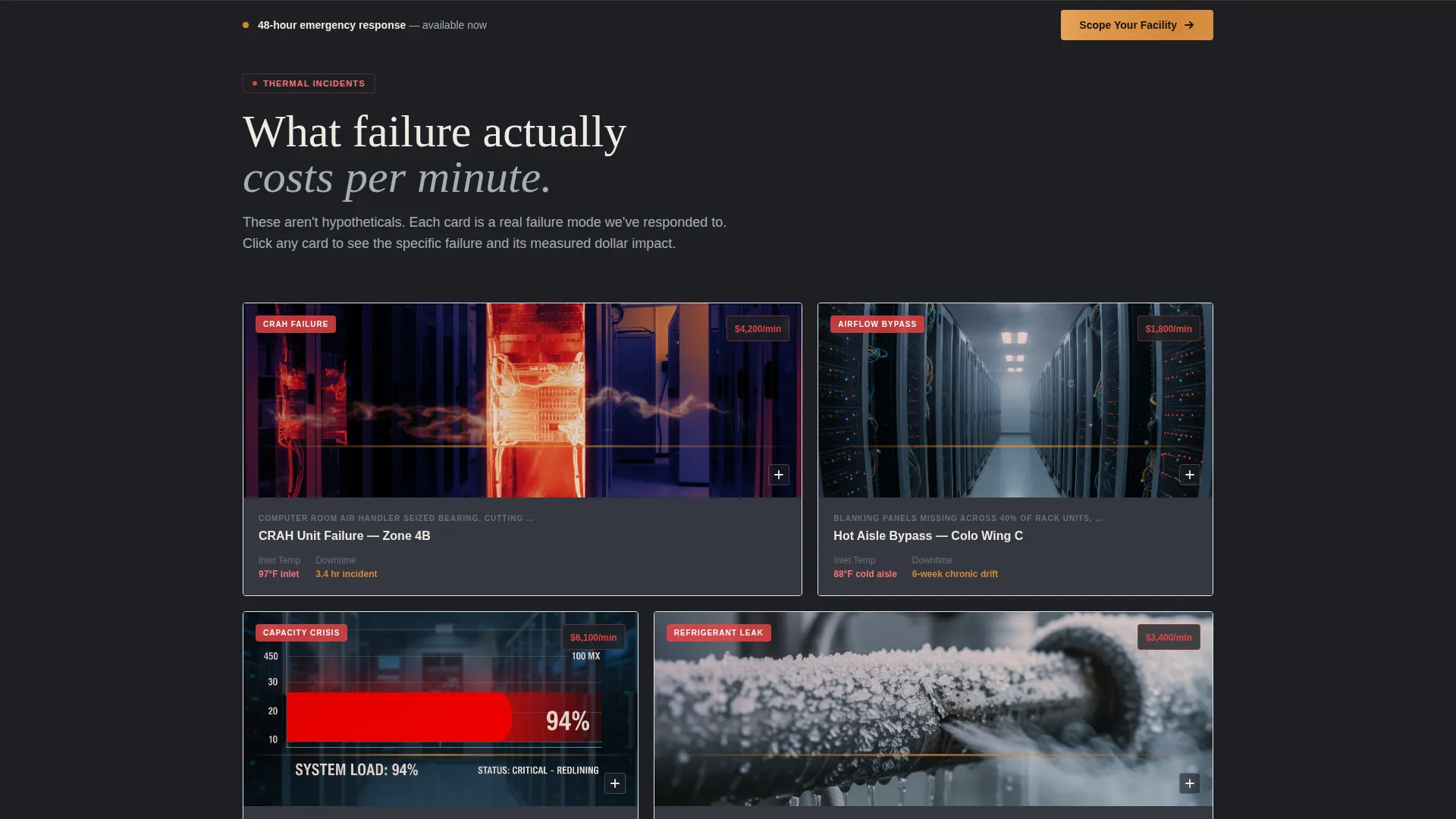
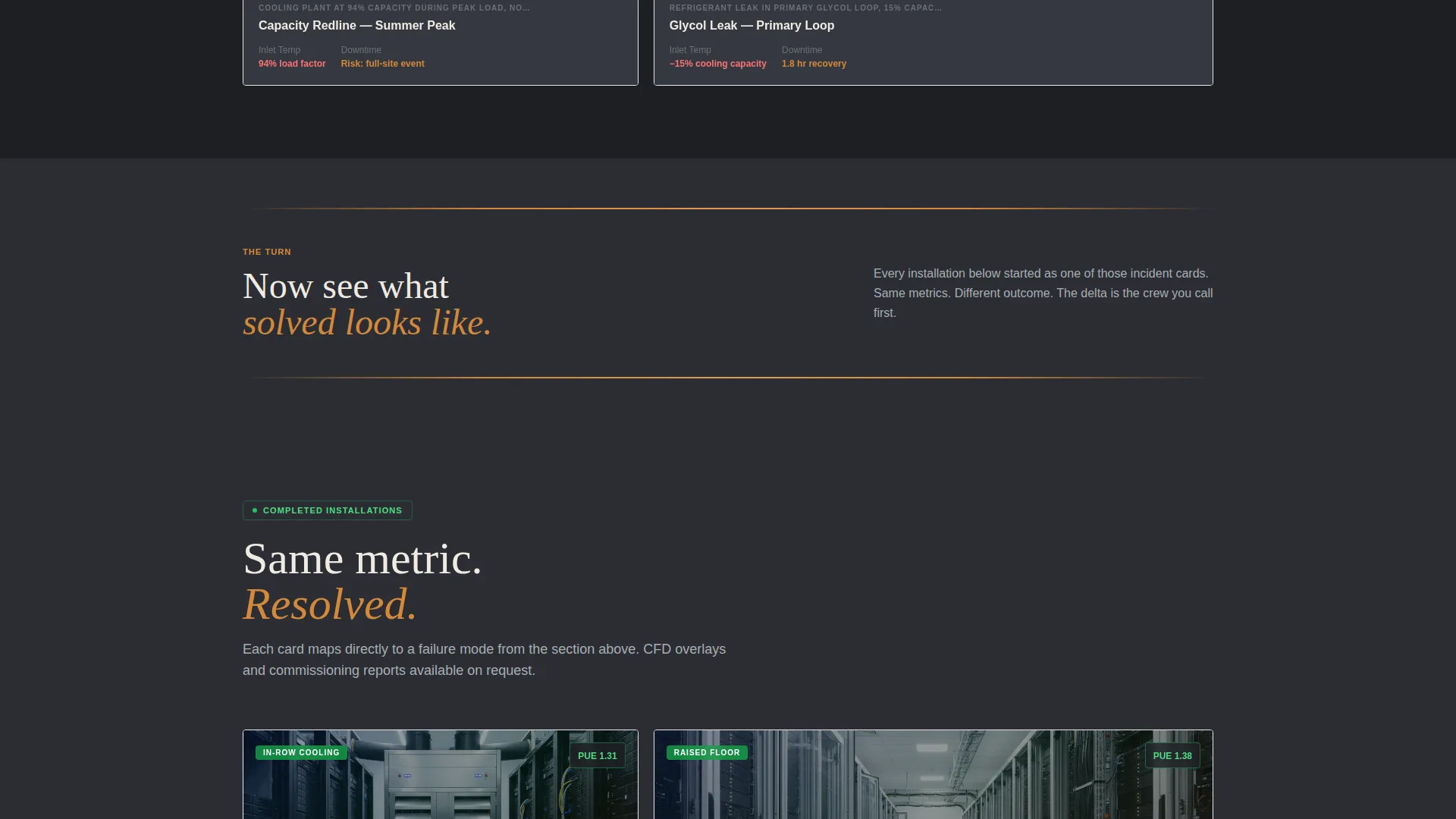
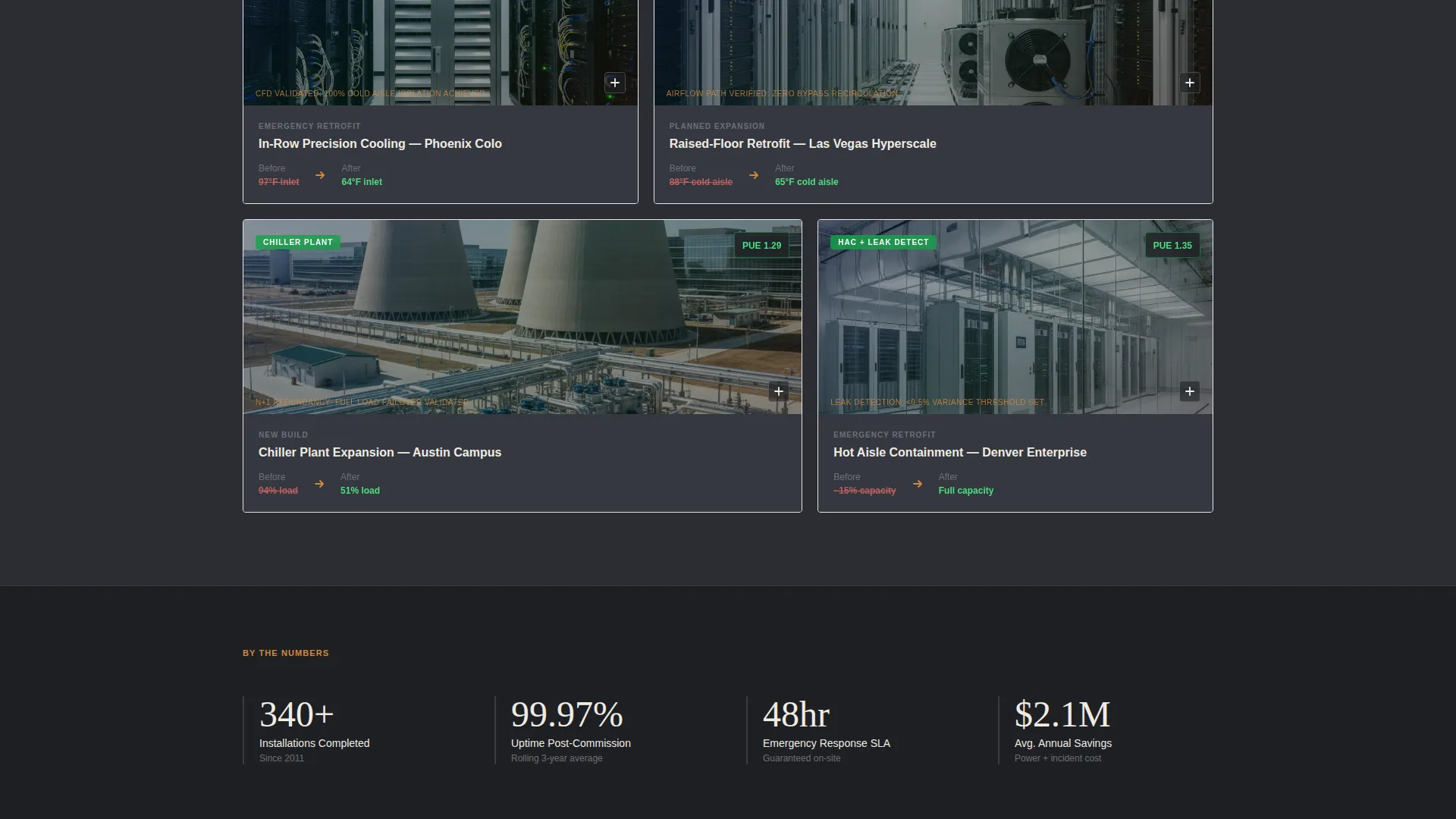
The first gallery section displays thermal imaging stills of hot spots, failed computer room air handling units, and capacity charts in the red. Each thumbnail expands into a detail panel naming the specific failure mode and its dollar-per-minute cost. After a horizontal rule in sandstone amber, the gallery shifts to completed precision cooling installations with the same metrics shown as resolved.
Expandable Detail Panels
Every gallery thumbnail opens an inline detail panel. On the problem side, panels explain failure context and cost impact. On the solution side, panels show completed cooling loops, in-row units, and computational fluid dynamics airflow overlays. Each panel also repeats the primary call to action so the path to booking is never more than one tap away.
Pinned Call-to-Action Rail
After the first scroll, a bottom rail locks the "Scope Your Facility" button in sandstone amber into position. It stays visible as the visitor moves through both gallery arcs. This keeps the conversion path present without interrupting the evidence-building flow of the page.
Stepped Facility Configurator
Clicking "Scope Your Facility" opens a multi-step form. Step one collects facility square footage and rack count. Step two captures the current cooling topology: raised floor, in-row, or rooftop. Step three asks for timeline urgency, whether that is an emergency retrofit, a planned expansion, or a new build. The final step displays a budgetary range and a calendar embed for booking a site walkthrough.
Industrial Raw Visual System
The Sunset Mesa palette anchors every surface. Deep gunmetal (#2B2D33) forms the base. Exposed-duct silver (#A8ADB3) handles supporting text and borders. Sandstone amber (#D4883A) marks every accent, callout, and hover state. Mesa dust white (#F0EBE3) provides breathing room in text fields and light backgrounds.
Page sections overview
| Section | Purpose |
|---|---|
| Hot-aisle header | Establishes stakes and delivers the primary headline |
| Problem gallery grid | Shows thermal failure evidence with expandable cost panels |
| Amber divider rule | Marks the narrative pivot from pain to solution |
| Solution gallery grid | Displays completed installations with resolved metrics |
| Configurator flow | Guides the visitor through a scoped facility assessment |
| Pinned call to action rail | Keeps the booking action visible throughout the scroll |
Design & branding system
The Industrial Raw theme treats every surface as honest raw material. There is no decorative gloss. The visual language matches the environment the contractor works in: raised floors, exposed cable trays, glycol-line condensation, and the blue glow of server status lights against a dark aisle.
- Gunmetal base (#2B2D33) and silver secondary (#A8ADB3) create a controlled, technical atmosphere
- Sandstone amber (#D4883A) on accent callouts and hover states gives the page its warm desert-dusk edge
- Mesa dust white (#F0EBE3) in text fields and spacing zones keeps copy readable against the dark industrial base
Mobile & speed optimization
The gallery and detail layout is structured to remain usable on smaller screens. Panels that expand inline on desktop stack cleanly in a vertical flow on mobile, keeping the evidence arc intact without horizontal scrolling.
- The pinned call-to-action rail adapts its position to stay accessible on touch screens
- The stepped configurator breaks into single-question views on narrow viewports so input fields stay clear and easy to complete
How this template helps you convert
The Coolant template is built around a single conversion goal: a booked site walkthrough. Every design choice and layout decision serves that outcome directly.
- The Problem to Solution arc builds trust progressively. By the time a visitor reaches the configurator, the page has already proved the contractor understands their specific failure scenario.
- The stepped configurator qualifies the lead without friction. No gated content, no nurture delay. The visitor gets a budgetary range immediately, which makes booking the walkthrough feel like a natural next step rather than a sales ask.
Other information about this template
The Coolant template sits in the Construction and Home category under the Data Center Construction subcategory, specifically targeting the Data Center HVAC Contractor niche. It is designed for direct sales conversion with no reliance on lead nurture sequences or content gating.
- Template style: Gallery and Detail, single landing page
- Creative direction: Problem to Solution Arc
- Header concept: Full-Bleed Photo
- Color system: Sunset Mesa with gunmetal, silver, sandstone amber, and mesa dust white
- Theme: Industrial Raw
- Primary call to action: "Scope Your Facility" in sandstone amber, pinned and repeated in every detail panel
Theme
Industrial Raw
Creative direction
Problem→Solution Arc
Color system
Sunset Mesa
Style
Gallery + Detail
Direction
Direct Sales
Page Sections
Full-bleed Hot-aisle Header
Problem-to-solution Gallery Arc
Expandable Inline Detail Panels
Pinned Conversion Rail
Stepped Facility Configurator
Industrial Raw Visual System
Related questions
Who is this landing page template designed for?
Can I use my own project photography in the gallery sections?
What information does the stepped configurator collect?
Does this template work for both emergency retrofits and planned new builds?
How is the primary call to action positioned on the page?



