Dynamic Philanthropy Engine | Free Website Template | Rocket
The Engage corporate giving participation engine comparison landing page template is built for HR directors, CSR managers, and CHROs who need to prove that purpose programs work. A stats-first header, scroll-triggered comparison table, and freemium pilot form work together to turn skeptical visitors into active users, without a single inflated promise.
by Rocket studio
Quick summary
This is a single-page, data-forward landing page template designed for a corporate giving and employee engagement platform. The layout opens with five animated key performance indicators, moves through a comparison table mosaic with pinned testimonials, and closes with a freemium pilot conversion form. Every section is built to widen the gap between the old manual way and the platform's real-time clarity.
Who this template is for
This template speaks directly to the people sitting between a purpose program that looks good on paper and one that actually moves the needle. It is built for professionals who carry both the data and the accountability.
- HR directors at mid-size companies who keep seeing low participation scores in engagement surveys and need measurable impact data to justify a program overhaul
- CSR managers juggling ten or more nonprofit partnerships in a spreadsheet, who need a landing page that consolidates proof and drives corporate engagement at scale
- CHROs preparing board presentations who require success stories, retention lift figures, and third party validation before recommending a platform investment
What problem this template solves
Many organizations run corporate giving programs that exist mostly as compliance documentation. Individual employees rarely know what has been matched, what volunteer hours have been logged, or whether a specific campaign actually moved the needle. The result is low participation, high administrative friction, and engagement survey scores that keep falling.
This landing page template solves the communication and conversion gap between a platform's real capability and a skeptical buyer's hesitation.
- It removes administrative friction by replacing email chains and quarterly PDF reports with a visual, side-by-side comparison that converts confusion into clarity
- It turns visitor behavior toward action by pairing live-data proof with a low-commitment freemium pilot path, so potential donors and corporate stakeholders can engage without pressure
- It helps nonprofit organizations and corporate platforms alike raise awareness of a program's real impact, and collect donations or sign-ups through a focused, conversion-optimized flow
What you get with this template
You get a fully structured, single landing page designed around one desired action: starting a free pilot. Every section earns the next click by stacking evidence before the ask. The page prioritizes a straightforward layout, compelling visuals, and a strong call to action that appears at the right moment in the scroll.
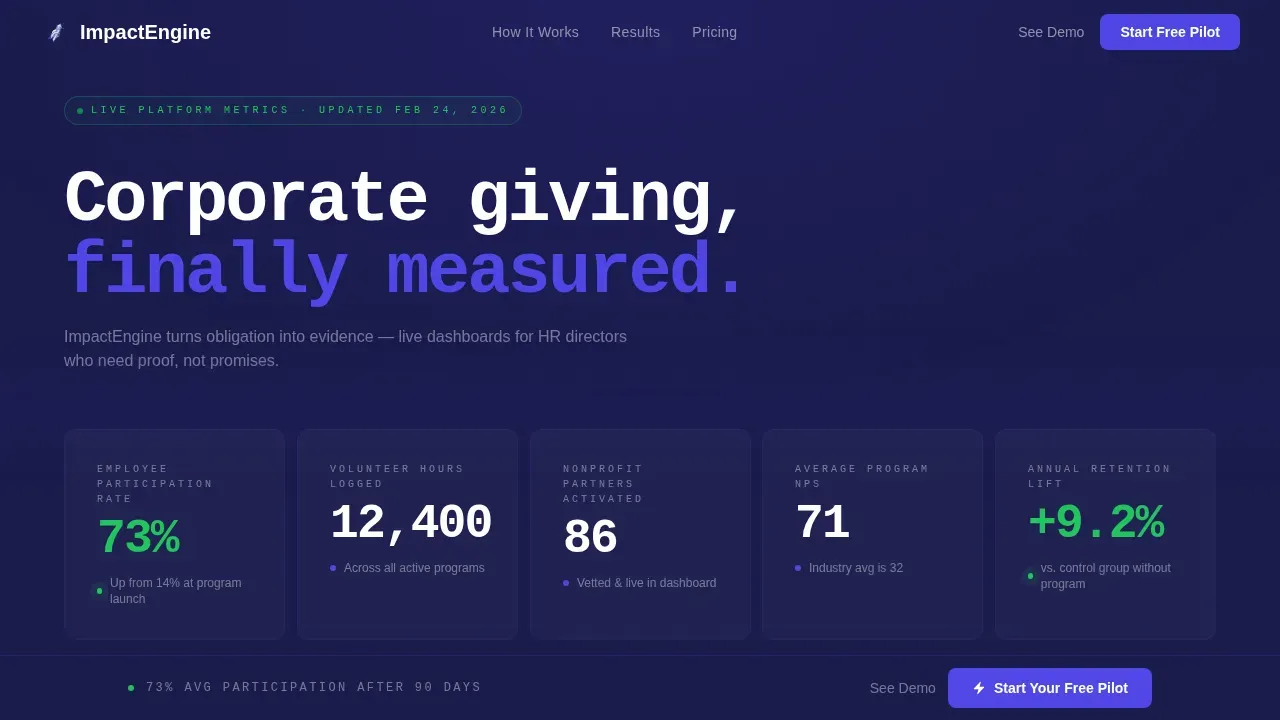
- A stats wall header with five animated key performance indicators, each ticking upward at staggered intervals on a deep navy background, capturing visitor's attention immediately above the fold
- A three-row comparison table mosaic with alternating testimonial formats, video thumbnail, pull quote with headshot, and a Slack screenshot, serving as social proof at every scroll milestone
- A two-path conversion section: a multi-step pilot form with company size and pain-point selectors, and a no-form sandbox demo link that invites visitors to touch the product before committing
Feature list
This template's feature set is drawn directly from the platform brief. Each component is purposeful and supports the landing page's goal of converting visitors who arrive skeptical and leave convinced.
Animated KPI Stats Wall
Five oversized key performance indicators animate upward on page load using a monospaced typeface set against deep dashboard navy. Metrics include participation rate, volunteer hours logged, nonprofit partners activated, program net promoter score, and annual retention lift. Each counter ticks up at a staggered interval, so the header feels like a live dashboard rather than a static image. This approach captures visitor's attention and communicates measurable impact data within the first seconds of arrival.
Scroll-Triggered Comparison Table Mosaic
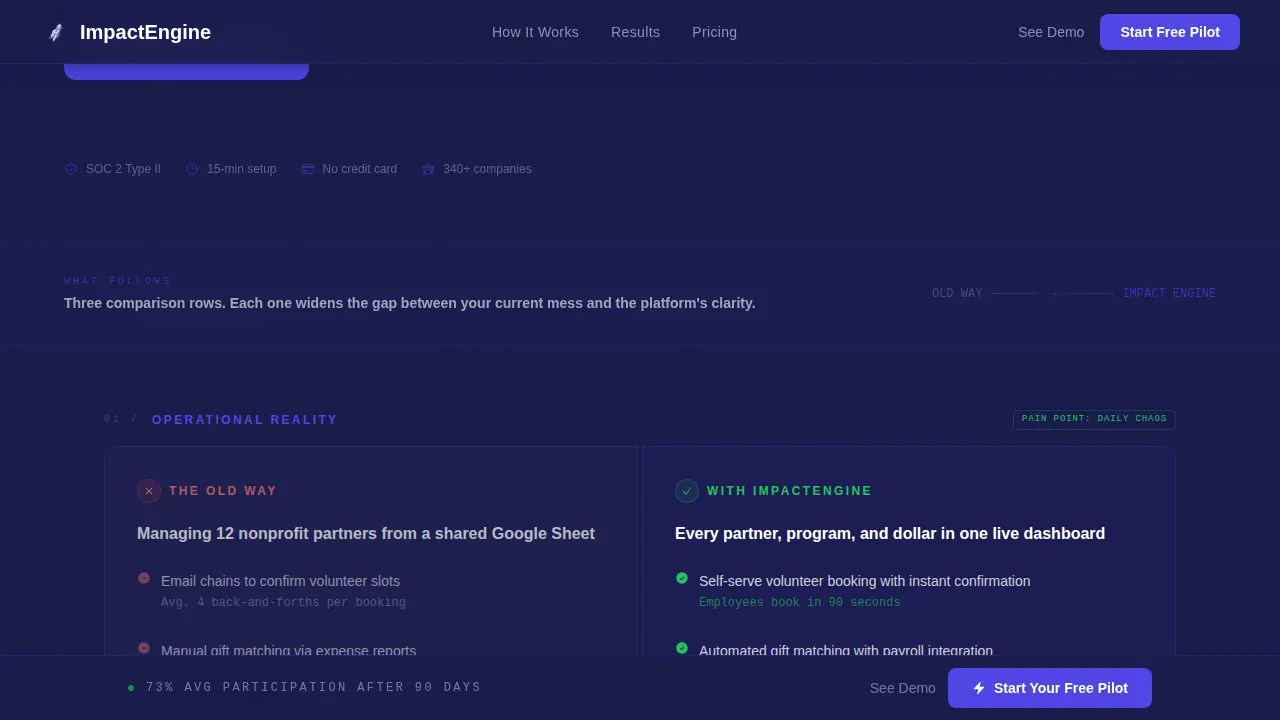
Three comparison rows are revealed as the user scrolls. Each row contrasts the old way, manual tracking, email chains, quarterly PDF reports, with the platform way: live dashboards, automated matching, and real-time leaderboards. This structure functions as compelling narrative delivered through data, making the emotional connection between problem and solution impossible to ignore. The mosaic effect escalates stakes from operational pain to cultural transformation, keeping visitors engaged through the full page.
Pinned Testimonial Formats
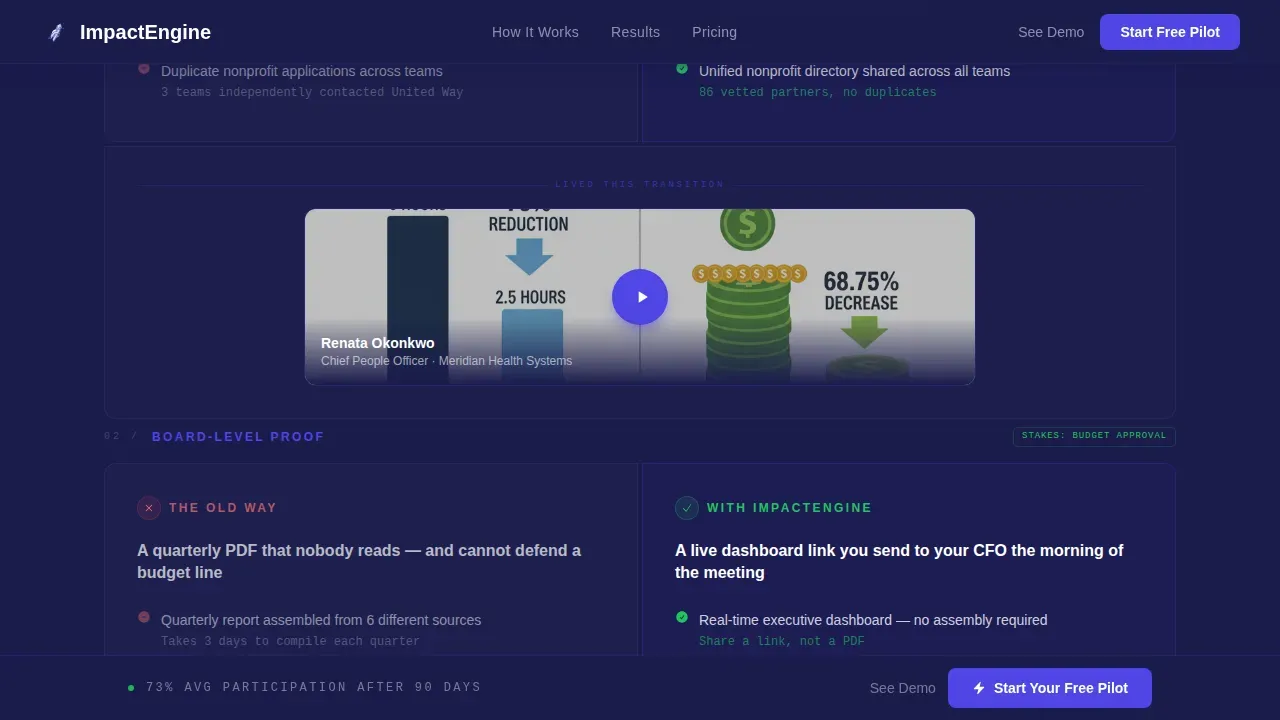
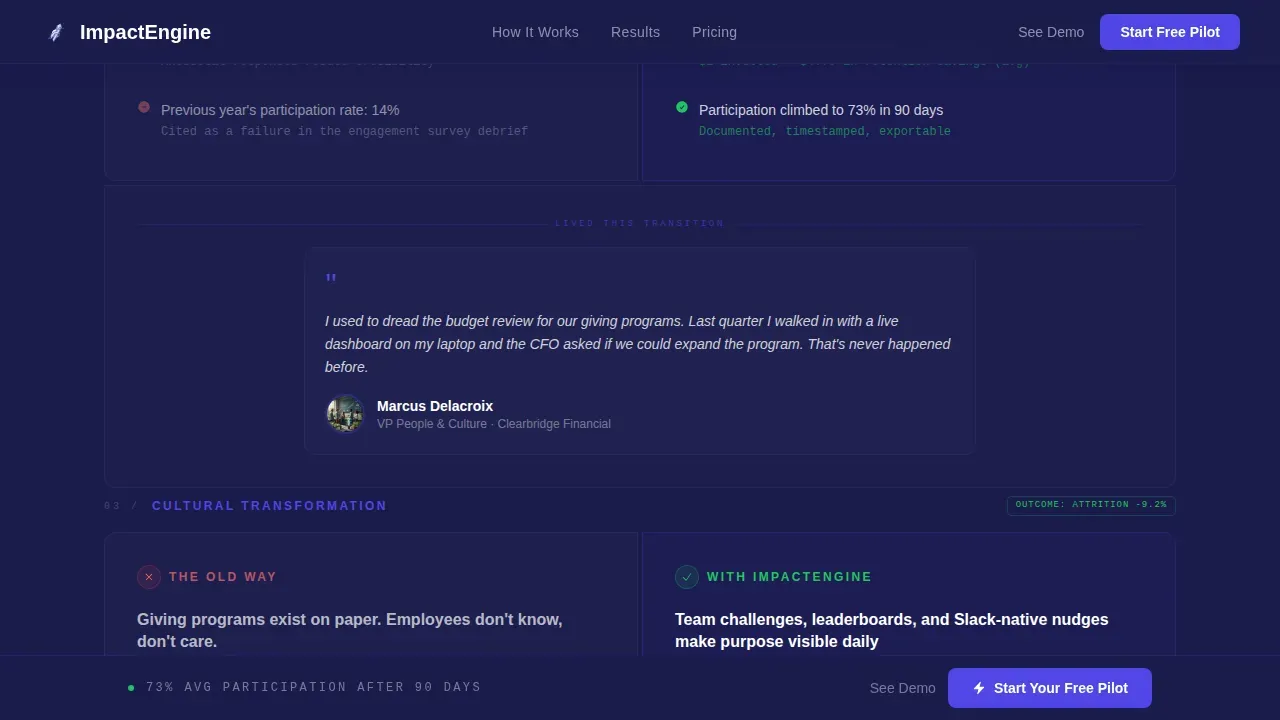
Each comparison row has a pinned testimonial in a different format. Row one features a CHRO video thumbnail. Row two uses an HR director pull quote with headshot. Row three shows a Slack screenshot as organic social proof. Incorporating real employee volunteer photos and authentic voices helps website visitors see themselves in the cause. This third party validation approach builds trust more effectively than a generic quote block ever could.
Multi-Step Pilot Conversion Form
The freemium pilot form asks for a work email first, then company size via dropdown, then a pain-point selector. Step by step instructions keep the donation process and sign-up flow simple. Limiting fields to essentials reduces abandonment and improves conversion rates. The page title above the form is prominently displayed so the desired action is always clear. A progress bar visual cue can reinforce forward momentum through the form steps.
No-Form Sandbox Demo Path
A secondary call to action labeled "See the Live Demo Dashboard" opens an interactive sandbox with sample data. This path removes pressure for potential donors and corporate stakeholders who are not yet ready to commit. Interactive elements like the sandbox give users a hands-on product experience before they submit any information. This dual-path structure improves average conversion rate by serving both high-intent and exploratory visitors.
Sticky Conversion Bar
After the third comparison row, a sticky bar appears at the bottom of the screen with a "Start Your Free Pilot" button in electric indigo. This is a high converting landing page mechanic, the strong call to action stays visible throughout the rest of the scroll without overwhelming visitors with repeated interruptions. The sticky bar reinforces the primary ask at exactly the moment when the comparison table has done its job.
Page sections overview
| Section | Purpose |
|---|---|
| Animated Stats Wall | Captures attention with five upward-animating KPIs above the fold |
| Primary call to action Strip | Places pilot sign-up prompt immediately below the header metrics |
| Comparison Row One | Contrasts manual tracking with live dashboard visibility |
| Testimonial Pin One | CHRO video thumbnail as social proof beneath row one |
| Comparison Row Two | Contrasts email chains with automated matching workflows |
| Testimonial Pin Two | HR director pull quote with headshot beneath row two |
| Comparison Row Three | Contrasts quarterly PDF reports with real-time leaderboards |
| Testimonial Pin Three | Slack screenshot testimonial beneath row three |
| Sticky call to action Bar | Appears after row three and follows the scroll |
| Pilot Form Section | Multi-step email-first form with company size and pain selector |
| Demo Sandbox Path | No-form click-through to interactive sample dashboard |
| Page Footer | Linear single-row footer with navigation and legal links |
Design & branding system
The visual identity follows a Corporate Precision theme that feels like a Bloomberg terminal redesigned with humanity. The color system is built to communicate authority and momentum simultaneously. Branding consistency across every section instills professional trust through the use of a defined color palette, two typeface roles, and consistent spacing rhythms.
- Color palette: deep dashboard navy (#1A1B4B) for backgrounds, electric indigo (#4F46E5) for active states and data highlights, cool mist gray (#F0F1F5) for table backgrounds and section dividers, and signal green (#22C55E) for upward-trending metrics and success indicators, together they deliver visual appeal without sacrificing clarity
- Typography: JetBrains Mono handles all key performance indicator and data-display text for a terminal-grade data aesthetic; DM Sans carries all body and user interface text for readability and warmth, ensuring the landing page design speaks directly to both the analytical and the human side of every decision-maker
- Structural tone: clean columns, no hero illustration, no decorative imagery, the landing page copy and layout earn authority through numbers and evidence, not style alone, which aligns brand identity with the boardroom audiences this template serves
Mobile & speed optimization
The template is designed desktop-first to match the boardroom presentation aesthetic of its target audience, with full responsiveness to tablet and mobile viewport sizes. Mobile users can still access the full comparison table and conversion paths without losing context or functionality. Optimizing a fundraising landing page for mobile devices is essential, as over 80 percent of users access the internet via mobile devices.
- Animations use client-side components only, keeping the base page static-first so the landing page loads cleanly before interactive elements activate on scroll
- The sticky conversion bar and multi-step pilot form are both designed to remain functional and readable on smaller screens, protecting conversion rates from mobile traffic loss
- The comparison table adapts to narrower viewports so mobile users can still read the old-way versus platform-way structure without horizontal scrolling
How this template helps you convert
Every design and copy decision in this landing page is structured to reduce hesitation and increase the likelihood that a visitor takes the next step. The page earns the click rather than demanding it.
- The stats wall establishes credibility in seconds: five prominently displayed, upward-animating metrics define the campaign objective before a visitor reads a single paragraph, so the landing page immediately converts attention into engagement rather than confusion
- The comparison table mosaic widens the gap row by row: each scroll section adds another layer of evidence, operational, strategic, and cultural, so by the time the sticky conversion bar appears, converting visitors feel the pilot is the only rational next step rather than a risk
- The dual-path conversion section lowers the barrier for every type of visitor: high-intent buyers start the pilot form while exploratory visitors click the no-form sandbox demo, meaning the landing page captures value from both segments instead of forcing everyone through a single gate
Other information about this template
This template sits at the intersection of corporate volunteer engagement, nonprofit employee engagement platforms, and HR technology. It is well suited to nonprofit landing pages, fundraising landing page campaigns, and corporate engagement programs that need a dedicated landing page with a single focused goal.
- The comparison table structure makes this template a strong reference among landing page examples for B2B SaaS platforms where the buyer needs to see a before-and-after contrast rather than a features list, this is where compelling stories and personal stories from real HR voices do more selling than bullet points ever could
- Nonprofit organizations and corporate social responsibility teams can adapt the donation landing page and donation form sections for fundraising landing campaigns, the structure supports a donation process that is clear, friction-light, and designed to inspire repeat donations and recurring donations over time
- The landing page builder workflow behind this template supports search engine optimization practices: using relevant keywords in the page title and body helps search engines index the page for corporate giving and nonprofit landing queries, and the layout is compatible with traffic from google ads campaigns targeting CSR managers and HR directors by company name or industry
- The web page architecture follows a dedicated landing page philosophy: one goal, one path, and no distractions that could overwhelm visitors or dilute the donation pages experience for nonprofit organizations trying to raise awareness and collect donations for a specific campaign
- A fundraising landing page built on this template can use compelling visuals alongside the data wall without breaking the clean aesthetic, high quality visuals such as employee volunteer photos strengthen the emotional connection and help potential donors understand the tangible impact of their contributions
- The page supports seamless integration of a progress bar and donation form fields for teams adapting this structure to a donation landing page or fundraising landing format, keeping the donation landing experience straightforward and focused on raising funds through a compelling narrative
- Building your own nonprofit landing page on this structure means you get a landing page design grounded in real corporate engagement use cases, with a mission statement section and organization's mission framing that can be adapted to align with your brand visibility goals and specific campaign objectives
- For teams running a high converting landing page through organic search, using relevant keywords tied to nonprofit landing and corporate engagement ensures the landing page ranks with search engines while the landing page copy itself drives the emotional connection that turns website visitors into long-term corporate partner relationships
- The user engagement mechanics, animated counters, scroll-triggered rows, sticky bar, and sandbox demo, are all interactive elements that support keeping visitors engaged across a longer scroll without forcing them to the desired action before they are ready, which is a core principle of high converting landing pages that genuinely improve conversion rates
Theme
Corporate Precision
Creative direction
Testimonial Mosaic
Color system
Electric Indigo
Style
Comparison Table
Direction
Freemium/Trial
Page Sections
Animated KPI Stats Wall Header
Scroll-triggered Comparison Table
Testimonial Mosaic with Pinned Social Proof
Multi-step Freemium Pilot Form
No-form Sandbox Demo Path
Sticky Conversion Bar After Row Three
Related questions
Who is this landing page template built for?
Can this template support a fundraising landing page use case?
What makes the comparison table format effective for this audience?
Does this template work on mobile devices?
How does the no-form sandbox demo path help conversion?



