Management Consulting Blog Website Template
Counsel is a split-screen financial advisory landing page built for firms whose value lives in their people. An editorial charcoal-and-amber palette, cinematic partner portraits, and a magazine-style scrolling layout position seasoned advisors as trusted allies. The contact form is brief and senior-respectful, designed to open a conversation rather than capture a lead.
by Rocket studio
Quick summary
Counsel is a 50/50 split-screen landing page template for high-trust financial advisory firms. It leads with cinematic portraits of founding partners, builds credibility through editorial advisor profiles, and closes with a minimal, respectful contact form. The design language feels like a heavyweight quarterly journal, deliberate, unhurried, and built for decision-makers who think in decades.
Who this template is for
This template is built for financial advisory firms that sell expertise and relationships, not software. It works best when the firm's people are the product and the audience is sophisticated.
- Boutique financial advisory firms serving founders, family offices, and mid-market CFOs
- Management consulting practices handling mergers and acquisitions, succession planning, or wealth restructuring
- Senior advisors launching a new practice who need a presence that communicates gravitas from day one
What problem this template solves
Most professional services websites look interchangeable. A generic layout with headstock icons and three-column service tiles does not signal the level of judgment a CFO expects before trusting you with an eight-figure transaction. Counsel fixes that gap directly.
- It removes the visual noise that makes financial advisory firms look like software companies
- It replaces generic bios with editorial-style advisor profiles that build specific, human credibility
- It replaces long contact forms with a focused intake that respects the seniority of the people reaching out
What you get with this template
You get a fully structured single-page layout with every section pre-built and ready to populate with your firm's portraits, copy, and credentials. Nothing needs to be invented from scratch.
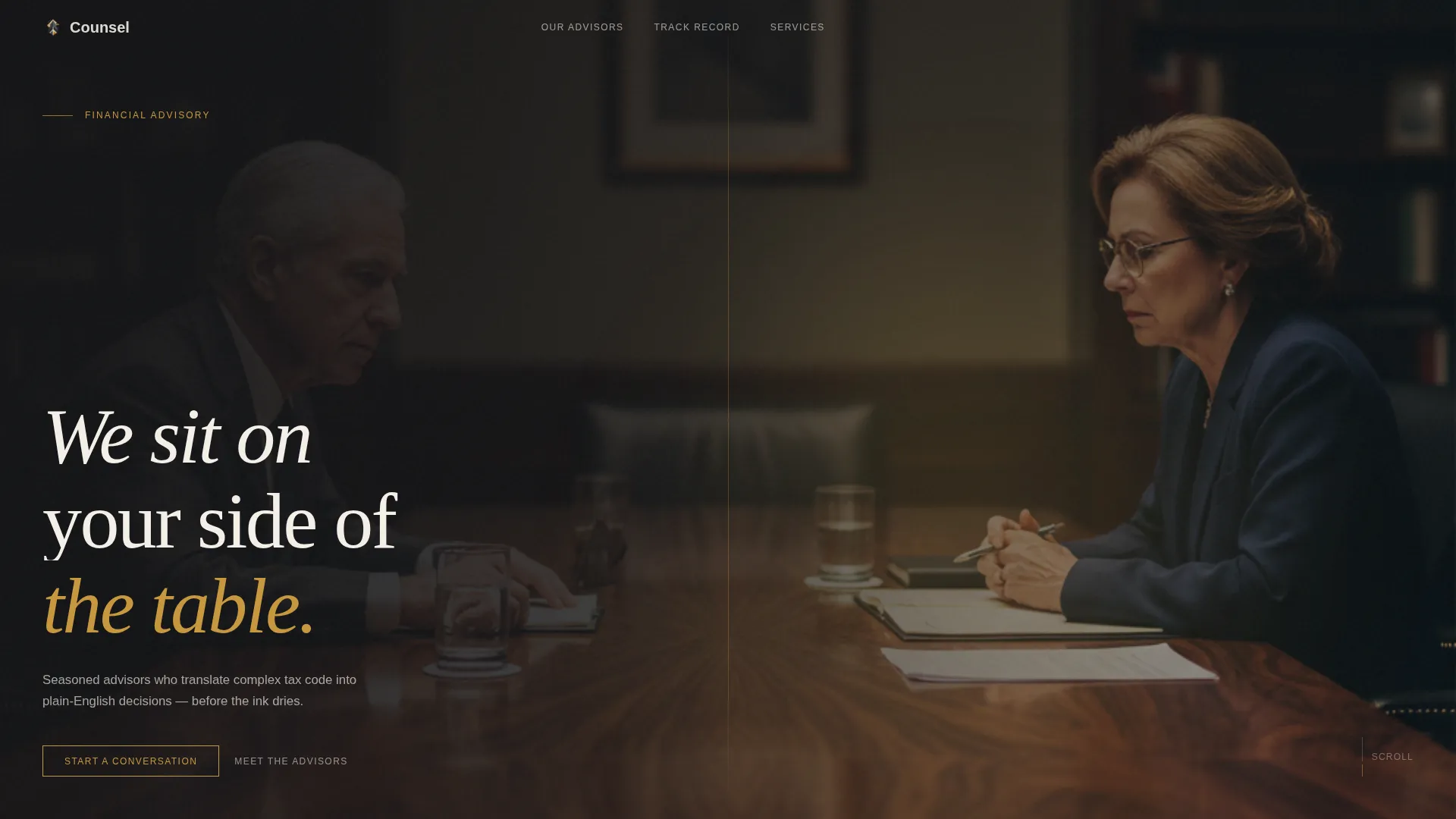
- A dark full-bleed header section with an amber glow effect and a cinematic portrait composition
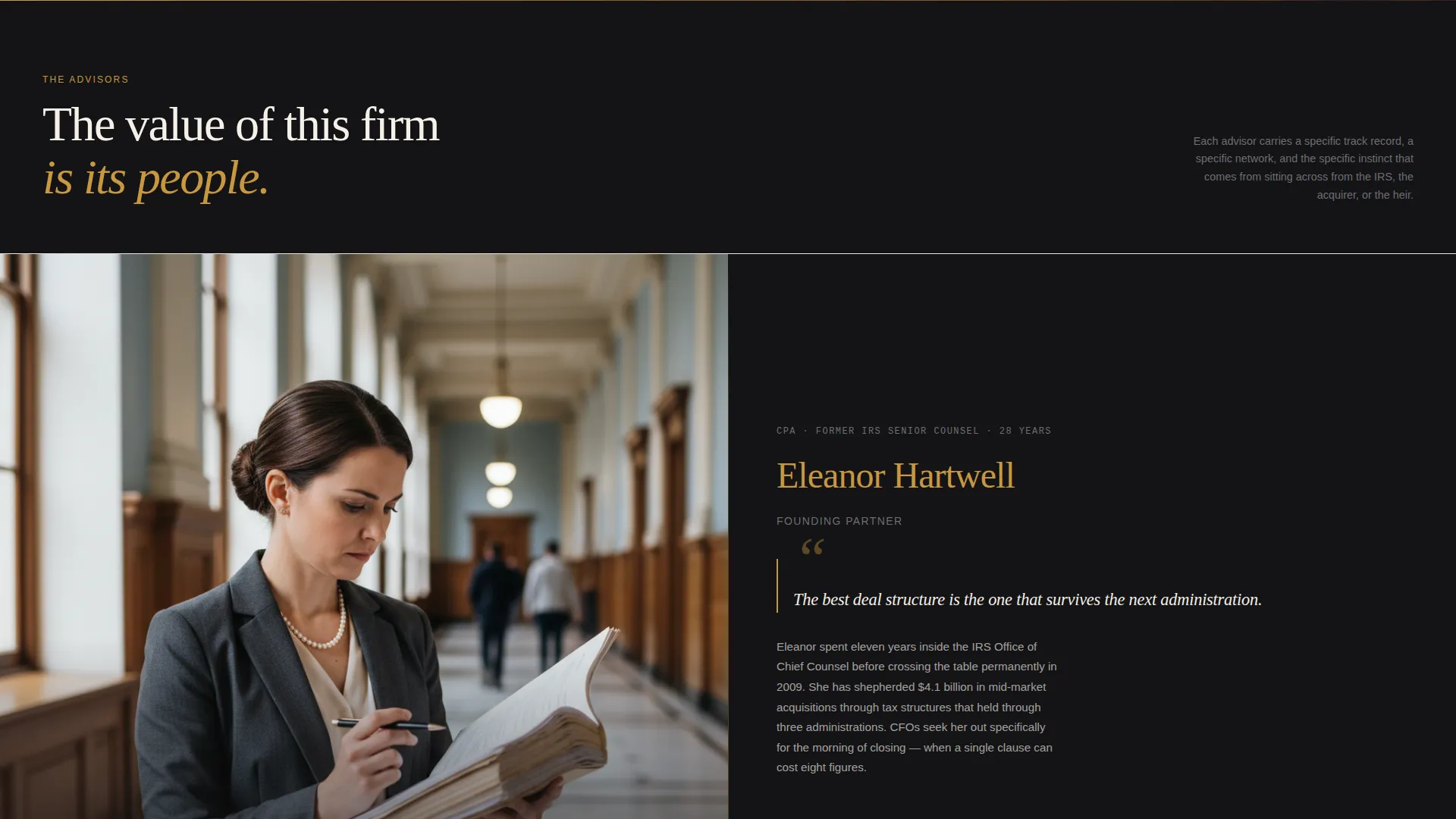
- A scrolling 50/50 split-screen advisor section with editorial typography, pull quotes, and credential lines
- A midpoint inversion panel for anonymized case studies and outcome metrics, plus a closing full-width contact form
Feature list
This section covers the core capabilities built into the Counsel template as described in the design brief.
Dark Full-Bleed Header with Amber Glow
The entire opening viewport is consumed by rich editorial charcoal. A cinematic partner portrait emerges from the darkness with shallow depth-of-field lighting. A soft amber gradient bleeds from behind the subjects, and a single sans-serif headline fades in below their eyeline. The effect is intentional and immersive.
Scrolling 50/50 Split-Screen Layout
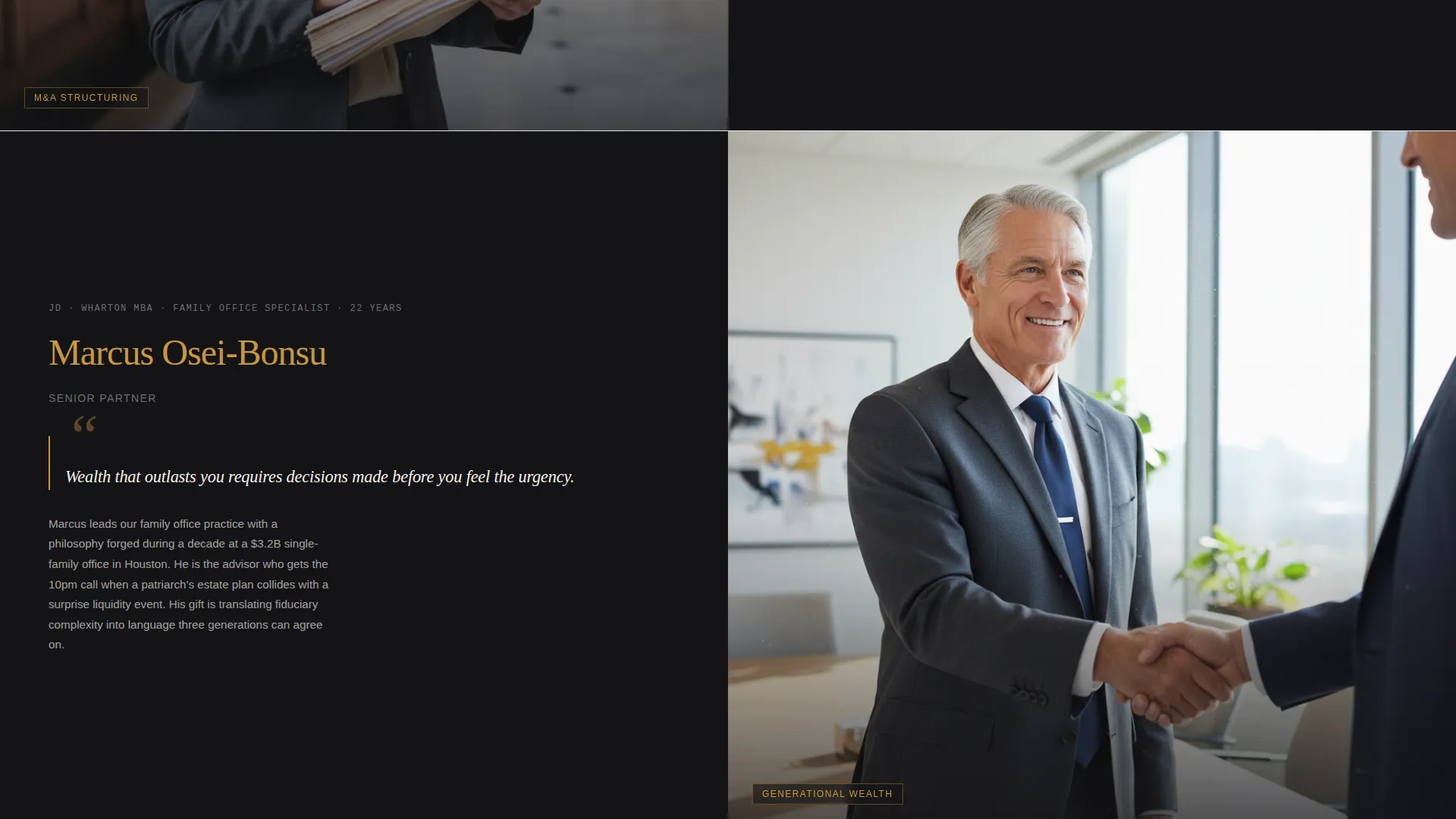
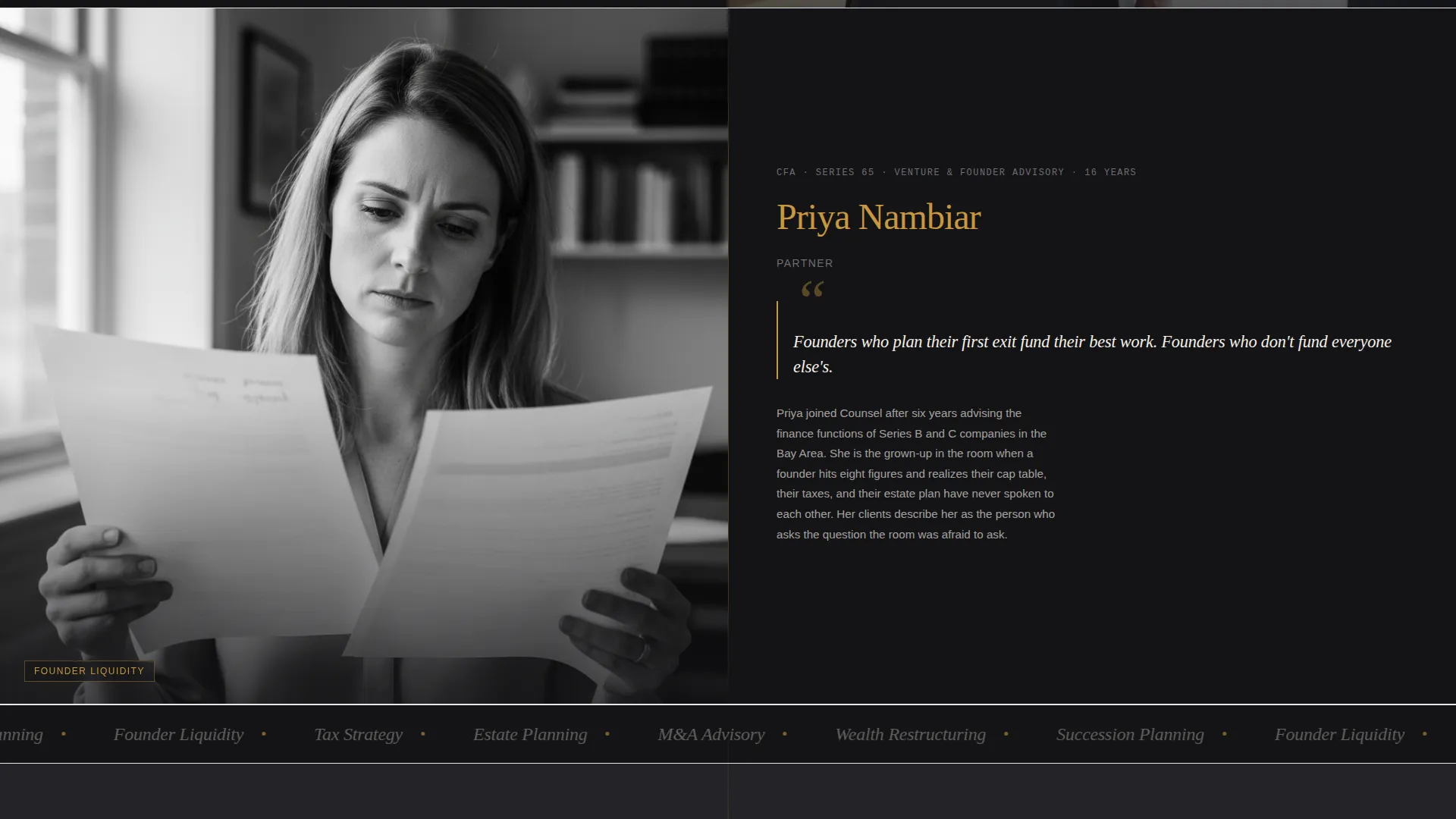
Left panels carry full-bleed black-and-white editorial portraits of individual advisors, each set in a meaningful environmental context. Right panels hold the advisor's story in magazine-style typography, including pull quotes in amber, credential lines in small caps, and a profile-style paragraph. Each scroll transition feels like a page turn, not a slide.
Editorial Typography System
The template uses a deliberate typographic hierarchy. Pull quotes appear in old-money amber. Credential lines sit in muted graphite small caps. Body paragraphs read like a magazine profile. The result is a visual rhythm that is literary and unhurried, holding attention across the full scroll.
Midpoint Panel Inversion
Midway through the page the split layout inverts. Client logos and anonymized case studies anchor the left panel. Outcome metrics, formatted as large amber numerals, anchor the right. This structure turns hard results into something that reads like a magazine cover line rather than a footnote.
Senior-Respectful Contact Form
The intake form is deliberately brief. It asks for company name, a direct email address, and a single dropdown labeled "What are you navigating?" covering options such as mergers and acquisitions advisory, wealth restructuring, succession planning, and something else. A single open text field follows, labeled "Tell us what's on the table." There is no phone number field and no newsletter checkbox.
Fixed Navigation with Contextual Call to Action
After the header scrolls away, a "Start a Conversation" call to action appears fixed in the top navigation bar. The button is rendered in amber on charcoal. The same call to action reappears as a full-width section near the close of the page, ensuring it is present at the natural decision moment without being aggressive.
Page sections overview
| Section | Purpose |
|---|---|
| Full-Bleed Header | Opens with cinematic portrait and headline |
| Fixed Top Navigation | Keeps the call to action accessible while scrolling |
| Split-Screen Advisors | Builds trust through editorial advisor profiles |
| Midpoint Inversion Panel | Presents case studies and outcome metrics |
| Full-Width Form Section | Closes the page with a focused contact intake |
Design & branding system
The Counsel template uses an Editorial Magazine theme with a Charcoal and Amber color system. Every color plays a specific role in the hierarchy, and no element competes for attention it has not earned.
- Deep editorial charcoal (#1C1C1E) owns all backgrounds; warm parchment (#F5F0E8) appears in text columns and pull-quote blocks; old-money amber (#C8973E) is reserved for names, interactive lines, and the single call to action
- Muted graphite (#4A4A4D) handles body text and credential lines in small caps, keeping the reading experience calm and authoritative
- Black-and-white editorial portraits on the left panels create a strong visual contrast against the warm typographic columns on the right
Mobile & speed optimization
The template is structured to adapt across screen sizes without losing the editorial character that makes it work. The split-screen rhythm and typographic weight are maintained whether viewed on a desktop or a smaller device.
- Portrait panels and typographic columns reflow gracefully so the advisor narrative stays readable on mobile screens
- The fixed navigation call to action and the full-width form section are both designed to remain functional and appropriately proportioned on smaller viewports
How this template helps you convert
Counsel does not push visitors toward a form. It earns their trust first, then presents a clear and respectful way to begin. The conversion path is built into the editorial structure of the page itself.
- The cinematic header immediately signals that this firm operates at a different level, creating the right first impression before a single credential is read
- The scrolling advisor portraits and outcome metrics build a layered, specific case for trust across the full page, so by the time the visitor reaches the form, the decision feels natural
Other information about this template
This template sits at the intersection of the Professional Services category and the Financial Advisory niche, with Management Consulting as the subcategory context. The matched intersection score reflects a strong alignment between the Editorial Magazine theme, the Team and People creative direction, and the Partnership and Business-to-Business landing page goal.
- The template style is Split Screen (50/50), a format well suited to pairing visual credibility with editorial narrative in a single continuous scroll
- The header concept is Dark Full-Bleed with Glow, a cinematic approach that differentiates this template from standard professional services layouts that rely on light backgrounds and stock photography
- This template is particularly well matched to firms preparing for a brand or digital refresh ahead of a significant business development push, a fund raise, or an expansion into a new advisory market
Theme
Editorial Magazine
Creative direction
Team & People
Color system
Charcoal & Amber
Style
Split Screen (50/50)
Direction
Partnership/B2B
Page Sections
Dark Full-bleed Header with Amber Glow
Scrolling 50/50 Split-screen Layout
Midpoint Panel Inversion with Outcome Metrics
Senior-respectful Contact Form
Fixed Navigation Call to Action
Editorial Typography Hierarchy
Related questions
Can I use this template without professional photography?
Is the contact form connected to any mailing or contact system by default?
Can I add or remove advisor panels in the split-screen section?
How do I update the outcome metrics in the midpoint panel?
Does this template work for a solo advisor or only for multi-partner firms?



