Personal Injury & Litigation FAQ Website Template
Counsel is a single-page class action attorney landing page template built on a 50/50 split-screen layout. It uses a FAQ-driven scroll narrative to convert anxious potential plaintiffs into case evaluation leads. Deep prosecutorial navy, courthouse marble, and judicial gold create immediate institutional authority. No forms live on the page, every section earns the click before asking for it.
by Rocket studio
Quick summary
Counsel is a landing page template designed for class action plaintiff law firms. It combines a cinematic split-screen header with a sequential FAQ scroll flow to dissolve plaintiff fears one at a time. The Navy Authority color system and serif typography project courtroom-grade authority from the first viewport, guiding visitors toward a single gold call-to-action button.
Who this template is for
This template is built for class action attorneys and plaintiff-side litigation practices that need to convert cautious, uninformed potential clients into case evaluation leads. It speaks directly to people who have never filed a lawsuit and are not sure they have the right to.
- Toxic exposure and workplace injury law firms targeting workers with undiagnosed legal standing
- Consumer protection and securities fraud practices seeking plaintiff leads across multiple active case categories
- Any litigation firm that operates on a contingency-only fee model and needs to remove financial objection upfront
What problem this template solves
Most potential plaintiffs leave legal websites without acting. They carry specific fears: they worry about cost, eligibility, and how long the process takes. Generic law firm pages never answer those fears directly, so visitors bounce before they ever reach a contact form.
- Visitors do not know whether their situation qualifies as a legal case, so they do nothing
- Cost anxiety stops people from engaging with firms before they learn representation is contingency-only
- Vague timelines and undefined outcomes make corporate defendants seem invincible
What you get with this template
This template gives you a fully structured, single-page layout with six distinct content sections, all pre-built and ready to customize. Every section serves a specific conversion role, from credibility-building to objection removal to the final qualifying click.
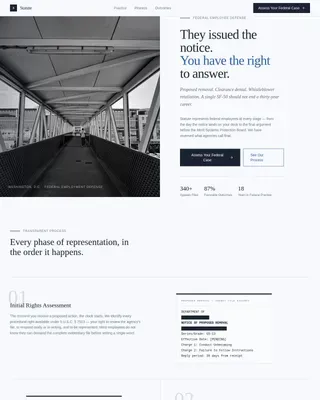
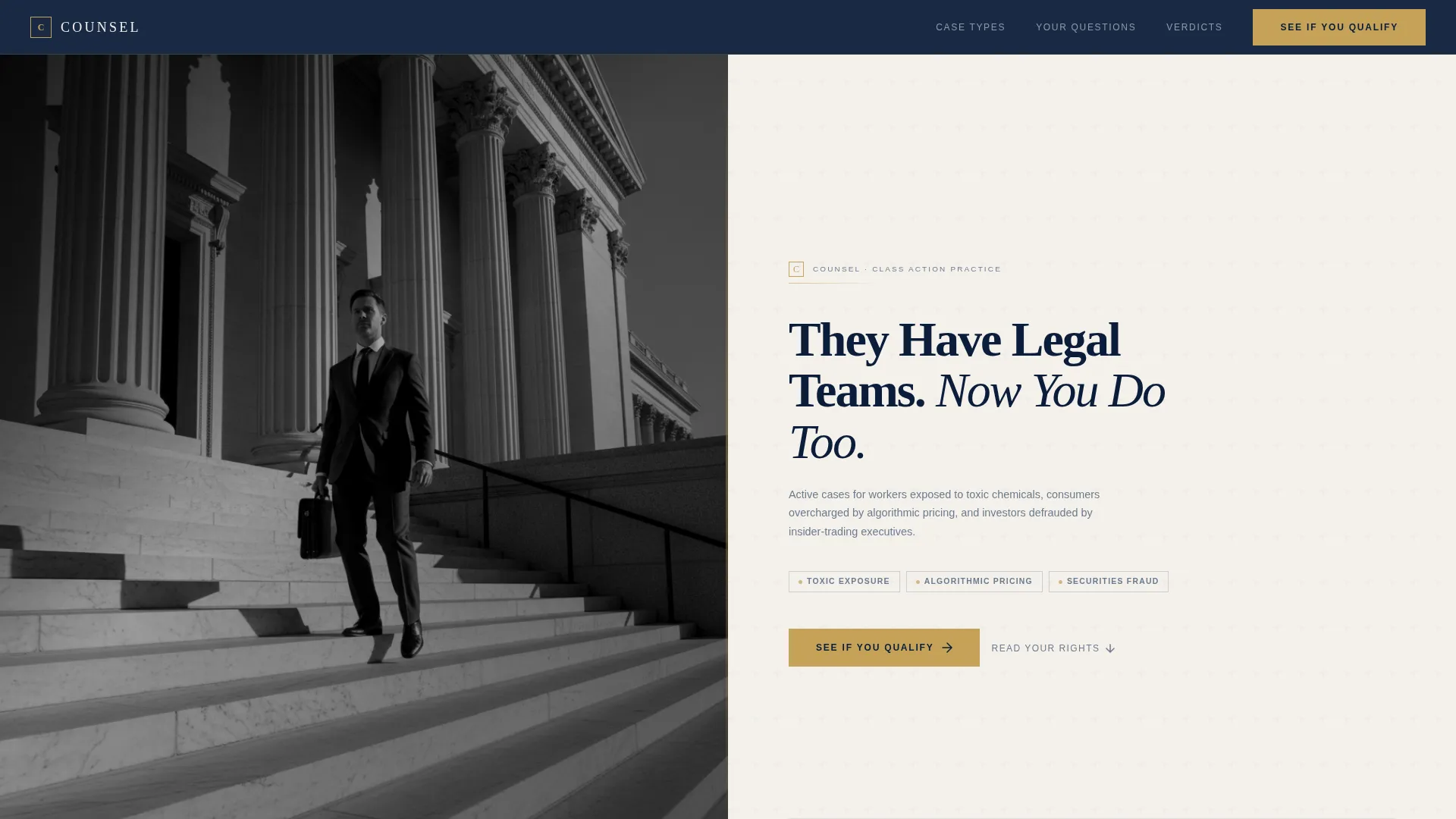
- A cinematic 50/50 split-screen header with a black-and-white courthouse photograph on the left and a navy serif headline with gold call-to-action on the right
- Four FAQ-driven scroll sections that each pose a real plaintiff fear and resolve it with short paragraphs, gold verdict figures, and steel-gray timeline graphics
- Three strategically placed gold call-to-action buttons that route visitors to a dedicated case evaluation intake page, with no form living on this page
Feature list
A brief overview of what makes this template work for a plaintiff litigation practice.
Split-Screen Header Layout
The header divides the viewport equally. The left half holds a black-and-white photograph shot from below of a suited attorney ascending courthouse steps. The right half carries a navy serif headline, a steel-gray case category sentence, and the first gold call-to-action button.
FAQ-Driven Scroll Narrative
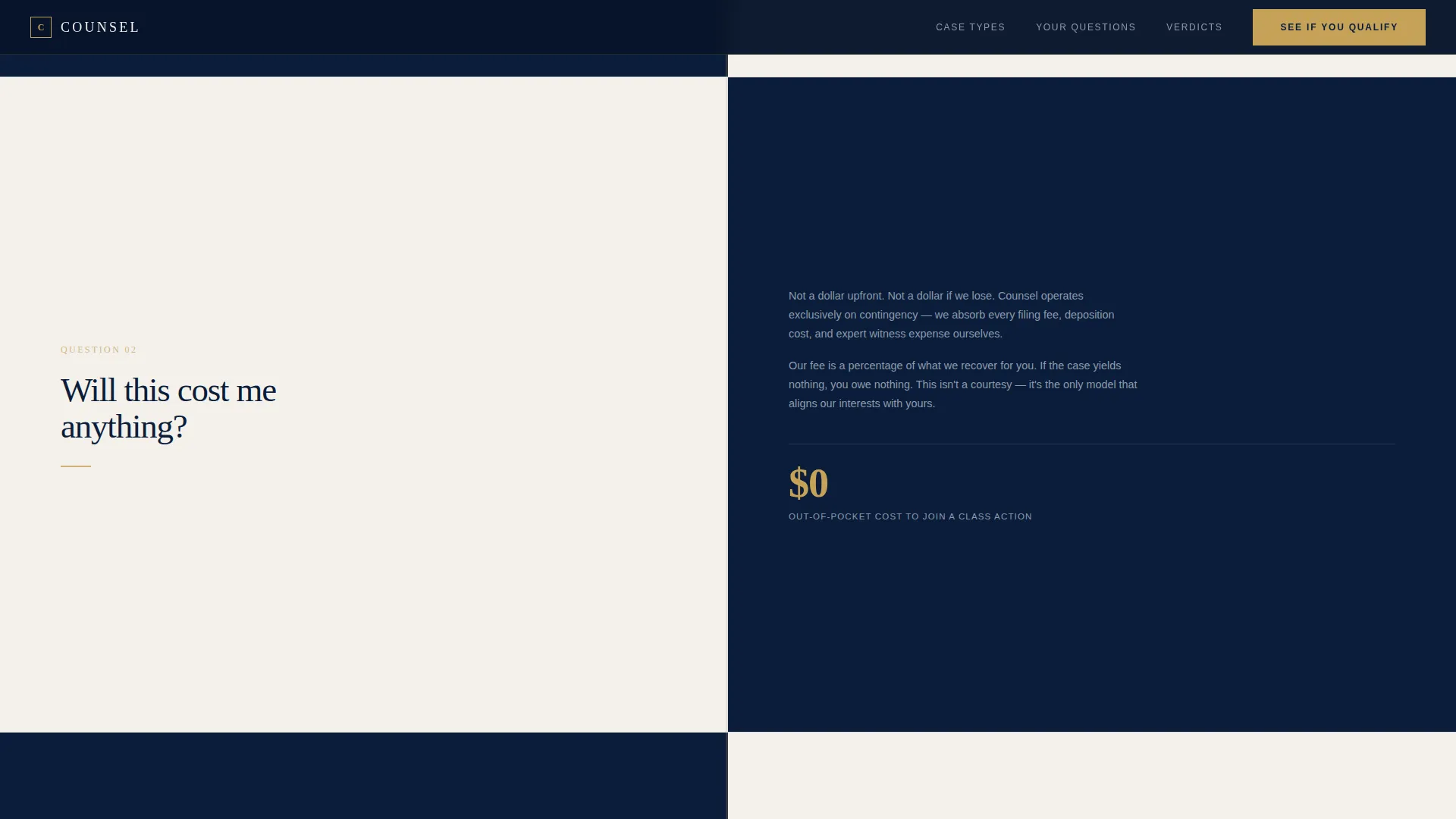
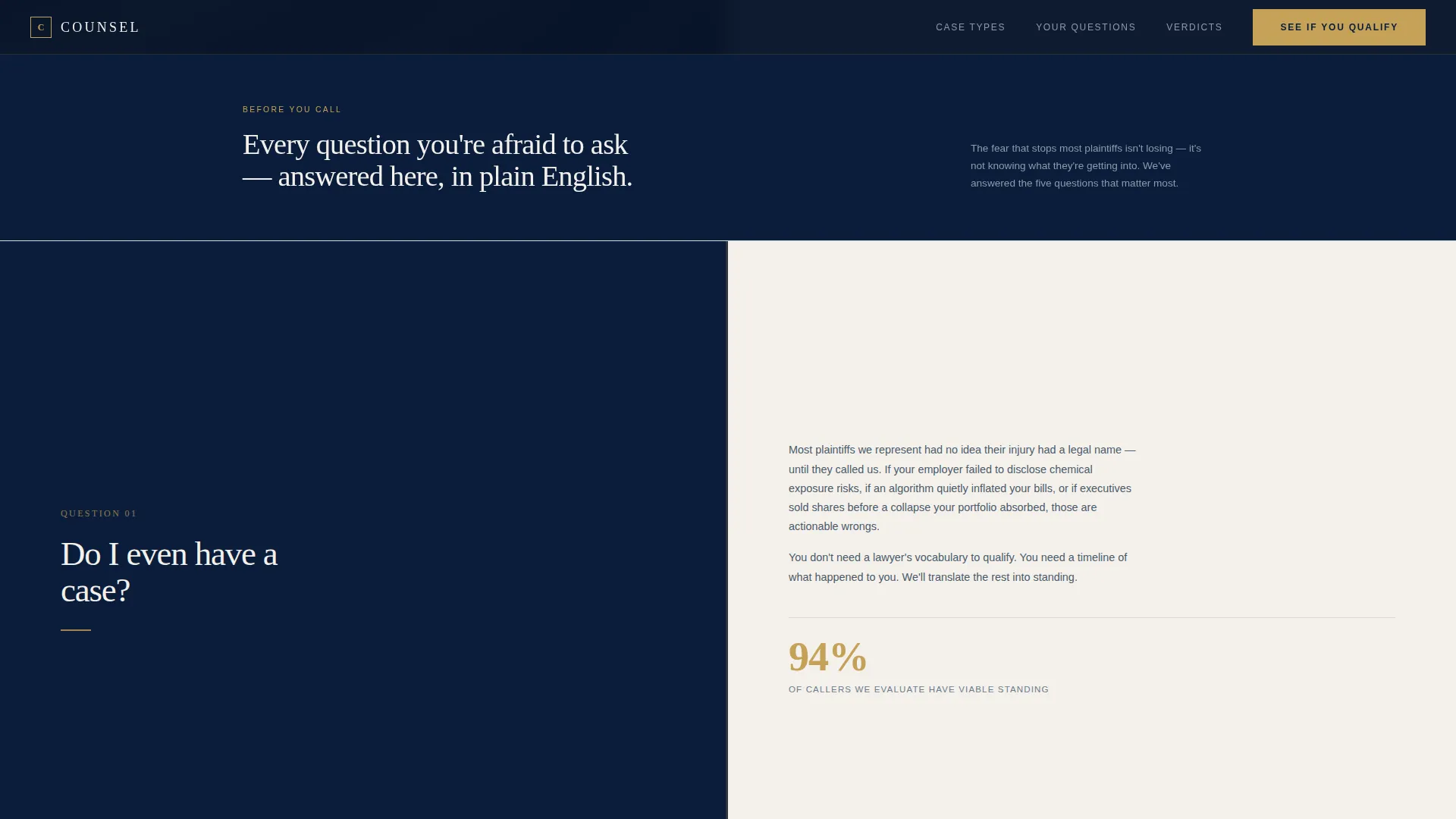
Each scroll section poses one specific question a potential plaintiff carries before contacting a firm. Questions escalate in stakes, moving from personal risk early in the page to corporate liability scale and settlement precedent later. Each answer dissolves one objection before the next section loads.
Judicial Gold Call-to-Action System
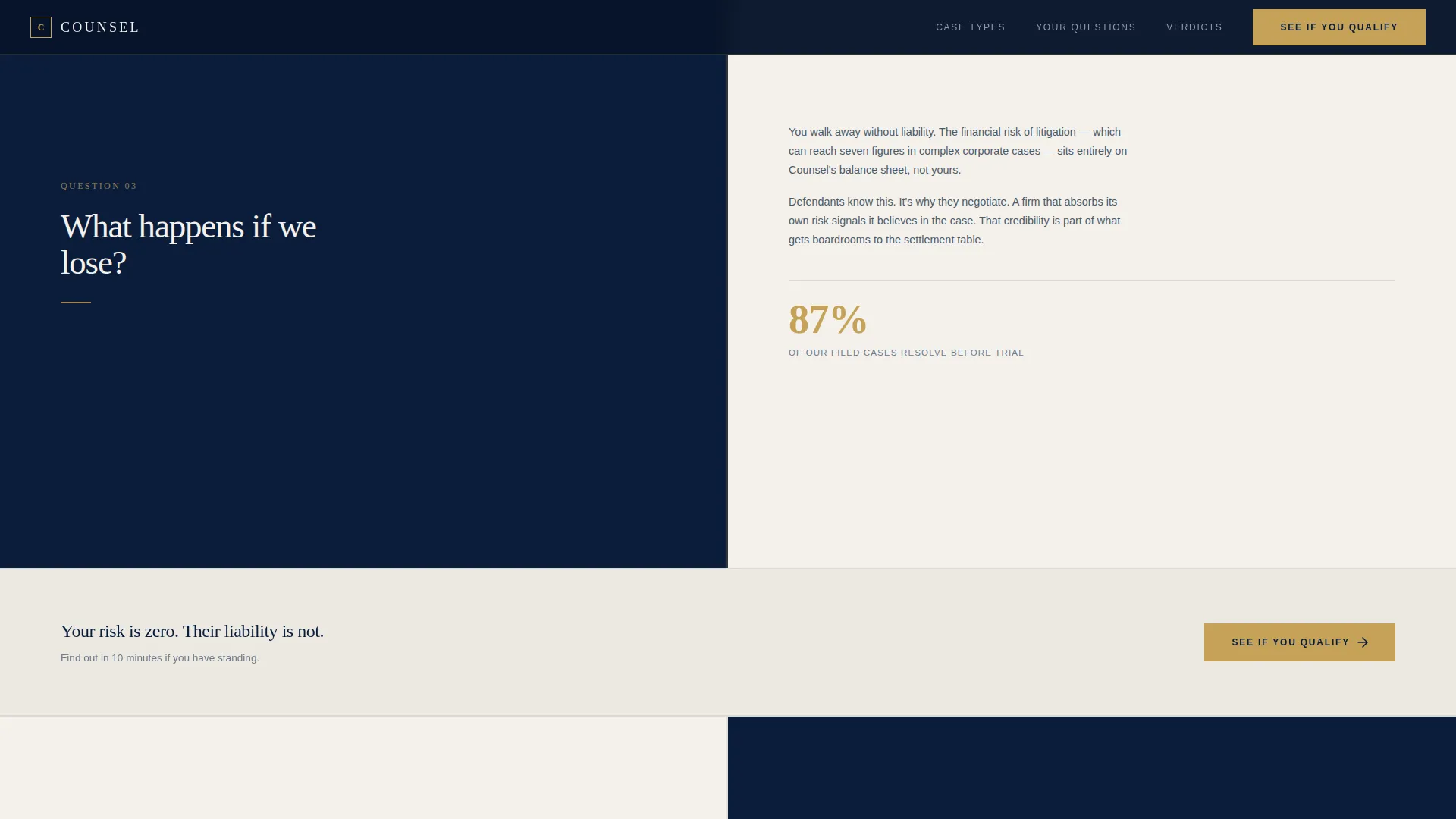
The gold "See If You Qualify" button appears exactly three times: in the header, after the third FAQ panel, and anchored at the page bottom. Gold is reserved exclusively for calls to action and verdict figures, so every appearance carries visual weight and urgency.
Verdict Scale Section
A dedicated section displays settlement precedents and verdict dollar amounts in judicial gold. This section escalates the stakes of the narrative, showing visitors the real financial scale of corporate wrongdoing and reinforcing why filing matters.
Scroll-Triggered Animations
FAQ panels reveal with fadeUp transitions. Verdict dollar amounts use a count-up animation triggered on scroll. FAQ items respond to hover states. All animation is set to medium intensity to keep the page feeling authoritative rather than flashy.
Linear Single-Row Footer
The footer follows a clean linear single-row pattern. It keeps the page's visual gravity on the content above rather than cluttering the exit point with unnecessary navigation.
Page sections overview
| Section | Purpose |
|---|---|
| Hero Split Screen | Establish authority, introduce case categories, deliver first call to action |
| FAQ Panel One | Answer "Do I even have a case?" to address eligibility anxiety |
| FAQ Panel Two | Answer "Will this cost me anything?" to remove financial objection |
| FAQ Panel Three | Answer "What happens if we lose?" to neutralize outcome fear |
| FAQ Panel Four | Answer "How long does this take?" with steel-gray timeline graphic |
| Verdict Scale | Display gold settlement figures and escalate corporate liability stakes |
| Final Call-to-Action | Anchor gold button with case category summary before exit |
| Linear Footer | Close the page with minimal single-row navigation pattern |
Design & branding system
The visual identity follows a Legal Shield theme built on the Navy Authority color system. Every color choice maps to a specific function: navy dominates, marble carries text, steel-gray handles supporting copy, and gold appears only where action or impact is signaled. Typography pairs Fraunces serif display with DM Sans body text for a combination of institutional weight and clean readability.
- Navy (#0B1D3A) fills backgrounds and section dividers; courthouse marble (#F4F1EC) carries body text panels; steel-gray (#6B7B8D) handles secondary copy and timeline graphics
- Judicial gold (#C5A258) is reserved strictly for calls to action and verdict dollar figures, preserving its visual signal value throughout the scroll
- Fraunces serif handles all display headings to evoke federal courtroom gravitas, while DM Sans keeps body paragraphs legible and clean
Mobile & speed optimization
The template is designed desktop-first, reflecting the research-oriented behavior typical of legal service audiences. Mobile fallback is included so visitors on phones can still navigate the FAQ scroll and reach the call-to-action without friction.
- Desktop-first layout prioritizes the full 50/50 split-screen composition and side-by-side FAQ panels
- Mobile fallback stacks split panels vertically so content hierarchy is preserved on smaller screens
- Server Components handle all static content, keeping JavaScript to a minimum for a lighter, faster-loading page
How this template helps you convert
The entire page is built around a single conversion goal: earning the click to a case evaluation intake page. No form lives here. Instead, the page spends every section removing the specific objections that prevent a potential plaintiff from acting.
- The FAQ scroll sequence converts anxiety into clarity by answering the four most common plaintiff fears in order, so each section builds momentum toward the final call-to-action rather than stalling it.
- The gold call-to-action button appears at three calculated points in the scroll, so visitors who feel ready early can act immediately, and those who need more convincing find the button waiting for them at the bottom.
- The verdict scale section raises the emotional and financial stakes just before the final call-to-action, reminding visitors that the outcome of not filing is also a choice, making the qualifying click feel necessary rather than optional.
Other information about this template
This template is built for the United States market. All copy references use American legal terminology, federal court language, and USD currency formatting. The social proof strategy relies on verdict and settlement dollar amounts rather than testimonials, keeping credibility tied to case outcomes rather than individual reviews.
- Case categories covered in the template structure include toxic chemical workplace exposure, algorithmic consumer overcharging, and securities fraud investor cases
- The template uses scroll-linked split panels and hover states on FAQ items to create interactivity without relying on heavy animation frameworks
- The page routes all conversion intent to a separate case evaluation intake page, keeping this landing page focused entirely on trust-building and objection removal
Theme
Legal Shield
Creative direction
FAQ-Driven
Color system
Navy Authority
Style
Split Screen (50/50)
Direction
Click-Through
Page Sections
Split-screen Hero Layout
Faq-driven Scroll Narrative
Judicial Gold Call to Action System
Verdict Scale with Gold Figures
Scroll-triggered Animations
Linear Single-row Footer
Related questions
Can I use this template for a single practice area instead of all three case categories?
Does this template include the case evaluation intake form?
Can I rewrite the FAQ questions to match my firm's actual plaintiff objections?
Is this template suitable for presenting a contingency-only fee model?
How many call-to-action button placements does this template include?