Law Firm Lost Visitor Recovery & Lead Capture Website Template
Navigate is a single-page law firm 404 error recovery landing page built to turn lost visitors into qualified legal leads. It leads with a live settlement estimator, follows with comparison data cards, and closes with a minimal three-field intake form. The Data Command aesthetic, void black, terminal green, and electric violet, gives the page immediate authority and urgency.
by Rocket studio
Quick summary
Navigate transforms a dead-end 404 error into a working intake funnel for a law firm handling personal injury, employment disputes, and criminal defense. A live settlement estimator runs before visitors process the broken link. Comparison cards pit the firm's results against industry averages. A three-field form and SMS fallback capture leads with zero friction.
Who this template is for
This template is designed for law firms that run active digital campaigns and know that stale links lose real clients. It fits teams that want a recovery page doing actual intake work, not just a polite redirect.
- Personal injury, employment law, and criminal defense practices needing immediate lead capture
- Legal marketing teams replacing a generic 404 with a conversion-focused experience
- Firms targeting mobile users who are mid-search and high-urgency
What problem this template solves
Most 404 pages send potential clients straight to a competitor. For a law firm, that lost visitor could be someone injured hours ago, a worker whose wages were stolen, or a defendant with a court date days away. A blank error screen in that moment is a missed case.
- Broken links kill intake momentum for visitors who had real intent to hire
- Generic error pages offer no path forward, no trust signal, and no reason to stay
- Standard redirects discard lead context and force visitors to restart their search
What you get with this template
Navigate delivers a fully structured, single-page layout with five distinct content sections wired for lead conversion. Every component serves the anxious, mobile visitor who landed by accident but arrived with a real legal need.
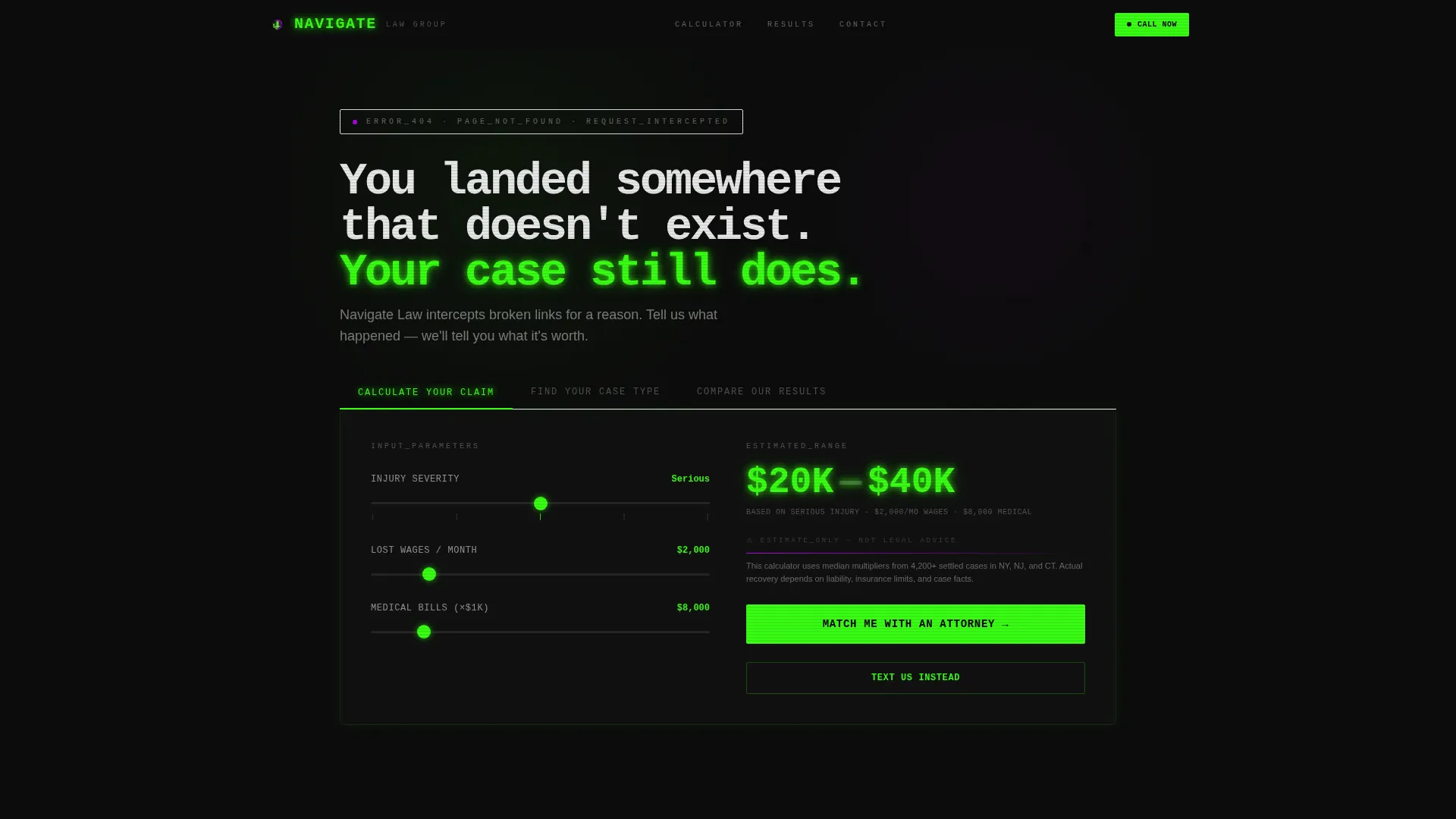
- A Feature Tab Switcher header with a live settlement estimator as the default active panel
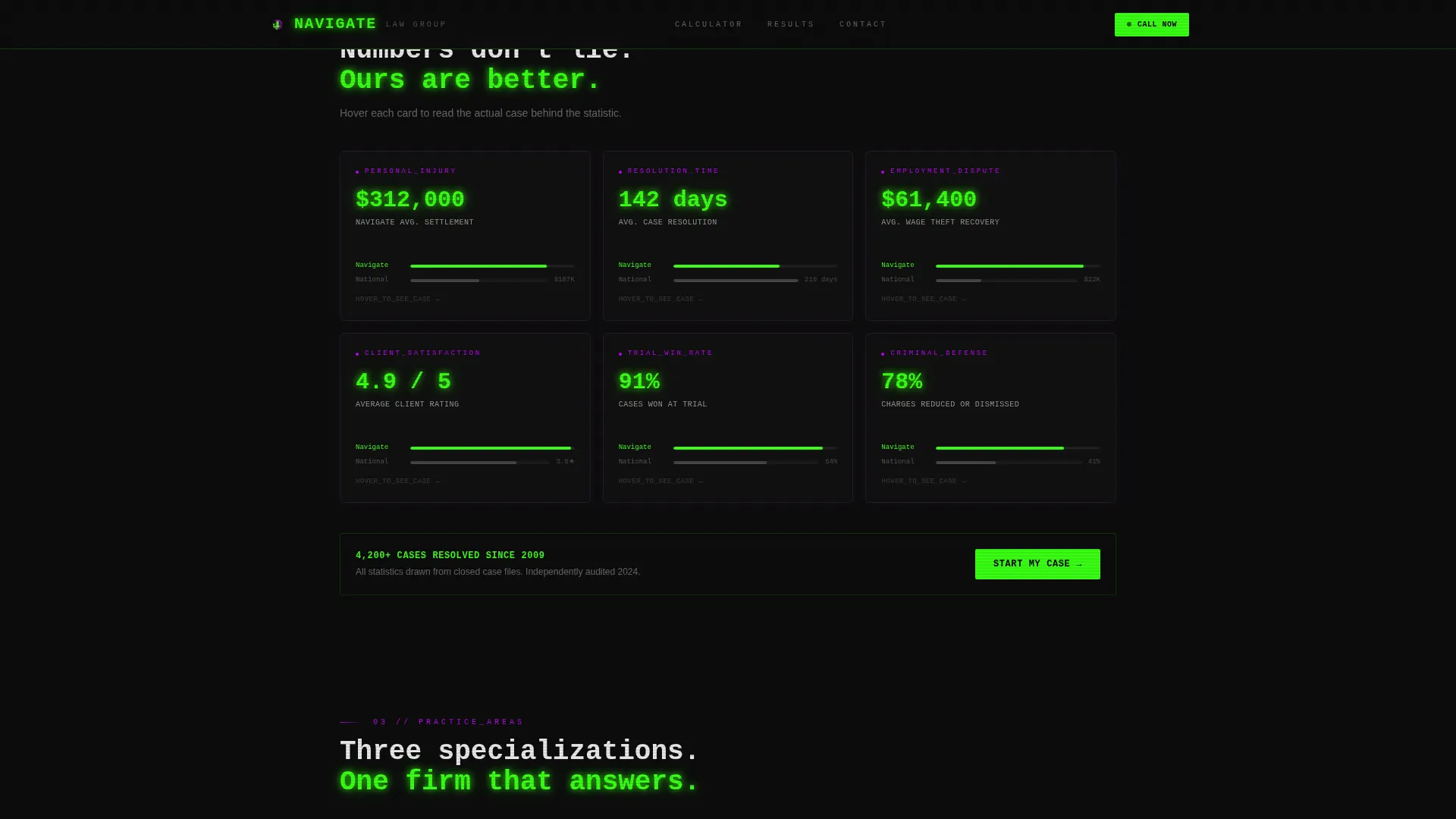
- A modular comparison card grid with hover-flip case summaries and firm-versus-industry data blocks
- A three-field sequential intake form, a click-to-SMS secondary path, and a persistent mobile bottom bar
Feature list
A single paragraph introduces the core functional depth of this template before each feature is detailed below.
Navigate packs interactive, data-led components into a dark terminal aesthetic that signals authority on first load. Each feature listed here is grounded directly in the template brief.
Live Settlement Estimator
The calculator runs immediately as the default panel in the header tab switcher. Visitors adjust sliders for injury severity, lost wages, and medical bills. The output renders in oversized terminal-green numerals, making the tool the first persuasive element the visitor encounters.
Feature Tab Switcher Header
Three glowing tabs, "Find Your Case Type," "Calculate Your Claim," and "Compare Our Results", sit above a live-switching content panel. Selecting a tab updates the panel instantly. The tab state pre-fills the case type field in the intake form below.
Comparison Card Grid
Each card module displays the firm's metrics against industry or regional averages: average settlement value, case resolution time, and client rating. Cards flip on hover to reveal an anonymized one-sentence case summary and outcome, moving the visitor from statistics to human proof.
Practice Area Cards
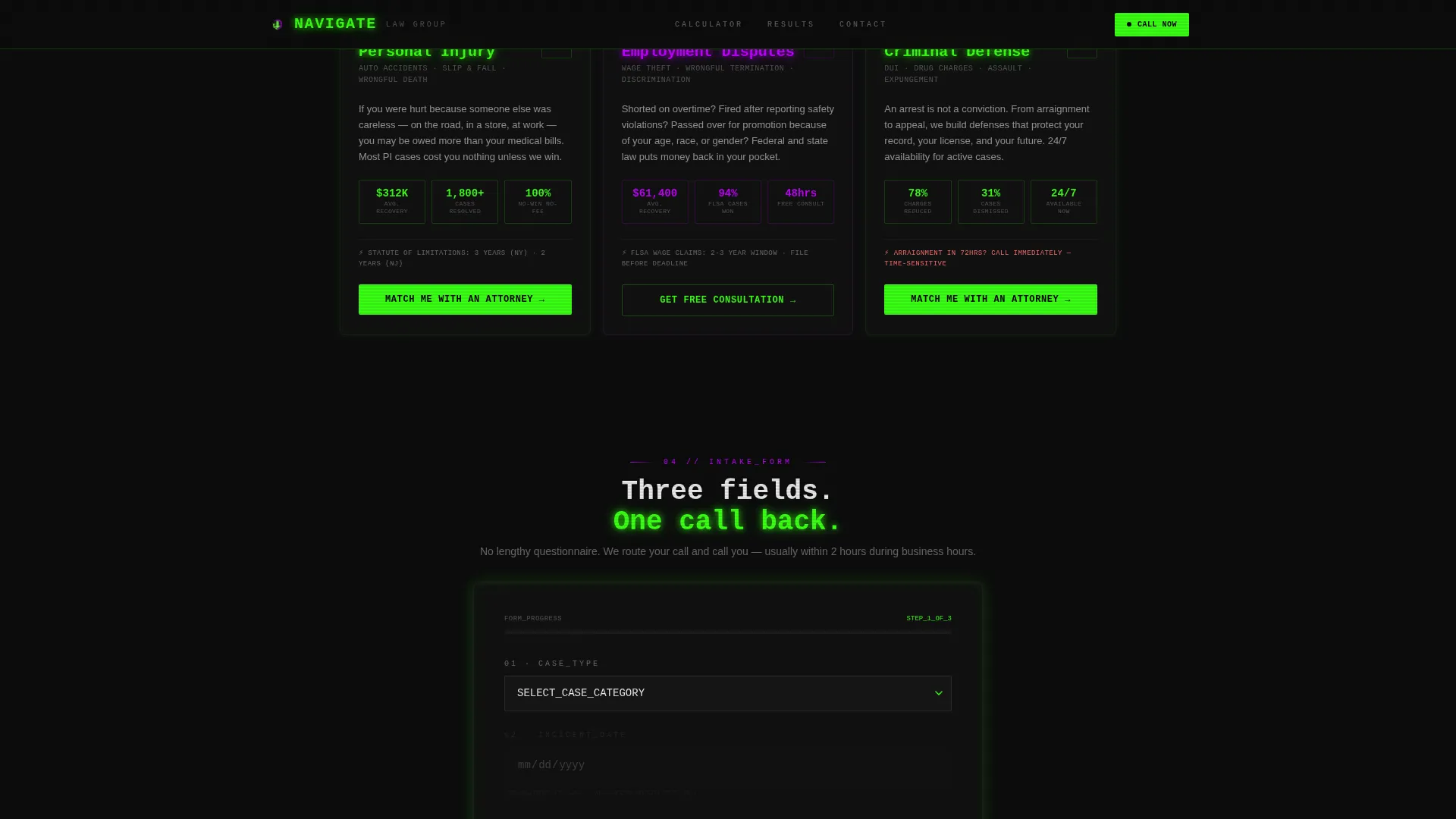
Three dedicated cards cover personal injury, employment disputes, and criminal defense. Each card carries outcome data and a direct call to action, giving visitors a fast path to the practice area that matches their situation.
Sequential Intake Form with SMS Fallback
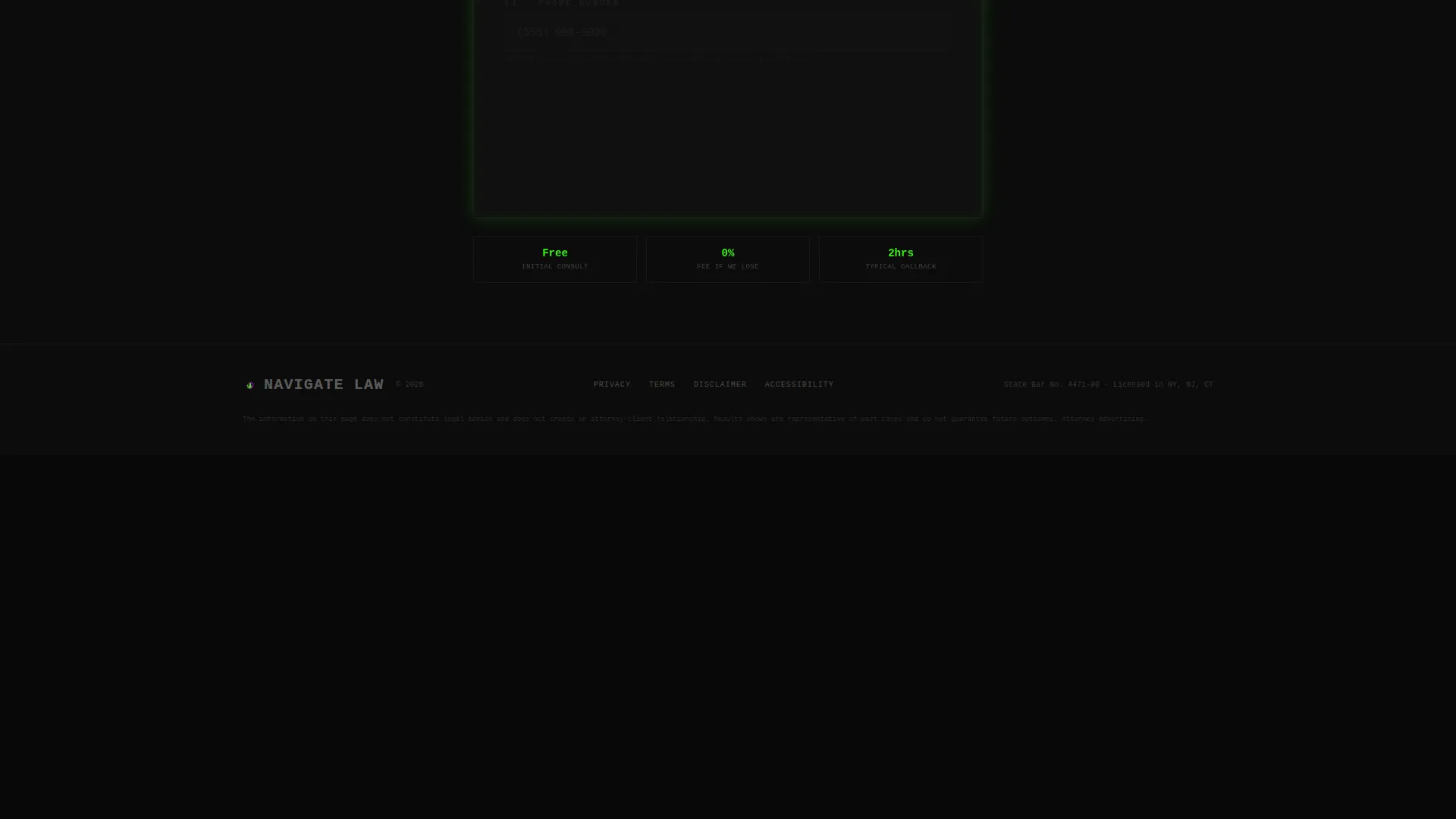
The intake form asks only three fields in order: case type, incident date, and phone number. A "Text Us Instead" click-to-SMS link provides a lower-friction secondary path. On mobile, the primary call-to-action button persists as a fixed bottom bar throughout the scroll.
Data Command Visual System
The layout uses a void black canvas (#0D0D0D) with terminal green (#39FF14) on active states and primary calls to action, electric violet (#BF00FF) marking category boundaries, and cold interface white (#E8E8E8) for body text. JetBrains Mono handles headings and labels while DM Sans carries readable body copy.
Page sections overview
| Section | Purpose |
|---|---|
| Hero Tab Switcher | Launch settlement estimator and tab navigation |
| Comparison Card Grid | Show firm versus. industry performance data |
| Practice Area Cards | Route visitors by case type with outcomes |
| Intake Form | Capture case type, date, and phone number |
| Footer Row | Minimal single-row developer-light footer |
Design & branding system
The visual language is built around a Data Command theme with an Acid Digital color system. The overall effect reads like a command-line terminal that intercepted the visitor's broken request and is now routing them somewhere useful.
- Void black (#0D0D0D) covers roughly ninety percent of the canvas; terminal green (#39FF14) pulses on active states and calls to action; electric violet (#BF00FF) marks practice area boundaries
- JetBrains Mono drives all headings and interface labels for a terminal-code feel; DM Sans handles body copy for readability
- Visual effects include a scanline overlay, GSAP scroll reveals, counter animations, card-flip 3D transitions, cursor glow, and live calculator output
Mobile & speed optimization
The template is designed mobile-first because the target visitor is typically on a phone late at night in a high-stress situation. Layout decisions and interaction patterns reflect that priority throughout.
- The primary "Match Me With an Attorney" call to action persists as a fixed bottom bar on mobile so it is always one tap away
- Animations use GPU-accelerated transforms only, avoiding heavy canvas rendering that would slow down mid-range phones
- The sequential form flow reduces cognitive load on small screens by presenting one field at a time
How this template helps you convert
The conversion architecture moves visitors through three escalating stages: curiosity triggered by the tool, doubt removed by the data, and action made easy by the form.
- The settlement estimator runs before visitors fully process the 404, capturing attention at the moment of highest intent and anchoring them to a dollar figure tied to their situation
- The comparison card grid shifts authority from claim to proof by placing the firm's real metrics next to industry and regional averages, with case summaries revealing on hover to add human weight to the numbers
- The three-field intake form and SMS fallback path ask only what is needed to route the call, keeping the barrier to submission as low as possible for a visitor who is already persuaded
Other information about this template
Navigate is categorized under Law Firm Website Templates in the Technology section of the marketplace. It is designed specifically for the law firm 404 error page niche, an intersection that rarely receives dedicated design attention despite its high-urgency traffic profile.
- The template style is Card Grid (Modular), making individual sections easy to rearrange or extend without rebuilding the layout
- Localization is set for the United States market, with currency in USD and dates in MM/DD/YYYY format
- The page carries no stock courthouse photography or gavel iconography; the interactive tool and data grid are the visual anchors
- Animation intensity is set to high, covering scanline overlays, counter roll-ups, and 3D card flips, all controllable by the developer during implementation
Theme
Data Command
Creative direction
Calculator/Tool First
Color system
Acid Digital
Style
Card Grid (Modular)
Direction
Comparison/Versus
Page Sections
Live Settlement Estimator with Sliders
Feature Tab Switcher Header
Comparison Card Grid with Hover Flip
Practice Area Cards with Outcomes
Sequential Intake Form and SMS Fallback
Data Command Terminal Aesthetic
Related questions
Can I use this template for only one practice area?
Does the settlement estimator produce legally binding estimates?
What happens when a visitor picks a tab in the header?
Is the SMS fallback a separate platform or built into the template?
Can Navigate fully replace our existing 404 page?